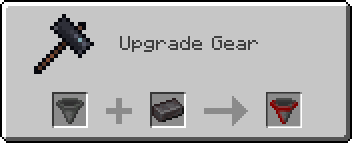
2. 快速刷神装
3. 配置效果
4. 创建私人世界
/world create 我的世界
/world config gamemode creative
/world config cheats true
/world tp
感谢使用 CoreTweaker127’s-Mod!
让我们一起创造更好的Minecraft体验! 🌈⚔️
CoreTweaker127’s-Mod
A comprehensive Minecraft mod featuring 150 Chinese Hero Achievements, Rainbow Divine Sword, 26 TNT variants, Super Minecarts, Universal Totems, and more!
📖 Mod Introduction
CoreTweaker127’s-Mod is a feature-rich Minecraft Fabric mod that brings revolutionary changes to your gameplay experience! Whether you’re a builder, adventurer, or redstone engineer, this mod provides powerful and fun tools for you.
✨ Core Features
🗡️ Rainbow Divine Sword System – Super weapon with AoE attacks and slam strikes
🏆 150 Chinese Hero Achievements – A unique achievement system paying tribute to Chinese heroes
💣 26 TNT Variants – From tracking TNT to super explosives, everything you need
🚂 Special Minecart System – High-speed minecarts, flying minecarts, teleporting minecarts
🛡️ Universal Totem System – Even stone and wood can serve as Totems of Undying!
🌍 Multi-Dimension System – Create private worlds, skyblock adventures
🎨 Rich Functional Blocks – Auto furnace, infinite water source, teleportation pad, and more
⚙️ Highly Configurable – All features can be customized through config files
🎮 Main Features
⚔️ Rainbow Divine Sword System
Base Attributes
– Damage: 5,000 base damage
– AoE Attack: Hits all entities within 10 blocks
– Slam System: +100 damage for every block of fall height
– Dropping from 100 blocks = 15,000 damage!
– Infinite Durability: Never breaks
– Bedrock Breaking: The only weapon that can break bedrock
– Instant Obsidian Mining: Mines obsidian instantly
Special Abilities
**Auto Totem of Undying**
– Automatically triggers upon receiving lethal damage
– Restores to 1 health point
– Grants Regeneration II, Absorption II, Fire Resistance I
– No cooldown, unlimited triggers
**Divine Gear Drop System**
*Mining Stone Drops (30% chance):*
– 5%: Full Netherite armor set with Level 255 enchantments
– 10%: Totem of Undying (1–3)
– 15%: End Portal Frames, Eyes of Ender, Dragon Eggs, and other rare items
– 70%: Random enchanted gear (Levels 1–15)
*Damage Drops (20% chance):*
– End Portal Frames, Eyes of Ender, Obsidian
– Flight Duration 3 Firework Rockets, Enchanted Golden Apples
– Enchanted gear with no curses (guaranteed no Binding/Vanishing)
– Nether Stars (ultra rare!)
**Mob Last Words**
– 46 unique last words displayed when killing mobs
– Adds fun and immersion to the game
Hotkey Functions
| Key | Function | Description |
|—–|———-|————-|
| C | Effects Config GUI | Customize 8 potion effects, Levels 1–255 |
| F | Creative Mode | 3 seconds of Creative Mode, 60-second cooldown |
| L | Ore Detection | Detects all ores within 50 blocks |
| – | Tracking TNT | Spawns TNT that auto-tracks enemies |
🛡️ Universal Totem System
Trigger Priority:
1. Vanilla Totem of Undying — Highest priority
2. Infinity-Enchanted Totem — Enchant with “Infinity” so the totem is never consumed
3. Substitute Totems — When no totem is available, other items can save your life!
Available Substitutes (by priority):
– Stone
– Deepslate
– Diorite
– Sand
– Sticks
– Various Planks (Oak, Birch, Spruce, etc.)
– Various Logs
Excluded Items: Tools, weapons, minerals, and ore blocks cannot be used as substitutes.
Configuration Options:
“`json
{
“enableUniversalTotem”: true, // Universal Totem
“enableTotemEnchanting”: true // Totem Enchanting
}
“`
💣 26 TNT Variants
Special TNT Types:
– Tracking TNT — Auto-tracks the nearest hostile mob
– Friendly TNT — Only destroys blocks, does not harm entities
– Super TNT — Massive explosion radius
– Mining TNT — Only destroys ores, perfect for mining
– Teleport TNT — Teleports you to a designated location after explosion
– …plus 21 more variants!
TNT Properties:
– Configurable explosion power
– Configurable fuse time
– Configurable special effects
– Instant detonation on hit
🚂 Super Minecart System
Minecart Types:
– High-Speed Minecart — 500% speed boost
– Flying Minecart — Can fly through the air
– Teleport Minecart — Instant teleportation to destination
– Storage Minecart — Extra-large storage capacity
– Combat Minecart — Auto-attacks hostile mobs
Rail Enhancements:
– High-Speed Rail — Increases minecart speed
– Teleport Rail — Direct teleportation
– Auto-Correction Rail — Prevents derailment
– Launch Pad — Launches minecarts into the air
🏆 150 Chinese Hero Achievements
Pay tribute to Chinese historical heroes and learn history through gameplay!
Achievement Categories:
– Ancient Heroes — Yue Fei, Wen Tianxiang, Qi Jiguang…
– Modern-Era Heroes — Lin Zexu, Deng Shichang, Yang Jingyu…
– Contemporary Heroes — Qian Xuesen, Yuan Longping, Tu Youyou…
– Mythological Figures — Hou Yi, Da Yu, Nüwa…
– Literary Heroes — Three Kingdoms characters, Water Margin heroes…
Unlock Methods:
– Complete specific tasks
– Defeat specific mobs
– Collect specific items
– Explore specific areas
🌍 Multi-Dimension / World System
Create a Private World:
– `/world create [world name]` — Create your private world
– `/world tp` — Teleport to your world
– `/world back` — Return to the overworld
– `/world config ` — Configure world parameters
– `/world info` — View world information
Configurable Parameters:
– `seed` — World seed
– `gamemode` — Game mode (survival/creative/adventure/spectator)
– `difficulty` — Difficulty (peaceful/easy/normal/hard)
– `type` — World type (normal/flat/amplified/large_biomes)
– `flat` — Superflat preset
– `cheats` — Allow cheats (true/false)
– `pvp` — PVP toggle (true/false)
Permission Management:
– `/worldpp turn` — Invite a player to visit
– `/worldpp flash` — Revoke access
– `/worldpp visit ` — Visit another player’s world
Skyblock Dimensions:
– Enter various skyblock dimensions via commands
– Normal spawn in the overworld; skyblock requires commands to enter
– Various special terrains await your exploration
🎨 Functional Blocks
Automation Blocks:
– Auto Furnace — Smelts automatically without fuel
– Auto Crafting Table — Automatically crafts items
– Auto Planter — Automatically plants and harvests
– Auto Breeder — Automatically breeds animals
Special Blocks:
– Infinite Water Source — Provides unlimited water
– Infinite Lava Source — Provides unlimited lava
– Teleportation Pad — Set teleport points for quick travel
– Peace Lantern — Prevents mob spawning
– Remote Redstone — Long-range redstone signal transmission
– Elevator Block — Quick vertical movement
Utility Blocks:
– Disassembly Table — Breaks items down into raw materials
– Sorter — Automatically organizes chests
– Jump Pad — Super-high jumps
– Speed Track — Extreme running speed
🛠️ Utility Items
Tool Items:
– Item Destroyer — Quickly destroy unwanted items
– Right-click to open the interface
– Left-click an item
– All identical items in your inventory are destroyed
– Protects important items from accidental deletion
– Sorter — Automatically organizes inventory and chests
– Super Peachwood Sword — A wooden sword with special attributes
– Magic Cocktail — Random potion effects
Special Items:
– Compressed Sticks — Crafted from 9 sticks
– Rainbow Sword — The ultimate weapon
– Totem of Undying — Supports enchanting
⚙️ Configuration System
Main config file: `config/xztx127.json`
“`json
{
“enableUniversalTotem”: true, // Universal Totem
“enableTotemEnchanting”: true, // Totem Enchanting
“enableRainbowSwordParticles”: false, // Rainbow Sword particle effects
“enableSuperRainbowSwordParticles”: true, // Super Rainbow Sword particles
“enableZombieGodGearDrops”: false, // Zombie divine gear drops ⭐
“enableRandomSpeedModification”: false // Random speed modification ⭐
}
“`
New Feature Configuration:
**Zombie Divine Gear Drops (New in v1.3.3)**
– Disabled by default; must be enabled in config
– Zombies have a chance to drop high-tier gear on death
– Customizable drop rates and items
**Random Speed Modification (New in v1.3.3)**
– Disabled by default; must be enabled in config
– Player movement speed changes randomly
– Adds fun and challenge to the game
📥 Installation
Prerequisites:
– Minecraft: 1.20.1
– Fabric Loader: 0.14.21 or higher
– Fabric API: 0.87.0+1.20.1 or higher
– Java: 17 or higher
Installation Steps:
1. **Install Fabric Loader**
– Download the installer from the [Fabric website](https://fabricmc.net/)
– Run the installer and select Minecraft 1.20.1
2. **Download Fabric API**
– Download from [Modrinth](https://modrinth.com/) or [CurseForge](https://curseforge.com/)
– Make sure the version is 0.87.0+1.20.1
3. **Install the Mod**
– Place `coretweaker127-mod-1.3.3.jar` into the `.minecraft/mods` folder
– Also place the Fabric API jar file in the same folder
4. **Launch the Game**
– Start Minecraft 1.20.1 using the Fabric profile
– The config file will be auto-generated on first launch
🎯 Quick Start
**Getting the Rainbow Sword**
Crafting Recipe:
“`
Netherite Block
Diamond Block
Emerald Block
Diamond Block
Stick
“`
Usage Tips:
– **Slam Strike**
Build a tall tower, jump down and attack mobs. The higher you fall, the more damage you deal! Dropping from 100 blocks = 15,000 damage!
– **Quick Divine Gear Farming**
Mine lots of stone (30% drop chance). Let mobs hit you (20% drop chance). Combine both methods for maximum efficiency.
– **Configure Effects**
Hold the sword and press C to open the config GUI. Adjust 8 effect levels (1–255). Changes take effect immediately — no restart needed.
– **Create a Private World**
“`
/world create MyWorld
/world config gamemode creative
/world config cheats true
/world tp
“`
🔧 FAQ
**Q: What if the Totem of Undying doesn’t work?**
A: This was fixed in v1.3.3! Both vanilla and modded totems now work correctly. Make sure `enableUniversalTotem` is set to `true` in the config.
**Q: Are new features enabled by default?**
A: Zombie Divine Gear Drops and Random Speed Modification are disabled by default. You need to manually enable them in `config/xztx127.json`.
**Q: How do I enter the skyblock dimension?**
A: Use the `/world create` command to create a world, or use teleport commands to enter special dimensions. You spawn normally in the overworld.
**Q: Is this mod compatible with other mods?**
A: In most cases, yes. If you encounter conflicts, check the logs and report the issue.
**Q: Config changes aren’t taking effect?**
A: You need to fully close the game and relaunch for changes to take effect.
📊 Technical Information
Mod Architecture:
– Mixins: Non-invasive vanilla code modification
– Networking: Full client-server synchronization
– GUI System: Custom configuration interface
– Entity System: 26 custom TNT entities
– Multithreading: Asynchronous task processing
Code Statistics:
– Java Classes: 100+
– Lines of Code: 10,000+
– Comment Coverage: 80%+
– Config System: JSON format
– Localization: Full Chinese and English support
Performance Optimization:
– Optimized particle effects
– Asynchronous task processing
– Caching system
– Configurable feature toggles
📝 Changelog
**v1.3.3 (2026-02-07) — Major Update**
✅ Mod Renamed: xztx127’s mods → CoreTweaker127’s-Mod
✅ Fixed Totem of Undying Issue: Holding a totem no longer causes instant death
✅ New Config Options: Zombie divine gear drops, random speed modification
Bug Fixes:
– Fixed Totem of Undying priority issue
– Fixed Universal Totem System interfering with vanilla mechanics
– Lowered UniversalTotemMixin priority
– Improved totem trigger logic
New Features:
– Zombie Divine Gear Drop system (disabled by default)
– Random Speed Modification system (disabled by default)
– Improved configuration system
See full changelog: [CHANGELOG-v1.3.3.md](CHANGELOG-v1.3.3.md)
🤝 Contributing
Contributions, bug reports, and suggestions are welcome!
How to Contribute:
1. Fork this repository
2. Create your feature branch (`git checkout -b feature/AmazingFeature`)
3. Commit your changes (`git commit -m ‘Add some AmazingFeature’`)
4. Push to the branch (`git push origin feature/AmazingFeature`)
5. Open a Pull Request
Reporting Issues:
– Provide a detailed description of the problem
– Include your Minecraft version and mod version
– Attach crash logs (if applicable)
– Describe the steps to reproduce
📜 License
This project is licensed under the MIT License — see the [LICENSE](LICENSE) file for details.
👥 Authors
– **CoreTweaker127** — Lead Developer
– **RainbowSword Team** — Development Team
🌟 Special Thanks
– **Fabric Team** — For providing an excellent mod loader
– **Minecraft Community** — For continuous support and feedback
– **All Contributors** — For making this mod even better
📞 Contact
– GitHub: Submit an Issue
– Discord: Join our server
– Email: [email protected]
🎉 Support the Project
If you enjoy this mod:
– ⭐ Give us a star on GitHub
– 📢 Share it with your friends
– 💬 Provide feedback and suggestions
– 🐛 Report bugs to help us improve
xTree
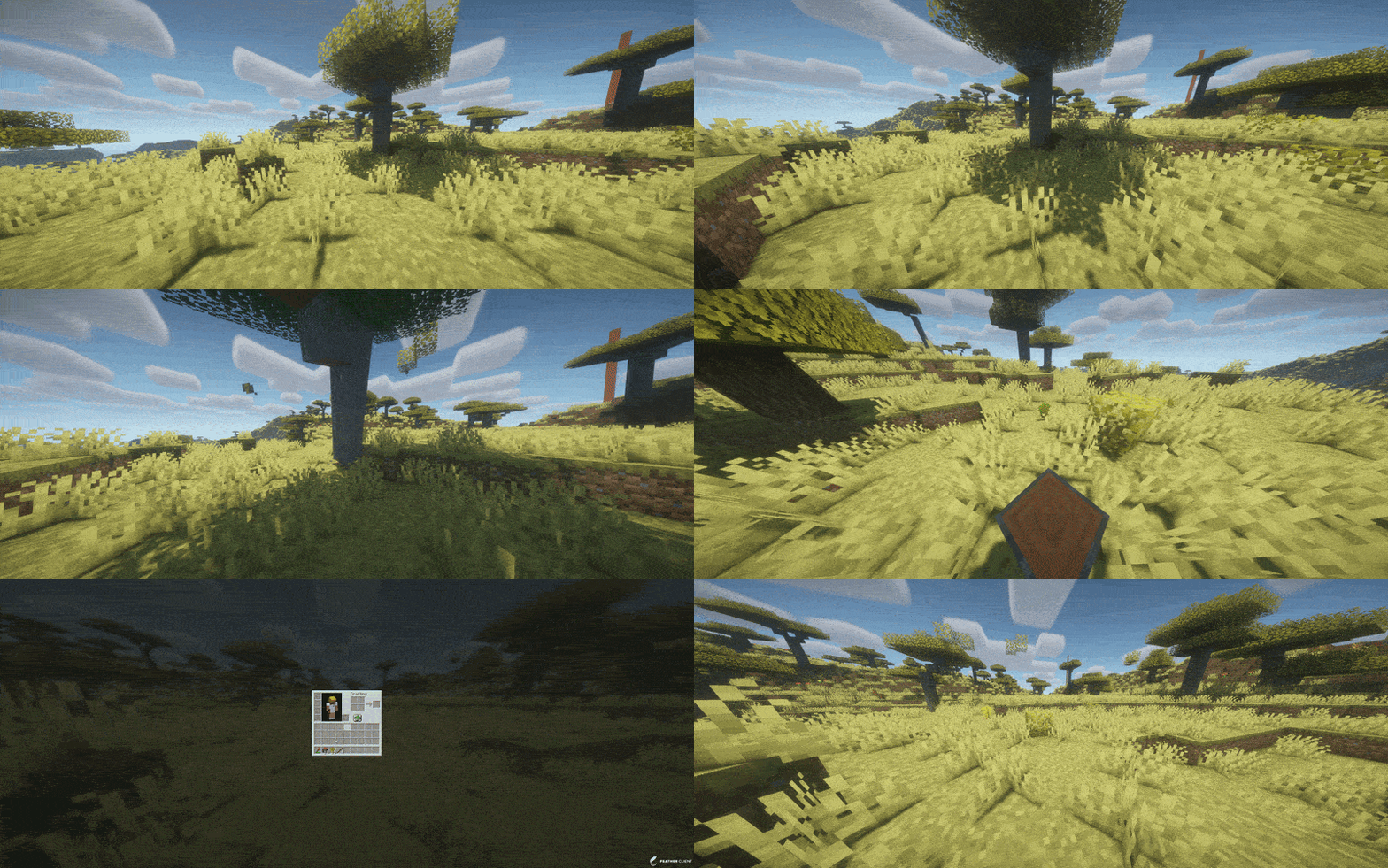
TreeFeller is a Paper plugin for Minecraft 1.21.x that makes tree cutting feel more natural and visually satisfying.
Instead of instantly removing the whole tree, the tree falls over with an animation, lands in the direction it actually falls, drops its loot near the impact point, and leaves behind a few scattered leaves for a nicer result.
The plugin is designed to feel immersive without turning tree cutting into an overpowered instant-break feature.
## Features
– Animated tree falling
– Trees fall away from the player
– Drops appear near the actual impact point
– Sounds and particles play on the correct side
– A few leaves are placed on the ground after impact
– Saplings, sticks and apples can drop naturally
– Sneaking lets players bypass the system and break blocks normally
– Axe-only support
– Improved detection to reduce false positives on player-built wooden structures
– Better separation of connected leaves between nearby trees
– Simple language/message system
## Supported server software
– Paper 1.21.x
Tested on:
– Paper 1.21.11
## Supported tree types
– Oak
– Birch
– Spruce
– Jungle
– Acacia
– Dark Oak
– Cherry
– Mangrove
## How it works
When a player breaks a log with an axe, TreeFeller checks whether the structure looks like a natural tree.
If it is detected as a valid tree:
– the tree is collected
– the blocks are replaced with animated displays
– the tree falls over
– sounds, particles and drops are spawned on the same side as the visual fall
– logs and natural loot are dropped near the landing point
– a few leaves are left on the ground for a more natural look
Sneaking while breaking a log bypasses the plugin and keeps normal block breaking behavior.
## Tree detection
TreeFeller includes extra checks to avoid treating random wooden builds as natural trees.
It also tries to separate leaves from nearby trees more carefully, so if two tree crowns touch, the plugin does not simply take every connected leaf block.
No automatic tree detection is perfect in every edge case, but the current system is built to be much safer than a simple “connected logs and leaves” approach.
## Installation
1. Download the latest release
2. Put the jar into your server’s `plugins` folder
3. Start or restart the server
## Requirements
– Java 21
– Paper 1.21.x
## Configuration
### `config.yml`
“`yaml
language: en
XTransfer
# XTransfer
## Features
– Developer API
– Whitelist of Player UUID’s
– Token Whitelist via Paper’s Cookie System.
– Customizable and developer-friendly
## Commands
– `/xtransfer` (or your custom Option) – Permission: `transferpacket.command.`
## Permissions
– `xtransfer.command..transfer`
– `xtransfer.command..whitelist`
– `xtransfer.command..whitelist.list`
– `xtransfer.command..whitelist.player`
– `xtransfer.command..whitelist.player.add`
– `xtransfer.command..whitelist.player.remove`
– `xtransfer.command..whitelist.token`
– `xtransfer.command..whitelist.token.add`
– `xtransfer.command..whitelist.token.remove`
## Developer API
**Use our repo to Download the API**
– [https://repo.jespersen.zip/#/releases/dev/xyzjesper/xtransfer](https://repo.jespersen.zip/#/releases/dev/xyzjesper/xtransfer)
### Project Setup
To access the API use the `XTransferAPI` Menthods and interact with the plugin.
__Note: Please add the Plugin TransferPacket as depend! And check the enabled status.__
“`kts
repositories {
mavenCentral()
maven(“https://repo.jespersen.zip/releases”)
}
dependencies {
compileOnly(“zip.jespersen:xtransfer:“)
}
“`
Xtra stuf
This mod has many new features, some may seem hard to figure out. here are some instructions for hard features.
Mars dimension. in order to go to mars, you need to make a portal out of mars block. you craft it with red sand in the middle and corners of the crafting grid, the rest filled in with iron ingots. you make it like a nether portal, but ignite it with the mars portal igniter made with red sand and flint and steel. in mars, you will find iron oxide, volcanic basalt, and mars bases. the iron oxide can be crafted with iron nugget + bottle of water (not water bottle) the bottle of water is crafted with 2 glass on top of each other. iron oxide can be converted to iron nuggets with sandpaper + iron oxide. sandpaper is made with paper and sand on top of the paper. volcanic basalt can be made into slabs, stairs and walls.
2. Biomes. The biomes naturaly generate around the world. the pine forest is the most commen. it is like a tall tree spruce biome, but the trees are a new tree type, pine, they can be crafted into planks, slabs, stairs, door, trapdoor, and fence. i forgot to make wooden tool and stick craftable with it. Biome 2: Orange tree feilds. this biome generates with orange trees and grass. the oranges drop from the leaves. the oranges can be eaten or crafted into with orange + bottle of water. Biome 3: Glowing plains. this biome is less serious, the ground is glow block, and dirt is glowstone. In mars, there is mars biome and mars basalt plains. in the garbage dimension there is landfill.
3. Garbage dimension. garbage is crafted with paper, stick, dirt. 4 garbage makes a garbage block, used to make a garbage portal. be careful to not break the garbage block be cause it drops junk. to ignite the portal use the garbage portal igniter crafted with flint and steel and garbage. the garbage dimension is garbage block and trash water. it is just like water but flows slower.
4. Ores and materials there are 2 new ores and 5 new materials. first uranium its a bit rare and the armour gives you blast protection and the pickact mines a 3×3 area. the sword gives poison 1 for 60 ticks. next, tin. tin is another ore. it can be used to craft bronze with 1 copper and one tin ingot. bronze can be used to craft a sword, pickaxe, and trumpet. the bronze tools are almost as good as diamond. next, stone armour is now a thing. it is crafted with stone, andisite, diorite, and granite, not cobblestone. Next, great material. the tools and armour are overpowered. you craft it with netherite, diamond and iron. it has a sword, axe, pickaxe, and armour.
5. Plants. Many new plants generate all over the world. some plants, like corn, raspberrys, and tomatos can be eaten. corn when you eat it drops a corn husk, which can be crafted into bonemeal. other plants are decorative. the mushroom piles drop mushrooms.
6. mobs. at the time of writing this, the only new mob is a duck. they are a bit buggy.
7. this may change. new things are always being added.
XTransfer

# 0 What the heck is this?
A new plugin designed to **transfer players’ data between names or UUIDs**. I didn’t find any other plugin can handle this problem before, so I made my own one and uploaded it to here to help anyone who needs this feature for his/her server.
# 1 Features
## 1.1 Smart UUID Detection
Automatically detects UUIDs from:
– Online players
– usercache.json (for premium players)
– Offline-mode UUID generation
## 1.2 Complete Data Transfer
Transfers all vanilla player data:
– Player inventory and Ender Chest (`playerdata/`)
– Statistics (`stats/`)
– Advancements (`advancements/`) for 1.13+
## 1.3 Safe & Reliable
– Creates automatic backups before overwriting
– Kicks online players to prevent data overwrite (configurable)
– Asynchronous file operations – no server lag!
# 2 Commands and Permission Nodes
## 2.1 Commands
“`markdown
– /xtransfer – Show version info
– /xtransfer transfer – Transfer by player names
– /xtransfer transferuuid – Transfer by UUIDs
– /xtransfer list – List all player data files
– /xtransfer list – Show files for specific player
– /xtransfer reload – Reload configuration
– /xtransfer help – Show the help message
/xtf = /transfer = /xtransfer
“`
## 2.2 Permission Nodes
“`markdown
– xtransfer.manage – Allows using all XTransfer commands (default: op)
“`
# 3 Config
“`yaml
# Show logo when plugin enabled
show_logo: true
# World settings
world:
# Manual world name (only used if auto-detect is false)
name: “world”
# Automatically detect world name from server
auto-detect: true
# Transfer settings
transfer:
# Transfer statistics files
stats: true
# Transfer advancements files (1.13+)
advancements: true
# Backup settings
backup:
# Create backup of existing files before overwriting
create: true
# Suffix for backup files
suffix: “.old”
# Online player handling
# If true, kick online players before transfer
# If false, show warning but continue
kick-online-player: true
# Language settings
language: “en”
# Debug mode (enable only for troubleshooting)
debug: false
# Messages – You can customize all messages here
messages:
# English messages
en:
no-permission: “&cYou don’t have permission!”
usage-header: “&9&lX&f&lTransfer &f&lHelp”
usage-transfer: “&7/xtransfer transfer &f ”
usage-transferuuid: “&7/xtransfer transferuuid &f ”
usage-list: “&7/xtransfer list &f[player]”
usage-reload: “&7/xtransfer reload”
usage-help: “&7/xtransfer help”
reload-success: “&a✓ Configuration reloaded!”
transfer-start: “&eStarting async transfer…”
looking-up: “&eLooking up UUIDs for &f{old} &eand &f{new}&e…”
uuid-not-found: “&cCould not find UUID for: &f{name}”
try-uuid: “&7Try using /xtransfer transferuuid with direct UUIDs”
invalid-uuid: “&cInvalid UUID format! Use: /xtransfer transferuuid ”
uuid-example: “&7Example: 12345678-1234-1234-1234-123456789012”
source-data-missing: “&cSource player {name} ({uuid}) has no data file!”
transfer-from: “&7From: &f{name} &7({uuid})”
transfer-to: “&7To: &f{name} &7({uuid})”
transfer-file: “&7File: &f{file}”
backup-created: “&7Backed up existing file to: &f{file}”
transfer-success: “&a✓ Successfully transferred player data!”
transfer-stats: “&7✓ Transferred stats file”
transfer-advancements: “&7✓ Transferred advancements file”
transfer-error: “&cError during transfer: {error}”
folder-not-found: “&cPlayer data folder not found: {path}”
source-not-found: “&cSource file not found: {file}”
source-location: “&7Looked in: {path}”
player-online-warning: “&e⚠ Warning: Player {player} is online! Data may be overwritten when they log out.”
player-kicked: “&e✓ Player {player} has been kicked for data transfer.”
kick-message: “&cYour data is being transferred. Please rejoin in a few seconds.”
no-files: “&eNo player data files found”
list-header: “&6=== Player Data Files ({count}) ===”
list-more: “&7… and {count} more”
list-entry: “&7{name} &8- {uuid}”
list-unknown: “&8{uuid} &7(unknown)”
files-header: “&6=== Files for {player} ===”
file-playerdata: “&7Player Data: {status}{size}”
file-stats: “&7Stats: {status}”
file-advancements: “&7Advancements: {status}”
# Other language…
“`
xPixel’s Enhanced Craft [REVAMPED]
**Version 2.1 is here!** A complete **revamp** from the previous version of these modpack. A complete overhaul of the overworld dimension.
### Important Notice:
We will start to transtion to **NeoForge** starting **v2.1** since it offers **more content** and things to do inside the modpack giving not just **exploring** but **building** and specially **Cooking!!**
We’ve added **Farmers Delight, Pam’s Harvest Craft Mods, [Lets Do] Mods, Rechiseled** and other more stuffs.
**RAM Allocation:**
Minimum: 4GB
Recommended: 6GB
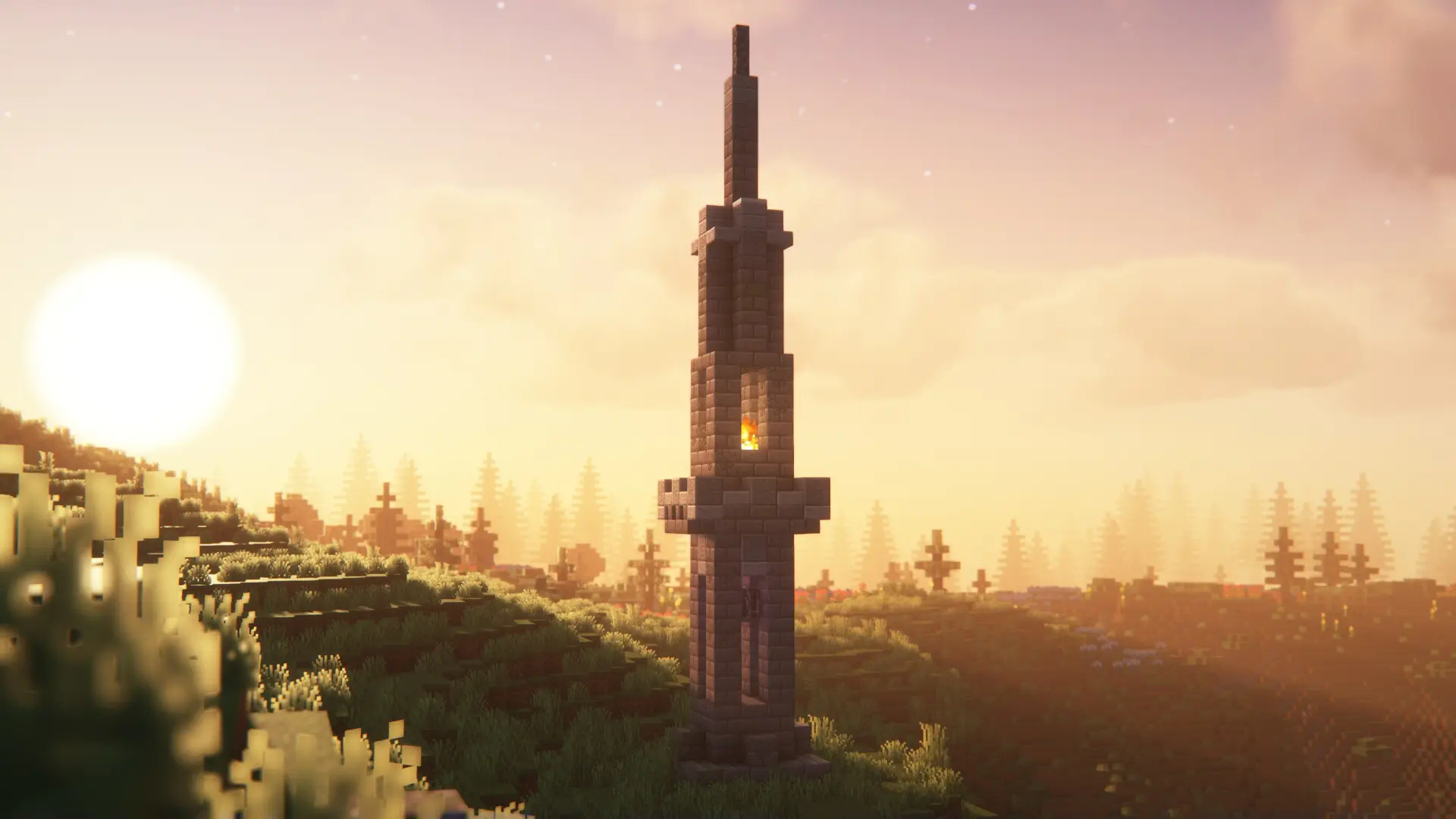
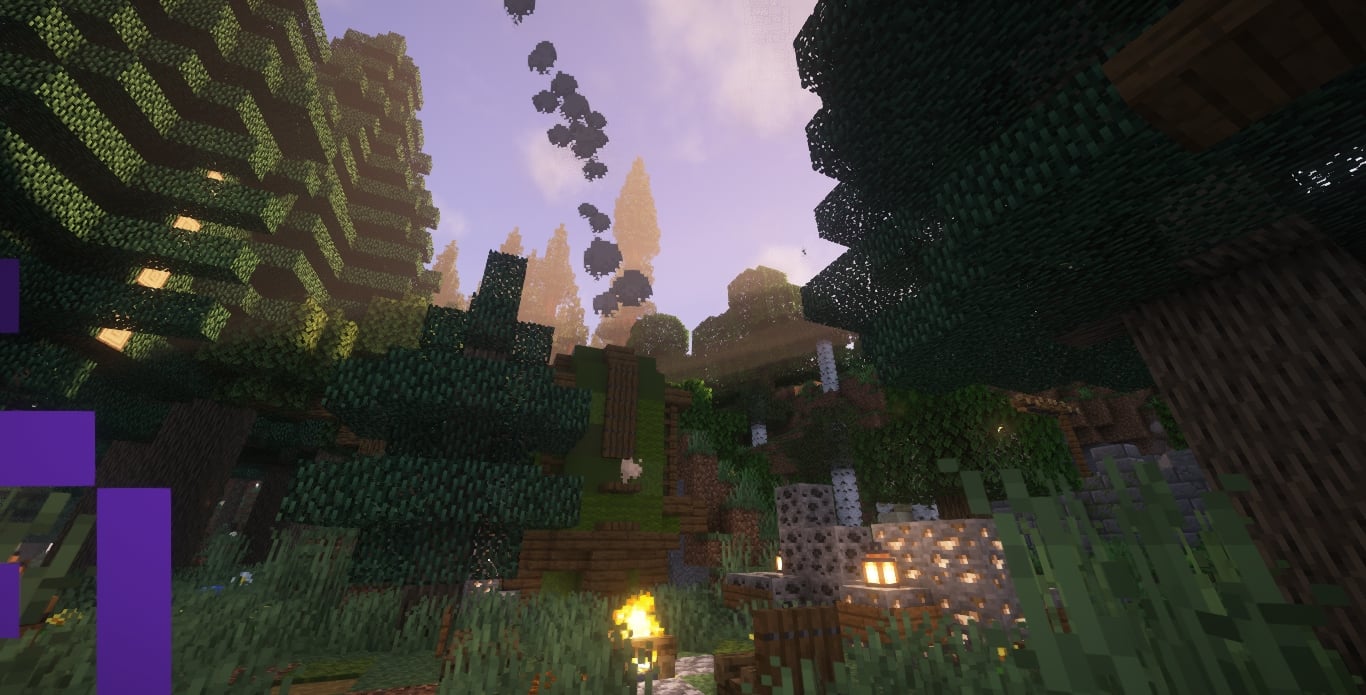
**Explore the infinite but limited world that Minecraft has to offer with addition.**
XrCreate
# What _is_ XrCreate?
XrCreate is a modpack meant for a server started by a couple of friends intended to be played on Questcraft, however fully functional on other platforms. XrCreate is focused on performance and functionality with content mods like Farmer’s Delight and Create (More to be added soon).
## How to join?
[Join the Discord here](https://discord.gg/55B4C2ZsEr) and install the modpack on either your computer or Quest headset.
From there navigate the server until you find the server ip. There is currently no whitelist so you can join!
## Disclaimer:
While intended for use on the XrCreate Server ([Discord here!](https://discord.gg/55B4C2ZsEr)) it is a fully functional pack independantly. Use on other servers is discouraged, however, personal use is fine.
Xray Vision+
# XRay Vision+
XRay Vision+ is a client-side Fabric utility mod focused on visible-only awareness instead of wallhacks.
It highlights ores only when they are directly visible to the player, points toward cave openings and open tunnels, marks dark danger zones, and warns about lava, hostile mobs, and deep drops. The mod also includes a fullbright toggle, an in-game config menu, and a draggable HUD layout editor.
This project is designed to stay client-side and multiplayer-safe by avoiding hidden-block reveals. All scanning and markers are based on line-of-sight checks and visible world state only.
## Features
– Visible-only ore highlighting
– Cave entrance and tunnel indicators
– Dark-zone and hazard detection
– Lava, hostile mob, and deep-hole alerts
– Fullbright toggle on `G`
– Config menu on `Right Shift`
– Draggable HUD position editor
– Fabric builds for multiple Minecraft 1.21.x versions