Create: Wooden Cog Solid


# About:
_Wooden Cog Solid is an addon for Create blending the Worlds of Metal Gear Solid and itself together._
Adding features like the Vault Golem, Stealth Camoflauge and the Iconic Bandana all straight from or Ideas from Metal Gear this Mod attempts to blend the two worlds decently well.

# Features:
### Tools:
– Andesite and Brass Stealth Camoflauge making the Player nearly invisible for a period of time.
– The Stun Knife, a low damage weapon giving the Stunned effect to the Target for a second
– The Vault Golem, a Small Craftable Mob that follows you working as Portable Storage
### Cosmetics:
– Bandanas of all Colour types in its own Curios Slot so it doesn’t effect anything else.
### Other Features:
– Lapis Sheet
– Integrated Circuit
– Battery, A placable item used in Recipes
– Tire, A block used in Recipes

# Upcoming Features:
– Dye Depot Compatibly
– Tire Remake: several colours
– Cosmetics for the Vault Golem
– Automatable Food Items
– More Golems more akin to Metal Gears
– Different Armours with different uses
– More Tools/Weapons

# Credits and License:
Made by FTBboi with help from DrogenMaster5729, FixedRL and Polertiger all helping with ideas and Misc things
Feel free to use this mod in your modpacks without asking for permission. Do not redistribute the jar files anywhere else pretty please 🙂
Wooden Bucket
# Wooden Bucket
This is a **Minecraft Forge** mod that adds a Wooden Bucket to the game.

## Dependencies
Since mod version 3.0.0.0 the library mod BucketLib ([Github](https://github.com/cech12/BucketLib/), [Curseforge](https://www.curseforge.com/minecraft/mc-mods/bucketlib), [Modrinth](https://modrinth.com/mod/bucketlib)) is required.
The Fabric / Quilt version needs also the following mods:
– Fabric API ([Github](https://github.com/FabricMC/fabric), [Curseforge](https://www.curseforge.com/minecraft/mc-mods/fabric-api), [Modrinth](https://modrinth.com/mod/fabric-api))
– Cloth Config API ([Github](https://github.com/shedaniel/cloth-config), [Curseforge](https://www.curseforge.com/minecraft/mc-mods/cloth-config), [Modrinth](https://modrinth.com/mod/cloth-config))
## Features
The **Wooden Bucket** acts like a normal bucket and can contain water, lava, milk, powder snow and axolotl/tadpole/fish.
Special features of a Wooden Bucket:
– If the bucket contains lava, it melts as soon as you empty it. (temperature configurable)
– It has a durability of 25. (configurable)
– Obtaining fluids, blocks & entities can be configured via tags and via configuration file.
All bucketable mod fluids, blocks & entities are supported. (see also [BucketLib Wiki](https://github.com/cech12/BucketLib/wiki))
## Sponsors
[](https://bisecthosting.com/cech12?r=modrinth-wooden-bucket-image)
You need a server? Save 25% on [Bisect Hosting with the promo code “cech12”](https://bisecthosting.com/cech12?r=modrinth-wooden-bucket-link)!
## FAQ
### Can I use this mod in my mod pack?
Yes, you are allowed to use this mod in your mod packs
### Port to another Minecraft version? Which versions are supported?
Sorry, but I do not backport any mod to an older version. Here is a list of all supported and planned versions: [Minecraft mod versions of cech12](https://gist.github.com/cech12/662e37d2f8524037d9fef8fbe90bed5a)
Due to technical changes in Minecraft, the effort to port this mod to 1.16 is too large. There is already a similar mod for 1.16: https://www.curseforge.com/minecraft/mc-mods/wooden-buckets
### Is there a Fabric version?
Since 1.20.4 the mod is available for Fabric & Quilt. There is no plan to backport Fabric support to earlier Minecraft versions. For earlier versions please check out this mod: [Early-Game Buckets (Fabric)](https://www.curseforge.com/minecraft/mc-mods/new-buckets-fabric)
### Where is the config file?
There is a defaultconfig directory, where you can find it. If you change something there it has only an effect on new savegames. For existing savegames you need to go to the serverconfig directory of the savegame.
### I found a bug or I have a good idea to enhance this mod!
Very good! Open an issue at Github. You have no Github-Account? You can also contact me here in the comments or via private message.
Wood Cutter
# Join [Discord](https://discord.gg/tbS7StwQeU) for more updates.
# Wood Cutter, Wood in Stonecutter
**Work on Minecraft Version: 1.13.X-1.14.X**
**Version soon coming: 1.15.X**
**Download: Modrinth**
## Overview
Wood Cutter is a datapack that overhauls Minecraft Stonecutter, enabling it to craft wooden items like a dedicated woodworking station. Designed for players who want streamlined building without mods, it retains vanilla balance while expanding the stonecutter’s utility for all 6 classic wood types (oak, spruce, jungle, birch, dark oak, acacia).
## Features
Stonecutter Woodworking:
Craft planks, slabs, stairs, fences, doors, trapdoors, and signs directly in the stonecutter.
Vanilla-friendly ratios (e.g., 1 log = 4 planks, 1 log = 4 stairs).
Customizable Recipes:
Optional config to disable vanilla crafting table recipes (e.g., force fences to be stonecutter-only).
Adjust plank/stair yields for balance.
Optimized Performance:
Minimal lag during /reload (v3.4 improvements).
No visual glitches (axes no longer “consumed”).
## Compatibility
Works With:
Fabric, Forge, or Vanilla (no mods required!).
Most resource packs and performance mods (e.g., Sodium, OptiFine).
Conflicts:
Datapacks/mods that alter vanilla stonecutter behavior (e.g., Terralith, Vanilla Tweaks).
Not compatible with Minecraft 1.15+.
## Installation
Download WoodCutter_v3.4.zip.
Drag into your world’s datapacks folder.
Run /reload or restart your world.
## FAQ
Q: Do all vanilla wood recipes work in the stonecutter?
A: Yes! All 6 wood types (oak, spruce, jungle, birch, dark oak, acacia) are supported.
Q: Can I disable certain recipes?
A: Yes! Edit the config file to toggle specific recipes or yields.
Q: Does this work with Fresh Animations or other resource packs?
A: Yes, but use the optional texture pack for stonecutter GUI hints.
Q: Backports to newer versions?
A: This version is exclusive to 1.13.X. For 1.15+, check our updated packs!
## Limitations
No support for post-1.14 blocks (e.g., Bamboo, Crimson).
Recipe book previews may require a /reload to update.
##
License: MIT License (open-source, edit, and share freely!).
Report Issues: [Github](https://github.com/JubayerAhmed97/Better-Cutter) |
Simplify your woodworking—no mods required! 🪵
Wolf Armor and Storage Enhanced (MuddyPort)
**Summary:** Craftable wolf armor in 7 materials, wolf chest storage, auto-healing, and more. Ported to 1.20.1 Forge with some new enhancements! Now compatible with [Jade](https://modrinth.com/mod/jade)!
Equip your tamed wolves with craftable armor in 7 different materials, give them a chest for portable storage, and watch them heal themselves from food in their inventory. This port also adds some more material-specific special effects, vanilla enchanting support, and vanilla loot table integration that weren’t in the original.
🛡️ Wolf Armor (7 Materials)
– **Leather** — Light protection, craftable early
– **Copper** — Mid-tier
– **Chainmail** — Found in dungeon loot only (not craftable), grants a damage boost to wolf attacks
– **Iron** — Solid all-round protection
– **Gold** — Enemies killed by your wolf drop extra loot (Looting II effect)
– **Diamond** — High defense with knockback resistance
– **Netherite** — Top-tier defense, grants your wolf permanent Fire Resistance
Right-click a tamed wolf with any wolf armor to equip it. Armor is visible on the wolf with custom render layers.
📦 Wolf Chest Storage
– Right-click a tamed wolf with a Wolf Chest to attach storage
– Shift+right-click to open the 14-slot inventory GUI
– Wolves drop all stored items on death
🩹 Auto-Heal Behavior
– Wolves with a chest will automatically eat food from their inventory to heal
– Configurable via config file
🌙 Howl at Moon
– Wolves occasionally howl at night with custom sound effects
– Configurable via config file
✨ Enchantment Support
– All wolf armor can be enchanted on an anvil with:
– Protection, Fire Protection, Blast Protection, Projectile Protection Unbreaking
🗺️ Loot Table Integration
Wolf armor spawns naturally in vanilla structure chests:
– Dungeons, Nether Fortresses, Desert Temples, Jungle Temples
– Strongholds, End Cities, Mineshafts, Ancient Cities
– Bastions, Ruined Portals, Buried Treasure, Village Armorers
– Loot rates match equivalent horse armor / chainmail armor weights. Configurable — can be disabled in the config.
🔍 Jade Compatibility (Optional)
If Jade is installed, the built-in HUD overlay auto-disables and Jade displays:
– Armor name, defense value, and durability percentage
– Chest storage usage (used/total slots)
⚙️ Configurable
All major features can be toggled in the config:
– Enable/disable crafting recipes
– Enable/disable wolf inventory system
– Enable/disable loot table injection
– Enable/disable auto-heal and howl behaviors
– Toggle armor/inventory rendering
– Toggle stat overlay (auto-disabled when Jade is present)
**Compatibility**
– **LetSleepingDogsLie** — Fully compatible. Armor renders correctly in lying/sleeping poses.
– **Jade** — Built-in optional integration. No extra files needed.
This is a Forge port (and enhancement) of the NeoForge Port 1.21.10 by [Smallinger](https://github.com/Smallinger/wolf-armor-and-storage-legacy)
Original mod by [Satyrnidae](https://github.com/satyrnidae/wolf-armor-and-storage-legacy) (1.12.2)
Wrenching My Tom Till I Create
# Wrenching My Tom Till I Create
This datapack makes all blocks from Tom’s Simple Storage wrenchable with the Create mod wrench (instantly stashing the blocks into the inventory).
Requires [Tom’s Simple Storage](https://modrinth.com/mod/toms-storage) and [Create 6+](https://modrinth.com/mod/create) to be installed.
[Tom’s Create Storage resource pack](https://modrinth.com/mod/toms-create-storage) is also recommended, but not required.
*You can’t use the rotation functionality of the Create mod wrench on the blocks (yet).*
World Loading Tweaker

World Loading Tweaker allows you to change the amount of spawn chunks used to load Minecraft terrain (worlds, dimensions, respawning, etc.) to increase the loading or quality of worlds!
Choosing a low amount of spawn chunks can drastically reduce the amount of time it takes to load a world, whilst choosing a higher amount can make it slow down, but improve the quality of spawning, like not having to see the chunks flash when they are loading.
When tested with spawn chunks set to 0, the world instantly skipped the loading box, and went straight to loading terrain, taking about 0.8 seconds to load.
When tested with spawn chunks set to 10, the world loading took about 3 seconds to load, but the amount of chunks loaded was better.
These results may vary depending on your computer, for example for some you may not notice any difference in loading times, but that is because this is made mainly for potato PCs, but loading times will still probably change even on high-end computers.
Minecraft’s default spawn chunk radius is 2, just so you know.
Please note that to notice a difference in world loading, you must have played the world at least once with the pack installed, or it will not work.
I hope you enjoy!
Commands:
/function wlt:disable
Disables the spawn chunks change and turns it back into 2 (you can still set it back whenever you want)
/function wlt:load
This doesn’t do much, as it is already used when the world loads, but it sets the spawn chunk radius to 0
/function wlt:spawnchunkschange/0
Also sets the spawn chunk radius to 0
/function wlt:spawnchunkschange/1
Sets the spawn chunk radius to 1
/function wlt:spawnchunkschange/2
Sets the spawn chunk radius to 2
/function wlt:spawnchunkschange/5
Sets the spawn chunk radius to 5
/function wlt:spawnchunkschange/10
Sets the spawn chunk radius to 10
Wizard’s Reborn
### Requires:
[Fluffy Fur](https://modrinth.com/mod/fluffy-fur) and [CuriosApi](https://modrinth.com/mod/curios)
### [The Fluffy Village](https://fluffy-village.dev/pages/eng/creations/wizards_reborn.html)
# About:
“Wizard’s Reborn” – a mod about magic in the style of alternative 1930s.

In Earth’s crust you can find odd blue crystals, which brings back memories about well-forgotten past.
In search for knowledges you create different machines and research spells.
Looks like all answers is in this scuffed book, which fell on my head, because only it will show me the way.

#
From these crystals I was able to obtain primordial energy, which my silly book calls “Wissen”. This ether-like substance brings to life various magical mechanisms.
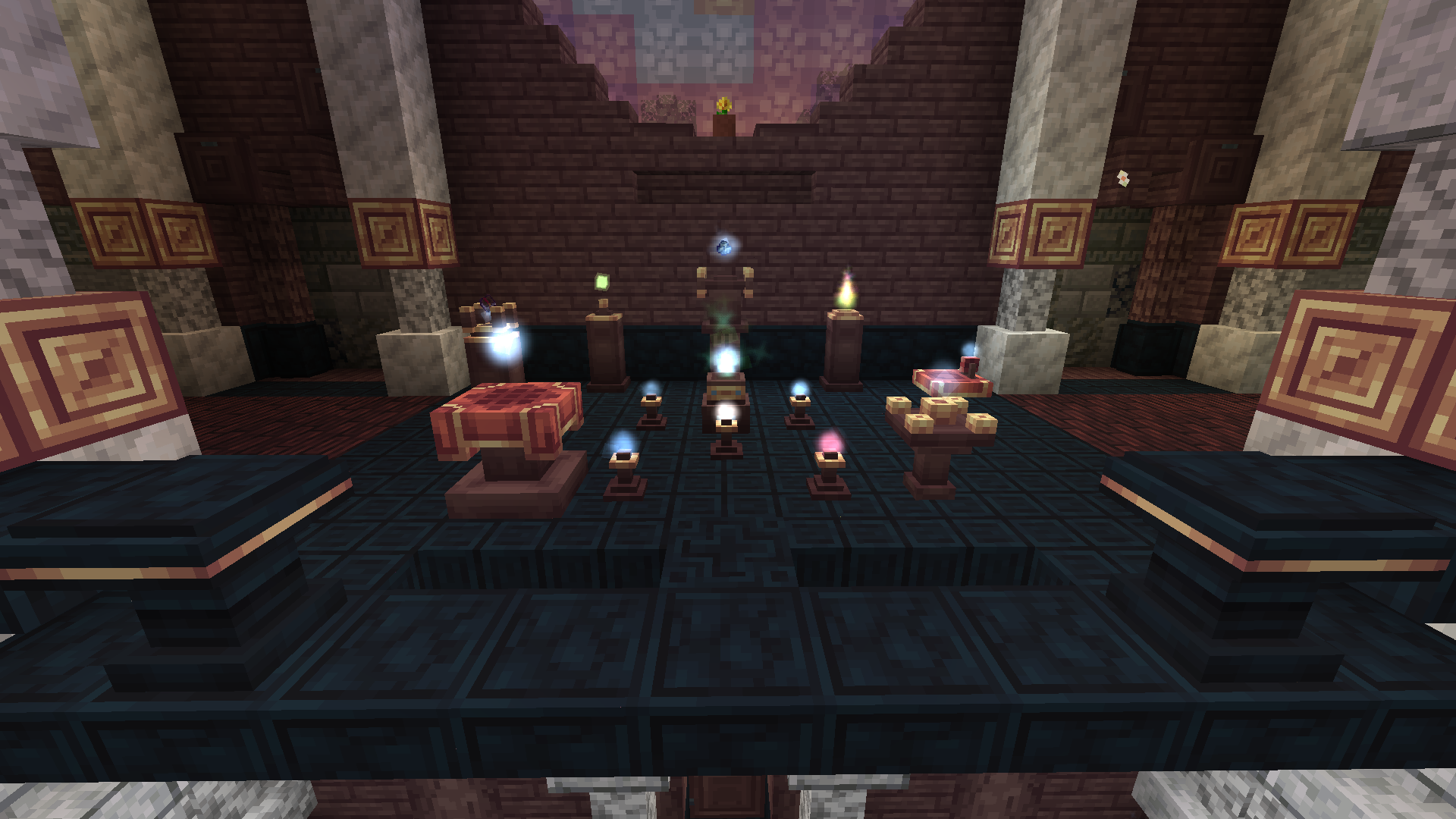
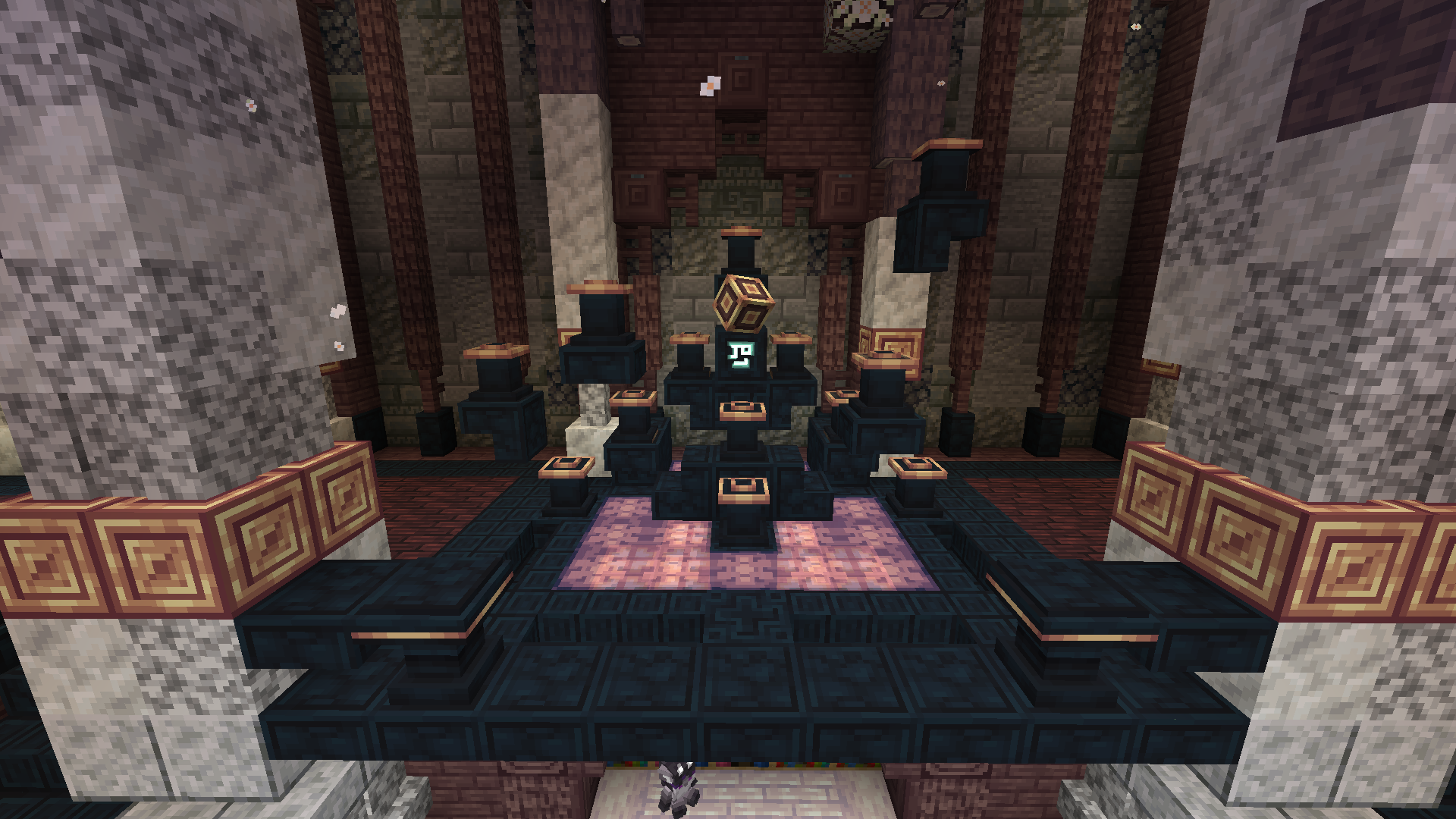
#
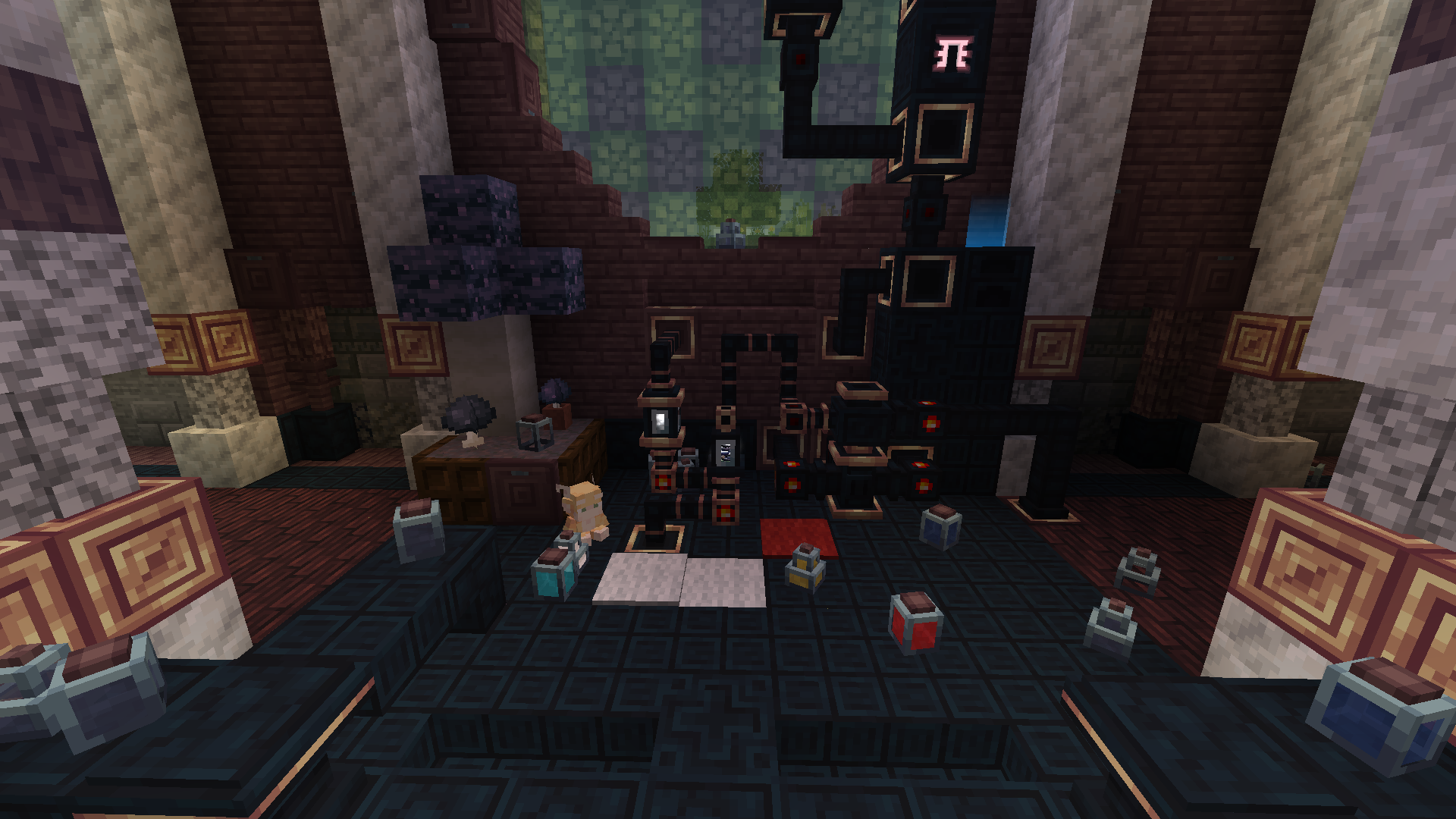
To fully reveal ancient potential, magic is not enough, so I’ve created this steam construction – Alchemy Machine!
**How to build!**
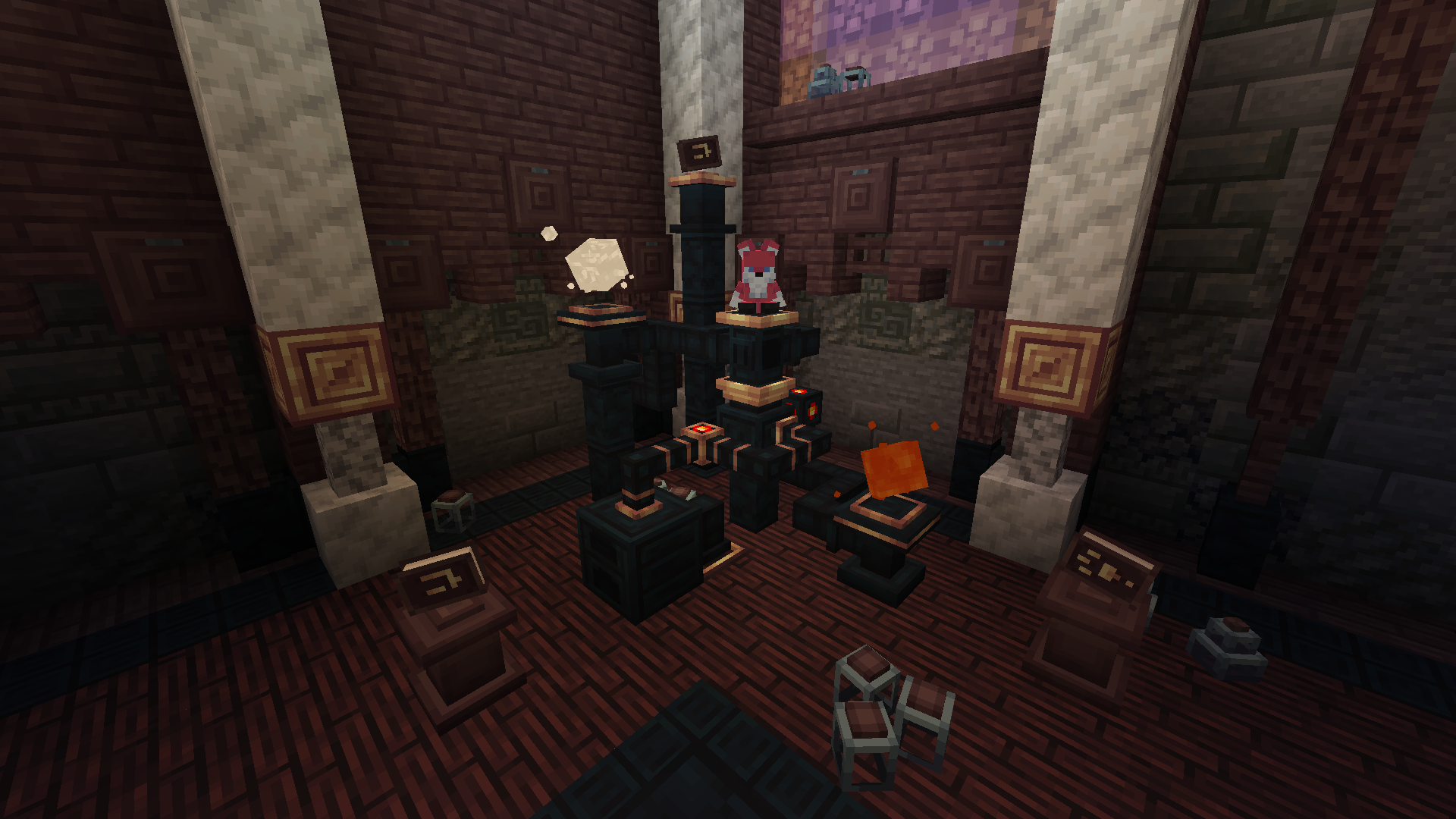
# **How NOT to build!!!**
#
## But that’s not all I wanted to tell you, so try to explore this perishable world by yourself!
The mod is in very early alpha, with a lot of different content planned for the future!
You can visit our **[Discord Server](https://discord.gg/cKf55qNugw)** to suggest your ideas or receive news about development.
#
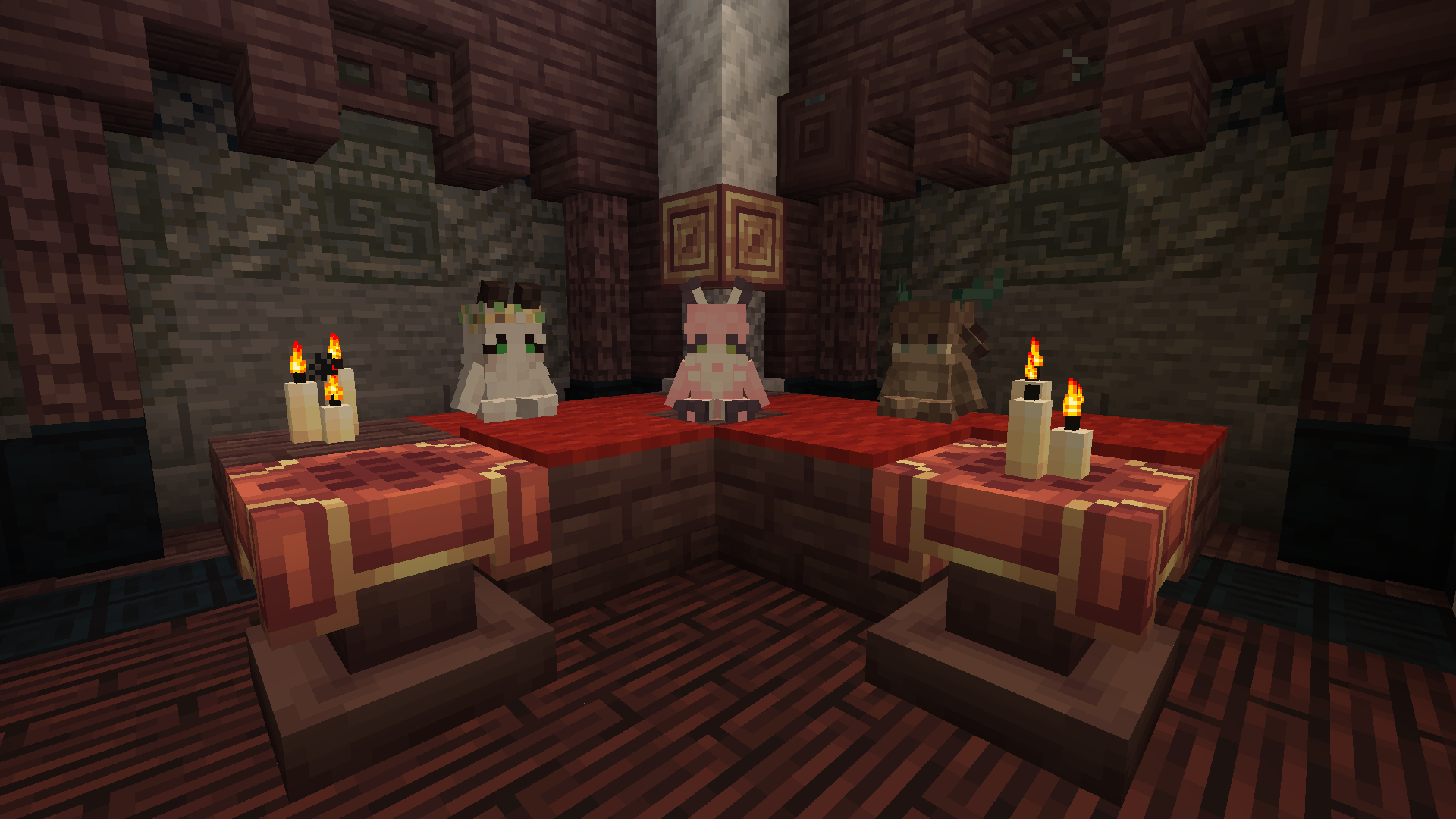
The Silly Council will decide your fate,
meow
Witch’s Archive: Ray


_Bring total mayhem and defy the rules of nature with Ray’s help, a fully pilotable mech with a wide arsenal of weapons of mass destruction_


Wireless Redstone Plugin
_Releasing general improvement update soon. Found some weird bugs and missing features_
### ⚡ Wireless Redstone: Lightning Rods
Tired of messy redstone trails across your base? This plugin lets you use Lightning Rods as long-range, wireless transmitters and receivers. It’s lightweight, survival-friendly, and integrates perfectly with the vanilla look of Minecraft.
### 🕹️ How to Use
Releasing video tutorial soon
**_1._ The Setup**
> Place a Lightning Rod.
>
> Place a Redstone Torch directly on top of it.
**_2._ Tuning the Frequency**
> Take a Book and Quill and rename it to either Sender or Receiver using an Anvil.
>
> Open the book and type your desired Frequency (e.g., 100, Base_Alpha, or Gate) on the first page.
>
> Right-click the Lightning Rod with the book to register the device.
**_3._ Transmitting Power**
> When a Sender receives power, the torch on top will light up.
>
> All Receivers on the same frequency will instantly activate, triggering a visual “strike” > effect on the rod.
### 🌟 Key Features
– Full Variant Support: Works with all Lightning Rod stages (Normal, Exposed, Weathered, Oxidized) and even Waxed versions.
– Survival Integrated: No commands needed. Everything is done through blocks and items.
– Auto-Cleanup: If you break a rod or the torch above it, the location is automatically removed from the config—no “ghost” data left behind.
### 🛠️ Installation
– Drop the .jar into your plugins folder.
– Restart your server.
– Start linking your machines!
_Note: The Redstone Torch acts as the antenna tip and signal indicator. Use observers or adjacent redstone dust to pull the signal from your receivers._
Wireless Chargers

**Wireless Chargers** adds chargers which can **charge nearby blocks** and **players!** A charger’s **effective area can be highlighted** with a toggle.

###  Basic Wireless Player Charger
– Charges players’ items in a 9x9x9 area
– Charges at 50 FE/t per player
###  Advanced Wireless Player Charger
– Charges players’ items in a 13x13x13 area
– Charges at 200 FE/t per player
###  Basic Wireless Block Charger
– Charges blocks in a 5x5x5 area
– Charges at 50 FE/t per block
###  Advanced Wireless Block Charger
– Charges blocks in a 7x7x7 area
– Charges at 200 FE/t per block

### FAQ
**Can I use your mod in my modpack?**
Yes, feel free to use my mod in your modpack

### Discord
For future content, upcoming mods, and discussion, feel free to join the SuperMartijn642 discord server!
[ ](https://discord.gg/QEbGyUYB2e)
