# About
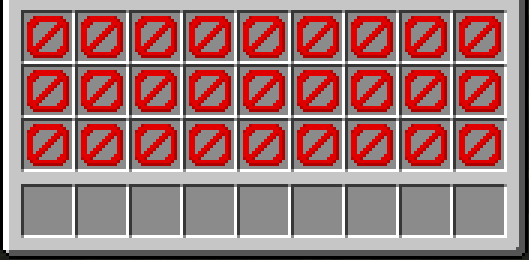
UIM Minecraft is a datapack that restricts your inventory exclusively to the hotbar, while also preventing the storage of your items in chests, and other inventory-containing items.
This pack was inspired by Old School Runescape’s Ultimate Ironman mode.
# Mechanics
UIM Minecraft aims to restrict any game mechanic that would allow you to indefinitely store an *arbitrary* item in any way besides your own inventory.
– **Your inventory is restricted** to your hotbar, offhand, and equipment only. Every other slot is unusable, and attempting to place an item in it will drop the item.
– **Chests generated in the world will be locked.**
– **Furnaces are crafted pre-loaded with coal** or a coal block in the centre of the recipe. Once placed, the furnace starts immediately, and pops once it runs out of fuel. This is to allow the smelting of items while making storage in furnaces infeasible. You can also use bamboo, blaze rods, dried kelp blocks, leaf litter, or sticks.
– Minecart chests will be converted into locked barrels.
– Furnaces, smokers, and blast furnaces generated in the world will break upon opening.
– Entities able to hold arbitrary items like llamas and item frames will be killed upon entering interaction range. (Don’t worry, elytra in end ships won’t despawn.)
– Item frames, chest boats, hoppers, smokers, bundles, and ender chests aren’t craftable
– An exception is made for crafters, as you need to make one for an advancement.
# Notes
– This pack should work in multiplayer with small groups of people. Beyond that, no guarantees on performance or bugginess.
– This pack kills lots of entities and modifies blocks very easily. Don’t use it on an existing world if you value the lives of the llamas, item frames, chests, your inventory, etc. in the world!
– This pack doesn’t play nice with barrier blocks.
– Due to the way raytraces are handled in this datapack, sometimes furnaces don’t break when running out of fuel or chests don’t break upon opening. Avoid aiming at the edges of blocks and swinging your mouse quickly while interacting with these blocks.
Pearls Stack to 64!
adds a recipe to make pearls stackable to 64 (just fill the 2×2 grid)
also changes the enderman loottable (and piglin bartering in V1.1) (I couldn’t be bothered to change all the chests too lol, for those you can just use the recipe or collect them as “rare” items)
Unnamed Common Library (UCL)
English
❔ Tell me more about it
Unnamed Common Library (UCL) is my attempt at making a simple, useful, (yet to be) powerful configuration library. Its goal is to be general purpose so that no matter the mod you build or your preferences, you can always use it. This library is obviously not meant to be used on its own,if you do so it will at most serve as an example and a test for its capabilities.
import from.discorde.ucl.common.config.annotations.*;

@Configuration(
    name = "mymod"
)
public class MyModConfig {
    @Comment("Enable the awesome feature")
    public boolean awesomeFeature = true;

    @Comment("Maximum power level (0-100)")
    public int maxPower = 50;

    @Comment("Welcome message displayed to players")
    public String welcomeMessage = "Hello!";
}
2. Load the configuration in your mod initialiser
MyMod.java
public class MyMod implements ModInitializer {
    // The wrapper class is auto-generated at compile time
    public static final MyModConfigWrapper CONFIG = MyModConfigWrapper.createAndLoad();

    @Override
    public void onInitialize() {
        if (CONFIG.awesomeFeature) {
            System.out.println("Awesome feature is enabled!");
        }
    }
}
References
Annotations
@Configuration
Add this annotation right above your config class
| Parameter | Type | Default | Description |
|————|————————-|—————-|—————————–|
| `name` | `String` | *required* | Config file or folder name |
| `location` | `ConfigurationLocation` | `SUBDIRECTORY` | Where to save the config |
| `format` | `ConfigurationFormat` | `JSON5` | File format to use |
| `screen` | `boolean` | `true` | Generate YACL config screen |
@Comment
Add this annotation above any field to include a comment in the config file
@Comment("This comment will appear above the field in the config file")
public boolean myOption = true;
Enums
ConfigurationLocation
| Value | Description |
|—————-|——————————————————|
| `ROOT` | Save directly in the config folder as `{name}.{ext}` |
| `SUBDIRECTORY` | Save in a subfolder as `{name}/configuration.{ext}` |
ConfigurationFormat
| Value | Extension | Description |
|———|———–|——————————————————–|
| `JSON5` | `.json5` | JSON with comments, trailing commas, and unquoted keys |
| `TOML` | `.toml` | Tom’s Obvious Minimal Language |
| `YAML` | `.yaml` | YAML Ain’t Markup Language |
Configuration screens integration
If screen = true (default) in your @Configuration annotation and YetAnotherConfigLib (YACL) is installed, a configuration screen will be auto-generated and accessible through Mod Menu. To disable the config screen, just set the screen parameter to false in the @Configuration annotation.
Enjoy 🙂
Config Hub
—
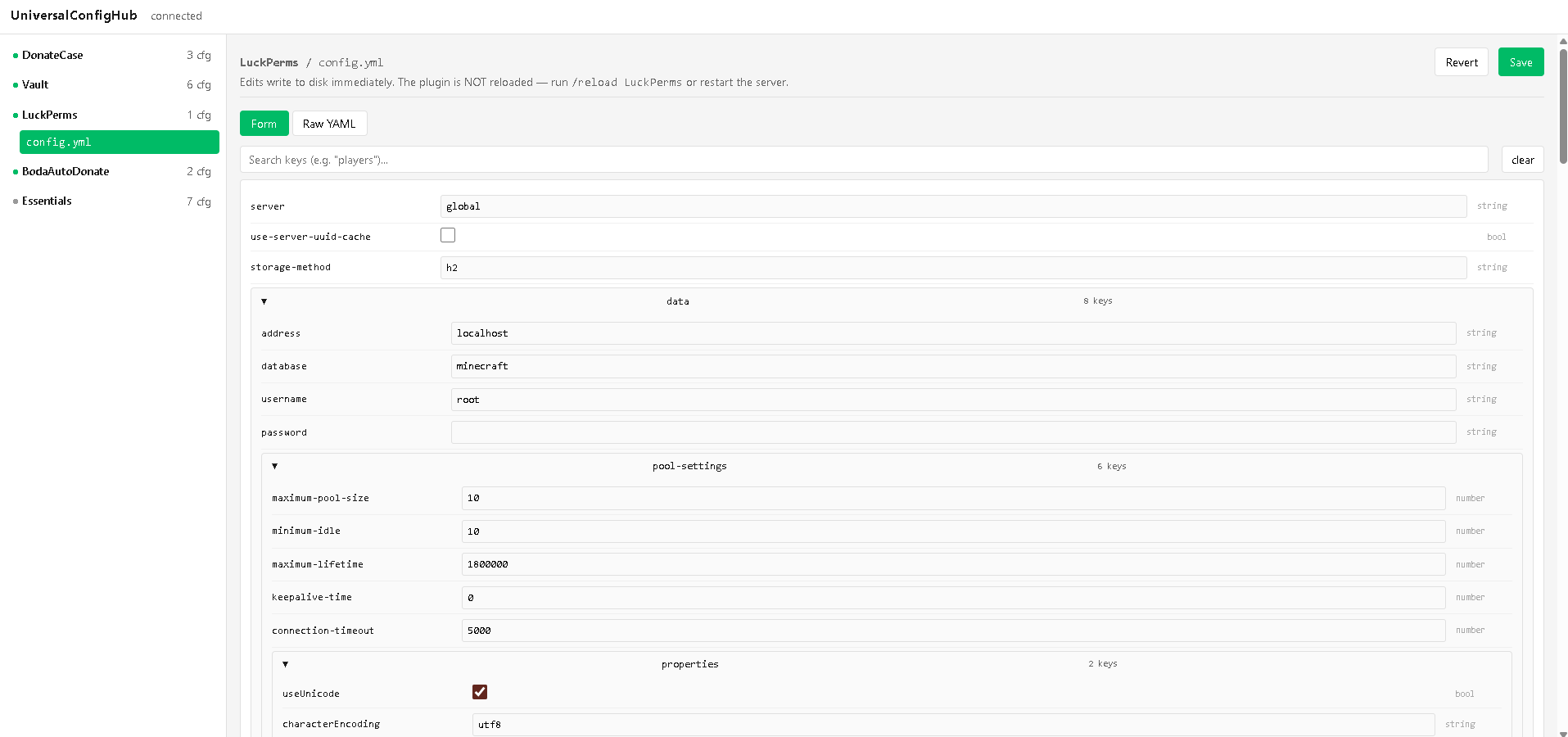
**UniversalConfigHub** – one web dashboard for all your Paper plugin configs.
**What it does:**
– Scans every `.yml` file and shows each field’s type, default value, and description.
– Tells you **honestly** how a change applies:
`*` instantly (hot)
`*` after plugin reload
`*` only after server restart
**Why you need it:**
– No more guessing, no more broken servers from bad edits.
– Validates types, ranges, dependencies before saving.
– Auto‑backups + safe migration for old config versions.
– Localhost + token protection. Audit log of every change.
– Handles 50+ plugins, 10k+ keys – zero TPS impact.

**Requirements:** Paper 26.1.2, Java 25.
**No unsafe `/reload`** – just clear warnings and read‑only mode during restart.
> *Not a simple YAML editor. An honest tool that never lies about compatibility.*
Twigs

### Twigs is a Minecraft mod all about building, adding new and interesting materials, as well as new renditions of vanilla blocks!
#### If you find any bugs or want to talk about all my mods in general you can join my discord server!
**TWFA Cobblemon × Create** is a unique blend of engineering and adventure, built exclusively for the **TWFA community**.
Catch, train, and battle Pokémon with *Cobblemon*, while building epic machines and automation with *Create*.
Carefully chosen addons and quality-of-life mods bring a smooth, stable, and fun experience for both **solo** and **multiplayer** worlds.
**Features:**
– ⚙️ Full *Create* experience with addons for advanced builds
– 🐾 *Cobblemon* + addons for a complete Pokémon adventure
– 🛠️ Quality-of-life tweaks for smooth gameplay
– 🌍 Designed for our **private TWFA server**
Build massive factories, explore new lands, complete your Pokédex, and let your creativity run wild — all within our private TWFA server experience!
Turtle Totes
You use shulker shells to make shulker boxes, so why not turtle shells for turtle totes? Of course, turtle shells are a bit easier to come by than shulker shells, so you’ll need a couple of turtle scutes, too.
## License
This pack is available under a Creative Commons 4.0 Attribution-Noncommercial-ShareAlike (CC BY-NC-SA) license. You have permission to modify and share this pack under the following conditions:
1. You don’t use it to make money.
2. You give credit (by keeping credits.txt and not modifying the attribution advancements). If you publish the pack online or in a modpack, include a link back to the original Modrinth page.
3. You distribute your modified pack under the same CC-BY-NC-SA license.
TudySpawners
# 📎 TudySpawners
An advanced **spawner management system** for Minecraft servers.
Includes explosion protection, stack limits, advanced drop mechanics, and Vault economy integration.
– **Explosion Protection** – Spawners are fully protected from TNT, Creeper, and other entity explosions.
– **Stack System** – Spawners can be stacked up to a limit of **32** in a single block to save space and reduce server lag.
– **Dynamic Spawn Time** – Optimized dynamic spawning system operating at a **25-second** interval.
– **Advanced Drop System** – Configure specific item drops for each spawner type.
– Set custom drop chances, minimum/maximum drop amounts, and item prices.
– **XP Collection & Notifications** – Automatically collects XP from spawned mobs.
– Sends customizable notifications to players via **Actionbar** or **Chat**.
– **Custom Icons & Localization** – Supports **Base64** head icons for customized UI and item displays.
– Includes native **Turkish** mob and item names built-in.
– **Vault Economy Integration** – Fully hooked into **Vault** to support economy-based features and drop pricing.
## ⚡ Commands
| Command | Description | Aliases |
|———|————-|———|
| `/tudyspawners reload` | Reloads the configuration files. | `/tudyspawner reload` |
| `/tudyspawners give [amount]` | Gives a specific spawner to a player. | `/tudyspawner give` |
## 🛡️ Permissions
| Permission | Description |
|————|————-|
| `tudyspawners.admin` | Grants access to all admin commands (`/tudyspawner reload`, `/tudyspawner give`). |
| `tudyspawners.use` | Allows the player to use TudySpawners. |
## ⚙️ Supported Forks
| Fork / Build | Support Status |
|————–|—————-|
| ✅ Paper | Fully Supported |
| ✅ Purpur | Fully Supported |
| ✅ Spigot | Fully Supported |
Titan Shifter Megapack
# 
## A Minecraft Origins datapack that adds all 9 Titan Shifters from Attack on Titan as origins!
### Requires Origins, Pehkui, Apugli, Appli, and XXL Packets v1.0.4.
All of the titans have individual stats and unique abilities, including crystal hardening for the Attack, climbing walls and ceilings as the Jaw, and emitting deadly steam for the Colossal!
The pack includes configurable Titan Stealing and Stacking functionality!
**You can read more about the pack on the wiki.**
## Join the discord! https://discord.gg/gwnfUCEXBx
## Features
* ### *All 9 Titan Shifters!*
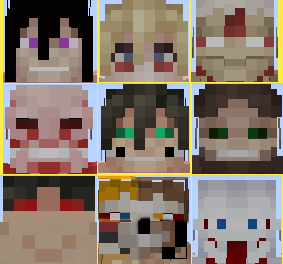
* ### Different versions of the same Titans!
As you can see above, the Jaw has four forms – Porco’s, Marcel’s, Ymir’s, and Falco’s.
* ### Titan-specific abilities!
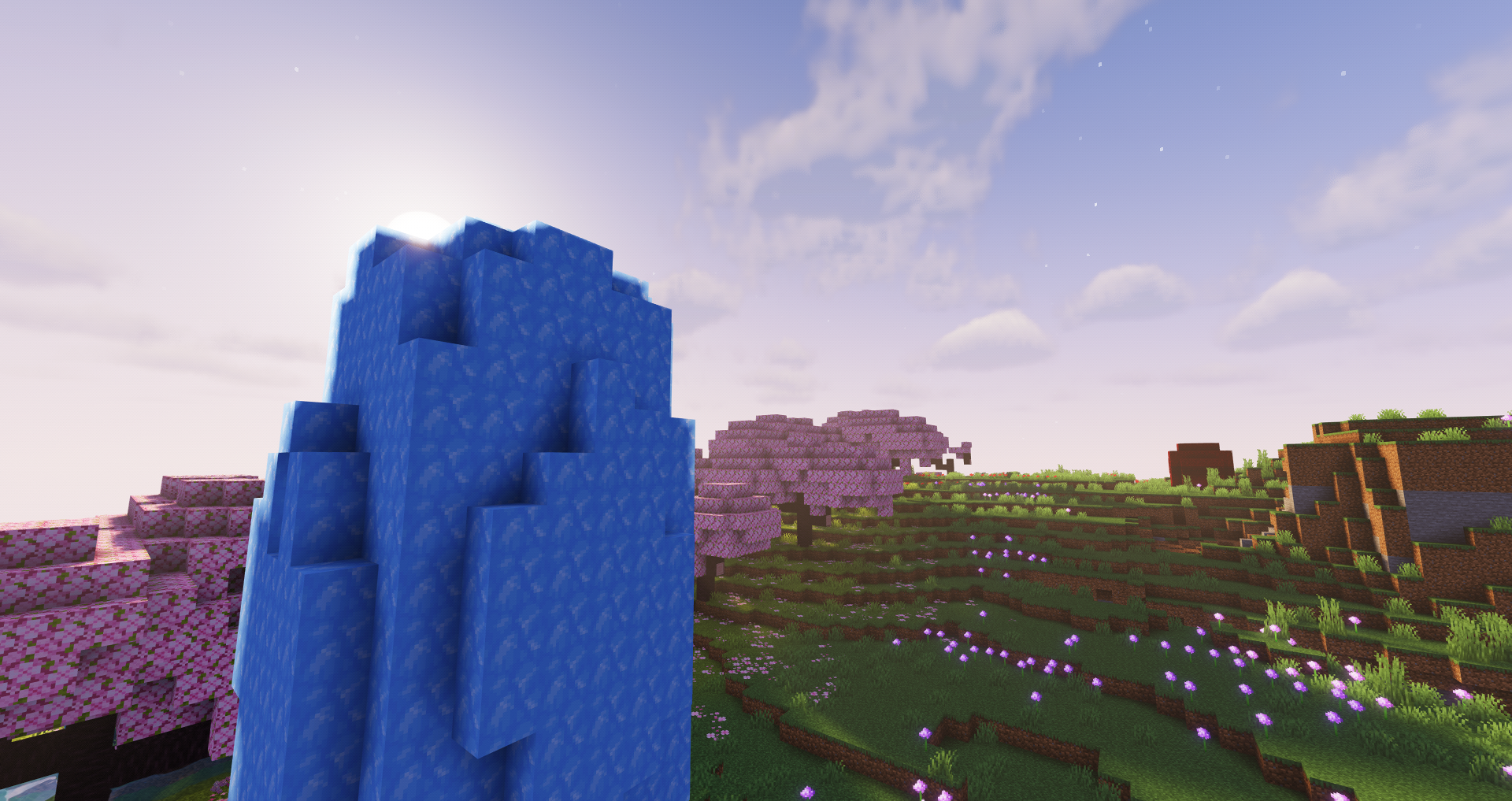
The Attack can crystalize, the Female can harden, and the Colossal can nuke!
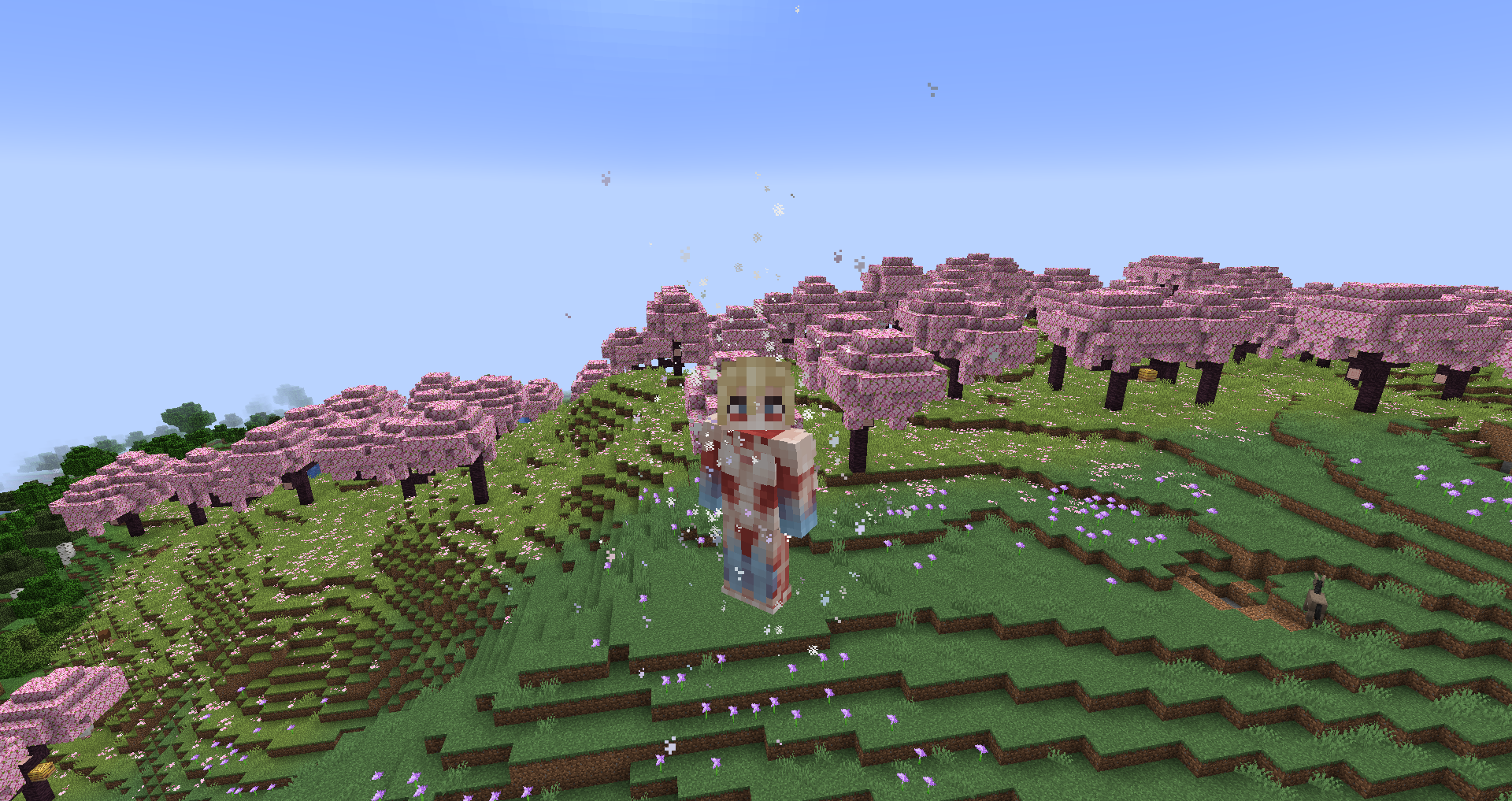
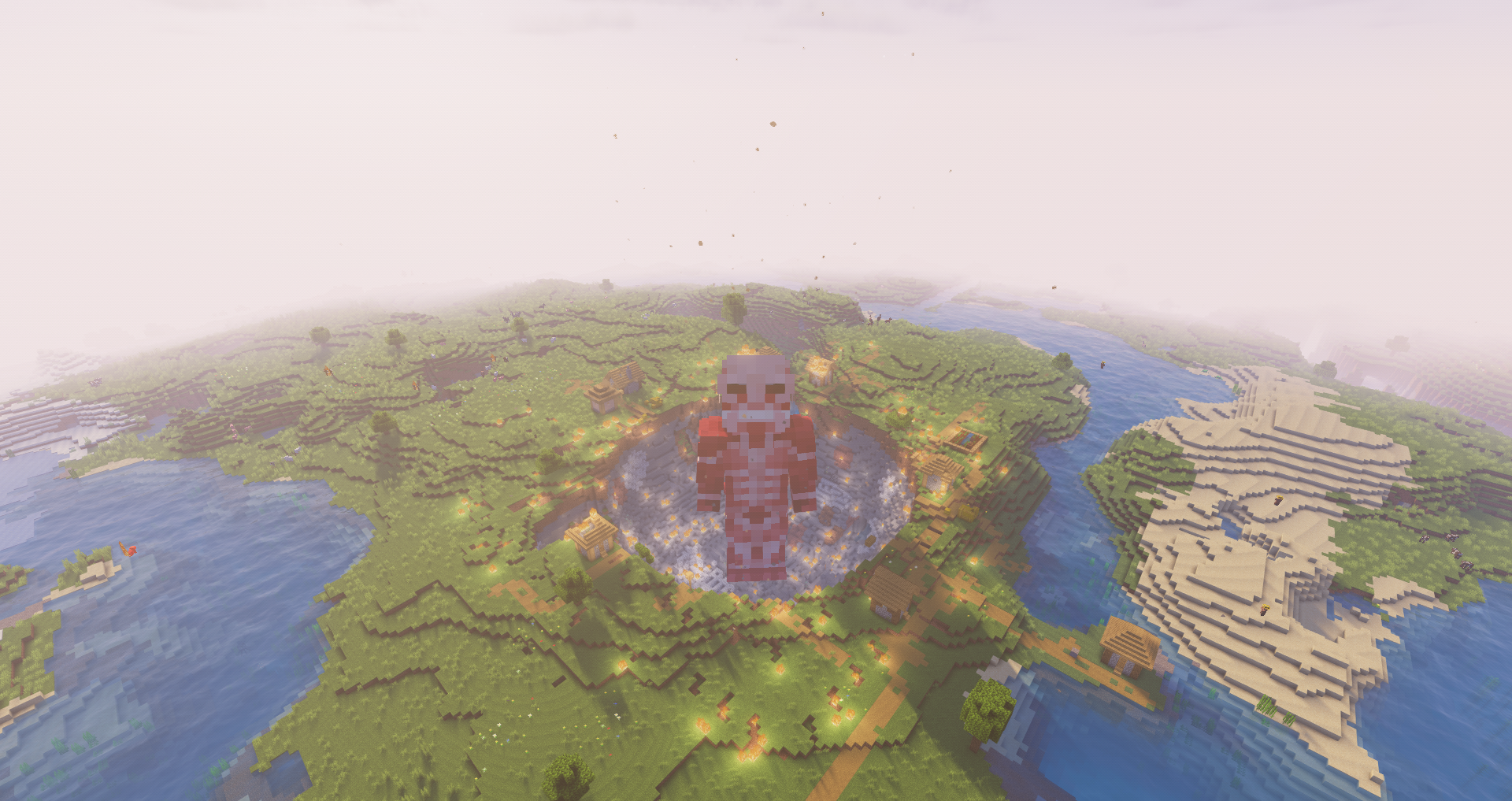
* ### Custom poses for titans like the Jaw and Cart!
Unlike almost every other Titan Shifter origin, titans that should be posed differently actually are.
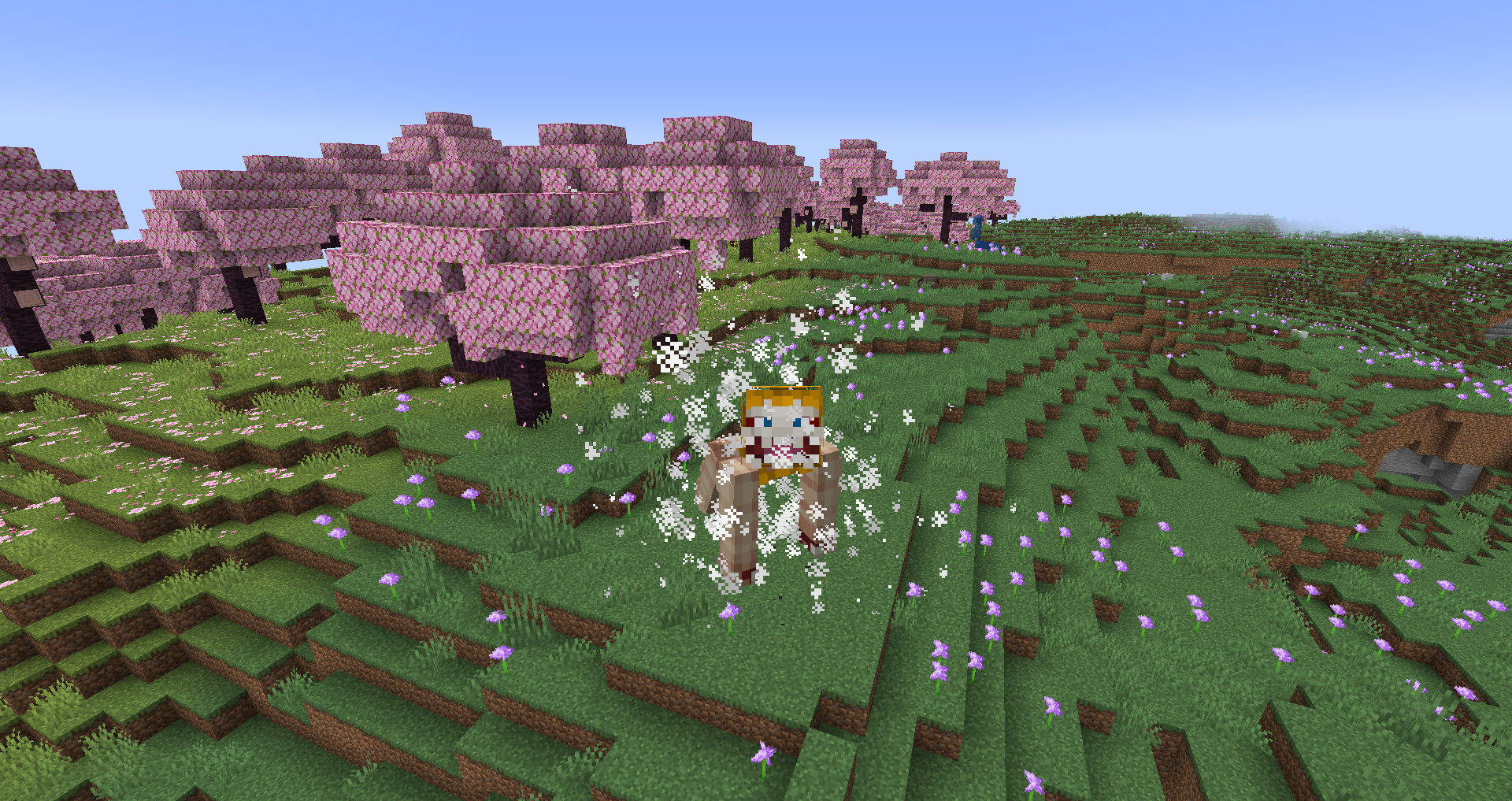
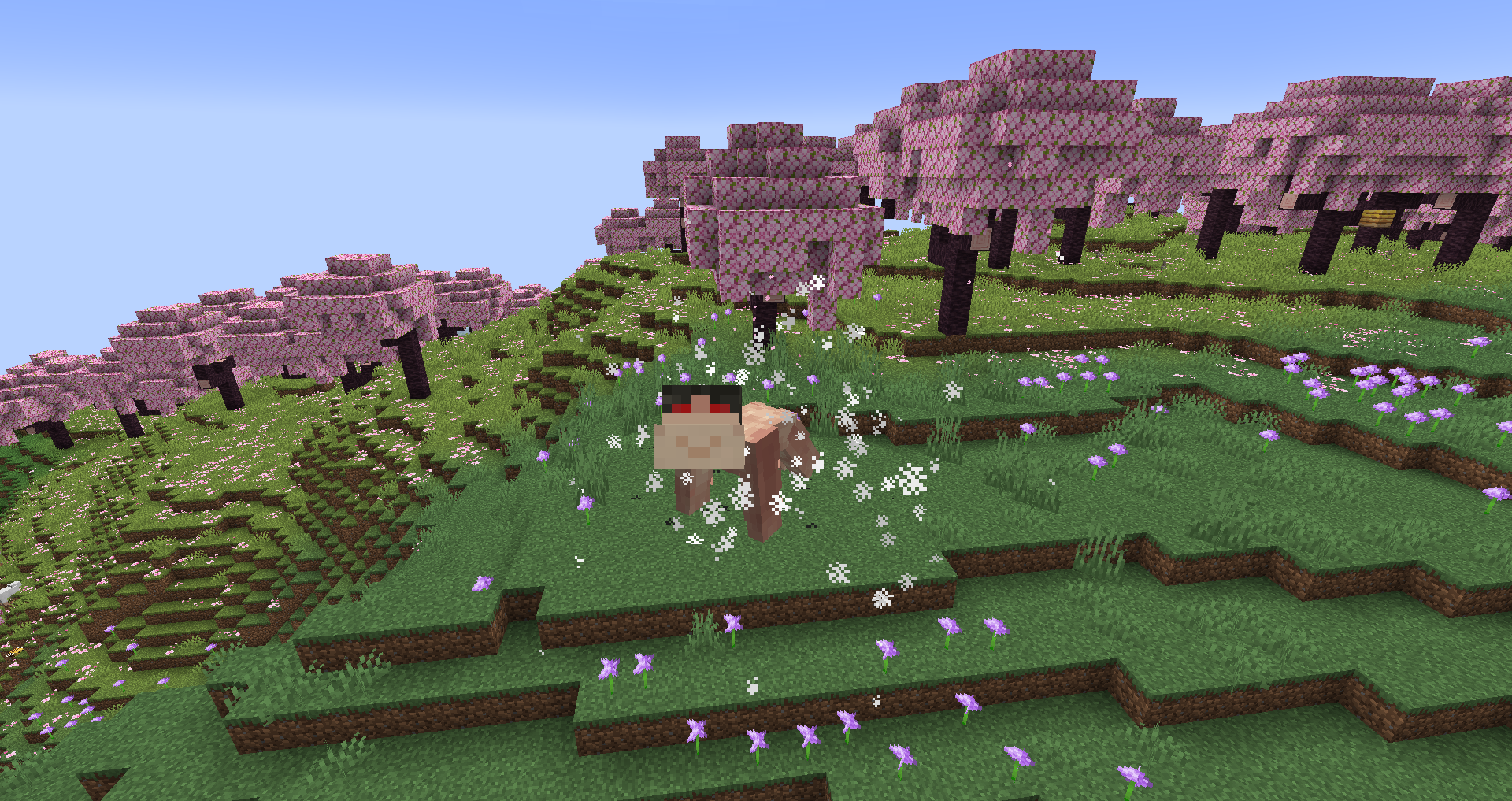
* ### Unique attacks, weapons, and items
The Warhammer Titan has a special set of hardened weapons it can generate on the fly.
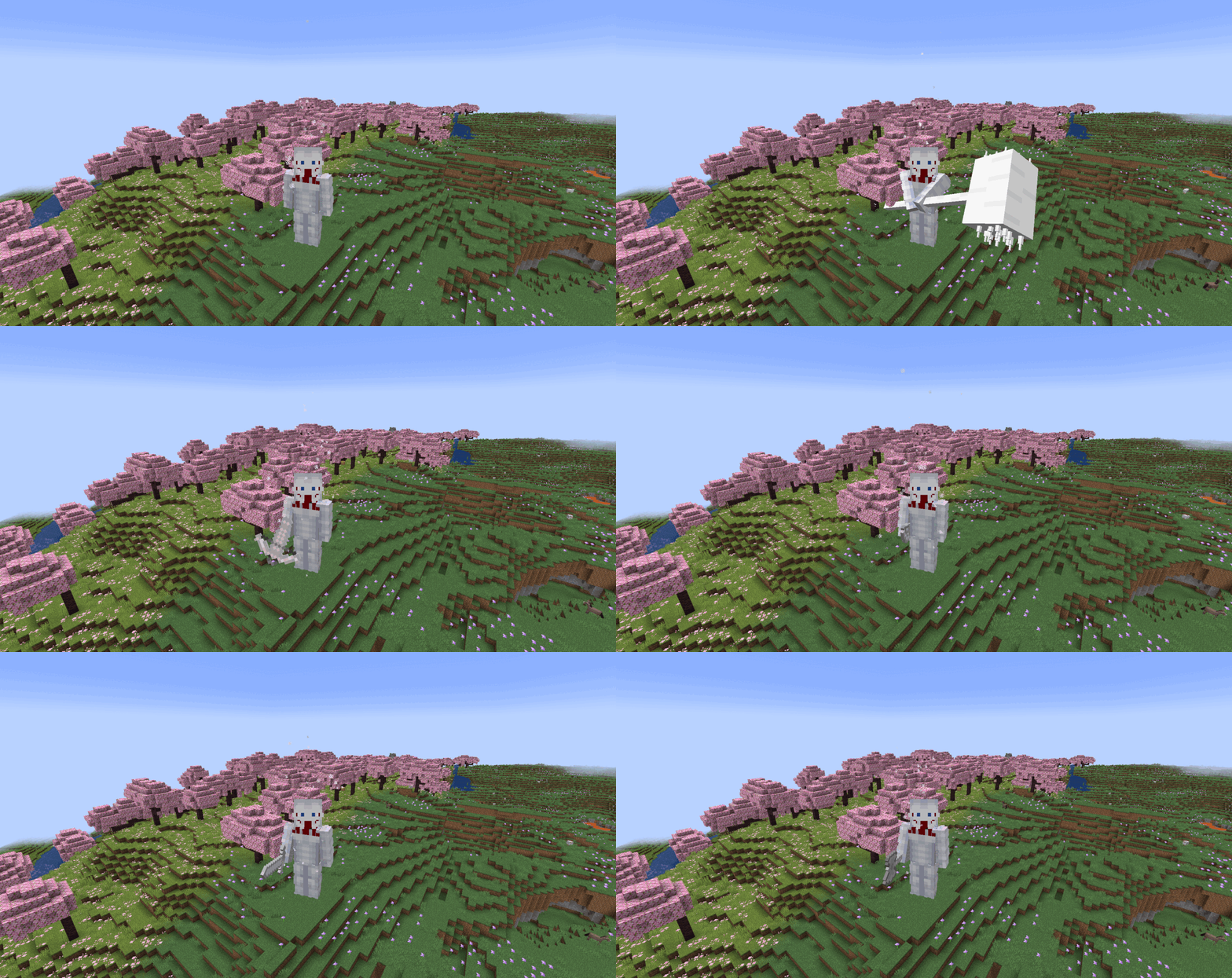
*Warhammer pose from BetterCombat*
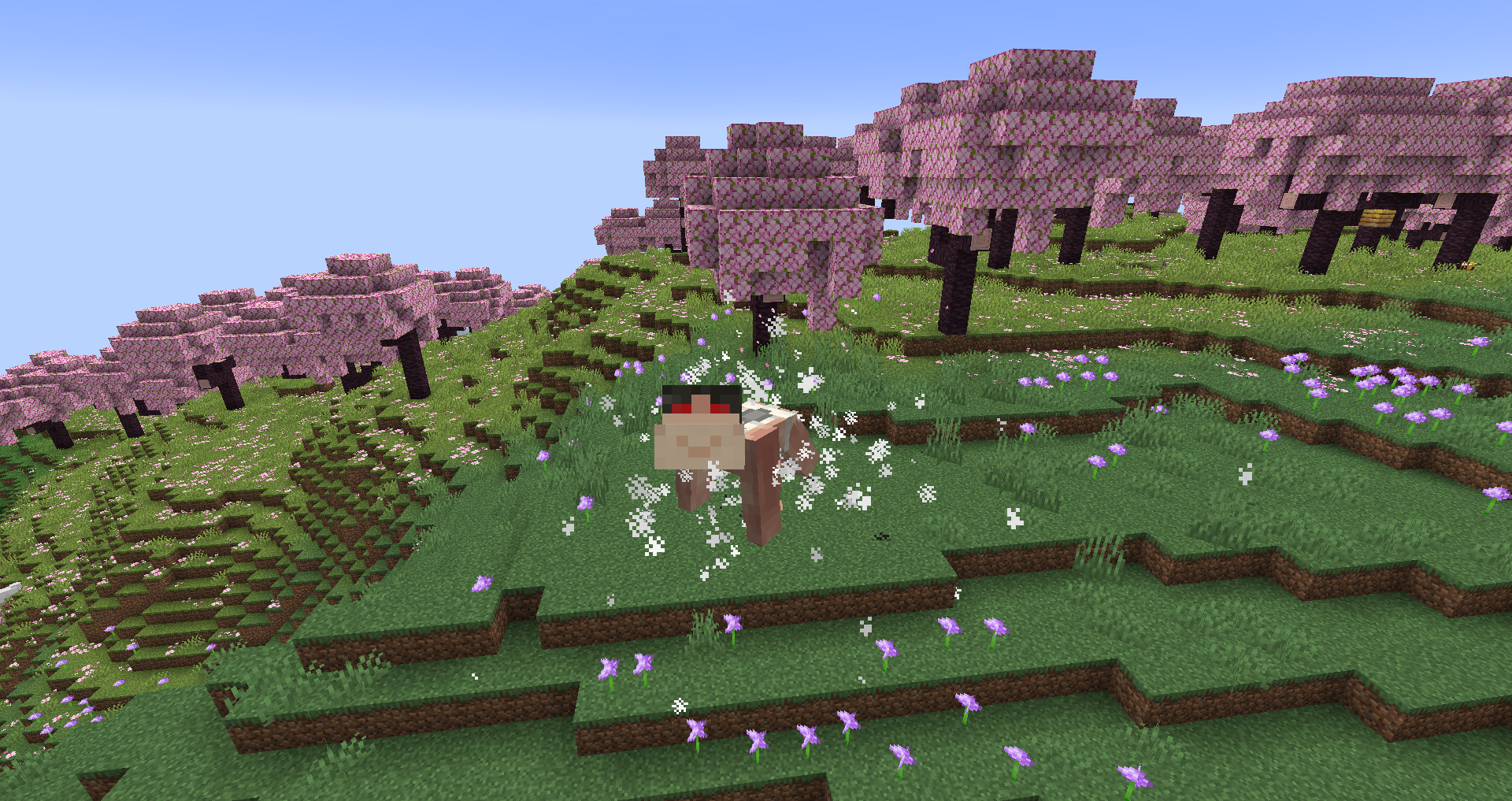
Additionally, the Cart Titan can equip different mounts to gain either saddles, barrels, or an anti-titan rifle.
* ### Titan injections and pures!
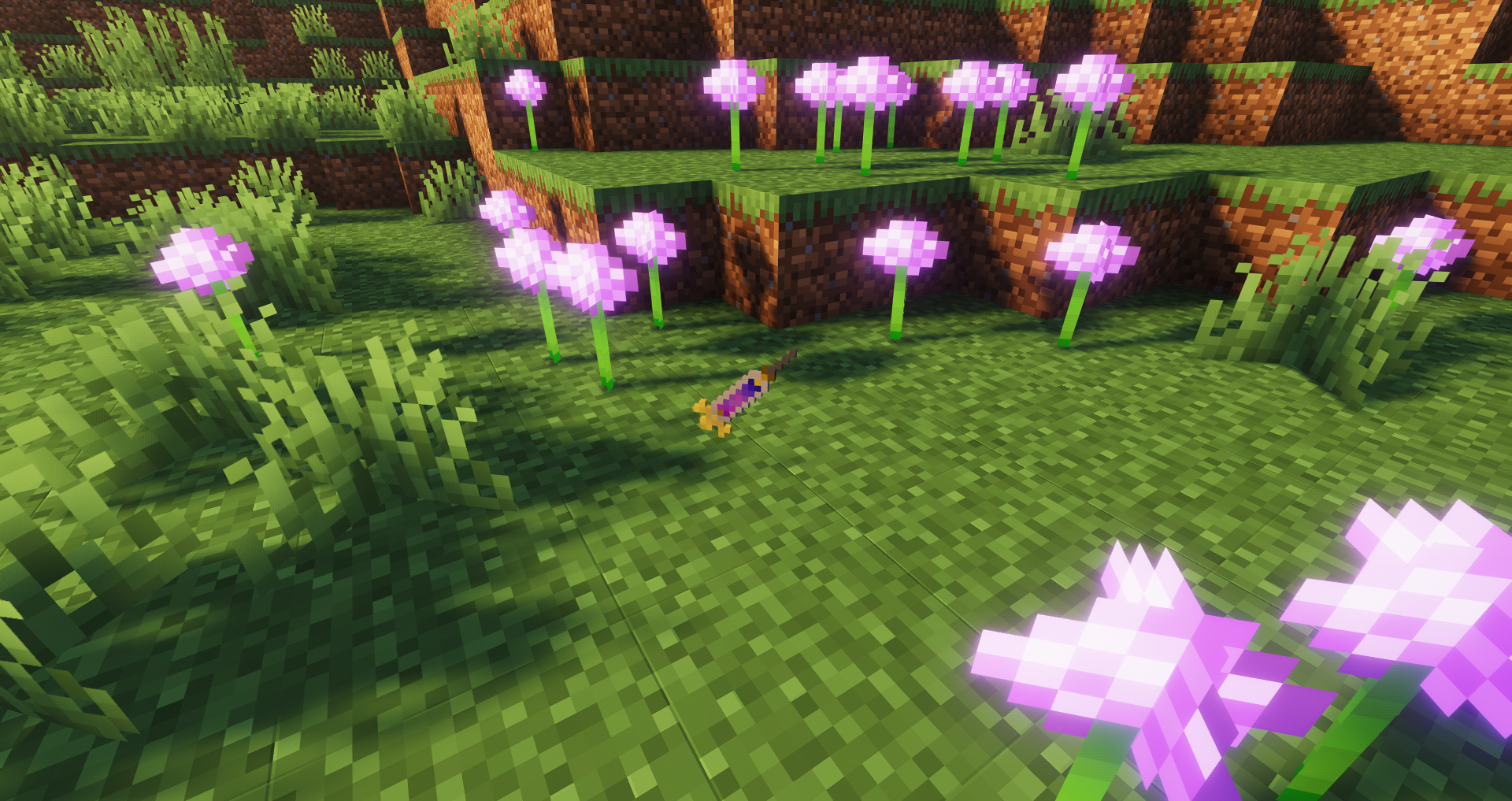
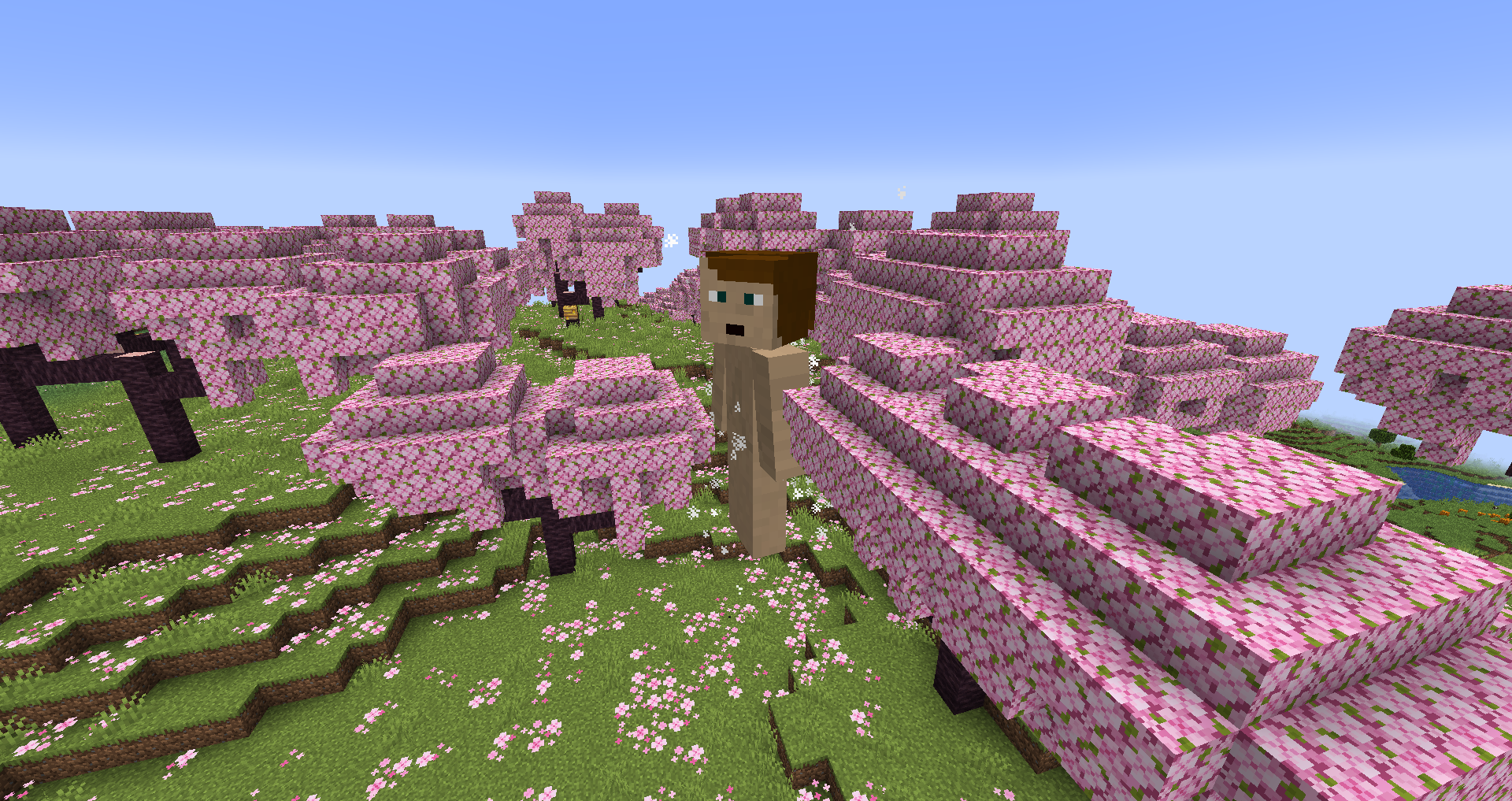
You can craft injections to store spinal fluid from titans. You can then inject that spinal fluid into any mob or player to turn it into a mindless pure titan. There are nine different pure titan skins, and their sizes and stats are randomized – although the latter can be influenced by using spinal fluid from specific titans.
* ### Royal Blood
There’s a small chance Royal Blood will be produced when an injection is pressed between two anvils. Consuming RB can give certain effects to different Titans, like a scream that transforms any nearby injected mobs for the Beast and the ability to transform into any of the Nine Titans for the Founding.
Skin credits (also included in datapack)
*Some screenshots taken with Solas Shader*
True Favorite Items
⭐ Favorite Items – Never Lose Your Precious Loot Again! ⭐
What Does My Mod Do?
🎯 Main Features:
Favorite Items lets you lock your most important items so you never accidentally throw them away, die with them, or lose them in crafting! Perfect for protecting your enchanted diamond gear, totems of undying, or any item you can’t afford to lose.
🔒 Item Protection System
Lock/Favorite items with a simple keybind
Prevent accidental deletion – can’t drop, craft with, or lose regular items
Prevent accidental miss clicks – can’t move, drop, or lose favorited items
Death protection – keep your favorited items safe (configurable)
Customizable limits – set max favorited items per player
Works in ALL inventories – Entire Player Inventory, Chests, Curios, and more!
🎨 Full Visual Customization
15+ custom icons including locks, stars, hearts, cheese and more
Icon positioning – place icons anywhere on your items (corners, center, etc.)
Icon rotation – 0°, 90°, 180°, 270° rotation options
Custom Icon Support – Drop in 8×8.png in Icon folder, can be accessed from mod menu in game default key is LeftAlt
Hide icons – keep protection active but invisible
🔊 Custom Sound System
20+ custom sounds – click, pop, crack, boing, splash, and more!
Separate lock/unlock sounds – know exactly what you’re doing
Volume & pitch control – fine-tune every sound effect
Sound previews – test sounds before applying them
Button click sounds – customize menu button sounds too, adjustable volume/pitch for buttons
✨ Extra Pop Animation (EPA)
Items enlarge smoothly when you pick them up (1.4x → 4.0x scale)
Smooth animations with configurable animation speed
Works everywhere – hotbar, inventory, Curios slots, containers
Independent from TIA mod – no conflicts!
Fully customizable scaling and speed
🎆 Visual Effects
GUI particle effects – cool sparkle/splash effects when locking items
Shake animation – items wiggle when you try to drop/use protected items
Button particle effects – menu buttons spawn particles on click
Customizable colors – red, blue, green, rainbow, and more
Performance friendly – toggle effects on/off as needed
⚙️ Extensive Configuration
Beautiful themed menus – 8+ color themes (Blue, Purple, Green, Red, etc.)
Per-action settings (Prevention Menu) – configure protection for crafting, dropping, trading, etc.
Admin controls – server operators get special management tools
Tooltip customization – show/hide favorited status on items
Hotkey rebinding – set your preferred keybinds
🎮 User-Friendly Interface
Modern auto-layout menus with smooth animations
Tooltips everywhere – hover for detailed explanations
Reset to defaults – easily revert any changes
Live previews – see/hear changes before applying
Scrollable menus – organized and clutter-free
Menu FPS – 60fps
🚀 Perfect For:
Survival players who hate losing diamond gear
Modpack players with valuable custom items
Server admins who want player protection features
Builders who want to protect tool sets
Everyone who’s ever rage-quit after losing something important
🛠️ Compatibility
✅ Curios API – protect your rings, amulets, and baubles
✅ EMI/JEI/REI – recipe viewers work perfectly
✅ All container mods – works with modded inventories
✅ AE / Refined Storage Work, No Favorites are allowed in the systems though.
⚠️ NOT compatible with TIA (Tiny Item Animations) – use our EPA system instead!
I do have some old features in the code at the moment i will remove them at a later date, please note they can be disabled in the main mod menu -> admin menu -> features -> disabled by default.
📋 Requirements
NeoForge (Minecraft 1.21.1)
Built it on NeoForge 21.1.193, Have been Tested on Latest Verison with no issues.
No other dependencies!
Incompatiblities:
TIA (Tiny Item Animations) -> Added Built in CustomAlternative inside config setting menu
Sophistocated Backpacks have a tooltip, they use a custom way of doing menus for their backpacks, so favoriting items don’t work in backpacks or if you have a backpack open.
Otherwise no other mod conflicts
🎬 Quick Start
Install the mod
Press V (default key) while hovering over an item to lock it
Press LeftAlt to open the settings menu
Customize sounds, icons, effects, and more!
💡 Why Choose This Mod?
This is my first mod, and I’ve poured my heart into making it as polished and feature-rich as possible! It’s not just a simple “lock items” mod – it’s a complete item protection and customization system with:
More customization than any other favorite items mod
Smooth, modern UI with professional animations
Extensive sound and visual effect options
Active development and bug fixes
If you’ve ever accidentally thrown away your best sword, crafted with your favorite pickaxe, or died and lost everything important – this mod is for you!
⭐ Enjoying the mod? Please leave a review and let me know what you think! 🐛 Found a bug? Report it on the issue tracker! 💡 Have a feature request? I’m listening! https://github.com/SirJBiscuit/FavoriteItemIssues.git
If you’d like to support me in my modding journey ko-fi.com/guythatcooks
📦 Modpack Policy:
✅ This mod is licensed under MIT – use it freely in any modpack!
✅ No need to ask permission
✅ Commercial modpacks are OK
✅ Just give credit and link back to this page
Please don’t:
❌ Reupload to other mod hosting sites
❌ Claim you made it
Made with ❤️ by a first time modder who really, really hates losing items, really wanted to lock curios in my inventory, and nothing existed for NeoForge I decided to make one myself.