Unbreakable Mace
**⚠️ This data pack requires the server-side mod Item Components ⚠️**
# ⚒️ Unbreakable Mace
– **Maces no longer lose durability**, allowing them to be used infinitely
– **Compatible with vanilla clients**, without any disparity
**⚠️ This data pack requires the server-side mod Item Components ⚠️**
# ⚒️ Unbreakable Mace
– **Maces no longer lose durability**, allowing them to be used infinitely
– **Compatible with vanilla clients**, without any disparity
# Unbalanced | OP Structure Loot
## Description
**Unbalanced | OP Structure Loot** is a Minecraft Java Edition datapack that completely removes progression balance from structure chests. All major structures pull from a single, shared loot table capable of generating enchanted iron, diamond, and netherite gear, enchanted golden apples, and other endgame items right from the start.
Designed for chaotic playthroughs, testing, and modded environments.
## Features
– Overrides loot for major structures (Desert Temples, Bastions, End Cities, Ancient Cities, Strongholds, Shipwrecks, and more)
– Structure chests can generate:
– Enchanted iron → diamond → netherite armor and tools
– High-tier enchanted weapons
– Enchanted Golden Apples
– Centralized loot table for easy modification
– Fully vanilla-compatible datapack
– Compatible with modded servers and clients
– Apotheosis compatible (can roll extremely high-level enchantments)
## Compatibility
– Minecraft Java Edition 1.20.1
– Works in singleplayer and multiplayer
– Compatible with Forge and Fabric
– No client-side mods required
## Installation
1. Download the datapack
2. Place `UnbalancedLoot.zip` into:
.minecraft/saves/
3. Run `/reload`
4. Confirm with `/datapack list`
## Important Notes
– This datapack is intentionally unbalanced
– Early-game structures may grant endgame gear
– Not recommended for vanilla-balanced survival worlds

# What is this?
UMU Backpack is a simple mod that adds a backpack and some enchantments.
# About backpack
To craft a backpack, you’ll need 4 leathers, 2 rabbit leathers, and 1 gold ingot and 1 shulker shell.
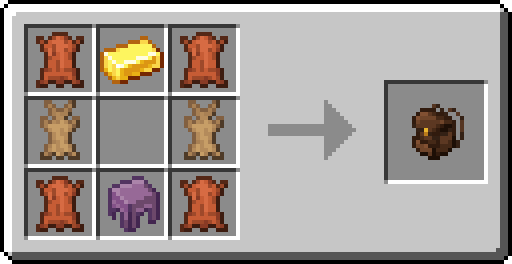
Backpacks can also be dyed by crafting them with dyes.
You can open the inventory by pressing the B key while equipped with a backpack. Also, if there are items in the backpack, you will not be able to remove the backpack.
# Enchantments
### Cram
A regular backpack inventory only has 9 slots, but with the cram enchantment it grows up to 54 slots.
### Back Protection
Reduces damage taken from behind when a player is equipped with a backpack with this enchantment. The maximum level is 4, which does not compete with other resistant enchantments.
### Load
Instead of not being able to open the backpack inventory, small animals, such as chickens or cats, can be transported in the backpack.
# 📦 UltraDrawer
**UltraDrawer** is a high-performance storage plugin inspired by popular drawer mods, designed to simplify item management on your Minecraft server.
🔹 Store **huge amounts of a single item** in one compact block
🔹 Enjoy a **clean visual display** with floating items and live counters
🔹 Fully compatible with **hoppers & automation systems**
🔹 Optimized for **modern Minecraft versions (1.21+)**
🔹 Lightweight, configurable, and survival-friendly
—
| Command | Arguments | Description | Permission |
|——–|———-|————|————|
| `/drawer give
—
## USAGE

## DRAWER + HOPPER + REDSTONE

UltraDrawer brings the comfort of modded storage to **vanilla-like servers**, with smooth interactions, intuitive controls, and powerful backend logic.
> Simple on the outside. Massive on the inside. 💎📦
Perfect for survival, skyblock, and technical servers looking for **efficient and elegant storage solutions**.
### UltraBackup – Minecraft Server Backup Plugin
A comprehensive Minecraft Bukkit/Spigot/Paper plugin for automated server backups with cloud upload support (Google Drive, SFTP, FTP).
**(By default google drive is active in config.yml)
Supports Paper/spigot 1.8-1.21.**
## 📋 Features
– ✅ Automatic World Saving – Saves all worlds before backup
– ✅ Progress Tracking – Real-time backup progress updates
– ✅ Cloud Upload Support:
Google Drive (OAuth 2.0)
SFTP
FTP
– ✅ Restore System – Easy backup restoration
– ✅ Exclusion List – Exclude specific files/folders
– ✅ Async Operations – Non-blocking backups
## 📦 Installation
1. Download UltBackup.jar
2. Place it in your plugins/ folder
3. Restart your server
4. Configure plugins/UltBackup/config.yml
## 🎮 Commands
/backup – Create a backup
Permission: ultbackup.backup
/backup login – Start Google Drive OAuth
Permission: ultbackup.login
/backup code – Complete Google Drive OAuth
Permission: ultbackup.login
/restore
Permission: ultbackup.restore
Schedules a backup restoration. Server will automatically shut down to perform the restore.
/restore backup-2024-12-16_19-30-45.zip
⚠️ WARNING: This will:
Shut down the server immediately
Replace all server files with the backup
You must manually restart the server after
## 🔄 Complete Usage Flow
First Time Setup (Google Drive)
Install the plugin and configure config.yml
Set up Google Drive credentials (follow steps above)
Restart your server
Run: /backup login
Click the link and authorize in your browser
Copy the code from Google
Run: /backup code
Success! You’ll see: “Google Drive linked successfully!”
Run your first backup: /backup
Regular Backup
/backup
What happens:
Server saves all worlds
Disables auto-save temporarily
Counts total files
Shows progress: “Backup progress: 25%”
Creates ZIP file in backups/ folder
Uploads to Google Drive (if enabled)
Deletes old backups (keeps last 10 by default)
Re-enables auto-save
Shows: “Backup completed: backup-2024-12-16_19-30-45.zip”
Restore a Backup
/restore backup-2024-12-16_19-30-45.zip
⚠️ Server will shut down immediately!
On next server start, the backup will be automatically restored.
## Wiki link (including Google Drive steps)
Wiki
📦 UltimateShulker
Enhance your server’s Quality of Life with the most secure and efficient portable Shulker Box plugin
**UltimateShulker** allows players to open Shulker Boxes directly from their inventory by simply right-clicking. No more placing, opening, breaking, and picking up! Designed for modern Survival, SMP, and Lifesteal servers
Key Features
⚡ Instant Access: Open Shulker Boxes instantly in the air
✋ Dual Hand Support: Works seamlessly in both Main Hand and Off-Hand
🛡️ Exploit & Dupe Protection:
Prevents placing a Shulker inside another Shulker (Nesting Protection)
Prevents dropping the item while the inventory is open
Prevents swapping hands during use
🎨 Fully Configurable: Customize all chat messages, sounds, and interaction rules
🔊 Immersive Sounds: Plays vanilla shulker sounds on open/close (customizable)
🚀 High Performance: Lightweight code optimized for Paper and Spigot
⚙️ Configuration
You have full control over the plugin via `config.yml`. You can change messages, sounds, and toggle security settings
🔒 Commands & Permissions
Commands
/shulkerreload
Description: Reloads the configuration file.
Permission: ultimateshulker.reload (Default: OP)
Permissions
ultimateshulker.use
Description: Allows opening shulker boxes in hand.
Default: True (Everyone has it by default)
💻 Compatibility
Versions: 1.16.5, 1.17, 1.18, 1.19, 1.20+
Software: Spigot, Paper, Purpur, Pufferfish
# UltimateLinks
UltimateLinks is a lightweight Minecraft plugin that allows server admins and players to create, manage, and share custom links in-game. It is designed for simplicity, flexibility, and multilingual support.
**Tested on Minecraft 1.18+**
## Features
– Add, remove, and reload links directly in-game
– Customizable prefixes for each link
– Supports tab completion for commands
– Multilingual messages automatically detected from the player’s client language
– Permissions support:
– `ultimatelinks.use` – allows players to use link commands
– `ultimatelinks.op` – allows admins to manage links
– Short command alias `/ul` for faster access
– GUI with all links
– configurable slots and items
## Supported Languages
Currently supported languages (automatic detection):
– English (US) – `en_us.json` (default)
– German – `de_de.json`
You can easily add more languages by creating a new JSON file in the `lang/` folder following the same structure.
## Usage
### Commands
| Command | Description |
|———|————-|
| `/ultimatelinks reload` or `/ul reload` | Reload the plugin configuration and links |
| `/ultimatelinks add
| `/ultimatelinks remove
| `/[linkname]` | Send the link in chat (e.g., `/dc` for Discord) |
| `/[guicommand]` | Opens a GUI with all links. |
### Config Example
“`yaml
prefix:
enabled: true
default: “&aLink: &f”
gui-enabled: true
gui-command: links
slots: 7
# Beispiel-Links
dc: “https://discord.gg/yourserver”
dc-prefix: “&bOur Discord: &f”
dc-item: “diamond_sword” # or “player_head:Notch”
dc-slot: 2
“`
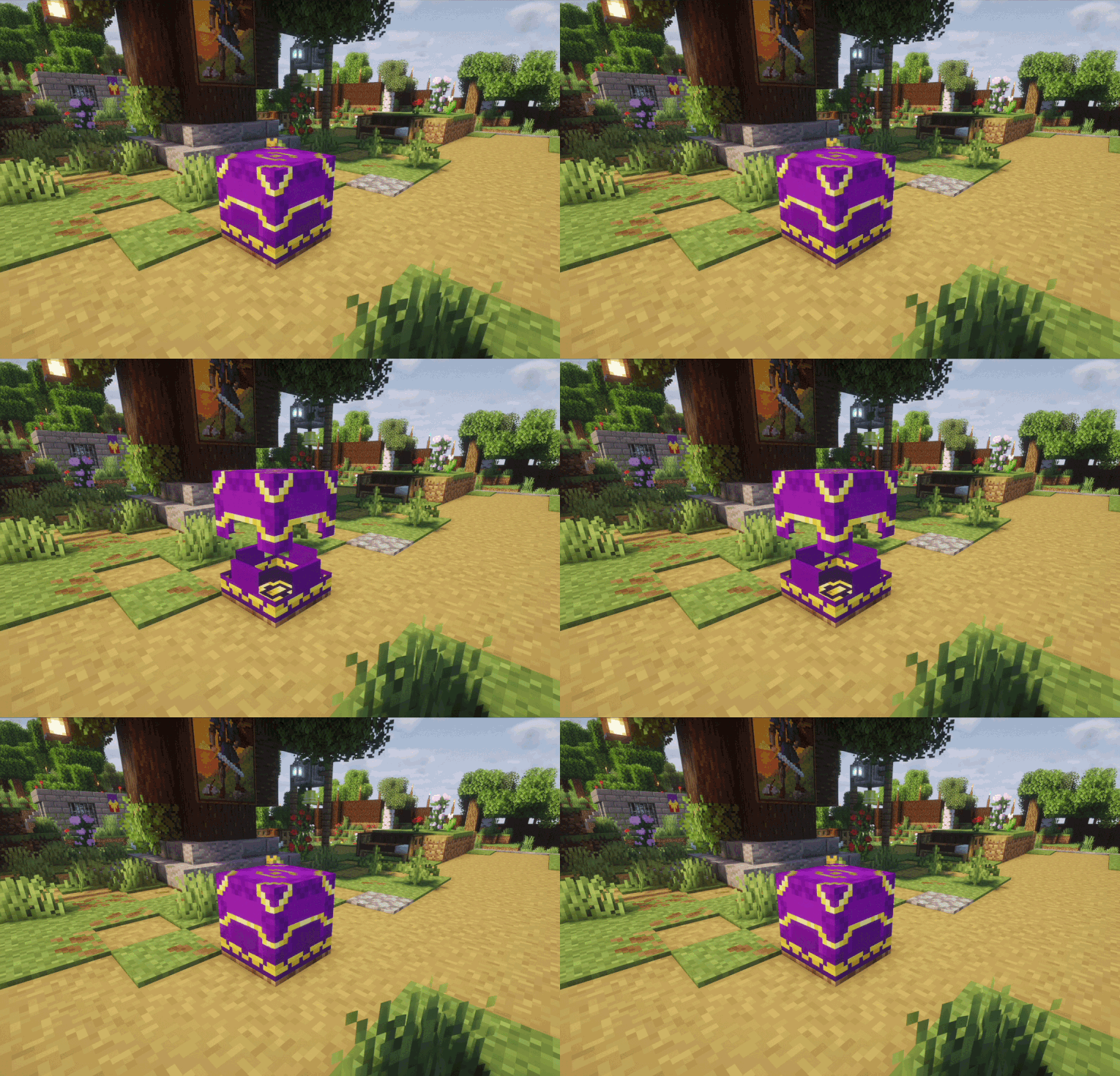
## ✨ Context
**This mod allows players to add armor trims to their shulker boxes, the trims will render on the icons and the blocks alike! Helpful to customise and differentiate your boxes.**
## 🔓 Safe to use
Your Shulker boxes are safe, this only adds rendering and armor trim NBT Data, so even if you decide to remove this mod, your Shulker boxes will be fine, and keep their dye and content intact!
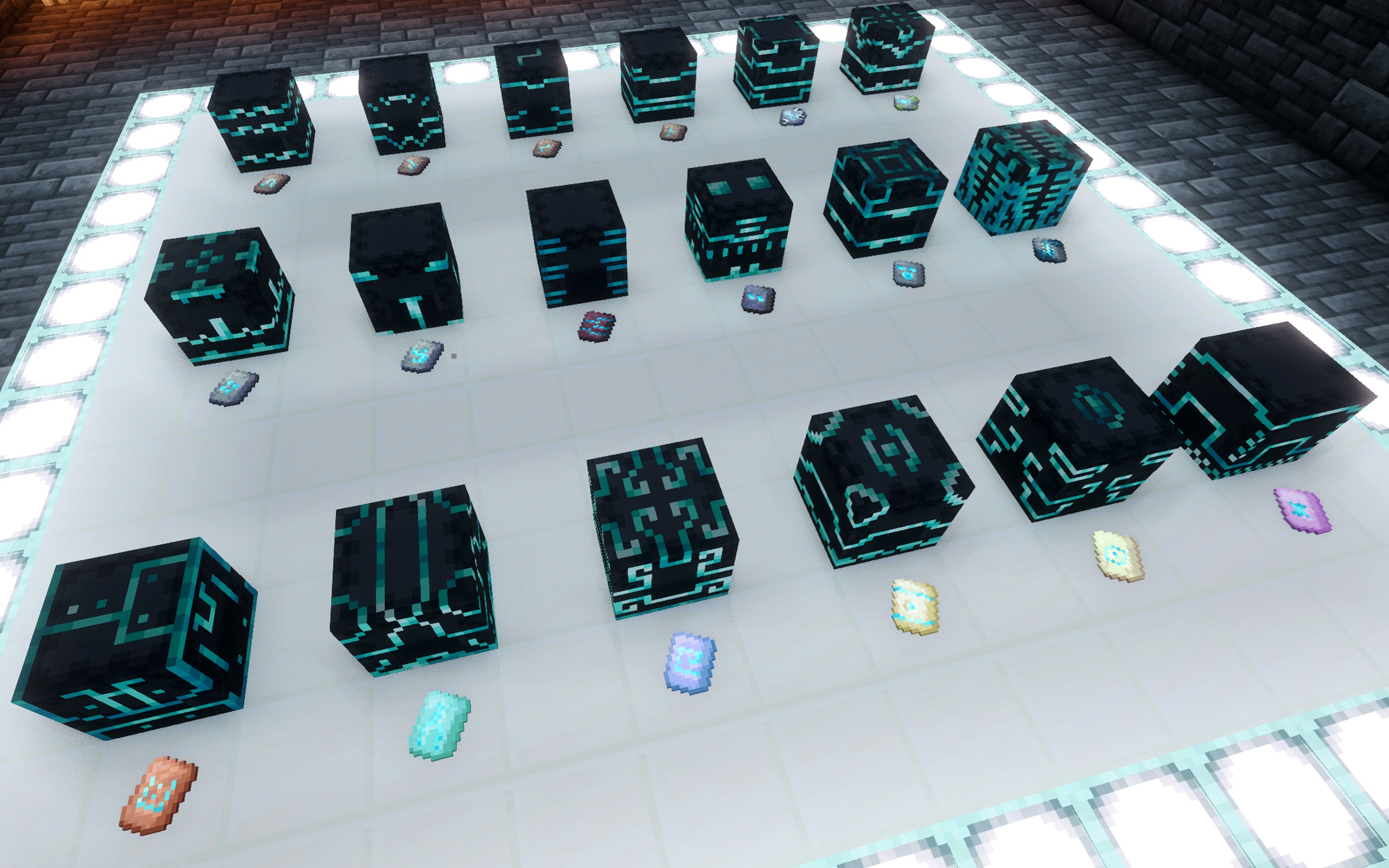**_Use a single dye and still tell them apart!_**
## ⚙️ No configuration required, ready to use!
## 🔗 Compatibility
Clients with this mod can join vanilla servers, and servers with this mod can host vanilla clients. One jar supports both Fabric clients and servers.
Compatible with other mods that change trim rendering should be supported.
**This mod does not natively work with modded trims, but those can be added with a datapack and a resource pack!**
****
### Huge thanks to **wlritchi** for the original idea and project 🙏


Checkout the original mod page on CurseForge: Ultimate Compression.
Getting tired of the constant chest monsters and overflowing storage systems? Ultimate Compression is a mod created to reduce storage requirements by compressing almost all vanilla Minecraft blocks & items! The mod also includes custom tools and armor created with the compressed variants of ingots and their respective ores, with increased durability and effects.


# About
*This datapack is originally made by osplo, this is an updated and improved version*
UIM Minecraft is a datapack that restricts your inventory exclusively to the hotbar, while also preventing the storage of your items in chests, and other inventory-containing items.
This pack was inspired by Old School Runescape’s Ultimate Ironman mode.
# Mechanics
UIM Minecraft aims to restrict any game mechanic that would allow you to indefinitely store an arbitrary item in any way besides your own inventory.
*Your inventory is restricted to your hotbar, offhand, and equipment only. Every other slot is unusable, and attempting to place an item in it will drop the item.
*Chests generated in the world will pop and drop their contents on the ground when opened.
*Furnaces are crafted pre-loaded with coal or a coal block in the centre of the recipe. Once placed, the furnace starts immediately, and pops once it runs out of fuel. This is to allow the smelting of items while making storage in furnaces infeasible.
*Minecart chests will pop when the player comes into interaction range.
*Furnaces, smokers, and blast furnaces generated in the world will break upon opening.
*Llamas, item frames, and other entities capable of holding any item will killed upon entering interaction range.
*Chests, item frames, barrels, and any other item that can store arbitrary items are uncraftable.
> An exception is made for crafters, as you need to make one for an advancement.
# Notes
*This pack should work in multiplayer with small groups of people. Beyond that, no guarantees on performance or bugginess.
*This pack kills lots of entities and modifies blocks very easily. Don’t use it on an existing world if you value the lives of the llamas, item frames, chests, your inventory, etc. in the world!
*This pack doesn’t play nice with barrier blocks.
*Due to the way raytraces are handled in this datapack, sometimes furnaces don’t break when running out of fuel or chests don’t break upon opening. Avoid aiming at the edges of blocks and swinging your mouse quickly while interacting with these blocks.
# Changes compared to the original
* Expanded to work with newer versions without a warning message
* Barriers are no longer stackable, giving a cleaner look in the inventory
* Barriers will be deleted if picked up with the mouse, so that you can’t accidentally grab them.