Washable Bundles
This data pack allows you to remove a bundle’s dye in a crafting table by combining a dyed bundle with a water bucket.
This data pack allows you to remove a bundle’s dye in a crafting table by combining a dyed bundle with a water bucket.
# 💨 WarpHopper v2.0 – The Ultimate Routing Engine
**”Precision Routing. Zero Lag. The Invisible Infrastructure for Your Minecraft Automations.”**
—
### ✔️ Round-Robin Logic • ✔️ Region Linking • ✔️ Admin Management • ✔️ High Performance • ✔️ Smart Filtering
* **MC Versions:** 1.21.1 – 1.21.4
* **JAR Size:** ~50 KB
* **API:** PaperMC
* **Requirements:** Java 21
—
## 🌐 What is WarpHopper?
WarpHopper is an enterprise-grade item distribution solution designed to replace messy, lag-inducing hopper lines with invisible, wireless connections. It transforms standard hoppers into intelligent gateways that beam items across your base directly into the containers they belong in, optimized for high-performance servers.
## 🚀 New in Version 2.0
* **Deterministic Round-Robin Routing** — Items cycle evenly across linked containers in a strict sequence (`#1 → #2 → #3`). No more uneven distribution in your sorters.
* **Rapid Region Deployment** — Select entire storage areas by clicking corner blocks. The engine automatically scans and deduplicates double-chests for instant bulk setup.
* **Collaborative Logistics** — Add teammates as authorized **Admins** via the new management menu. They can manage filters and links without needing owner permissions.
* **Zero-Stall Performance Engine** — Completely re-architected with **Async Database Persistence** and zero-latency caching to ensure a rock-solid 20.0 TPS.
## ⚙️ Core Capabilities
* **Triple Linking Modes** — Use **Single Link** for quick setups, the **Blaze Rod Wand** for multi-clicks, or **Region Mode** for massive automated warehouses.
* **Intuitive 54-Slot GUI** — A professional interface to manage ownership, view throughput stats, and configure routing rules in real-time.
* **Intelligent Overflow Management** — If a targeted chest is full, WarpHopper automatically cycles to the next available link or fallback “Default” container.
* **Security & Safety** — Integrated confirmation windows for de-registering hoppers prevent accidental data loss and link deletion.
—
## 📜 Command Architecture
WarpHopper v2.0 features a refined command suite for management and administration.
| Command | Permission | Functionality |
| :— | :— | :— |
| `/wh hopper` | `warphopper.use` | Convert the hopper you are looking at into a WarpHopper. |
| `/wh unregister` | `warphopper.use` | Decommission the hopper and purge its routing data (Secured with confirmation). |
| `/wh info` | `warphopper.use` | Display ownership, link saturation levels, and active admin lists. |
| `/wh addadmin
` | Owner / Admin | Grant a teammate management rights to your hopper. |
| `/wh removeadmin
` | Owner / Admin | Revoke management authorization from a player. |
| `/wh stats` | `warphopper.admin` | Monitor global throughput, total items warped, and network scale. |
| `/wh reload` | `warphopper.reload` | Force-refresh configurations and data with auto-field updating. |
### 🖱️ Interaction Details
* **Right-Click** your WarpHopper to open the 54-slot management GUI overview.
* **Add Filter:** Hold an item in your hand and click the **Filter** icon.
* **Linking:** Use the Blaze Rod wand or the new **Region Mode** in the GUI.
—
## 🛡️ Technical Specifications
* **Capacity:** Up to 300 containers per individual hopper.
* **Storage:** High-performance YAML database with off-thread saving.
* **Compatibility:** Full support for Chests, Barrels, Shulkers, Droppers, and more.
* **Logic:** Whitelist Filter -> Round-Robin Cycle -> Default Containers -> Internal Buffer.
—
Superior logistics. Optimized performance. Smarter storage.
Developed with Precision by BlackForgeStudio
This plugin adds simple region management and protection for Minecraft servers running on 1.21.
Players or administrators can create cuboid regions using a selection wand, save them by name, and manage them through the `/region` command and in-game GUI menus. Regions cannot overlap, and they must be created within the same world.
Each region supports a whitelist system and configurable protection flags. The plugin currently includes flags for block breaking, block placing, interaction, and entity damage. Each flag can be set to allow everyone, allow only whitelisted players, or deny everyone.
The plugin also includes quality-of-life features such as particle previews for selected region borders and title messages when entering a region. Region data, whitelist entries, and flag states are stored in MySQL.
This project is focused on practical region protection and lightweight management. It does not aim to be a full replacement for large protection suites with advanced claim systems or economy features.
1. **“Warden Dimension” is a mod** that adds a wide variety of elements related to the _Warden universe._
These include a **_dedicated dimension_**, the power to _repair their eyes_, light the portal to ancient cities, and more.
In short, this is the mod you need to _**enrich your gaming experience**_.
1. « Warden Dimension » est un mod qui ajoute une grande variété d’éléments en rapport avec l’univers du Warden.
On y trouve notamment une dimension dédiée, le pouvoir de réparer leurs yeux, d’allumer le portail des anciennes cités, etc.
Bref, c’est le mod qu’il vous faut pour enrichir votre expérience de jeu.
**_Translate in 3 language: French, Spanish, English
Traduit en 3 langues : Français, Espagnol, Anglais_**
# Wandering Wizardry
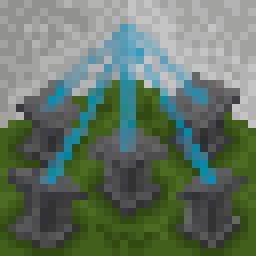
Wandering Wizardry is an exploration focused magic mod, providing 3 unique biomes to explore, a structure to find, and more.
It also provides quality-of-life features, including, but not limited to
– Soul Mirror
– Using it will transport you to your spawn point.
– It can also be bound to lodestones, like a compass. Binding it to a lodestone will act as a waypoint you can teleport to at any time. A mirror can only be bound to one lodestone
– Void Bag
– Acts as a portable ender chest, with a separate inventory
– Will also automatically transfer items to it if there’s the same item in it already
– Echo Lure
– Allows you to pick up items from further away
– Altar Charms
– Items that alter the behavior of the altar, allowing you to automatically craft, brew, anvil, and smith
– Copper Lens
– Focuses the beam of a beacon, increasing the potency, but reducing the area of effect

# Introduction
**Walls of Wheat** is a server and client mod, specifically curated for a server I am a part of. The mod is essentially two parts:
1. A client-dependent world border mod. Allowing admins to fully customize and manage borders for each player on a multiplayer server.
2. A Wheat storage GUI and trade system to get an item that can expand the world border for a set time. Designed for Wheat based currency multiplayer servers.
I bring this distinction up because the mod can be modified to purely be a client-dependent world border mod or offer helpful tools for Wheat currency servers. Though, the original intent is for the use case where both are needed. The idea is each player has their own world border that they can expand to explore the world, at the cost of farming Wheat.
# Description
**Walls of Wheat** offers three new commands to interface with the mod:
“`
/wheatborder
/worldwheatborder
/wheat
“`
`/wheatborder` and `/worldwheatborder` are **admin only** commands. They serve as setup and management for the world borders, and share almost the same set of subcommands. The main difference is that `/wheatborder` has a player selector parameter (@a, [@s](https://github.com/s), etc.), so it will modify a current player(s) border settings. `/worldwheatborder` is used to set the world’s default border settings; which are applied to all new players who join the world (so no player selector is needed). So when a world is made, an admin can run `/worldwheatborder` commands to ensure every player who joins receives the same settings. If you want each player to have their own settings, you will need to run `/wheatborder` for each player. The `/wheat` command will be covered after an explaination of the Wheat GUI.
# Border Setup
The following commands work between both `/wheatborder` and `/worldwheatborder`, the only difference being that the world variant __does not use the player selector field__. Additionally, the dimension field across all of these commands is not required. If you do not include the dimension, it will default to the dimension you are in. **This allows the borders to be unique across all dimensions, for additional customization.** Currently, only the Overworld, Nether, and End are supported.
/wheatborder …
* **set**
* **speed**
* **center**
* **penalty**
* **damage**
* **enable**
* **disable**
* **max**
* **duration**
* **accelerate**
* **magnet**
* **item_despawn**
/worldwheatborder …
* **info** [
* **wheat_decay**
# Wheat GUI
The Wheat GUI can be opened via a keybind. You can find it in controls at the bottom of the menu, in the “Walls of Wheat” section. Pressing the keybind will open a new inventory menu, similar to the normal one. You can access your hotbar and inventory, as well as see a variety of new things:
* Designated Wheat slot (and count display)
* Ticket o’ Exploration trade slot (and price for trade)
* Time left on the open border
* And settings to toggle auto-wheat pickup, border related audio, and set the closed border boundary outline.
The Wheat slot has no cap on the number of items it can hold, so Wheat will no longer clutter your inventory. Clicking the stack with no items in your cursor will remove up to a stack from it. With Wheat in your cursor, clicking the stack will add the Wheat to it. Ticket trades will only appear when you have the necessary amount of Wheat, and are traded by clicking the item one at a time. The three settings on the left side of the gui are clickable buttons, and display their status with an icon and with a hover text element. The closed border boundary outline looks like a more transparent world border, that shows the closed position of the border when it is open. The color can be changed, or toggled off as well. Auto-Wheat pickup makes it so picking up Wheat items put them directly into your Wheat storage slot, instead of inventory slots.
`/wheat` has both **admin** and **non-admin** subcommands. The non-admin subcommands are an alternative way to access the functionality offered by the GUI. The following are the available subcommands and their fields:
### Non-Admin
/wheat …
* **add**
* **boundary**
* **buy**
* **mute**
* **pickup**
* **pull**
* **status** – returns the amount of Wheat the player has stored and the next Ticket price.
### Admin
/wheat …
* **initial_price**
* **price**
* **total**
* **fine**
* **rate**
* Basic arithmetic: +, -, *, /
* Parentheses for grouping: (, )
* Exponentiation: ^
* Functions: sqrt(), floor(), ceil(), abs(), min(), max()
* Examples:
* /wheat rate x + 10 – increases price by 10 Wheat each purchase
* /wheat rate x * 2 – doubles the price each purchase
* /wheat rate x * 1.5 – increases price by 50% each purchase
* /wheat rate x + (x * 0.25) – adds 25% of current price
* /wheat rate floor(x * 1.1) + 5 – increases by 10% plus 5, rounded down
* /wheat rate min(x * 2, 1000) – doubles price but caps at 1000
* /wheat rate x^1.2 – exponential growth rate
# Scoreboards
There are also five new scoreboard objectives that you can set, all related to the border:
“`
wallsofwheat.border_cycles
wallsofwheat.border_penalties_suffered
wallsofwheat.tickets_bought
wallsofwheat.wheat_border_timer
wallsofwheat.wheat_count
“`
# A few more things
On top of the border and Wheat GUI features, there are a few smaller additions that are mainly for flare.
* New advancements related to the border and Wheat
* New items:
* **Golden Wheat** – made with Wheat and 8 Gold Nuggets.
* **Golden Bread** – made with 3 Golden Wheat. Replenishes more saturation and grants brief Haste.
* **Golden Hay Bale** – made with 9 Golden Wheat. Negates _practically_ all fall damage when landed on.

**Join the Discord to be a part of the discussion, provide suggestions, and help report bugs!**

# Wallets for Minecraft 1.16 – Forge
## Mod Description
This Forge Mod adds a simple coin system. Perfect for moderated servers.
The system works in a way that there are a few different coin item (1 coin, 5 coins, 20 coins, 50 coins, 100 coins, 500 coins) as well as a wallet item that can be used to store all coins.
Interacting with the wallet opens a gui where coins or other wallets can be transferred into the opened wallet. In the gui every kind of coin can be extracted as well as a set coin value. And if that is too much you can even take a coin pile with a set amount of coins to transfer to another player or wallet.
While the wallet can be crafted, the coins are only accessible through commands.


## Configuration
– the coin pile button in the wallet screen can be disabled in the `wallets-server.toml` file in the `serverconfig` directory
## People
– [Cheaterpaul](https://paube.de) Coding
– [1LiterZinalco](https://github.com/1LiterZinalco) Idea
– *Random* Textures
## Links
[Curseforge](https://www.curseforge.com/minecraft/mc-mods/wallets) Downloads
[Github](https://github.com/Cheaterpaul/Wallets) Source
[Github/Issues](https://github.com/Cheaterpaul/Wallets/Issues) Issues
[Crowdin](https://crowdin.com/project/walletsmc) Translate this mod
## Licence
This Mod is licenced under [LGPLv3](LICENSE)
> ## _Please note that this is a BETA version of the mod that adds only a few content and is not bug-free. In case you want to leave feedback, feel free to use the comment space below or the dedicated channel in the [WanMine Discord server](https://discord.wanmine.net/)._
# Are you ready to meet all the beasts of Minecraft’s ancient past? Like the Sniffer, they are all creatures from prehistory and each one brings with it amazing new features!
# **Version 1.4.0 (16/01/2026) – The Good, the Bad & the Ugly Update**
# **NEW ANCIENT CREATURES**
## 1) Charger
* Neutral Mob that can be brought back to life with its eggs
* From time to time it will sit down and loaf
* Natural enemy of Raiders: attacks them on sight
* Attacks the player only if attacked first or if the player is holding a **Beetroot**
* If fed a Beetroot it becomes **over-aggressive**, attacking anyone on sight and dealing double damage (effect ends after the first hit)
* Can be tamed like a horse, but it’s much harder:
* When you fall from it, it will attack you once
* Feeding **Sweet Berries** makes taming easier
* Once tamed, it can be equipped with a saddle and ridden
**Abilities**
* Press **C** → Headbutt attack
* Press **Spacebar** → Charge attack (double damage + knockback, straight line, requires recharge)
* Can be bred with **Glow Berries**
—
## 2) Raider
* Hostile Mob that can be brought back to life with its eggs
* Highly aggressive predator that attacks every mob (similar to the Eater)
* Scared by the Eater, but the Eater does not attack it
* Can be made neutral by giving it **Ancient Meat**
* Once neutral, it will attack only if provoked
* Pack hunter: attacking one will aggro the entire pack
* Natural enemy of Chargers
**Looting Mechanic**
* When it kills a mob, it drops more loot (base **Looting I**)
* Can be increased up to **Looting IV** by feeding it the new **Pitcher Plant**
* When attacking with its head, it has a chance to drop one of its horns
* Can be bred with any type of meat
* Found as Illager troops in their own structures and during Raids
—
## 3) Snatcher
* Neutral Mob that can be brought back to life with its eggs
* Small and fast, can climb surfaces thanks to hooked claws
* Occasionally steals food or items from player inventories and chests
* To retrieve stolen items, hit it once:
* If not hit in time, it will devour the item and it will be lost forever
**Taming**
* Make it steal its favorite food, the **Nasty Stew**, from your inventory
* Once tamed, it can be equipped with a **Barrel**
**Abilities**
* Press **C** while looking at it → it climbs onto your shoulder
* Press **C** again → throw it
* If thrown near a chest or barrel, it will steal loot and bring it back to the owner
—
# **NEW MOBS**
## 1) Tamer
* New Illager variant
* Found during Raids and in Raider structures
* Usually rides a Raider troop
* Equipped with a sword
—
# **NEW ITEMS**
## 1) Charger Armor
* Found in dungeons (commonly in Charger structures)
* Can be dyed
* Works exactly like **Golden Horse Armor**
—
## 2) Raider Horns
Dropped by Raiders and craftable into three variants:
### • The Fearsome Horn
* Crafted with **Eater Teeth**
* Applies the **Fear** effect to all mobs in a 20-block radius for 5 seconds
* 10s cooldown
### • The Shrieking Horn
* Crafted with **Echo Shards**
* Emits a powerful blast dealing heavy damage in a 20-block radius
* 10s cooldown
### • The Spectral Horn
* Crafted with **Phantom Membrane**
* Instantly kills all **Phantoms** and **Vexes** in a 20-block radius
* 10s cooldown
—
## 3) Nasty Stew
* Used to tame the Snatcher
—
# **NEW SNIFFER PLANTS**
The Sniffer can now find the following new seeds:
## 1) Rafflesia
* Decorative flower
* Works like a **Spore Blossom**, but on the ground
## 2) Sundew
* Decorative plant
* Attracts flies (similar to a firefly bush)
## 3) Equisetum
* Decorative prehistoric plant
## 4) Moonflower
* Decorative flower
* Behaves like **Pink Petals**
* Can be placed on earth-like blocks
## 5) Ginkgo Trees
* New saplings that grow into 1×1 or 2×2 trees
* Includes a full **Ginkgo Wood Set** (planks, doors, etc.)
## 6) Olden Moss
* New moss variant
—
# **NEW BLOCKS & MECHANICS**
## 1) Paleo Table
* Crafted with **4 planks** and **2 pottery sherds**
* Used to:
* Duplicate pottery sherds
* Transform beast eggs into decorative blocks
* Acts as the job site block for the **Paleontologist** profession
—
## 2) Paleontologist (Villager Profession)
* Created using the Paleo Table
* Can be leveled up to unlock new trades
—
## 3) Wandering Paleontologist
* Found exclusively in **Dig Sites**
* Has unique trades
* Rework of the former Paleontologist
—
## 4) New Banner Patterns
* New patterns usable on shields
—
# **NEW STRUCTURES**
## 1) The Ruined Castle
* Found in **Plains** biomes
## 2) The Training Outpost
* Found in **Plains** biomes
## 3) The Primal Log
* Found in **Old Growth** biomes
—
# **Version 1.3.2 (22/09/2025) – Hotfix #3**
– 1.21.1 support
– Toxlacanth remodel
– New Advancements
– New languages
– Bug fixing
# **Version 1.3.0 (10/08/2025) – Surf Update**
# **NEW ANCIENT CREATURE**
## Surfer
– Eggs found in the Dead Coral
– It’s a peaceful Mob
– It can be fed any type of coral and if fed a big quantity of the same type (from 32 to 64) as a baby, it will change colour depending on the type of coral; if fed with mutiple colours (in that range of 32 to 64) it will not change colour
– Can both travel in water and on land, though on land it will be significantly slower
– When on land it will relax basking in the sun: if you go near it too fast it will get scared and it will try to run away, while if you crouch it will remain still; if you approach it nicely and slow you will be able to interact with it and attempt taming it
– To tame it you’ll have to feed it Coral fan (the type of coral depends on the colour of the Surfer, if it has its base color then any type of coral is good) while it’s relaxed
– Once tamed it can be equipped with a saddle and you’ll be able to ride it; it can travel slowly on land, and fast in and under water (slightly faster than a boat)
– The Surfer is able to store big quantities of oxygen and if you press c while riding it, it will be able to restore your oxygen up to 3 times
– If you press space bar near the surface while in the water it will jump out and will cover a great distance (it takes 10 second to recharge)
– It can be bred with sea pickles
– It can be also equipped with the “Surfer Armor”: this will add a layer of protection but will reduce its speed (now beign as fast as a boat)
# **NEW ITEM**
## Surfer Armor
– It can be crafted with Turtle scutes
– It works exactly like dog armor and will tank any damage, consuming its durability instead
– Cannot be dyed
– Can be Repared (like-dog armor) with turtle scute
# **NEW STRUCTURE**
## Dead Coral
– Can be found in the Stony Shore biome
# **Version 1.2.1 (13/06/2025) – Hotfix #2**
– New translations added: Italian, Polish, Russian and Chinese
– New Advancements
– Fixed Paleontologist trades
– Fixed Walker health problem
– Bug fixing
# **Version 1.2.0 (02/05/2025) – Paleo Update**
# **NEW MOBS**
## 1) Paleontologist
– Peaceful Mob that belongs to the Villager Group
– It rarely spawns in every structure of the mod
– It spawns more commonly in Dig Site
– It can trade with you for items found in the mod
# **NEW BLOCKS**
## 1) Crusher Spikes
– Crusher spikes can now be placed both on the ground and on the bottom of blocks like drip stones
– They are highly deadly so look out for any possible traps
## 2) Quicksand
– A new block that is pretty similar to powder snow and that you should avoid while looking for fossils
## 3) Fossils
– A new decoration block found only in dig sites and as a trade with the paleontologist
# **NEW STRUCTURES**
## 1) The Dig Site
– Can be found in every biome
– It has lots of Suspicious Sand, Gravel, Red Sand or Ice depending on the biome that allows you to find all the ancient beasts’ eggs (including the Sniffer)
## 2) New variants of: Mesa Temple, Ice Spike Castle and Desert Ruins
– Enjoy new variants of the classic WAB structures with some nice twists
# **NEW ENCHANTEMENTS: ANCIENT CLUB**
## 1) Blood Thirst
– Makes you deal more damage under any potion effect
– Not compatible with Life Steal
## 2) Life Steal
– Makes You absorb half a heart for every hit you deal to your enemy
– Not Compatible with Blood Thirst
## 3) Hunter’s Mark
– Deals More damage to Animals and Ancient Beats
# **NEW FEATURES**
## 1) Hang Glider Dyeable Customization
– Put a dye and an Hang Glider in the crafting table and you’ll be able to change colour to the feathers
## 2) Duplicate Pottery Sherds
– Put a sherd with a brick in a crafting table and you’ll get 2 sherds of the one you put in the crafting
# **Version 1.1.5 (12/03/2025) – Hotfix**
– Removed Sherds API dependency
– New advancements
– General rebalance of all ancient mobs (+ Sniffer)
– Now Chisel is used to excavate suspicious ice instead of Brush. Right-click on the block several times, and after quite a while it will drop the loot.
– Remodel and upgrade of the Ancient club:
– as much damage as an Iron sword
– as fast as an Axe
– now the more you hit your target the more damage it will deal every time (1hp x addition hit)
# **Version 1.1.0 (22/12/2024) – Flyers Update**
# **NEW ANCIENT CREATURES**
## 1) Glider
– Egg found in the Abandoned Village
– Passive mob
– Can be tamed with pufferfish
– Once tamed you can make it sit
– When playing music on a jukebox it will start dancing
– While dancing it can lose some feathers
– It can be bred with Salmon
## 2) Soarer
– Egg found in the Frozen Nest
– Neutral Mob: it will attack the player if the player attacks it first
– It will attack Toxlacanth on sight
– Can be tamed with Raw Toxlacanth
– Once tamed it will also be able to attack targets
– Once tamed you can put a saddle on it and ride it
– With this creature you’ll be able to fly for long distances in early game, but its stamina is not infinite and sometimes it will have to restore it by go to the ground
– It can be bred with pufferfish
# **NEW MOBS**
## 1) Toxlacanth
– Very rare mob that can be found in:
– Waterlogged Caves
– Warm Oceans
– Swamps
– Mangrove Swamps
– It can be bucketed
– Its not part of the fishing lootable
– If hit without killing it will spawn a little cloud that can cause Nausea, Poison and Weakness
– Once slayed it will drop itself
# **NEW ITEMS**
## 1) Glider’s Feather
– This item is dropped by the Glider while dancing
– It can be used in substitution of regular feathers when crafting arrows
– It can be used to craft a new item the Hang Glider
## 2) Hang Glider
– Can be used as a primitive elytra
– It allows the player to freely glide instead of falling to its doom
– It loses durability every time you glide
– It can be enchanted with: Unbreaking, Mending
– Unlike elytra you cannot use rocket to go faster or go upwards
## 3) Raw Toxlacanth
– It can be cooked or eaten Raw
– It can be used to tame the Soarer
– If eaten Raw it will cause Nausea, Poison and Weakness
## 4) Cooked Toxlacanth
– It can be eaten
– It gives as much saturation as the ancient meat
– But it still has a terrible taste, so it will cause Nausea
# **NEW BLOCKS**
## 1) Straw Block
– Can be crafted with Wheat and Sticks
– Can be crafted into stairs and slabs
– Can be Found in Frozen Nests
– Can be used to craft the Nest
## 2) Frozen Straw Block
– Can be found in Frozen Nests
## 3) Nest
– Can be Crafted with straw Blocks
– It can be used to speed up the hatching of egg, making it 3x faster than normal
– If you place chicken eggs in it they will not hatch and it will function as a decorative block
# **NEW STRUCTURES**
# 1) The Abandoned Village
– Can be found in Jungle biomes
– It has lots of Suspicious Gravel that allows you to find:
– Glider Eggs
– Fall Pottery Sherd
# 2) The Frozen Nests
– Can be found in Mountains
– It has lots of Suspicious Gravel that allows you to find:
– Soarer Eggs
– Beak Pottery Sherd
# Version 1.0.0 (27/09/2024)
# **NEW ANCIENT CREATURES**
## 1) Eater
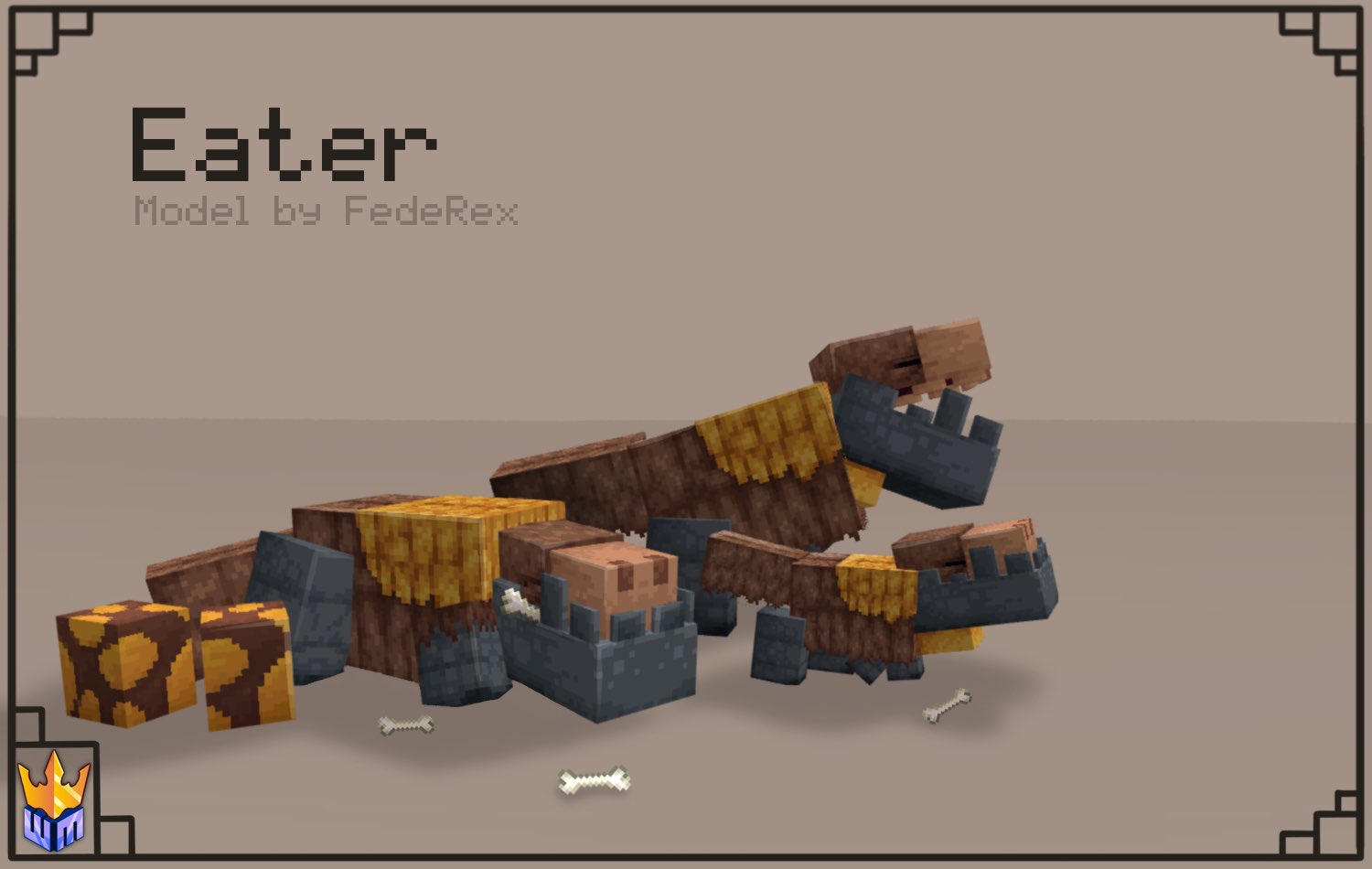
– Egg found in Mesa Temple
– Neutral: attacks only if you are too close to it or you are near a baby
– It scares every mob (except the Wither Boss and the Ender Dragon)
– Its bites breaks the shields
– When aggred it’ll roars and that will give you the “Fear” effect for a few seconds (a new effect that will make you no longer control your character)
– If you give it some “ancient meat” there’s the chance it’ll give the “alpha” effect for 2:30 minutes (a new effect that increases your attacks by half heart for each kill)
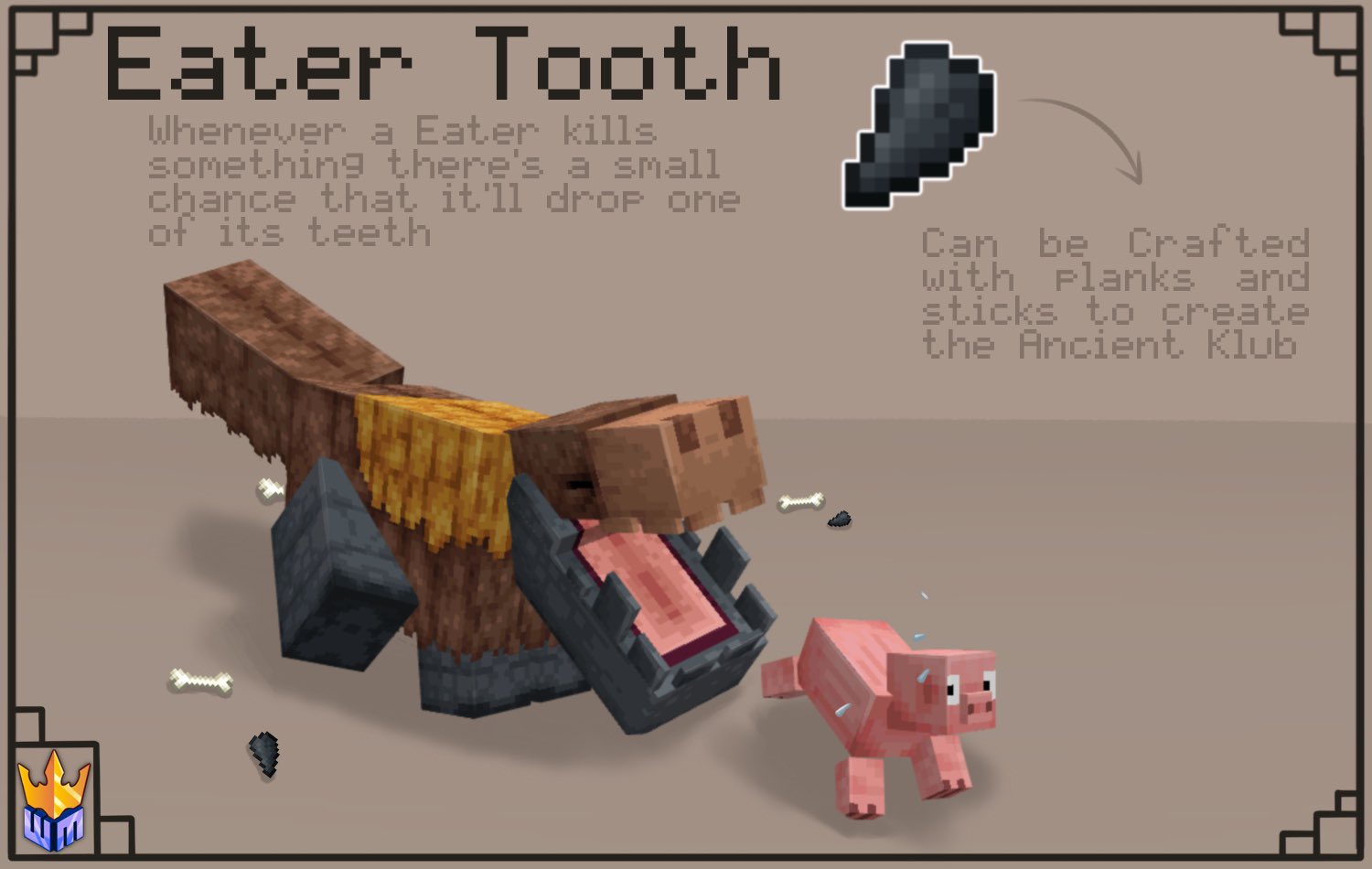
– If it kill an entity there’s a chance that it’ll drop an “Eater Tooth” (a new item that can be used to craft a new weapon, the “Ancient Club”)
– It hunts every animal and pillagers
– Cannot be tamed
– Can be bred with every type of meat
## 2) Walker
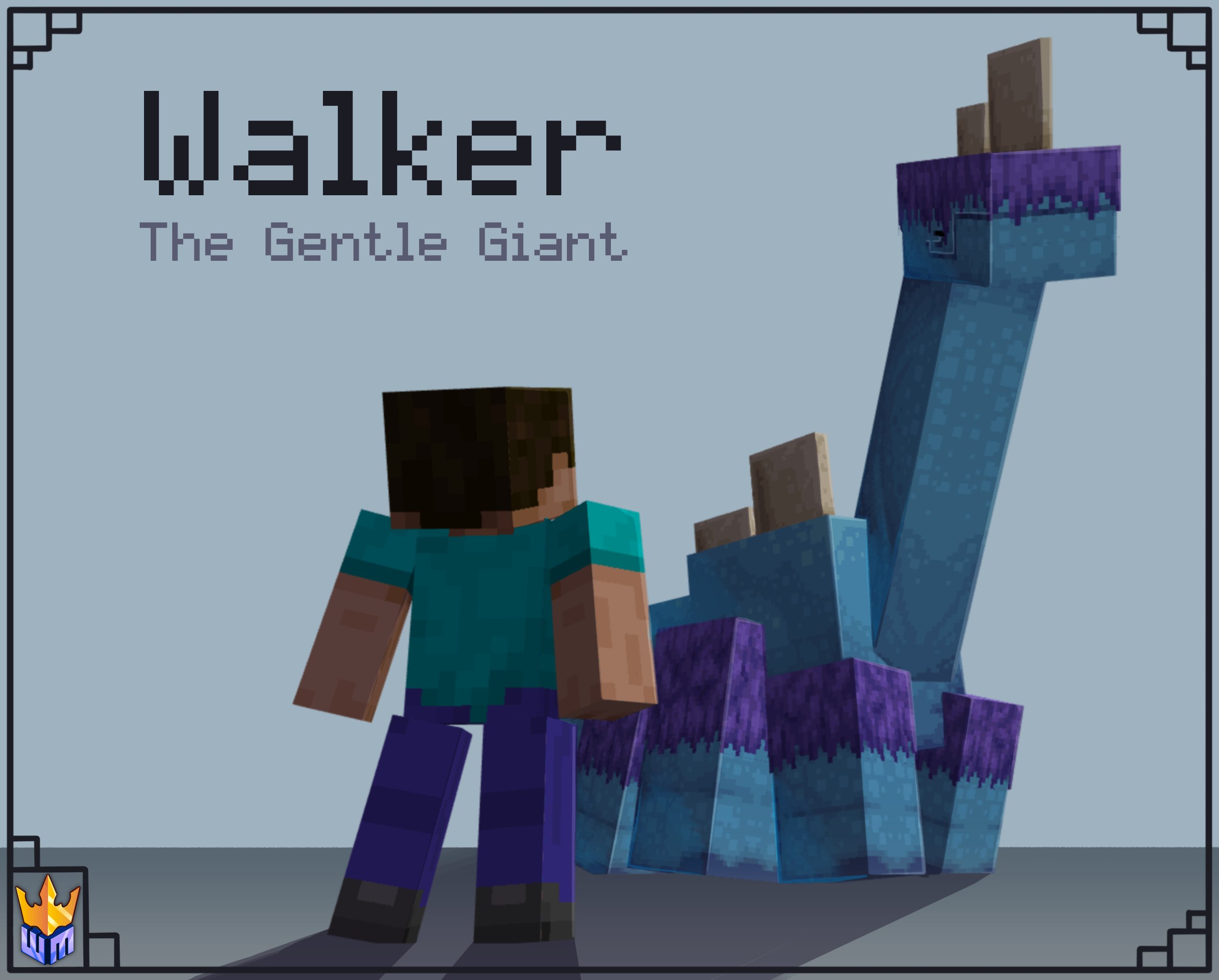
– Egg found in Ice Spike Castle
– Passive
– Can be tamed only when is baby with spore blossoms
– Once tamed 4 players can ride it at the same time
– Once tamed can be equipped with chests (it has 49 slots of storage)
– Can walk over fences and walls
– Can be heal with azalea leaves
– Can be bred with spore blossoms
## 3) Crusher
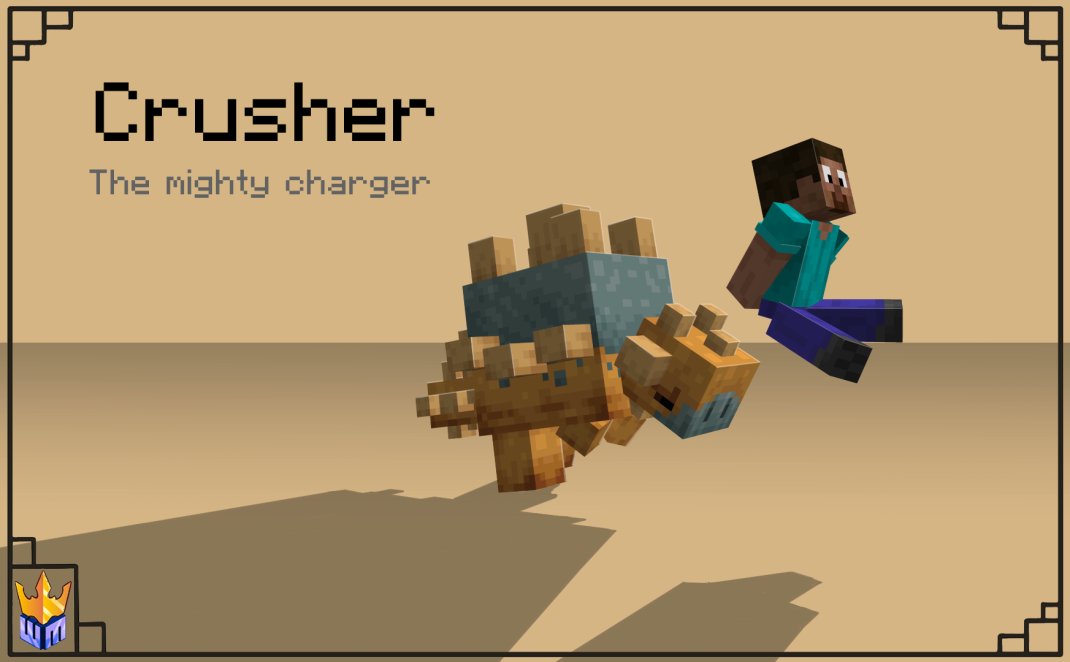
– Egg found in Desert Ruins
– Neutral: attacks only if you attack it first
– It’s immune to projectyles
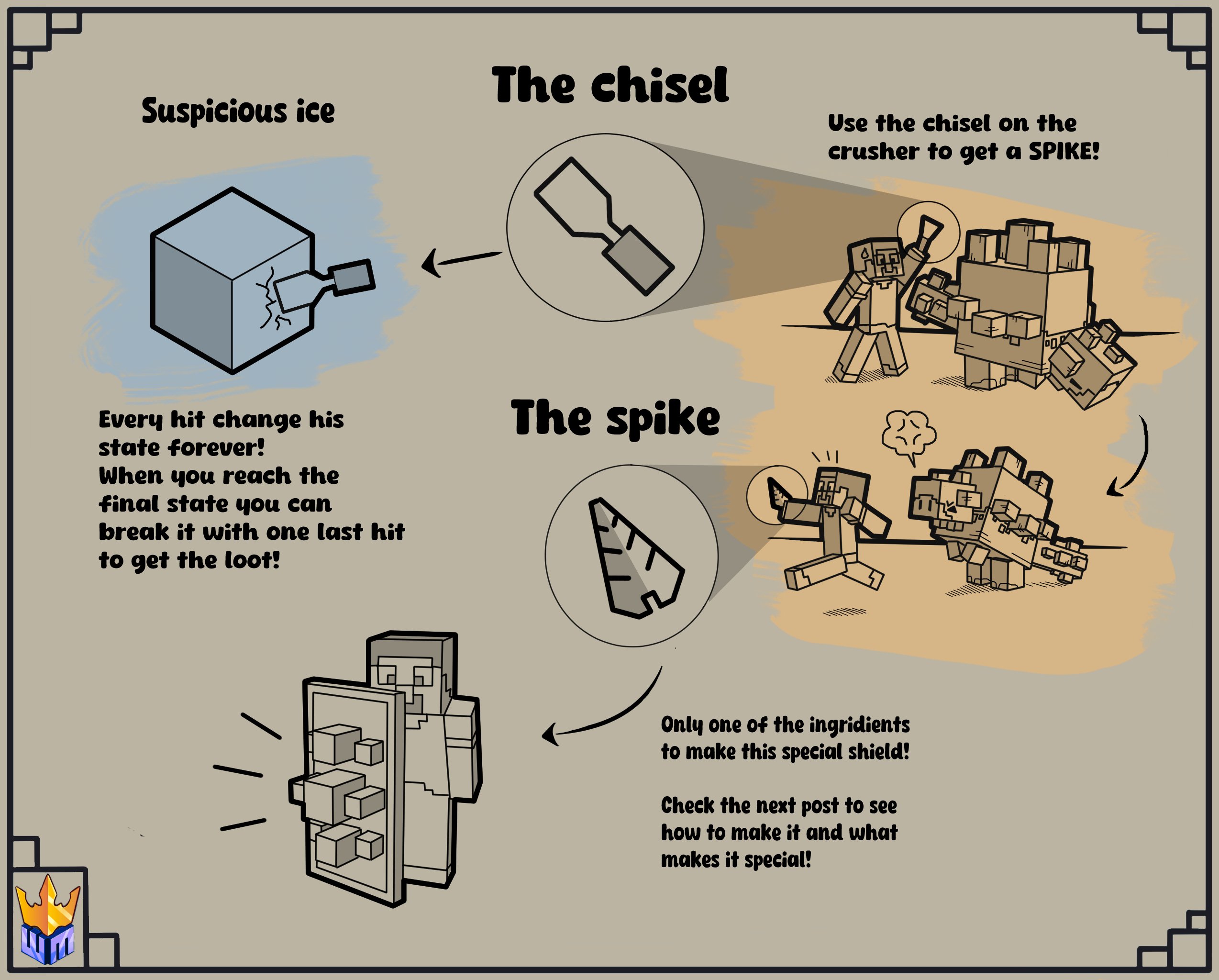
– You can steal one of its spike with a chisel but it makes the Crusher angry
– Cannot be tamed
– Can be bred with hanging roots
# **NEW ITEMS**
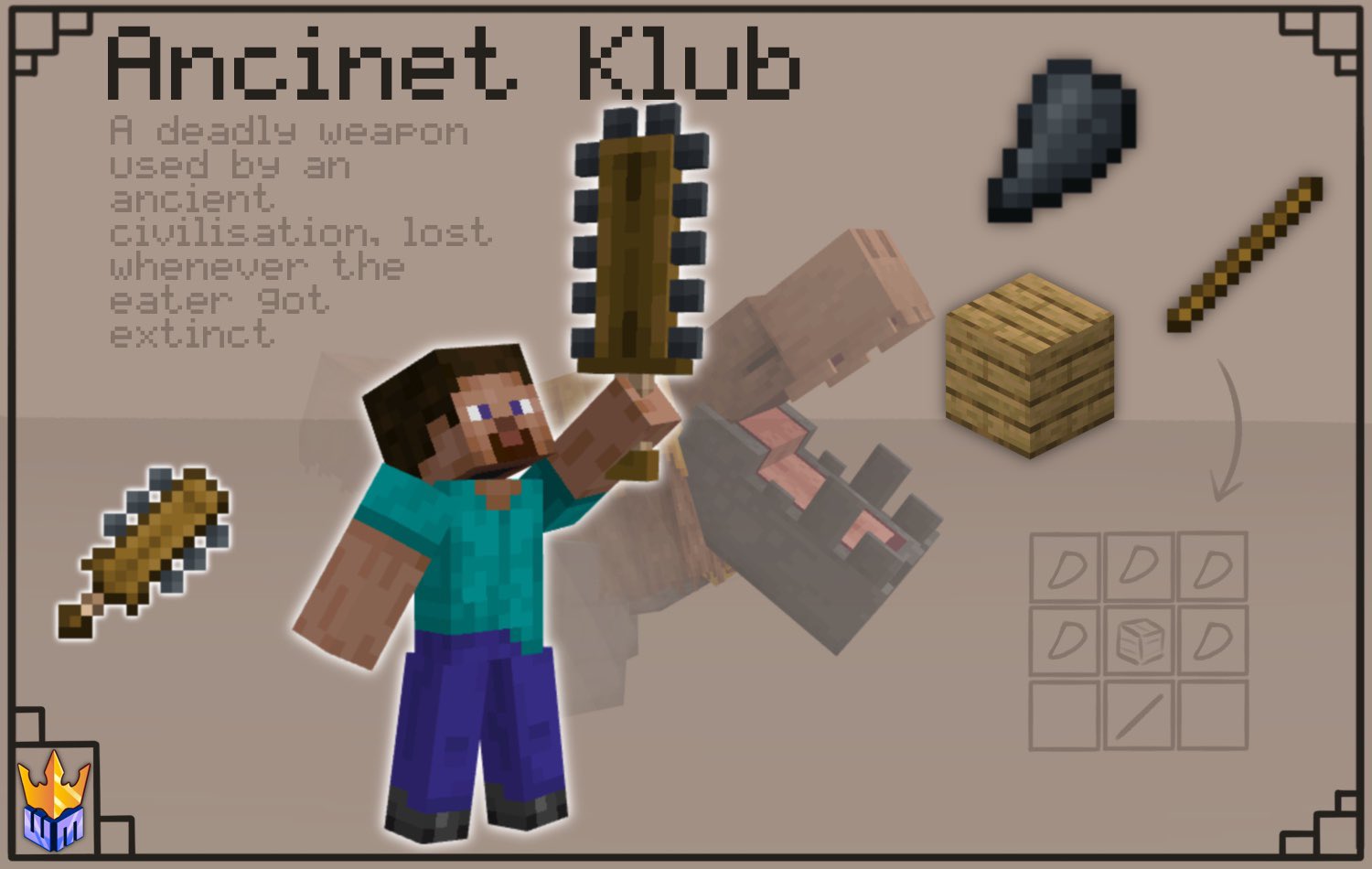
## 1) Ancient Klub: new weapon strong as an iron axe but fast as a normal sword
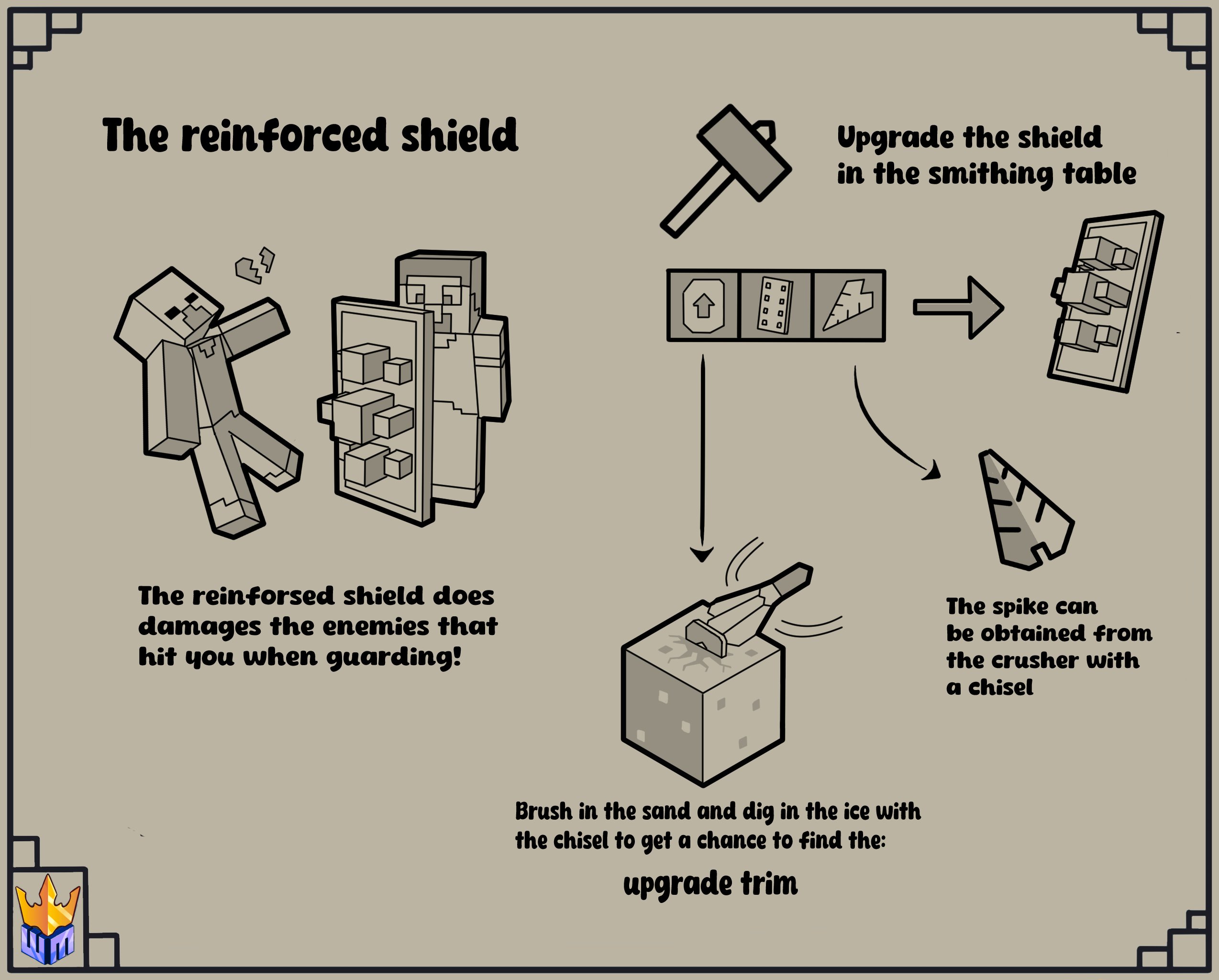
## 2) Reinforced Shield: it can be crafted upgrading a shield in the smithing table with a Crusher’s Spike and the Upgrade trim. This shield will deal damage to everything that use a melee attack type (like a shield it negates projectiles)
# **NEW STRUCTURES**
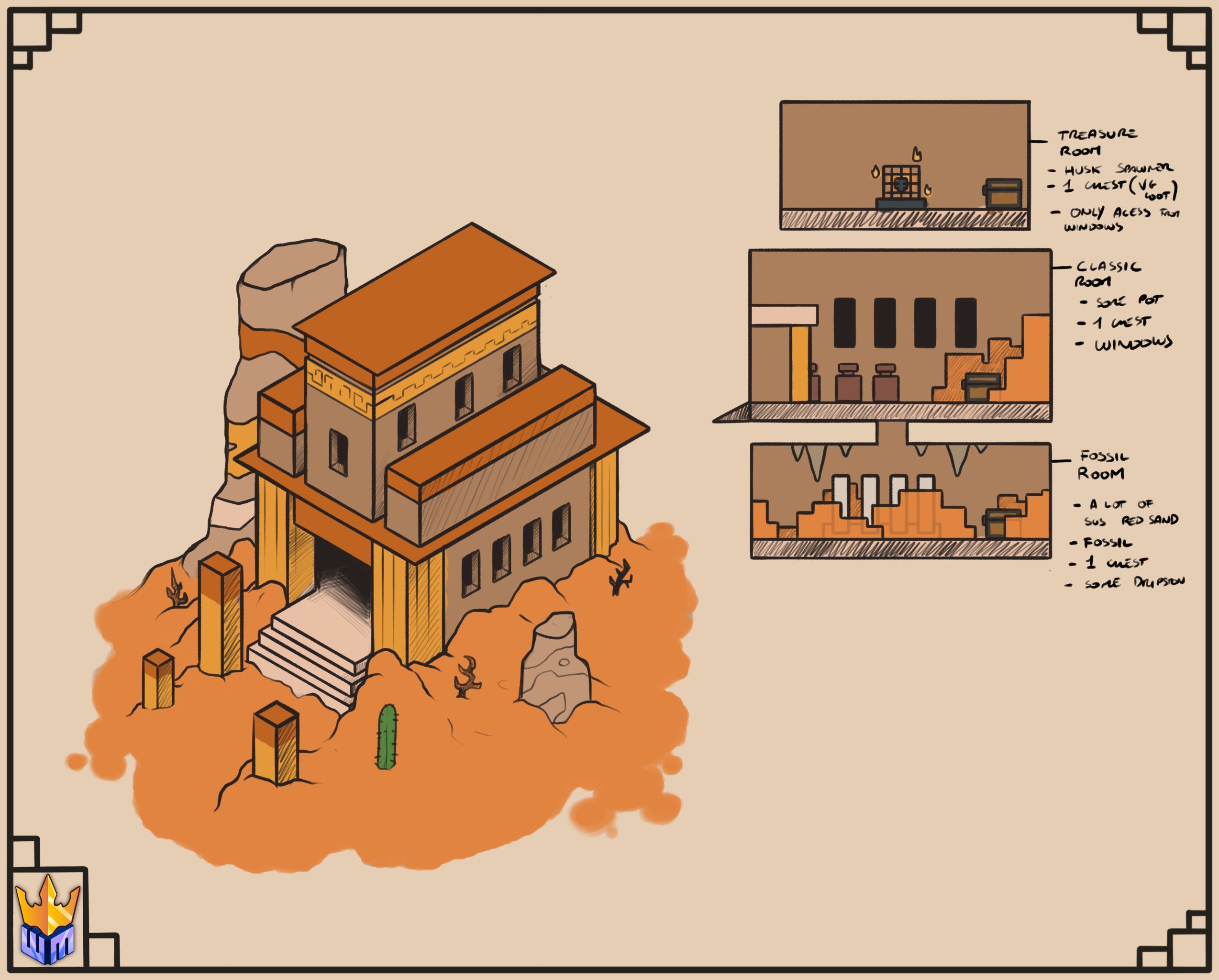
## 1) Mesa Temple
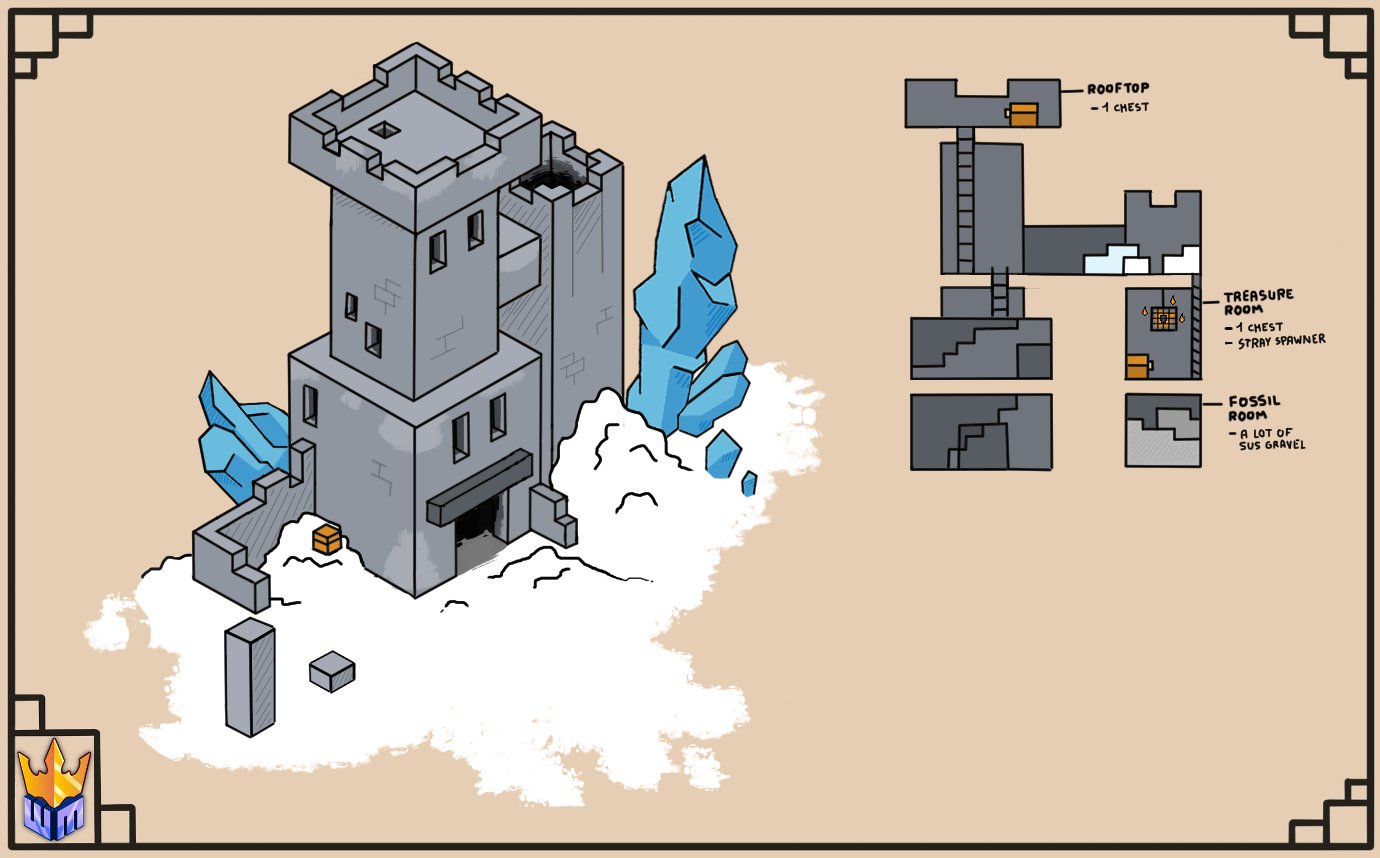
## 2) Ice Spike Castle
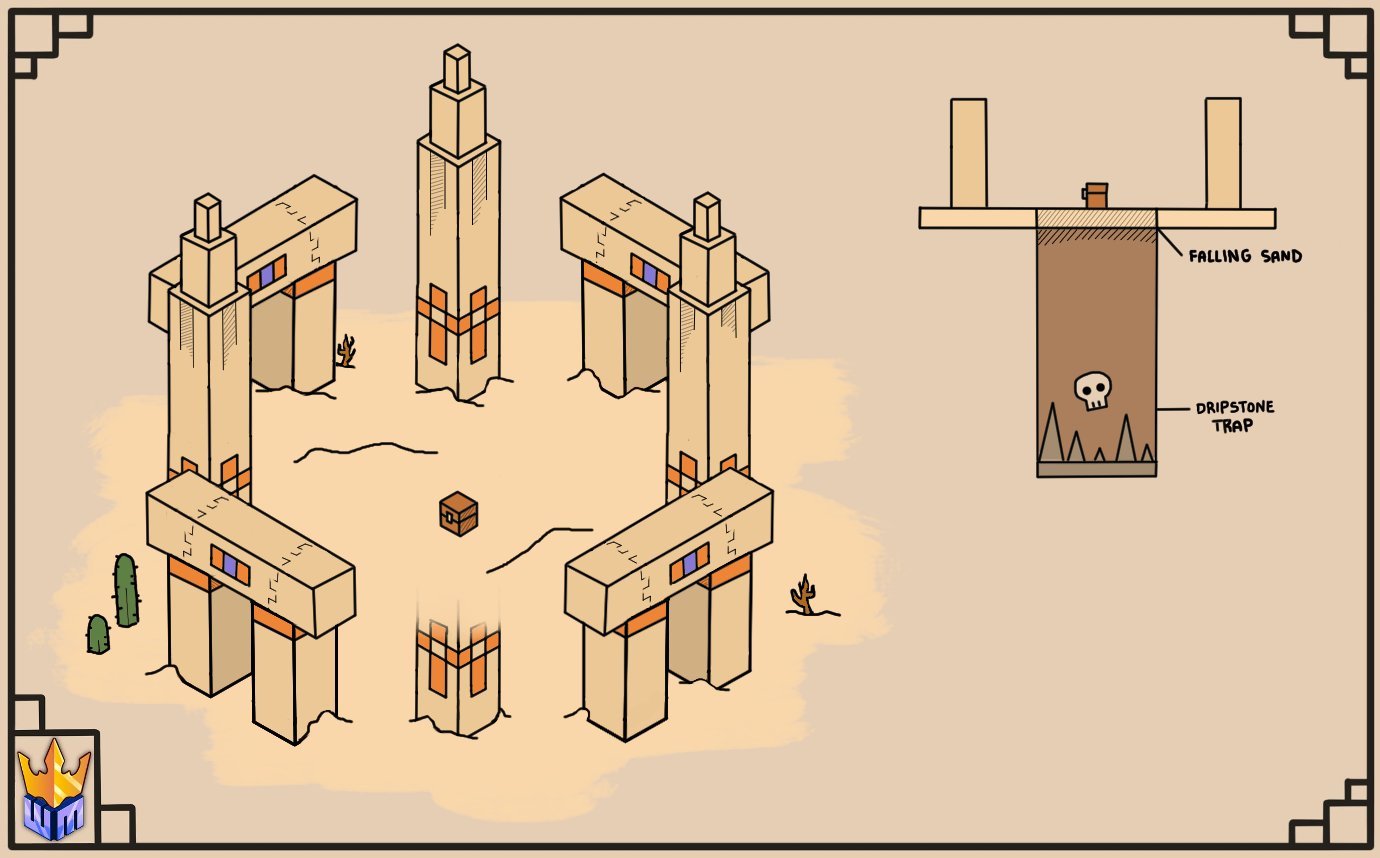
## 3) Desert Ruins
# Dependencies: [Geckolib](https://modrinth.com/mod/geckolib)
# Translations (@Discord username):
– Italiano: @Angelinho
– Polish: @pikszo_28839
– Russian: @cbinmozarta
– Ukranian: @tosen_0
– Chinese: @ext_ramen
##
## The WAB mod is currently still in development and we hope to add more content very soon!
](https://cdn.modrinth.com/data/cached_images/005af6717b78c0850de0a143089a1cef21e8a30d.webp)

 
Introducing **vzBackpack**:
Your solution for the limited inventory storage when you go on expeditions and adventures.
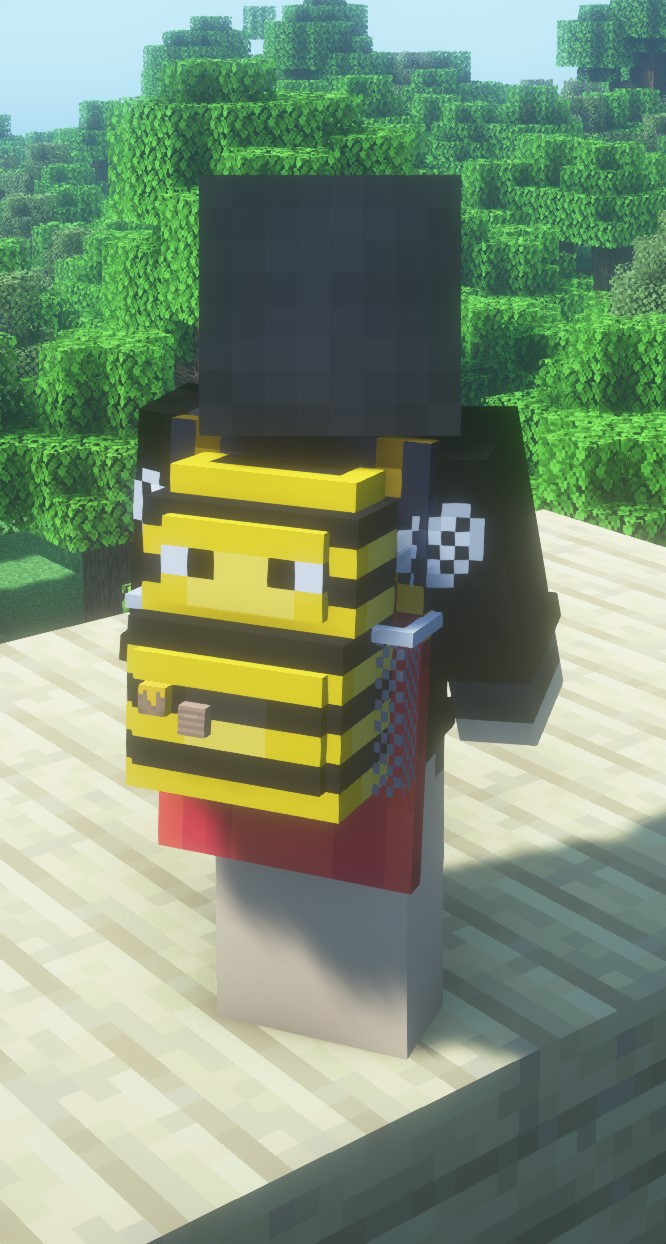
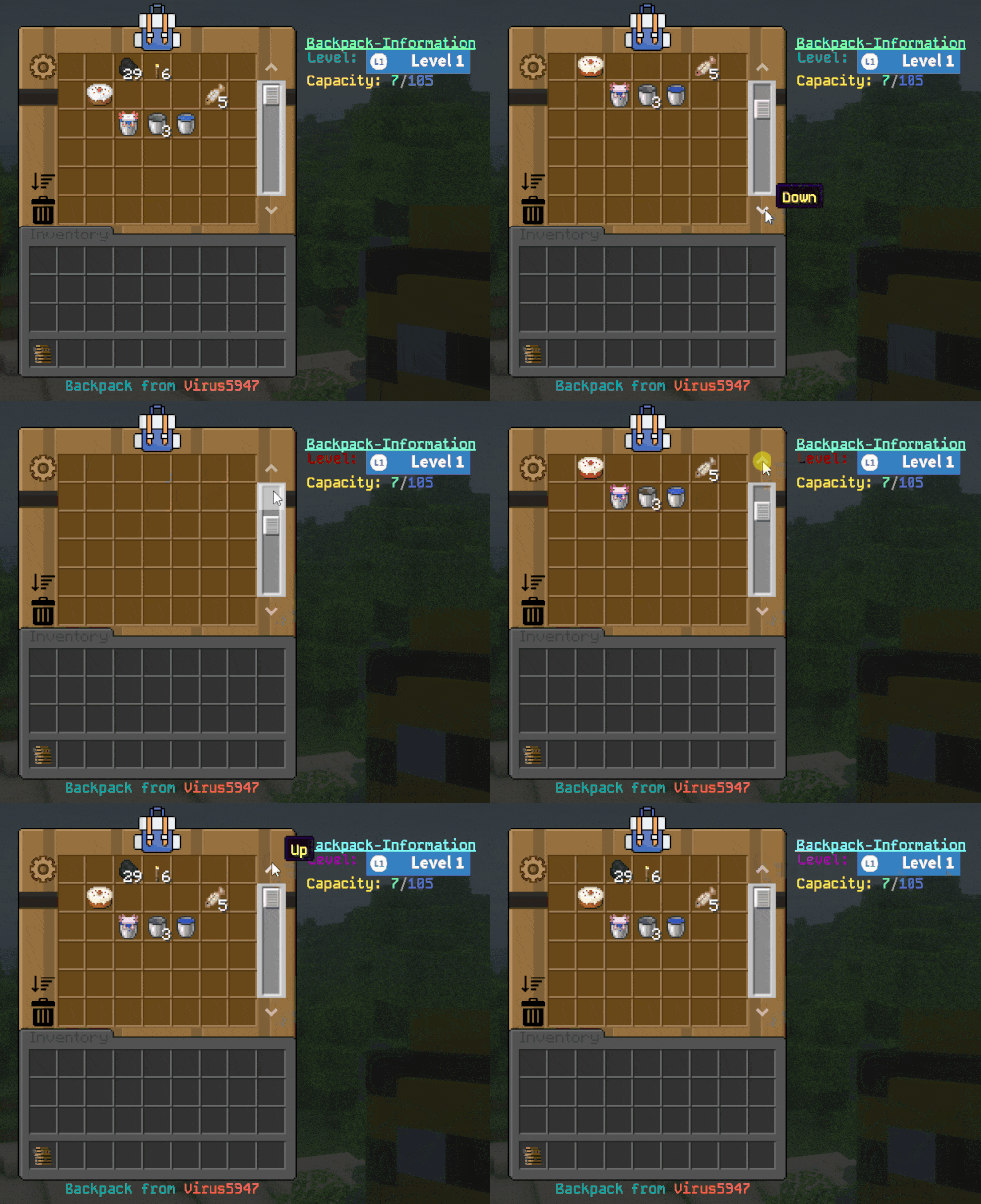
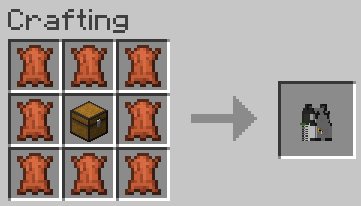
This plugin gives your players the ability to have backpacks that you can even scroll through.
Do you want to place your backpacks in your home so you don’t have to carry them around with you?
No problem.
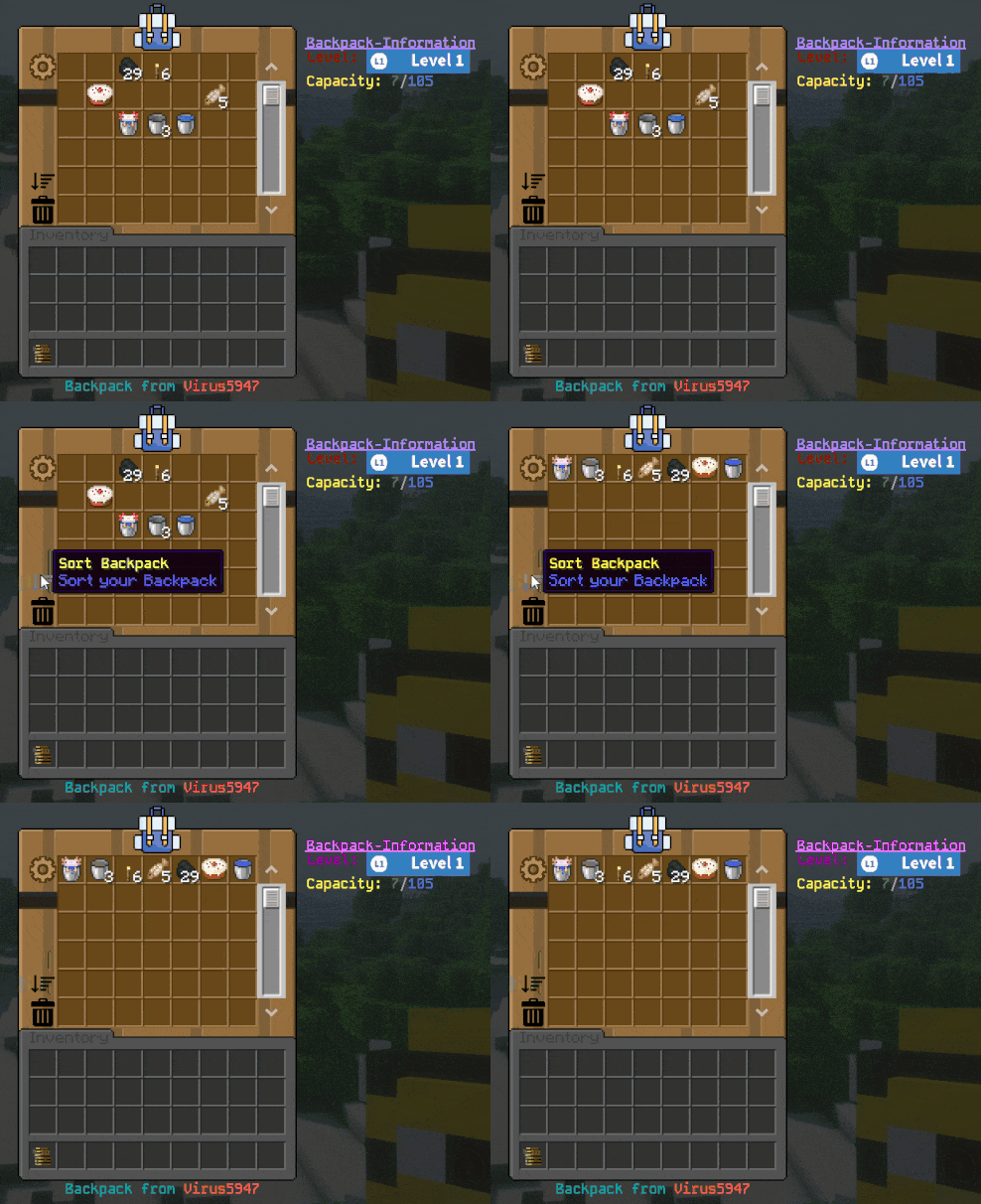
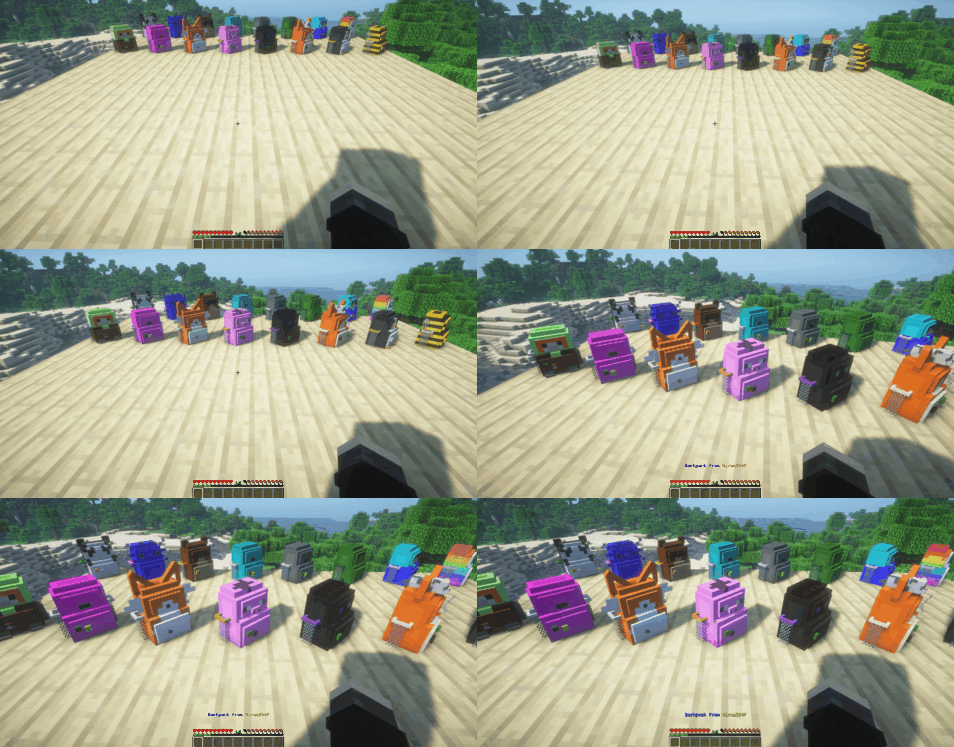
Screenshots are outdated since version 0.12-alpha – I will replace them soon!
**Support:**
If you have any question, you need support or you found a bug?
Hit me up on my discord server: [https://discord.virus5947.de/](https://discord.virus5947.de/)
**Dependencies:**
* Java 21 and higher
* Spigot, Paper or Purpur 1.20.1 – 1.21.4 [Paper/Purpur 1.21+ recommended]
* Port-Forwarding if using internal webserver
* **Optional:** [ForcePack](https://www.spigotmc.org/resources/forcepack.45439/) [better resourcepack management]
* **Optional:** [Shopkeepers](https://www.spigotmc.org/resources/shopkeepers.80756/) [add -shopkeepers behind give command]
**Features:**
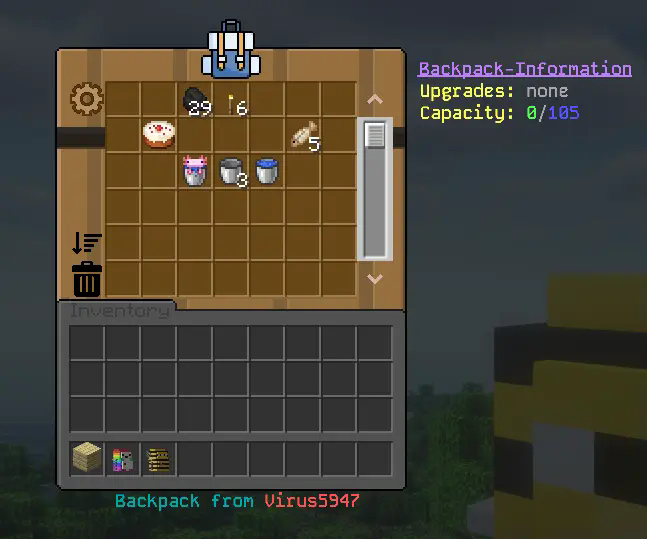
* **Scrollable backpacks:** Easily scroll through your items within the backpack.
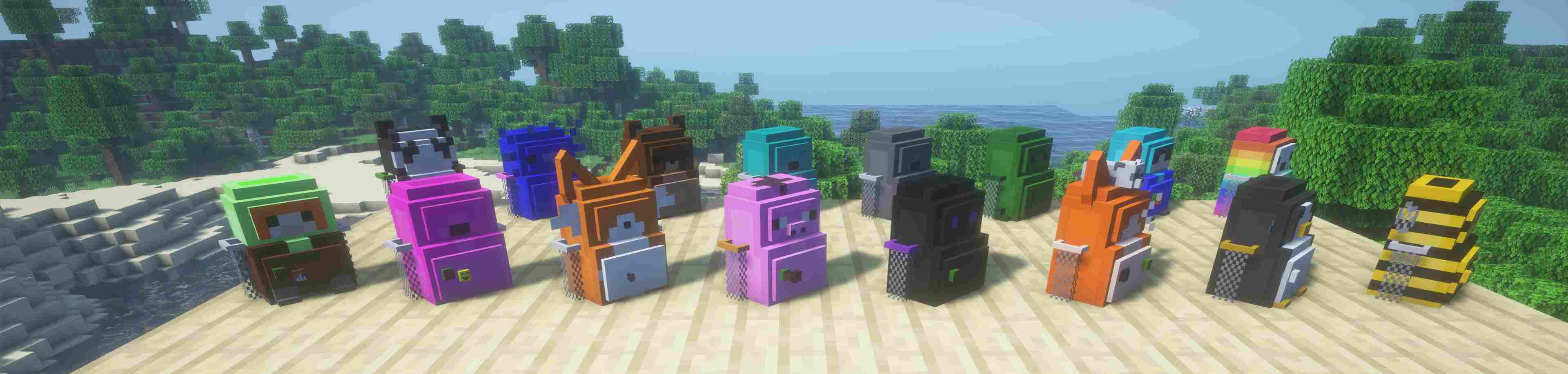
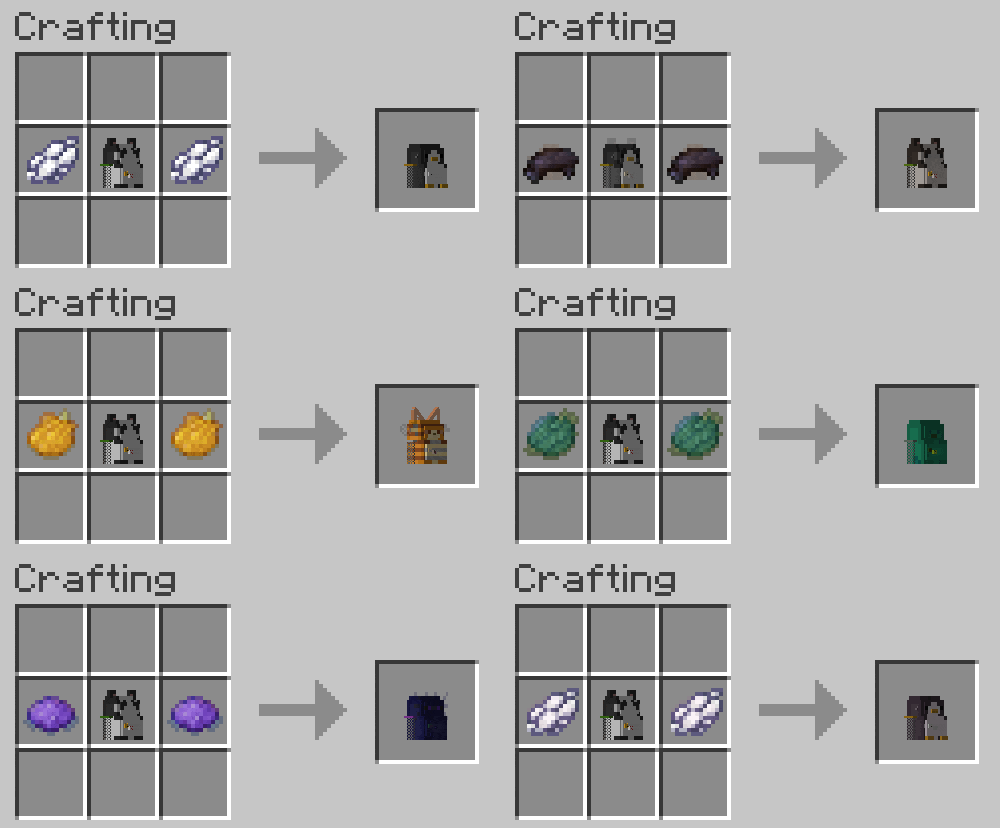
* **Colored and animal variations:** Dye your backpack in your favorite color
* **Backpack placement:** Put your backback on the ground and access it anyways
* **Secure access:** Other players need a random code to open someone else’s backpack, ensuring your items are safe
**Permissions:**
> **vzbackpack.use** ➡️ Needed to open your own backpack
> **vzbackpack.use_other** ➡️ Allows players to open backpacks from others
> **vzbackpack.craft** ➡️ Allows players to craft backpacks [if enabled in config]
> **vzbackpack.place** ➡️ Allows players to place the backpack in the world
> **vzbackpack.break** ➡️ Allows players to break a placed backpack to your inventory again
> **vzbackpack.break_other** ➡️ Allows players to break backpacks from others
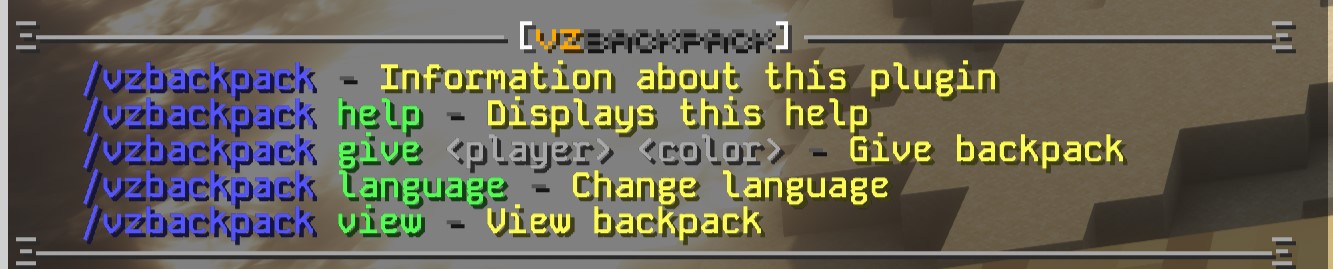
> **vzbackpack.give** ➡️ Gives someone a backpack variant item
> **vzbackpack.view** ➡️ Allows administrators to open backpacks without the need of the access code
> **vzbackpack.lang** ➡️ Allows administrators to change the plugin language
> **vzbackpack.notifyupdate** ➡️ Get notified in-game when a new version is available
> **vzbackpack.support** ➡️ Gets access to the support command which links to the discord server and displays the support key
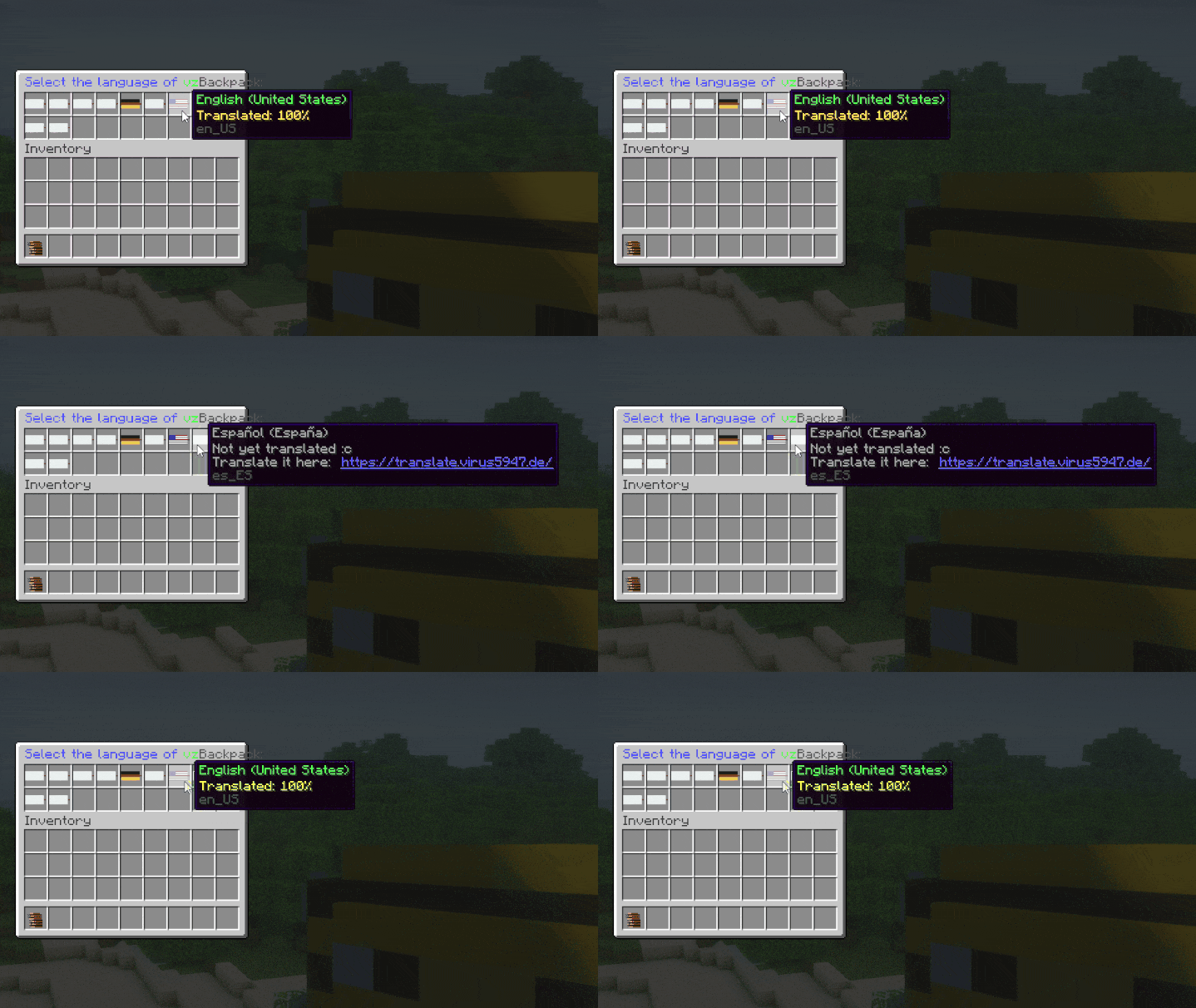
**Languages:**
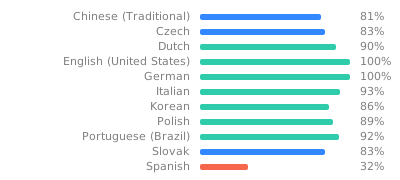
Do you want to translate my plugin in your language?
Suggest translations on [https://translate.virus5947.de/](https://translate.virus5947.de/engage/vzbackpack/)
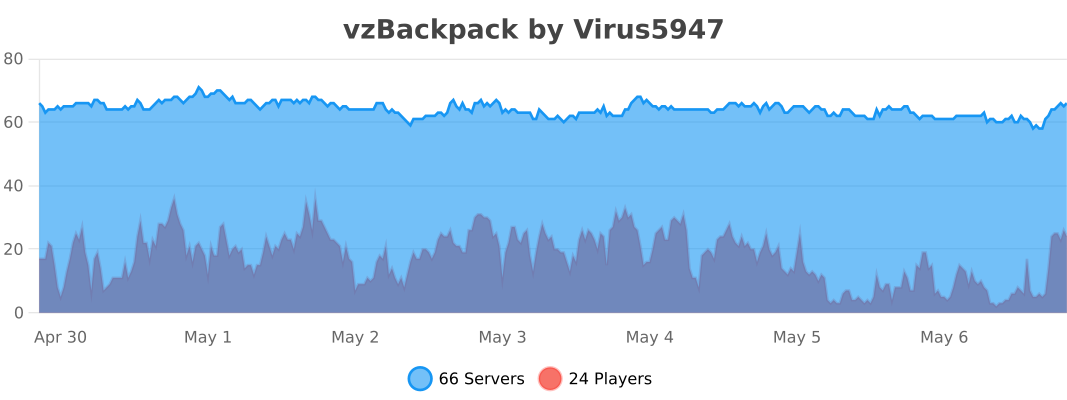
**To show anonymous stats, this plugin uses bStats:**
**Special thanks to:**
* **IzBizBoz** – for modeling the backpacks
* **Xames** – for helping me
# I’ve experimentally added support for create:Aeronautics (sable).
Released v0.1.0 for NeoForge 1.21.1.
This version includes experimental support for Create: Aeronautics.
If you encounter any issues, please report them on GitHub:
https://github.com/M-K2525/VS_Hose_Connectors/issues
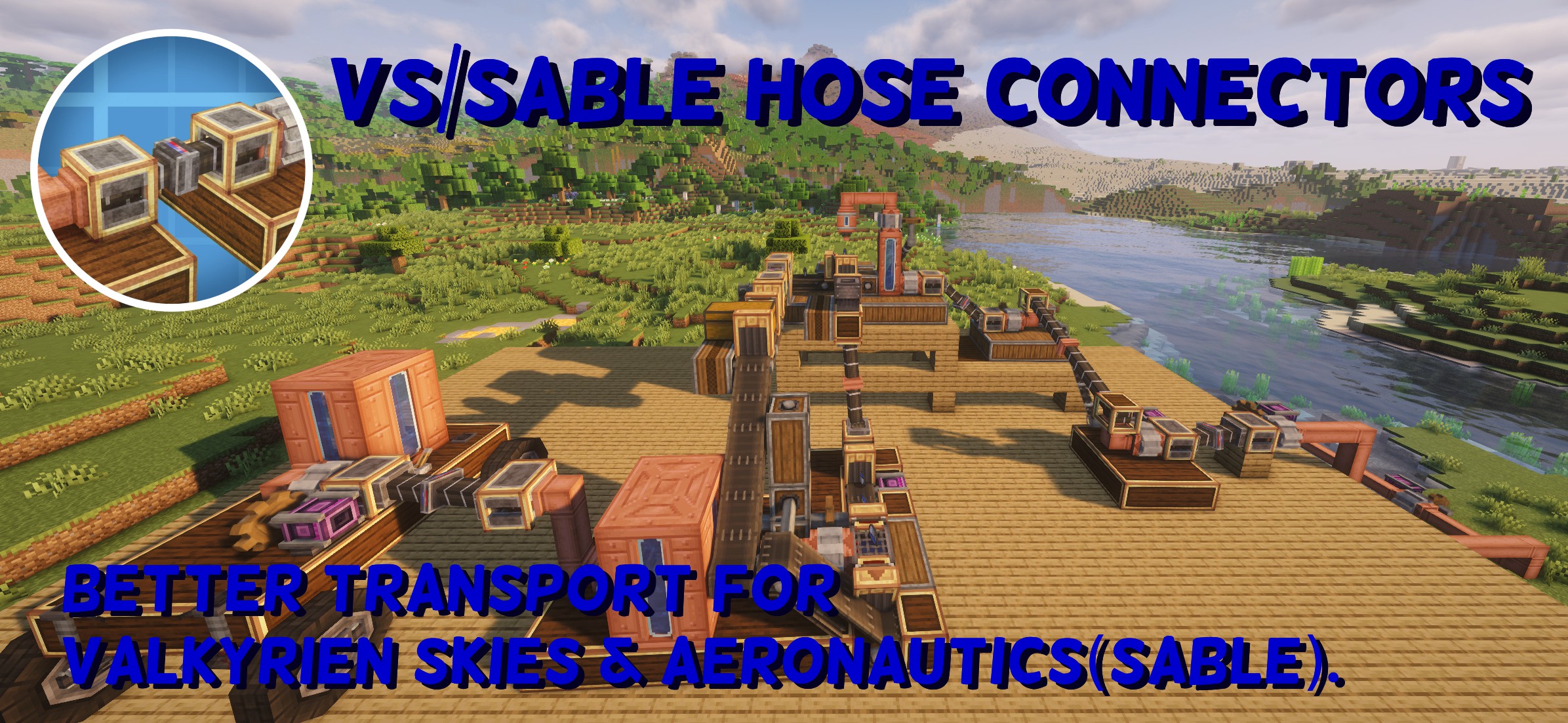
# VS/Sable Hose Connectors
VS/Sable Hose Connectors is an addon mod that requires Create.
When either Valkyrien Skies or Sable (Create: Aeronautics) is installed, it allows the transfer of fluids, items, rotational power, and energy between ships or sublevels.
## Tested and confirmed to work only with the following versions:
VS Hose Connectors 0.0.9
– Minecraft 1.20.1
– Forge 47.4.13
– Valkyrien Skies v2.4.9
– Create 6.0.8
VS/Sable Hose Connectors 0.1.1
– Minecraft 1.21.1
– NeoForge 21.1.227
– Create 6.0.10
– Create Aeronautics 1.1.3
– Sable 1.1.3
## Added Blocks
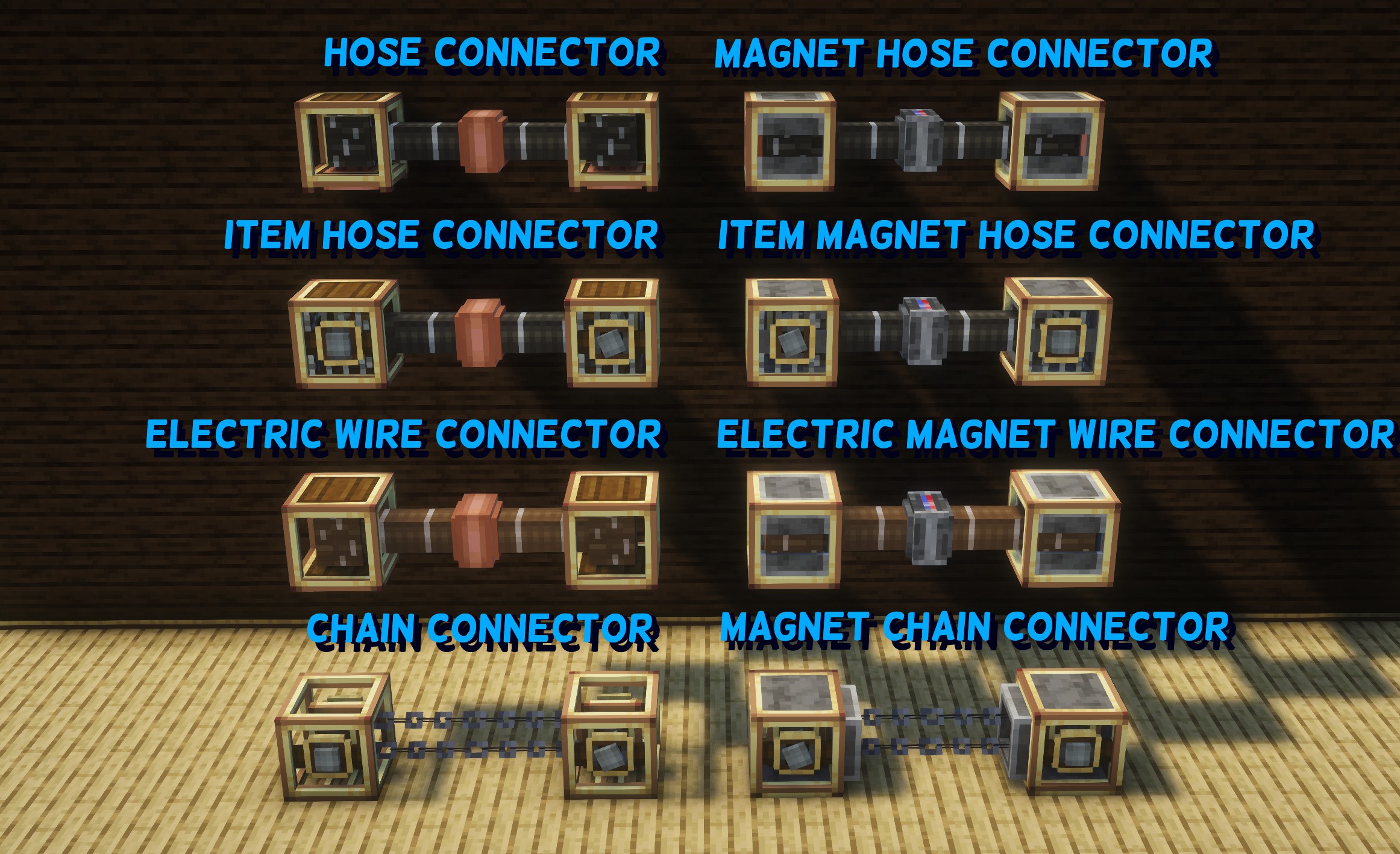
### ● Hose Connector
The basic block for fluid transport.
Two connectors can be manually linked using the Create wrench, allowing fluids to be transferred between them.
By connecting Create pipes to the bottom of the connector, fluid transportation between ships becomes possible.
### ● Magnet Hose Connector
Unlike the Hose Connector, this block has a facing direction.
When two connectors are placed facing each other, they automatically connect.
The connection can be disabled by applying a redstone signal.
As with the Hose Connector, connecting Create pipes enables fluid transportation between ships.
### ● Item Hose Connector
Similar to the Hose Connector, two connectors can be manually linked using the Create wrench.
By applying rotational force (32 RPM or higher) from the side, items can be transported between them.
When transporting items, rotational force must be applied only to the source connector.
### ● Item Magnet Hose Connector
Like the Magnet Hose Connector, two blocks placed facing each other will automatically connect.
Items can be transported by applying rotational force (32 RPM or higher) from the side.
As with the Item Hose Connector, rotational force should be applied only to the source connector when transporting items.
### ● Electric Wire Connector
A block that transfers energy by manually linking two connectors using the Create wrench.
It allows energy transfer between ships.
### ● Electric Magnet Wire Connector
Similar to the Magnet Hose Connector, this block automatically connects when placed facing another one.
### ● Chain Connector
When connectors are linked, they transfer rotational force.
This allows rotational power to be transmitted between ships.
### ● Magnet Chain Connector
A chain connector that automatically connects when two connectors are brought close together facing each other.