RocketJoin

RocketJoin is an OpenSource plugin that allows you to create custom join messages with groups, commands on join, sounds and more.

Installing RocketJoin is very easy.
1. Install RocketJoin
2. **Optional:** Install PlaceholderAPI
3. Done!

– Fully Customizable
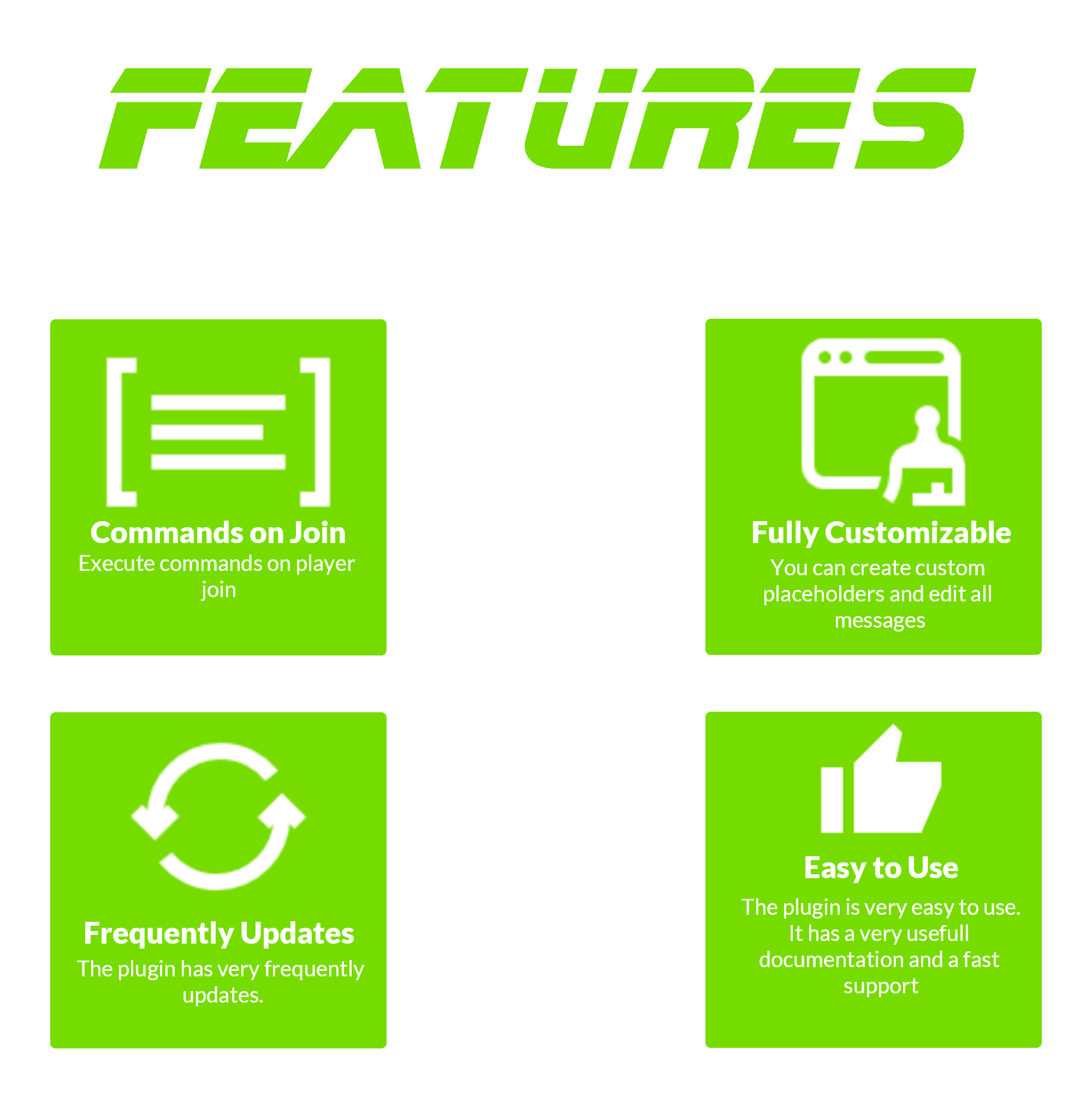
– Fast support
– PlaceholderAPI support
– Custom conditions like first join and permissions
– Fireworks sounds and more
– Bungeecord support
– Hex support
Outdated Tutorial
RMotd
# 🎲 RMotd
A small Minecraft server plugin to serve rotating MOTDs (Message of the Day) and let server operators manage MOTDs at runtime.
# 🤑 Features
– Rotating MOTDs from `config.yml` (round-robin).
– `/randommotd` command: toggle random-rotation on/off.
– `/motd create ` command: add a new MOTD to `config.yml` at runtime.
– `/motd reload` command: reloads the `config.yml`.
# 🖌️ Configuration
“`yaml
random_motd_enabled: true
motds:
– “Welcome to our server!”
– “Explore the world of Minecraft with us!”
– “Join us and have fun!”
messages:
invalid_input: “Invalid input, Please use ‘true’ or ‘false’”
setting_updated: “Random MOTD feature updated to ”
“`
# 🕹️ Commands
– `/randommotd` — Toggle random MOTD rotation (reads/writes `random_motd_enabled` in `config.yml`).
– Permission: `rmod.randommotd` (declared in `plugin.yml`).
– `/motd create ` — Add a MOTD entry to `motds` in `config.yml` and save it. The `` is used only in the confirmation message currently. Provide the MOTD content as remaining args.
– Example: `/motd create welcome Welcome to our server!`
– Operator-only by default (only ops or console can run it). If you prefer permission-based control, see Permissions below.
– `/motd reload` — Reloads `config.yml` from disk. Operator-only.
# 🎭 Permissions
– `rmod.randommotd` — used for the `randommotd` command.
– `rmod.motd` — reserved for `/motd` (plugin.yml documents it). Currently the plugin enforces operator-only usage for `/motd`; if you prefer permissions, change the check to `sender.hasPermission(“rmod.motd”)` in `MotdCommand`.
ReanimateMC
## New wiki!
https://matissead.github.io/ReanimateMC/



# ReanimateMC


### Overview
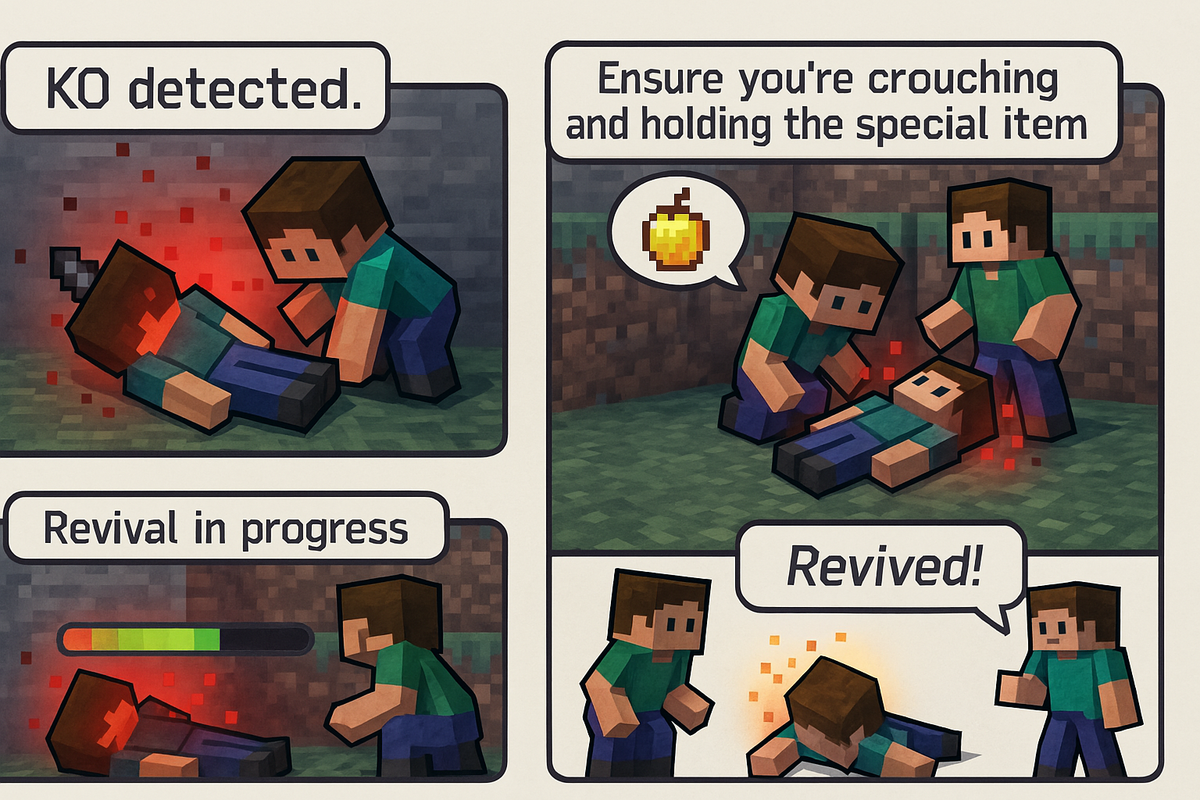
ReanimateMC is a revolutionary plugin that transforms Minecraft’s conventional death system. Instead of a player dying instantly when their health reaches zero, the plugin introduces an intermediary state—KO (knockout). This innovative mechanic allows for dynamic role-play and strategic decision-making by giving players a chance to be revived by teammates or executed by adversaries. Perfect for Hardcore Survival, role-play, or tactical PVP servers, ReanimateMC injects a new level of depth into the gameplay experience.
### New Features
– KO state now persists if a player disconnects.
– KO players can press the swap-hand key to send a distress signal that places a beacon and alerts allies.
## Commands
Spoiler
### /reanimatemc reload
– **Permission:** `reanimatemc.admin`
– **Usage:** `/reanimatemc reload`
– **Description:** Reloads the plugin’s configuration and language files.
———-
### /reanimatemc revive
– **Permission:** `reanimatemc.revive`
– **Usage:** `/reanimatemc revive `
– **Description:** Forcefully revives a player who is in the KO state.
———-
### /reanimatemc knockout
– **Permission:** Typically requires admin privileges (suggested: `reanimatemc.admin`)
– **Usage:** `/reanimatemc knockout `
– **Description:** Forces a player to enter the KO (knockout) state.
———-
### /reanimatemc status
– **Permission:** No special permission required (accessible to all users)
– **Usage:** `/reanimatemc status `
– **Description:** Displays the current state of the player (KO, revived, or normal).
———-
### /reanimatemc crawl
– **Permission:** No special permission required (command can only be executed by a player in the KO state)
– **Usage:** `/reanimatemc crawl`
– **Description:** Toggles the KO player’s state between being fully immobilized (prone) and crawling slowly.
———-
### /reanimatemc removeGlowingEffect
– **Permission:** Operator
– **Usage:** `/reanimatemc removeGlowingEffect `
– **Description:** In order to force removing the glowing effect on a plyer
## Permissions
Spoiler
### reanimatemc.admin
– **Description:** Grants access to all administrative commands, including reloading the plugin and managing player states.
———-
### reanimatemc.revive
– **Description:** Allows players to forcefully revive others who are in the KO state.
———-
### reanimatemc.knockout
– **Description:** Permits players to force a player into the KO state.
———-
### reanimatemc.status
– **Description:** Enables players to check the current state of any player (KO, revived, or normal).
———-
### reanimatemc.crawl
– **Description:** Allows players in the KO state to toggle between being fully immobilized and crawling slowly.
———-
### reanimatemc.removeGlowingEffect
– **Description:** Grants the ability to forcefully remove the glowing effect from a player, typically used by operators.
## Compatibility:
Bukkit, Spigot, Magma, Sponge
## Native Version :
1.20.1
## Author:
Jachou
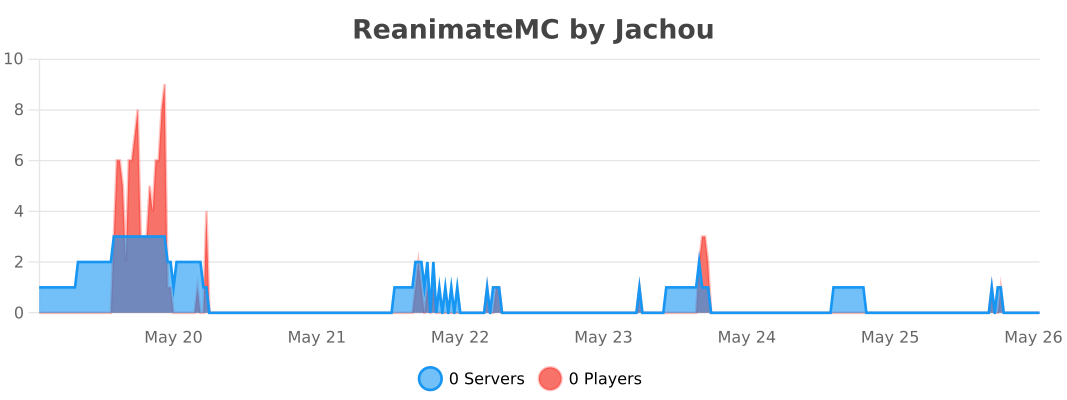
# Statistics
RandomRush
A small mini-game similar to Sky Wars. The goal of the game is to stay the last one alive. Instead of chests, players are randomly given random items and with a certain chance the item gets a random enchantment. Also, command and structural blocks have their own functionality. Such as creating random structures or using random commands.
QuickWarp
# QuickWarp
A simple PaperMC plugin that allows players to switch between dimensions using commands.
This is mostly for Minecraft Survival servers with many players on the same map in maybe a Lifesteal, Hardcore or Factions setup basically removing the hastle of end portals and portal trapping/portal crashing by directly teleporting a player to the dimension.
## Installation
To install QuickWarp on your PaperMC server, follow these steps:
1. Download the latest release from the [Releases](https://github.com/YourUsername/QuickWarp/releases) page.
2. Place the downloaded JAR file into the `plugins` folder of your PaperMC server.
3. Restart the server.
## Commands
– `/qw overworld`: Teleports the player to the Overworld.
– `/qw nether`: Teleports the player to the Nether.
– `/qw end`: Teleports the player to the End.
If a player is already in the dimension they attempt to teleport to, an error message will be displayed in the chat.
## Configuration
The `config.json` is quite simple.
“`json
{
“permission”: true,
“errorMSG”: “You are already in this dimension.”,
}
“`
– `errorMSG`: Changes the message that is displayed in chat when a player runs a command for a dimension they are already in.
– `permission`: If set to `true` then plugin will check for OP perms on the player, in other words if set to `true` only OP players can use it if set to `false` all players can use it.
## Future Features
Features I wish to implement, if you’re a paper dev then feel free to help.
1. Allow for setup of pre-determined waypoints that can be named and warped to.
2. Make a UI for warping (maybe).
3. Add a particle effect on warp.
4. Add temporary damage immunity on warp.
These will all be added (except maybe number 2 most coz I’m a bad developer and I think making a GUI will kill the point of the plugin being a fast means of travel).
## Compilation
If you wish to compile QuickWarp yourself, follow these commands based on your operating system:
**Windows Commands:**
“`batch
gradlew clean
gradlew build
“`
**Linux Commands:**
“`shell
./gradlew clean
./gradlew build
“`
## Contribution
If you’d like to contribute to QuickWarp, follow these steps:
1. Fork the repository.
2. Make the desired changes.
3. Submit a pull request,
## Credits

Potatoptimize
# Potatoptimize
Let Tater optimize your game! There’s nothing better than a Potatoptimized game!
—
## About Potatoptimize
This is an optimization mod that pools some optimizations from PaperMC as well as my own optimizations.
While the majority of the optimizations are for servers, all the server optimizations can apply to the client in singleplayer.
Most optimizations are niche changes that no other large optimization mod covers.
This mod *does not* intend to respect vanilla parity. Optimizations that do respect vanilla parity are listed on the [wiki](https://github.com/Tater-Certified/Potatoptimize/wiki/Configuration-File).
## But I play on , can I use it?
The chances are good, probably yes! This mod supports Fabric, Quilt, Forge, NeoForge, and Sponge!
PaperMC (and forks) support is unlikely to happen since this mod borrows patches from those projects.
## Configuration
Visit [our wiki](https://github.com/Tater-Certified/Potatoptimize/wiki) for a configuration guide.
## Note on mod compatiblity
If there is a mod that is incompatible with Potatoptimize, please create a GitHub issue so it can be fixed in the next release.
Plan | Player Analytics

Already running on over 4000 servers! 🙂
> ⚠️ If you downloaded version from this page between *15th of February and 11th of March 2025* the page was controlled by impersonator and was distributing versions with **Opium Backdoor malware**. If you have downloaded Plan from Modrinth during that time frame, please assume your server is fully compromised and take appropriate action. ⚠️
>
> The impersonator and project were removed, and got recreated by the original author with the help of Modrinth mod team.
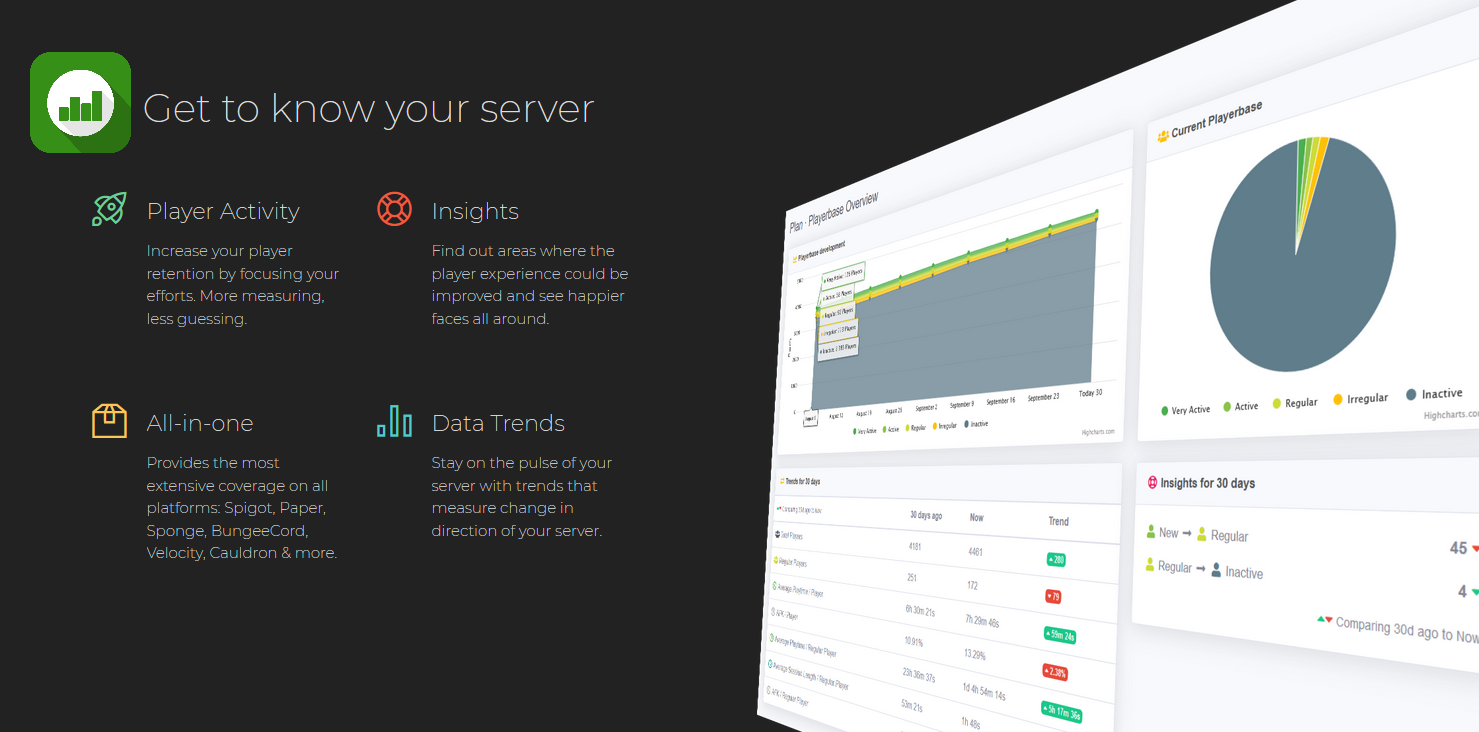
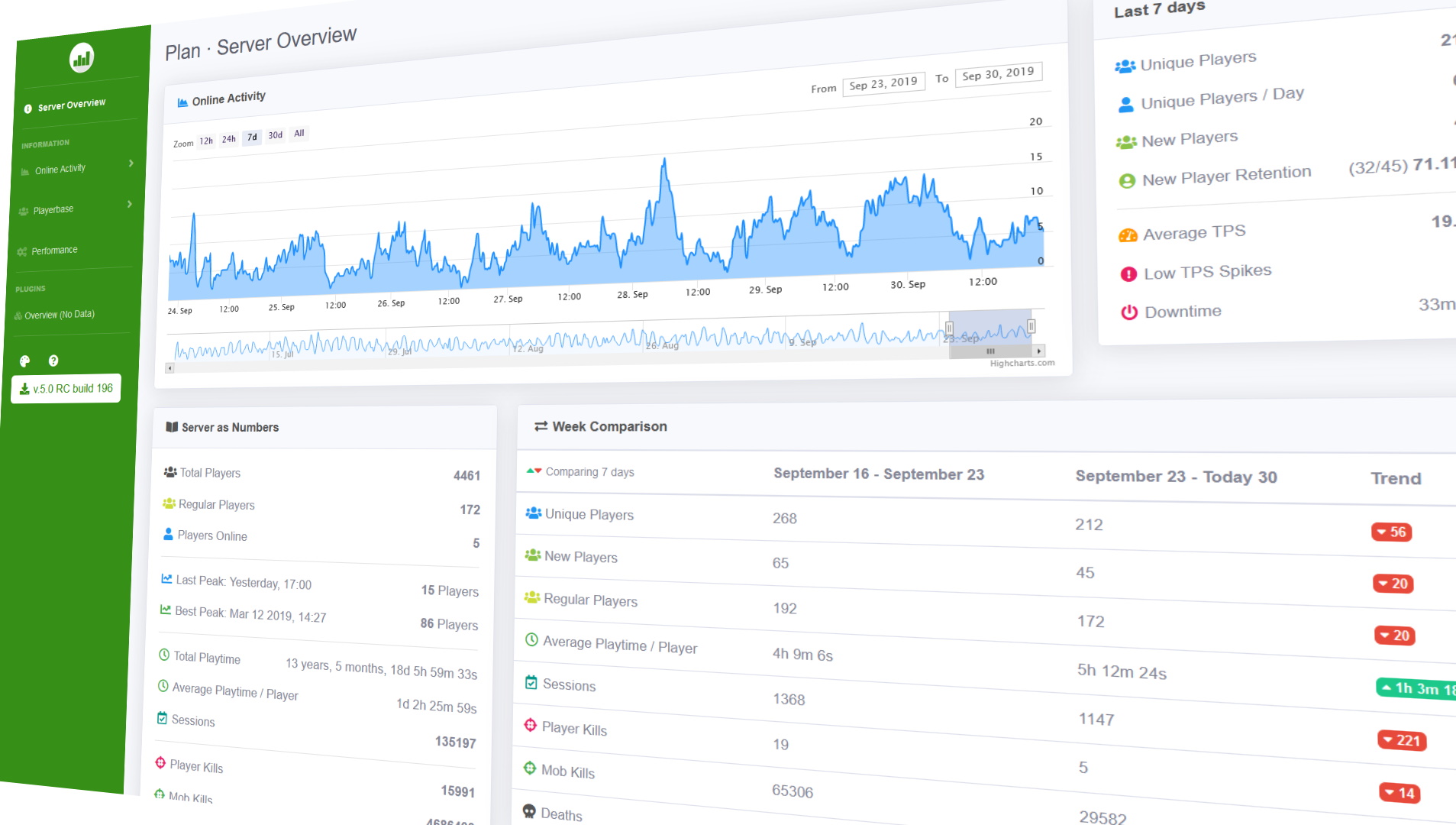
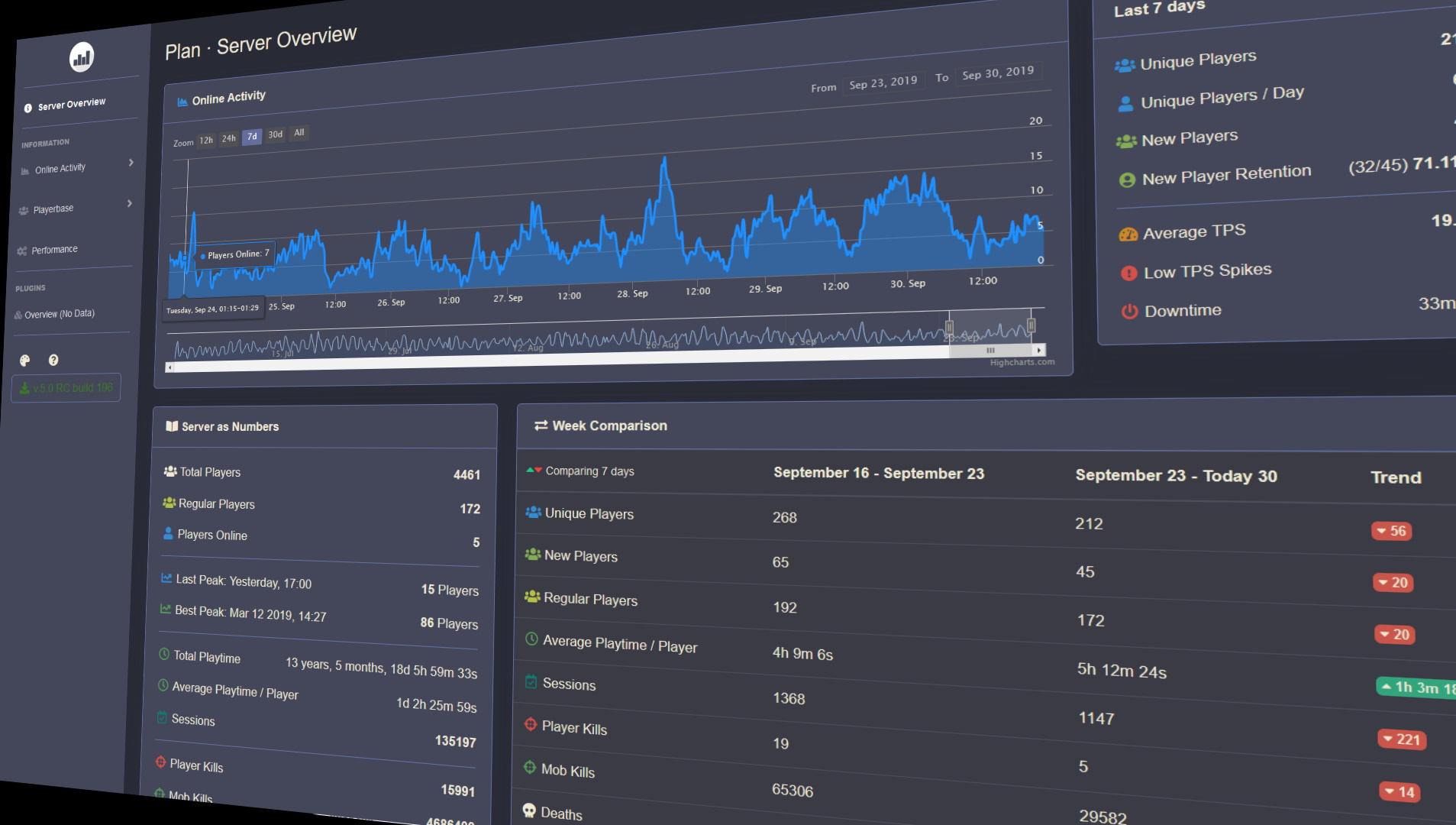
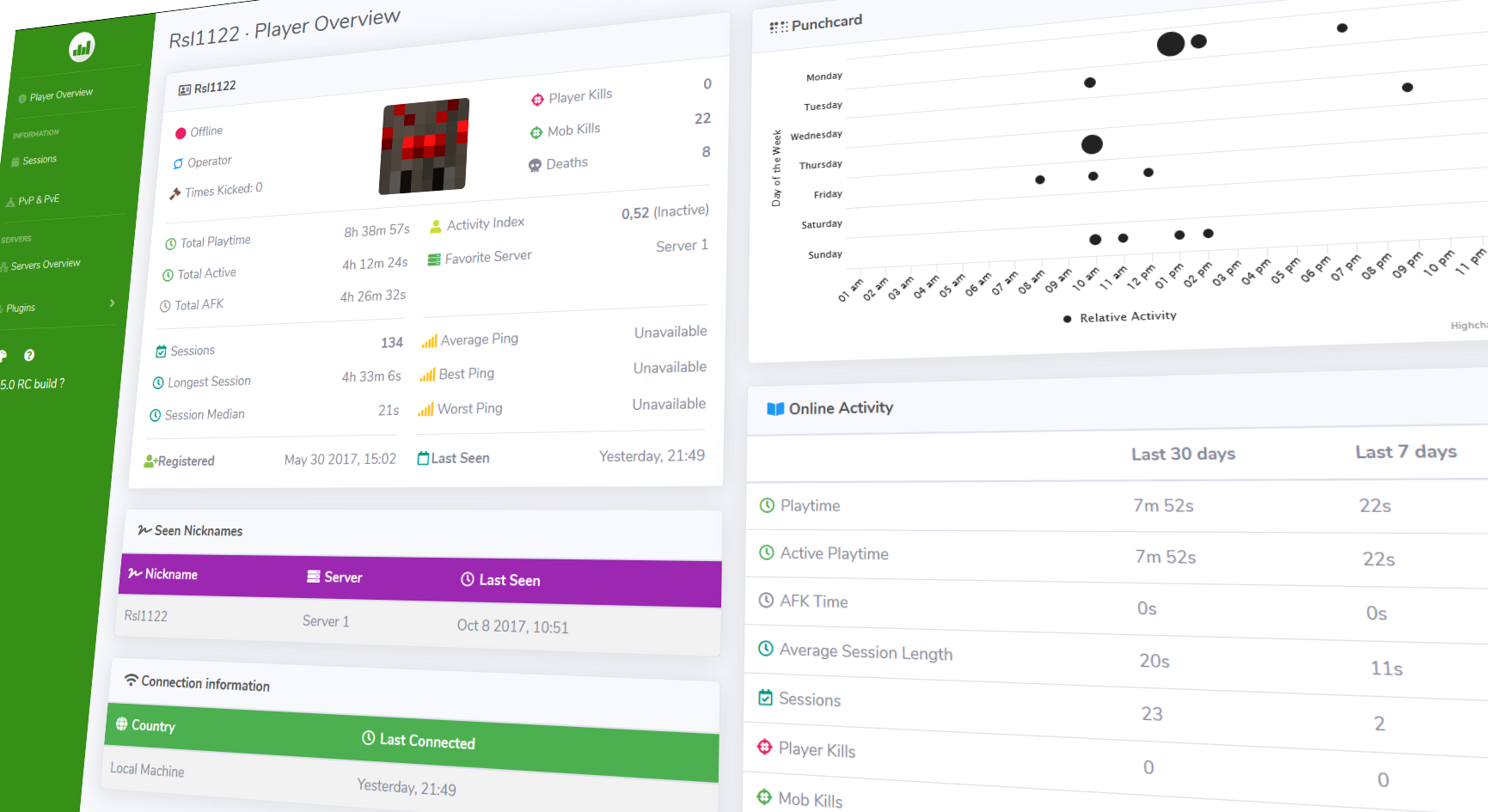
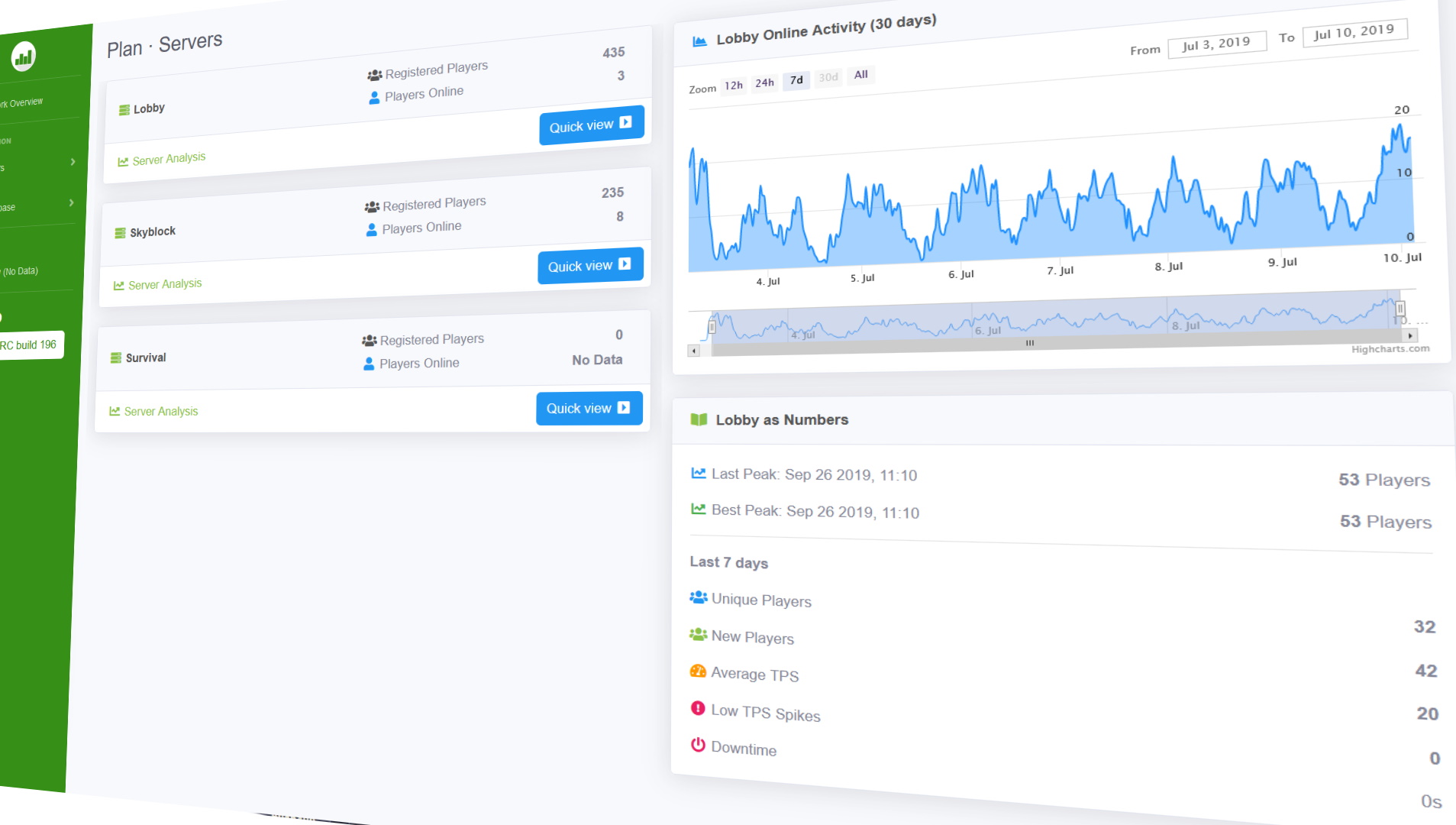
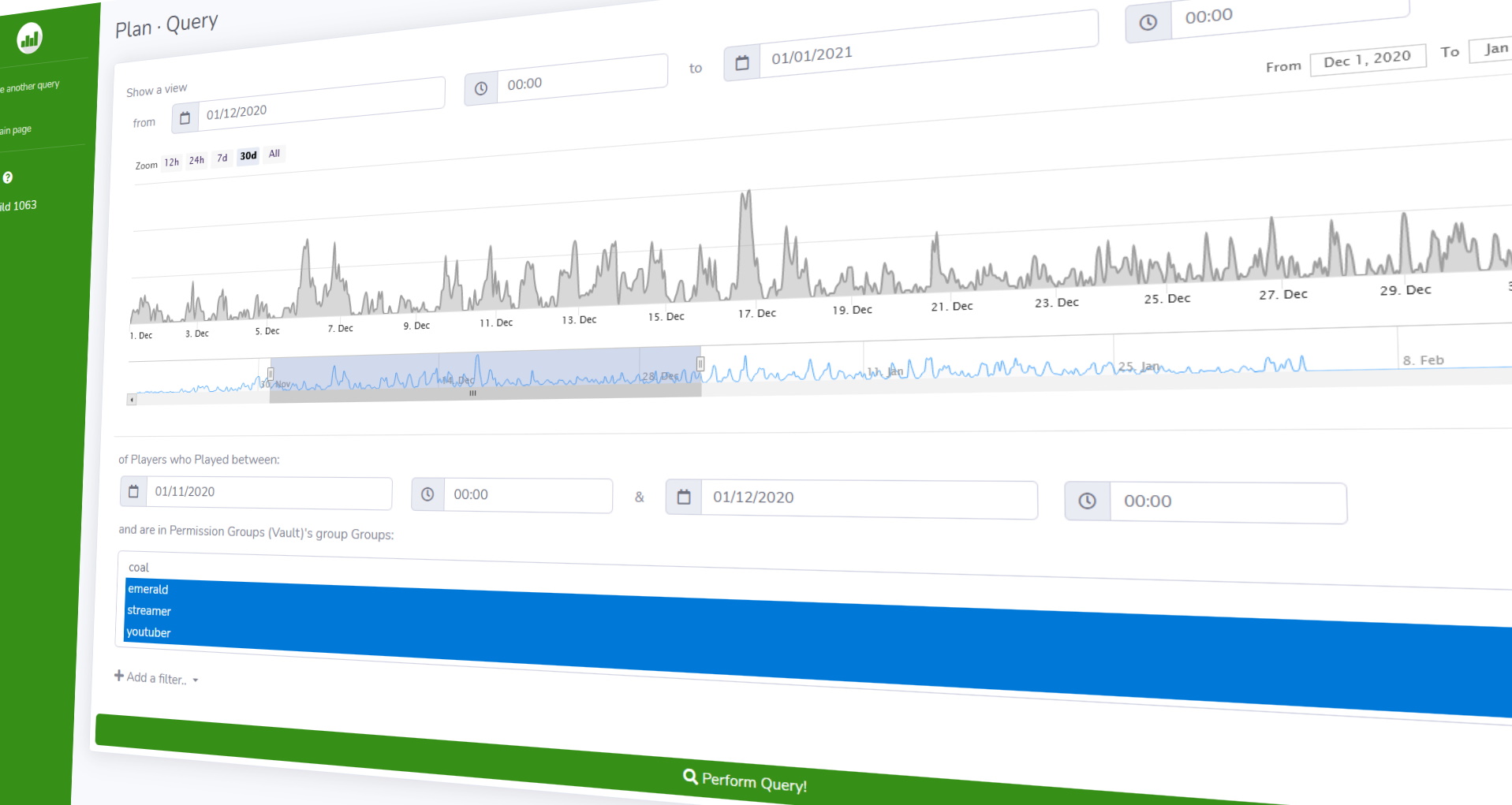
Player Analytics is the ultimate server staff tool to monitor how players are playing your server.
A built in webserver displays insights into different aspects on the server such as Online activity, Playerbase and how these change over time.
Plan supports multiple different platforms and versions;
Paper, Spigot, Sponge, SpongeForge, Bungeecord, Velocity, Cauldron, NukkitX & all derivatives.
**Requires Java 11 or newer** – if you can’t update to Java 11 use [*5.4 build 1722*](https://github.com/plan-player-analytics/plan/releases/tag/5.4.1722.1) version (versions 1.7.X – 1.12.2)
– [Source code, API & Documentation](https://github.com/plan-player-analytics/plan)
– [Bugs, Issues & Suggestions](https://github.com/plan-player-analytics/plan/issues)
– [Follow Development](https://github.com/orgs/plan-player-analytics/projects/3)
– [Configuration](https://github.com/plan-player-analytics/plan/wiki/bukkit-configuration) | [Customization](https://github.com/plan-player-analytics/plan/wiki/html-customization)
– [Commands & Permissions](https://github.com/plan-player-analytics/plan/wiki/commands-%26-permissions)

[YouTube trailer](https://youtu.be/BS_Ti9zkoRc)

**[Server Set-Up](https://github.com/plan-player-analytics/plan/wiki/bukkit-set-up)** | **[Bungee Set-Up](https://github.com/plan-player-analytics/plan/wiki/bungee-set-up)**
After setting up Plan on a server you should consider
[**setting up HTTPS & Login**](https://github.com/plan-player-analytics/plan/wiki/ssl-certificate-%28https%29-set-up)

**Supported plugins**
– See [the Wiki for full list of supported plugins](https://github.com/plan-player-analytics/plan/wiki/supported-plugins)
[**Support the Developer**](https://www.paypal.me/rsl1122)
PixelMOTD

—

—
* Support for: **Spigot, Paper, Velocity, Bukkit, Sponge, Waterfall, BungeeCord**
* Multi color format support: **Legacy, classic, MineDown, IridiumColorAPI, MiniMessage**
* Customizable Max players
* Hex Colors Support (1.16+) (Gradient and Normal Hex)
* Per Motd Icons!
* Per Server & World Whitelist
* UUID System & Player Name System for Whitelist
* Different Motd for 1.16+ and 1.8-1.15 in the same motd-config.
* Center Text System
* Countdown System
* Customizable Motd Lines
* Customizable Protocol Version
* MultiMOTD Support
* Whitelist Permission Bypass
* Customizable Motd Hover
* Customizable Commands
* Custom Protocol Message
* Custom Server-Icon
* Performance Boost

PistonMOTD
#
PistonMOTD
###
[](https://discord.gg/8Qk2mtUDFf) [](https://ko-fi.com/alexprogrammerde)
###

## Features
* Customize playercounter tooltip
* Customize online player and max player counter
* Random MOTD
* Custom client out of date message. You can force that to always happen too.
* Random favicon
* Placeholders (extendable via api)
* Hide your playercount
* Very easy to understand config
* Modular (You can enable/disable every feature)
* TPS placeholder
* RGB support
* Luckperms prefix support
Compatible with external MOTD plugins. (Can’t promise it will work with every MOTD plugin.)
—

### ✨ Are you looking for an advanced administration panel for your server?
EnderDash allows you to manage your existing Minecraft servers using an advanced dashboard by installing a single plugin, batteries included. Run commands (with tab completion), read logs, manage files, invite your whole team, manage players, Ocelot (AI Assistant), works with your existing Infrastructure/Panels and much more.
Check it out: [https://enderdash.com](https://enderdash.com/?utm_source=modrinth&utm_medium=description&utm_campaign=pistonmotd)
—
## API
It **IS** possible to create and execute your own parsers with an external plugin. To register you need a class implementing the [PlaceholderParser](https://github.com/AlexProgrammerDE/PistonMOTD/blob/master/pistonmotd-api/src/main/java/net/pistonmaster/pistonmotd/api/PlaceholderParser.java) and to register it at the [PlaceholderUtil](https://github.com/AlexProgrammerDE/PistonMOTD/blob/master/pistonmotd-api/src/main/java/net/pistonmaster/pistonmotd/api/PlaceholderUtil.java) with [#registerParser(PlaceholderParser parser)](https://github.com/AlexProgrammerDE/PistonMOTD/blob/943959fafb27e68ebfa75462b35bf34bc6923e2b/pistonmotd-api/src/main/java/net/pistonmaster/pistonmotd/api/PlaceholderUtil.java#L40).
Here is an example of that:
[ServerPlaceholder](https://github.com/AlexProgrammerDE/PistonMOTD/blob/master/pistonmotd-bungee/src/main/java/net/pistonmaster/pistonmotd/bungee/ServerPlaceholder.java)
[Registering](https://github.com/AlexProgrammerDE/PistonMOTD/blob/943959fafb27e68ebfa75462b35bf34bc6923e2b/pistonmotd-bungee/src/main/java/net/pistonmaster/pistonmotd/bungee/PistonMOTDBungee.java#L58)
And this stuff might get handy:
[Javadoc](https://www.pistonmaster.net/PistonMOTD/apidocs/index.html)
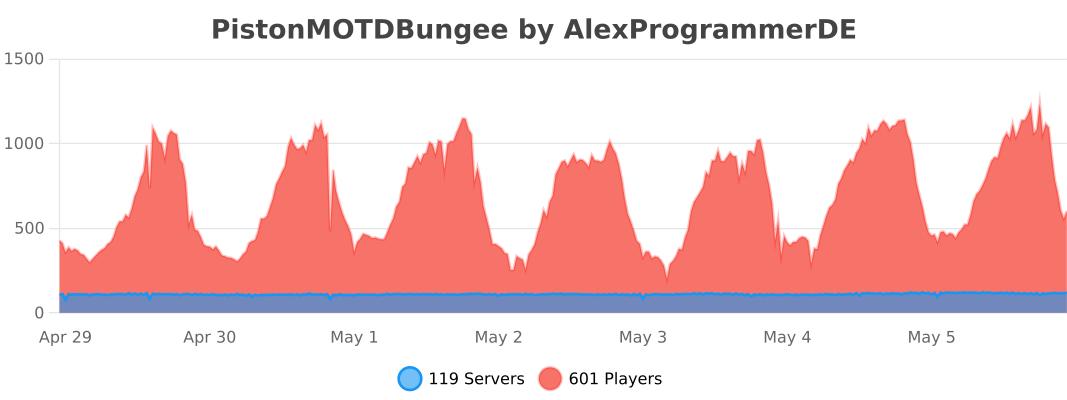
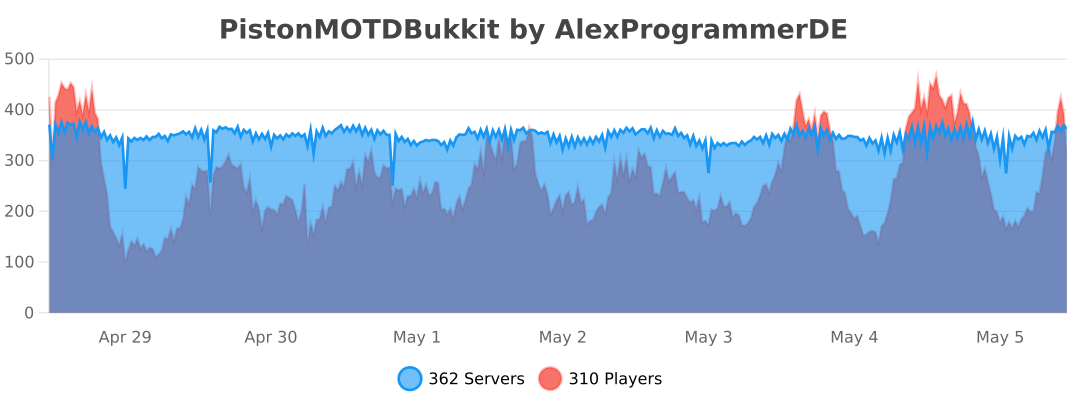
## Stats
[](https://bstats.org/plugin/bungeecord/PistonMOTDBungee/8968)
[](https://bstats.org/plugin/bukkit/PistonMOTDBukkit/9100)
[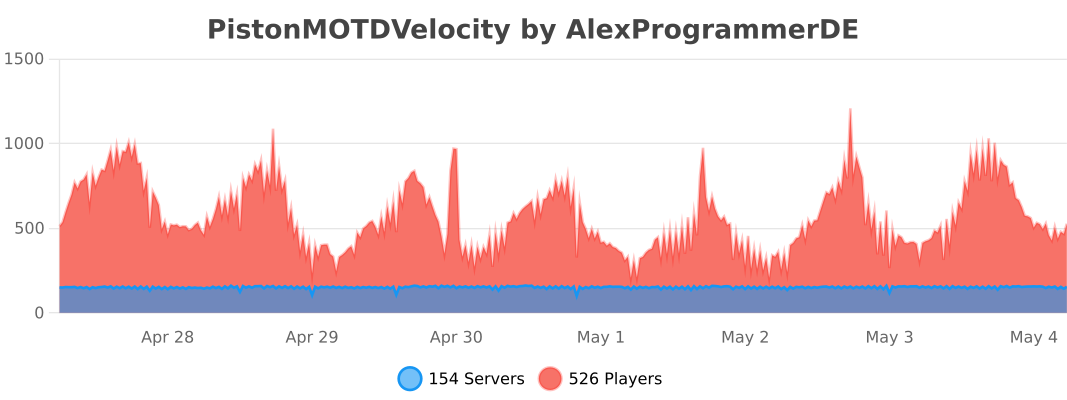](https://bstats.org/plugin/velocity/PistonMOTDVelocity/14316)
## Discord
[](https://discord.gg/8Qk2mtUDFf)
Have fun! 😉
PacketEvents
Resources
– [Read documentation](https://packetevents.gitbook.io/)
– [Getting Started](https://packetevents.gitbook.io/docs/getting-started)
– [JavaDocs](https://packetevents.github.io)
– [Releases](https://github.com/retrooper/packetevents/releases/)
– [GitHub](https://github.com/retrooper/packetevents/releases/)
– [Modrinth](https://modrinth.com/plugin/packetevents)
– [SpigotMC](https://www.spigotmc.org/resources/packetevents-api.80279/)
– [Development Builds](https://ci.codemc.io/job/retrooper/job/packetevents)
– [Statistics](https://bstats.org/plugin/bukkit/packetevents/11327)
Sponsors
Thanks to the following sponsors for supporting this project:


Credits
Here are some projects that we are heavily inspired by, thus we have integrated
small portions of their code into our work.
[Protocol Documentation for the Minecraft Java Edition](https://wiki.vg/Protocol)
[ViaVersion](https://github.com/ViaVersion/ViaVersion)
[ProtocolSupport](https://github.com/ProtocolSupport/ProtocolSupport)
[adventure](https://github.com/KyoriPowered/adventure)
[MCProtocolLib](https://github.com/GeyserMC/MCProtocolLib/)
### Statistics
[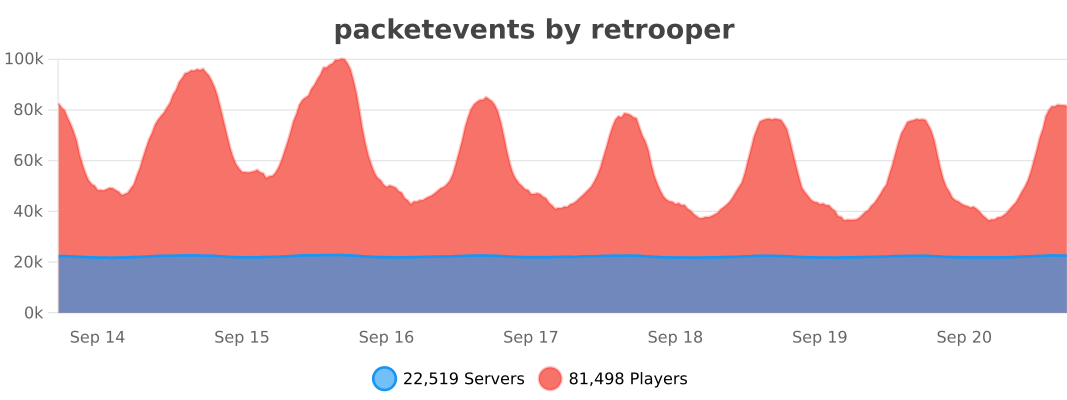](https://bstats.org/plugin/bukkit/packetevents/11327)