Better Mending
# 🔧 Better Mending for Spigot !
✨ **A faithful port of the original mod:**
👉 [Better Than Mending (by legobmw99)](https://modrinth.com/mod/better-than-mending)
🌐 **Now available on Spigot:**
➡️ [**Download here!**](https://www.spigotmc.org/resources/better-mending.112248/)
💻 **Want dev builds?**
🚀 [Check GitHub releases!](https://github.com/Paulem79/BetterMending/releases/latest)
—
## ✅ What does it do?
This plugin adds **one powerful feature**:
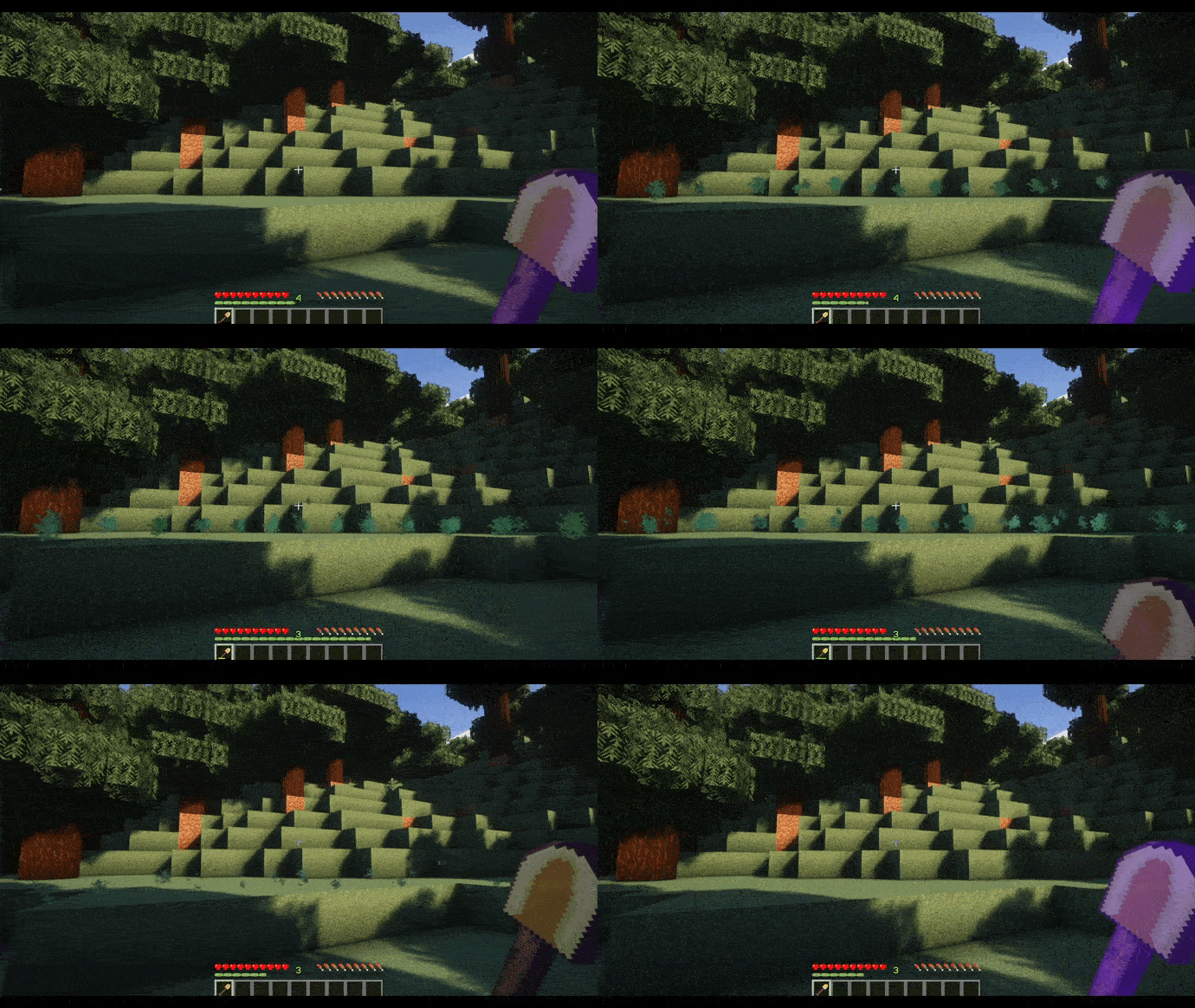
➡️ **Sneak + Right-Click** a Mending item to repair it using **your stored XP** 💎
🔧 Features included:
* ⚙️ Fully customizable **config file**
* 🔑 Built-in **permissions support**
* ✨ Visual **effects when repairing**
—
## 🛡️ Permissions
“`yaml
btm.use # Allows the mending ability
btm.commands.btm # Controls the /btm command (enable/disable skill)
btm.commands.reload # Controls /btm reload
“`
—
## 🎥 See it in action!
—
⚡ **This plugin uses the exact system from the original mod – simple, efficient, and powerful!**
Better Keep Inventory
# Better Keep Inventory
[](https://discord.imjustdoom.com)
[](https://x.com/ImJustDoom)
[](https://ko-fi.com/justdoom) [](https://github.com/JustDoom/BetterKeepInventory)
Better Keep Inventory is a plugin that builds more functionality on top of the “Keep Inventory” gamerule idea.
The gamerule is very limited with the only configuration available is enabling/disabling it and having it work in specific worlds.
This plugin can handle those scenarios for you and more! Per world configuration and keeping your inventory in specific scenarios such as natural deaths, mob deaths or player deaths.
Whether your items are kept or dropped for whatever reason is up to you!
## Features
– Per world configuration
– Permissions
– Reloadable config without restarting the server
– Keep/Drop on PVP, Natural or Mob caused death!
– Paper and Sponge support
### Planned
– Configurable message on keep inventory
– Drop/keep only certain items
– Limited keep inventory uses per specified time/lifetime
## Usage
Just install the plugin to your plugins folder for your platform (Paper or Sponge)
A player death is classified as a player other than yourself causing your death, whether it be from a sword, arrow, or hitting off a cliff.
As long as Minecraft classifies it as being killed by another player it is labelled a player death in the plugin.
A natural death is when you die from starvation, fall damage, drowning, or from the void. It should cover death from the `/kill` command too.
A mob death is when you are killed by a hostile mob, creeper, skeleton, spider etc.
### Commands
There is one command `/betterkeepinventory reload` which reloads the config file and applies the changes made.
It requires the permission `betterkeepinventory.commands`. You can also run `/bki reload` for short.
### Permissions
By default, every player will have the keep inventory functionality enabled.
To only give it to specific people you can set the option `require-permission` to true and give only the players you want to have the keep inventory ability the permission `betterkeepinventory.keep`.
To do that you will need a permission plugin like [LuckPerms](https://luckperms.net/).
### Configuration
The Paper plugin uses a `.yml` file for configuration and the Sponge plugin uses a `.json` file.
For world specific settings the Sponge config needs the full world name such as `minecraft:overworld`.
Default world names are also different between Paper and Sponge
“`yml
# NOTE: DO NOT HAVE THE KEEP INVENTORY GAMERULE ENABLED WITH THIS PLUGIN
# Global default settings that affect all worlds. Set all of them to false for vanilla functionality (No keep inventory)
# “keep” refers to what should be kept when the player dies which is not configurable
# Should the permission “betterkeepinventory.keep” be required for a player to “keep” on death
# If false everyone will “keep”
require-permission: false
# Should the player “keep” when killed by another player
keep-on-player-death: false
# Should the player “keep” on a natural death. Fall damage, starving, drowning etc
keep-on-natural-death: true
# Should the player “keep” when killed by a mob
keep-on-mob-death: true
# Should the player “keep” if they commited suicide. With arrows, end crystal etc
keep-on-suicide: false
# “keep” settings
# When the player dies should their inventory be kept
keep-inventory-items-on-death: true
# When the player dies should their EXP level be kept.
# The higher level you are the more EXP needed to level up so dying with 10 levels and 50% keep EXP will not respawn the player with 5 levels
# The value can also be a number from 0 to 1, with 1 meaning that all EXP is kept and 0 is none
# 0.5 – Keeps only half the EXP
keep-exp-on-death: 1.0
# World specific settings. These will override the above global settings for the specified world
worlds:
# The name of the world
world:
# Should these settings override the global ones. Set to false to disable the override
enabled: false
require-permission: false
keep-on-killed-by-player: false
keep-on-natural-death: true
keep-on-mob-death: true
keep-inventory-items-on-death: true
keep-exp-on-death: 0.5
world_nether:
enabled: false
require-permission: true
keep-on-killed-by-player: false
keep-inventory-items-on-death: true
keep-exp-on-death: 1.0
# The “keep-on-natural-death” and “keep-on-mob-death” options have been left out. These two will default to the global
# defaults set at the top of the file while the other settings that are specified will have whatever option is set
# above inside the world section
“`
Example for only keeping your inventory in the nether no matter what
“`yml
require-permission: false
keep-on-player-death: false
keep-on-natural-death: false
keep-on-mob-death: false
keep-on-suicide: false
keep-inventory-items-on-death: true
keep-exp-on-death: 1.0
worlds:
world_nether:
enabled: true
require-permission: false
keep-on-killed-by-player: true
keep-on-natural-death: true
keep-on-mob-death: true
keep-on-suicide: false
keep-inventory-items-on-death: true
keep-exp-on-death: 1.0
“`
## Support
Support can be provided on my [discord server](https://discord.gg/ydGK5jYV6t) or you can report any bugs on the GitHub repository [here](https://github.com/JustDoom/BetterKeepInventory/issues)
## If you need a new server check out our partner [lagless.gg](https://lagless.gg/aff/dinonuggies)
[](https://lagless.gg/aff/dinonuggies)
Use code **Dinonuggies** for 20% off!
BeeNameGenerator
# BeeNameGenerator
[](https://img.shields.io/github/downloads/p0t4t0sandwich/BeeNameGeneratorPlugin/LICENSE)
[](https://github.com/p0t4t0sandwich/BeeNameGeneratorPlugin)
[](https://github.com/p0t4t0sandwich/BeeNameGeneratorPlugin/issues)
[](https://discord.neuralnexus.dev)
[](https://wakatime.com/badge/user/fc67ce74-ca69-40a4-912f-61b26dbe3068/project/0f240003-7202-4e04-810e-e83bb007db81)
A Minecraft plugin that implements the [bee-name-generator](https://github.com/p0t4t0sandwich/bee-name-generator) API to generate bee names automagically
Link to our support: [Discord](https://discord.neuralnexus.dev)
## Download
[](https://github.com/p0t4t0sandwich/BeeNameGeneratorPlugin/releases)
[](https://maven.neuralnexus.dev/#/releases/dev/neuralnexus/BeeNameGenerator)
[](https://maven.neuralnexus.dev/#/snapshots/dev/neuralnexus/BeeNameGenerator)
[](https://www.spigotmc.org/resources/beenamegenerator.112100/)
[](https://hangar.papermc.io/p0t4t0sandwich/BeeNameGenerator)
[](https://modrinth.com/mod/beenamegenerator)
[](https://www.curseforge.com/minecraft/mc-mods/beenamegenerator)
[](https://ore.spongepowered.org/p0t4t0sandwich/BeeNameGenerator)
### Compatibility Cheatsheet
BeeNameGenerator supports: Bukkit, Fabric, Forge, and Sponge (8-11 works with the same jar)
| Server type | Versions | Jar Name |
|———————|————-|—————————————|
| All 1.20 (Sponge11) | 1.20-1.20.2 | `BeeNameGenerator-1.20-.jar` |
| All 1.19 (Sponge10) | 1.19-1.19.4 | `BeeNameGenerator-1.19-.jar` |
| All 1.18 (Sponge9) | 1.18-1.18.2 | `BeeNameGenerator-1.18-.jar` |
| All 1.17 (Sponge9) | 1.17-1.17.1 | `BeeNameGenerator-1.17-.jar` |
| All 1.16 (Sponge8) | 1.16-1.16.5 | `BeeNameGenerator-1.16-.jar` |
| All 1.15 (Sponge8) | 1.15-1.15.2 | `BeeNameGenerator-1.15-.jar` |
## Dependencies
– [TaterLib](https://github.com/p0t4t0sandwich/TaterLib) – Required on all platforms
– [FabricAPI](https://modrinth.com/mod/fabric-api) – Required on Fabric
### Optional Dependencies
– [LuckPerms](https://luckperms.net/) – For permissions/prefix/suffix support
## Usage
– Commands either require a permissions manager or OP level 4 in order to use them.
– You can set the “payment” item in the config, which is the item that is consumed when using the `/bng name auto` command (defaults to a name tag).
– The naming radius can be set in the config, which is the radius around the player that the plugin will look for bees to name (defaults to 10 blocks).
– Some commands require an authenticated API key to use them, which is set in the config (you’d need to host your own [API endpoint](https://github.com/p0t4t0sandwich/bee-name-generator)).
## Commands and Permissions
| Command | Permission | Description |
|——————————————|———————————–|———————————————————–|
| `/bng help` | `taterlib.command.help` | Show help for commands |
| `/bng reload` | `taterlib.command.reload` | Reload the plugin |
| `/bng name ` | `taterlib.command.name` | Name a bee or get a named name tag |
| `/bng name auto` | `taterlib.command.name.auto` | Automatically name a nearby bee |
| `/bng name tag` | `taterlib.command.name.tag` | Get a name tag with a random bee name |
| `/bng get` | `taterlib.command.get` | Gets a random bee name |
| `/bng add` | `taterlib.command.add` | Adds a bee name to the database (Authenticated API Route) |
| `/bng suggest ` | `taterlib.command.suggest` | Suggest a name to the database |
| `/bng suggest ` | `taterlib.command.suggest` | Suggest a name to the database |
| `/bng suggest list` | `taterlib.command.suggest.list` | List all pending suggestions |
| `/bng suggest accept ` | `taterlib.command.suggest.accept` | Accept a pending suggestion (Authenticated API Route) |
| `/bng suggest reject ` | `taterlib.command.suggest.reject` | Reject a pending suggestion (Authenticated API Route) |
## Config
`/BeeNameGenerator/beenamegenerator.config.yml`
“`yaml
—
version: 1
api:
# URL for the Bee Name Generator API
base_url: “https://api.sperrer.ca/api/v1/bee-name-generator”
# Auth Token for the Bee Name Generator API
auth_token: “YOUR_AUTH_TOKEN”
naming:
radius: 10
payment_item: “minecraft:name_tag”
“`
## [Release Notes](https://github.com/p0t4t0sandwich/BeeNameGeneratorPlugin#release-notes)
Beds Always Explode
## About
**Beds Always Explode** is a mod that does exactly what it says on the tin. It makes beds explode in every single dimension no matter what. Because of this, you are completely unable to sleep or set your spawn point. Why? It’s _funny_, _hilarious_ even
## Versioning scheme
***MAJOR . patch***
– MAJOR: Mojang broke the mixin in an update and I need to change it for the mod to be compatible with a newer version.
– patch: Anything metadata related, like `1.1` which exists because I had to temporarily remove `quilt.mod.json` because Quilt doesn’t like versioning like this `>=1.16 <=1.21.10`
## Installation
It's purely server-sided but also works in singleplayer if installed on the client.
## Modpacks
You are free to use the mod in any modpack you want (as long as I get credit!)
azuvotifier
# azuvotifier   [](https://modrinth.com/plugin/azuvotifier)
A fork of NuVotifier with various enhancements, such as Redis forwarding and support for additional platforms.
From the original README:
> NuVotifier is a secure alternative to using the original Votifier project.
> NuVotifier will work in place of Votifier – any vote listener that supports
> Votifier will also support NuVotifier.
## Useful resources
– [Setup Guide](https://github.com/NuVotifier/NuVotifier/wiki/Setup-Guide)
– [Troubleshooting Guide](https://github.com/NuVotifier/NuVotifier/wiki/Troubleshooting-Guide)
– [Developer Information](https://github.com/NuVotifier/NuVotifier/wiki/Developer-Documentation)
## Supported platforms
azuvotifier is currently supported on the following platforms:
– CraftBukkit, Spigot, Paper, Pufferfish or Purpur (1.8.8+)
– Older versions might work but no support will be provided.
– Any fork without significant breaking changes should also work.
– Folia (1.21.5+)
– Fabric (1.21.10)
– Sponge 11 (1.20+)
– BungeeCord/Waterfall
– Velocity
It can also run as a standalone application using the `redis` and `proxy` forwarding methods.
## Running
You can get the latest release directly from [GitHub](https://github.com/azurejelly/azuvotifier/releases) or [Modrinth](https://modrinth.com/plugin/azuvotifier).
Then, follow the instructions for your server software or the standalone version:
### Bukkit, Folia, Sponge, BungeeCord and Velocity
Drag and drop the downloaded JAR into your `plugins/` folder. You should’ve downloaded the JAR that has your server software in its name.
If you’ve done everything right, it should work out of the box.
### Fabric
Drag and drop the downloaded JAR into your `mods/` folder. You’ll also need to download and install
[Fabric API](https://modrinth.com/mod/fabric-api).
### Standalone
Open up the terminal, go into the directory the previously downloaded JAR is at, and then run it like this:
“`shell
$ java -Xms512M -Xmx512M -jar azuvotifier-standalone.jar
“`
You can also use command line arguments to configure some settings, such as the hostname:
“`shell
$ java -Xms512M -Xmx512M -jar azuvotifier-standalone.jar –host 127.0.0.1 –config /etc/nuvotifier/
“`
To get a full list of options, run:
“`shell
$ java -jar azuvotifier-standalone.jar –help
“`
### Standalone with Docker
A Docker image for the standalone version is available at [Docker Hub](https://hub.docker.com/r/azurejelly/standalone-nuvotifier). To pull it, run:
“`shell
$ docker pull azurejelly/standalone-nuvotifier:latest # for the latest stable release
$ docker pull azurejelly/standalone-nuvotifier:unstable # for the latest commit on master
“`
You can then run the image using a command like:
“`shell
$ docker run -p 8192:8192
-v /etc/nuvotifier:/app/config
–restart unless-stopped
–name nuvotifier
azurejelly/standalone-nuvotifier:latest
–port 8192
“`
This will:
– Expose port 8192 on the host machine;
– Map `/etc/nuvotifier` (host) to `/app/config` (container) using socket mounts;
– Restart the container automatically unless stopped;
– Name the container `nuvotifier`;
– Use the `azurejelly/standalone-nuvotifier:latest` image;
– And pass `–port 8192` as a command line argument to NuVotifier.
– Not required as `8192/tcp` is already the default port, but helps to show that you can pass arguments such as `–port` or `–config`.
If you want to use Docker Compose, an example [`docker-compose.yml`](https://github.com/azurejelly/azuvotifier/blob/master/docker-compose.yml) file is available on the repository.
## License
azuvotifier is GNU GPLv3 licensed. This project’s license can be viewed [here](LICENSE).
AzLink for Azuriom
# AzLink – Connect Your Minecraft Server to Your Azuriom Website
**AzLink** is the official plugin/mod that bridges your Minecraft server with your [Azuriom](https://azuriom.com/) website, keeping your web presence in sync with your live server in real time.
> **⚠️ IMPORTANT ⚠️: AzLink requires a running Azuriom website to function.** It is not a standalone plugin. Head over to [azuriom.com](https://azuriom.com/en) to get started with Azuriom first, or continue reading to learn more about Azuriom.
## What is Azuriom?
[Azuriom](https://azuriom.com/) is a **free and open source** web solution designed specifically for game servers. It gives your community a beautiful, fully-featured website, without the expensive fees or restrictive hosting of traditional CMS platforms.
With Azuriom, you can:
– 🛒 **Monetize your server** with a built-in shop and support for 15+ payment gateways
– 🗳️ **Boost your visibility** with vote reward systems
– 💬 **Build a community** with a feature-rich forum
– 🎨 **Stand out** with a wide selection of gorgeous themes
– 🔌 **Extend everything** with dozens of one-click plugins from the [Azuriom Market](https://market.azuriom.com)
– 🌍 **Translated in more than 15 languages** to fit servers all around the world
Already trusted by **over 1,800 servers** and more than **two million users** worldwide, Azuriom is built on [Laravel](https://laravel.com), the most popular PHP framework, ensuring a secure and reliable foundation.
## What Does AzLink Do?
AzLink is the **essential link** between your game server and your Azuriom website. Once installed, it allows Azuriom to retrieve live data directly from your server, such as player counts and server status, and display it dynamically on your site.
## Supported Minecraft Platforms
All versions below are available directly on this Modrinth page:
* Bukkit-based servers (Spigot, Paper, Folia, …)
* BungeeCord
* Sponge
* Velocity
* Fabric
* Forge
* NeoForge
## Not Using Minecraft?
Azuriom supports Minecraft: Bedrock Edition, and many other games beyond Minecraft! AzLink is also available for **Hytale, Garry’s Mod, FiveM (GTA V), Rust, 7 Days to Die, Counter-Strike 2**, and more.
👉 **[Download AzLink for other games](https://azuriom.com/azlink)**
## Getting Started
1. Set up your [Azuriom](https://azuriom.com/en) website
2. Install AzLink on your Minecraft server
3. Follow the [Azuriom documentation](https://azuriom.com/docs) to link the two together
4. Enjoy a fully connected server website!
## Join the Community
Azuriom is built by a passionate team and an active open source community. If you have questions, need help getting started, or just want to hang out with fellow server owners, **you’re warmly welcome on our [Discord](https://azuriom.com/discord)**!
If AzLink or Azuriom has been useful to you, consider showing your support. A star ⭐ on [GitHub](https://github.com/Azuriom/Azuriom) costs nothing and means a lot. And if you’d like to go further and help sustain the project, [sponsoring us](https://azuriom.com/en/support-us) is a wonderful way to give back for the time and effort poured into it. Every bit of support is genuinely appreciated. 💙
## Links
– 🌐 [Azuriom Website](https://azuriom.com/)
– 📖 [Documentation](https://azuriom.com/docs)
– 🔌 [AzLink Downloads (All Games)](https://azuriom.com/azlink)
– 🧩 [Extension Market](https://market.azuriom.com)
– 💬 [Discord Community](https://azuriom.com/discord)
– 🐙 [GitHub](https://github.com/Azuriom/Azuriom)
ArmorStandEditor-Reborn

[](https://github.com/Wolfst0rm/ArmorStandEditor/actions/workflows/maven-publish.yml)
[](https://sonarcloud.io/summary/new_code?id=wolfieheart_ArmorStandEditor)
[](https://sonarcloud.io/summary/new_code?id=Wolfst0rm_ArmorStandEditor)
[-yellowgreen?style=flat)](https://getbukkit.org/)
[](https://github.com/Wolfst0rm/ArmorStandEditor/LICENSE.md)
ArmorStandEditor is a plugin for Paper and related forks to allow players in survival to easily edit armor stand pose and attributes.
## Credits
* RypoFalem for the original version of this plugin. Thank you for all your hard work (Archived in branch [Original-Version](https://github.com/Wolfst0rm/ArmorStandEditor/tree/Original-Version) )
* Anyone who has contributed to this project with tests, issues, code reviews etc. Thank you!
* Shamblecraft for allowing me to test on the server as required before publishing to production.
## Downloads
Downloads for Version 1.17 and higher can be obtained from the [download page](https://www.spigotmc.org/resources/armorstandeditor-reborn.94503/) or our [release tracker](https://github.com/Wolfst0rm/ArmorStandEditor/releases) here on GitHub.
For versions older than 1.17, then please use [the original versions download page](https://www.spigotmc.org/resources/armor-stand-editor-dead.7688/).
The Latest Downloads Shortcut Links:
* [ArmorStandEditor-Last (Unstable)](https://github.com/Wolfst0rm/ArmorStandEditor/actions)
– **Use these at your own risk. Limited Support is provided for testing purposes**
* 1.20 – Not yet available
* [(Spigot Redirect to latest release)](https://www.spigotmc.org/resources/armorstandeditor-reborn.94503/)
* [Modrinth Redirect to Latest Release](https://modrinth.com/plugin/armorstandeditor-reborn)
* 1.19 to 1.19.4
* [Spigot/Github](https://github.com/Wolfieheart/ArmorStandEditor/releases/tag/1.19.4-41)
* [Modrinth](https://modrinth.com/plugin/armorstandeditor-reborn/version/1.19.4-41)
* 1.18 to 1.18.2
* [Spigot/Github](https://github.com/Wolfieheart/ArmorStandEditor/releases/tag/1.18.2-34.2)
* [Modrinth](https://modrinth.com/plugin/armorstandeditor-reborn/version/1.18.2-34.2)
* 1.17 to 1.17.1
* [Spigot/Github](https://github.com/Wolfst0rm/ArmorStandEditor/releases/tag/1.17.1-30)
* [Modrinth](https://modrinth.com/plugin/armorstandeditor-reborn/version/1.17-30)
* 1.16 to 1.16.5
* [Spigot/Github](https://www.spigotmc.org/resources/armor-stand-editor-dead.7688/download?version=342891)
* [Modrinth](https://modrinth.com/plugin/armorstandeditor-reborn/version/1.16-25)
* [1.14 to 1.14.4](https://www.spigotmc.org/resources/armor-stand-editor-dead.7688/download?version=299267)
* [1.13 to 1.13.2](https://www.spigotmc.org/resources/armor-stand-editor-dead.7688/download?version=235185)
* [1.11 to 1.11.2](https://www.spigotmc.org/resources/armor-stand-editor-dead.7688/download?version=152723)
* [1.10 to 1.10.2](https://www.spigotmc.org/resources/armor-stand-editor-dead.7688/download?version=124213)
* [1.9 to 1.9.4](https://www.spigotmc.org/resources/armor-stand-editor-dead.7688/download?version=92457)
* [1.8](https://www.spigotmc.org/resources/armor-stand-editor-dead.7688/download?version=29676)
**NOTE:** The 1.17 Versions introduce NMS Version Checks and will not load on versions older than 1.13.
It will also advise that if you are on 1.13 to 1.16, that you update to 1.17.x or Higher. This will be
subject to change in the future. The minimum enforced API Version is 1.13.
## Features
* Editing ArmorStands with no commands required
* Rotation of all ArmorStand Parts along each axis
* Rotation of entire ArmorStand after Placement. Supported by Crouching and Scrolling, so you never have to open the menu
* Finer Adjustment to allow for Fine-Tuning of Positions.
* Coarser Adjustments to allow you to quickly to get to the intended position
* Toggles for: Disabling Slots, Invisibility, Gravity, Base Plates, Size (Normal and Small)
* Copying and Pasting ArmorStand Settings between ArmorStandEditor in a Survival Friendly way
* Storage of Copied Settings in one of 9 available slots.
* Naming of ArmorStands through the use of Vanilla Name tags, with colored name support
* Multiple Language Support through the use of community translations
* Respects multiple protection plugins: WorldGuard, Towny, GriefPrevention, Residence etc.
* Targeting of an ArmorStand by pressing F with the tool in your hand
* Glowing ArmorStand to signify Targeting and Slot Disables through the use of Scoreboards.
You can also follow our [Feature Roadmap](https://github.com/Wolfst0rm/ArmorStandEditor-Issues/issues/11) to see what we have planned (Updated as required).
## Support
Support for ArmorStandEditor is provided:
* For API-Versions Higher than 1.13
* For Latest Release and Unstable versions of the Plugin
If there are issues with the plugin on the latest release, you can report them [here](https://github.com/Wolfst0rm/ArmorStandEditor/issues/new?assignees=&labels=P1%3A+To+Be+Tested&template=behaviour-bug.yml).
If there are new feature requests, you can ask them to be implemented [here](https://github.com/Wolfst0rm/ArmorStandEditor/issues/new?assignees=&labels=&template=feature-request.yml).
**NOTE:** Bugs are also first tested to ensure that they can be reproduced according to the reported steps. If they can not, we will ask for more info.
AntiHealthIndicator
## Overview
The **AntiHealthIndicator** plugin prevents hackers and modders from seeing other players’ health. Designed to be
lightweight with minimal server performance impact, it modifies packets directly, making it impossible to bypass. Logic
executes asynchronously to minimize server load. Additional features include hiding durability, enchantments, item stack
amounts, player saturation, absorption, and XP.
### Requires PacketEvents
Ensure the [PacketEvents](https://modrinth.com/plugin/packetevents) library is installed on your server.
## Table of Contents
– [Overview](#overview)
– [Requires PacketEvents](#requires-packetevents)
– [Supported Platforms & Versions](#supported-platforms–versions)
– [Spoofers](#spoofers)
– [Commands](#commands)
– [Permission Nodes](#permission-nodes)
– [Installation](#installation)
– [Credits](#credits)
– [License](#license)
## Supported Platforms & Versions
| Platform | Supported Versions |
|————————————|——————–|
| Bukkit (Spigot, Paper, Folia etc.) | 1.8.8 – 1.21.11 |
| Velocity | Latest Major |
| BungeeCord (or any forks) | Latest Major |
| Sponge | Latest Major |
## Spoofers
The plugin includes various spoofing features:
– Health (including randomization)
– Air Ticks
– Player Absorption
– Player Saturation
– Player Gamemode
– Player XP
– Item Durability
– Item Enchantments
– Item Stack Amount
## Commands
– `/antihealthindicator` or `/ahi` – Main plugin command.
## Permission Nodes
Operators (OPs) have these permissions by default, except for `AntiHealthIndicator.Bypass`:
– `AntiHealthIndicator.Notify` – Notifies player of updates.
– `AntiHealthIndicator.Bypass` – Prevents receiving spoofed data
– `AntiHealthIndicator.Reload` – Grants access to the `/antihealthindicator reload` command.
– `AntiHealthIndicator.Debug` – Receives debug messages if debugging is enabled.
## Installation
1. **Prerequisites**: Install [PacketEvents](https://modrinth.com/plugin/packetevents).
2. **Download**: Get the latest release from
the [GitHub release page](https://github.com/Bram1903/AntiHealthIndicator/releases/latest).
3. **Installation**: Move the downloaded plugin to your server’s plugins directory.
4. **Configuration**: Customize settings in `config.yml`.
5. **Reload**: Reload the plugin using `/antihealthindicator reload` or restart the server to apply changes.
## Credits
Special thanks to:
– **[@Retrooper](https://github.com/retrooper)**: Author of [PacketEvents](https://github.com/retrooper/packetevents).
– **[@Tofaa](https://github.com/Tofaa2)**: Helped design the project infrastructure and logic. Check out
his [EntityLib](https://github.com/Tofaa2/EntityLib).
– **[@Booky10](https://github.com/booky10)**: Helped with various complex matters.
– **[@Abhigya](https://github.com/AbhigyaKrishna)**: Designed the Gradle Build Chain.
## License
This project is licensed under the [GPL3 License](LICENSE).
AntiCrash [Pterodactyl]
# Pterodactyl Anti Crash
### Description:
Don’t let your server crash anymore. With PterodactylAntiCrash you can set your server to restart itself at a certain RAM load to prevent a crash. You will be warned with a countdown before the restart. All messages are fully customizable. It works reliably and prevents crashes.
### What you need:
– A server on the pterodactyl panel.
– An api key for the pterodactyl panel.
### Installation:
1. Download and upload the plugin on your server.
2. Start your server.
3. Edit the config.yml (This contains all the information for configuration.)
4. Restart your server.
5. Installation finished.
### Commands:
– **/pteroconfig** – Take a look at your configuration of the plugin. For security reasons only in the console.
– **/pteroram** – Take a look at the current RAM usage.
– **/pterosetram** – Set the maximum RAM usage before a restart.
### Permissions:
– **pac.use** – To use all commands.
### Default Config:
“`
# ————————————-
# Settings
# ————————————-
threshold: 8192 # Maximum RAM in MB before the server restarts.
apiKey: “ptc_xxxxxxxxxxxxxxxxxxxxxxxxxxxxx” # Your personal api key from the pterodactyl api.
apiUrl: “https://panel.example.com” # The basic url of your panel. ! Important, without a / at the end of the url.
serverId: “xxxxxxxx” # The id of this server. The id can be found in thr url after the /server/.
# ————————————-
# Messages
# ————————————-
kickMessage: “&cThe server will restart. Connect again in 3 – 5 minutes.” # The message shown to a player when the server restarts.
restartMinutes: “&cThe server will restart in {0} minutes!” # The countdown Message for the minutes. {0} will be replaced with the minutes.
restartSeconds: “&cThe server will restart in {0} seconds!” # The countdown Message for the seconds. {0} will be replaced with the seconds.
restartNow: “&cThe server will restart now.” # The countdown messasge after 1 second.
pteroram: “&aCurrent RAM usage: {0}” # The message for the /pteroram command. {0} will be replaced with the ram usage in mb.
noPermission: “You don’t have the permission to execute this command.” # The message for players without the pac.use permission.
“`
AnarchyCore-NextGen
# Important:
You must use the plugin with its depend CrystalKillListener. It didn’t release on Modrinth.
Note: All features can be individually toggled on/off.
If there’s any popular features that you need to use, please discord me on [https://discord.gg/9JYV7pa2Kq](https://discord.gg/9JYV7pa2Kq)
## Duplication Glitches:
(In the text below, “donkey” refers to ChesteredHorse in the BukkitAPI, including mules, llamas, etc.)
Many anarchy servers, e.g. 2B2T.ORG and 2B2T.XIN, have intentional/unintentional item duplication exploits.
1. The 2B2T.ORG server has had multiple duplication glitches. The plugin implements the most classic one—**”donkey duping”**—where **a specific method allows duplicating a donkey including its chest with items**.
Meanwhile, the 2B2T.XIN server adopts a simpler and more direct approach: **players with permission who kill a donkey receive double the drops**.
2. **Command-based duplication** was used by the closed 2B2T.ICU server, **where entering a command duplicates the held item by a specified multiplier. The multiplier is usually 2 times**.
3. **Item Frame duplication** was a method once used by a famous Chinese server but I forgot its name, **where rotating an item inside a frame has a possibility to yield an extra copy of the item**.
4. **Mine-Place duplication**, e.g., x+1 (where x is set in config.yml), **where mining a shulker box x+1 times yields one extra shulker box**.
5. **Chicken dupe**. The first method, **from the bbttcore plugin by developer zszf, allows duplication simply by clicking**. The second method, currently used on 2B2T.XIN that allows right click the chicken and it will spawn shulker boxes, triggers at specific times (currently fixed minute intervals, default: 0, 15, 30, 45)**.
## Miscellaneous:
1. **Player Statistics**: Allows querying or tracking online players’ kill counts (can include crystal kills), deaths, online time and join/quit counts. Data is stored using the server’s native PDC. *If you want to use MySQL or other things to store, please discord me. I don’t want to implement them without anybody’s using.*
2. **Suicide Command**: Same as EssentialsX’s /suicide. Aliases: /kill, /514, /suicide, /自杀. Admins will directly use /minecraft:kill to enable selector usage.
## Limitations:
1. **End Crystal speed limit.** The “speed” here refers to placement speed, measured in milliseconds.
2. **Speed limit for entities passing through End Gateways (e.g., minecarts) and for TNT entities.** The cooldown is measured in milliseconds.