XaeroTracker
# XaeroTracker
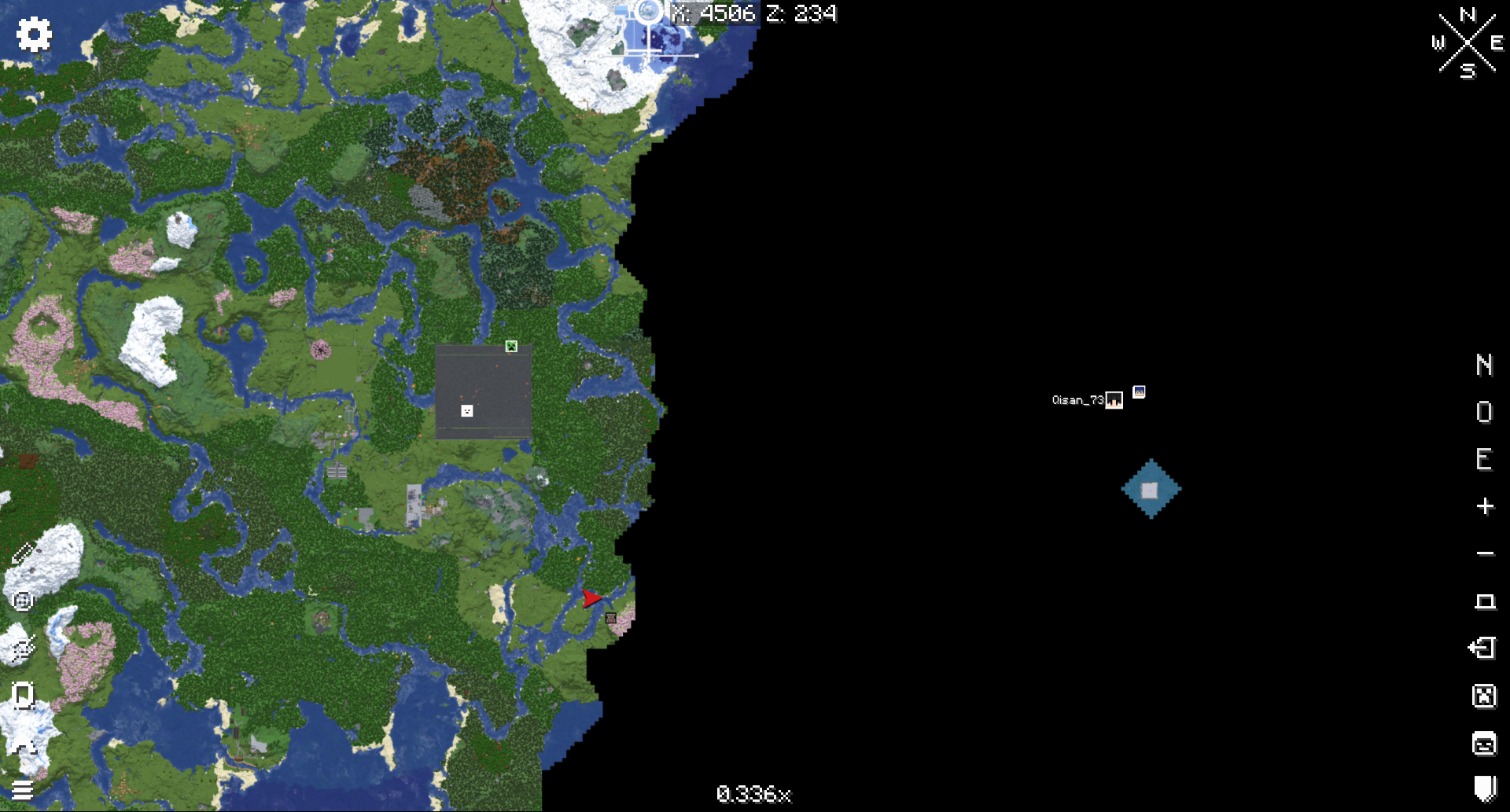
XaeroTracker is a paper plugin which simulates everyoneTracksEveryone option in Xaero’s World Map mod.
With this plugin, players who have Xaero’s World Map or Xaero’s Minimap installed can see all other players on their map.
**XaeroTracker is not affiliated or endorsed by xaero96 and is not officially affiliated with Xaero in any way.**
# Tested Version
This plugin has only been tested on 1.20.1 and 1.21.4 .
# Config
“`Yaml
should-send-level-id: true
level-id: -884219291
sync-cooldown: 250
“`
## should-send-level-id
Whether to send level id to client. Only if level id is sent can the plugin funtion.
But if you are using Leaves server and turned XareoProtocol on, you should disable this.
## level-id
It will be randomly generated when the plugin is first loaded.
Client uses it to tell different servers under the same domain.
It’s useful when you are using velocity proxy, every sub server should have different value of it.
## sync-cooldown
How long should a player’s location can’t be synced again. (unit millisecond)
# Command
You need xaerotracker permission to execute any of this.
“`
/xt toggleTracked
/xt toggleTracked
/xt toggleTrackEveryone
/xt toggleTrackEveryone
“`
## /xt toggleTracked
Toggle whether yourself can be tracked.
Require xaerotracker.toggleTracked permission.
## /xt toggleTracked
Toggle whether other player can be tracked.
Require xaerotracker.toggleTracked.others permission.
## /xt toggleTrackEveryone
Toggle whether you can track any other player (bypass any other restriction).
Require xaerotracker.toggleTrackEveryone permission.
## /xt toggleTrackEveryone
Toggle whether a specific player can track any other player (bypass any other restriction).
Require xaerotracker.toggleTrackEveryone.others permission.
Xaero’s World Map: Synchronized


This mod adds world map syncronization between players, designed for SMPs
Requires [Xaero’s World Map](https://modrinth.com/mod/xaeros-world-map) and currently works only on **dedicated servers**
The map data is saved on the server, in the `.xaerosync` folder
[github](https://github.com/5w14/xaeros-world-map-synchronized) / [discord](https://discord.gg/VAC7ZMTuPU) / [ko-fi](https://ko-fi.com/fw14)
Xaero PointShare
# Xaero PointShare
Simple fabric mod to changes xaero’s minimap waypoint sharing functionality
## Feautures:
– When sharing a waypoint, it no longer sends it in chat, but just copies
– If in the start of message is `x%s:`, it will show waypoint only to yourself
Example: `x%self:xaero-waypoint:1:1:9:-60:13:2:false:0:Internal-overworld`
– If waypoint starts with `x%o:`: it will send a waypoint to all players, like in base xaero’s minimap
## Why?
This mod is made to share a waypoints between people outside of minecraft(e.g discord)
I have a channel where we post all our waypoints like:
> Farm of something:
> “`
> x%s:xaero-waypoint:Farm of something:F:0:0:0:0:false:0:Internal-overworld
> “`
and you can just copypaste it into chat to add a waypoint
x10k Management Core
# x10k Management Core
### Lastest version: Stable 1.6.1 (01/03/2026)
Hi, I started this plugin as a hobby, so it has lots of features that will enhance the survival gameplay, all in one plugin, so you don’t need to install 4 or more plugins.
Everything is extremely configurable; you can enable and disable almost every command, customize the messages, prefixes, and more!
For now we have:
– **Homes & warps** system and cmds
– **Tpa & ping** system and cmds
– **Graves & back** system and cmds
– **Warps & rank** system and cmds
– **Notifications** system and cmds
– **Msg and reply** system and cmds
– **Clearlag & combat** system and cmds
– **Ban & warn** system and cmds
– **Admin commands** (feed, fly, heal, vanish, gamemode (aliases), etc.)
Also, here are the placeholders (this is a Beta feature, so expect changes):
“`
%xmc_rank% – Displays the highest rank name of the player
%xmc_rank_prefix% – Displays the formatted prefix of the player’s highest rank (including colors and gradients)
%xmc_warnings% – Displays the total amount of active warnings the player has
%xmc_afk% – Displays “AFK” if the player is currently away from keyboard, otherwise empty
“`
Extra links and more info:
> **[Permissions and commands](https://pastebin.com/92PRGhwQ)** (lastest update: 22/02/2026)
X-MOTD-X
# MOTD Plugin – The Ultimate MOTD Experience!
Give your server a modern, eye-catching MOTD!
Simple, fast & fully customizable.
Would you like to have a better server in the list of Minecraft servers that you have traveled to?
Then use the plugin X-MOTD-X
## 🎥 Tutorial Video
[Watch on YouTube](https://www.youtube.com/watch?v=CB-ZNK9rXDg)
## ⚙️ Commands
“`
/xmotdx reload
“`
➡️ Reloads the configuration – no server restart required.
## 🔑 Permissions
“`
xmotdx.reload
“`
➡️ Allows reload only
## 🐞 Found a bug?
Please report any issues directly – thank you!
## ⚠️ Important Notice!
This plugin may **not be redistributed or sold under a different name**.
Please respect the copyright.
X-Hearts
# X-Hearts
Start on one heart, gain a heart every time you die. If you die at 10 hearts you are permanently dead.
Use `/scoreboard players set @s deaths 0` to reset back to 1 heart
Inspired by the X-Life series

## FAQ
**Does this work on a server?**
Yes. Go into your servers folders and go to `world -> datapacks` and put the datapack there. This datapack works multiplayer so play with however many people you would like!
**Is there anyway to change the max amount of hearts?**
Here are all the settings you can change:
– `/function xlife:settings/toggle_hardcore` for toggling whether to go into spectator after running out of hearts or not. By default it is on hardcore mode
– `/function xlife:settings/max_hearts/increase` to increase the max amount of hearts. Default is 10
– `/function xlife:settings/max_hearts/decrease` to decrease the max amount of hearts
## Support us!
Join my Minecraft server **Zonerush.minekeep.gg** for a unique PvP gamemode!
—
**Try my other datapacks! Here are some that you might like.**
[](https://modrinth.com/project/uUdrS8s7) [](https://modrinth.com/project/aik3GVdo)
—
**Join the discord to get updates, support me, and report issues**
[](https://discord.gg/C2WymfUqJx)
## Milestones
– 100 downloads – Dec. 8th | 2025
– 300 downloads – Jan. 13th | 2026
– 1,000 downloads – ???
Wynntils


Wynntils is a Wynncraft mod that seeks to enhance the user’s gameplay with a variety of customizable options and additions, allowing the user to change everything in the way they want and enhancing the overall Wynncraft gameplay!
## Features

Chat
– Chat Coordinates
– Chat Item
– Chat Mentions
– Chat Tabs
– Chat Timestamps
– Death Coordinates
– Dialogue Button Override
– Transcribe Sent Messages
– Message Filter
– Remove Wynncraft Chat Wrap
– Reveal Nicknames
Combat
– Abbreviate Mob Health
– Auto Attack
– Chest Blocker
– Tracked Content
– Custom Lootrun Beacons
– Block Inventory Casting
– Health Potion Blocker
– Hide Labels
– Horse Mounting
– Invert Attack Keybinds
– Low Health Indicator
– Mythic Box Item Scaling
– Prevent Trades & Duels
– Quick Spell Cast
– Major ID Range Visualizer
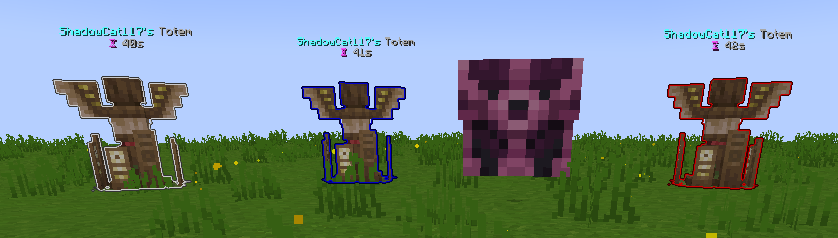
– Shaman Totem Tracking
– Spell Cast Vignette Render
– Token Tracker Bell
Commands
– Add Command Expansion
– Command Aliases
– Custom Command Keybinds
– Filter Admin Commands
Embellishments
– War Horn
– Wybel Sounds
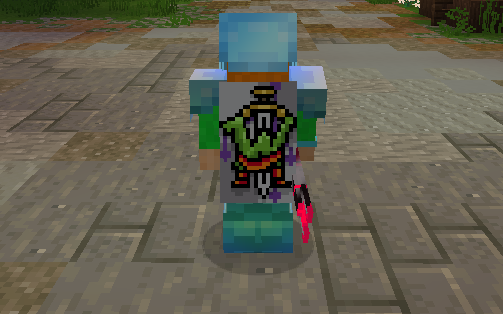
– Wynntils Cosmetics
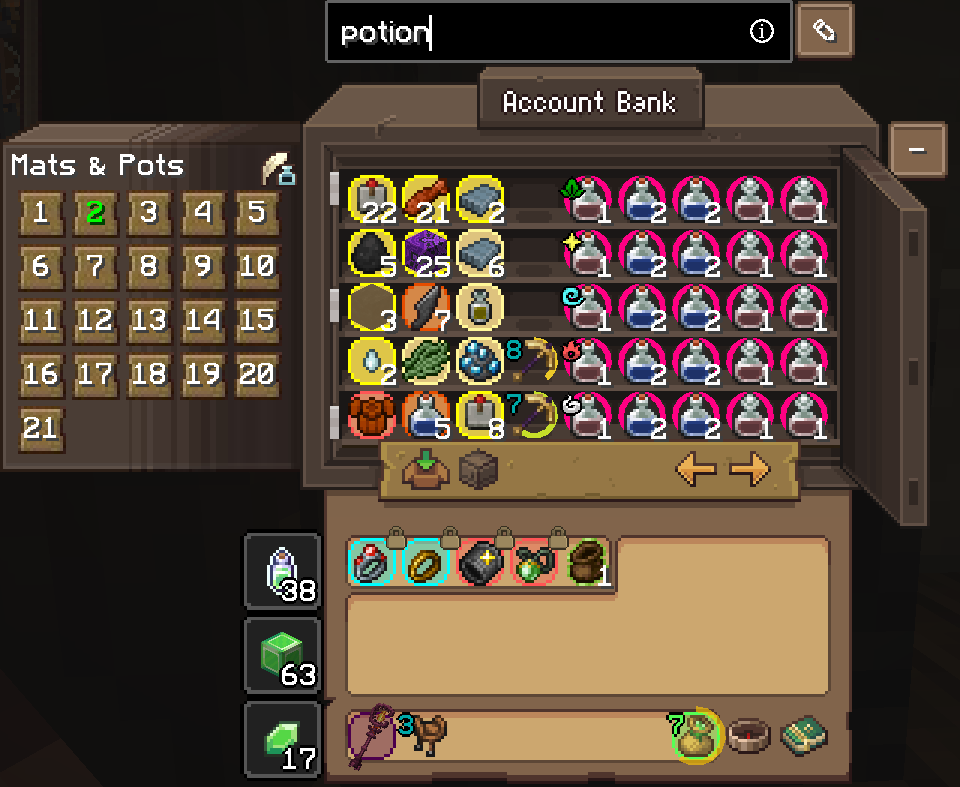
Inventory
– Container Search Highlight
– Disable Recipe Book
– Durability Overlay
– Emerald Pouch Fill Arc
– Emerald Pouch Hotkey
– Extended Item Count
– Guild Bank Hotkey
– Hide Attack Cooldown
– Ingredient Pouch Keybind
– Inventory Emerald Count
– Favorite Items
– Custom Item Highlights
– Item Lock
– Item Screenshot
– Item Text Overlays
– Lootrun Chest Text
– Personal Storage Utilities
– Unidentified Item Icon
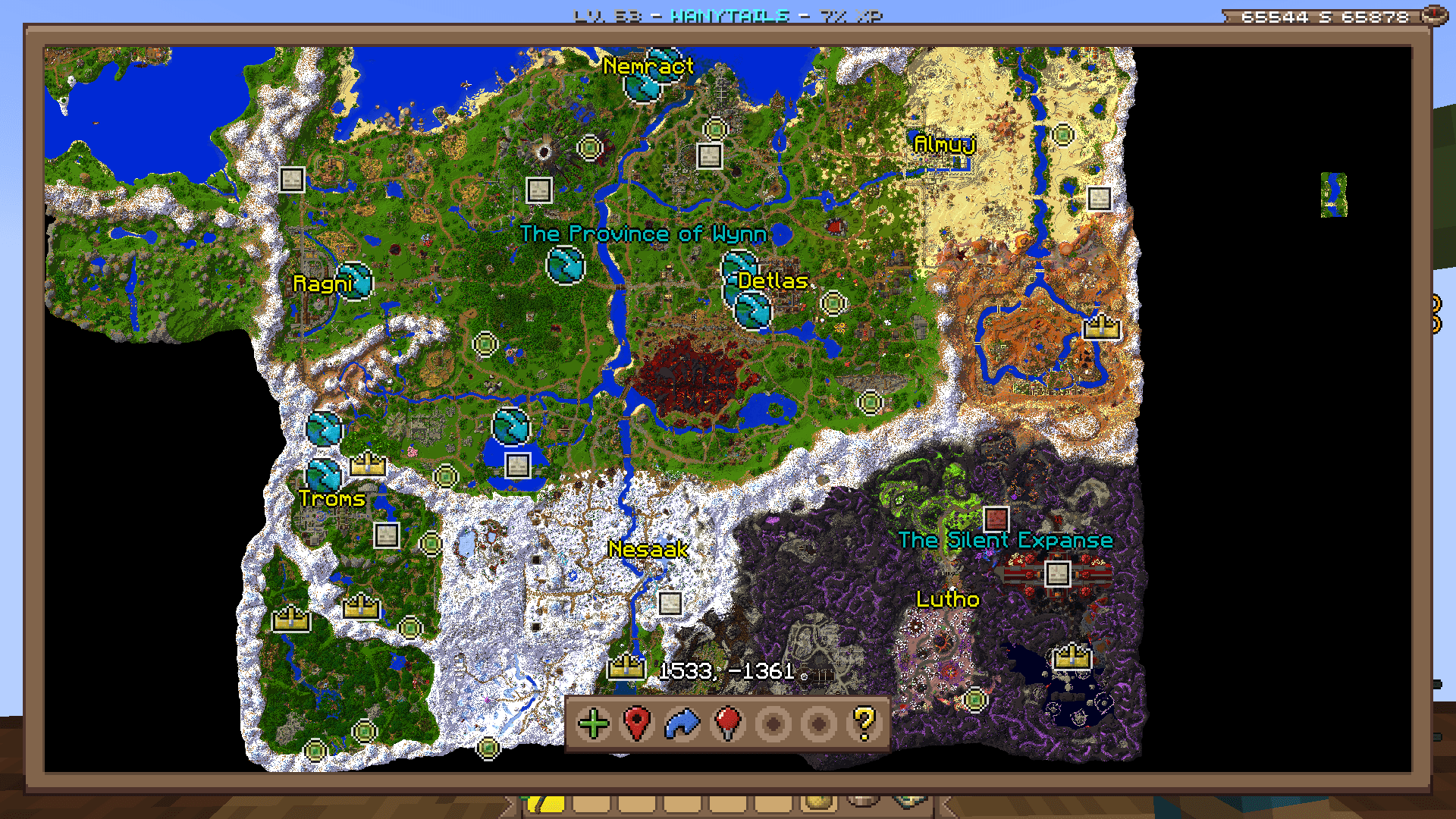
Map
– Beacon Beam
– Guild Map
– Map
– Waypoint Distance
– Coordinates
– Territory
– Minimap

Overlays
– Annihilation Sun
– Arrow Shield
– Bomb Bell Overlay
– Gathering Totem Timer
– Mob Totem Timer
– Combat Experience
– Custom Bars
– Custom Player List Overlay
– Awakened Bar
– Blood Pool Bar
– Commander Bar
– Corrupted Bar
– Focus Bar
– Focused Mob Health Bar
– Health Bar
– Holy Power Bar
– Mana Bank Bar
– Mana Bar
– Ophanim Bar
– Game Notifications
– Guardian Angels Tracker
– Party Members
– Held Item Cooldown
– Info Boxes
– Lootrun Beacon Count
– Lootrun Missions
– Lootrun Task Name
– Lootrun Trials
– Mantle Shield Tracker
– NPC Dialogue
– Daily Objective
– Guild Objective
– Powder Special Bar
– Raid Progress
– Server Uptime Info
– Shaman Mask Overlay
– Shaman Totem Timer
– Spell Cast Overlay
– Spell Inputs Overlay
– Status Overlay
– Stopwatch Overlay
– Streamer Overlay
– Token Bars
– Aura Timer
– Volley Timer
– Tower Stats Overlay
– Content Tracker
Players
– Auto Join Parties
– Nametag Rendering
– Hades
– Party Management Screen
– Hide Player Armor
– Transparent Player Ghost
– Player Viewer
Game Notification Redirects
– Ability Refreshes
– Info Message Filter
– Pouch Messages
– Territory Messages
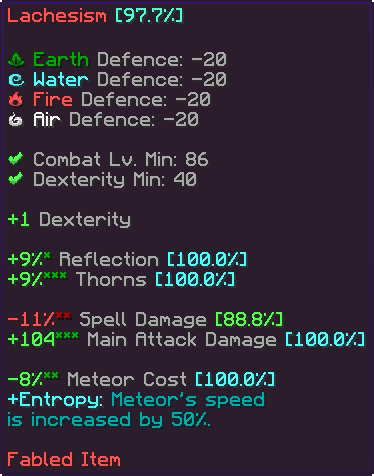
Item Tooltips
– Item Compare
– Item Guess
– Item Statistics Info
– Tooltip Fitting
– Hide Irrelevant Tooltip Info
Trade Market
– Trade Market Bulk Sell Buttons
– Market Price Conversion
– Trade Market Price Match Buttons
– Trade Market Quick Search
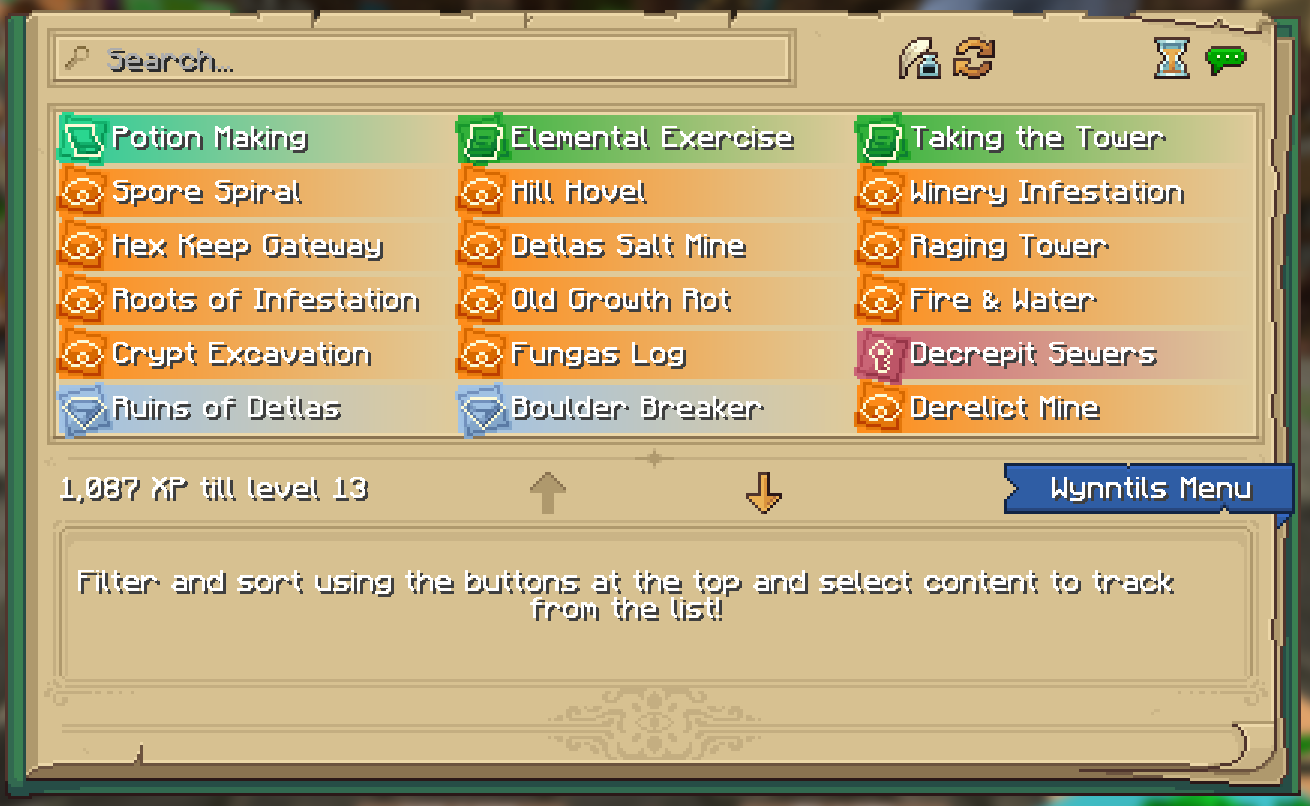
UI
– Bulk Buy
– Container Scroll
– Crafting Profession Progress Bar
– Custom Guild Log Screen
– Custom Loading Screen
– Custom Seaskipper Screen
– Custom Territory Management Screen
– Custom Trade Market Result Screen
– Lobby Uptime
– Profession Highlight
– Wynncraft Button
– Wynntils Pause Screen
– Wynntils Content Book
Uncategorized
– Lootrun
– Bomb Bell Relay
– Discord Rich Presence
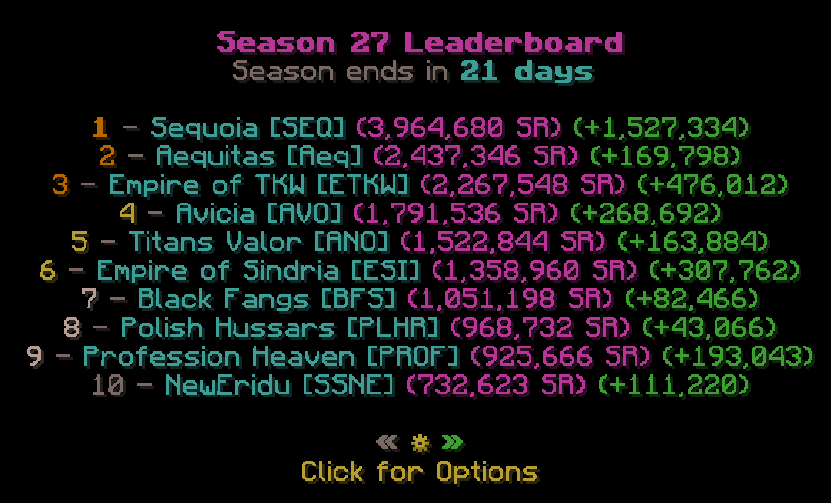
– Extended Season Leaderboard
– Send Territory Defenses
– Valuable Found

Utilities
– Auto Apply Resource Pack
– Auto Skip Cutscenes
– Character Selection Utilities
– Fix Crosshair Position
– Gammabright Keybind
– Valuables Protection
– Per Character Guild Contribution
– Silencer
– Skill Point Loadouts
– Transcribe Received Messages
– Translation
– XP Gain Messages
Wynntils
– Beta Warning
– Changelog
– Custom Wynntils Command
– Data Crowd Sourcing
– Download Progress
– Fix Packet Bugs
– Telemetry
– Updates
– Weekly Config Backup
– Wynntils Hint Messages
WynnRunica
# WynnRunica
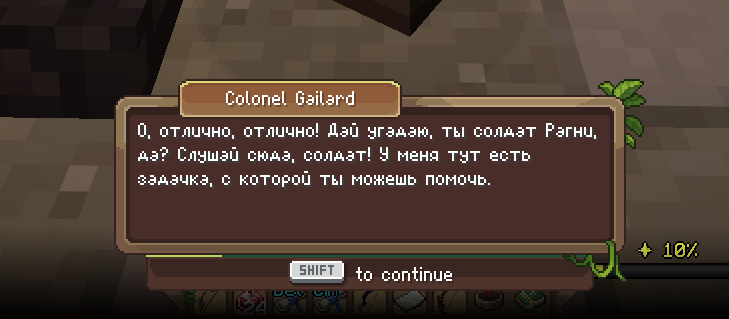
Полноценный русский перевод Wynncraft в стиле оригинала.
(Описание на английском находится ниже / English description is below)
—
Никакого мелкого текста поверх экрана, никаких субтитров. Русский текст отображается прямо в родном диалоговом окне Wynncraft, в той же рамке, тем же шрифтом, с той же атмосферой. Кириллица нарисована вручную в стиле оригинального bitmap-шрифта сервера, так что перевод выглядит как будто Wynncraft изначально был на русском.
## Что внутри
– 🖋️ Живой перевод диалогов – не машинный, как от Google переводчика, с сохранением стиля и атмосферы оригинала
– 🔤 Кастомный кириллический шрифт, нарисованный под оригинальный стиль Wynncraft
– 🖼️ Текст отображается в родном диалоговом окне игры без лишних элементов интерфейса
– 🔄 Автообновление переводов при каждом запуске, новые квесты подтянутся сами
## Установка
1. Установи Fabric Loader
2. Скачай Fabric API
3. Скачай WynnRunica
4. Запусти игру
> **Требования:** Minecraft 1.21.11, Fabric API
## Планы
– Горячая клавиша включения/выключения перевода – Сделано ✅
– Показ оригинала по зажатию клавиши – Сделано ✅
– Перевод дерева навыков и интерфейса
#
#
# WynnRunica
A complete Russian translation of Wynncraft in the original style.
—
No tiny overlay text, no intrusive subtitles. The Russian text is displayed directly in the native Wynncraft dialogue box, using the same frame, the same font, and keeping the same atmosphere. The Cyrillic alphabet is hand-drawn to perfectly match the original server’s bitmap font, making the translation look as if Wynncraft was natively in Russian.
## Features
– 🖋️ **Live dialogue translation** – Hand-translated (not machine translation) to preserve the original style and atmosphere.
– 🔤 **Custom Cyrillic font** – Hand-drawn to match the original Wynncraft font style.
– 🖼️ **Native integration** – Text is displayed in the game’s native dialogue box without any extra UI elements.
– 🔄 **Auto-updates** – Translations update automatically on every launch, seamlessly adding new quests.
## Installation
1. Install Fabric Loader
2. Download Fabric API
3. Download **WynnRunica**
4. Launch the game!
> **Requirements:** Minecraft 1.21.11, Fabric API
## Roadmap
– Toggle hotkey to enable/disable translation on the fly – Done ✅
– Show the original English text by holding a specific key – Done ✅
– Skill tree and UI translation
WynnExtras

Features:
Bank Overlay
A custom Bank Overlay, inspired by NEU’s Hypixel Skyblock Storage overlay!

In-game profile & Guild viewer
A custom gui that lets you easily check someones stats! Use “/pv “ to check them out! (or just “/pv“ to check your own!)

Use “/gv [prefix]“ to view the stats of a guild! You also see every member and clicking on them will show you their stats in the pv! You can also click on a players guild in the pv to view their guild!
![Guild Viewer]()
Crafting Helper
Click on the recipe you want to craft and it automatically loads in the materials! You also have a profession bomb display at the top showing you where prof bombs are and how long they last! If the world you’re currently on doesn’t have any active prof bomb you can click on the world and it will switch there!
![Crafting Helper]()
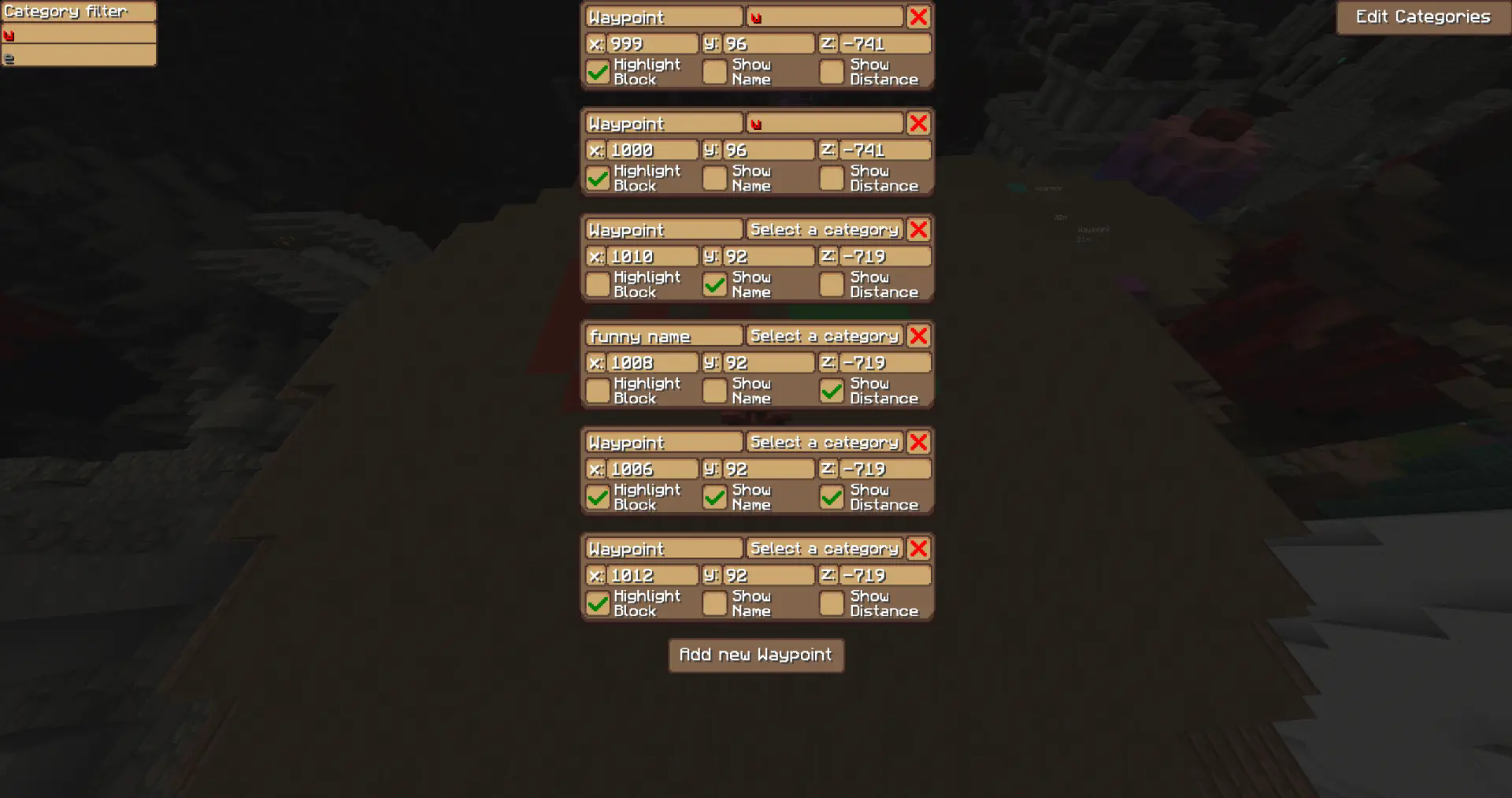
Waypoints
Highlight blocks at specific coordinates!
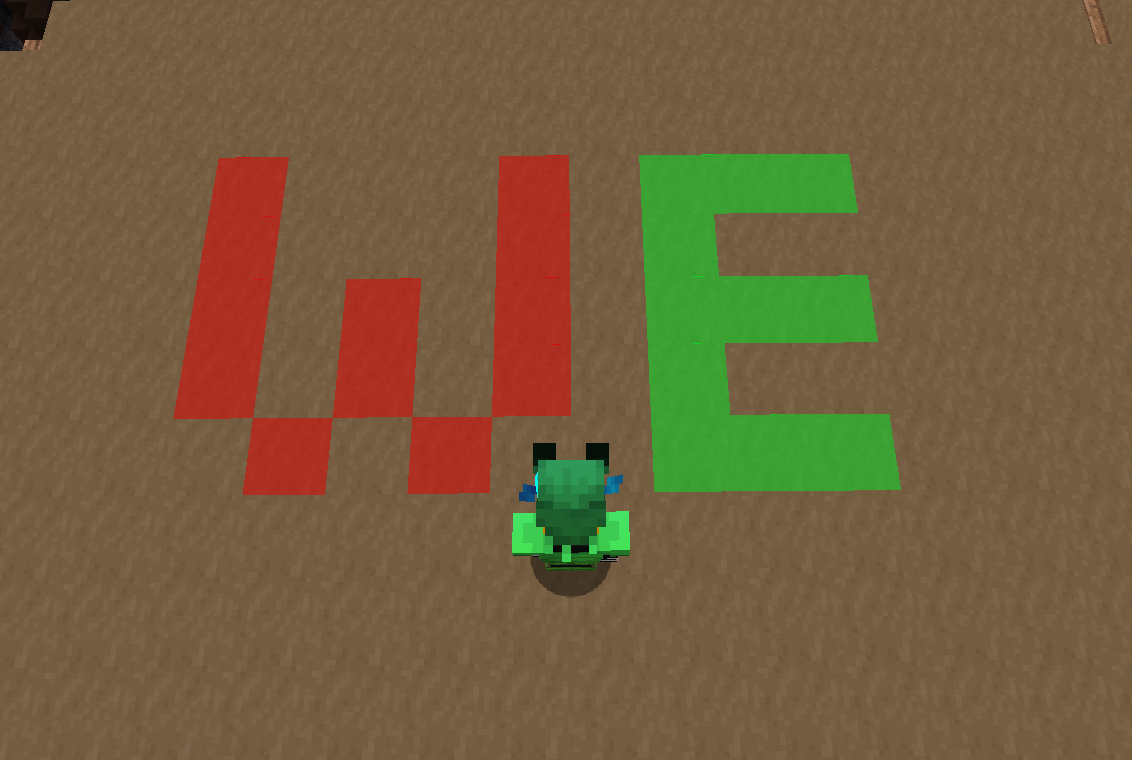
– Create, edit, and delete waypoints in the GUI
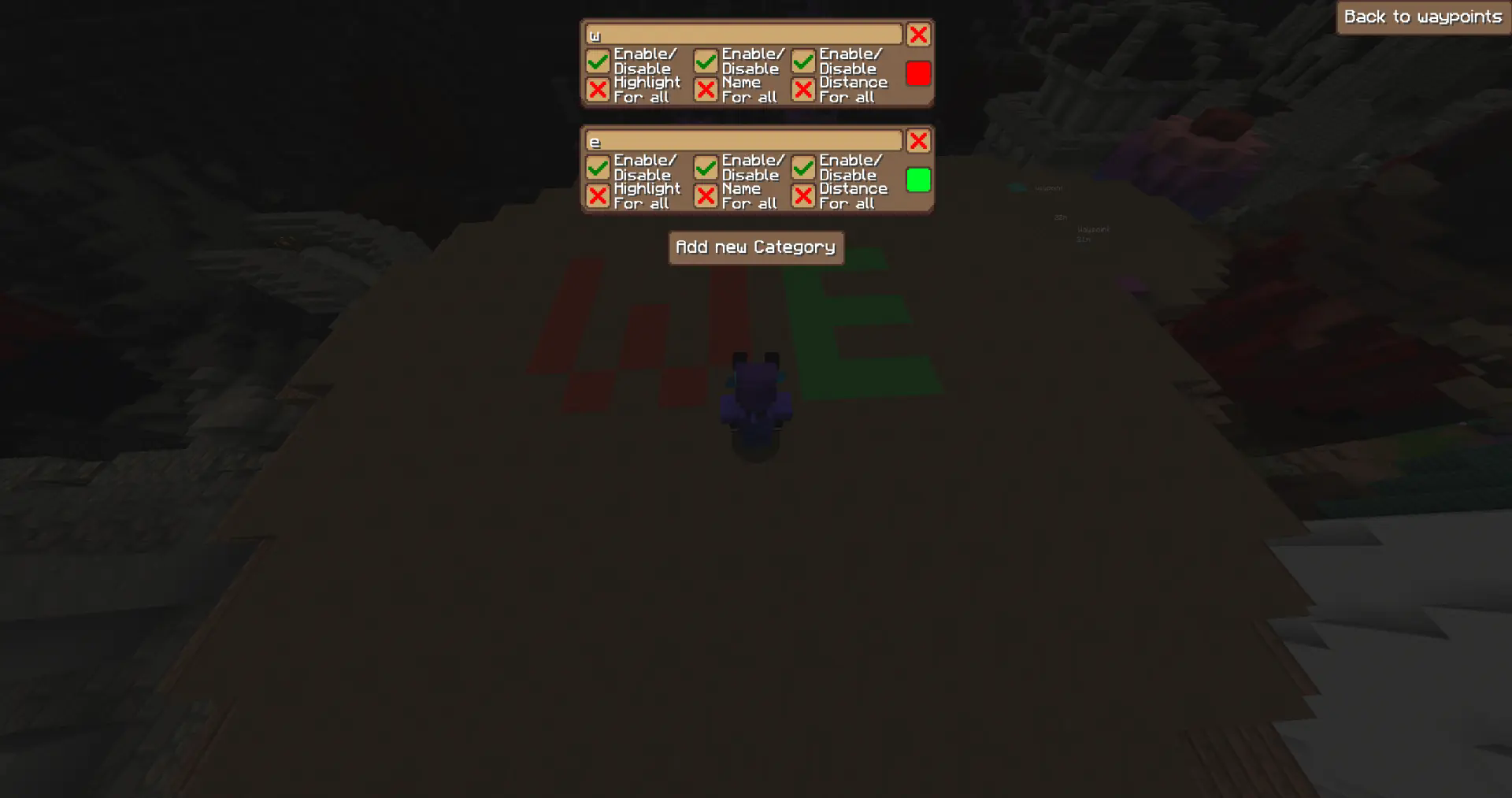
– Assign waypoints to categories with custom colors
– Toggle visibility per category
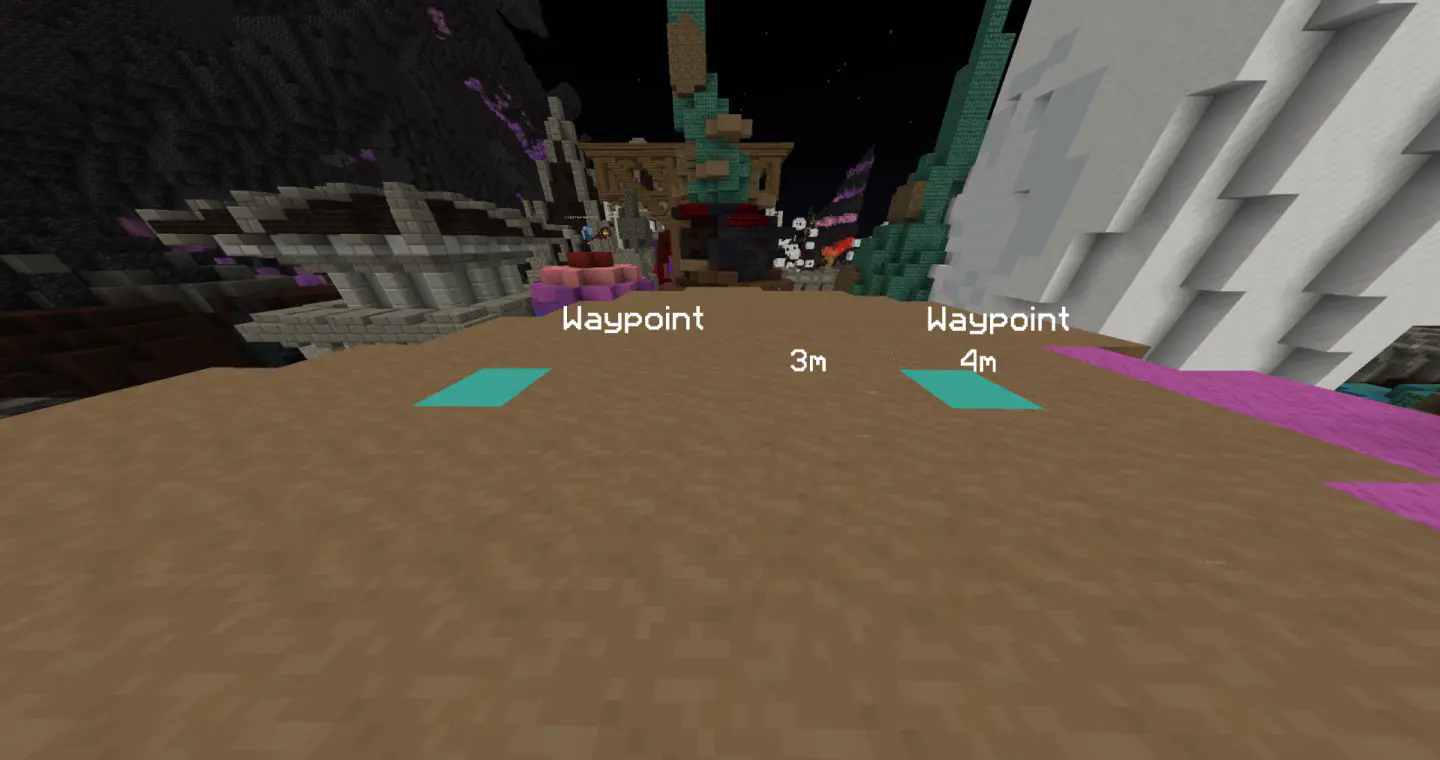
– Each waypoint has three independent visibility modes:
– Block — highlights the block at the location
– Name — displays the waypoint name
– Distance — shows the distance between the player and waypoint
→ You can toggle each of these modes individually for every waypoint!
– `/WynnExtras waypoints` → Opens the waypoint GUI
– `/WynnExtras waypoints add` → Adds a waypoint below the player
– `/WynnExtras waypoints remove`
→ Removes the closest waypoint
Raid List
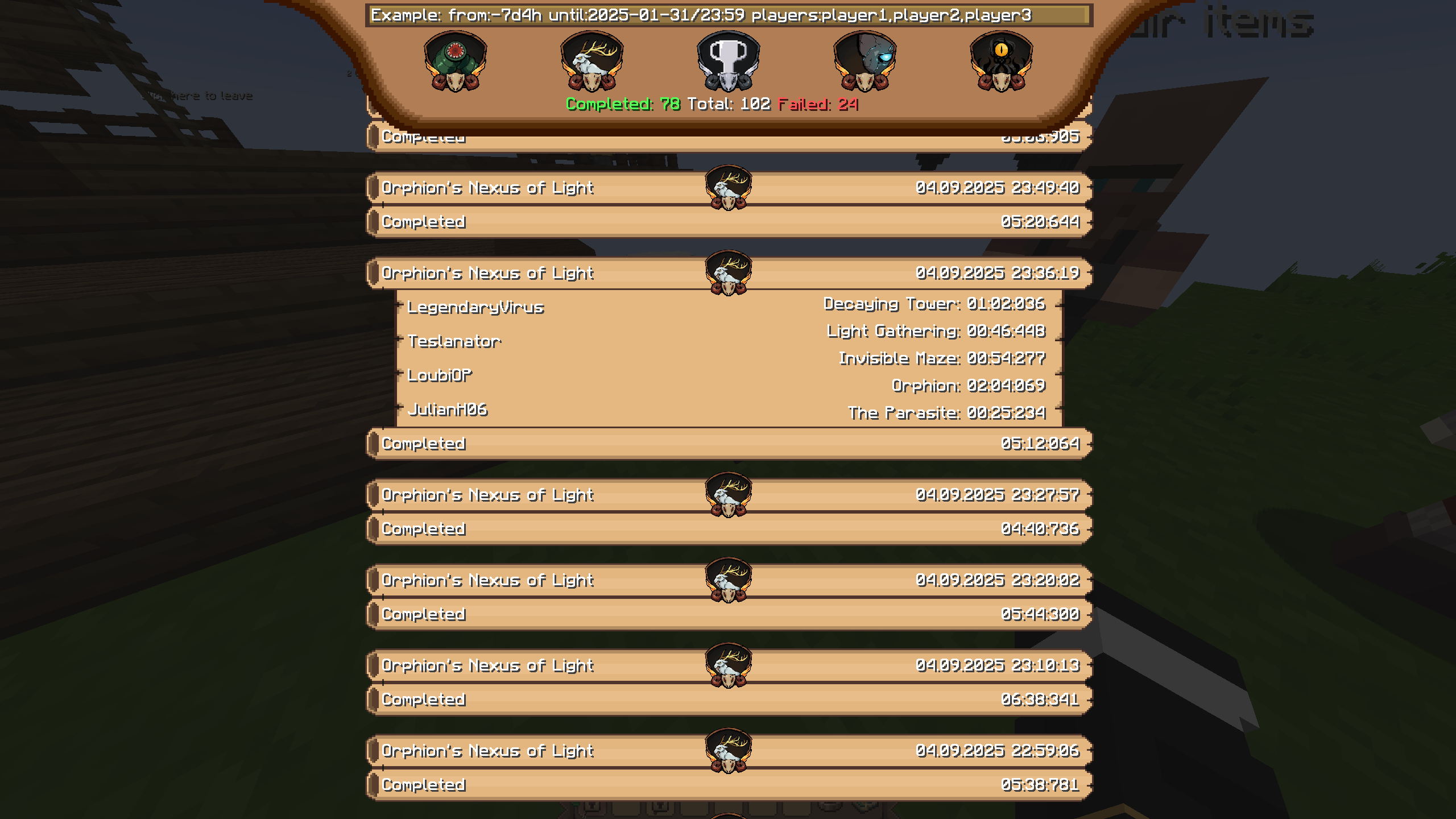
Use /we Raidlist to see your raids! You can filter them with the text bar on top or by clicking on the raid icons! Clicking the trophy icon will sort them by completion time!
Raid Timestamps!

Chat Channels!
Easily lets you chat in different channels, while still seing every message! (/chat a/p/g)

Chat Notificator!
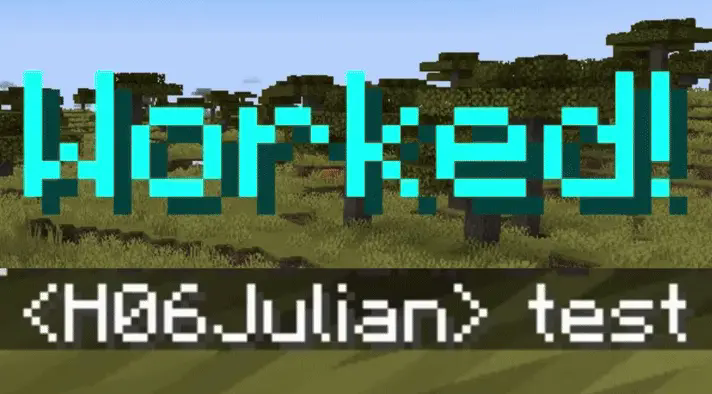
Notifies you when certain words/phrases appear in chat! Inspired by Skytil’s chat notifier!
Chat Blocker/Filter!
Blocks messages with certain words/phrases!
Player hider!
Use /we playerhider add/remove to add or remove a player from the list! Players on the list will be hidden if they’re within a certian range. The range can be changed in the config! There’s also a quick way to toggle the feature: /we playerhider toggle!
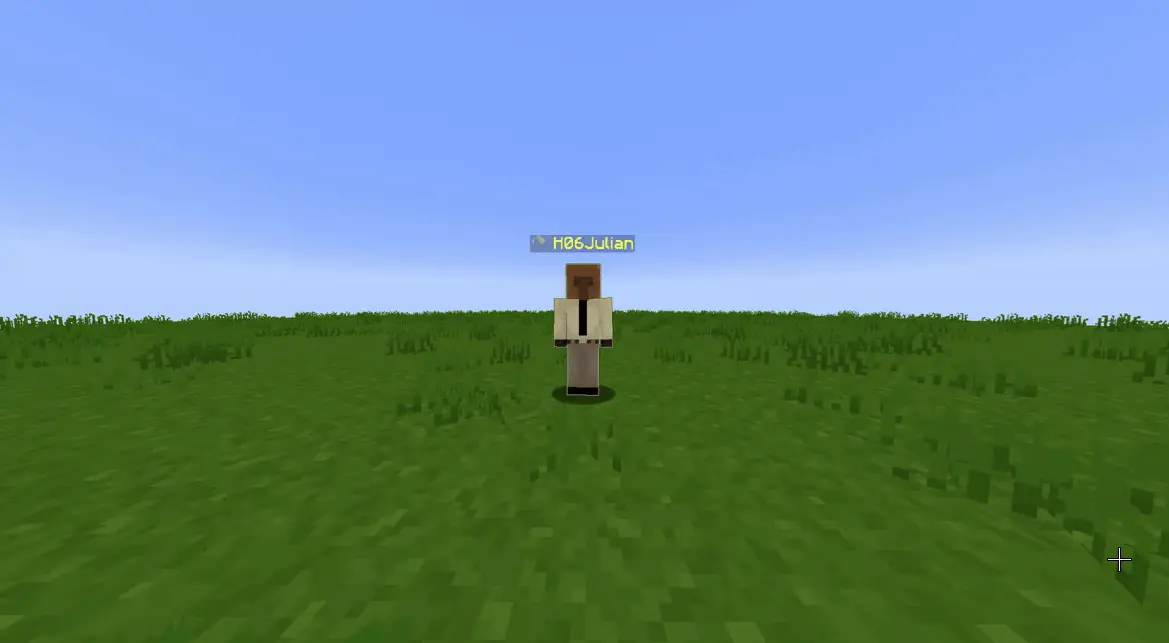
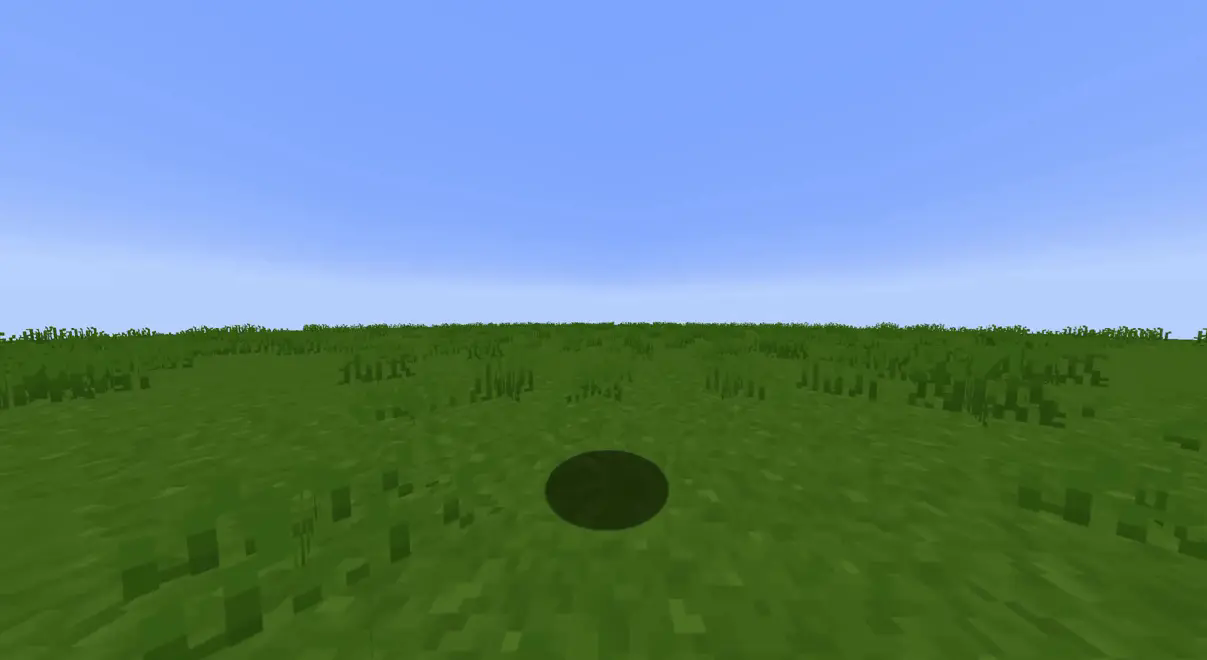
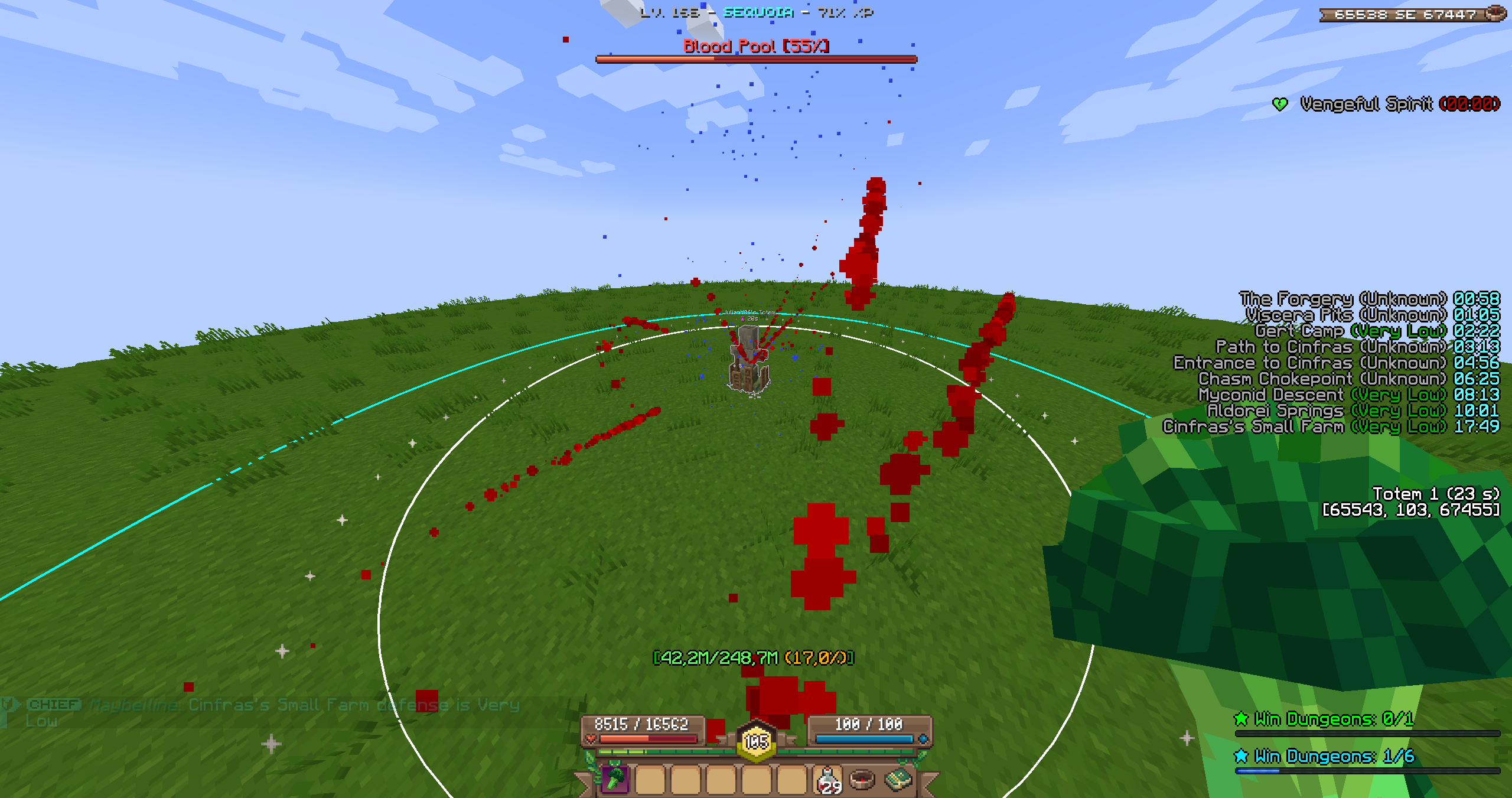
Totem range (and eldritch call range) visualizer! [WIP]
WynnChatToggle
# Wynn Chat Toggle
A Minecraft mod for the popular Minecraft server Wynncraft!
This mod adds a very simple feature to toggle
between different chat channels in game.
Use `/chat` to toggle between public, party and guild chat.
## Links
– CurseForge: https://www.curseforge.com/minecraft/mc-mods/wynnchattoggle
– Modrinth: https://modrinth.com/mod/wynnchattoggle
– Github: https://github.com/harry0805/WynnChatToggle
#### This mod was inspired by Hypixel’s chat system.