Yet Another World Protector
# Yet Another World Protector
Yet Another World Protector (YAWP) is _the_ admin tool to protect your minecraft server (dedicated or LAN as well as single-player!). It’s available for (Neo-) Forge and Fabric.
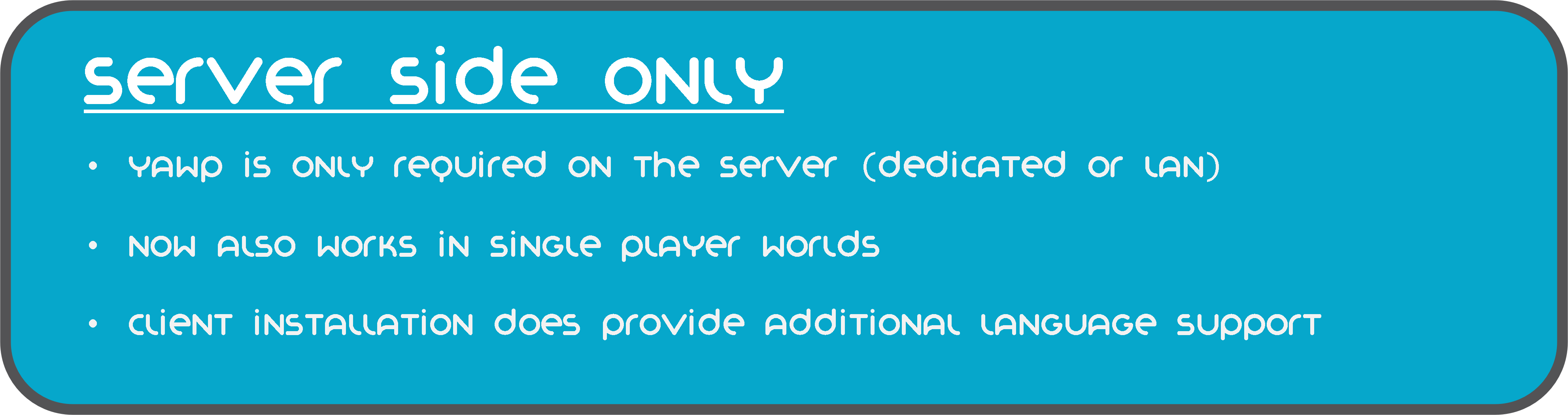
YAWP designed to be used on dedicated servers, but can also be used in single player worlds and worlds opened to LAN.
It allows admins (and players with assigned permission) to protect their creations against various events/actions of
players, mobs and
the environment.
Create regions for your builds and apply region flags to protect them.
Assign players or vanilla teams to regions, so they can manage their own regions.
YAWP was inspired by the forge mod [WorldProtector](https://www.curseforge.com/minecraft/mc-mods/worldprotector) and
the [WorldGuard](https://dev.bukkit.org/projects/worldguard) plugin.
Join our discord if you have any questions or suggestions: [YAWP Discord](https://discord.gg/d7hArKCUtm)
***
| [Discord](https://discord.gg/d7hArKCUtm) | [Paypal](https://www.paypal.com/donate/?hosted_button_id=XV65M85SPMD3Y) | [Patreon](https://www.patreon.com/z0rdak) | [Github](https://github.com/Z0rdak/Yet-Another-World-Protector) | [Wiki](https://z0rdak.github.io/yawp-docs/) | [Issues](https://github.com/Z0rdak/Yet-Another-World-Protector/issues) | [Curseforge](https://www.curseforge.com/minecraft/mc-mods/yawp) | [Modrinth](https://modrinth.com/mod/yawp) |
|:—————————————-:|:———————————————————————–:|:—————————————–:|:—————————————————————:|:——————————————————————:|:———————————————————————-:|:—————————————————————:|:—————————————–:|
***
***The mod is currently in its beta state, with many features not yet implemented but to come. These features will
include most of the things you know from WorldProtector and WorldGuard.***
This mod will be released for Minecraft versions 1.16.5+. If you are living in the past and are looking for a version for Minecraft 1.12.2, I suggest looking into using [WorldDefender](https://www.curseforge.com/minecraft/mc-mods/world-defender).
Starting with Minecraft **1.20.4**, YAWP will no longer be available for Forge and adapt **NeoForge** instead.
***

In YAWP there are three different kinds of regions to protect your server:
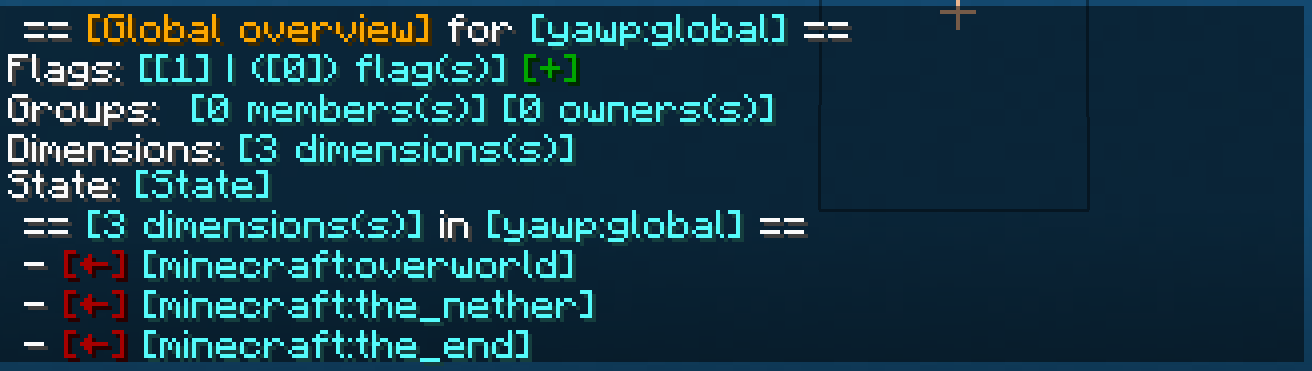
## *The* Global Region
The Global Region is… well global. Flags set in the Global Region, apply to all dimensions of the server and thus all
Local Regions.
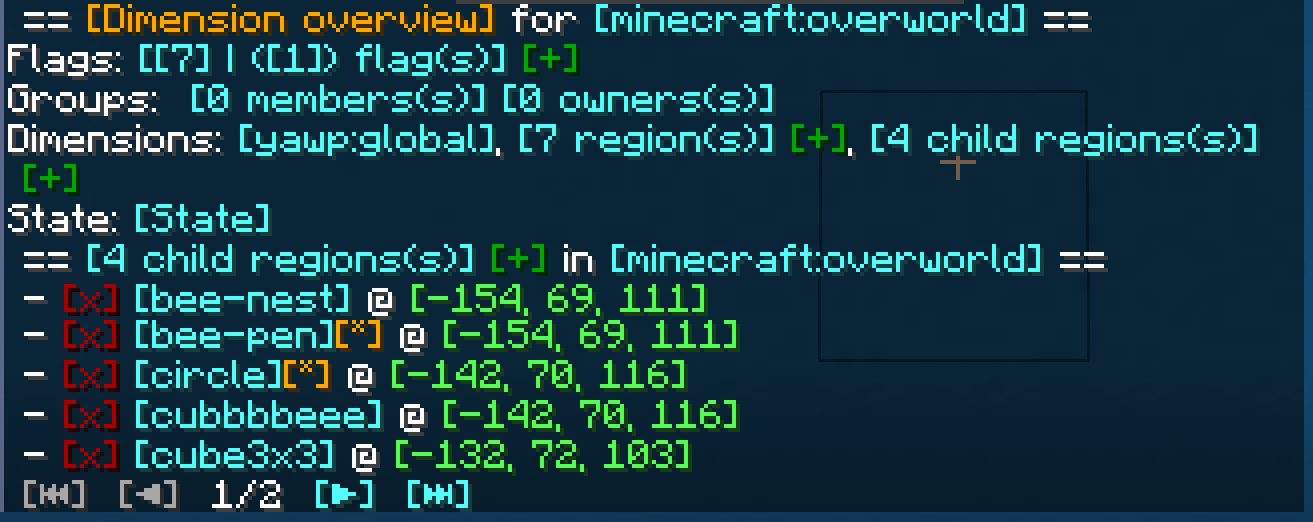
## Dimensional Regions
Dimensional Regions are special regions which are tied to one dimension – like gamerule-flags for different dimensions.
Dimensional Regions have no spatial restrictions in the corresponding dimension. Dimensional Regions work like normal
regions, but are tied to a dimension.
They can’t be created manually. They are in fact automatically generated with each new dimension. The first Dimensional
Region for the overworld is created when the server is created.
The following Dimensional Regions are created whenever a player travels to a new dimension, thus creating the new
dimension with their respective Dimensional Region. Modded dimensions are supported as well.
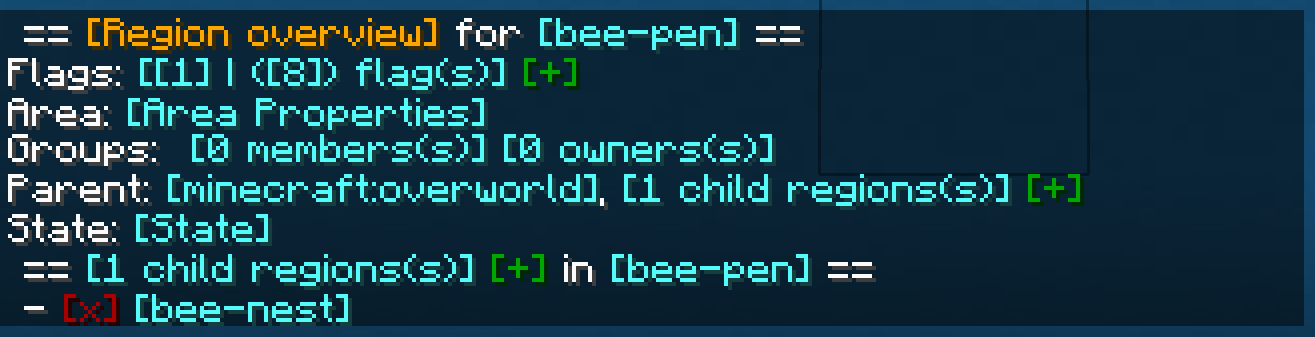
## Local Regions
Local Regions are the regions you most likely now from WorldGuard or WorldProtector. They have a defined area in which
they work in and which they are limited to.
With Local Regions you are able to create areas in your world, which you want to protect from certain actions/events
which are caused by players, other entities or the environment.
To create a Local Regions you will need to have the permission of the parent region or permission from the config.
[Local Regions can be created](https://github.com/Z0rdak/Yet-Another-World-Protector/wiki/Commands#creating-a-local-region)
by marking the area with a RegionMarker and executing the corresponding command or by just using a command without the
RegionMarker.
For now the area of a region can be defined as in a cuboid or spherical shape, but I am planning to add more shapes for
region areas in future updates.
***
## Properties of regions
The properties of regions, flags, groups, etc. can all be managed through
an [interactive CLI](https://github.com/Z0rdak/Yet-Another-World-Protector/wiki/Interactive-CLI).
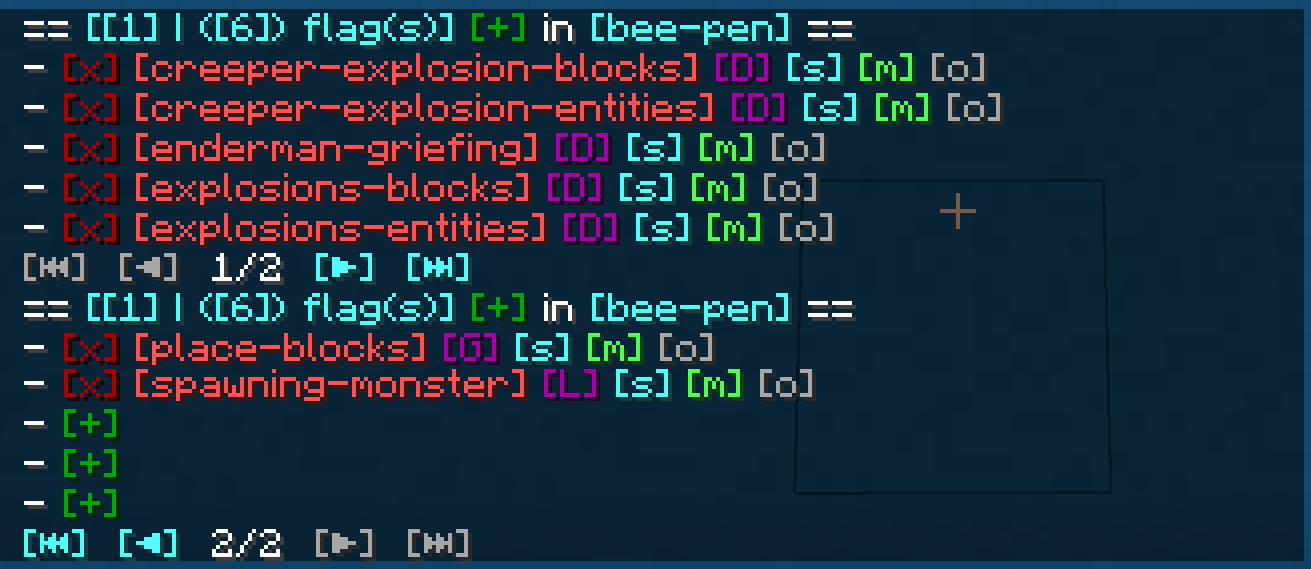
The colored text indicates interactive shortcuts commands or command suggestions. All colored text have a tooltip hint
which explains shortly what clicking on the corresponding link does.
Clicking on them gives the player a suggestion for executing a command or sometimes straight execute the command which
is hinted by the hover text.
Regions can only be managed by their owners, or by players which have the required OP level or have an entry in the
configuration. For more information, visit the wiki.
***

Whenever a new Local Region is created without supplying a parent region, the parent is set to the Dimensional Region
which the new Local Region is created in.
Local Regions can also have child regions. The children of a Local Regions need to be contained in the area of the
parent region. The region hierarchy also defines the region priorities. Child regions always must have a higher priority
than their parent.
Dimensional Regions always have the Global Region as a parent, and thus the Global Region all Dimensional Regions as
child regions.
***

Regions have owners and normal members. Owners are allowed to manage the region and bypass the flags, members are
only allowed to bypass the flags set in the region.
Owners and Members can be individual players or a [team](https://minecraft.fandom.com/wiki/Commands/team).
Groups allow you assign specific region permissions to different players and teams. Currently, there are only two
default groups: **owners** and **members**.
***

– **Owners** can manage their region themselves and add other players/teams to the region. They can also create their
own sub-regions within their region, manage flags, ect. and of course owners bypass flags.
– **Members** are only allowed to bypass flags only.
I am planning on adding a [LuckPerms](https://www.curseforge.com/minecraft/mc-mods/luckperms) integration with a future
update, so you can define your own groups and permissions.
If you have trouble with setting up regions, visit the discord for help.
***

Flags are the core of the region protection system. They define which actions are allowed or denied in a region. Flags
can be set to
– **Allowed**, to allow the corresponding action,
– **Denied**, to deny the corresponding action,
– **Disabled**, to disable the specific flag for flag checks.
Child regions inherit the flags from their parent regions. It is further possible to override the flag state for child
regions by setting the **override** property of the flag of the parent region accordingly.
See the [Flags](https://github.com/Z0rdak/Yet-Another-World-Protector/wiki/Flags) page for more details about the
different flags.
I am planning to add more flag in the future. A list of suggested flags which I’ll slowly add to the mod can be found
here: [Flag suggestions](https://github.com/Z0rdak/Yet-Another-World-Protector/issues/66)
There will also be more complex flags in the future. Like *ListFlag* which will allow you to define a list of allowed
blocks/entities/.. which are forbidden in the context of a flag.
***

***
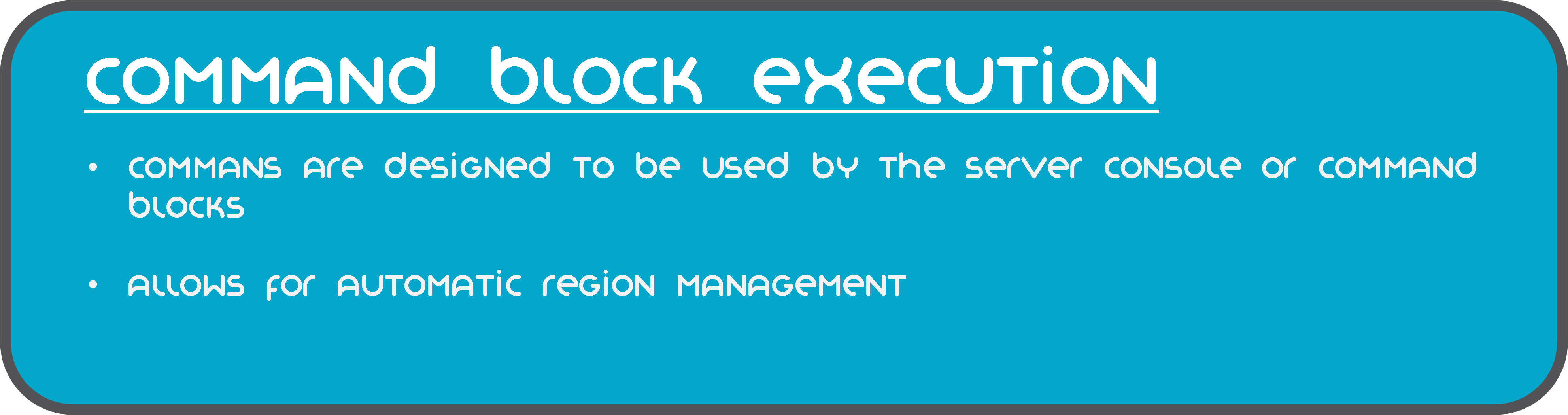
The commands of mod are also designed to be used by the server console and can be executed by command blocks.
This allows you to automate region setups, add/remove players, enable or disable regions, etc.
***
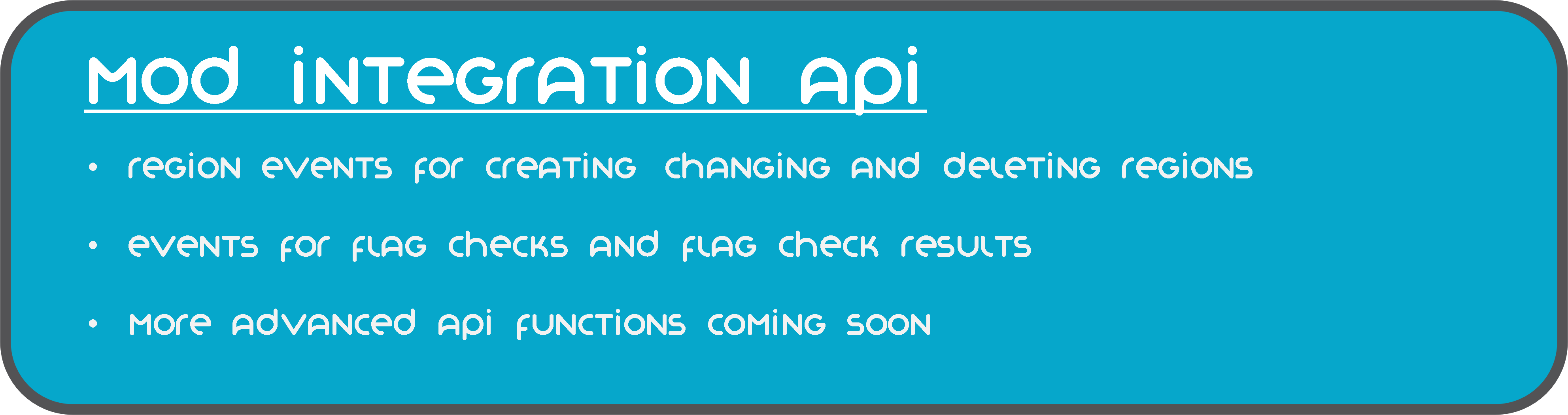
YAWP provides a growing mod integration API for easier mod and modpack integration. Currently, the API allows other mods
to listen for events for region creation, changes and deletion and cancel these events to prevent them from happening.
Additionally, there are events for flag checks and their results, which can be used to manipulate the outcome of the
flag check.
***
[](https://github.com/Z0rdak/Yet-Another-World-Protector/wiki)
The client side installation of the mod provides language support (I18n) in form of a resource pack. Currently, english,
german and russian language is supported.
Starting with mod version 0.0.2.9-beta2 and Minecraft Version 1.19.4, YAWP provides a default english translation.
If your language is not yet supported, feel free to reach out to me via discord or issue a pull request via github! 🙂
***
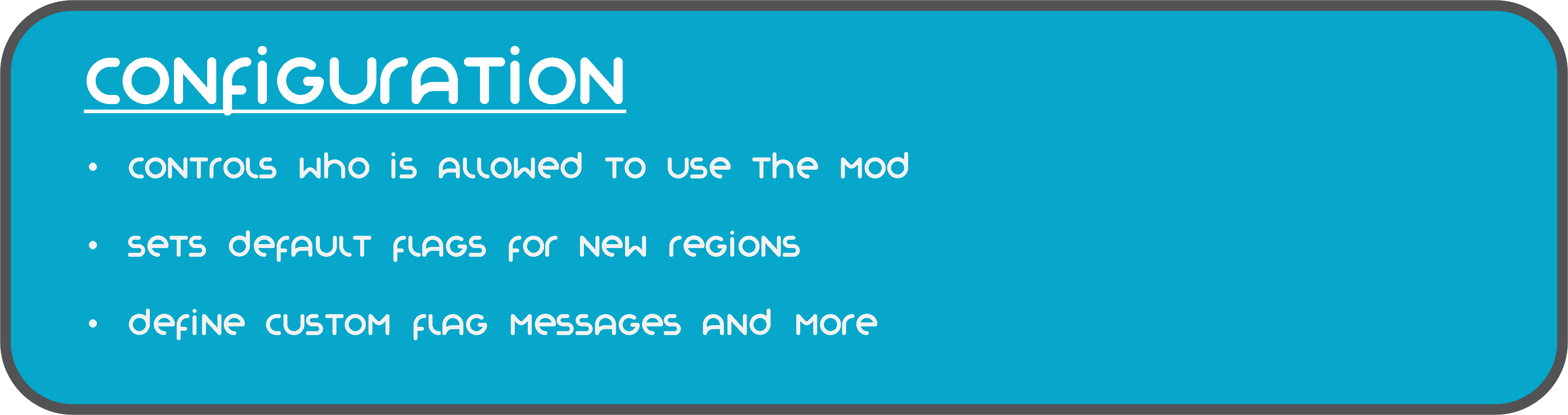
The configuration of the mod allows you to control which is allowed to use the mod, sets default flags for Local and
Dimension Regions, command line interface options, etc.
The configuration is split in different files, covering different topics.
– `yawp-common.toml` – config for command permissions
– `yawp-flags.toml` – config for flags, custom flag messages, etc
– `yawp-region-defaults.toml` – config for default region properties
Since YAWP is a server-side mod, the config for it is found in the directory `/serverconfig` in your minecraft world
directory.
***
[](https://github.com/Z0rdak/Yet-Another-World-Protector/wiki)
The documentation of the mod is small but growing. I am trying to keep up with the content. You can find the
documentation [<< here >>](https://github.com/Z0rdak/Yet-Another-World-Protector/wiki).
The documentation covers
* descriptions of different regions
* getting started & FAQ
* available commands & flags
* configuration
* and more …
If something is not covered feel free to hop on our discord server and ask your question there. 🙂
___
## Roadmap
There are many more features to come. The mod is in active development!
The following list is not comprehensive.
* Different flag types (List, Effect, …) for more granular control
* Data pack driven flag configuration
* Region boundary visualization
* Define your own region groups for more granular management of regions (LuckPerms)
* More granular permission system (combined with the more granular group features)
* Region templates for easier managing same regions with different spatial properties
* Region triggers for entering/leaving a region (for displaying messages, executing commands, etc)*
* Regions with different shapes (Cylinder, Prism, 3DPolygon)*
*
YetAnotherWhitelistPlugin (YAWL)
# YAWL (Yet Another Whitelist Plugin)
**YAWL** is an incredibly simple, lightweight, and efficient whitelist plugin designed exclusively for the **Velocity** proxy. If you need a no-fuss, easy-to-manage whitelist solution that just works, this is the plugin for you.
## 🚀 Overview
The core philosophy of YAWL is **simplicity**. In a world of complex plugins, YAWL stands out by doing one thing and doing it well. It manages a server whitelist through a plain text file (`whitelist.txt`), making it easy to view, edit, and manage without needing databases or complicated commands. It’s built to be as performant and unobtrusive as possible, ensuring zero impact on your server’s performance.
## ✨ Why Choose YAWL?
* **⚡ Lightweight:** The plugin has a minimal footprint. It’s written to be extremely efficient and won’t add any bloat or lag to your proxy.
* **✏️ Simple Text-Based Management:** All whitelisted players are stored in a simple `whitelist.txt` file. You can edit this file directly and reload the plugin in-game.
* **⚙️ Straightforward Configuration:** A clean `config.toml` file allows you to toggle the whitelist, change message languages, and set case sensitivity with ease.
* **🌍 Multi-Language Support:** YAWL comes with multiple pre-packaged languages (`en`, `ar`, `de`, `es`, `fr`, `ja`, `ru`, `uk`, `zh-cn`, `pt-br`, `tr`). It can even **automatically display messages in a player’s client language**!
* **🔄 Live Reload:** No need to restart your entire proxy. A simple command reloads the configuration and the whitelist instantly.
* **🔒 Permissions-Ready:** Fine-grained permission nodes give you complete control over who can manage the whitelist.
## 📦 Installation
1. Download the latest version of the plugin.
2. Place the downloaded `.jar` file into the `plugins` folder of your Velocity proxy.
3. Start or restart your proxy.
4. The default configuration (`config.toml`), locales, and an empty `whitelist.txt` file will be generated in `plugins/yawl`. Edit them to your liking!
## ⚙️ Configuration
The configuration is handled in the `plugins/yawl/config.toml` file.
“`toml
[settings]
# Enable or disable the whitelist. If false, the plugin will not kick anyone.
enabled = true
# Sets the language for plugin messages.
# Corresponds to a file name in the ‘locales’ folder (e.g., “en”, “ru”).
locale = “en”
# If true and the client has a language set that exists in the plugin’s locales folder, it will be displayed.
# If false, it will display default locale defined by upper setting.
use-client-locale = false
# If true, player names in the whitelist will be case-sensitive (e.g., “Player” is different from “player”).
# If false, case will be ignored (“Player” and “player” are the same).
# It’s recommended to keep this ‘false’ for user-friendliness.
case-sensitive = false
# Kick active player immediately after whitelist removal or expiry.
# If false, the player will remain connected until they reconnect or reload occurs.
kick-active-on-revoke = true
# Placeholder reload interval in minutes
placeholder-reload-interval = 2
“`
## 🆔 Placeholders
Starting with version 1.2, you can use the `%yawl_duration%` placeholder, which contains the amount of time remaining for the player. To use placeholders, you need to install [YetAnotherWhitelistCompanion](https://github.com/renwixx/YetAnotherWhitelistCompanion) and [PlaceholderAPI](https://www.spigotmc.org/resources/placeholderapi.6245/) on your backend server(s).


## 💬 Commands
All commands start with `/yawl`.
| Command | Description |
| ——————————— | ————————————————— |
| `/yawl` | Displays the plugin help message. |
| `/yawl add ` | Adds a player to the whitelist. |
| `/yawl add []` | Adds a player to the whitelist for a specific time. |
| `/yawl extend [] [add|replace]` | Adds time for a specific player. If the white list timer has expired, it will suggest replacing the time based on the actual time or adding to the old time limit. |
| `/yawl remove ` | Removes a player from the whitelist. |
| `/yawl list` | Shows a list of all whitelisted players. |
| `/yawl reload` | Reloads the config and `whitelist.txt`. |
## 🔑 Permissions
Grant these permissions to your staff groups to control who can manage the whitelist.
| Permission | Description |
| ———————- | ————————————————————- |
| `yawl.bypass` | Allows a player to join the server even if not on the whitelist. |
| `yawl.command.add` | Allows using the `/yawl add` command. |
| `yawl.command.extend` | Allows using the `/yawl extend` command. |
| `yawl.command.remove` | Allows using the `/yawl remove` command. |
| `yawl.command.list` | Allows using the `/yawl list` command. |
| `yawl.command.reload` | Allows using the `/yawl reload` command. |
Yet Another Slugcat Origin
Alright, gather round, scugs, pups, and scavs. Let’s Rain those Worlds… or, something like that. You wanna play as a tiny little creature in a big world? Predator, yet prey? And, most of all, you wish to fear the rain, but this time in Minecraft? Go right ahead.
## Yet Another Slugcat Origin…s
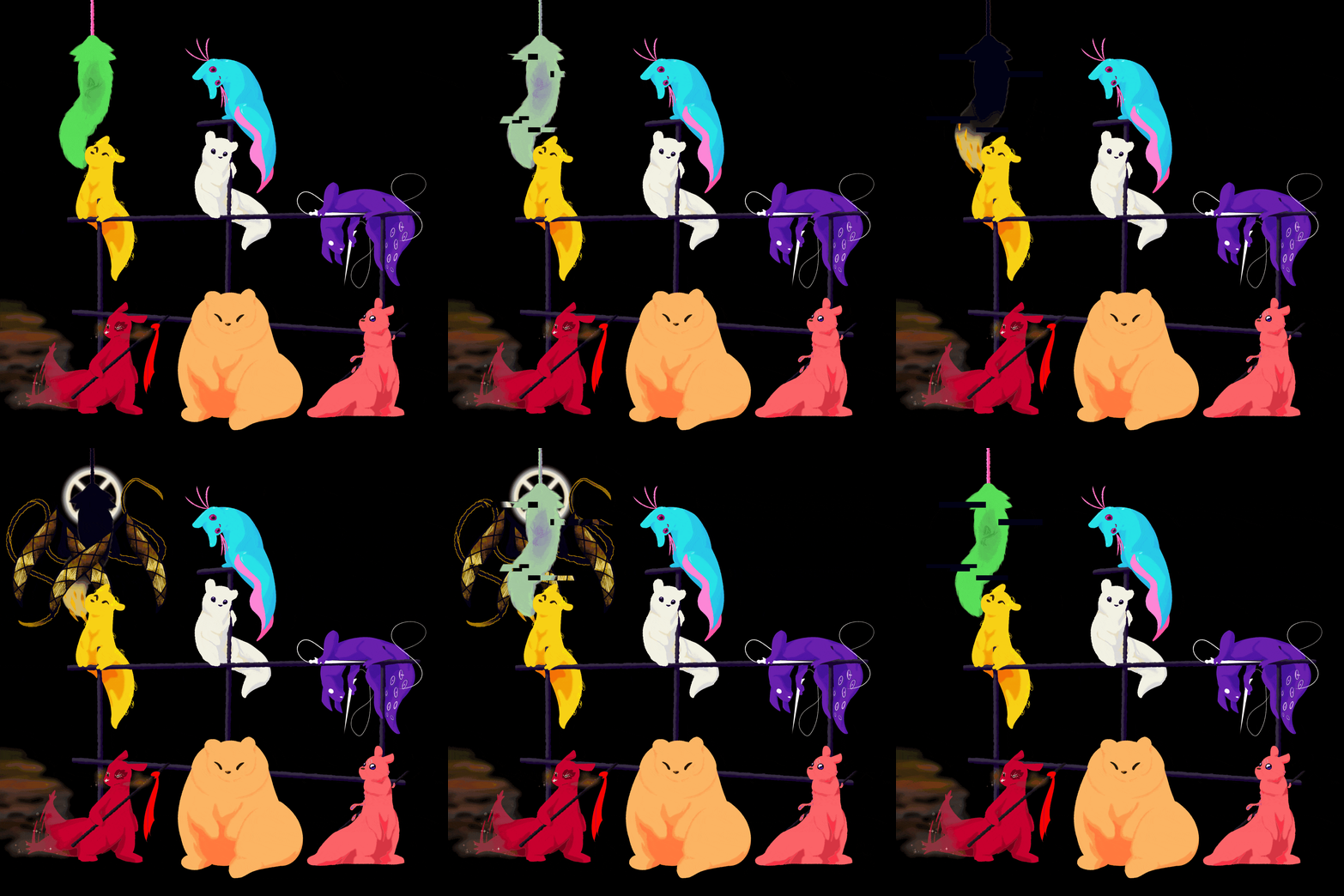
This origin pack contains… eight, yet one origin. To select your experience, you must first select the Slugcat origin, then choose your sub-origin. These origins are each balanced differently, but all share the following traits.
### Common Traits
– Slugcats move faster, jump faster, fall faster, and all can hold shift to charge up a pounce-jump. (This does not eliminate fall damage.)
– Slugcats are predators- they can use sticks as weapons, throwing them with plenty of force, and pinning enemies in place for a short while.
– Slugcats are prey- they do not feel safe enough to rest without a roof over their head, and must have a full enough belly to hibernate.
– Slugcats are small- they are at most just over a block and a quarter tall, letting them wriggle into small spaces, but not letting them run in small tunnels.
– Slugcats are fragile- they only have around 6 hearts.
– Slugcats are hungry- their active metabolism means they always want to eat something, even if they’re not doing anything in particular.
– Slugcats are crafty- despite their small size, they can almost always find a handhold, letting them scramble up a few blocks.
– Slugcats fear the crushing rain. Getting caught in the rain is a death sentence- if you cannot find shelter in time, you may find yourself suffocating. Fortunately, you’ll receive a warning that it’s about to rain, letting you dash to shelter… hopefully.
– Slugcats cannot deal with the cold that well, and will eventually freeze.
Additionally, (almost) every variant has some additional traits to aid in their own survival.
### The Survivor 
…I immediately prove myself wrong. The Survivor is the “standard” play mode, with no extra bells or whistles.
### The Monk .png)
– [+] The Monk takes less damage than any other slugcat.
– [+] The Monk does not require being full to hibernate.
– [+] The Monk is slightly stealthier than other slugcats.
– [-] The Monk is a vegetarian.
– [-] The Monk deals less damage with its spears than any other slugcat.
### The Hunter .png)
– [+] The Hunter deals more damage with its spears than the Survivor and Monk.
– [-] The Hunter is a carnivore.
(Before you ask, yes, I do plan to revisit this and add a *little* more to this particular variant…)
### The Gourmand .png)
– [+] The Gourmand deals far more damage with its spears than any other slugcat.
– [+] While it has enough food in its stomach, the Gourmand can be very strong indeed.
– [+] The Gourmand can spit up items at the cost of some of its stomach contents.
– [+] The Gourmand can use its weight to deal damage in an area around itself when jumping from a higher elevation, eliminating fall damage.
– [-] The Gourmand is very, very hungry, and needs even more food in its stomach to sleep comfortably.
– [-] If it’s too hungry, the Gourmand is very tired; and very slow as a result.
### The Artificer .png)
– [+] The Artificer is immune to explosives, and Creepers ignore her.
– [+] The Artificer can blast herself forward and up while in the air.
– [+] The Artificer can craft TNT for cheap.
– [+] The Artificer’s spears blow up after a short delay.
– [+] The Artificer deals more damage with unarmed strikes.
– [+] The Artificer is slightly resistant to the cold.
– [=] The Artificer can blow herself up on command. This can destroy items.
– [-] The Artificer cannot hold her breath very well.
– [-] Villagers dislike her, and iron constructs automatically attack her.
– [-] The Artificer explodes upon dying, potentially destroying your dropped items.
### The Rivulet .png)
– [+] The Rivulet is *much* faster than even the other slugcats.
– [+] The Rivulet can hold its breath twice as long as normal players (accounts for Respiration!)
– [+] The Rivulet can jump quite high! (Toggleable.)
– [-] Any Rivulets on the world will cause there to be rain far more often than normal.
Additionally, any player on the world can craft a certain item to enhance these abilities- for the Rivulet, or themselves.
### The Spearmaster .png)
– [+] The Spearmaster can generate spears from its tail. It can use these so-called needles to feed.
– [+] The Spearmaster is slightly slimmer and stealthier than other slugcats.
– [-] Unfortunately, it lacks a mouth to eat with- or drink with. The Spearmaster cannot consume normal foods, eat cake, drink potions, or drink milk.
– [-] Needles will decay over time, preventing you from using them to feed.
### The Saint 
– [+] The Saint has a long tongue that it can use to grapple onto blocks.
– [+] The Saint is far more resistant to the cold than its brethren.
– [+] There’s something more to this variant… Explore the world and meet the rippling Echos of the past.
– [-] The Saint is even more fragile than other slugcats, having only five hearts.
– [-] A pacifist at heart, you deal a full heart less damage, and cannot throw spears at all.
### The Attuned 
– You know exactly what this can do. 🙂
Yapping Tooltips

Yapping Tooltips is a small client mod that adds tooltips to most items, developers can easily add compatibility to their items aswell.
_Feel free to include this project in modpacks!_
## 
– Developers can easily add their own tooltips by adding this to your language file:
`”yapping_tooltips.(translation_key).desc”: “This is a tooltip”`
– An example for adding a tooltip to a stone block that reads “Hello world” would be:
`”yapping_tooltips.block.minecraft.stone.desc”: “Hello world”`

[](https://discord.gg/jmHpajd)
[](https://discord.gg/eJePAPE27T)
[](https://bsky.app/profile/yirmiri.zeus.kitchen)
[](https://twitter.com/Yirmiris)
[](https://www.youtube.com/@Yirmiri)
[](https://www.curseforge.com/members/yirmiri/projects)
[](https://modrinth.com/user/Yirmiri)
[](https://ko-fi.com/yirmiri)
[](https://yirmiri.carrd.co)

[](https://modrinth.com/mod/excessive-building)
[](https://modrinth.com/mod/delicate-dyes)
[](https://modrinth.com/mod/yapping-tooltips)
[](https://modrinth.com/mod/runiclib)
[](https://modrinth.com/mod/urban-decor)
[](https://modrinth.com/mod/dungeons-delight)

[](https://www.bisecthosting.com/Yirmiri?r=MR+YT)

**Q:** I have an issue/bug I want to report, where can I do that?
– **A:** You can leave bug reports on the [GitHub page](https://github.com/Yirmiri/Yapping-Tooltips/issues). Please be sure to see to both see if someone else has reported the same issue to avoid duplicates and to use proper tags when possible.
**Q:** I have a suggestion for the project, where can I leave it?
– **A:** You can leave suggestions for the project in [our Discord server](https://discord.gg/jmHpajd) or the [GitHub page](https://github.com/Yirmiri/Yapping-Tooltips/issues), please make sure to follow the guidelines for posts/issues and use proper tags when possible.
**Q:** Will there be a port to **X** version?
– **A:** I do not have any plans to port to any older versions of Minecraft, as for newer versions of the game I will probably be sticking to the biggest modding version at a given time since that will be the version I will be playing the game on.
Yandex Music
EU: Yandex music is a Fabric mod that brings Yandex Music directly into Minecraft. Listen to your favorite tracks, search for songs, and launch “My Wave” without ever leaving the game. It features a custom GUI with volume control, track scrubbing, and seamless playback, fully integrated into your survival or creative experience.
Paste the token into the top field and enjoy the music!
You can get the token at this link: https://oauth.yandex.ru/authorize?response_type=token&client_id=23cabbbdc6cd418abb4b39c32c41195d
———————————————————————-
RU: Yandex music – это продвинутый Fabric-мод, который интегрирует Яндекс Музыку прямо в Minecraft. Слушайте любимые треки, ищите конкретные песни по названию и бесконечно наслаждайтесь «Моей Волной», не сворачивая игру. Мод предлагает удобный внутриигровой интерфейс с полным управлением плейлистом, громкостью и плавной перемоткой для максимального комфорта во время выживания.
Вставьте токен в верхнее поле и наслаждайтесь музыкой!
Токен можно получить по этой ссылке https://oauth.yandex.ru/authorize?response_type=token&client_id=23cabbbdc6cd418abb4b39c32c41195d
Yet Another Elf Origin
Oh, hey. You there. Looking for elf-y stuff, huh? But don’t want anything overly complicated? You’re not too practiced at the mining and crafting, but still want a fun time with friends? I’ve got you covered, kiddo. Don’t worry.
# Yet Another Elf Origin
Don’t be driven off by the name! This was a labor of love towards my fellow, newer miners and crafters. This origin is **intentionally unbalanced, in a way biased towards the Elf player.** It is designed for players who are not exactly confident in their skills, and to help them keep up with their friends of different skill levels.
## Powers
Let’s get into why you’re actually here- what makes this origin unique?
– [+] As an Elf, you are a pacifist. It’s not that you can’t *hurt* things, but killing creatures- especially innocent creatures- incurs a bit of karma. On the flip side, though, living in harmony with nature will grant you boons!
– [+] You have a slightly higher jump, which gets boosted even higher in Forest biomes.
– [+] You’ve got a permanent speed bonus.
– [+] You do not take fall damage.
– [+] Your fairy wings let you glide with ease!
– [+] When sneaking in a Forest biome, you turn fully invisible!
– [+] You deal more damage with bows.
– [+] Hitting your target with an arrow will return the arrow to your inventory. If you miss, you still need to go pick it up.
– [+] You have 50% more health than normal players.
– [-] You are vegetarian.
– [-] As stated, your pacifism incurs penalties when one kills for no reason.
– [-] Iron weapons and tools deals far more damage to you, and you cannot bear to wear iron or chainmail.
## How does the Pacifism mechanic work?
It’s quite simple- over time, you gain karma. However, upon killing a mob or player, you lose karma- and depending on what alignment the creature has, you may lose more or less karma.
As long as you have about 3/4ths of your karma, you won’t suffer any ill effects, and if you’re in the top part of your karma bar, you’ll gain regeneration.
Beyond the 3/4th point, however, you’re slowed. Beyond halfway, you’re slowed further, and you gain weakness. If you continue to kill after that, you gradually gain mining fatigue, nausea, blindness, and may even wither away.
Hostile mobs, such as zombies, skeletons, spiders and creepers incur very little penalty- you *are* defending yourself, after all.
Sentient hostiles, such as witches, pillagers, and piglin brutes incur a little more of a penalty, though not much more.
Neutral mobs, such as goats, wolves, polar bears, and zombie piglins incur a bit more of a penalty than that.
Passive mobs, such as most animals, are a bit more than *that*, then sentient neutrals such as endermen, iron golems, and piglins, then sentient passive mobs and pets… you get the idea.
The only deviations from this formula are bosses, which drain a significant amount of your karma, and other players, which drain _all_ of your karma immediately.
This datapack, alongside the optional dependencies, supports [BetterAnimalsPlus](https://www.curseforge.com/minecraft/mc-mods/betteranimalsplus) right out of the box. Feel free to suggest new mods to support over on the Issue Tracker!
Yadokari Hooks

Yadokari Hooks is a Sponge plugin that allows you to send Minecraft in-game events as webhooks to a specified URL.
## Use for Discord
1. **Obtain a Discord Webhook URL:**
– In your Discord server, go to the channel settings.
– Navigate to **Integrations** > **Webhooks** and create a new webhook.
– Copy the webhook URL.
2. **Configure yadokari-hooks:**
– Open your configuration file (e.g., `config.conf`).
– Add or update a webhook entry with the copied URL and set the format to `discord`.
“`hocon
hooks = [
{
url = “YOUR_DISCORD_WEBHOOK_URL”
format = “discord”
}
]
“`
yaay
YAAY (Yes, Another Addon for Yamipa) is a feature-rich addon for the Yamipa plugin that expands the image-claiming experience with a dedicated /imgui menu flow. Built for Paper and Folia servers, it provides a paginated inventory-based interface that makes browsing and claiming images easier and more intuitive for players.

### Key features
– **Paginated /imgui GUI** for browsing and claiming images
– **Visibility filtering** based on public and private path patterns
– **Claim cooldowns** to control how often players can claim images
– **Hourly limits** to help balance usage on busy servers
– **Anti-exploit protections** for safer image claim handling
– **Language support** with persistent per-player preferences
– **Public language sync API** for integration with other plugins
– **Per-file display overrides** through `display.yml`
– **Item overrides** for more flexible presentation
– **Multiple configuration files** for easy customization
### Configuration files
YAAY includes separate files for customizing:
– GUI behavior
– Claim limits
– Messages and translations
– Display settings
– Player locale options
### Compatibility
– **Java 8+**
– **Paper/Folia compatible**
– **Requires YamipaPlugin**
YAAY is designed to extend Yamipa with a cleaner, more configurable, and more user-friendly image management experience.
XyPlayTimeRewards
# XyPlayTimeRewards
A modern playtime progression plugin designed for survival servers and long-term player retention.
Players accumulate playtime while online and unlock milestone rewards as they progress. The plugin includes a clean GUI interface, daily rewards system, and playtime leaderboard to encourage consistent player activity.
—
## Features
### Milestone Rewards
Players unlock rewards automatically as they accumulate playtime.
### Daily Rewards
Encourages players to return regularly and stay engaged.
### Playtime Leaderboard
Displays the most active players on the server.
### Clean GUI System
Modern inventory-based interface for viewing and claiming rewards.
### Flexible Rewards
Supports economy rewards, coins and custom commands.
### Lightweight & Optimized
Designed to have minimal performance impact even on busy servers.
—
## Commands
`/playtimerewards`
Opens the rewards menu.
`/playtimerewards top`
Displays the playtime leaderboard.
### Admin Commands
`/playtimerewardsadmin reload`
Reload plugin configuration.
`/playtimerewardsadmin reset `
Reset a player’s reward progress.
`/playtimerewardsadmin settime `
Manually adjust recorded playtime.
—
## Permission
`xyplaytimerewards.admin`
Required to use administrative commands.
—
## Configuration
The plugin includes several configuration files allowing full customization.
config.yml
rewards.yml
data.yml
Server owners can easily adjust reward tiers, GUI messages, and reward commands to match their server’s progression style.
—
## Compatibility
Tested on **Minecraft 1.21**
Works with:
– Paper
– Spigot
– Bukkit
– Purpur
Xtpa
Xtpa is an innovative teleportation plugin for Minecraft designed to enhance player interaction and navigation. With Xtpa, players can easily send and accept teleport requests, creating a more connected gameplay experience.
One of the standout features of Xtpa is the TPA GUI. When a player receives a teleport request, they can click on a simple button to open the GUI, which provides a clear and intuitive interface. This GUI includes:
– Accept Button:
A green wool block that allows players to accept the teleport request effortlessly.
– Warning Message:
A paper item labeled “!!warning maybe a tp trap!!”, alerting players to the risks associated with teleportation.
– Cancel Button:
A red wool block that enables players to cancel the teleport request if they choose not to accept it.
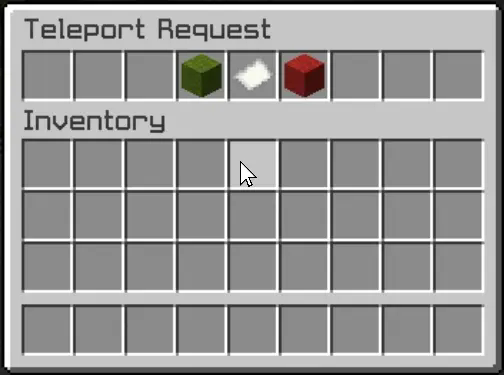
This user-friendly design not only makes the process of accepting or rejecting requests straightforward but also adds an engaging visual element to the experience. Players can quickly make decisions without cluttering their chat with commands, making teleportation seamless and efficient.
Xtpa integrates seamlessly with LuckPerms, allowing server owners to manage permissions easily. The following commands and permissions are included:
– Commands and Permissions
/tpa [playername]
Permission: xtpa.tpa
Description: Send a teleport request to another player.
/tpahere [playername]
Permission: xtpa.tpahere
Description: Request another player to teleport to your location.
/tpaccept [playername]
Permission: xtpa.tpaccept
Description: Accept a teleport request from another player.
/tpcancel [playername]
Permission: xtpa.tpcancel
Description: Cancel a teleport request.
/tpatoggle [on/off]
Permission: xtpa.tpatoggle
Description: Toggle TPA requests on or off for yourself.
/tpagui [requester]
Permission: xtpa.tpagui
Description: Open the TPA request GUI for accepting or canceling requests.
– Conclusion
Overall, Xtpa aims to enrich the Minecraft community by providing a smooth and enjoyable teleportation system that players will love to use. With its intuitive GUI and robust permission management through LuckPerms, Xtpa is the ideal solution for any Minecraft server looking to enhance player connectivity.

.png)
.png)
.png)
.png)
.png)
.png)
.png)
.png)