Walk Tracker
WalkTracker is a plugin that turns exploration into a friendly server-wide competition. By leveraging Minecraft’s accurate, built-in statistics, the plugin tracks every block a player travels on foot and displays this data on a scoreboard visible to everyone. This board features a “Top 10 Travelers” ranking that updates periodically, ensuring it doesn’t impact server performance.
In addition to the public ranking, the plugin includes the /distance command for players to check their personal records and provides admin tools to set or add distance to any user’s stats, making it perfect for events or manual adjustments. It’s an ideal addition for survival, RPG, or exploration-focused servers, adding a new layer of engagement that rewards the most dedicated adventurers.
Waboom Mod
This Mod adds one and oly one advancment to the game.
Everyone gets it when they join a server or just start a world.
Waboom is a castel and is a insider from a few friends.
Also there is no use but cosmetic usage.
By installing this mod you get near to the feeling of being a part of the group.
The Advancement is called Waboom and the describtion says: You got Waboomed, because it sounds like Boom.
Just a litle Joke if you put it in a modpack for your friends.
VynnChat
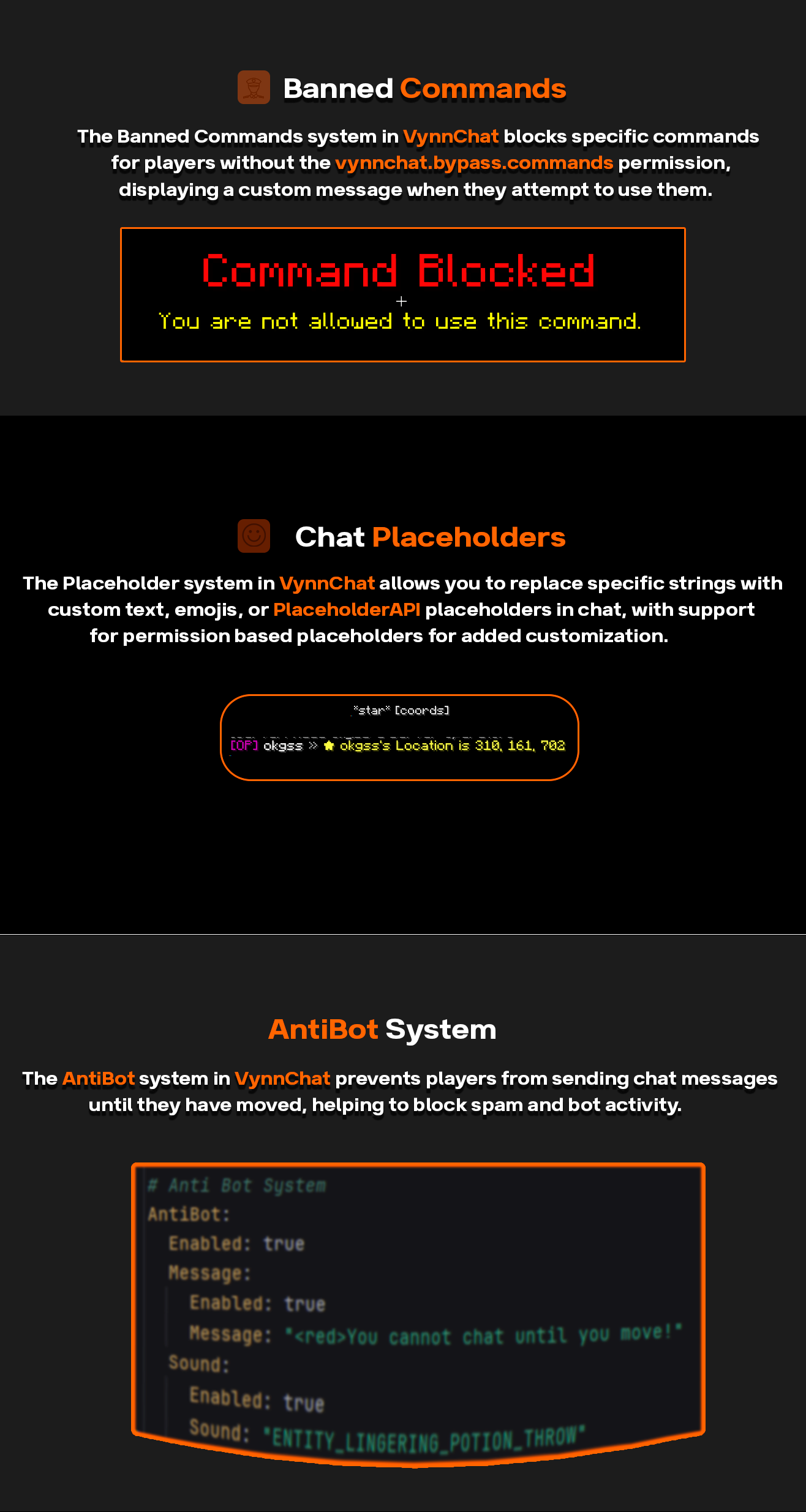
**VynnChat** is a comprehensive chat management plugin designed to enhance the chat experience on Minecraft servers. It offers extensive features for customization, control, and moderation, ensuring smooth and enjoyable communication for players.
### Features:
– **Customizable Chat Formatting**: Personalize chat appearances using group-based prefixes, suffixes, and hover text.
– **Word Filtering**: Automatically detects and replaces or blocks specified words or phrases in chat messages.
– **Anti-Bot Mechanism**: Prevents players from chatting until they move, with customizable messages and sounds for violations.
– **Command Blocking**: Restricts the use of specific commands and provides customizable feedback for blocked commands.
– **Tab Completion Control**: Manages tab completions for blocked commands to streamline player interactions.
– **Replacer System**: Replaces specific words or phrases with predefined alternatives in chat messages.
– **Welcome Messages**: Greets new players with customizable welcome messages and notifications.
### Commands:
– `/vynnchat reload` – Reload the plugin’s configuration files.
– `/vynnchat help` – Display a list of available commands and their descriptions.
### Permissions:
– `vynnchat.reload` – Allows the user to execute the `/vynnchat reload` command.
– `vynnchat.bypass.words` – Bypass word filtering restrictions.
– `vynnchat.bypass.commands` – Bypass blocked command restrictions.
– `vynnchat.bypass.tab` – Bypass tab completion restrictions.
– `vynnchat.admin` – Admin permissions for overriding various restrictions and settings.
– `vynnchat.mutechat` – Allows the user to execute the `/mutechat` command.
– `vynnchat.bypass.mutechat` – Bypass mute chat restrictions.
### Dependencies:
– **Vault**: Required for permissions management.
– **PlaceholderAPI**: For advanced placeholder support in chat formatting.
Join our Discord server for support, updates, and community engagement!
VyHub
VyHub, the comprehensive solution to build, manage and monetize Minecraft stores and communities. Easy integration of your Minecraft server and store. It’s the all-in-one management platform designed for your gaming community. VyHub offers a webshop, website, a donation store and bans and warnings.
Design and manage your Minecraft community through VyHub. We acknowledge that community management is hard work and takes a lot of time. With VyHub we automate your donation webstore fully. Furthermore, you can also save time on banning and warning players.
Create a professional community website and webstore in 5 minutes!
And there is more: VyHub provides you with an all-in-one solution to manage your community and gain valuable insights. Communicate, warn and ban players while maintaining good oversight of your community and its rules. With this resource you can make the best out of your community and server monetization.
The all-in-one system includes many features:
Ban and Warnings system (quick community management)
Sync groups/ranks (assign ranks through LuckPerms)
Ticketing system
Forums system
Shop system (unlimited categories, servers and packets)
Buy for a friend
Over 20 payment options (through: PayPal, Paysafecard, Stripe)
Multi language support
Discord roles and notifications
Quick support
Full API
And much more…
For more information and direct contact to the developers and the VyHub community visit our Discord (https://discord.gg/QZxQHtZnSB)
Pricing: VyHub can be used for free.
We take a small commission of 3 to 5% on purchases made through your VyHub store.
So you only pay when you make money.
Not yet convinced?
Check out the free VyHub Demo here: https://demo.vyhub.net/
Try out the different views, dashboards and customization options with VyHubs unique look and fell.
Lets go!
Create your account for FREE on https://vyhub.net, create your VyHub instance and add a Minecraft server.
Download addon for FREE and drag and drop the latest VyHub Plugin folder into your Gmod serveraddonsdirectory.
Restart your server and set your api-key through a simple command displayed in the setup process.
Congratulations your server is now connected! You can start selling products on your server!
For guides and further information visit: https://docs.vyhub.net
Velocity to Discord
**このプラグインの開発は終了しました。
別のプラグインにて、これらの機能を実装するかもしれません。**
**Development of this plugin has been completed.
Another plugin may implement these features.**
—
**より詳細なBotセットアップ方法については、Discordの公式サイトを参照してください。**
**For more detailed information on how to set up a bot, see the official Discord website.**
—
# 🤖 Bot設定ガイド
このガイドでは、ボットの基本的な設定方法を説明します。以下の2つの主要なステップに従って設定を行ってください。
## 1️⃣ ボットトークンの設定
ボットを操作するためには、正しいトークンが必要です。このトークンはボットの識別子として機能し、APIアクセスの際に使用されます。
**手順**:
1. Discord Developer Portal にアクセスします。
2. 作成したボットを選択し、`TOKEN` セクションに移動します。
3. `Copy` ボタンをクリックしてトークンをコピーし、適切な場所にペーストします。
## 2️⃣ チャンネルIDの設定
チャンネルIDは、特定のDiscordチャンネルを識別するためのものです。
**手順**:
1. Discordクライアントを開きます。
2. `設定 > トピックの詳細` を選択して、特定のチャンネルのIDを表示します。
3. 表示されたIDをコピーし、必要な場所にペーストします。
—
# 🤖 Bot Configuration Guide
This guide will walk you through the basic steps of setting up your bot. Please follow the two main steps outlined below.
## 1️⃣ Setting Up Your Bot Token
The bot token acts as an identifier for your bot and is used for API access.
**Steps**:
1. Go to the Discord Developer Portal.
2. Select your created bot and navigate to the `TOKEN` section.
3. Click the `Copy` button to copy the token and paste it in the appropriate place.
## 2️⃣ Configuring Channel ID
The Channel ID serves as an identifier for a specific Discord channel.
**Steps**:
1. Open your Discord client.
2. Select `Settings > Advanced` to view the ID of a specific channel.
3. Copy the displayed ID and paste it wherever necessary.
—
# 📄config.yml-設定項目
“`yml
# Velocity to Discordを導入してくれてありがとう!
# わたしはあなたに感謝します!
# Bugやフィードバックの報告については下記URLから。
# Thanks for introducing “Velocity to Discord”!
# Thanks for you!
# Please use the following URL to report bugs and provide feedback.
# Discord:https://discord.gg/5sqbsmqd6K
# Github:https://github.com/Elysium-7/Velocity-to-Discord
# ここは絶対に書き換えないでください。
# Never rewrite this section.
configuration-version: 1.2
# BotTokenを入力。
# Please insert a BotToken.
token: “”
# BOTのスタータスを設定できます。「ONLINE,IDLE,DO_NOT_DISTURB」
# You can set the bot online status “ONLINE,IDLE,DO_NOT_DISTURB”
online_status: ONLINE
# ログを送信するチャンネルのIDを入力してね。
# Enter the ID of the channel you want to send the log to.
channel_id: 0
# サーバースタート・ストップ時のメッセージを編集できます。
# You can edit messages at server start/stop.
start_message_text: “Server has started.”
stop_message_text: “Server has stopped.”
“`
VTMon (Cobblemon: Vtubers LATAM Edition)
# English
### Welcome to VTMon!
VTMon is a datapack specially designed for Cobblemon, aiming to bring together and give life to a unique collection of Pokémon inspired by Vtubers, with a strong focus on the Latin American and Spanish-speaking communities.
This project pays tribute to content creators like LilyBell, KeirameVT, Yuun, and many more, transforming their personalities, aesthetics, and signature styles into creatures with fully original abilities and moves. Each VTMon is carefully crafted to reflect the essence of the Vtuber it’s based on — from appearance and battle types to special traits, animations, and unique descriptions.
VTMon is not only a celebration of the Vtuber world, but also a fresh new way to experience Cobblemon. It offers renewed gameplay, creative strategies, and a narrative deeply inspired by the virtual content creator scene.
Whether you’re a fan of these Vtubers or simply looking for a unique Pokémon experience with a Hispanic flavor, VTMon invites you to explore, collect, and connect in a world where the virtual and Pokémon come together like never before.
The models in the datapack are both inspired by CarnekVT’s artwork and are also my own ideas.
# Español
### ¡Bienvenido a VTMon!
VTMon es un datapack diseñado especialmente para Cobblemon, con el objetivo de reunir y dar vida a una colección única de Pokémon inspirados en Vtubers, con un fuerte enfoque en las comunidades latinoamericanas y de habla hispana.
Este proyecto rinde homenaje a creadores de contenido como LilyBell, KeirameVT, Yuun, entre muchos otros, transformando sus personalidades, estéticas y estilos característicos en criaturas con habilidades y movimientos completamente originales. Cada VTMon está cuidadosamente diseñado para reflejar la esencia del Vtuber en el que se basa —desde su apariencia y tipo de combate hasta sus rasgos especiales, animaciones y descripciones únicas.
VTMon no solo es una celebración del mundo Vtuber, sino también una nueva y refrescante forma de experimentar Cobblemon. Ofrece una jugabilidad renovada, estrategias creativas y una narrativa profundamente inspirada en la escena de creadores virtuales.
Ya seas fan de estos Vtubers o simplemente estés buscando una experiencia Pokémon única con un toque hispano, VTMon te invita a explorar, coleccionar y conectar en un mundo donde lo virtual y lo Pokémon se fusionan como nunca antes.
Los modelos incluidos en el datapack están tanto inspirados en el arte de CarnekVT como basados en ideas propias.
Credit to **CarnekVT** for most of the Pokémon you’ll find in this datapack.
## Your Favorite VTuber turned into Pokémon!
vSudo
# vSudo
Make players send chat messages and run proxy commands from the velocity proxy.
# Requirements
* Velocity Proxy
* Chat signing disabled on backed server.
* You must have chat signing disabled on the backend server for the chat function to work.
* To easily do this, add a plugin such as AntiPopup or NoEncryption to your backed server and the plugin should work as intended.
* You must also set `enforce-secure-profiles` in `server.properties` to `false`
# Commands
* `/vsudo reload`
* Reloads the vSudo config
* `/vsudo [message:/command]`
* Sudo a player to send a chat message or run a proxy command.
* This command can be run by console or another player in game
* `/vsudo * `
* Sudo all players on a specific server to send a message or run a proxy command
* This command can be run by console or another player in game
* This command can be disabled in the config under `sudo-all.enabled`
# Permissions
* `vsudo.sudo`
* Access to the `/vsudo` command
* `vsudo.sudo.all`
* Access to the `/vsudo *` command
# Support & Contact
To report bugs, suggest a feature, or anything else, contact me via discord
– Direct Contact
* -> ajmac
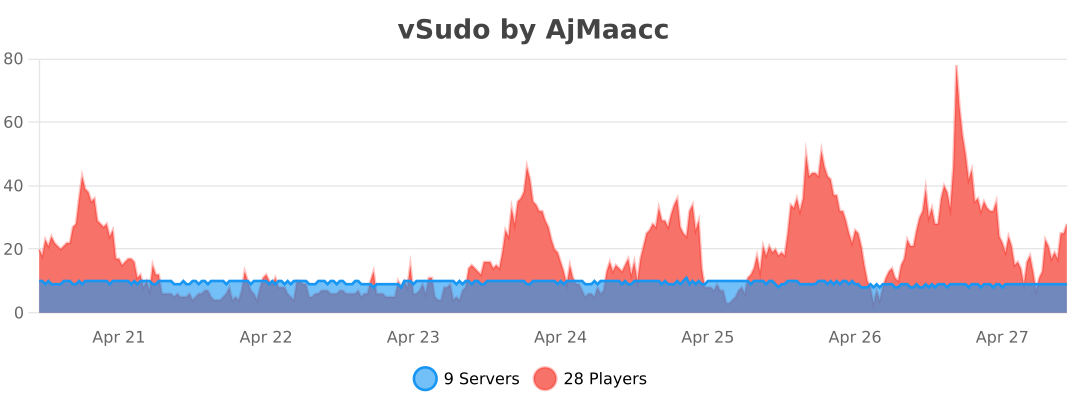
# bStats
V-sit



—
# VSit
**VSit** is a fully customizable sitting plugin for Minecraft servers.
Players can sit using commands or by interacting with various blocks.
—
## 🔧 Features
– Sit by using `/sit` or clicking on stairs, carpets, and slabs
– Sit on other players
– Full language customization via MiniMessage
– Permissions support
– Easily reload config with `/vsit reload`
—
## ✅ Permissions
| Permission | Description |
|——————|————————————–|
| `vsit.sit` | Allows the user to sit |
| `vsit.reload` | Allows reloading the plugin config |
—
## 🎮 How to Use
You can sit by:
– Using the `/sit` command
– Right-clicking supported blocks (stairs, carpets, slabs)
### 🖼️ Preview
| `/sit` Command | Sitting on Stairs | Sitting on Players |
|—————-|——————-|———————|
|  |  |  |
—
## ⚙️ Configuration Example
### `config.yml`
“`yaml
language: “en”
enabled: true
players:
enabled: true
blocks:
enabled: true
right-click: true
left-click: false
blocks:
– STAIR
– CARPET
– SLAB
“`
### language.yml
“`yaml
# Using MiniMessage format
prefix: “[VSit] ”
startup: “VSit has started up!”
commands:
sit: “You are now sitting down”
reload: “The configuration has been reloaded”
“`
## 🛟 Need Help?
Join our Discord for support, updates, or to report bugs:

Clans
# ⚔️ VRX Clans – The Ultimate Enterprise Clan & Base System
**VRX Clans** is a modern, highly optimized, and 100% customizable clan system for your Minecraft server. Designed for networks of all sizes, it offers everything your players need to forge alliances, build shared bases, wage wars, complete daily quests, and run a clan-internal economy.
Whether you run a Hardcore PvP, Survival, or a relaxed Citybuild server: Thanks to countless configuration options and a robust database backend, VRX Clans perfectly adapts to your unique server concept.
—
## ✨ Core Gameplay Features
### 🛡️ Dynamic Clan Bases
Clans can set their own base location. The special part: The protected base radius is dynamic! It automatically grows with every new member joining the clan.
> 💡 *Includes Anti-Combat-Log (configurable teleport delays) and full WorldGuard protection to prevent base-squatting in claimed regions.*
### 🏆 Holograms, Leaderboards & Seasons
Display your server’s top clans with beautiful live holograms (powered by *DecentHolograms*)! Track the Top 5 clans by Kills, Level, or Bank Balance directly at your spawn.
Admins can trigger a **Season Reset** (`/clana endseason`) to reward the top clan, reset all combat statistics, and broadcast the victory across the server and Discord!
### 🛒 Clan Shop, Boosters & Base Upgrades
Give your Clan Bank a real purpose! Leaders can purchase temporary, global boosters (e.g., *Haste*, *Speed*, *Double XP*) for all online members. Additionally, clans can permanently unlock **Passive Base Effects** like *Regeneration* and *Saturation* that automatically apply to players standing inside their protected base radius!
### ⚙️ Dynamic Rank Permissions
Give your Clan Leaders ultimate control! A built-in GUI allows leaders to easily toggle permissions for every rank (*Recruit, Member, Officer, Co-Leader*). Customize exactly who can invite new players, withdraw money, purchase shop upgrades, or declare wars without needing server admins to change config files.
### ⚔️ Clan Wars & KDR Tracking
Bring competition to your server! Clans can track their Kills and Deaths (KDR) and declare war on rivals (`/clan war `). Once accepted, the war begins—the first clan to reach the kill target takes the entire wager pot!
### 📜 Daily Clan Quests
Boost player retention with the interactive “Clan Quests” GUI. Clans work together to complete daily missions (e.g., “Mine 1,000 Diamond Ores” or “Kill 5,000 Zombies”) to earn massive Clan XP. Quests reset automatically every 24 hours.
### 📈 Level & XP System
Clans start at Level 1 and gather XP through active gameplay. Higher levels unlock exclusive features like the **Clan Vault**—a shared, virtual inventory that expands as the clan levels up.
### 💰 Economy, Taxes & `vrx_economy` Support
Full integration with any Vault-based economy! **VRX Clans works out-of-the-box with `vrx_economy`** for a flawless server economy.
To prevent inactive clans from hoarding names, you can enable the **Tax System (Upkeep)**. The plugin periodically deducts taxes from the clan bank. If a clan goes bankrupt, they risk losing a level!
### 🤝 Diplomacy & PvP
Form strategic alliances (Allies) or declare rivalries (Rivals). Friendly-fire within the clan or between allies can be strictly blocked. Server admins can set diplomacy limits (e.g., max 3 allies) to prevent huge server-wide team-ups.
—
## 🛠️ Technical Excellence & Security
Built for large networks, VRX Clans comes with advanced backend features:
* 💾 **MySQL & SQLite Support:** Move past slow YAML files. Use the lightning-fast local SQLite database out of the box, or connect to an external MySQL server for BungeeCord/Velocity environments.
* 🗺️ **WorldGuard Integration:** Flawlessly prevents players from claiming bases inside protected spawn areas or other players’ regions. Features an exclusive `vrxclans.admin.bypass` for staff.
* 📡 **Discord Webhooks:** Automatically send beautiful, color-coded embed messages to your Discord server whenever a clan is founded, levels up, or wins a war!
* 🔒 **Anti-Glitch GUI Protection:** 100% server-side protection against inventory exploits. Advanced techniques like shift-clicking, hotbar-swapping, and silk-touch quest exploits are strictly blocked.
* ⚙️ **Async Auto-Save:** A highly optimized background scheduler safely caches and saves all clan data (including Vault inventories via Base64) every X minutes without causing any TPS drops.
* 📊 **PlaceholderAPI Integration:** Fully supports custom placeholders (`%vrxclans_name%`, `%vrxclans_level%`, `%vrxclans_kdr%`, etc.) for scoreboards, holograms, and tab lists.
—
## 🎨 100% Customizable (Admin-Friendly)
Take full control over your server’s look and feel:
* 🌍 **Full Localization:** Ships with `en_US.yml` and `de_DE.yml`. Every single prefix, chat message, and error is customizable.
* 🖼️ **Dynamic GUI Layouts:** Completely redesign every menu via the `gui_default.yml`. Change slots, materials, display names, and lores without touching a single line of Java code!
* ⚖️ **Deep Balancing:** Flexibly adjust XP multipliers, shop prices, max member counts, and cooldowns.
—
## ⚙️ Commands & Permissions
**Player Commands (`/clan`):**
Everything is intuitively controlled via the `/clan` GUI. Players can use direct commands like `/clan create`, `/clan invite`, `/clan war`, `/clan base`, and much more.
**Admin Commands (`/clanadmin` or `/clana`):**
*(Required Permission: `vrxclans.admin`)*
* `/clana reload` / `/clana save` – Manage configs and data on the fly.
* `/clana setholo ` – Place live clan leaderboards at your spawn.
* `/clana endseason` – Crown the top clan, distribute rewards, and reset kill stats.
* `/clana spy` – Monitor private clan chats.
* `/clana eco / addxp / setlevel / setleader / forcejoin` – Absolute control over all data.
* `/clana vault ` – Open and moderate any clan’s private vault.
—
## 📦 Dependencies & Integrations
To utilize all economy and display features, the following plugins are required or recommended:
* **Economy Plugin:** Seamlessly supports **`vrx_economy`** *(Recommended)*, EssentialsX, or CMI.
* **PlaceholderAPI** *(Highly Recommended)*
* **DecentHolograms** *(Recommended for Live Leaderboards)*
* **WorldGuard** *(Recommended for base protection)*
vReportDC

Türkçe

> vReportDC, Minecraft sunucuları için geliştirilmiş gelişmiş bir Rapor eklentisidir. Oyuncular, sohbette uygunsuz kelime kullanan diğer oyuncuları raporlayabilir.
– ✨ Özellikler
– 📢 Hızlı Raporlama – /report komutu ile anında rapor gönderimi
– 🤖 Discord Entegrasyonu – Raporlar otomatik olarak Discord kanalına gönderilir
– 💬 Mesaj Takibi – Raporlanan oyuncunun son 5 mesajını gösterir
– ⚡ Tek Tıkla Cezalandırma – Discord butonları ile anında susturma (mute) işlemi
– 🛡️ Akıllı Koruma – 5 dakikalık bekleme süresi
– 🌍 Çoklu Dil Desteği – Türkçe ve İngilizce dil seçenekleri
– ⚙️ Özelleştirilebilir Cezalar – Her ihlal türü için farklı süre ayarları
– 📝 İşlem Günlükleri – Tüm yetkili işlemlerini ayrı bir kanalda kayıt altına alır
### ⚙️ discord.yml
“`yaml
# Discord Bot Ayarları
bot-token: “BOT_TOKENINIZI_BURAYA_YAZIN”
report-channel-id: “RAPOR_KANAL_ID_BURAYA”
log-channel-id: “LOG_KANAL_ID_BURAYA”
# Buton Ayarları
buttons:
swearing:
label: “Küfür/Hakaret”
duration: “24h”
style: “PRIMARY”
national:
label: “Dini/Milli Değerler”
duration: “30d”
style: “PRIMARY”
sexual:
label: “Cinsel İçerik”
duration: “1d”
style: “PRIMARY”
advertisement:
label: “Reklam”
duration: “10d”
style: “PRIMARY”
delete:
label: “Raporu Sil”
style: “DANGER”
“`
### ⚙️ lang_tr.yml
“`yaml
# Türkçe Dil Dosyası
prefix: “&4Rapor &8» ”
no-permission: “&cBu komutu kullanmak için yetkiniz yok!”
player-not-found: “&cOyuncu bulunamadı!”
report-self: “&cKendinizi raporlayamazsınız!”
report-usage: “&cKullanım: /report ”
report-cooldown: “&cTekrar rapor göndermek için {time} beklemelisiniz!”
report-sent: “&aRaporunuz başarıyla gönderildi!”
reload-success: “&aYapılandırmalar başarıyla yenilendi!”
discord:
embed-title: “Bir rapor gönderildi!”
status: “Rapor Durumu: {status}”
reported-player: “Raporlanan Oyuncu: {player}”
reporter: “Raporlayan: {reporter}”
reason: “Sebep: {reason}”
last-messages: “Son mesajlar:”
no-messages: “Mesaj bulunamadı.”
footer: “vReportDC”
status-pending: “Beklemede”
status-resolved: “Çözüldü”
log-format: “{moderator}, rapor üzerinde **{action}** işlemini uyguladı.”
report-deleting: “Rapor 5 saniye içinde siliniyor…”
“`
### 🎮 Komutlar
“`text
/report
/vreportdc reload
“`
### ✨ Kurulum
> Eklenti yalnızca Java 17 (veya üzeri) Paper/Purpur sunucularında 1.18 – 1.21.x sürümleri arasında çalışır.
English

> vReportDC is an advanced Report plugin developed for Minecraft servers. Players can report other players who use inappropriate words in chat.
– ✨ Features
– 📢 Quick Reporting – Instant report submission with /report command
– 🤖 Discord Integration – Reports are automatically sent to Discord channel
– 💬 Message Tracking – Shows the last 5 messages of the reported player
– ⚡ One-Click Punishment – Instant mute action with Discord buttons
– 🛡️ Smart Protection – 5-minute cooldown period
– 🌍 Multi-Language Support – Turkish and English language options
– ⚙️ Customizable Punishments – Different duration settings for each violation type
– 📝 Action Logs – Records all staff actions in a separate channel
### ⚙️ discord.yml
“`
# Discord Bot Settings
bot-token: “YOUR_BOT_TOKEN_HERE”
report-channel-id: “YOUR_REPORT_CHANNEL_ID_HERE”
log-channel-id: “YOUR_LOG_CHANNEL_ID_HERE”
# Button Settings
buttons:
swearing:
label: “Swearing/Insult”
duration: “24h”
style: “PRIMARY”
national:
label: “Religious/National”
duration: “30d”
style: “PRIMARY”
sexual:
label: “Sexual Content”
duration: “1d”
style: “PRIMARY”
advertisement:
label: “Advertisement”
duration: “10d”
style: “PRIMARY”
delete:
label: “Delete Report”
style: “DANGER”
“`
### ⚙️ lang_en.yml
“`
# English Language
prefix: “&4Report &8» ”
no-permission: “&cYou don’t have permission to use this command!”
player-not-found: “&cPlayer not found!”
report-self: “&cYou cannot report yourself!”
report-usage: “&cUsage: /report ”
report-cooldown: “&cYou must wait {time} before reporting again!”
report-sent: “&aYour report has been successfully sent!”
reload-success: “&aConfigurations successfully reloaded!”
discord:
embed-title: “A report has been sent!”
status: “Report Status: {status}”
reported-player: “Reported Player: {player}”
reporter: “Reporter: {reporter}”
reason: “Reason: {reason}”
last-messages: “Last messages:”
no-messages: “No messages found.”
footer: “vReportDC”
status-pending: “Pending”
status-resolved: “Resolved”
log-format: “{moderator}, performed the **{action}** action on the report.”
report-deleting: “Report is being deleted in 5 seconds…”
“`
### 🎮 Commands
“`
/report
/vreportdc reload
“`
### ✨ Installation
> The plugin only works on Java 17 (or higher) Paper**/**Purpur servers between versions 1.18 – 1.21.x.