VSS|原版风平滑剑
A vanilla-style smooth sword, achieved by modifying the model, which causes almost no additional performance overhead.
**Vanilla Style**: The number of elements in the sword model is reduced to a minimum. Theoretically, this significant reduction in the number of model elements can also slightly boost the frame rate.
**_Flash Style_**: Compared to the Vanilla Style, it adds glowing outlines when enchanted—experience the flowing light!It can still display PBR effects in a light and shadow environment!
All versions feature 16x textures, identical to the vanilla game.
Additionally, this resource pack fixes the asymmetrical crosshair position in the vanilla game, and reduces the field of view obstruction when the player wears carved pumpkins to 15% of the vanilla intensity.
一款原版风格的平滑剑,通过修改模型实现,几乎不产生额外的性能消耗。
**香草风格**:剑模型的元素数精简至极少。理论上由于极大地减少了模型的元素数,也能微小地提高帧率。
**_灵动风格_**:相较于香草风格增加了附魔时的发光描边,感受流动的光线!在光影环境下还能呈现出PBR效果!
所有版本的纹理都是16x的,和原版一样。
此外,本资源包还修复了原版不对称的准星位置,并将玩家穿戴雕刻南瓜下的视野遮蔽修改为原版强度的15%。
Vanilla Rabbits Plus
This resource pack aims to improve rabbits while staying true to Minecraft’s art style. Requires Optifine/Entity Model Features/etc.
This pack was inspired by Mojang’s redesigns of bats and vexes, and follows suit by:
– Making rabbits pixel consistent
– Making them visually simpler to better fit their small size
– Keeping their general appearance and shape close to vanilla, despite the above changes.
Model made by me in Blockbench, textures edited from Mojang’s by me.
Vanilla-Plus
The tools in Vanilla-Plus have been slightly redesigned to make them more functional and aesthetically pleasing.
more appealing. Tools like picks, shovels, and axes are now more recognizable while still fitting well with the vanilla style.
The game’s user interface (GUI) has been slightly adjusted for a clearer and cleaner look.
Menus, inventories and displays have been made more user-friendly without compromising the original charm.
Vanilla-Plus remains minimalistic, focusing on small but meaningful changes.
The texture pack strives to optimize aesthetics and usability without cluttering the game.
If you’re looking for a texture pack that slightly reworks tools, the GUI and some items in Minecraft to make the game more comfortable,
without compromising the vanilla style, Vanilla-Plus is the perfect choice for you. It provides a pleasant and clear gaming experience without changing the original Minecraft feel.
Vanilla Plus Crops
# Vanilla+ Crops
Vanilla+ Crops replaces every farm crop with original pixel art and custom block models that add depth and visual variety to your fields, without straying from Minecraft’s native aesthetic.

—
### Features
**Wheat** — Eight distinct growth stages with a full green-to-gold colour progression. Mature wheat uses taller 32×32 textures so fully grown fields have real visual weight. Three random variants at harvest stage prevent repeating patterns.

**Carrots** — Feathery foliage that grows progressively denser, with a subtle orange tip peeking through the soil at maturity. Three harvest-stage variants.
**Potatoes** — Broad-leaved bushes that develop small white flower buds when fully grown, matching the real plant. Three harvest-stage variants.
**Beetroots** — Deep red stems and visible beetroot crowns at the soil line. Three harvest-stage variants.
**Sugar Cane** — Segmented stalks with visible nodes and light highlights for a cleaner, more readable silhouette.
**Melon & Pumpkin Stems** — Reworked growing and attached stem textures.
**Seeds** — Matching seed item textures for wheat, beetroot, melon, and pumpkin.

—
### Models
All crops use a custom **bushy cross model** with 4–6 intersecting planes tilted at varying angles (±22.5° and ±45°), giving each plant a fuller, more three-dimensional look on farmland. Mature wheat uses an additional **tall crop model** that extends above the block boundary.
—
### Compatibility
Pack format 46 with `supported_formats` range 15–1024. No mods or dependencies required — works with vanilla Minecraft Java Edition.
Compatible with OptiFine, Sodium, and other performance mods. Safe to combine with resource packs that don’t modify crop assets.
—
### Installation
1. Download the `.zip` file.
2. Place it in your `.minecraft/resourcepacks` folder.
3. Enable it in **Options → Resource Packs**.
—
Vanilla Panorama +
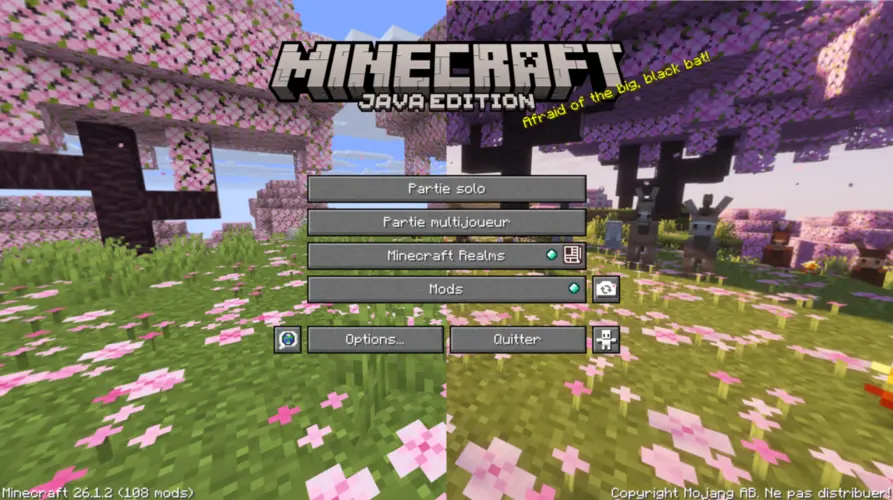
**_Vanilla Panorama +_** is a Resource pack that Changes the menu Panorama to a Custom Panorama Inspired form the Vanilla one. For the Tiny Takeover one I added the most of the Baby Annimals with new Models as possible, and put on a Shader pack at Sunrise. I also used the same seed as the Vanilla Panorama. It will surely be Something like that for the Future Releases of this Resource Pack.
### Comparison Vanilla vs Custom Panorama for 26.1
### Credits
– Shaders: Complementary Shaders – Unbound
– Seed: Minecraft@Home
Vanilla Paintings CIT Pack
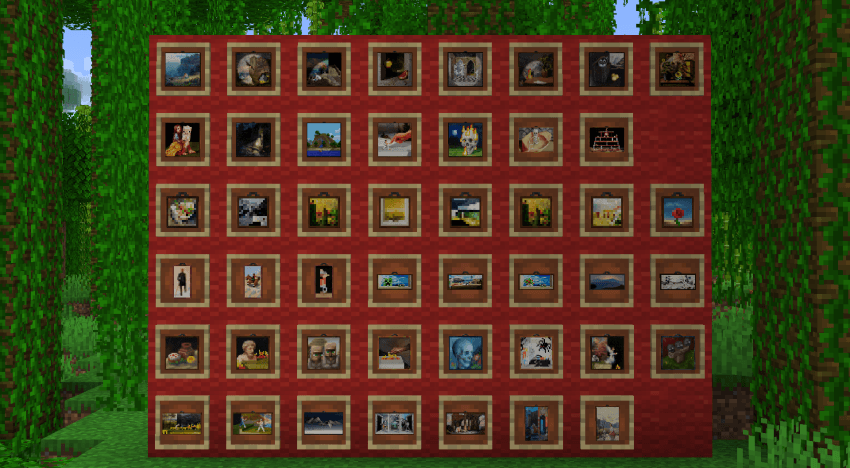
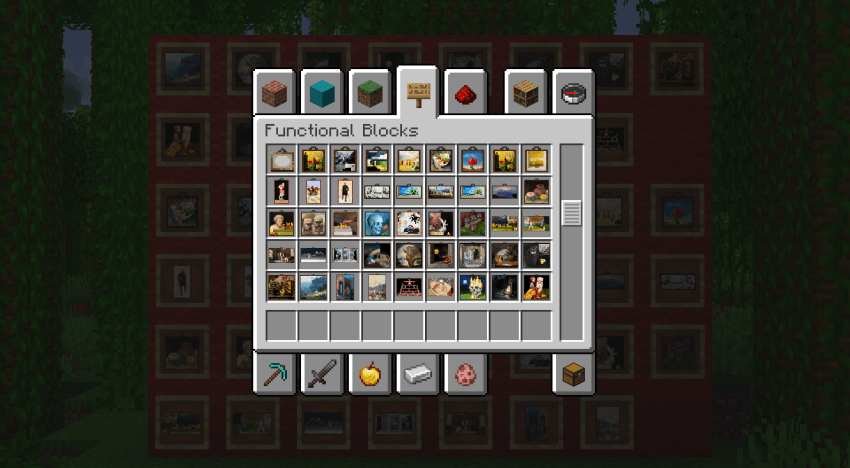
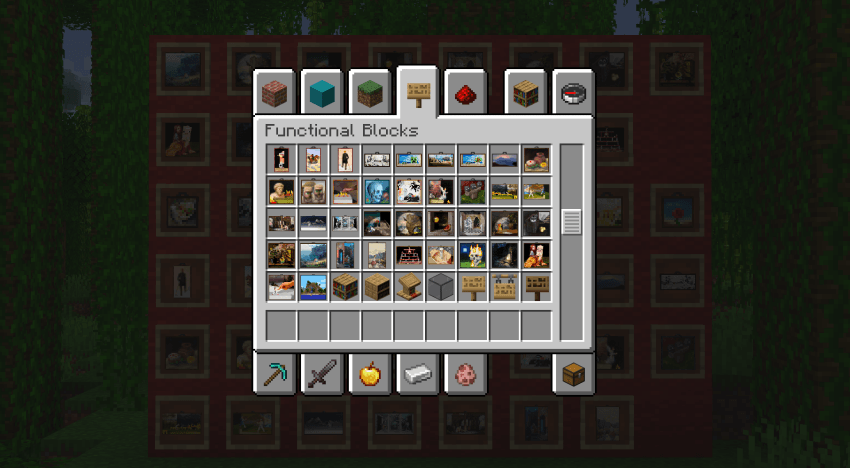
## This pack changes the texture of the Painting According to the Type of Painting!!
**NO OPTIFINE REQUIRED! Just Vanilla 1.21.5**
**How to install:**
– Go to the escape menu and press “Options”
– Then press “Resource Packs”
– In here, press “Open Pack Folder” This should open a folder.
– Drag and drop the resource pack in that folder
– The resource pack should now be available in the menu
Vanilla Painting Icons
## About
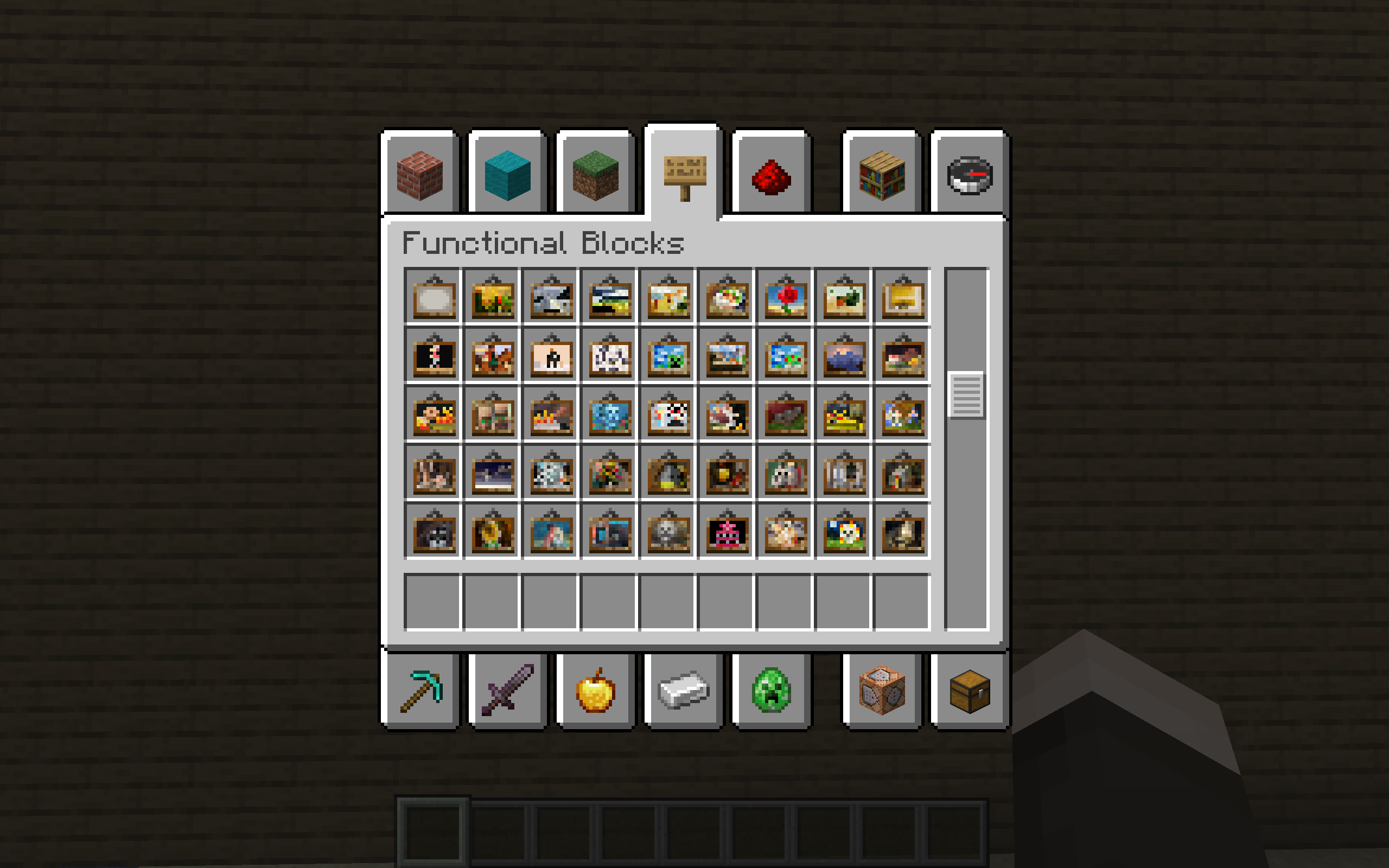
This texture pack give painting a fresh looking in the creative tab.
As simple as that, enjoy.
Vanilla – Optimized
# Vanilla – Optimized
_**This resource pack was created with the goal of providing the Best Vanilla experience.**_
**This Pack modifies the following items/particles:**
> **The Mace Breach/Density got a custom Texture** _(Release)_
> **The Sides of Grass Block got lower.**
> **The Sun/Moon has been removed is the sky.**
> **New Glint & Armor/Weapons** _(Release)_
> **The Grass/Bush has been set to invisible.**
> **The Totem Animation has been improved.** _(Not Fixed)_
> **All Block breack particle got removed.** _(Soon)_
> **Some Sounds have been removed.** _(Release)_
> **Charge Indicator** _(Release)_
### Cleaned Environment (Remove Grass/Bush)

**_This pack is not only made for survival between friends, it is also made to play in multiplayer on servers pratice like._**
> **SwiftPvP** _(eu.swiftpvp.xyz)_
> **PvPClub** _(eu.mcpvp.club)_
> **McPrac** _(mcprac.net)_
> **CentralPvP**
> **CrystalRanked**
**_This Resource Pack is compatible with all other resource packs, you just need to put it in the first line of resource packs for it to work._**
**_Using this pack, yKoseli got BLACKLISTED on PvPTiers. (Is Real)_**

# VanillaOptimized By yKoseli
Vanilla Ominous Bottle
This resource pack changes the texture of the ominous bottle to make it more similar to regular potions.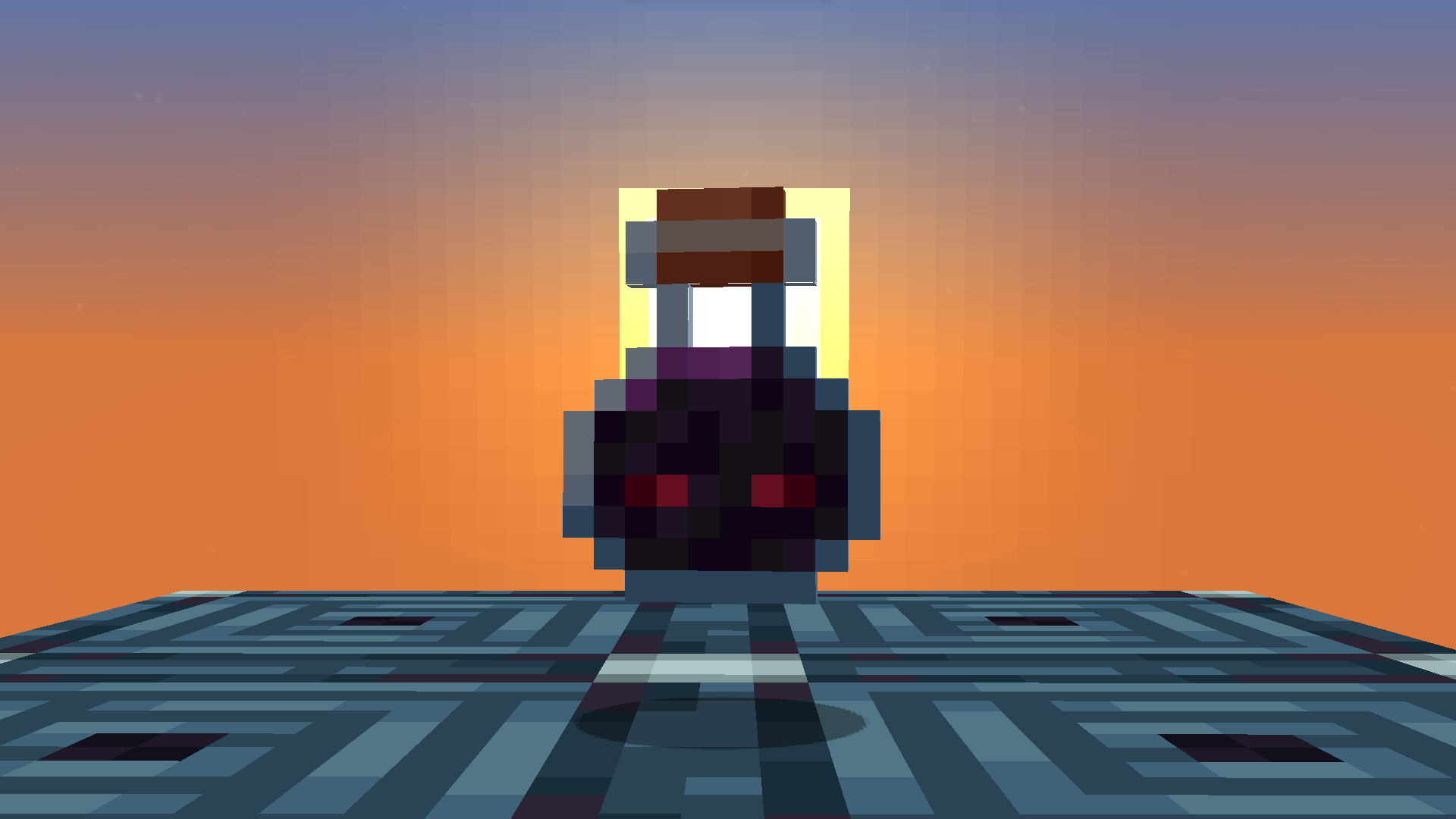
Vanilla NameTags CIT Pack
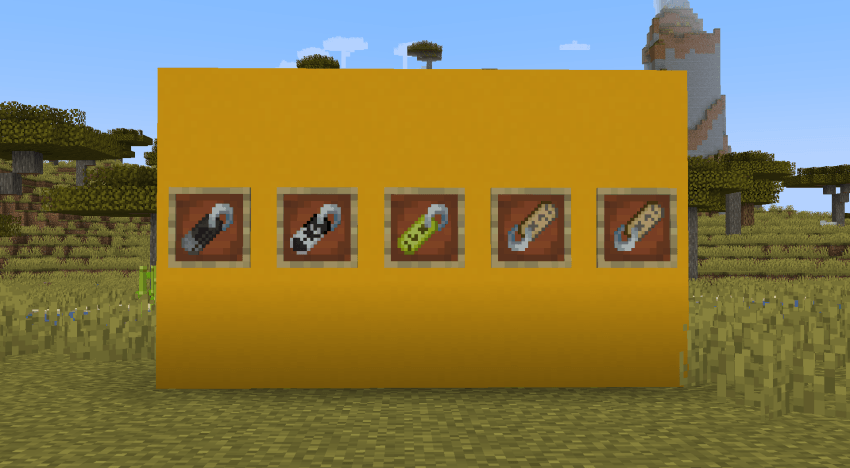
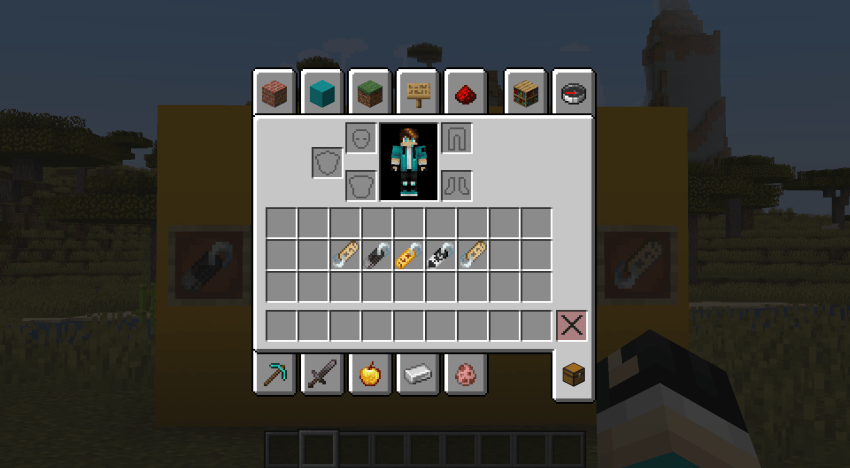
## This pack changes the Textures of Nametags of EasterEggs to match their Theme!!
**NO OPTIFINE REQUIRED! Just Vanilla 1.21.5**
**How to install:**
– Go to the escape menu and press “Options”
– Then press “Resource Packs”
– In here, press “Open Pack Folder” This should open a folder.
– Drag and drop the resource pack in that folder
– The resource pack should now be available in the menu