Enchantment Enhancements

# ✨ Enchantment Enhancements ✨
Tired of every enchanted book looking exactly the same?
**Enchantment Enhancements** gives each enchanted book a unique texture, making them instantly recognizable at a glance.
No more hovering, guessing, or squinting at tooltips. just clean, organized visuals that make managing enchantments easier.
## 🧩 Minecraft Version Compatibility 🧩
| Minecraft Version | Requirements |
| —————– | —————————————————————————————————– |
| **26.1+** | ✅ No additional mods required
| **1.21.4+** | ✅ No additional mods required |
| **1.8 – 1.20.5** | ℹ️ Requires OptiFine **or** CIT Resewn |
Want to see what I’m working on next, hang out with other cool artists, or need help with the pack? Join my Discord server!
## 🎉 Credits 🎉
Huge thanks to the people who made this pack possible:
**Shrimpsnail** – for making everything function correctly in-game. This pack would not exist without your help 🙏
**PixelPengu** – for the amazing enchanted book render used in the gallery
## ❤️ Support Me ❤️
If you enjoy this pack and want to support me and my future projects, consider buying me a coffee ☕

Violet [Stopped]
ОБНОВЛЕНИЕ БЫЛО ПРИОСТАНОВЛЕНО И ОТЛОЖЕНО НА НЕ ОПРЕДЕЛЁННЫЙ СРОК
THE UPDATE HAS BEEN SUSPENDED AND POSTPONED INDEFINITELY

INFO
RU Messages
“`
Этот ресурс пак предназначен для игры на Minecraft сервере RustMe 1.12.2
Сервер который сделал Rust в Minecraft с помощью этого ресурс пака вы
сможете поменять визуально и переосмыслить игру на сервере!
Сайт RustMe https://rustme.net/ или же FAQ https://rustme.net/help/faq
Дискорд проекта: https://discord.gg/rustme
РП создан: nwonknu (yushi4ka / XOXMuK)
“`
“`
Прошу вас не использовать рп в корыстных целях или же для продажи другим людям!
Так же данный ресурс пак не является официальным и его создатель не как не связан с
создателями проекта RustMe любые проблемы на сервере не связанные с работоспособностью
ресурс пака не будут рассматриваться как проблемы ресурс пака по типу: ban and kick
“`
EN Messages
“`
This resource pack is designed to play on the Minecraft server RustMe 1.12.2
The server that made Rust in Minecraft with this resource pack, you
can visually change and rethink the game on the server!
RustMe website https://rustme.net / or the FAQ https://rustme.net/help/faq
Project discord: https://discord.gg/rustme
RP created by: nwonknu (yushi4ka / XOXMuK)
“`
“`
I ask you not to use rp for selfish purposes or to sell it to other people!
Also, this pack resource is not official and its creator is not related to
the creators of the RustMe project. Any problems on the server that are not related to the performance
of the pack resource will not be considered as problems of the pack resource type: ban and kick
“`
viola
## viola
_(previously known as simple dark)_
viola is my very own dark-themed, purple-accented ui pack for minecraft. an array of mods for forge/fabric/quilt are supported, but due to the redesign some may look out of place.
if you have any suggestions, make a github issue <3
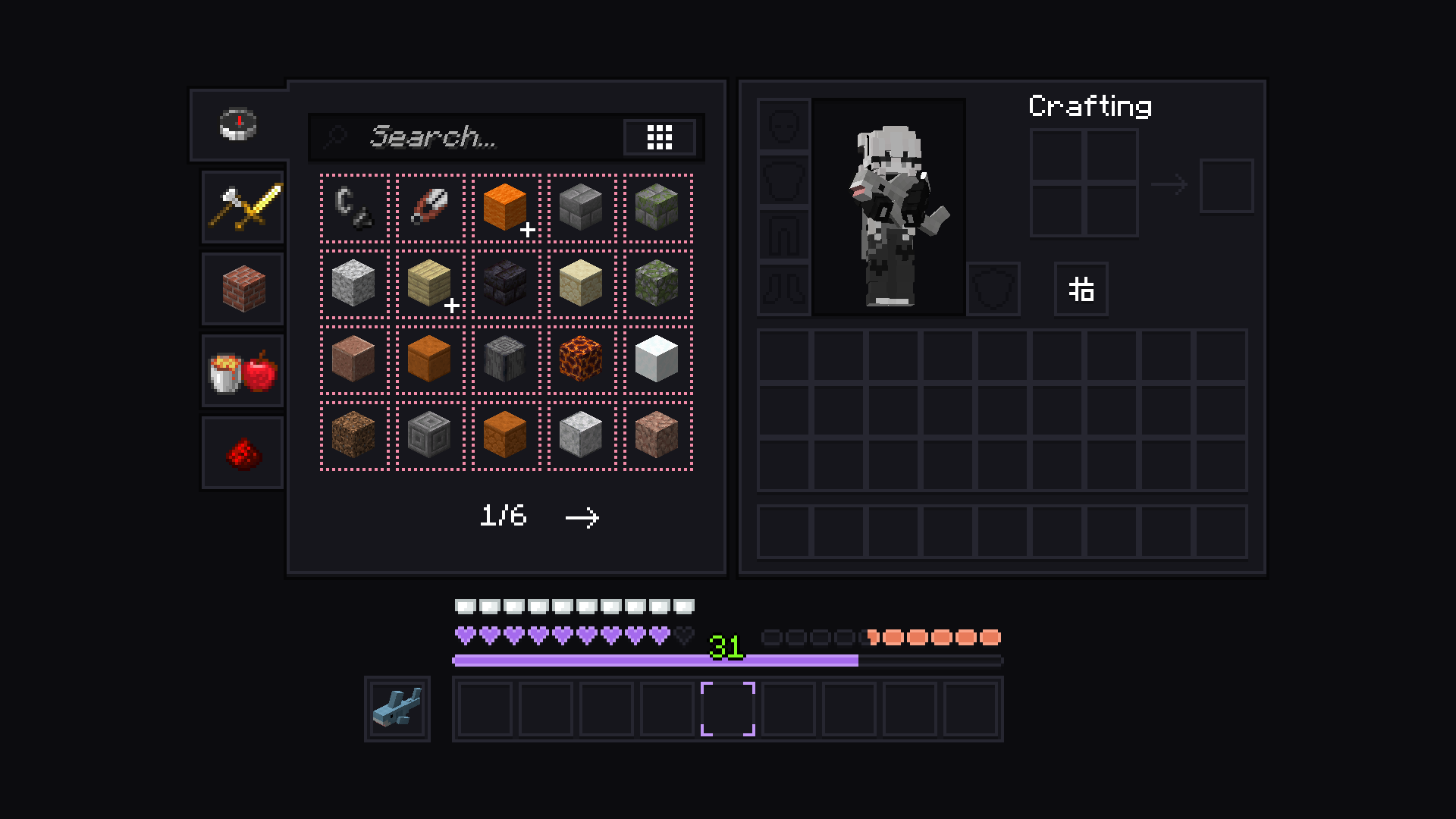
disclaimer: blåhaj unfortunately not included
Vines & Leaves Add-ons
**Vines & Leaves Addon** (_Compat with Mods_)
A “simple” addon for the Vines & Leaves texture, adds compatibility for some mods, if you want any other type of compatibility, just call me on Discord.
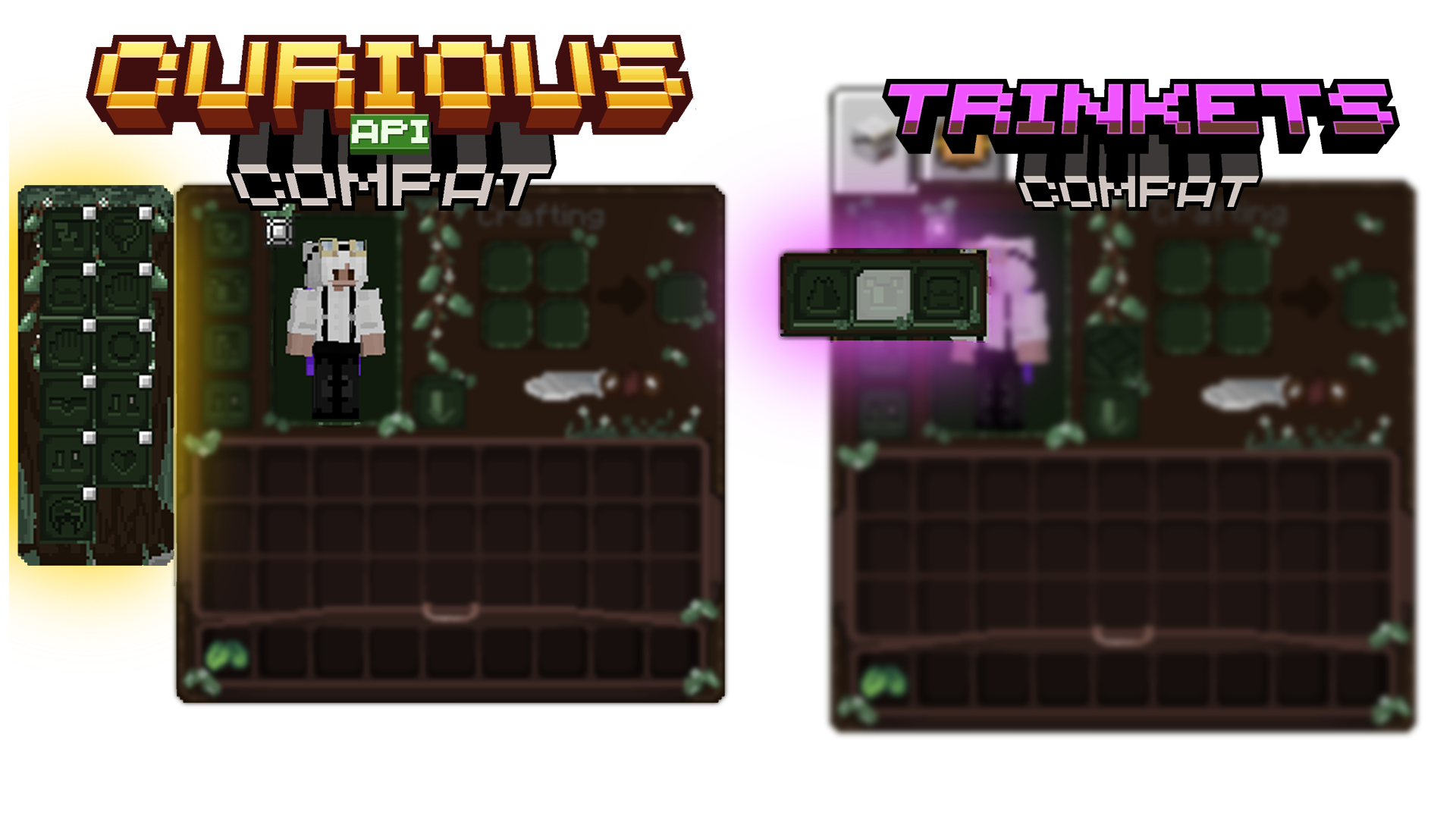
The default Vines & Leaves texture is required for it to work.
Square Coins for Villager Coin
Changes official Villager Coin textures from VillagerUnknown’s Villager Coin mod to a square variant.
## Requirements
* VillagerUnknown’s Villager Coin mod
## Installation
1. Download the ZIP file for your desired Minecraft version.
2. Install the ZIP file in your Minecraft’s `resourcepacks` folder.
3. Enable the resource pack in Minecraft.
Villagers to player
# **Not updated yet!!!! to match my other villagers pack!!! description doesn’t fit the current file you can donwload**
This ressource pack in itself doesn’t do much. It will only display a Steve and Alex texture for you villagers.
It is meant to be edited by you so you can add player skins.
# Step 1
### Setting up the texture path
This first step in optional
In “`assetsminecraftemfcem“` you will find the model for both the villager and the baby villager. Internatly the files are the same. Open those files with a text editor. You need to change the third line about the texture
“` json
“texture”: “semos:textures/entities/humanoides/template/example.png”,
“`
You can set it to whatever file or folder you wanna your pack to use. Don’t forget to do it for both models and save them.
# Step 2
### Prepare your texture
This second step is also optional
BUT! you have to make sure your skin texture don’t have any pixels outside of the normal texture zones. My packs uses some of those for eyes animations. If you want those eyes animations you should so edit the texture accordinly.
Follow the template below for help. There is also the template in 64*64 in the pack so you can use it as a guide in your editing software.
First, copy your face and the very top left. Edit this corner so it doesn’t have what you want animated. (eyes, mouth, brows). Simply put the pixel of each part where they are in each square. You can check the steve texture of the pack for better understanding.
Note, the white parts of the eyes needs to be extended to where the puplis are!

# Step 3
### This one is not optional 😀
Just put your texture from step 2 in the folder you choose in step 1.
You can have many textures using the usual optifine method, but more on that below
# Step 4
### This one is a little bit tricky.
This is to make the model display the arms correctly if the skin is a slim one or not.
Open the semos_villagers_to_player_animations.jpm that is located in “`assetssemosentity_animationsnon_lib_animations“`
First, if the skin can be set by renaming the villagers, you’ll need to add the custom name for the slim skin in the list of the variable “`”varb.slim_skin_custom_named”“` (If the custom name has a space in it, the regex need to be “`\s“` instead (example: “`My slim skin“` would be “`My\sslim\sskin“`
In the “`”var.texture”“` variable, “`round(lerp(random(id),2,4))“` 2 and 4 can be set to whatever you want.
For each entity this number will be different and this will let you have group of skin if you will. But you will need to make sure this group is only made of slim or wide skins.
You will also need to add the result for slim skin in the variable “`”varb.slim_skin”“`
You will then use the variable “`var.texture“` in the .propertie like so:
“` properties
var.1.texture=2
skins.1=1-9
“`
This would chose on skin between the sufix 1 to 9 when the variable is equal to 2
If you want custom names rules, they need to be set up BEFORE the var.x.texture ones
You can add other variables in this file if you wish. But this is assuming you know how to do it
# Step 5
### Load the game, load the pack and enjoy 🙂
# Addons:
### This pack is compatible with the following addons of my other packs
Keep track of what versions of my packs are compatible with wich addon version with this file: [with this link]
– [[Animations]](https://modrinth.com/resourcepack/semos-animations-lib) With Semos Animations Lib the model will have Fresh Animations inspired animations.
– [[Capes]](https://modrinth.com/resourcepack/semos-cape-addon) Capes will have about 50% chances to render. The texture distribution follow the actual number of owner per cape
– [[Cosmetics]](https://modrinth.com/resourcepack/semos-cosmetic-addon-lib) Let you use several cosmetics packs Warning! Can be heavy on performances
– [[Biome fix]](https://modrinth.com/resourcepack/semos-villagers-biome-fix)
For 1.21.9+ Display the biome outfits of villagers. Warning! Very heavy on performances
– [[Job fix]](https://modrinth.com/resourcepack/semos-villagers-job-fix)
For 1.21.9+ Display the job outfits of villagers. Warning! Very heavy on performances
# Sharing
You are free to use this model in your own pack, but please change the texture location to you own namespace to avoid conflicts with other pack that would do so
Please put a link to this pack in your description on the website as well as somewhere in the pack itself 🙂
Villagers Speak

# What does this resource pack do?
This resource pack changes the villager “Hrrrrmmm” sounds to be more verbal ones, **such as:**
– _”**Get outa my village steve I wont tell you again**”_
– _”**Get away from me stinky**”_
– _”**Ahhh, why’d you kill me**”_
– **And more!**
# Additional information,
The villagers **do not swear** or say any **_rude_** language and all the **voices still sound like villagers** and not humans.
# Credits
We (**_ELTE Studios_**), **developed** and **made** this pack using the **Butterium** modpack for the **best optimisation, smoothness and QOL**, you can **download it on modrinth here**.
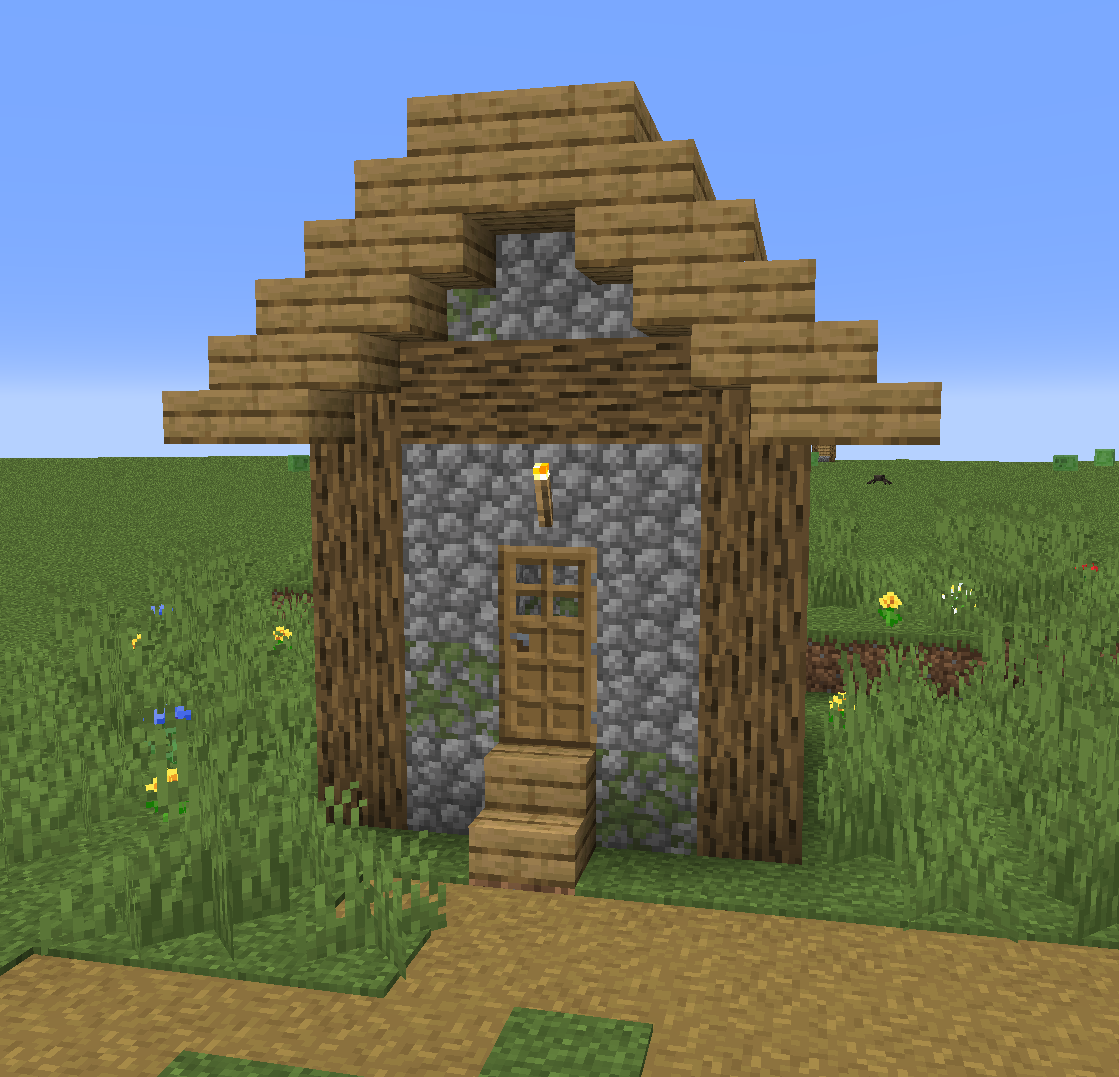
# Villager house
Villagers Refreshed + Fresh Animations

# About:
This is an addon pack for Villagers Refreshed that makes it compatible with Fresh Animations. The normal version of Villagers Refreshed isn’t required to be loaded in, but Fresh Animations is.
# Attention:
While Optifine is the more popular method of using CEM Packs, I would personally advise using Entity Model Features. The reason is that EMF is becoming the better alternative for custom entity models, and some models (modded ones) will not work without it.
Download Entity Model Features for Forge/Fabric here.
Fresh Animations by: FreshLX
Villagers [Male and Female]
This i present you Villager pack.
This is a texture pack aka resource pack for villagers
this pack completely change the all biomes villagers and the pack proved you new villager design and texture.
this pack change that lazy big nose villager into new good looking villagers.
Optifine required
otherwise this pack doesn’t work properly.
this pack is created to support all kind of adventure theme minecraft.
and make minecraft more lively.
changes in minecraft after applying the pack.
changes are:-
1)villager
2)wandering trader
3)all profession
4)male and female villager
5)male and female wandering
this pack is good for role play videos
survival adventure videos
Without Optifine you can use this texture pack
Fabric-mods-
1)[EMF] Entity Model Features
2)[ETF] Entity Texture Features
3)Continuity
4)CIT Resewn
5)Indium
Forge-mods-
1)[EMF] Entity Model Features
2)[ETF] Entity Texture Features
3)Connectedness
4)Fusion (Connected Textures)
this pack is supported both single player world and multiplayer servers.
version supported
form- 1.16 to latest
make sure you check the file version before downloading the pack
all versions have separate files
Enjoy the “Villager Pack”.
THANKS FOR DOWNLOAD.
Villager Armor Stands (VAS)
In this project, I have changed the texture of the Armor Stands to look like villagers doing different tasks like sleeping, training, laying down or even being dead.
The models are animated to make them realistic. Some villagers have a breathing animation (such as the sleeping villager or the bowing villager), or villagers doing a workout do the full movement (such as push-ups or sit-ups). Dead villagers have no animation for obvious reasons.
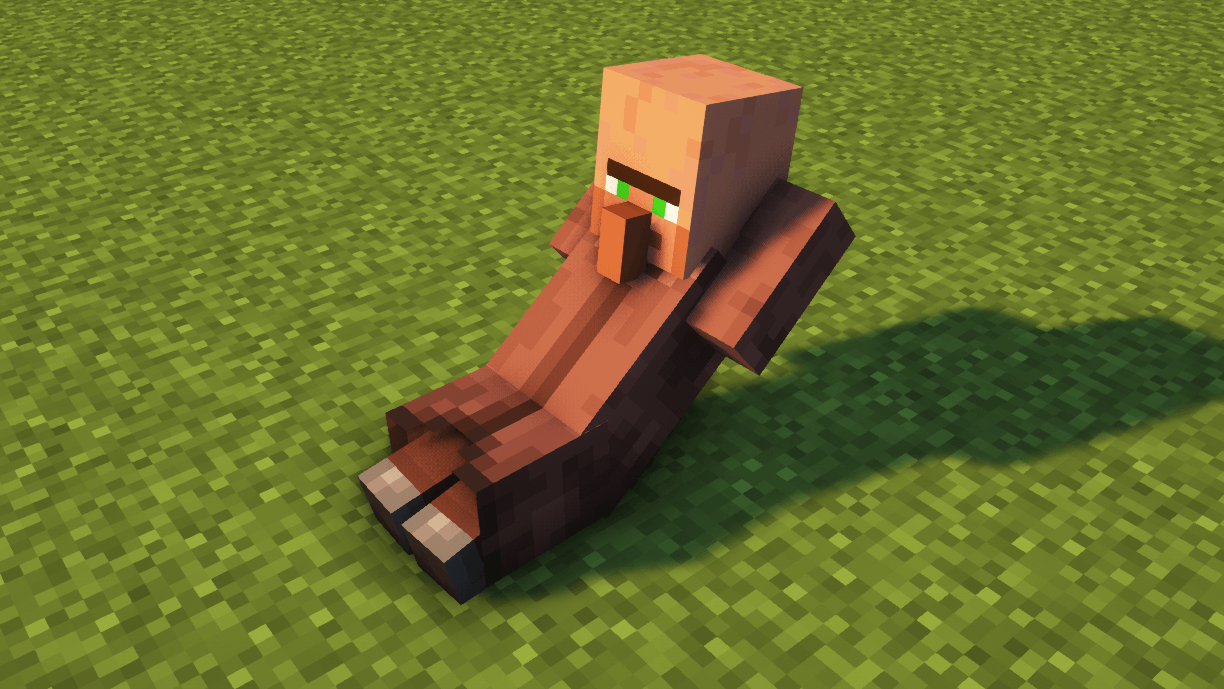
OPTIFINE IS REQUIRED BUT, IF YOU PLAY WITH SODIUM, YOU CAN USE A CEM MOD INSTEAD
To see each villager, you have to tag the armor stand with the following tags:
– Tag “Villager”: Randomly put one of the following villager skins.
– Tag “Villager1”: Dead villager 1
– Tag “Villager2”: Dead villager 2
– Tag “Villager3”: Dead villager 3
– Tag “Villager4”: (Animated) Villager sitting sleeping.
– Tag “Villager5”: (Animated) Villager doing push ups, exercise.
– Tag “Villager6”: (Animated) Head down sad villager.
– Tag “Villager7”: (Animated) Villager doing crunches, exercise.
I have tried this texture packs with the most famous shaders and I have not found any problem. If you have any review or suggestion you can leave it in the comments. Thank you.
The use of this texture pack for personal use is only allowed, sharing it with third parties or using it for advertising or profit-making purposes is prohibited. All rights reserved.
It is forbidden to upload videos featuring my texture pack to YouTube, Instagram, TikTok or other platforms without my consent.
Any questions or proposals, you can send an email to [email protected].


