Cartoonikal
# Cartoonikal!
Techniques used in hand-drawn art, in the form of a Minecraft shader.
Version 1 features a vanilla look, but with effects such as cel shading, cross hatching, emphasized (and slightly wavy) edges, and a tiny bit of blur (only in darker areas)! More features and improvements coming soon!
This shader should be very light on FPS, and was made for use on latest versions of Iris, but should work on older verisons and Optifine. Looks best with a dynamic lights mod and the Bare Bones pack. If you want the light flicker disabled, use [Ari’s Accessiblity Tweaks](https://modrinth.com/mod/aris-accessibility-tweaks)
Check out the gallery for how it looks!
Shoutout to Diamond for the name idea and icon, featuring my cat Kenny!
Carmine
# Carmine Shaders
Carmine is a Minecraft shaderpack that pushes the world into an eerie crimson mood.
Familiar biomes, still unsettling, like everything is lit by a fading red sky.
## About the shaderpack
This pack provides:
– heavy red color grading
– darker shadows
– a more ominous atmosphere to the Minecraft we all love!
Designed for use with horror mods, maps, or just fun in general!
## Why I made this
Made for Lumen, Hack Club!
Carmine is stylized and mood-first.
## Installation
1. Install **Iris Shaders** (or **OptiFine**).
2. Download or clone this repository.
3. Put the shaderpack folder into `.minecraft/shaderpacks`.
4. Select **Carmine-Shaders** in your shader settings in-game.
## What I learnt
Working on Carmine taught me a lot about balancing style:
– strong color grading can look great in screenshots but still needs to keep gameplay readable
– small lighting tweaks can completely change the tone of a scene
## Credits
Made by **Snxhit**.
BVSF


EN 🌐
# ABOUT:
**Hi, I’m LoLip_p! I’m the developer of the [BVS](https://modrinth.com/shader/bvs) shader, which is a vanilla preserving shader for minecraft. It is quite productive, but still some users have even weaker computers, for this reason I created a new version of the shader: BVSF (F – Fast) is a faster, but less functional version of BVS. It lacks such effects as DoF, SSR, PBR and others. With this version you will be able to squeeze out many times more fps compared to the regular version!**
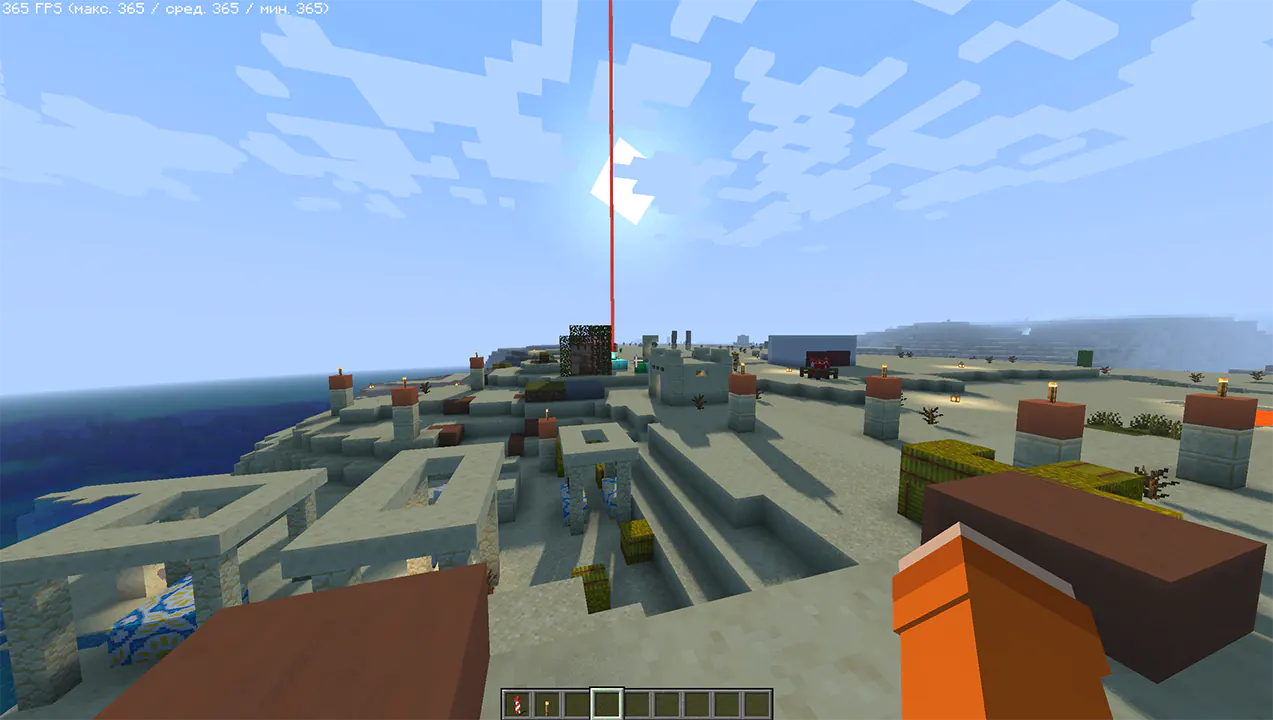
### Performance: 360 FPS+
– 2K (2560×1440)
– 10 chunks
– GPU: RX 580 _(8GB)_
– CPU: Ryzen 5 1500X
### SCREENSHOT:
## LINKS:
– [Discord](https://discord.gg/Cz2sCWz5Wh) (Discuss, Bug Reports, Etc.)
– [Telegram](https://t.me/LoLip_p_Community)
– [YouTube](https://www.youtube.com/@lolip_p)
## INSTALL THE SHADERS
– Download Client Which Supports Installing Shaders Such As Optifine And Iris
– Download The Shaders
– Copy Shaders to /.minecraft/shaderpacks
– Launch Minecraft, Go To Options –> Video Settings –> Shaders
– Choose **BVSF – Best Vanilla Shader (FAST)**
RU 🐻
# О:
**Привет, я LoLip_p! Я разработчик шейдера [BVS](https://modrinth.com/shader/bvs), который является шейдером для Minecraft, сохраняющим ванильную версию игры. Он довольно производительный, но у некоторых пользователей компьютеры еще слабее, поэтому я создал новую версию шейдера: BVSF (F – Fast) — более быстрая, но менее функциональная версия BVS. В ней отсутствуют такие эффекты, как DoF, SSR, PBR и другие. С этой версией вы сможете выжать в разы больше fps по сравнению с обычной версией!**
### Производительность: 360 FPS+
– 2K (2560×1440)
– 10 чанков
– GPU: RX 580 _(8GB)_
– CPU: Ryzen 5 1500X
### СКРИНШОТ:

## ССЫЛКИ:
– [Discord](https://discord.gg/Cz2sCWz5Wh) (обсуждения, сообщения об ошибках и т. д.)
– [Telegram](https://t.me/LoLip_p_Community)
– [YouTube](https://www.youtube.com/@lolip_p)
## УСТАНОВКА ШЕЙДЕРОВ
– Загрузите клиент, поддерживающий установку шейдеров, такой как Optifine и Iris.
– Загрузите шейдеры.
– Скопируйте шейдеры в /.minecraft/shaderpacks.
– Запустите Minecraft, перейдите в Настройки –> Настройки видео –> Шейдеры.
– Выберите **BVSF – Best Vanilla Shader (FAST)**.
CH 🐉
# 关于:
**大家好,我是LoLip_p!我是[BVS](https://modrinth.com/shader/bvs)着色器的开发者,这是款保留原版风格的Minecraft着色器。虽然性能相当出色,但考虑到部分用户电脑配置更低,我特别推出了新版着色器:BVSF(F – Fast)是BVS的轻量化版本,在保留核心功能的同时去除了景深、镜面反射、PBR等特效。使用此版本可获得比标准版高出数倍的帧率!**
### 性能测试:360 FPS+
– 2K分辨率(2560×1440)
– 10个区块
– GPU:RX 580 _(8GB)_
– CPU:锐龙5 1500X
### 帧率截图:

## 相关链接:
– [Discord](https://discord.gg/Cz2sCWz5Wh) (讨论区、错误报告等)
– [Telegram](https://t.me/LoLip_p_Community)
– [YouTube](https://www.youtube.com/@lolip_p)
## 着色器安装指南
– 下载支持安装着色器的客户端(如Optifine或Iris)
– 下载着色器资源包
– 将着色器文件复制至 /.minecraft/shaderpacks 目录
– 启动Minecraft,进入选项 → 视频设置 → 着色器
– 选择 **BVSF – 最佳原版着色器(快速版)**
BVS – Best Vanilla Shader
EN 🌐
# ABOUT:
**Hi, I’m LoLip_p! I created this shader by saving vanilla Minecraft. I also tried to make flexible settings so that you can disable or enable the available functions to your liking. Support the author on [Patreon](https://patreon.com/lolip_p).**
**A fast version of the shader is also available: [**BVSF**](https://modrinth.com/shader/bvsf)!**
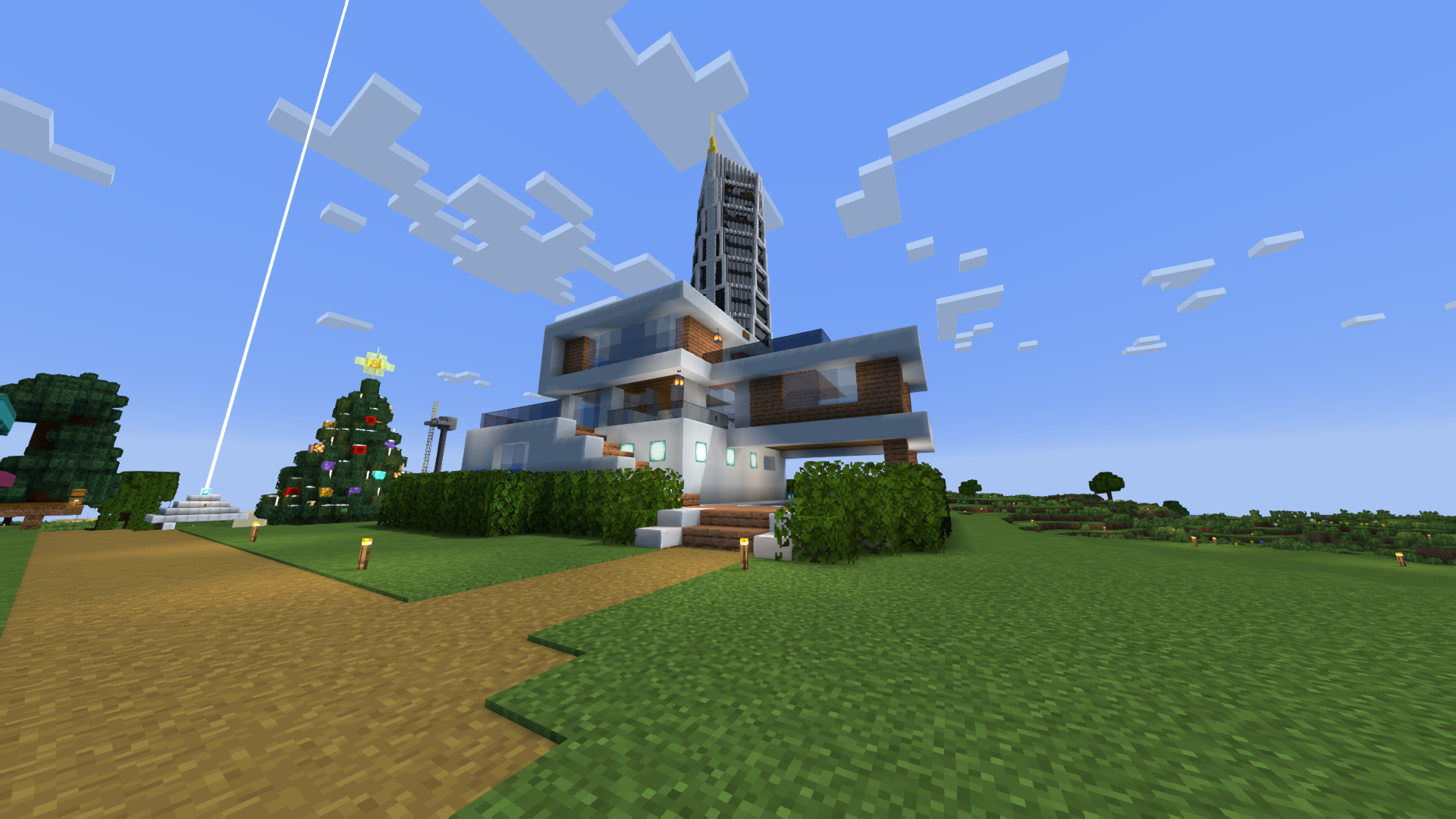
### SCREENSHOT:
### Performance: 200 FPS+
– 2K (2560×1440)
– 10 chunks
– GPU: RX 580 _(8GB)_
– CPU: Ryzen 5 1500X
## THE SHADER HAS:
– Support [Better Clouds](https://modrinth.com/mod/better-clouds)
– Support [Distant Horizons](https://modrinth.com/mod/distanthorizons)
– PBR support _(LabPBR)_
– Depth of Field
– Motion Blur
– Shading _(Shading the edges that do not fall under the sun’s rays)_
– Shadows
– FXAA _(anti-aliasing)_
– SSR _(Screen Space Reflection)_
– Auto Exposure
– Color Correction
– Support 7 language: _EN RU UA FR DE CH BR_
## LINKS:
– [Discord](https://discord.gg/Cz2sCWz5Wh) (Discuss, Bug Reports, Etc.)
– [Telegram](https://t.me/LoLip_p_Community)
– [YouTube](https://www.youtube.com/@lolip_p)
## INSTALL THE SHADERS
– Download Client Which Supports Installing Shaders Such As Optifine And Iris
– Download The Shaders
– Copy Shaders to /.minecraft/shaderpacks
– Launch Minecraft, Go To Options –> Video Settings –> Shaders
– Choose **BVS – Best Vanilla Shader**
## DEMO VIDEO
RU 🐻
# О:
**Привет, я LoLip_p! Я создал этот шейдер, сохранив классическую версию Minecraft. Я также постарался сделать настройки гибкими, чтобы вы могли отключать или включать доступные функции по своему усмотрению.**
**Также доступна быстрая версия шейдера: [**BVSF**](https://modrinth.com/shader/bvsf)!**
### СКРИНШОТ:

### Производительность: 200 FPS+
– 2K (2560×1440)
– 10 чанков
– GPU: RX 580 _(8GB)_
– CPU: Ryzen 5 1500X
## ШЕЙДЕР ИМЕЕТ:
– Поддержка [Better Clouds](https://modrinth.com/mod/better-clouds)
– Поддержка [Distant Horizons](https://modrinth.com/mod/distanthorizons)
– Поддержка PBR _(LabPBR)_
– Глубина резкости
– Размытие движения
– Затенение _(Затенение краев, не попадающих под лучи солнца)_
– Тени
– FXAA _(сглаживание)_
– SSR _(Отражение в пространстве экрана)_
– Автоматическая экспозиция
– Коррекция цвета
– Поддержка 7 языков: _EN RU UA FR DE CH BR_
## ССЫЛКИ:
– [Discord](https://discord.gg/Cz2sCWz5Wh) (Discuss, Bug Reports, Etc.)
– [Telegram](https://t.me/LoLip_p_Community)
– [YouTube](https://www.youtube.com/@lolip_p)
## УСТАНОВКА ШЕЙДЕРА
– Загрузите клиент, поддерживающий установку шейдеров, таких как Optifine и Iris
– Загрузите шейдеры
– Скопируйте шейдеры в /.minecraft/shaderpacks
– Запустите Minecraft, перейдите в «Настройки» –> «Настройки видео» –> «Шейдеры»
– Выберите **BVS – Best Vanilla Shader**
## ДЕМО ВИДЕО
CH 🐉
# 关于:
**你好,我是LoLip_p!我通过保存原版《我的世界》创建了这个着色器。我还尝试设计了灵活的设置选项,让你可以根据喜好启用或禁用可用功能。**
**还提供了一个快速版本的着色器:[**BVSF**](https://modrinth.com/shader/bvsf)!**
### 屏幕截图:

### 性能: 200 FPS+
– 2K (2560×1440)
– 10 chunks
– GPU: RX 580 _(8GB)_
– CPU: Ryzen 5 1500X
## 着色器具有:
– 支持 [更佳云层](https://modrinth.com/mod/better-clouds)
– 支持 [远景地平线](https://modrinth.com/mod/distanthorizons)
– PBR支持 _(LabPBR)_
– 景深效果
– 运动模糊
– 阴影渲染 _(对阳光照射范围外的边缘进行阴影处理)_
– 物体阴影
– FXAA _(抗锯齿技术)_
– SSR _(屏幕空间反射)_
– 自动曝光
– 颜色校正
– 支持7种语言:_EN RU UA FR DE CH BR_
## 链接:
– [Discord](https://discord.gg/Cz2sCWz5Wh) (Discuss, Bug Reports, Etc.)
– [Telegram](https://t.me/LoLip_p_Community)
– [YouTube](https://www.youtube.com/@lolip_p)
## 安装着色器
– 下载支持安装Optifine和Iris等着色器的客户端
– 下载着色器资源包
– 将着色器文件复制到/.minecraft/shaderpacks目录
– 启动Minecraft,进入选项 –> 视频设置 –> 着色器
– 选择**BVS – 最佳原版着色器**
## 演示视频
DE 🍺
# ÜBER:
**Hallo, ich bin LoLip_p! Ich habe diesen Shader erstellt, indem ich Vanilla Minecraft gespeichert habe. Außerdem habe ich versucht, flexible Einstellungen zu erstellen, damit Sie die verfügbaren Funktionen nach Belieben deaktivieren oder aktivieren können.**
**Eine schnelle Version des Shaders ist ebenfalls verfügbar: [**BVSF**](https://modrinth.com/shader/bvsf)!**
### SCREENSHOT:

### Leistung: 200 FPS+
– 2K (2560×1440)
– 10 chunks
– GPU: RX 580 _(8GB)_
– CPU: Ryzen 5 1500X
## DER SHADER VERFÜGT ÜBER:
– Unterstützung für [Better Clouds](https://modrinth.com/mod/better-clouds)
– Unterstützung für [Distant Horizons](https://modrinth.com/mod/distanthorizons)
– PBR-Unterstützung _(LabPBR)_
– Tiefenschärfe
– Bewegungsunschärfe
– Schattierung _(Schattierung der Kanten, die nicht unter die Sonnenstrahlen fallen)_
– Schatten
– FXAA _(Anti-Aliasing)_
– SSR _(Screen Space Reflection)_
– Automatische Belichtung
– Farbkorrektur
– Unterstützung von 7 Sprachen: _EN RU UA FR DE CH BR_
## LINKS:
– [Discord](https://discord.gg/Cz2sCWz5Wh) (Discuss, Bug Reports, Etc.)
– [Telegram](https://t.me/LoLip_p_Community)
– [YouTube](https://www.youtube.com/@lolip_p)
## INSTALLIEREN SIE DIE SHADER
– Client herunterladen, der die Installation von Shadern wie Optifine und Iris unterstützt
– Shader herunterladen
– Shader nach /.minecraft/shaderpacks kopieren
– Minecraft starten, zu Optionen –> Videoeinstellungen –> Shader gehen
– **BVS – Best Vanilla Shader** auswählen
## DEMO VIDEO
BR 🎭
# SOBRE:
**Olá, sou o LoLip_p! Criei este shader salvando o Minecraft vanilla. Também tentei criar configurações flexíveis para que você possa desativar ou ativar as funções disponíveis de acordo com sua preferência.**
**Uma versão rápida do shader também está disponível: [**BVSF**](https://modrinth.com/shader/bvsf)!**
### CAPTURA DE TELA:

### Desempenho: 200 FPS+
– 2K (2560×1440)
– 10 chunks
– GPU: RX 580 _(8GB)_
– CPU: Ryzen 5 1500X
## O SHADER TEM:
– Suporte a [Better Clouds](https://modrinth.com/mod/better-clouds)
– Suporte a [Distant Horizons](https://modrinth.com/mod/distanthorizons)
– Suporte PBR _(LabPBR)_
– Profundidade de campo
– Desfoque de movimento
– Sombreamento _(Sombreamento das bordas que não são atingidas pelos raios solares)_
– Sombras
– FXAA _(anti-aliasing)_
– SSR _(Reflexão no espaço da tela)_
– Exposição automática
– Correção de cor
– Suporte a 7 idiomas: _EN RU UA FR DE CH BR_
## LINKS:
– [Discord](https://discord.gg/Cz2sCWz5Wh) (Discuss, Bug Reports, Etc.)
– [Telegram](https://t.me/LoLip_p_Community)
– [YouTube](https://www.youtube.com/@lolip_p)
## INSTALE OS SHADERS
– Baixe o cliente que suporta a instalação de shaders como Optifine e Iris
– Baixe os shaders
– Copie os shaders para /.minecraft/shaderpacks
– Inicie o Minecraft, vá para Opções –> Configurações de vídeo –> Shaders
– Escolha **BVS – Best Vanilla Shader**
## VÍDEO DE DEMONSTRAÇÃO
FR 🥐
# À PROPOS:
**Bonjour, je m’appelle LoLip_p ! J’ai créé ce shader en enregistrant Minecraft vanilla. J’ai également essayé de rendre les paramètres flexibles afin que vous puissiez désactiver ou activer les fonctions disponibles à votre guise.**
**Une version rapide du shader est également disponible : [**BVSF**](https://modrinth.com/shader/bvsf)!**
### CAPTURE D’ÉCRAN:

### Performance: 200 FPS+
– 2K (2560×1440)
– 10 chunks
– GPU: RX 580 _(8GB)_
– CPU: Ryzen 5 1500X
## LE SHADER DISPOSE DE:
– Prise en charge [Better Clouds](https://modrinth.com/mod/better-clouds)
– Prise en charge [Distant Horizons](https://modrinth.com/mod/distanthorizons)
– Prise en charge PBR _(LabPBR)_
– Profondeur de champ
– Flou de mouvement
– Ombrage _(Ombrage des bords qui ne sont pas exposés aux rayons du soleil)_
– Ombres
– FXAA _(anti-aliasing)_
– SSR _(Screen Space Reflection)_
– Exposition automatique
– Correction des couleurs
– Prise en charge de 7 langues : _EN RU UA FR DE CH BR_
## LIENS:
– [Discord](https://discord.gg/Cz2sCWz5Wh) (Discuss, Bug Reports, Etc.)
– [Telegram](https://t.me/LoLip_p_Community)
– [YouTube](https://www.youtube.com/@lolip_p)
## INSTALLER LES SHADERS
– Téléchargez le client qui prend en charge l’installation de shaders tels que Optifine et Iris
– Téléchargez les shaders
– Copiez les shaders dans /.minecraft/shaderpacks
– Lancez Minecraft, allez dans Options –> Paramètres vidéo –> Shaders
– Choisissez **BVS – Best Vanilla Shader**
## VIDÉO DE DÉMONSTRATION
UA 🕊️
# О:
**Привіт, я LoLip_p! Я створив цей шейдер, зберігши класичну версію Minecraft. Я також постарався зробити налаштування гнучкими, щоб ви могли відключати або вмикати доступні функції на свій розсуд.**
**Також доступна швидка версія шейдера: [**BVSF**](https://modrinth.com/shader/bvsf)!**
### СКРИНШОТ:

### Продуктивність: 200 FPS+
– 2K (2560×1440)
– 10 чанків
– GPU: RX 580 _(8GB)_
– CPU: Ryzen 5 1500X
## ШЕЙДЕР МАЄ:
– Підтримка [Better Clouds](https://modrinth.com/mod/better-clouds)
– Підтримка [Distant Horizons](https://modrinth.com/mod/distanthorizons)
– Підтримка PBR _(LabPBR)_
– Глибина різкості
– Розмиття руху
– Затінення _(Затінення країв, що не потрапляють під промені сонця)_
– Тіні
– FXAA _(згладжування)_
– SSR _(Відбиття в просторі екрану)_
– Автоматична експозиція
– Корекція кольору
– Підтримка 7 мов: _EN RU UA FR DE CH BR_
## ССЫЛКИ:
– [Discord](https://discord.gg/Cz2sCWz5Wh) (Discuss, Bug Reports, Etc.)
– [Telegram](https://t.me/LoLip_p_Community)
– [YouTube](https://www.youtube.com/@lolip_p)
## УСТАНОВКА ШЕЙДЕРА
– Завантажте клієнт, що підтримує встановлення шейдерів, таких як Optifine та Iris
– Завантажте шейдери
– Скопіюйте шейдери в /.minecraft/shaderpacks
– Запустіть Minecraft, перейдіть в «Налаштування» –> «Налаштування відео» –> «Шейдери»
– Виберіть **BVS – Best Vanilla Shader**
## ДЕМО ВІДЕО
Butter Shaders

## **BUTTER | Shaders**
Butter Shaders is a lightweight Minecraft shaderpack designed to bring a warm, soft, and realistic atmosphere to your world.
Based on MakeUp Ultra Fast Shaders, it enhances the original project with improved lighting, smoother water reflections, and refined sky rendering while keeping excellent performance.
Featuring smooth lighting, natural water reflections, dynamic clouds, and vibrant sunsets, this shader focuses on beauty and performance balance — perfect for both low-end and high-end devices.
### **Features :**
• Shadows
• Depth of field
• Temporary anti-aliasing
• Improved ambient occlusion
• Chromatic aberration
• Motion blur
• Volumetric clouds
• Volumetric light
• Reflexes
• Waving plants
• … and more
### **If you have any suggestions, found a bug, etc.,contact me on Discord. :**
▪︎ https://discord.gg/GfcRKJxXfk
### **Credits :**
Original creator: Javier Garduño Links:
• https://www.planetminecraft.com/mod/makeup-ultra-fast-shader
• https://www.planetminecraft.com/mod/makeup-ultra-fast-shader
• https://www.curseforge.com/minecraft/customization/makeup-ultra-fast-shader
• https://www.curseforge.com/minecraft/customization/makeup-ultra-fast-shader
BSL Shaders – Classic
**Notice: BSL Classic is now discontinued. A config file with classic’s look is available [here](https://www.patreon.com/posts/classic-settings-146997444).**

[](https://modrinth.com/shader/bsl-shaders)
[](https://modrinth.com/resourcepack/bsl-minipacks)
## ABOUT
BSL Shaders – Classic is a shaderpack made exclusively for Minecraft: Java Edition. It’s oriented towards vanilla aesthetics. This shader includes realtime shadows, volumetric light, ambient occlusion, bloom, customizable clouds and water, and built in anti-aliasing. Additional effects are available, such as depth of field, motion blur, specular and normal mapping, celshading, world curvature, and more.
## QUICK LINKS
– [**capttatsu.com**](https://capttatsu.com/bslshaders/) is this project’s official site, read the detailed description, FAQs and changelog here.
– Follow me on [**Bluesky**](https://bsky.app/profile/capttatsu.com) and/or [**X/Twitter**](https://twitter.com/capttatsu) to get news on my shaderpack.
– [**Join my discord server**](https://discord.com/invite/ZJd7jjA) for discussion, question, feature request, and bug report.
– Like my shaderpack? Consider supporting on [**Patreon**](https://www.patreon.com/capttatsu).
## AGREEMENT
You’re allowed to…
– Use this shaderpack for taking screenshots and videos.
– Modify the shaderpack for personal use.
– Publish your heavily modified version of the pack.*
– Redistribute the shaderpack for modpack / server with my permission.*
You’re not allowed to…
– Redistribute the shaderpack without my permission.
– Claim (and rename) my shaderpack (or its code) as your own.
– Use monetized URL shorteners to my site or files.
*My shader and myself (the author) should be credited clearly, add link to my site if possible.
## INSTALLATION
– Download and install Optifine or Iris
– Download the shaderpack
– Put the shaderpack inside .minecraftshaderpacks
– Launch Minecraft
– Open Options, Video Settings, Shaders
– Choose BSL Shaders
BSL Shaders
[](https://modrinth.com/resourcepack/bsl-minipacks)
## ABOUT
BSL Shaders is a shaderpack made exclusively for Minecraft: Java Edition. It’s bright, colorful, and distinct. This shader includes realtime shadows, volumetric light, ambient occlusion, bloom, customizable clouds and water, and built in anti-aliasing. Additional effects are available, such as depth of field, motion blur, specular and normal mapping, celshading, world curvature, and more.
## QUICK LINKS
– [**capttatsu.com**](https://capttatsu.com/bslshaders/) is this project’s official site, read the detailed description, FAQs and changelog here.
– Follow me on [**Bluesky**](https://bsky.app/profile/capttatsu.com) and/or [**X/Twitter**](https://twitter.com/capttatsu) to get news on my shaderpack.
– [**Join my discord server**](https://discord.com/invite/ZJd7jjA) for discussion, question, feature request, and bug report.
– Like my shaderpack? Consider supporting on [**Patreon**](https://www.patreon.com/capttatsu).
## AGREEMENT
You’re allowed to…
– Use this shaderpack for taking screenshots and videos.
– Modify the shaderpack for personal use.
– Publish your heavily modified version of the pack with my permission.
You’re not allowed to…
– Redistribute the shaderpack without my permission.
– Claim (and rename) my shaderpack (or its code) as your own.
– Use monetized URL shorteners to my site or files.
## INSTALLATION
– Download and install Optifine or Iris
– Download the shaderpack
– Put the shaderpack inside .minecraftshaderpacks
– Launch Minecraft
– Open Options, Video Settings, Shaders
– Choose BSL Shaders
BrighterAccessibility
# BrighterAccessibility
## Overview
**Compatible with Distant Horizons**
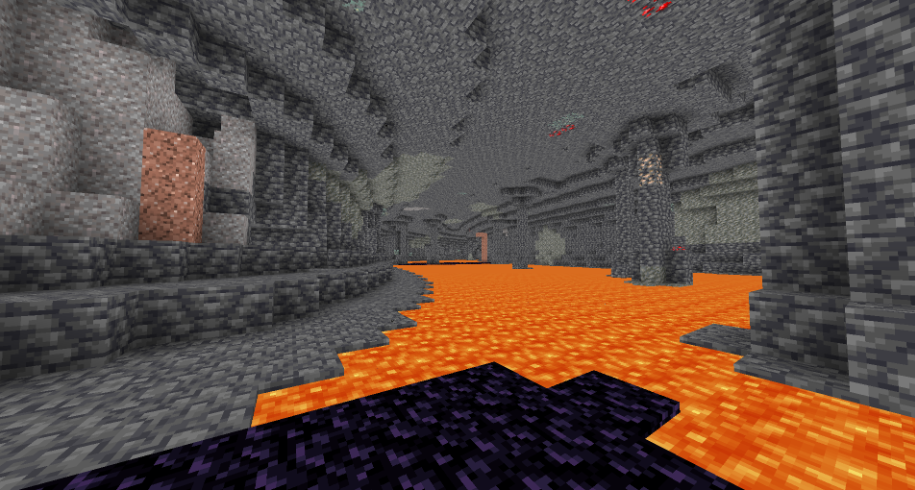
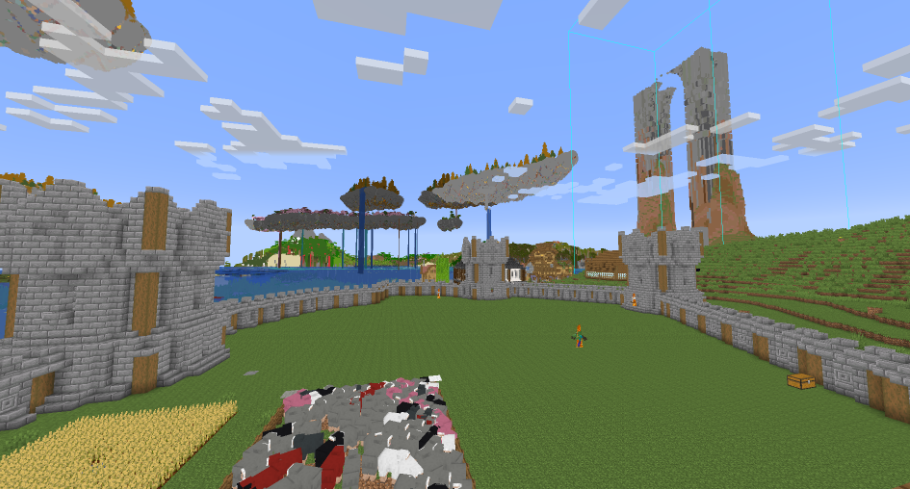
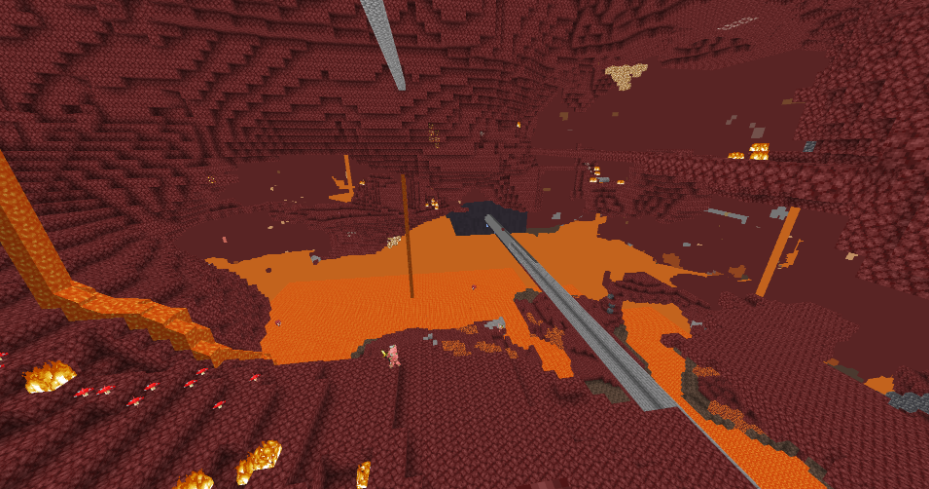
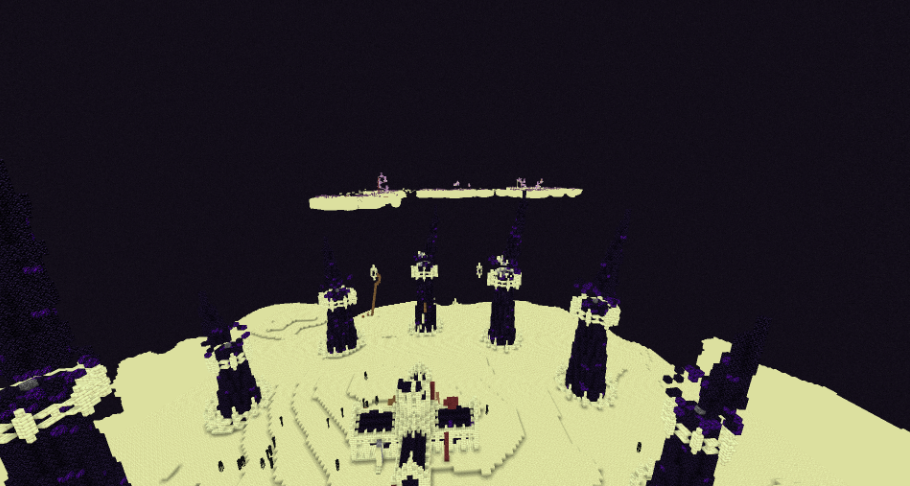
**BrighterAccessibility** is a custom shader designed to enhance visibility for visually impaired players by making the world brighter. This shader aims to improve accessibility.
## Installation
1. Download the `BrighterAccessibility.zip` file from the link provided.
2. Extract the contents into your Minecraft shaderpacks folder.
3. Launch Minecraft and select the BrighterAccessibility shader from the iris shaders menu.
## Usage
Once installed, the shader will automatically adjust the brightness levels, making dark areas easier to see for visually impaired players. Enjoy a more accessible Minecraft
### This shader is intended solely for accessibility purposes. It should not be used to gain gameplay advantages. If you have any concerns or feedback, please reach out to me.
###
## Screenshots
Bright Pixels
## This is my first attempt at making a shader!
I made this shader mostly to see if I could make a pack I was happy with and I think it actually is ok!
I also added a feature I haven’t seen any other pack add, which is _local greyscale_.
In the post-processing tab there is a greyscale screen with some settings in it. The default will make the world greyscale but make color around a 10 block radius to the player and if the block is in light!
Also the bloom looks terrible but it’s the best I could do without using HDR.
**_WARNING:_** The last DEBUG option may be bad for epilepsy.
Body Camera

EN 🌐
# ABOUT:
**Hi, I’m LoLip_p! This is a shader that simulates the effects of a body camera.**
### Looking for more realism?
I’ve released a **[Next-Gen](https://www.patreon.com/posts/body-camera-next-153571705)** version of this shader! It’s a complete overhaul based on Rethinking Voxels, bringing RTX lighting to the bodycam aesthetic.
Check it out on my [Patreon](https://patreon.com/lolip_p)!
# Base version:
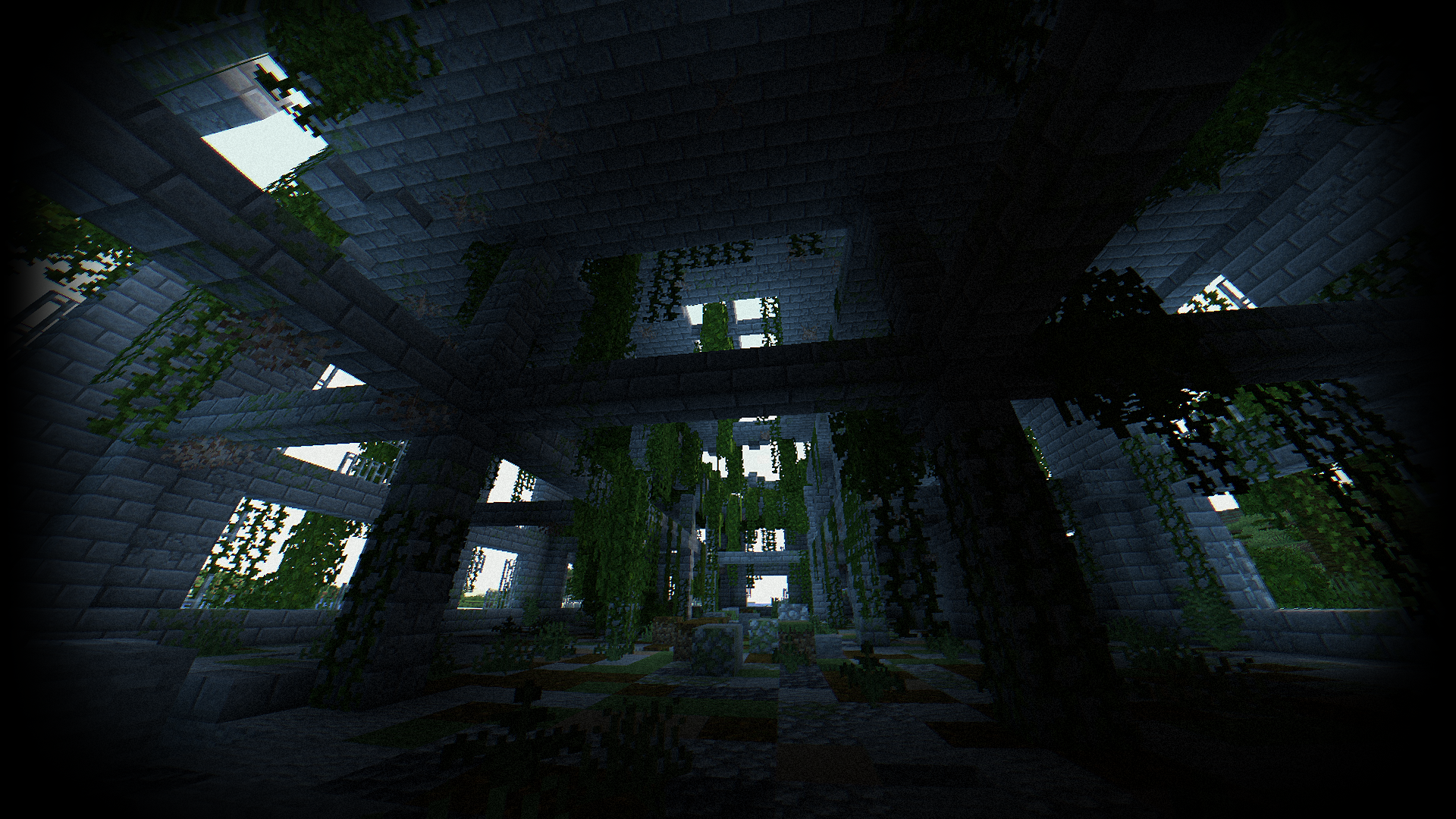
### SCREENSHOT:
### Performance: 160 FPS+
– 2K (2560×1440)
– 10 chunks
– GPU: RX 580 _(8GB)_
– CPU: Ryzen 5 1500X
## THE SHADER HAS:
– Fisheye Effect
– Auto Exposure
– Support [Better Clouds](https://modrinth.com/mod/better-clouds)
– Support [Distant Horizons](https://modrinth.com/mod/distanthorizons)
– PBR support _(LabPBR)_
– Chromatic Aberration
– Thermal Imager
– Night vision goggles
– Support 3 language: _EN RU FR_
### Recommended settings:
– Brightness: 0
– Field of view (Fov): 110
## LINKS:
– [Discord](https://discord.gg/Cz2sCWz5Wh) (Discuss, Bug Reports, Etc.)
– [Telegram](https://t.me/LoLip_p_Community)
– [YouTube](https://www.youtube.com/@lolip_p)
## INSTALL THE SHADERS
– Download Client Which Supports Installing Shaders Such As Optifine And Iris
– Download The Shaders
– Copy Shaders to /.minecraft/shaderpacks
– Launch Minecraft, Go To Options –> Video Settings –> Shaders
– Choose **Body Camera Shader**
## DEMO VIDEO
RU 🐻
# О:
**Привет, я LoLip_p! Это шейдер, который имитирует эффекты камеры, установленной на теле.**
### Ищете больше реализма?
Я выпустил **[Next-Gen](https://www.patreon.com/posts/body-camera-next-153571705)** версию этого шейдера! Это полностью переработанная версия, основанная на подходе «Rethinking Voxels», которая добавляет освещение RTX в стиле «bodycam».
Посмотрите его на моем [Patreon](https://patreon.com/lolip_p)!
# Базовая версия:
### СКРИНШОТ:

### Производительность: 160 FPS+
– 2K (2560×1440)
– 10 chunks
– GPU: RX 580 _(8GB)_
– CPU: Ryzen 5 1500X
## ШЕЙДЕР ИМЕЕТ:
– Эффект рыбьего глаза
– Авто экспозиция
– Поддержка [Better Clouds](https://modrinth.com/mod/better-clouds)
– Поддержка [Distant Horizons](https://modrinth.com/mod/distanthorizons)
– Поддержка PBR _(LabPBR)_
– Хроматическая аберрация
– Тепловизор
– Очки ночного видения
– Поддержка 3 языков: _EN RU FR_
### Рекомендуемые настройки:
– Яркость: 0
– Поле зрения (Fov): 110
## ССЫЛКИ:
– [Discord](https://discord.gg/Cz2sCWz5Wh) (Discuss, Bug Reports, Etc.)
– [Telegram](https://t.me/LoLip_p_Community)
– [YouTube](https://www.youtube.com/@lolip_p)
## УСТАНОВКА ШЕЙДЕРА
– Скачать клиент, поддерживающий установку шейдеров, таких как Optifine и Iris
– Скачать шейдеры
– Копировать шейдеры в /.minecraft/shaderpacks
– Запустите Minecraft, перейдите в «Настройки» –> Видео Настройки –> Shaders
– Выбери **Body Camera Shader**
## ДЕМО-ВИДЕО
CH 🐉
# 关于:
**你好,我是LoLip_p!这是模拟随身摄像机效果的着色器**
### 想要更逼真的效果吗?
我已经发布了这款着色器的 **[次世代](https://www.patreon.com/posts/body-camera-next-153571705)** 版本!这是基于《Rethinking Voxels》进行的一次全面重制,将 RTX 光照技术融入了随身摄像头的视觉风格。
欢迎前往我的 [Patreon](https://patreon.com/lolip_p) 查看!
# Base version:
### 屏幕截图:

### 性能: 160 FPS+
– 2K (2560×1440)
– 10 chunks
– GPU: RX 580 _(8GB)_
– CPU: Ryzen 5 1500X
## 着色器具有:
– 鱼眼效果
– 自动曝光
– 支持[Better Clouds](https://modrinth.com/mod/better-clouds)
– 支持[Distant Horizons](https://modrinth.com/mod/distanthorizons)
– PBR支持 _(LabPBR)_
– 色差
– 热成像仪
– 夜视镜
– 支持3种语言:_EN RU FR_
### 推荐设置:
– 亮度:0
– 视野(Fov):110
## 链接:
– [Discord](https://discord.gg/Cz2sCWz5Wh) (Discuss, Bug Reports, Etc.)
– [Telegram](https://t.me/LoLip_p_Community)
– [YouTube](https://www.youtube.com/@lolip_p)
## 安装着色器
– 下载支持安装着色器的客户端(如Optifine或Iris)
– 下载着色器资源包
– 将着色器文件复制到 /.minecraft/shaderpacks 目录
– 启动Minecraft,进入选项 –> 视频设置 –> 着色器
– 选择 **Body Camera Shader**
## 演示视频
BR 🎭
# SOBRE:
**Olá, sou o LoLip_p! Este é um shader que simula os efeitos de uma câmera corporal.**
### Quer mais realismo?
Lancei uma versão **[Next-Gen](https://www.patreon.com/posts/body-camera-next-153571705)** deste shader! Trata-se de uma reformulação completa baseada no Rethinking Voxels, que traz iluminação RTX para a estética das câmeras corporais.
Confira no meu [Patreon](https://patreon.com/lolip_p)!
# Base version:
### CAPTURA DE TELA:

### Desempenho: 160 FPS+
– 2K (2560×1440)
– 10 chunks
– GPU: RX 580 _(8GB)_
– CPU: Ryzen 5 1500X
## O SHADER TEM:
– Efeito olho de peixe
– Exposição automática
– Suporte para [Better Clouds](https://modrinth.com/mod/better-clouds)
– Suporte para [Distant Horizons](https://modrinth.com/mod/distanthorizons)
– Suporte PBR _(LabPBR)_
– Aberração cromática
– Termovisor
– Óculos de visão noturna
– Suporte a 3 idiomas: _EN RU FR_
### Configurações recomendadas:
– Brilho: 0
– Campo de visão (Fov): 110
## LINKS:
– [Discord](https://discord.gg/Cz2sCWz5Wh) (Discuss, Bug Reports, Etc.)
– [Telegram](https://t.me/LoLip_p_Community)
– [YouTube](https://www.youtube.com/@lolip_p)
## INSTALE OS SHADERS
– Baixe um cliente que suporte a instalação de shaders, como Optifine e Iris
– Baixe os shaders
– Copie os shaders para /.minecraft/shaderpacks
– Inicie o Minecraft, vá para Opções –> Configurações de vídeo –> Shaders
– Escolha **Body Camera Shader**
## VÍDEO DE DEMONSTRAÇÃO
DE 🍺
# ÜBER:
**Hallo, ich bin LoLip_p! Dies ist ein Shader, der die Effekte einer Körperkamera simuliert.**
### Lust auf noch mehr Realismus?
Ich habe eine **[Next-Gen](https://www.patreon.com/posts/body-camera-next-153571705)**-Version dieses Shaders veröffentlicht! Es handelt sich um eine komplette Überarbeitung auf Basis von „Rethinking Voxels“, die RTX-Beleuchtung in die Bodycam-Ästhetik integriert.
Schau sie dir auf meinem [Patreon](https://patreon.com/lolip_p) an!
# Base version:
### SCREENSHOT:

### Leistung: 160 FPS+
– 2K (2560×1440)
– 10 chunks
– GPU: RX 580 _(8GB)_
– CPU: Ryzen 5 1500X
## DER SHADER VERFÜGT ÜBER:
– Fisheye-Effekt
– Automatische Belichtung
– Unterstützung für [Better Clouds](https://modrinth.com/mod/better-clouds)
– Unterstützung für [Distant Horizons](https://modrinth.com/mod/distanthorizons)
– PBR-Unterstützung _(LabPBR)_
– Chromatische Aberration
– Wärmebildkamera
– Nachtsichtbrille
– Unterstützung für 3 Sprachen: _EN RU FR_
### Empfohlene Einstellungen:
– Helligkeit: 0
– Sichtfeld (Fov): 110
## LINKS:
– [Discord](https://discord.gg/Cz2sCWz5Wh) (Discuss, Bug Reports, Etc.)
– [Telegram](https://t.me/LoLip_p_Community)
– [YouTube](https://www.youtube.com/@lolip_p)
## INSTALLIEREN SIE DIE SHADER
– Client herunterladen, der die Installation von Shadern wie Optifine und Iris unterstützt
– Shader herunterladen
– Shader nach /.minecraft/shaderpacks kopieren
– Minecraft starten, zu Optionen –> Videoeinstellungen –> Shader gehen
– **Body Camera Shader** auswählen
## DEMO VIDEO
FR 🥐
# À PROPOS:
**Bonjour, je suis LoLip_p ! Voici un shader qui simule les effets d’une caméra corporelle.**
### Envie d’un rendu encore plus réaliste ?
J’ai publié une version **[Next-Gen](https://www.patreon.com/posts/body-camera-next-153571705)** de ce shader ! Il s’agit d’une refonte complète inspirée de « Rethinking Voxels », qui intègre l’éclairage RTX à l’esthétique des caméras corporelles.
Découvrez-la sur mon [Patreon](https://patreon.com/lolip_p) !
# Base version:
### CAPTURE D’ÉCRAN:

### Performance: 160 FPS+
– 2K (2560×1440)
– 10 chunks
– GPU: RX 580 _(8GB)_
– CPU: Ryzen 5 1500X
## LE SHADER DISPOSE DE :
– Effet fisheye
– Exposition automatique
– Prise en charge de [Better Clouds](https://modrinth.com/mod/better-clouds)
– Prise en charge de [Distant Horizons](https://modrinth.com/mod/distanthorizons)
– Prise en charge PBR _(LabPBR)_
– Aberration chromatique
– Imageur thermique
– Lunettes de vision nocturne
– Prise en charge de 3 langues : _EN RU FR_
### Paramètres recommandés :
– Luminosité : 0
– Champ de vision (Fov) : 110
## LIENS:
– [Discord](https://discord.gg/Cz2sCWz5Wh) (Discuss, Bug Reports, Etc.)
– [Telegram](https://t.me/LoLip_p_Community)
– [YouTube](https://www.youtube.com/@lolip_p)
## INSTALLER LES SHADERS
– Téléchargez un client prenant en charge l’installation de shaders tels que Optifine et Iris
– Téléchargez les shaders
– Copiez les shaders dans /.minecraft/shaderpacks
– Lancez Minecraft, allez dans Options –> Paramètres vidéo –> Shaders
– Choisissez **Body Camera Shader**
## VIDÉO DE DÉMONSTRATION