use SVGF to denoise,support bloom,Tyndall effect,auto exposure
**YOU NEED TO LOAD A PBR RESOURSEPACK AND USE VULKANITE 0.0.4 TO MAKE THE SHADER WORK CORRECTLY**
**WARNING:Make sure that your resourcepack fit your game version. Otherwise, you will get a black world!!!**
Derivative Shader
Derivative Shader is a graphic enhancement shader designed to transform your game with high-quality, vibrant, and realistic visuals. It elevates your gaming experience to a new level of beauty and realism through its array of powerful features and immersive elements.
### **What’s inside Derivative Shader?**
Derivative Shader offers three distinct presets: Default, Survival, and Film.
Default: The most popular choice. It delivers stunning graphics and beautiful effects without requiring high-end hardware.
Survival: Specially tuned to increase brightness, allowing players to navigate through the darkness with ease—no more getting lost in the shadows.
Film: The ultimate visual experience. This preset demands high performance to deliver ultra-detailed graphics. It includes Cinema mode and Motion Blur, making your game look as realistic as a live-action movie.
### **What sets Derivative apart from other Shaders?**
**Dynamic Weather: Rain now features realistic interaction effects on both ground surfaces and water bodies**

**The clouds change when Rain and Sun!** 
**Cinematic Experience: Integrated Cinematic bars and professional-grade Motion Blur for a smooth, realistic feel**

**Detailed Environments: Highly realistic and detailed underwater effects**

### **Is Derivative Shader demanding?**
Yes, it is. Since Derivative Shader prioritizes high-end graphics and extreme detail, it is very resource-intensive. It is not recommended for low-end devices or hardware that does not meet the necessary performance standards.
### **Best use cases for Derivative Shader?**
Derivative Shader is perfectly suited for worlds featuring massive structures or grand architecture. It is the ideal choice for players who want to fully experience the epic scale and magnificent atmosphere of their creations.
### **Disclaimer**
I am not the creator or owner of this Shader. I am simply sharing it for the Mondrith community to enjoy. If you encounter any bugs or issues, please contact the developer via this link :[https://texture-packs.com/shaders/derivative/](https://texture-packs.com/shaders/derivative/)
This shader was created to intentionally break the visual norms of Minecraft.
Instead of aiming for beauty or realism, it dives headfirst into chaos, distortion, and discomfort.
* Overexposed lighting that burns your world in light
* Colors that look like they’re fighting each other
* Shadows that don’t behave like they should
* Blocks and entities that feel off, distorted, or almost corrupted
* A surreal atmosphere that turns peaceful villages into cursed zones
The goal is simple: make Minecraft look _wrong_ — and weirdly fascinating.
Whether you’re exploring glitchcore builds, recording cursed videos, or just want to mess with your perception,
Cursed View delivers an experience that no “normal” shader would dare attempt.
It doesn’t aim to be pretty.
It doesn’t aim to be playable.
It exists to disturb, confuse, and sometimes even amuse.
**Recommended FOV: Quake Pro** — to fully embrace the madness.
If you’ve ever asked,
**_”What if a shader hated you?”_** — this is your answer.
Pushing the boundaries of accessible intelligence. Whether you need lightweight efficiency or industrial-grade reasoning, the **Next Series** delivers.
**Why build with Lamapi?**
– ⚡ **High Efficiency:** From compact 1B models to powerful 70B reasoning engines.
– 🌍 **Multilingual Mastery:** Optimized for superior performance in English & Turkish.
– 🛠️ **Ready to Deploy:** State-of-the-art open weights available immediately.
Looking for a host that takes your gaming experience as seriously as you do? We provide robust infrastructure ensuring smooth gameplay and enterprise-grade uptime.
**Why switch to us?**
– 💎 **7-Day Free Trial:** Experience the quality risk-free (No commitment).
– 🛡️ **99.9% Uptime SLA:** Your server stays online, guaranteed.
– ⏰ **24/7 Support:** Expert help whenever you need it.
🔥 Experience the difference with 25% off your first month,
# ABOUT:
**Hi, I’m LoLip_p! I developed this shader to create a tense and eerie atmosphere, perfect for horror modpacks. I would be delighted if it were included in your projects. It features a CRT mask, various video artifacts, noise effects, and more. If any effects don’t match your preferences, all parameters are fully customizable, allowing you to easily toggle settings on or off. Support the author on [Patreon](https://patreon.com/lolip_p).**
## INSTALL THE SHADERS
– Download Client Which Supports Installing Shaders Such As Optifine And Iris
– Download The Shaders
– Copy Shaders to /.minecraft/shaderpacks
– Launch Minecraft, Go To Options –> Video Settings –> Shaders
– Choose **Cursed Fog**
## DEMO VIDEO
RU 🐻
# О:
**Привет, я LoLip_p! Я разработал этот шейдер, чтобы создать напряженную и жуткую атмосферу, идеально подходящую для модпаков в жанре хоррор. Я был бы рад, если бы он был включен в ваши проекты. Он включает в себя маску CRT, различные видеоартефакты, шумовые эффекты и многое другое. Если какие-либо эффекты не соответствуют вашим предпочтениям, все параметры полностью настраиваемы, что позволяет легко включать или отключать настройки. Поддержите автора на [Patreon](https://patreon.com/lolip_p).**
# ÜBER:
**Hallo, ich bin LoLip_p! Ich habe diesen Shader entwickelt, um eine spannende und unheimliche Atmosphäre zu schaffen, die perfekt für Horror-Modpacks geeignet ist. Ich würde mich sehr freuen, wenn er in Ihren Projekten verwendet würde. Er verfügt über eine CRT-Maske, verschiedene Videoartefakte, Rauscheffekte und vieles mehr. Wenn Ihnen bestimmte Effekte nicht gefallen, können Sie alle Parameter vollständig anpassen und die Einstellungen ganz einfach ein- oder ausschalten. Unterstützen Sie den Autor auf [Patreon](https://patreon.com/lolip_p).**
## INSTALLIEREN SIE DIE SHADER
– Client herunterladen, der die Installation von Shadern wie Optifine und Iris unterstützt
– Shader herunterladen
– Shader nach /.minecraft/shaderpacks kopieren
– Minecraft starten, zu Optionen –> Videoeinstellungen –> Shader gehen
– **Cursed Fog** auswählen
## DEMO VIDEO
Cozy Shader
(I know the video seems laggy, but the shader shouldnt have too much of an impact on your game’s performance. It’s just that the software I used to record it wasn’t too great)
**Features:**
– Warm golden sunlight with realistic sunrise and sunset color shifts
– Rich orange torchlight for a cozy indoor atmosphere
– Animated water with depth-based coloring
– Soft directional shadows with distortion for better quality
– Distance fog for atmosphere
– Subtle vignette for a cinematic feel
Cozy & Light
**About**
Cozy & Light is a shader pack for Minecraft Java Edition. It’s a simple, lightweight, shaderpack that adds better lighting, improves water, and more! This makes your game feel a bit more cozy than vanilla **Minecraft**.
**_We strive to let people with low end devices feel good about how Minecraft looks._**

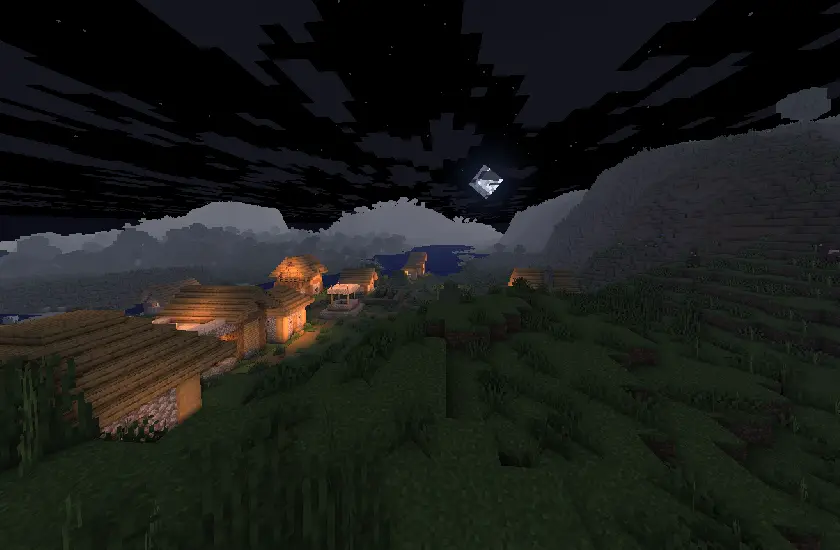
### About
Complementary Shaders is a shader pack for Minecraft Java Edition with exceptional attention to detail, high standards of quality, and top tier optimisation. It offers a ton of high quality effects, two default visual style choices, custom effects for almost every block in the game, profiles ranging from Potato to Ultra and it’s designed to never be obstructive during gameplay. It started as an edit of BSL Shaders in 2018, and it received countless major updates including a complete rewrite to meet the standards of our community. Complementary Shaders is dedicated to be shaped by user feedback over anything else, and it still receives regular updates to this day.
“Unbound” is one of the two default styles Complementary Shaders r5 comes with. It is the less restricted style of Complementary that aims for a more realistic image. [**Learn more about the two styles here.**](https://www.complementary.dev/shaders/#style-section)
### Choose Your Style
Complementary Shaders comes with two distinct visual style options. The only difference between these two styles is the default settings. The Unbound style is designed for people looking for a more realistic experience, while the Reimagined style is made to reimagine Minecraft while preserving its unique visual elements. Please note that you can still customize everything after you download either style. You can switch to blocky clouds on the Unbound style, or use realistic water on the Reimagined style. All settings are located in Shader Options.
### Installation
**New:** You can just download the [**Complementary Installer**](https://www.complementary.dev/shaders/#download-section) and click Install to automatically do all the steps below.
**-** First you need to install the [**Iris**](https://irisshaders.dev/download) mod to be able to load shaderpacks.
**-** Then you need to launch the game, and get to the Shaderpacks/Shaders menu in Video Settings.
**-** Open the shaderpacks folder by clicking the button in the menu.
**-** Download Complementary Shaders and put it in the shaderpacks folder. (Please don’t unzip the file)
**-** Get back in the game, and choose Complementary in the shaderpacks menu. (Refresh the menu if it doesn’t appear)
### Other
**-** Check out the [**Complementary Development Website**](https://www.complementary.dev/) for more information.
**-** Join the [**Complementary Discord**](https://discord.gg/ck5htDSQPv) community if you have any questions, or just want to talk.
**-** If you would like to support the development of Complementary, you can do so on [**Patreon**](https://www.patreon.com/emingt).
Colorless (Black and White)
With this lightweight shader you can turn your world black and white.
Important Notes:
-The colors are inverted when starting the Shader for the first time, please look into the shader settings
-for better results, turn the brightness down to 0%
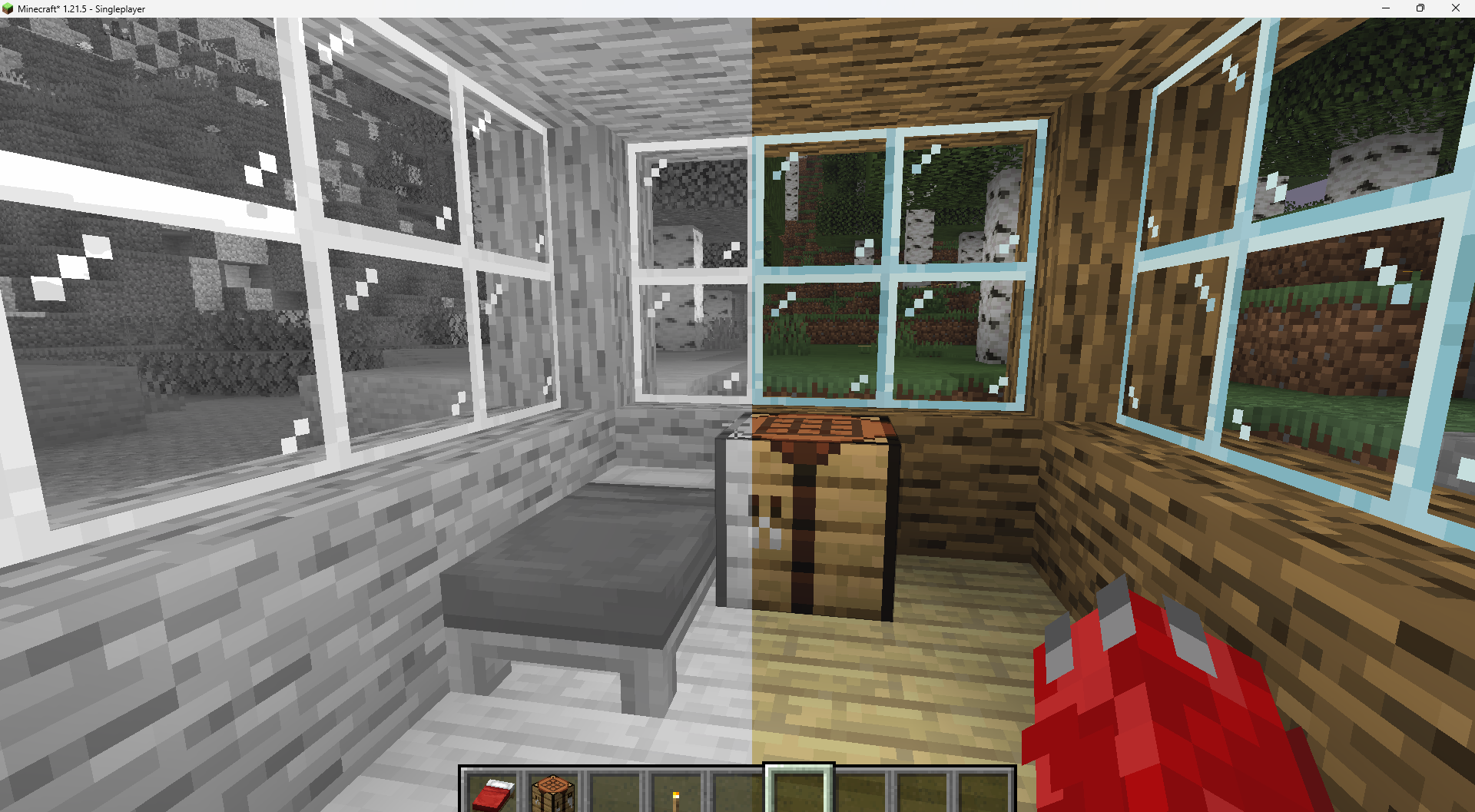
Features:
-turn world black and white
-optimised for PCs with a bad performance
-holding an item like a torch emmits light around the player
-shadows and fog
-colored lighting
-red light around player if hurt (can be deactivated)
Configurable Settings:
-inverted = if true, the colors are inverted
-coloredGlassShadows = if true, the shadows of colored glass are colored
**CoffeeShaders is a visual edit of [GlacierShaders](https://modrinth.com/shader/glacier-shaders), made for players who enjoy its clean, lightweight style but want a warmer touch. It keeps almost the same visuals as GlacierShaders while introducing a new water color and a few visual tweaks to create a smoother, more cozy aesthetic.**
### Features
**CoffeeShaders is optimized for performance just like GlacierShaders, with minimal post-processing and no heavy visual effects. The main difference lies in the visual tone — the water has a rich coffee-colored tint, and certain effects are adjusted to make the environment feel warmer and softer without reducing FPS.**
### BUGS
**Found a bug? You can report it by creating a ticket under the bug category in our Discord server. Your feedback helps us improve CoffeeShaders and fix issues faster. Every report means a lot to us and truly makes our day better!**
**CoffeeShaders is based on GlacierShaders and is published under the same licensing terms. All visual edits and tweaks are original and follow the permissions and distribution rules of the original GlacierShaders project.**
> Clarity is a shader pack that removes all shadows and fog in your game, making everything bright and easy to see in water and lava. With Clarity, you’ll always see clearly, no matter where you are in Minecraft! See the demonstration and screenshots [here](/shader/clarityshader/gallery). Its some sort of FullBright mod but then in shader variant.
### It’s perfect for:
– Exploring dark caves
– Traveling at night
– Finding your way in the nether
### Features:
– Removes Block Shadows
– Removes Entity Shadows
– Removes Particle Shadows
– Removes Fog
– Clear Sight Under lava and Water
– Change Snow and Rain Opacity
– Chage water opacity
– Vibrance setting
– Exposure setting
– Stars can be set to on or off
– Clouds can be set to dimmed, hidden and bright
– Anti Aliasing (SMAA)
– Works with Distant Horizons Mod
### Has Distant Horizons & Voxy Support!
Problems that need to be fixed
None 🙂
Work in progress
Chunks fading in and horizon fog. (These will all be togglable in the shader’s settings)
_Sidenote: This project was previously named FullBright2 but this was changed on 23/12/2025 12:00 GMT+1_