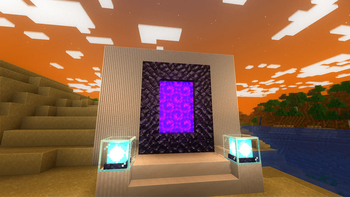
Just Colored Lighting and Dynamic Lights added to a very fast shader for Potato computers, with optional shadows, texture upscaling, and great PBR support (even from block lights). Distant Horizons and Voxy are also supported.
It is the fastest colored lighting shader I could make, and the optional Global Illumination has no fps impact.
Beta versions are not tested on all hardware yet. Please let me know if it works for you, or if you get bugs, on discord.
If you find anything in mods that doesn’t glow right, let me know and I’ll try to add support asap. All modded blocks that are light sources should automatically work, and pbr textures can optionally also turn anything into colored light sources.
concrete can also be optionally turned into colored lights for all your neon light needs.
The shader might work on older versions, I just haven’t tested them so let me know!
john
# john
John is a really fast shader, high fps anywhere from intergrated graphics to high end GPU’s!
It looks best when you use PBR resource packs!
**This shader has:**
– waving plants/leaves/water
– simple specular sky reflections
– emmisive textures support
– colored shadows
– fog
– clouds
– outlines
– high fps on any machine
_Iris only at the moment_
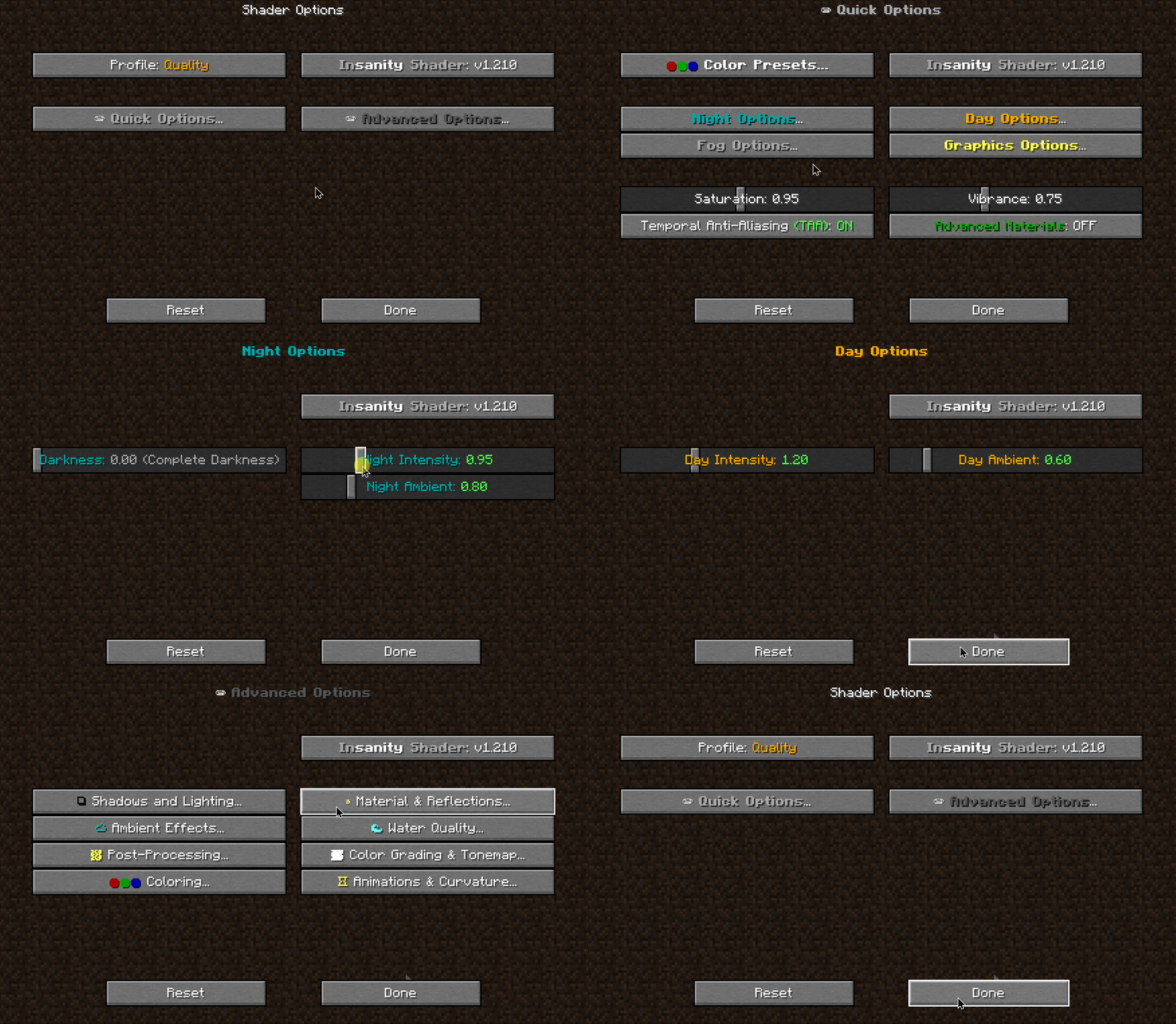
Insanity Shader
A stylized, horror themed Iris shaderpack with high customizability and performance.
Then download Insanity and place the .zip file onto .minecraftshaderpacks
Open Minecraft using the Fabric Loader that Iris installed and go to Video Settings > Shaders and select Insanity
Enjoy the darkness.
Made with 🖤 by ElocinDev
Special thanks to Capt Tatsu for making BSL
ink-wash-shaderpack
# 🎨 Ink Wash Painting Shader Pack
> *Transform your Minecraft world into a flowing Chinese ink wash painting.*
—
## ✨ Overview
**Ink Wash Shader Pack** is an Iris shader pack for Minecraft, inspired by traditional Chinese ink wash painting art. Using post-processing shader technology, it transforms the game’s visuals into a real-time ink painting style—featuring natural gradations of ink tones, varied brushstrokes, distant mountains fading into a dreamlike white space, and foliage swaying in the wind.
Unlike simple desaturation filters, this shader pack deeply simulates multiple traditional ink painting techniques:
– **Five Ink Tones (五墨法)** — Natural transitions between burnt, heavy, dark, light, and clear ink tones.
– **Brush Stroke Outlines (皴法)** — Multi-scale edge detection to simulate the texture of a traditional ink brush.
– **Negative Space (留白)** — Distant scenery and skies fade into large areas of preserved white space, mimicking the ethereal emptiness found in traditional landscapes.
– **Ink Diffusion (墨晕)** — A soft, natural bleeding effect simulating wet ink seeping into rice paper.
– **Rice Paper Texture (宣纸)** — Fractal noise reproduces the authentic fiber texture of traditional Xuan paper.
## 🖼️ Core Features
### 🖌️ Global Ink Tone Palette
All blocks are mapped to ink tones based on luminance. Nearby objects show texture details (like light ink sketches), while distant objects gradually dissolve into negative space.
### ✒️ Three-Tier Brush Outlines
| Brush Size | Detection Method | Visual Effect |
|————|——————|—————|
| **Thick** | Depth + Normal Edges (2x sample) | Major structure outlines (mountains, buildings) |
| **Medium** | Depth + Normal + Color (1x sample) | Block-level edges |
| **Fine** | Color Edges (0.5x sample) | Fine texture detail lines |
### 🌿 Wind Sway Animation
Grass and flowers sway dynamically with a 3-layer wind system (main gust + rustle + fine tremor). Leaf blocks sway gently like entire branches. The shader intelligently differentiates foliage using texture transparency so solid ground blocks will not animate.
### 🌫️ Distant Fading
A depth-based fading system: foregound ink is sharp and clear → midground lightens → background dissolves completely into paper white, much like distant mountains in traditional landscape paintings.
### 💧 Ink Diffusion
A dedicated post-processing pass simulates wet ink seeping into the paper. Light ink areas spread naturally, strong ink remains crisp, and ink flow is subtly influenced by micro-gravity.
### 📜 Rice Paper & Mounting
– **FBM Paper Texture** — Tri-scale fractional brownian motion noise with horizontal fiber bias to recreate authentic papermaking textures.
– **Scroll Border** — Adds a traditional mounted scroll frame around the screen.
– **Vermilion Seal (朱印)** — A toggleable traditional red stone seal stamp.
### 🌙 Time & Dimensions
– Ink tones automatically adapt to Minecraft time—light and elegant during the day, heavy and dark at night.
– Automatically detects the **Nether dimension** and applies a brightness boost and a subtle warm red tint perfectly fitting the lava atmosphere.
– Subtle “Ink Flow” animation brings a breathing, hand-painted feel to the entire display.
## ⚙️ Configurable Parameters (18 Settings)
All parameters can be tuned in real-time via the Iris Shader settings menu, featuring full English/Chinese translations. Options include:
– **Ink Contrast & Color Tints** (Subtle original color preservation up close)
– **Night Darkening & Nether Brightness**
– **Edge Strength** for all three brush tiers
– **Ink Flow & Wind Sway** animations
– **Distance Fade & Ink Diffusion**
– **Paper Grain Intensity**
– **Vignette, Scroll Border, and Seal Stamp** toggles
## 📦 Installation
1. Requires Minecraft with **Fabric** and **Iris Shaders**.
2. Place the downloaded `.zip` file into your `.minecraft/shaderpacks/` folder.
3. Enable the pack in-game: *Options → Video Settings → Shader Packs*.
4. Press `O` in-game to access shader settings and tweak the look to your liking!
Incremental shaders
Incremental Shaders improves various visual aspects of the game through small, progressive enhancements; delivering cleaner lighting, richer colors, and better overall clarity while preserving the original look and feel.
-Shadows with distortion to reduce aliasing
-Day/night cycle with proper darkening and blue-shifted night vision
-Distance fog that gets thicker at night
-Waving grass, flowers, and leaves (fades out at distance)
-ACES tone mapping with a cool blue tint
-Rain and thunderstorm effects (darker, desaturated, foggier)
-Torch flicker
-Vignette
I Like Vanilla
I’m currently looking for a job, if your company is looking for experienced programmers then please let me know!
Shaders typically fall into one of two camps: completely overhauling minecraft’s style or completely copying it. This shader aims to overhaul the graphics while making it feel like nothing has changed. It’s the same style as vanilla minecraft but built for my own preferences, which are:
– Beautiful and Pleasant
– Unobtrusive
– Sharp AA
– Gameplay-Oriented
– Interesting and Exciting
– Performant
### Supports [Voxy](https://modrinth.com/mod/voxy), [Distant Horizons](https://modrinth.com/mod/distanthorizons), [Colorwheel](https://modrinth.com/mod/colorwheel), and more!
### Note: Optifine is only partially supported. If you think it should be more supported, you can always let me know
## How to install:
– 1: Install either [Fabulously Optimized](https://modrinth.com/modpack/fabulously-optimized) (full modpack, preferred) or [Iris](https://modrinth.com/mod/iris)/[Occulus](https://modrinth.com/mod/oculus) (single mod, can be added anywhere)
– 2: Download the latest version of this shader
– (If you want to see the values used by each style, you can download a style-specific version)
– 3: Launch minecraft, go to the shaderpacks menu, and click the ‘Open Shader Packs Folder’ button
– 4: Put the downloaded shader zip into the shaderpacks folder
– 5: Select the shader within the shaderpacks menu
## Performance Comparisons:
I’m not sure how trustworthy these results are, but it should give you a rough idea of the performance between shaders. Also, you can compare your graphics card to mine [here](https://www.techpowerup.com/gpu-specs/geforce-gtx-1070.c2840). Tests:
### License Overview:
**This is not exact or binding in any way.**
#### You can (with restrictions):
– Use this for gameplay, screenshots, videos, etc
– Use this in modpacks
– Create public and/or private modifications
– Reuse shader code
#### You cannot (without any exceptions):
– Redistribute this shader with little to no modifications
– Create shortened / indirect links to this shader
#### You can read the full license [Here](https://github.com/What42Pizza/I-Like-Vanilla/blob/main/LICENSE).
Note: this shader has very limited testing and is very likely to break in niche cases, but I’m very open to fixing any and all bugs that are reported
Please visit your local church
Hysteria Shaders
[](https://lunapixel.studio/discord)

[](https://ko-fi.com/elocindev)
A stylized, atmospheric horror-themed Iris shaderpack with high customizability and performance.
Successor of [Insanity Shader](http://www.curseforge.com/minecraft/shaders/insanity-shader).
Based on Photon, Hysteria provides a similar feel to Insanity, but with modern features such as volumetric clouds and fog, colored lighting, distant horizons support, and more!

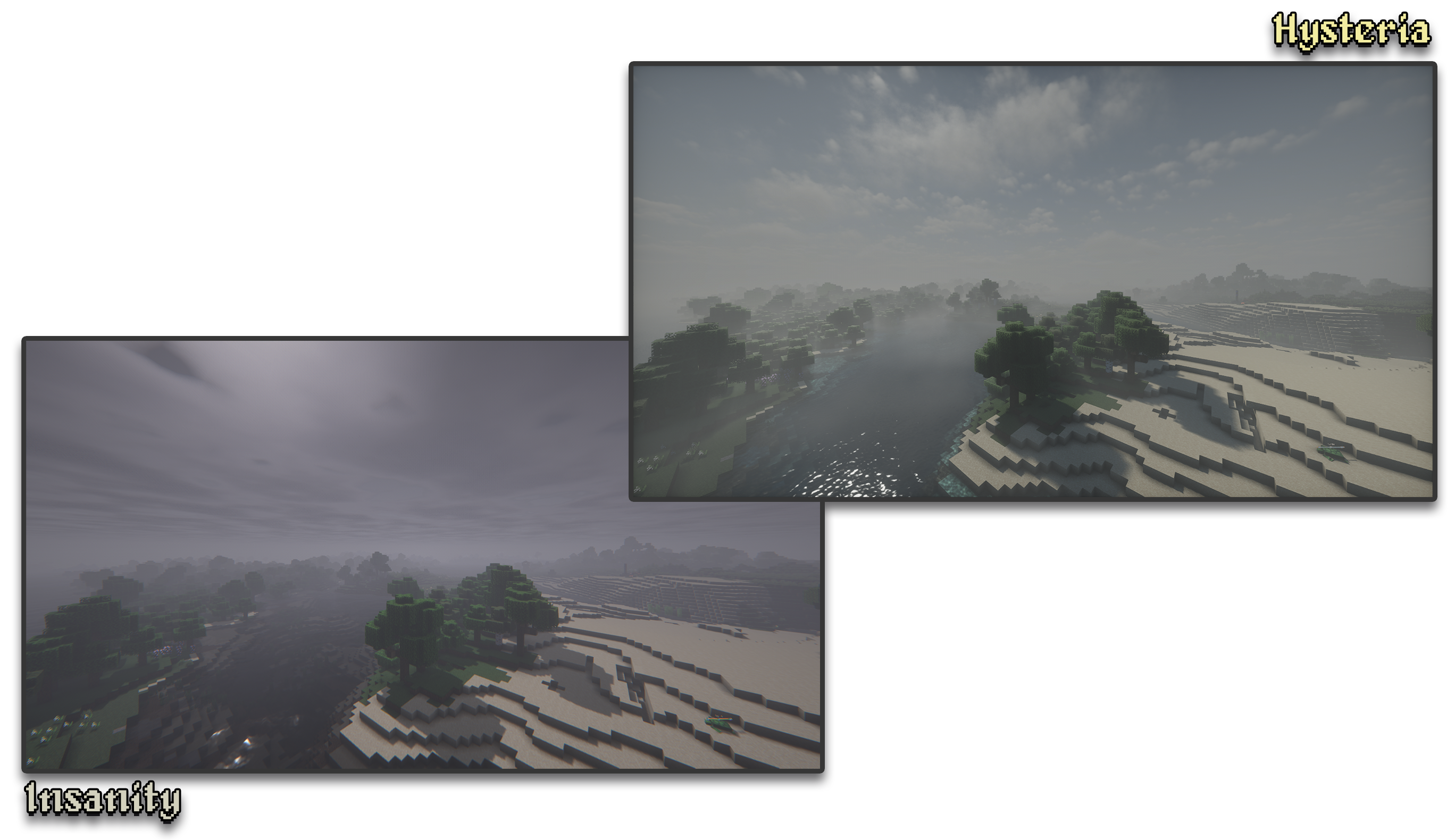
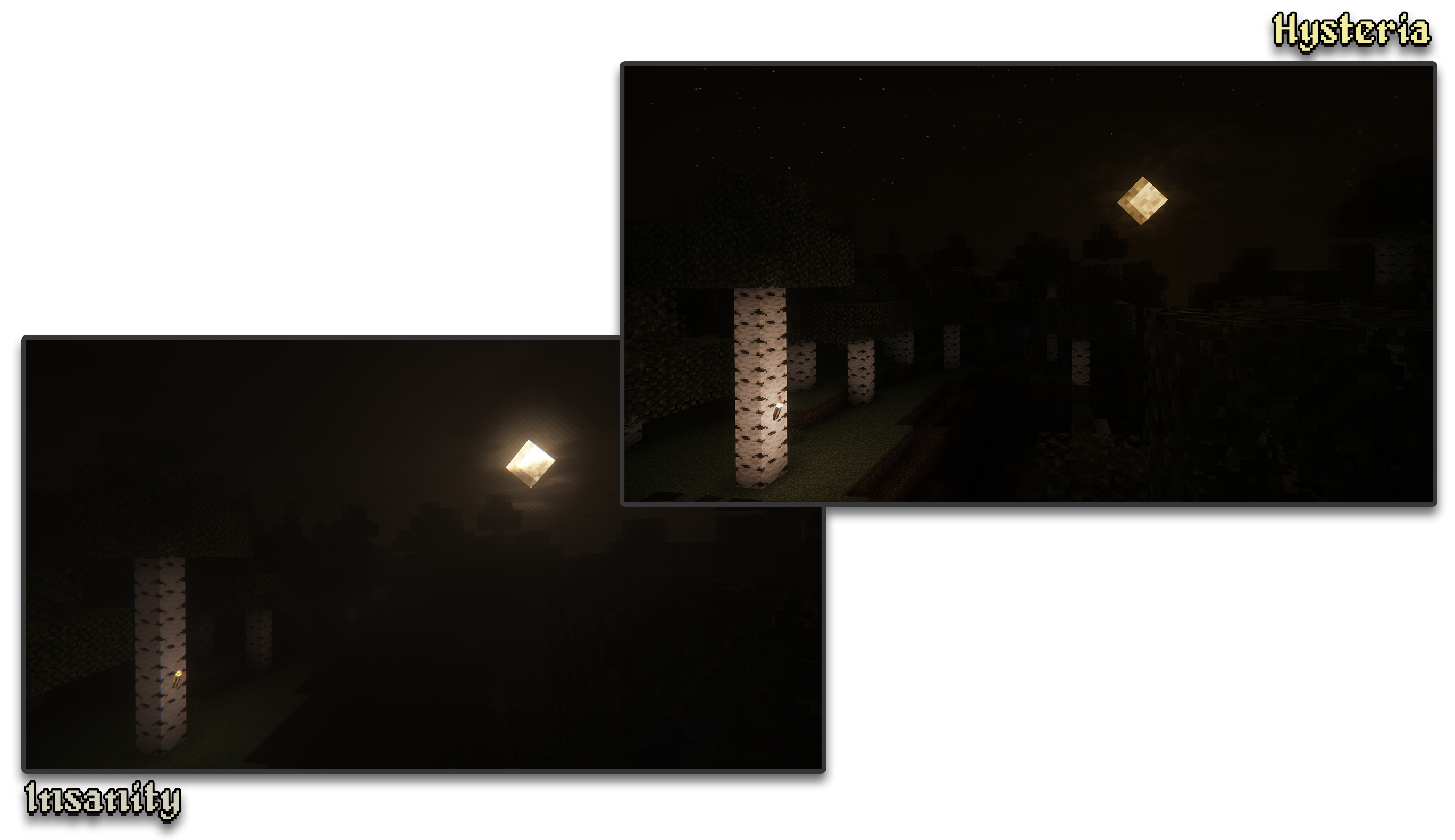
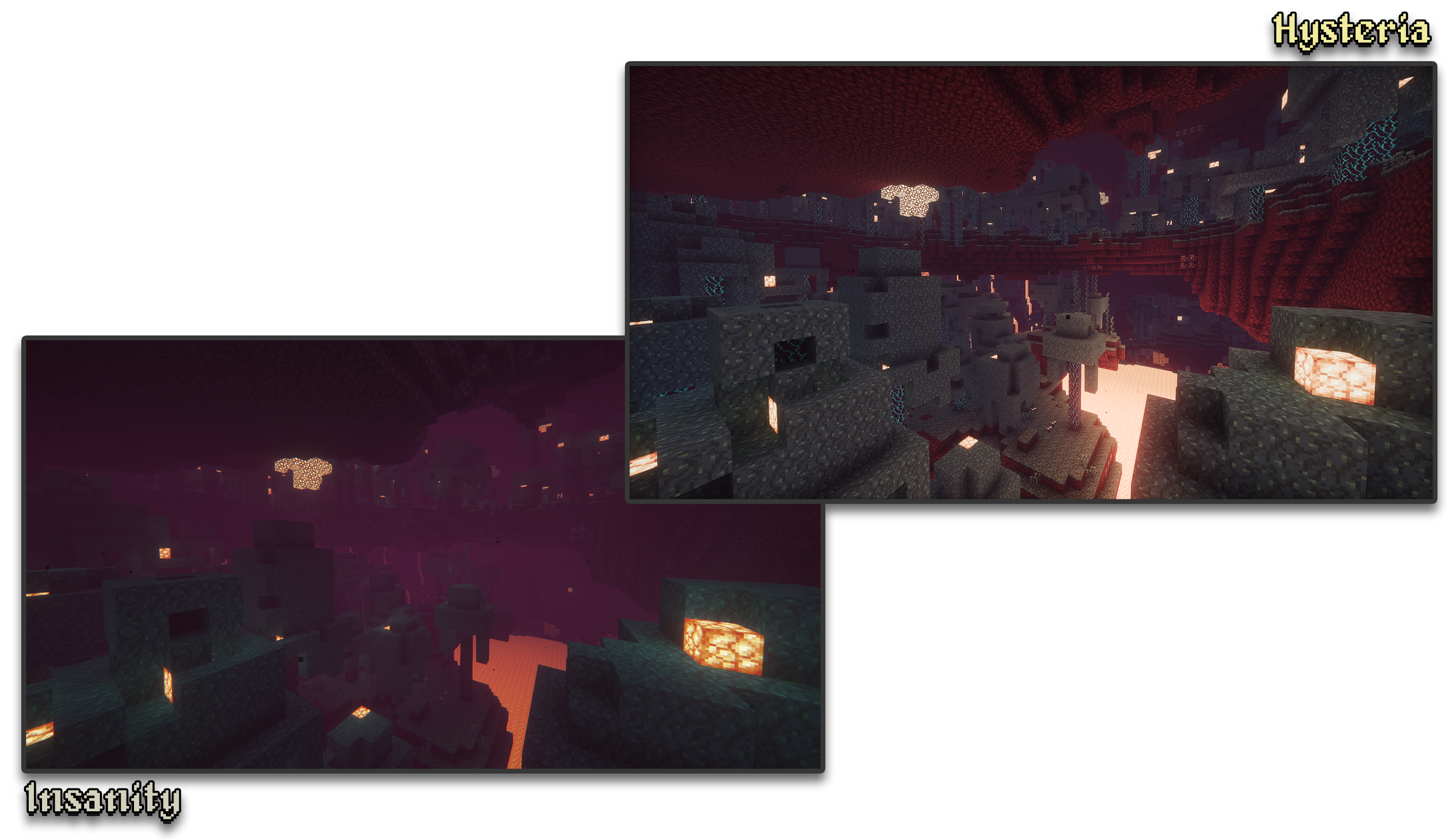
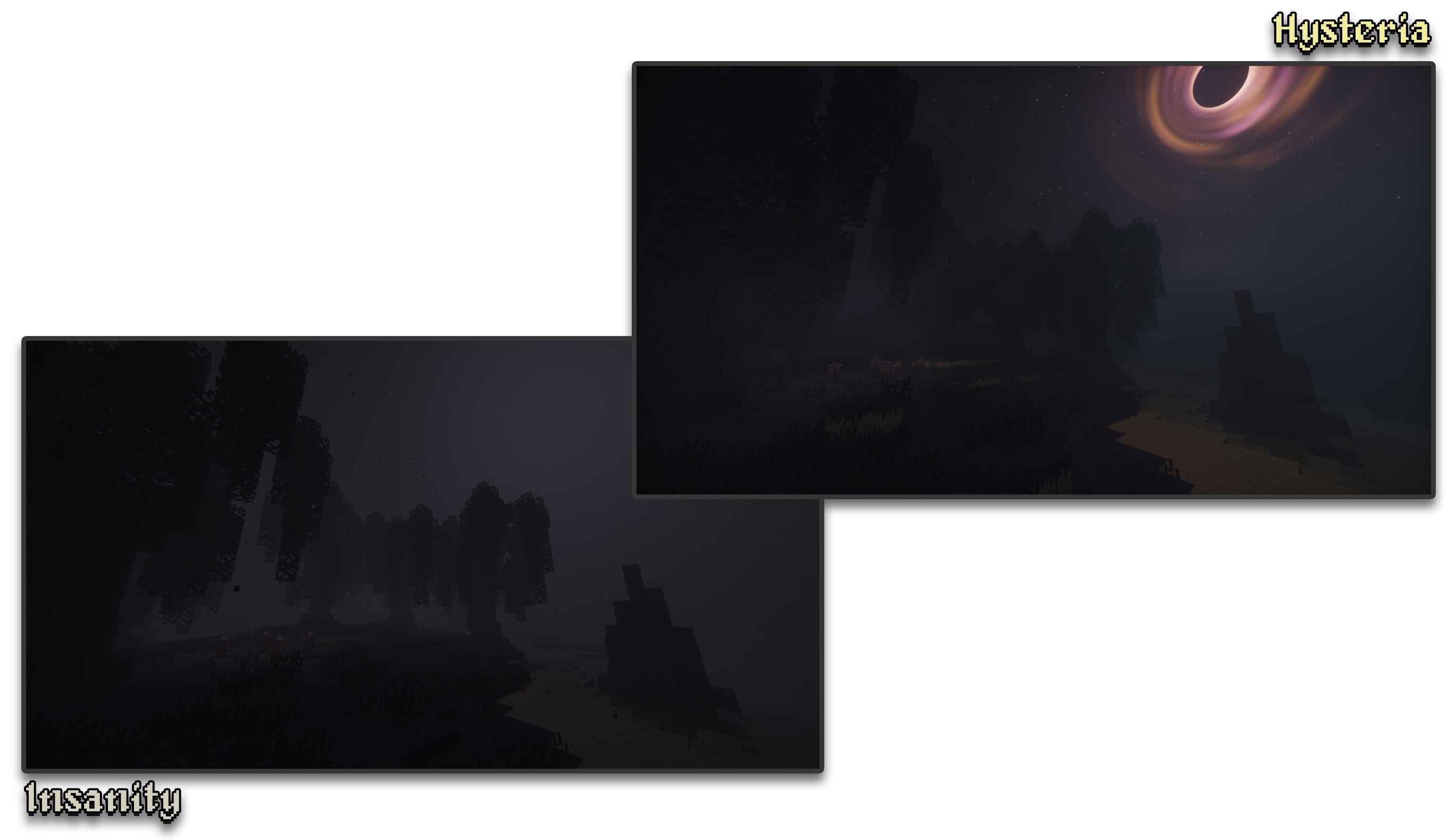
– 🧟 **Atmospheric Scary Look.** Perfect for horror & zombie modpacks!
– 📓 **Highly customizable shader configuration.** Expanded from Photon’s limits.
– ⛈️ **Immersive & Dynamic Weather.** Every day is a different day, with different clouds and colors.
– 🌫️ **Volumetric Fog & Clouds.** With ground-level and distant fog, changing volumetric clouds, and more!
– 🌎 **Distant Horizons Support.** Experimental!
– 📝 **User-friendly menu.** Including a quick options menu with easy to configure settings.
– 💻 **Runs on most modern PCs.** Optimized even for lower-end GPUs. Even better than Insanity!
– 🔦 **Always bring some torches.** Not only the night is dark, the Nether and End are even worse!
– 🌎 **Wide compatibility across versions.** Supports all newer MC versions from 1.7.10 upwards.
– ☀️ **Built-in Colored Lighting.** With support for labPBR resource packs.
– **Sixthsurge**
– For making Photon, the shaderpack that Hysteria is based on
– **Capt Tatsu**
– For making BSL, helping me start out Insanity. Without Insanity, Hysteria wouldn’t exist!
This is a lightweight, horrorfantasy shader designed to give you a dark, gritty, atmospheric experience while keeping Minecraft’s blocky, pixel aesthetic
### Modes
**Ultra vs Lite:** Ultra costs more performance but looks better, lite is my super
optimized version of the shader that looks really great but still
delivers top notch performance
### Manual Installation
**1.** Download the mod & unzip it
**2.** Install Iris
**3.** Put the file(s) found in the mod download into your “shaderpacks” folder (if it doesn’t exist, create one)
**4.** Launch the game and enjoy!
**Note:** It’s recommened to install manually so you can choose which exact version of the shader you want (Lite or Ultra). By default it will autoinstall the “Lite” version. If that is the version you want then disregard this message
### Alternative Versions
– [Fantasy Edition](https://modrinth.com/shader/hyshaders-fantasy) | A vibrant, bright, atmospheric aesthetic.
– [Vanilla Edition](https://modrinth.com/shader/hyshaders-vanilla-edition) | A vanilla-like Minecraft aesthetic.
– [Horror Edition](https://modrinth.com/shader/hyshaders-horror) | A horror, rustic, or medieval aesthetic.
### Credits & Permissions
Modpacks: Yes, you may use this shader in your modpacks
Forked version of [BSL](https://capttatsu.com/bslshaders/), with permission from the original author _(granted on 7/11/24 via X DMs)_. Tweaked for better performance, different aesthetic & color grading
HyShaders – Fantasy Edition
This is a lightweight, fantasy shader designed to give you a bright, vibrant, atmospheric experience while keeping Minecraft’s blocky, pixel aesthetic
### Modes
**Ultra vs Lite:** Ultra costs more performance but looks better, lite is my super
optimized version of the shader that looks really great but still
delivers top notch performance
### Manual Installation
**1.** Download the mod & unzip it
**2.** Install Iris
**3.** Put the file(s) found in the mod download into your “shaderpacks” folder (if it doesn’t exist, create one)
**4.** Launch the game and enjoy!
**Note:** It’s recommened to install manually so you can choose which exact version of the shader you want (Lite or Ultra). By default it will autoinstall the “Lite” version. If that is the version you want then disregard this message
### Alternative Versions
– [Fantasy Edition](https://modrinth.com/shader/hyshaders-fantasy) | A vibrant, bright, atmospheric aesthetic.
– [Vanilla Edition](https://modrinth.com/shader/hyshaders-vanilla-edition) | A vanilla-like Minecraft aesthetic.
– [Horror Edition](https://modrinth.com/shader/hyshaders-horror) | A horror, rustic, or medieval aesthetic.
### Credits & Permissions
Modpacks: Yes, you may use this shader in your modpacks
Forked version of [BSL](https://capttatsu.com/bslshaders/), with permission from the original author _(granted on 7/11/24 via X DMs)_. Tweaked for better performance, different aesthetic & color grading
Hex’s Default Shaders Rewrite
if you want to publish an modified version, or just modify it to help me as an colaborator, fork this github and send an pull request
[Hex’s Github Rep](https://github.com/HexBrasil/Hex-Vanilla-Shaders-Reworked/tree/main)
## What happened to Hexs Vanilla Shaders or Legacy Shaders?
They are still here, but now i am focusing on the new Rewrite one, fixed most of the bugs from older versions.
## What is HDFR?
It’s my Own shader! But now i rewrited some useful parts, and fixed most of the bugs.
Made for myself, but now for everyone! Now working with Iris 1.6.17+.
## Github Repository
I am needing ppl to help me to fix these things:
Gbuffers_Terrain / Composite: Every entity is transparent, and i dont know how to fix it.
Skylightleak: In night time, there is some lights coming out of nowhere.
If you can help me, send an request to the git rep.
# Credits
> [saada2006 Shader Tutorial](https://github.com/saada2006/MinecraftShaderProgramming/tree/master) – Used as the first base to the shader.
> [Acerola’s Channel](https://www.youtube.com/@Acerola_t) – Watched the Shaders video, then created some post processing techniques.