Zephyr Starlight
⚠️ Disclaimer: This shaderpack is an early work-in-progress so bugs, missing features and performance issues are to be expected.
## Features
* Accurate ray-geometry intersection
* Path traced diffuse, reflections and sun shadows
* Temporal anti-aliasing and upsampling
* Normal & specular mapping support
* Physically based sky rendering
* Hillaire multi-scattering approximation
* Sparse irradiance cache for diffuse multi-bounce approximation
* Reflection motion vector calculation (no TAA ghosting on reflections)
* Spatiotemporal denoising
* Camera effects: motion blur & depth of field
* Post-processing: auto exposure & chromatic aberration
## Compatibility / Mod Support
* GPUs: NVIDIA, AMD
* Minecraft – version 1.21 and above
* Iris – version 1.8.0 and above
* Optifine – not supported
* Distant Horizons/Voxy – not supported (planned)
* OrthoCamera – supported but still broken in a few cases
* macOS – not supported
## Performance Tips
* Sample count: This directly affects the quality of the lighting. Higher sample counts show less noise and more detailed lighting/reflections at the cost of performance. Keep this at 1 for the best performance.
* Diffuse Lighting > Denoising Passes: The amount of passes used for diffuse lighting denoising. Even though not as high as sample count, this has a performance impact too. You can still get decent lighting with just 6 passes most of the time, but a pass count of 8 is recommended for the best lighting. You can set this to 0 if you’re fine with the noise.
* If you are in a completely closed room with no outdoor light entering it, set Shadow Samples to 0. This will disable sunlight.
* Irradiance Cache > Update Interval: The maximum amount of frames that are allowed to pass between updates of the same part of the irradiance cache. Lower values cost more performance, but result in more responsive lighting and less noise in reflections.
Zayko Shaders
⚠️Zayko has been put on pause while we work on different projects.⚠️
━━━━━━━━━━☆━━━━━━━━━━☆━━━━━━━━☆━━━━━━━━━━☆━━━━━━━━━━
### **_7.0 IS OUT! AND ITS OUR BEST YET! ✨🌊_**

[](https://www.curseforge.com/minecraft/shaders/zayko-lite)
### Short About
**Zayko is a shader pack for Minecraft Java Edition, designed with an emphasis on detail, excellent quality and optimization. It offers PBR effects, emissive textures for mobs, blocks and items, as well as a wide range of settings: from Low to Ultra. provides a stable frame rate, while allowing you to adjust the settings to suit any requirements.**

━━━━━━━━━━☆━━━━━━━━━━☆━SPONSORS━☆━━━━━━━━━━☆━━━━━━━━━━
[](https://www.voicemod.net/?refn=skynexushd&tracking_id=999d68a19a244ef5af11d60f1ef6384d&utm_campaign=6023bf347e9fb&utm_source=WHuVawz6)
━━━━━━━━━━☆━━━━━━━━━━☆━SPONSORS━☆━━━━━━━━━━☆━━━━━━━━━━

Zayko Shaders is a shader pack for Minecraft Java Edition with amazing attention to detail, great quality, and the best possible optimisation. Offering a range of amazing quality visuals and ajustable effects, instead of just giving you presets we also give you great ajustability with our shaders, including emmissive textures for mobs and blocks even certain items including PBR thanks to compatablity with [Optifine](https://optifine.net/home) and [Iris](https://www.irisshaders.dev/),and for those who just want a simple click and play without ajusting there are profiles ranging from Very Low to Ultra and it’s build for Keeping a stable framerate with amazing shaders.
### Want to know more?
Keep scrolling or go to Trusted wikis [FiveNova](https://fivenova.net) or [Minecraft France](https://www-minecraft–france-fr.translate.goog/zayko-shaders/?_x_tr_sl=fr&_x_tr_tl=en&_x_tr_hl=en&_x_tr_pto=sc)
Untrusted wikis (Could be Harmful!)
[Note](https://note.com/quick_squid5246/n/na88bd2b8a706), [Minecraft Mods.Pro](https://minecraft–mods-pro.translate.goog/mods/zayko-shaders?_x_tr_sl=ru&_x_tr_tl=en&_x_tr_hl=en&_x_tr_pto=sc), [Minecraft Imba](https://minecraft-imba.ru/308-zayko.html) or [MinecraftStorage](https://minecraftstorage.com/shaders/zayko), [9Minecraft.net](https://www.9minecraft.net/zayko-shaders)
Harmful wiki detections!!
Do Not download from [Mineload](https://mineload-ru.translate.goog/shaders/low-pc/low-pc-1-16-5/?_x_tr_sl=ru&_x_tr_tl=en&_x_tr_hl=en&_x_tr_pto=sc), [mods-minecraft.ru](https://mods-minecraft.ru/shaders/7577-zayko.html), [Xenolith.ru](https://xenolith.ru/shaders/2758-zayko-12110-1206-1194-1182-1171-1165.html)
━━━━━━━━━━☆━━━━━━━━━━☆━━━━━━━━☆━━━━━━━━━━☆━━━━━━━━━━
**Why Do we take wikis so seriously? simple because if you go to the wrong one and get a virus we could be blamed without our shaders having any malware. we also dont want people to get viruses and let the scammers succeed so please never download from Harmful sites. we only include them so you know they are harmful if you ever download a mod or shader from them.** (the way we check is we look through the sites and if it links to modrinth for the download it automaticlly goes to trusted if it downloads from their site thats auto untrusted because we cannot tell if they added something to the file and untrusted is if the file size is smaller then our offical shaders which mejority are or if they get a harmful detection from VirusTotal.)

if your new or don’t know how to download shaders then were here to help!
### Modrith Launcher
Click Install **–>** Pick an Instence or Create one **–>** Wait for it to do its magic **–>** Launch and Enjoy the Shaders!
### Natrual Launcher
Download File **–>** Launch Game with [Optifine](https://optifine.net/home) or [Iris](https://www.irisshaders.dev/) **–>** Options **–>** shaders **–>** Open shaderpack folder **–>** drag and drop the file into the folder **–>** close folder and click on the shaders in game and enjoy!
# Showcase Videos
Even videos where they show off shaders takes time to create which can take away from their personal lives. Originally this only showed our offical showcase but we wanted to support the community. ([email protected] if you want a video added or removed.)
━━━━━━━━━━☆━━━━━━━━━━☆━━━━━━━━☆━━━━━━━━━━☆━━━━━━━━━━
[**Gamomnia**](https://www.youtube.com/@gamomnia) – Shows Zayko at **4:02**
━━━━━━━━━━☆━━━━━━━━━━☆━━━━━━━━☆━━━━━━━━━━☆━━━━━━━━━━
[**FiveNova**](https://www.youtube.com/@FiveNova) – Shows Zayko for **full video**
━━━━━━━━━━☆━━━━━━━━━━☆━━━━━━━━☆━━━━━━━━━━☆━━━━━━━━━━
Yamashita Shimejize 🍄
## Installation
Place the ZIP file in the `shaderpacks` directory.
Do not extract the `shaders` folder from the archive.
## Description
Yamashita Shimejize is a stylized fork of [Miniature Shader](https://modrinth.com/shader/miniature-shader) that pushes the miniature look far beyond pixelated shadows. The pack extends that chunky pixel-art language across lighting, fog, water, weather, reflections, and sky effects while keeping the scene readable and atmospheric.
Features:
– Pixelated shadows, posterized lighting, fog banding, and blocky reflections
– Enhanced two-layer clouds with custom cloud shadows
– Heat haze and emissive glow from lava, fire, torches, and lanterns
– Motion blur, godrays, bloom, chromatic aberration, pixel-art lens flare, pixel-art rain-on-lens droplets with adjustable opacity, and optional depth-aware Depth of Field with adjustable strength, from a subtle miniature softness to a macro-style photo look
– Inkblot-style post-rain puddles with water-like reflections on flat terrain
– Aurora, post-rain rainbow, shooting stars
– Pixel foliage wind with 16×16, 32×32, and 64×64 texture-pack matching modes
—
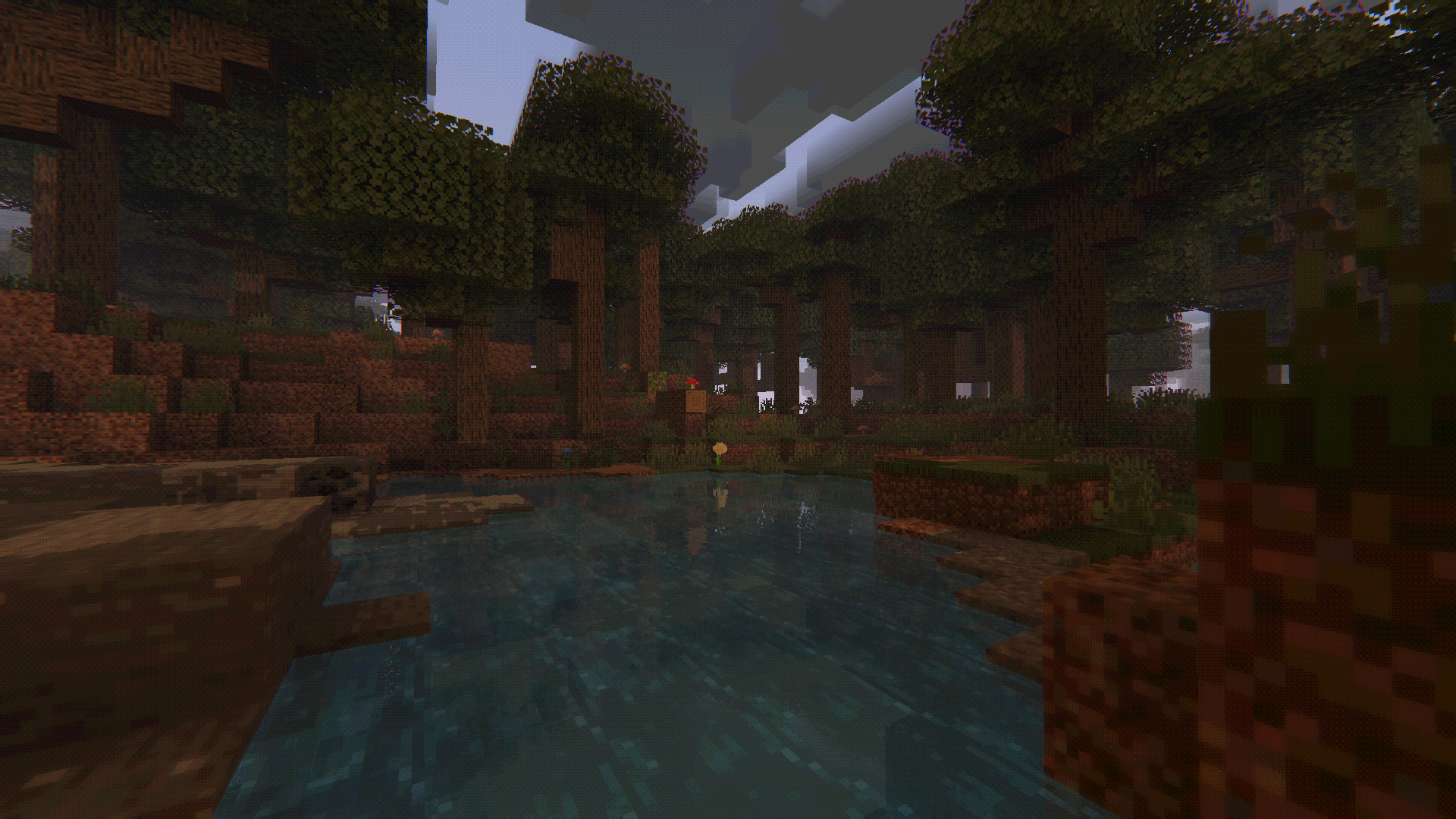
Vulkanite Demo Pack
# Vulkanite Demo Pack
This is a demo shaderpack for https://modrinth.com/mod/vulkanite-mod. It needs an RT capable GPU (10 series and up on Nvidia, 6000 series and up on AMD).
## Warning
This pack is only a demo, meaning it’s not really intended for gameplay purposes, but as a future reference for developers and a technical showcase. Please don’t report issues related to the look of the pack.
You _have to_ use a PBR capable resourcepack, otherwise the shader won’t work properly.
## Features
The following features were implemented
– Path traced lighting with configurable bounce amounts
– Reprojection and Infinite standby accumulation options
– Rudimentary PBR texture support
– (Bad) auto exposure
– Water reflection, refraction and fog support
## Contributions are welcome
VTXS Screen Space Demo

The VTXS project was born to challenge the modern graphics trend of smearing everything with TAA and upscaling. The philosophy behind VTXS is that everything stays perfectly sharp, regardless of camera speed.
## Screen Space Demo
This shader introduces a lighting system developed exclusively for VTXS.
Each emissive pixel visible on screen illuminates the scene and casts shadows.
The noise level is low enough for real time gameplay without requiring denoising. However, a denoiser is still present as an optional feature.

While being a demo this shader is intended to be used for gameplay, so all features necessary for a complete and playable experience are planned.
### Implemented Features
– Screen Space Path Tracing
– Physically Based Atmosphere
– Full roughness range specular reflections
– Volumetric clouds
– Godrays
– Subsurface Scattering
– Variable penumbra shadows
– Bloom
– Eye adaptation
– Screen Space Raytraced Refraction
– GBAA Anti-aliasing
Big thanks to [jbritain](https://modrinth.com/user/jbritain) for making vloumetric clouds for VTXS!
It is highly recommended to use a PBR resource pack, as the integrated PBR system is very limited.
The shader now works on Intel GPUs, however, there may still be issues. Please report any issues in my [Discord server](https://discord.gg/5zg5XuhCBk).
Voyager shader 2.0

# English
The Voyager shader 2.0 is an improvement of the first Voyager, correcting the shortcomings of the first and adding some new effects !
## Optifine
Voyager shader 2.0 is compatible with Optifine only in 1.16.5, 1.7.1, 1.18.2, 1.19.2 et 1.19.3, in previous version the shaders will doesn’t work correclty
Download Optifine :
https://optifine.net/downloads
## Iris
Voyager shader is compatible with Iris shaders mods only in version 1.4 and more, in previous version the mod will not load the shader at all
Download Iris :
https://modrinth.com/mod/iris
## Report bugs
If you have a bug related to Voyager shader 2.0, you can report them in my discord in the #bugs channel but first read the pinned message
Discord link : discord.gg/2eyNefx
## Mod supports
Voyager shader 2.0 supports the following mods :
-Biome O Plenty
-Botania
-Abnormals atmospheric
-Abnormals autumnity
-Abnormals environmental
-Abnormals neapolitan
-Abnormals update aquatic
-Abnormals bussier bees
-Earth mob mod
-Desolation
-Astral sorcery
-Farmer’s delight
-Oh the biomes you’ll go
-Ecotones
-Terrestria
-Wild world
-Dynamic trees
## Accord
### You can…
-Use the shader to make screenhots or videos
-Use the shader for a modpack
-Modified the shader only for a personal use
-Create a link only if it redirects to the post Curseforge on behalf of Symbiome67 or the post PlanetMinecraft
on behalf of SixSeven67 or the post on Modrinth of 6ix7even
### You can not…
-Redistribute the shader, only the Curseforge post on behalf of Symbiome67 and the PlanetMinecraft post on
behalf of SixSeven67 and the post on Modrinth of 6ix7even are official
-Redistribute a modified version of the shader
-Use monetized shortcut links to the Curseforge post on behalf of Symbiome67 and the PlanetMinecraft post
on behalf of SixSeven67 or the post on Modrinth of 6ix7even
# Français
## Optifine
Voyager shader 2.0 est compatible avec Optifine seulement en 1.16.5, 1.7.1, 1.18.2, 1.19.2 et 1.19.3,dans les versions précédentes le shader ne fonctionnera pas correctement
Télécharger Optifine :
https://optifine.net/downloads
## Iris
Voyager shader est compatible avec Iris shaders mods seulement en version 1.4 et plus, dans les versions précédentes le mod ne charge tout simplement pas le shader
Télécharger Iris :
https://modrinth.com/mod/iris
## Signaler les bugs
Si vous avez un bug lié au Voyager shader 2.0, vous pouvez le signaler sur mon serveur Discord dans le canal #bugs mais lisez d’abord le message épinglé Lien Discord: discord.gg/2eyNefx
## Supports de mod
Voyager shader 2.0 supporte les mods suivant :
-Biome O Plenty
-Botania
-Abnormals atmospheric
-Abnormals autumnity
-Abnormals environmental
-Abnormals neapolitan
-Abnormals update aquatic
-Abnormals bussier bees
-Earth mob mod
-Desolation
-Astral sorcery
-Farmer’s delight
-Oh the biomes you’ll go
-Ecotones
-Terrestria
-Wild world
-Dynamic trees
## Accord
### Vous pouvez…
-Utiliser le shader pour faire des screenshots ou des vidéos
-Utiliser le shader pour un modpack
-Modifier le shader seulement pour une utilisation personnelle
-Créer un lien seulement si il redigire vers le post Curseforge au nom de Symbiome67 ou le post
PlanetMinecraft au nom de SixSeven67 ou le post Modrinth au nom de 6ix7even
### Vous ne pouvez pas…
-Redistribuer le shader , seul le post Curseforge au nom de Symbiome67 et le post PlanetMinecraft au nom de
SixSeven67 et le post Modrinth au nom de 6ix7even sont officiels
-Redistribuer une version modifiée du shader
-Utiliser des liens raccourcis monétisés menant vers le post Curseforge au nom de Symbiome67 et le post
PlanetMinecraft au nom de SixSeven67 ou le post Modrinth au nom de 6ix7even
Voxel Vibes
# Voxel vibes [ALPHA]
Simple shader with focus on keeping vanilla look
## Main features
– Pixel aligned shadows
– Improved skybox rendering
– Improved fog
– Basic Distant Horizons support
## Gallery
For more images check out [Gallery](https://modrinth.com/shader/voxel-vibes/gallery)
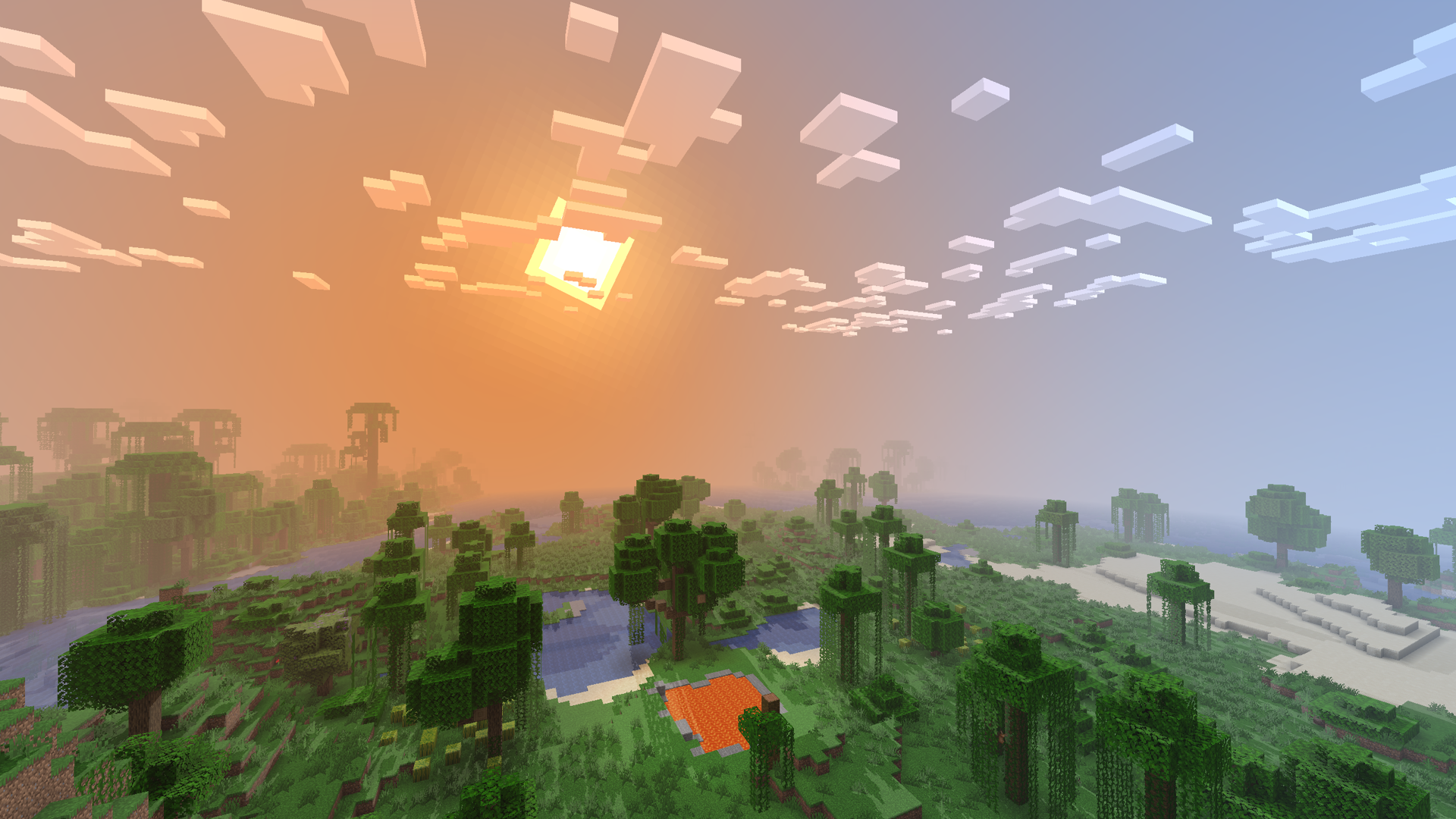
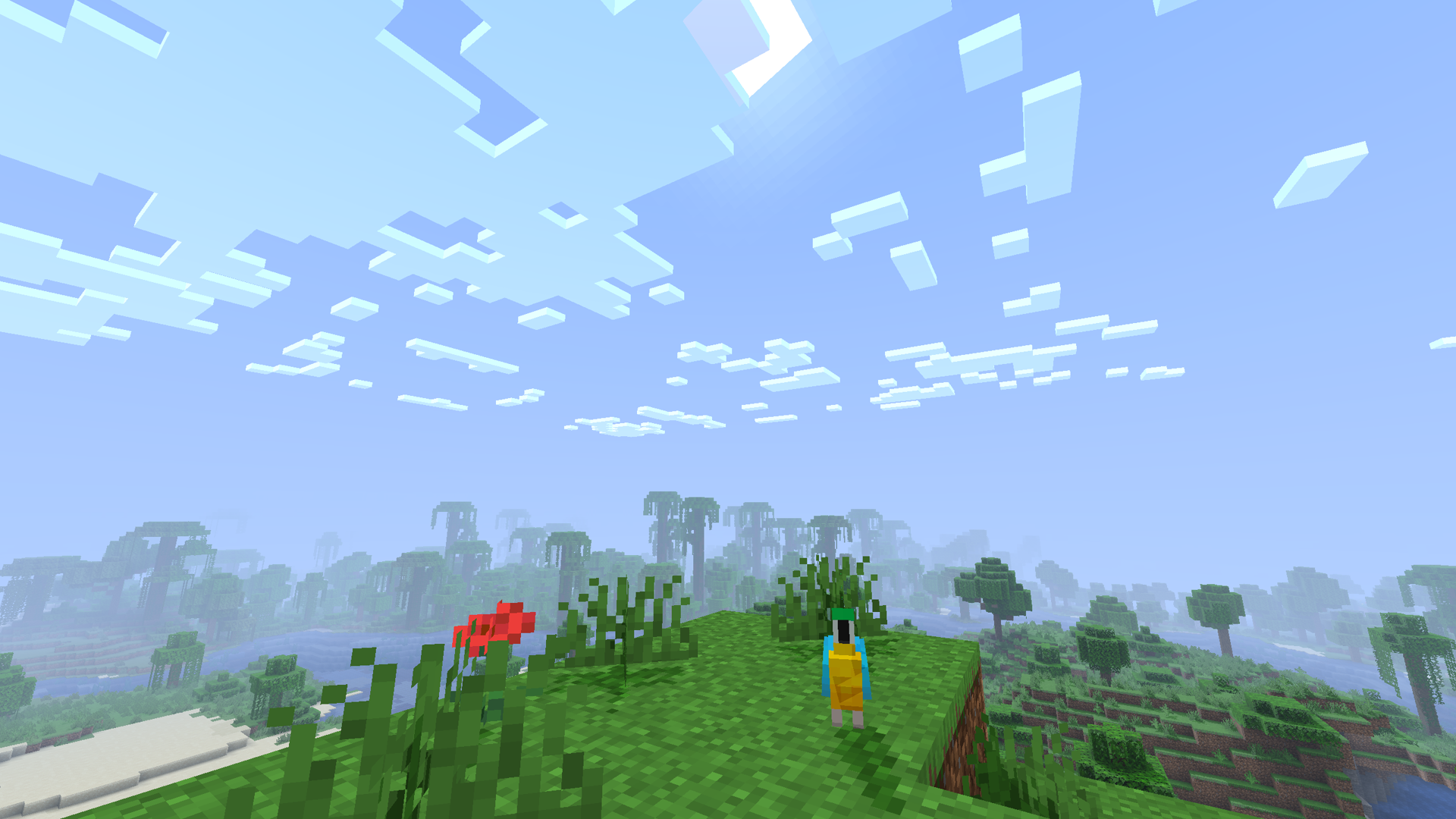
Currently this shader is only test and not guaranteed to be supported, everything is subject to chamnge and its further development depends on your feedback. Bugs are expected, report them on issues page.
Based on [XorDevs Default Shaderpack](https://github.com/XorDev/XorDevs-Default-Shaderpack)
Visual Vibrance
# ⚠️ THIS PACK IS NO LONGER ACTIVELY DEVELOPED ⚠️
Any bugs you find will not be fixed, sorry!
[](https://ko-fi.com/jbritain)
[](https://discord.gg/b9SHNcvs6c)
Shader development is hard and takes a lot of time. If you enjoy my shaders, please consider supporting my work!
# Visual Vibrance
Visual Vibrance is an attempt at recreating the upcoming “Vibrant Visuals” feature which is currently only available on the Bedrock edition of Minecraft.
Visual Vibrance is *an alpha* and since it was forked from my other pack, [Glimmer](https://modrinth.com/shader/glimmer-shaders) in a relatively short period of time, there may be bugs. You can report these to me in [my Discord server](https://discord.gg/4U3nPxTznF) or `#jbritains-shaderpacks` in [the shaderLABS Discord Server](https://discord.gg/RpzWN9S).
## Compatibility
– OpenGL 4.3+ – macOS is *not* supported, nor is the Raspberry Pi. Most modern GPUs (integrated or dedicated) should work fine.
– Iris 1.7+, OptiFine is *not* supported.
## Mod Compatibility
The following are mods that are known to cause issues.
– **Chunks Fade In** causes the shader not to compile, this is a problem with the mod and the assumptions it makes about shaders.
The source code for this pack is available [on GitHub](https://github.com/jbritain/visual-vibrance). If you are interested in contributing or assisting in the development of this shaderpack, don’t hesitate to make a pull request, as I have only some interest in maintaining this pack, and it was mainly made just to see if I could recreate the look.
Visual Shaders
**🌅 Atmospheric Lighting & Realistic Graphics**
Transform your Minecraft experience with cinematic atmosphere and realistic lighting that brings your world to life.
**✨ Key Features:**
Dynamic Sky & Lighting
Breathtaking sunrises and sunsets with gradient transitions from warm oranges to cool blues
Realistic day-night cycle with smooth lighting transitions
Starry night sky with twinkling stars
**Enhanced Atmosphere**
Volumetric fog and distance haze creating depth and realism
Atmospheric light scattering for natural-looking horizons
Soft shadows and ambient occlusion for detailed builds
**Water Effects**
Realistic water transparency with underwater visibility
Enhanced reflections on water surfaces
Volumetric lighting underwater with caustics
**Performance**
Balanced performance for comfortable gameplay
Customizable quality settings
Compatible with various modpacks and builds
**📸 Perfect for:**
Screenshots and cinematics
Building showcases
Atmospheric survival gameplay
Content creation
**🎮 Technical Details:**
Supports latest Minecraft versions
Works with Iris/Optifine
Configurable settings for different hardware
vfx-simple
# VFX Simple – Beta Build
*A lightweight shader pack by BunnyCrop Studios that enhances Minecraft’s visuals without sacrificing performance.*
## 🎥 Showcase
## ✨ Features
### Enhanced Lighting & Shadows
– Soft dynamic shadows that add depth to your world
– Improved entity shadows with reduced glitching
– Subtle ambient occlusion for realistic depth perception
– Warm glow from light sources with gentle flickering
### Vegetation Waving
– Trees, flowers, and crops sway dynamically in the wind
### Particle Enhancements
– Improved particle rendering and effects
– Better integration of particles with the environment
### Performance Optimization
– Built with performance in mind
– Minimal impact on gameplay FPS
– Compatible with a wide range of hardware
## 📋 Installation
1. Install [OptiFine](https://optifine.net/downloads) or [Iris Shaders](https://irisshaders.net/download) for your Minecraft version
2. Download the VFX Simple shader pack
3. Place the downloaded `.zip` file into your `.minecraft/shaderpacks` folder
4. Launch Minecraft with OptiFine or Iris
5. Go to **Options → Video Settings → Shaders**
6. Select **“VFX Simple – Beta Build”** from the list
## 🔧 Compatibility
– Works with Minecraft **1.16.5 and above**
– Requires OptiFine or a compatible shader loader
– Compatible with most popular Minecraft mods
## 💻 Performance
VFX Simple is designed to be lightweight while still providing beautiful visuals. It should run smoothly on mid-range hardware, though performance may vary depending on your setup.
**Recommended Specifications:**
– **GPU:** GTX 1050 or equivalent (or integrated graphics with 2GB+ VRAM)
– **CPU:** Intel i5 / AMD Ryzen 3 or better
– **RAM:** 8GB+
## 🚧 Beta Notice
This is a beta build of VFX Simple. While we’ve worked hard to ensure stability, you may still encounter occasional visual glitches or performance issues. We’re actively improving the pack and welcome your feedback!
## 🔮 Future Plans
– Additional atmospheric effects
– Enhanced water rendering
– Further performance optimizations
– Extended compatibility with more Minecraft versions
—
*VFX Simple – Beta Build by BunnyCrop Studios*