Forget-Me-Not Shaders
Important! This, along with the GitHub page for this project, is the only official place to find Forget-me-not. Any other site you find this project, including unethical mod rehosting sites like 9minecraft, are untrusted sources. Never download files from untrusted sites.
# Forget-me-not Shaders
**Forget-me-not** is a semi-realistic pipeline shader for the [Canvas](https://modrinth.com/mod/canvas) mod. It’s designed to give the most authentic and immersive experience while sticking to “traditional” rendering methods to keep up good performance.
**Canvas** is a client-side renderer mod that uses shaders for advanced rendering with the goal of having a modern and very flexible design for high performance and better readability. The shader system is entirely different from Optifine and Iris & Sodium and as such, Forget-me-not won’t work with any of these mods! See the `how to use` section for installation instructions.
## notice
If you’re a developer or mod hoster, Forget-me-not is licensed under the [LGPL v3.0](https://www.gnu.org/licenses/lgpl-3.0.en.html), so please make sure to read over the terms of the LGPL if you use any of Forget-me-not’s original code or distribute it.
## how to use third-party shaders with canvas
1. Be sure you’re on 1.19.4 or above. Support is not guaranteed for versions that Canvas doesn’t actively support.
2. Install [Fabric](https://fabricmc.net/wiki/install).
3. Get Canvas Renderer mod through [Modrinth](https://modrinth.com/mod/canvas). **Keep in mind that Canvas does not work with Sodium, Iris, OptiFine, or OptiFabric.**
4. Download your preferred pipeline shaderpack. If you’re looking for alternatives to Forget-me-not, try out [Lumi Lights](https://github.com/spiralhalo/LumiLights/releases), [Lomo (not for gameplay as of this writing)](https://github.com/fewizz/lomo/releases), or [Aerie (vanilla-plus, wip)](https://modrinth.com/shader/aerie-shaders).
5. Launch your game, put your downloaded `.zip` file into your `resourcepacks` folder and activate the resource pack. (Don’t extract it!)
6. Navigate to `Options / Video Settings / Canvas / Pipeline Options / Pipelines` and select the pipeline that you want to play with.
## troubleshooting
– Experiencing bad shadow outcomes? In `Options / Video Settings / Canvas / Debug`, set `Shadow Priming Strategy` to `TIERED` and `Disable Shadow Self-Occlusion` to true.
– Does Canvas say in chat that some shaders are broken? Please grab your log in `.minecraft/logs/latest.log` and all contents of the `.minecraft/canvas_shader_debug/` folder and either make an issue on GitHub or let me know about it on Discord.
– Does every Canvas pipeline break other than Canvas Basic? If so, your device is probably incompatible with Fabulous graphics, which most Canvas pipelines use. Unfortunately, there’s no fix for this.
## feature highlights
– seasons! be immersed in your world as the seasons change over time
– HDR, bloom, and tone mapping
– dramatic skies with atmospheric scattering and custom realistic clouds
– water waves and reflections
– support for PBR, with hundreds of built-in default materials
– contact-hardening variable penumbra shadows
– advanced anti-aliasing (TAA)
## credits
Forget-me-not wouldn’t be nearly as polished as it is if it weren’t for the help of people like fewizz, spiralhalo, Grondag, and many others from the Canvas community for contributing and testing. Many thanks to:
– The [shaderLABS discord channel #snippets](https://discord.com/channels/237199950235041794/525510804494221312/959153316401655849) for many useful code snippets
– [Lumi Lights](https://github.com/spiralhalo/LumiLights) by spiralhalo for lots of different inspiration & help, and also references for a working TAA implementation
– [lomo](https://github.com/fewizz/lomo/releases) by fewizz for inspiration for many different things, as well as the raytracer and lots of invaluable contributions
Focal shader
### Let me quickly list the features
Experience realistic graphics, reflections, and PBR textures with Focal Shader — optimized for both high-end and low-end devices.
### Key Settings
High Graphics Quality – Brings your Minecraft world to life with stunning visuals.
Realistic Reflections – Adds lifelike water and surface reflections for immersive gameplay.
PBR Support – Fully compatible with Physically Based Rendering (PBR) texture packs.
Low-End Device Friendly – Optimized settings ensure smooth performance even on weaker systems.
Balanced Performance – Offers a mix of beauty and efficiency, perfect for casual or competitive players.
## Supported Versions
Minecraft 1.19.2
Minecraft 1.19.1
Minecraft 1.21.4
### Why Choose Focal Shader?
Focal Shader combines realistic lighting, reflections, and textures while still being accessible for players with lower-end PCs or laptops. Whether you’re building, exploring, or just enjoying survival mode, this shader will make your game look cinematic and vibrant.
I created this Focal shader using expressions from @bobcao3
FeathC2
### Details
Feath Shader is a lightweight yet visually powerful shader pack designed to enhance your Minecraft experience with balanced realism and high performance. Whether you’re exploring vast landscapes or building detailed structures, Feath Shader adds an immersive layer of beauty without compromising on FPS.
✨ Features:
Realistic Reflections → Smooth and accurate reflections on water, glass, and reflective blocks.
Rain Puddles → Dynamic wet surfaces that bring rainy weather to life with puddles forming naturally.
Lighting Enhancements → Soft, natural light with realistic shadows, bloom, and improved torchlight effects.
Atmosphere & Sky → Improved atmosphere rendering with more depth, fog, and vibrant skies.
Color Adjustments & Grading → Balanced tones and cinematic color grading for a polished, professional look.
Feath Shader is made to be lightweight, stable, and visually consistent, perfect for players who want beautiful graphics without sacrificing smooth gameplay.
Fantasy Shaders Reimagined
## **Fantasy Shaders Reimagined**
This shader is based on the [Complementary Shaders](https://modrinth.com/shader/complementary-reimagined). Fantasy Shaders are a modification of the Complementary Shader, intended to make the game more colorful, striking, and vibrant, in a fantasy style.
This is my first project for Minecraft Java so it may have bugs and things to improve, so I would appreciate it if you left me either a bug report or suggestions to improve this mod on my [Discord server](https://discord.gg/7Z6FuKmGwG).
### **Modifications**
– The color of the night has been changed to a fantasy blue king, including skies, auroras, clouds, nebulas…
– The color of the day has become brighter, the sky now has a white horizon and the upper part is light blue including the clouds.
– Sunsets and sunrises are now more colorful as if you were in a fantasy world.
– The reflection of the surface and the sky at night has been improved, giving a mirror-like effect.
– The End has been recolored so that the color of its environment is attached to the purple tone of the Endermans.
– The rays of light have been intensified.
– Now the night and the End are starry.
### **Compatibility**
– This was created using [Iris](https://www.irisshaders.dev/) but since this is a modification of the complementary shader it should also work in [Optifine](https://optifine.net/home).
### **Notes**
– Fantasy Shader is a modification that complies with all Complementary Shaders licenses and terms of use.
– This shader is based on the original work and fully respects the copyright and license terms. My person also has his [License](https://github.com/AleGraphics17/privacy-policy/blob/main/License) which I invite you to comply with.
– I don’t have all the credit for this, most of the credit goes to [Emin](https://www.patreon.com/emingt), creator of the [Complementary Shaders](https://modrinth.com/shader/complementary-reimagined), since the Fantasy Shader is just a modification of these.
### **Changes**
– Compatible with Iris Minecraft v1.21.11
– A nebula has been added to the End sky.
– The night fog was greenish, now it’s blue, aligning with the horizon.
– The intensity of the light emitted by blocks like ores has been increased…
### **Video**
Fantasy Shaders Unbound
## **Fantasy Shaders Unbound**
This shader is based on the [Complementary Shaders](https://modrinth.com/shader/complementary-unbound/version/latest). Fantasy Shaders are a modification of the Complementary Shader, intended to make the game more colorful, striking, and vibrant, in a fantasy style.
This is my first project for Minecraft Java so it may have bugs and things to improve, so I would appreciate it if you left me either a bug report or suggestions to improve this mod on my [Discord server](https://discord.gg/7Z6FuKmGwG).
### **Modifications**
– The color of the night has been changed to a fantasy blue king, including skies, auroras, clouds, nebulas…
– The color of the day has become brighter, the sky now has a white horizon and the upper part is light blue including the clouds.
– Sunsets and sunrises are now more colorful as if you were in a fantasy world.
– The reflection of the surface and the sky at night has been improved, giving a mirror-like effect.
– The End has been recolored so that the color of its environment is attached to the purple tone of the Endermans.
– The rays of light have been intensified.
– Now the night and the End are starry.
– Sky Now More Cloudy.
### **Compatibility**
– This was created using [Iris](https://www.irisshaders.dev/) but since this is a modification of the complementary shader it should also work in [Optifine](https://optifine.net/home).
### **Notes**
– Fantasy Shader is a modification that complies with all Complementary Shaders licenses and terms of use.
– It is necessary that in the settings you put the Unbound option to have the appearance of the images
– This shader is based on the original work and fully respects the copyright and license terms. My person also has his [License](https://github.com/AleGraphics17/privacy-policy/blob/main/License) which I invite you to comply with.
– I don’t have all the credit for this, most of the credit goes to [Emin](https://www.patreon.com/emingt), creator of the [Complementary Shaders](https://modrinth.com/shader/complementary-unbound/version/latest), since the Fantasy Shader is just a modification of these.
### **Changes**
– Compatible with Iris Minecraft v1.21.11
– A nebula has been added to the End sky.
– The night fog was greenish, now it’s blue, aligning with the horizon.
– The intensity of the light emitted by blocks like ores has been increased…
### **Video**
Extraterrestrial Expanse
Extraterrestrial Expanse is a minecraft shader primarily for iris.
It adds things such as:
– Custom clouds
– Random events
– reflections
– Ambiance (plants waving in the wind, water waves)
Do note that this project is currently in BETA! so expect a lot of bugs and (most likely performance) issues, and if you come across many, feel free to report them in the discord.
Exposa Shaders
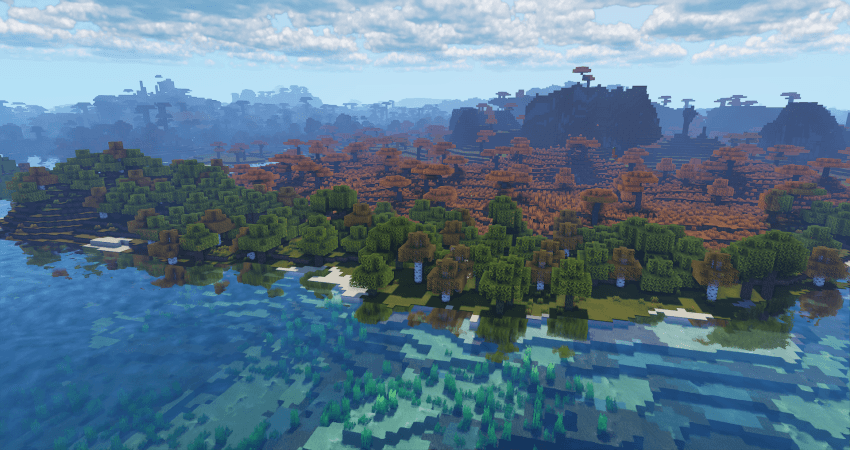
[Cinematic Showcase](https://youtu.be/itbCHGM3cJs)
(PSST, you should use this shaderpack while listening to this upcoming song, presave it its awesome and its also mine! Yes I am promoting my song… Yes I am desperate.) [Awesome Song To Listen 2 While using Exposa](http://tunelink.to/Jub5v)
# Description
Hello! This is Exposa! Used to be known as Exposa Unique Shaders. This project is a shaderpack that aims for both a natural and a fantasy style.
# Compatibility
It is compatible with Optifine and Iris, unknown about other mods and clients. It is also recommended to be used for versions 1.17x and above. It works well with AMD and NVIDIA and INTEL .
**Nether and End support are full ATM. For custom dimensions support, please let me know what dimensions you would like to see supported.**
# License
For the most, I use the all rights reserved license, but I really wouldn’t recommend using my code (I did not intend it for the use of being edited). If you’d like to edit anyway, you can ask me here!
# Features
* rough reflections
* water reflections
* shadows
* motion blur
* depth of field
* puddles
* temporal anti aliasing
* HDR
* bloom
* tonemapping
* lightshafts
* volumetric clouds
* Seasonal Colors (Autumn, Winter, Spring, Summer)
* Shooting Stars
* Proper weather & translucent support
* Nether & End support
* Ambient SSS
* SSAO
* Directional Lightmaps
* VL Mist / Smokey Fog!
* Nether VL Swirly Fog
* Better TAA
* Better Puddles
# Some Credits
RRe36 ([https://www.curseforge.com/members/rre36](https://www.curseforge.com/members/rre36)) – Lots of help with clouds, volumetric fog, bloom and etc. Capt Tatsu ([https://www.curseforge.com/members/capttatsu](https://www.curseforge.com/members/capttatsu)) – Gave me permission to use the reflections functions and even helped me apply them, let me use and modify bloom, motion blur, dof, volumetric fog and etc.
Unicorn Blood ([https://www.curseforge.com/members/dakotah2468](https://www.curseforge.com/members/dakotah2468)) – Letting me use and modify fog.
Xenith – Help with shadows method.
Jesse/L – In my older versions, he gave me a tonemap to use.
Belmu – Has helped me set up some things like rough reflections, you can support him here! ([https://www.curseforge.com/minecraft/customization/noblert-shaders)](https://www.curseforge.com/minecraft/customization/noblert-shaders))
HardTop for the french translation: [https://hardtopnet.ovh](https://www.curseforge.com/linkout?remoteUrl=https%253a%252f%252fhardtopnet.ovh%252f)
Espen for many things (I only remember providing me with the minimum & maximum depth functions): [https://modrinth.com/shader/bloop-shaders/versions](https://www.curseforge.com/linkout?remoteUrl=https%253a%252f%252fmodrinth.com%252fshader%252fbloop-shaders%252fversions)
Xonk for many things (I only remember SSAO & SSS tricks and reflections LOD trick atm ;_;): [https://github.com/X0nk/Bliss-Shader](https://github.com/X0nk/Bliss-Shader)
Zombye for cool TAA tricks: [https://github.com/zombye/spectrum/tree/master/shaders/program](https://github.com/zombye/spectrum/tree/master/shaders/program)
Eldeston & Chocapic13 for previous coordinates transformation: [https://modrinth.com/user/Eldeston](https://www.curseforge.com/linkout?remoteUrl=https%253a%252f%252fmodrinth.com%252fuser%252fEldeston), [https://www.curseforge.com/minecraft/shaders/chocapic13-shaders](https://www.curseforge.com/minecraft/shaders/chocapic13-shaders)
Random Noise website: [https://www.pcg-random.org/](https://www.curseforge.com/linkout?remoteUrl=https%253a%252f%252fwww.pcg-random.org%252f)
sRGB & Linear color space conversions: [https://www.shadertoy.com/view/4tXcWr](https://www.curseforge.com/linkout?remoteUrl=https%253a%252f%252fwww.shadertoy.com%252fview%252f4tXcWr)
Escheridia
Esheridia is a semi-realistic shaderpack that aims to add a touch of natural realism to the vanilla visual style. **IRIS REQUIRED & MAC NOT SUPPORTED**
It provides:
* Realtime shadow maps
* Custom sky
* Atmospheric border fog
* Custom Weather effects
* LabPBR Resourcepack support
* Advanced Volumetric Lighting
* Screenspace Reflections
* Custom water lighting
* Bloom
* Volumetric clouds
If you encounter any bugs, want development updates, or just want to chat, join the discord [here](https://discord.gg/BQAJxnQHMb)
**NOTE** Majority of images are taken using the Patrix resource pack.
# IMAGES BELOW


Enhanced Vision
#Enhanced Vision Shader

## Features:
1.It shows outlines of mobs and walls around the centre screen, with outline brightness increasing as darkness increases.
2.It adds a shimmering effect above lava and other heat sources to mimic real-life shimmering over fire sources.
3.It blurs objects which are on the side of the screen, with the strength of the blur effect increasing with increasing distance of the object from the centre of the screen.
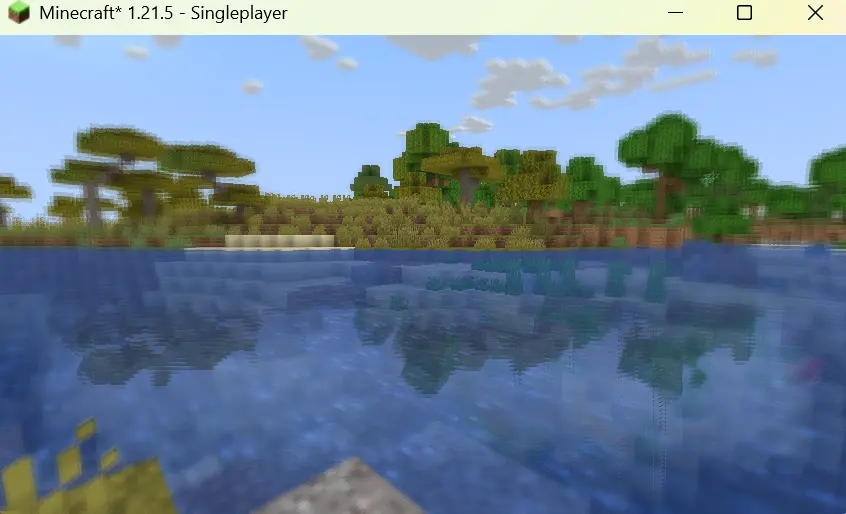
4.It creates reflections on the surface of the water.
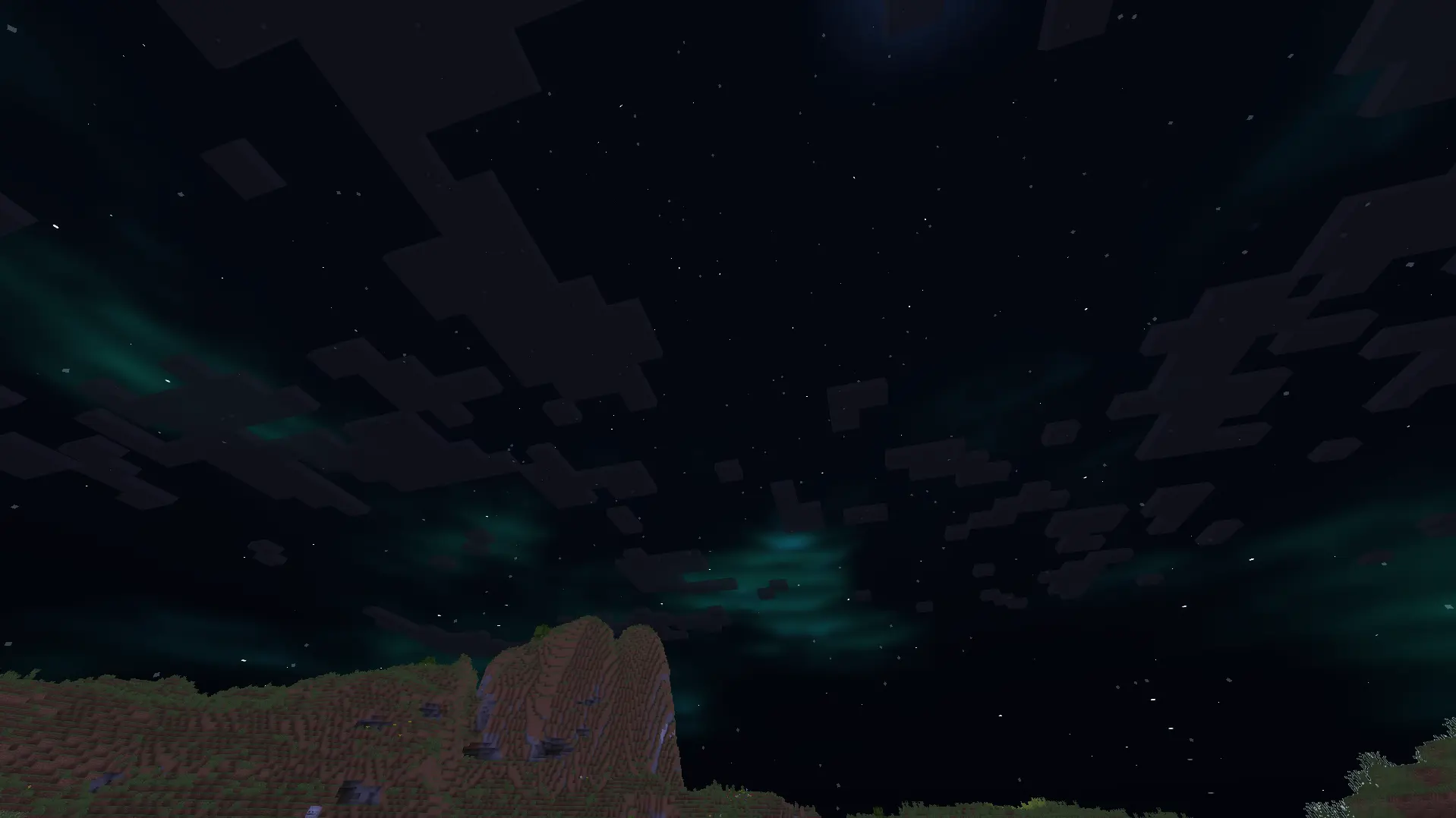
5.It adds auroras and stars to the night sky.
6.It improves the sky colour by making it brighter.
7.It adds basic foliage swaying.
EcoShift Lite
EcoShift Lite is a refined version of EchoShift made to keep the original style while making it cleaner, smoother, and more balanced. It improves the visual experience with better lighting, softer bloom, cleaner water, improved atmosphere, and more controlled colors without pushing the shader too far.
The goal of EcoShift Lite is to enhance EchoShift while keeping its identity. Overworld scenes feel more polished, water looks deeper and cleaner, lava is better controlled, and the Nether and End are adjusted to feel more immersive while still staying familiar.
EcoShift Lite is made for players who want the feel of EchoShift in a more balanced and lightweight form
[CurseForge](https://www.curseforge.com/minecraft/shaders/echoshift-lite)