Water Caustics

**Water Caustics** is an **experimental** resource pack that gives blocks animated textures using Continuity to simulate water caustics. These animations appear only on the top faces of blocks between Y-levels 55 and 62, and using Polytone, only applies to ocean biomes and rivers.

Current Blocks
Every block that can be found natrually in water biomes between Y-levels 55 and 62 by default, have animations.
– Log Types
– Plank Types
– Andesite
– Diorite
– Granite
– Polished Granite
– Stone
– Stone Brick Types
– Coral Block Types
– Clay
– Terracotta
– Dirt
– Sand
– Gravel
– Sandstone Types
– Prismarine
– Prismarine Bricks
– Netherrack
– Obsidian
– Packed Ice
– Blue Ice
– Dripstone Block
Slabs, stairs, trapdoors and fences included.
Affected Biomes
– Ocean
– Cold Ocean
– Lukewarm Ocean
– Warm Ocean
– Frozen Ocean
– Deep Ocean
– Deep Cold ocean
– Deep Lukewarm ocean
– Deep Frozen ocean
– River
CTM can’t detect water or fluid states, so blocks can’t connect directly to water. Instead, the texture is determined by Y-level and biomes. If any other biomes were added to the list, caustics could appear on blocks that aren’t actually underwater, such as beaches or any land biomes bordering the ocean.
For creative uses, a workaround for this, is making caustics appear next to land biomes that border oceans and rivers, by using Axiom [(?)](https://axiomdocs.moulberry.com/tools/painting/biomepainter.html) or WorldEdit [(?)](https://worldedit.enginehub.org/en/latest/usage/regions/regionops/#setting-biomes) to change the water’s biome to one of the ocean biomes.

Natrual Textures
For the best results, use [Natrual Textures](https://modrinth.com/resourcepack/natrual-textures) to give blocks rotations, which rotate the water caustics with it, to look more natrual, as shown in screenshots.

– [Continuity](https://modrinth.com/mod/continuity/versions)
– [Polytone](https://modrinth.com/mod/polytone)
WasteLand Emeralds
# WasteLand Emeralds
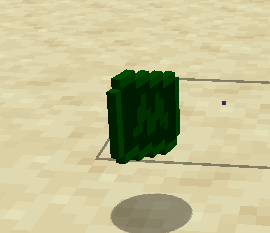
### This resource pack changes the texture of an emerald so that it looks like money
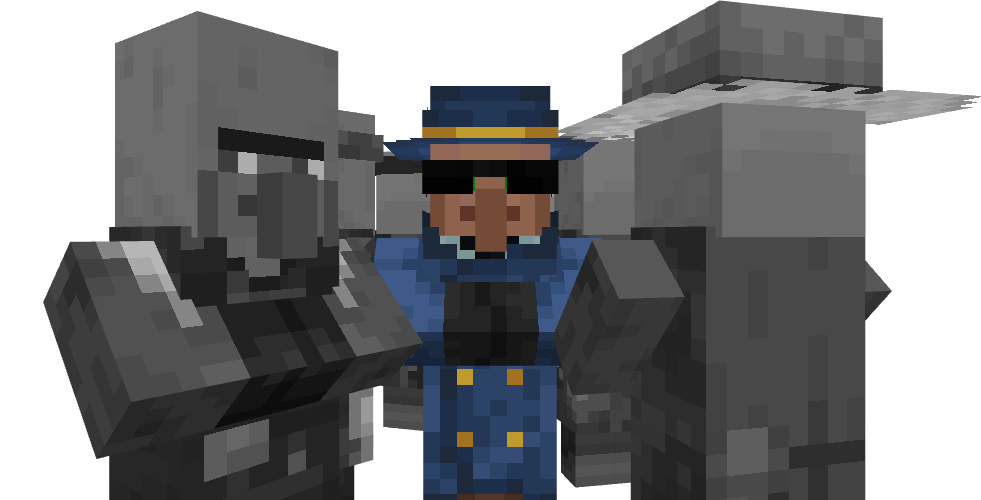
Wandering Dealer
Have you ever wanted to replace wandering traders with some guys in jackets that look like they’re trying to stay away from cops? No? Oh…
_I have no idea what to white here actually_
# 
Wall Climbers
Pack available on:
[](https://www.planetminecraft.com/texture-pack/wall-climbers-spiders-climb-walls-right/)[](https://www.curseforge.com/minecraft/texture-packs/wall-climbers)
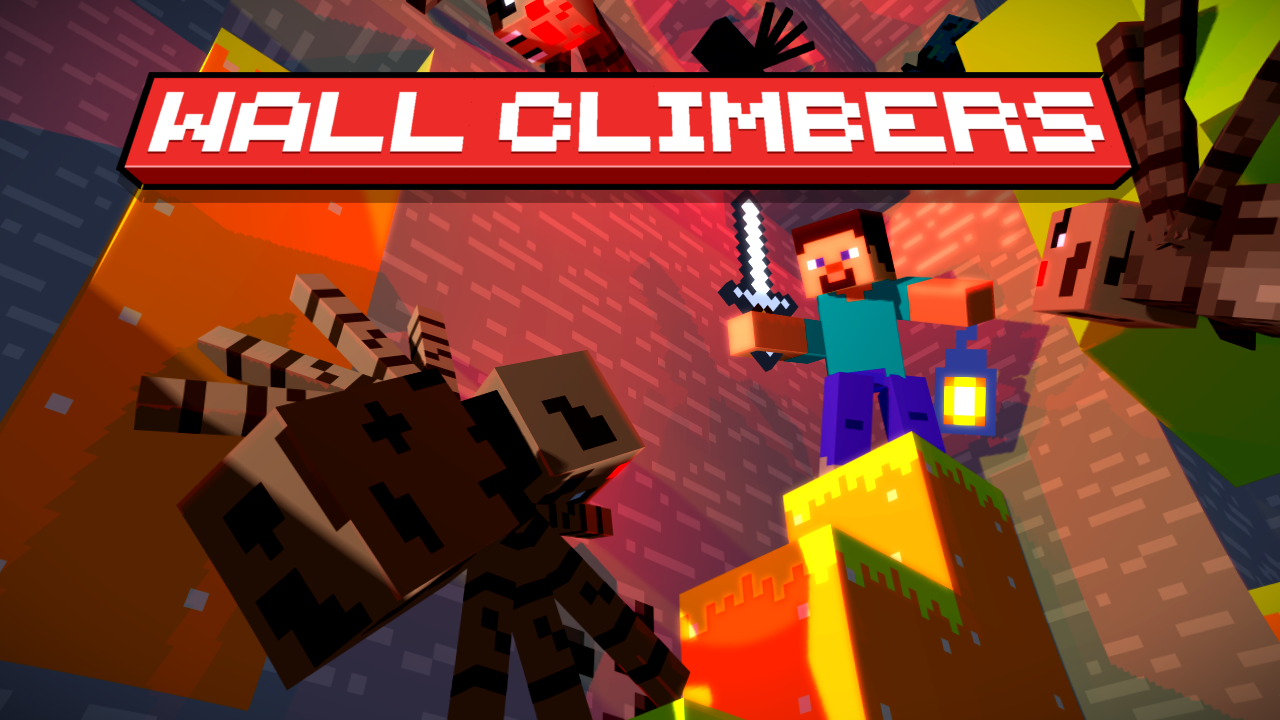
A simple resouce pack, but with a more than needed quality of life addition, having also a Fresh animation version.
Now spiders and cave spiders will be able to climb up walls and lay under blocks when they get stuck, making it seem more of an intentional behaveour than the result of stupid pathfindings.
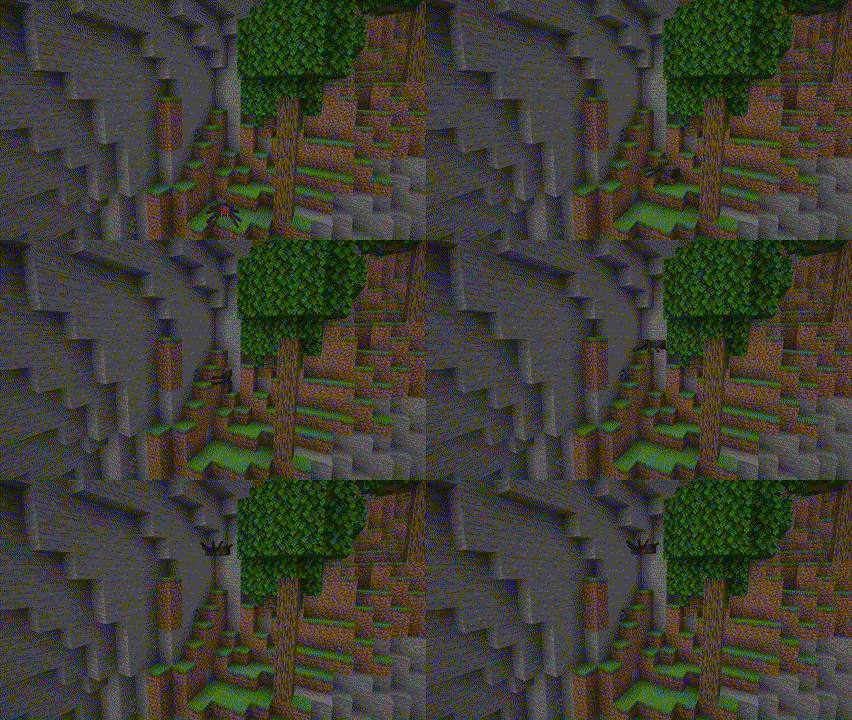
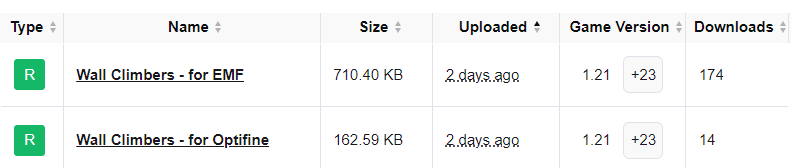
There are 2 versions of this, one for both optifine and EMF, and one specifically for EMF, the last one being more precise because it uses the “is_climbing” instead of “is_on_ground” function to operate.
Speaking of which, because of the feedback given by the download count, the fresh wall climbers will only be for EMF, like look at this!
Just try it out, its really cool!
[](https://www.optifine.net/home)[](https://modrinth.com/mod/entity-model-features)[](https://modrinth.com/mod/entitytexturefeatures)
Yes in the next few days most of my packs will be added to curseforge too because maybe someone of you prefer curseforge
ALSO YE THERE’s FRESH ANIMATIONS WOOOOOOOOOOO
Vythisi
This pack is a combination I made using a bunch of nice resource
packs. My goal was to improve the game’s immersion and enhance the
exploration experience. To achieve this, I aimed to add variety to
plants and natural blocks, as well as incorporating detailed elements
and 3D blocks, such as an improved GUI, grass details, and bushy
leaves. Additionally, I fixed some bugs and made the game seem more
consistent through small tweaks, including OptiFine features like
glowing ores, glowing armor trims and animated textures.
As of its first public release, this pack is, in my opinion, complete
enough to really improve your experience. However, I still plan on
adding more, such as improved sounds, item detailing, and overall
enhancements to further enrich this beautiful game.
I won’t update this pack soon, as I am currently
working on another big project that aims to improve mobs.
Using OptiFine is highly recommended as many features can’t work without it.
Texture packs used :
Fire Rekindled (www.curseforge.com/minecraft/texture-packs/fire-rekindled) by Tec
Treeshroom+ (www.planetminecraft.com/texture-pack/treeshrooms) by Enkera
Lush Icons (www.planetminecraft.com/texture-pack/lush-icons) and visual leaf decay (www.planetminecraft.com/texture-pack/visual-leaf-decay) by 6_28318530717958
Chests to pouches (www.planetminecraft.com/texture-pack/chests-to-pouches) by Entium
Enhanced items (www.planetminecraft.com/texture-pack/enhanced-items-dripstone-nether-sprouts-amethyst) by _MrMango
Consistent moss (www.planetminecraft.com/texture-pack/consistent-mossy-blocks-java) by NeraW
Advanced GUI (www.planetminecraft.com/texture-pack/custom-gui) by Blasjel
Vuurwerkshow Paintings
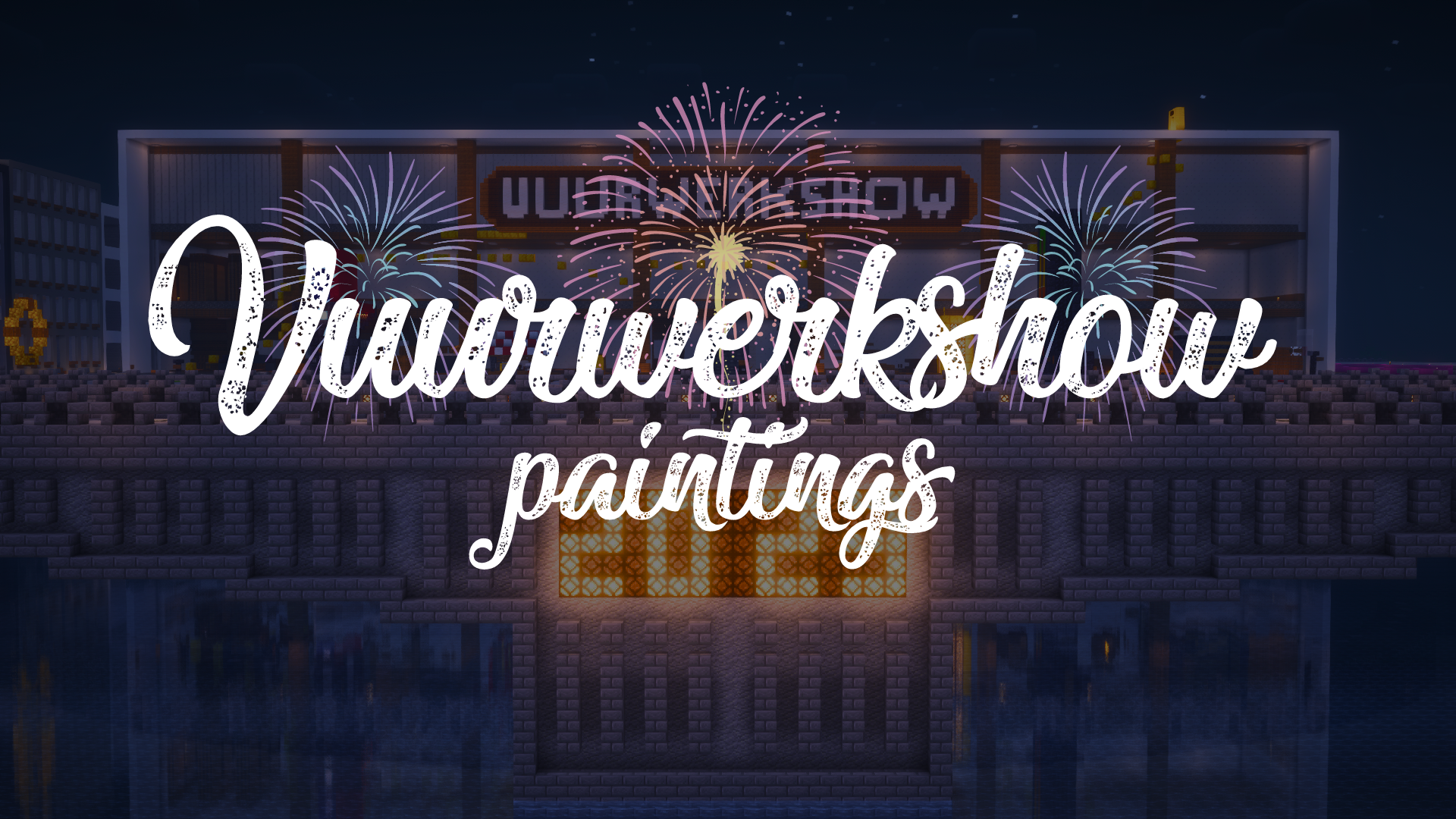
This resource pack turns all paintings into screenshots of the 2023-2024 fireworks show on the Dutch server Torchcraft.
## Support
If you have any problems, ideas, or other feedback about this project, please contact me via discord or email. You can contact me on Discord by sending a friend request, so you can send me a message.
Discord: tibodp
Mail: [email protected]
## 🌟 My other projects:
– [Torchcraft Lobby Panorama](https://modrinth.com/resourcepack/torchcraft-lobby-panorama)
– [The Ultimate Creator](https://modrinth.com/modpack/the-ultimate-creator)
– [Chromakey Blocks](https://modrinth.com/modpack/the-ultimate-creator)
– [No Worldborder](https://modrinth.com/modpack/the-ultimate-creator)
– [Vuurwerkshow Modpack](https://modrinth.com/modpack/the-ultimate-creator)
– [Vuurwerkshow Panorama](https://modrinth.com/modpack/the-ultimate-creator)
– [Vuurwerkshow Paintings](https://modrinth.com/resourcepack/vuurwerkshow-paintings)
_Please only join the server if you speak Dutch because it is a Dutch-speaking server._
Vulcano
This simple resource pack replaces the texture of Netherrack with a greyer one, thereby making Nether more similar to Volcanic Caves.
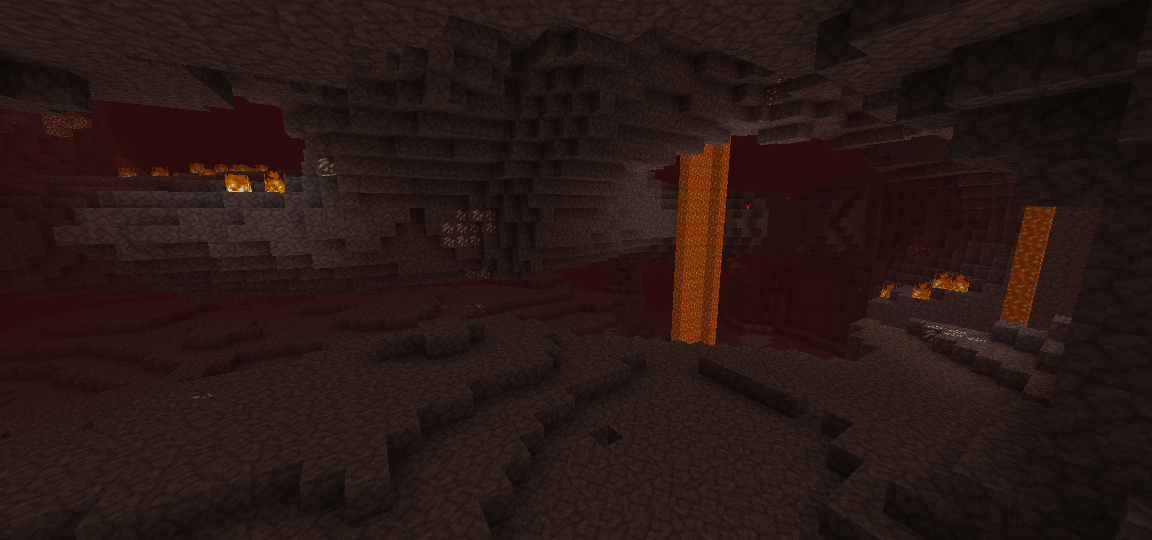
_p.s: When creating this resource pack, I was inspired by the Volcanic Zones from the game Subnautica_
VTXS Screen Space Demo

The VTXS project was born to challenge the modern graphics trend of smearing everything with TAA and upscaling. The philosophy behind VTXS is that everything stays perfectly sharp, regardless of camera speed.
## Screen Space Demo
This shader introduces a lighting system developed exclusively for VTXS.
Each emissive pixel visible on screen illuminates the scene and casts shadows.
The noise level is low enough for real time gameplay without requiring denoising. However, a denoiser is still present as an optional feature.

While being a demo this shader is intended to be used for gameplay, so all features necessary for a complete and playable experience are planned.
### Implemented Features
– Screen Space Path Tracing
– Physically Based Atmosphere
– Full roughness range specular reflections
– Volumetric clouds
– Godrays
– Subsurface Scattering
– Variable penumbra shadows
– Bloom
– Eye adaptation
– Screen Space Raytraced Refraction
– GBAA Anti-aliasing
Big thanks to [jbritain](https://modrinth.com/user/jbritain) for making vloumetric clouds for VTXS!
It is highly recommended to use a PBR resource pack, as the integrated PBR system is very limited.
The shader now works on Intel GPUs, however, there may still be issues. Please report any issues in my [Discord server](https://discord.gg/5zg5XuhCBk).
[MTR/NTE] SVRZ pack
The resourcepack adds fictional trams from the VRZ company. Adds trams such as: “Svarog”, “Yarilo”, and “Perun”.
Models by FAKTOR
**Requires MTR 3 and NTE 4.1 and above**
__________________________________________________________________________________________________
Ресурспак добавляет вымышленные трамваи ВРЗ. Добавляет трамваи: “Сварог”, “Ярило” и “Перун”.
Модели за авторством Фактора
**Требуется МТР 3 и НТЕ 4.1 или выше!**
VR Craft
# 🕶️ VR Craft
> Playing with an Adventure on VR? Then that pack is for you! Whatever you imagine on VR, there. Say goodbye to the Ugly Minecraft!
[](https://modrinth.com/resourcepack/vrc)
[](https://www.curseforge.com/minecraft/mc-resourcepacks/vrc)
[](https://github.com/AhmedACOnline-0/VR-Craft/tree/main)
[](https://sites.google.com/view/aclibraryx/notebooks/vr-craft)
—
## 🚀 About the Pack
**VR Craft** is a highly optimized, immersive visual pack designed specifically for players using VR headsets (like Vivecraft). This pack removes annoying screen clutter and focuses on pure, real-life immersion while standing inside the blocky world!
—
## 🎬 YouTube Video (pack review)
uhhh… it doesn’t exist! 🙁
—
## ✨ Features
### 🎯 Ultimate Immersion
### 🛠️ Future-Proof Design
– Built with a highly advanced, clean folder structure to prevent visual glitches and ensure smooth frame rates while rendering in a heavy virtual reality environment.
—
## 📦 How to Install
1. Download the `.zip` file from this page.
2. Open your Minecraft game directory and drop the zip into the `resourcepacks` folder.
3. Boot up your game (Works brilliantly with VR mods like Vivecraft), go to **Options** -> **Resource Packs**, and move **VR Craft** to the top of the active list!
Don’t forget to install Vivecraft too!
[](https://vivecraft.org)
And Fabric API!
—
## 🔨 How the resource pack was made
1. Invisible Crosshair
– By making the Crosshair invisible in the files (erasing the data inside).
2. Custom Splashes
– By changing the splashes.txt file to add new splashes.
3. Menu New Text
– By changing the lang folder to support almost every language to change the Menu’s Text.
4. Beautiful New Minecraft Title (VR Craft)
– By making the Title in Blockbench and then saving it as an image then putting it into `textures/gui/title`.
5. Different Enchantment Glint Color
– By downloading the pack from John Paul Inso for changing Enchantment Glint Colors and then choosing the pink (instead of purple).
– Credits to creator also!
Also, watch out for the Changelog since that’s where new features will come!
—
## 😡 BRUH ERRORS WHILE CONNECTING TO VR HEADSET
If you **installed Vivecraft** already and clicked the **VR: Off** button to turn it **on**, it may commonly give an error, why?
– Vivecraft requires you to have SteamVR so it can translate your real-life moves into the game.
### So how to fix this?
Simple!
1. Go to **Steam**
– **Tip:** If it requires you to sign in, just sign in!
2. Install **SteamVR**
3. Once it’s installed, **click the little VR icon** on whatever position on the Steam app
### Still?
If it still gives you errors, it may be maybe this reason:
**YOU DIDN’T CONNECT TO THE WIFI**.
1. Connect to the WiFi on both the **VR** (Headset) and your **Computer**
2. Once you’re done, if needed, do the settings the VR asks you (though optional maybe)
### I did all steps and still
It sounds like you may gave a Quest 3 VR. Try **connecting the port to the computer** (nothing required for this)
—
## 😵💫 But I’m spinning
If that happens, CHANGE YOUR SETTINGS IMMEDIATELY!!! There’s an option on some VRs which are an **IPD** (Interpupillary Distance) thing. Change it to something like **1** or **2**.
**HOWEVER**. If it’s a value that makes it very blurry, you will get Motion Sickness (feel dizzy)
—
## But isn’t playing VR easy?
It’s actually a bit hard if you’re trying to open GUIs or interact. So to help you out, check this official YouTube video:
> BEFORE YOU INSTALL THE VIVECRAFT MOD, INSTALL **FABRIC API** OR NOTHING WILL WORK ON THIS VIDEO!!! THE VR MOD NEEDS THE API TO WORK. AND INSTALL **STEAMVR** TOO AS INCLUDED IN THE VIDEO.
> And not our channel.
—
## Your tabs
FAQs
Your Frequently Asked Questions:
Q1. Does it work with Vivecraft?
A1. Yes. Also, you are required to install that mod while installing the resource pack.
Q2. Why does it have an invisble crosshair?
A2. Because we want to make VR look like reality.
Q3. Where can I manage the settings of the VR?
A3. You need to install Vivecraft.
Q4. What are Gogglers?
A4. Gogglers are little swimming glasses that makes you survive underwater. This is actually common for VR because it blocks the rest of the world. Emoji: 🥽.
Q5. Why is this resource pack made?
A5. Because we wanted to make VR look like reality in the past. (because VR stands for Virtual Reality lol)
**Submit/Open a new FAQ [here](https://github.com/AhmedACOnline-0/VR-Craft/issues/new?q=state%3Aopen+label%3A%22help+wanted%22)**
Rare bugs
1. Failing to render the 3D gogglers for the skin (Steve/Alex) in the game.
2. SteamVR crashing in a random time.
2.1. Computers can also have this random crash.
3. Mods making a BSOD (Blue Screen of Death) in the computer.
3.1. Another rare bug for this: an OoM (Out of Memory) error.
etc.
Credits & tools
**1. John Paul Inso:** creator of the resource pack that changes enchantment colors.
**2. Blockbench:** the tool used for the 3D Gogglers in-game.
—
## Recommended font (gonna be replaced later)
[Go here](https://github.com/AhmedACOnline-0/VR-Craft/blob/786c42e617168e1b938e63ff0c34dfe51c55f56f/AhmedHandmade.ttf)
If you can’t go to the link… wait for the later pack to change the font lol
—
VR Cratf lol