X7’s Totem Cups dark red
🥤 X7’s Totem Cups 🥤
✨ Features:
– Simple
– Clean
– Lightweight
– Compatible
💀 Check out the other styles
[ ](https://modrinth.com/resourcepack/x7s-totem-cups-red)
[ ](https://modrinth.com/resourcepack/x7s-totem-cups-blue)
[ ](https://modrinth.com/resourcepack/x7s-totem-cups-green)
[ ](https://modrinth.com/resourcepack/x7s-totem-cups-dark-red)
🎮 How to Install:
1. Download the pack (.zip file).
2. Drop it into your `resourcepacks` folder.
3. Open Minecraft → Settings → Resource Packs → Activate it.
4. Enjoy your new totem!
X7’s Totem Cups blue
🥤 X7’s Totem Cups 🥤
✨ Features:
– Simple
– Clean
– Lightweight
– Compatible
💀 Check out the other styles
[](https://modrinth.com/resourcepack/x7s-totem-cups-red)
[](https://modrinth.com/resourcepack/x7s-totem-cups-blue)
[](https://modrinth.com/resourcepack/x7s-totem-cups-green)
[](https://modrinth.com/resourcepack/x7s-totem-cups-dark-red)
🎮 How to Install:
1. Download the pack (.zip file).
2. Drop it into your `resourcepacks` folder.
3. Open Minecraft → Settings → Resource Packs → Activate it.
4. Enjoy your new totem!
X7’s Burger
🍔 X7’s Burger 🍔
✨ Features:
– Simple
– Clean
– Lightweight
– Compatible
🎮 How to Install:
1. Download the pack (.zip file).
2. Drop it into your `resourcepacks` folder.
3. Open Minecraft → Settings → Resource Packs → Activate it.
4. Enjoy your Burger!
X3 – Pixel Realism 64x
### Visual Style
X3 is the spiritual successor of such packs as R3D craft.
The visual style is based on simple pixel textures with the addition of glowing elements, soft shadows and material textures. It has vanilla-like colors and clean appearance, everything you need for long play sessions.
### Features
– All blocks and entities covered
– Texture variations
– Custom leaves models
### Planned features
– PBR Support
– Other resolutions
– More custom models
This pack is available on **[Minecraft Marketplace](https://www.minecraft.net/en-us/marketplace/pdp/in-mine/x3—-pixel-realism/c3d5b917-751b-4061-b0cc-605996f1ea48)** as a mash-up with renewed world generation, animated plants, 3d tools, custom VFX and much more!
### **PBR support preview**
(Frames caught in Minecraft Bedrock Edition using Vibrant Visuals)


### X3 Java Edition pages
– **[Planet Minecraft](https://www.planetminecraft.com/texture-pack/x3-pixel-realism-64x)**
– **[Curse Forge](https://www.curseforge.com/minecraft/texture-packs/x3-pixel-realism-64x)**
Stay tuned for updates and follow my **[X.com account](https://x.com/EnderManBuild)**!
This is my solo project, so I’ll glad if you consider to support me on my way!
Big thanks to Lexon and KriseHevette for contributing to the development.
WU_SHUANGCB’s Zombie Skin TH, but with FA
**描述**:
计划用于在我的模组包中,但现在它们被提前释放。
使[WU_SHUANGCB’s Zombie Skin](https://modrinth.com/resourcepack/wu_shuangcbs-zombie-skin)更具沉浸感,可以在curseforge上给出你的意见。
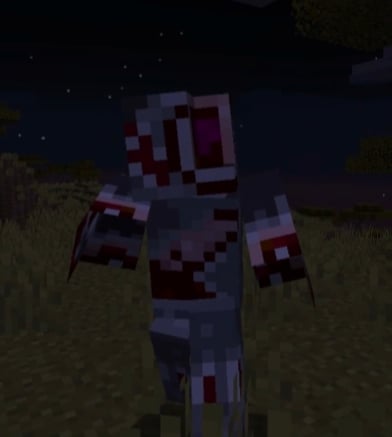
**特性**:适用于 Minecraft 的 WU_SHUANGCB’s Zombie Skin TH,but with FA (1.18.2至1.21)此资源包需要[Entity Model Features](https://modrinth.com/mod/entity-model-features)方式运行!并确保您使用的是最新版。
**安装方式**:需要先安装WU_SHUANGCB’s Zombie Skin 才能带来更好的体验,此资源包会根据生命值动态更改僵尸,尸壳,溺尸的皮肤材质,材质也会受位置影响你最好这样摆放它们。
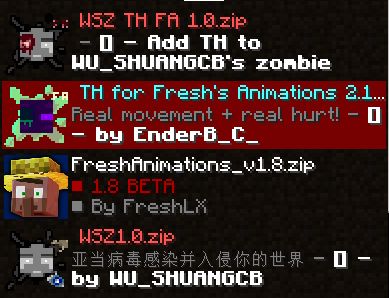
**兼容性**:目前新增了[CrimsonSteve’s more mobs](https://www.curseforge.com/minecraft/mc-mods/crimsonsteves-more-mobs)和[Mutant More](https://modrinth.com/mod/new-mutant-more)还有[Alex’s Mobs](https://www.curseforge.com/minecraft/mc-mods/alexs-mobs)模组的部分怪物纹理。兼容[Fresh Animations](https://modrinth.com/resourcepack/fresh-animations)! 但该项目有一个不使用Fresh Animations 的版本[在这里](https://modrinth.com/resourcepack/wu_shuangcbs-zombie-skin,-but-with-th),目前只有一些僵尸的破坏效果,不兼容Torturable Healthbars,想要更好的体验[请移步!](https://modrinth.com/resourcepack/thfa),未来将会兼容更多生物。
**已知问题**:与optifine一起运行时不会工作。
**功劳**:[EnderBC](https://modrinth.com/user/EnderBC)原始项目

**Description**:
Planned to be used in my modpack, but they are now released early.
Makes [WU_SHUANGCB’s Zombie Skin](https://modrinth.com/resourcepack/wu_shuangcbs-zombie-skin) more immersive, and you can give your opinions on curseforge.

**Features**: Applies to Minecraft’s WU_SHUANGCB’s Zombie Skin TH, but with FA (1.18.2 to 1.21) This resource pack requires [Entity Model Features](https://modrinth.com/mod/entity-model-features) to run! And make sure you are using the latest version.
**Installation method**: You need to install WU_SHUANGCB’s Zombie Skin first to have a better experience. This resource pack dynamically changes the skin texture of zombies, husk and drowned based on their health points, The texture is also affected by position, so you’d better place them like this.

**Compatibility**: Currently added [CrimsonSteve’s more mobs](https://www.curseforge.com/minecraft/mc-mods/crimsonsteves-more-mobs) and [Mutant More](https://modrinth.com/mod/new-mutant-more) and some of the mobs textures from the [Alex’s Mobs](https://www.curseforge.com/minecraft/mc-mods/alexs-mobs). Compatible with Fresh Animations! However, there is a version of this Resource Packs that doesn’t use Fresh Animations [here](https://modrinth.com/resourcepack/wu_shuangcbs-zombie-skin,-but-with-th). and it currently only has some zombie destruction effects and is not compatible with Torturable Healthbars So for those who want a better experience go [here](https://modrinth.com/resourcepack/thfa)! It will be compatible with more creatures in the future.
**Other credits**:[EnderBC](https://modrinth.com/resourcepack/thfa) Original project
**Known issues**: It does not work when running with optifine.


WU_SHUANGCB’s Zombie Skin, but with TH
**描述**:
计划用于在我的模组包中,但现在它们被提前释放。
使 [WU_SHUANGCB’s Zombie Skin](https://modrinth.com/resourcepack/wu_shuangcbs-zombie-skin)更具沉浸感,可以在curseforge上给出你的意见。
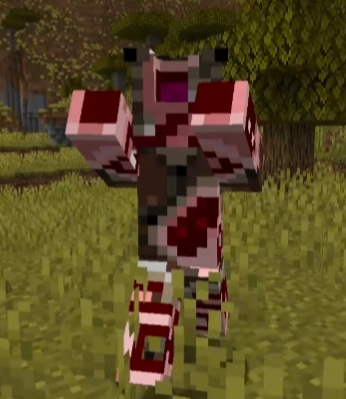
**特性**:适用于 Minecraft 的 WU_SHUANGCB’s Zombie Skin,but with TH(1.18.2至1.21)此资源包需要[Entity Model Features](https://modrinth.com/mod/entitytexturefeatures) 方式运行!并确保您使用的是最新版。
**安装方式**:需要先安装WU_SHUANGCB’s Zombie Skin 才能带来更好的体验,此资源包会根据生命值动态更改僵尸,尸壳,溺尸的皮肤材质,材质也会受位置影响你最好这样摆放它们。
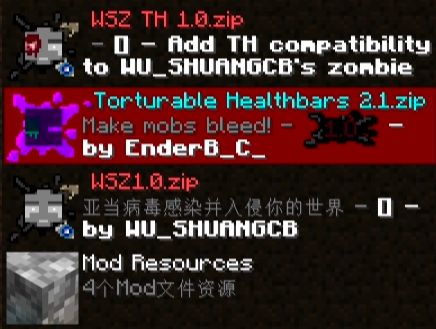
**兼容性**:目前新增了[CrimsonSteve’s more mobs](https://www.curseforge.com/minecraft/mc-mods/crimsonsteves-more-mobs)和[Mutant More](https://modrinth.com/mod/new-mutant-more)还有[Alex’s Mobs](https://www.curseforge.com/minecraft/mc-mods/alexs-mobs)模组的部分怪物纹理。不兼容Fresh Animations 但该项目有一个使用Fresh Animations 的版本[在这里](https://modrinth.com/resourcepack/wu_shuangcbs-zombie-skin-th,-but-with-fa)。目前只有一些僵尸的破坏效果,也不兼容Torturable Healthbars, but with FA 兼容Torturable Healthbars 想要更好的体验[请移步](https://modrinth.com/resourcepack/torturable-healthbars),未来将会兼容更多生物。
**已知问题**:与optifine一起运行时不会工作。
**功劳**:[EnderBC](https://modrinth.com/user/EnderBC)原始项目


**Description**:
Planned to be used in my modpack, but they are now released early.
Makes [WU_SHUANGCB’s Zombie Skin](https://modrinth.com/resourcepack/wu_shuangcbs-zombie-skin) more immersive, and you can give your opinions on curseforge.

**Features**: Applies to Minecraft’s WU_SHUANGCB’s Zombie Skin, but with TH (1.18.2 to 1.21) This resource pack requires [Entity Model Features](https://modrinth.com/mod/entitytexturefeatures) to run! And make sure you are using the latest version.
**Installation method**: You need to install WU_SHUANGCB’s Zombie Skin first to have a better experience. This resource pack dynamically changes the skin texture of zombies, husk and drowned based on their health points. The texture is also affected by position, so you’d better place them like this. 
**Compatibility**: Currently added [CrimsonSteve’s more mobs](https://www.curseforge.com/minecraft/mc-mods/crimsonsteves-more-mobs) and [Mutant More](https://modrinth.com/mod/new-mutant-more) and some of the mobs textures from the [Alex’s Mobs](https://www.curseforge.com/minecraft/mc-mods/alexs-mobs). Not compatible with Fresh Animations, but there is a version that uses Fresh Animations [here](https://modrinth.com/resourcepack/wu_shuangcbs-zombie-skin-th,-but-with-fa). Currently, it only has some zombie destruction effects and is not compatible with Torturable Healthbars FA, it is compatible with Torturable Healthbars. For a better experience [please go here](https://modrinth.com/resourcepack/torturable-healthbars)! and in the future it will be compatible with more creatures.
**Other credits**:[EnderBC](https://modrinth.com/user/EnderBC) Original project
**Known issues**: It does not work when running with optifine.


WU_SHUANGCB’s Zombie Skin
**描述**
计划用于在我的模组包中,现在它被提前释放。
适用于 Minecraft 的 WU_SHUANGCB’s Zombie Skin(版本 1.7.1 至 1.21.1)
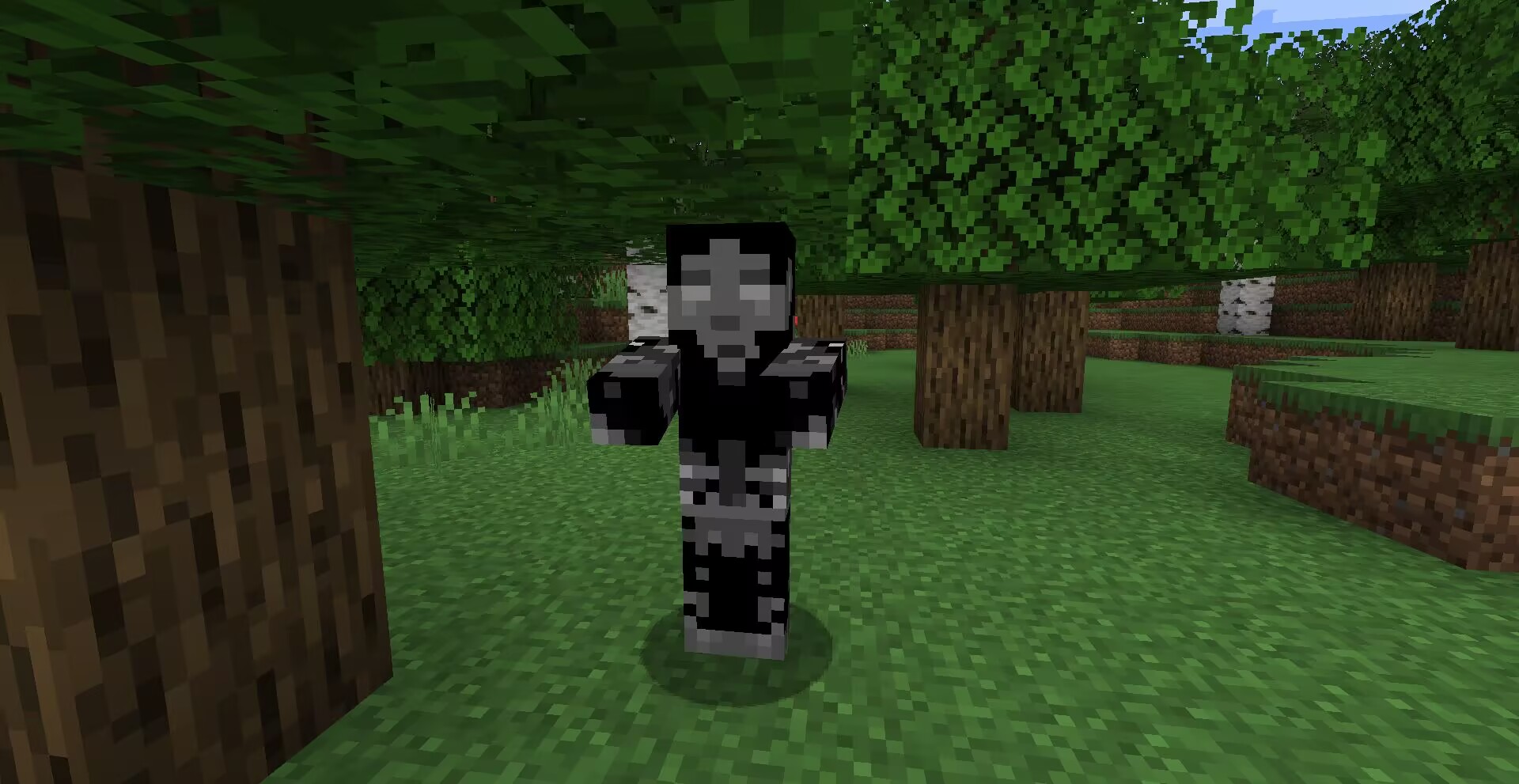
**特征**:独特僵尸皮肤使僵尸看起来更加具有攻击性。
**方式**:高清修复或[ETF实体纹理特性等效模组](https://www.curseforge.com/minecraft/mc-mods/entity-texture-features-fabric)。
![以防万一请使用最新版[ETF]实体纹理特性!](https://cdn.modrinth.com/data/cached_images/8acb9763063226da407072ec6b8c2bb456cdefa1.png)
**兼容**:目前新增了[CrimsonSteve’s more mobs](https://www.curseforge.com/minecraft/mc-mods/crimsonsteves-more-mobs)和[Mutant More](https://modrinth.com/mod/new-mutant-more)模组的僵尸纹理。与其他纹理使用时不需要将它位于顶部,该纹理存在一个TH版本[在这里](https://modrinth.com/resourcepack/wu_shuangcbs-zombie-skin,-but-with-th),将来会兼容更多。
其他功劳:Tissou为我的音频提供灵感,
EnderB_C_为我提供灵感。
您可以随意使用,若注明出处会更好。
**Description**:
Planned for use in my modpacks, now that it’s being released early.
WU_SHUANGCB’s Zombie Skin for Minecraft (Versions 1.7.1 to 1.21.1)
**Features**: Unique zombie skins make zombies look more aggressive.

**Method**: OptiFine or equivalent [[ETF] Entity Texture Features mod](https://www.curseforge.com/minecraft/mc-mods/entity-texture-features-fabric).

**Compatibility**: A new zombie texture for [CrimsonSteve’s more mobs](https://www.curseforge.com/minecraft/mc-mods/crimsonsteves-more-mobs) and the [Mutant More](https://modrinth.com/mod/new-mutant-more) has been added for now. There is no need to have it at the top when using it with other textures, a TH version of this texture exists [here](https://modrinth.com/resourcepack/wu_shuangcbs-zombie-skin,-but-with-th) and will be compatible with more in the future.
Additional Credits: Tissou for providing inspiration for my audio,
EnderB_C_ for providing inspiration.
Feel free to use it, and it would be appreciated if you give credit.

World of Warcraft Custom Items

# World of Warcraft Custom Items
A resource pack inspired by the famous video game, ***World of Warcraft!*** This resource pack aims to add most of the iconic weapons from the **Warcraft** universe to **Minecraft**.
### (Requires: OptiFine 1.13+)
## You can:
– Showcase the resource pack in any format if you credit me.
– Share the resource pack with the Modrinth link.
– Use the resource pack on any server.
– Modify the resource pack for private use only!
## You can’t:
– Claim the resource pack as your own.
– Modify the resource pack for public use.
– Reupload any contents of the resource pack anywhere.
– Showcase or share the resource pack without properly crediting the author.
### WARNING: If you disregard ANY of the above statements, measures will be taken to prevent any kind of theft! Thank you for understanding.
## Features
This is a Custom Items (CIT) resource pack that replaces specific items’ appearances when the nbt.display.Name property of an item is changed. Specifically, this means that if you rename items using an anvil in-game (see the How to acquire the weapons part of this description), it replaces diamond or netherite items like swords or axes, and even shields. Both the model and texture(s) of an item will be replaced, resulting in a completely new look for your weapon. It is purely cosmetic and doesn’t give you any other benefits!
## How to acquire the weapons:
– **Ashbringer**: Rename a diamond / netherite sword to ***”Ashbringer”***.
– **Corrupted Ashbringer**: Rename a *diamond / netherite sword* to ***”Corrupted Ashbringer”***.
– **Ashbringer, Greatsword of the Righteous**: Rename a *diamond / netherite sword* to a name including the text ***”righteous”***.
– **Ashbringer, Shattered Reckoning**: Rename a *diamond / netherite sword* to a name including the text ***”shattered reckoning”***.
### Requirements: OptiFine (or OptiFabric with working OptiFine) 1.13+!
## Installation & Check your settings!
-Move the “.zip” file to the “….minecraftresourcepacks” folder. In the game, activate the resource pack and you’re good to go!
-In Options -> Video Settings -> Quality, set the Custom Items to “On” in order for the resource pack to work properly!
## Extra & Credits
– The skin used in the images is made by **XSSheep**.
– The celshade-like outline method used on the Greatsword of the Righteous weapon is inspired by **Hobbeswyn’s Lightsabers**. This was shown to me by **TenebrisD90**.
## THANK YOU!
If you would like to support me, make sure to check out my YouTube channel and consider subscribing! You also have the option to support me on PayPal!
### I really hope you’ll enjoy the resource pack! *Have fun*!
[MTR/NTE] World Tram pack
# OBJ trams for MTR!
### **!!WTP IS STABLE ONLY ON MTR 3!!**
The resourcepack adds detailed tram models collected from Eastern Europe and Asia.
The resourcepack features products from companies such as:
– Skoda
– CKD Praha
– UKVZ
– PK TS
– PTMZ
– Pesa
**MTR and NTE 0.5.0 (or higher) are required!**
This resourcepack is in development, so the trams do not have displays and some sounds.
The trams are modelled by VTL Trainz, SPECTR, FAKTOR.
Special thanks to DAMIRAP who developed this resourcepack until October 2023.
____________________________________________________________________________
### !!ПАК СТАБИЛЬНО РАБОТАЕТ ТОЛЬКО НА МТР 3!!
Ресурспак добавляет детализированные модели трамваев, собранных из Восточной Европы и Азии.
В паке представлена продукция таких предприятий как:
– Шкода
– ЧКД Прага
– УКВЗ
– ПК ТС
– ПТМЗ
– Песа
**Для работы пака требуется таких модов, как МТР и НТЕ версии 0.5.0 и выше!**
Ресурспак находится в разработке, поэтому трамваи не имеют ЭМУ и некоторых звуков.
Модели трамваев за авторством VTL Trainz, СПЕКТР, Фактора.
Особая благодарность DAMIRAP, разрабатывавший данный ресурспак до октября 2023.
World PIDS-Pack [MTR 4/JCM]
Release Trailer:
This is a resource pack containing JavaScript scripts. It adds numerous custom PIDS to the Minecraft Transit Railway (MTR) Mod. It is only useable for MTR 4 and must be used with the Joban Client Mod (JCM), otherwise the pack will not work.
Version compatibility
| JCM-Version | WPP-Version |
| :—: | :—: |
| >= 2.2.0 | >= 1.11.1 |
| =< 2.1.2 | =< 1.11.0 |
The following PIDS are currently being added
Germany
– Munich S-Bahn
– Munich Subway
– Hamburg (Bus/Tram)
– Hamburg S-Bahn
– Hamburg Subway
– Hamburg Subway (colored)
– Hamburg Subway (new)
– Hanover (Light Rail)
– Frankfurt Subway
– Nuremberg S-Bahn
– Nuremberg Subway
– DB (2016)
– DB (big)
– Karlsruhe Light Rail
– Rostock Light Rail
– Berlin S-Bahn
– Berlin Subway
– DB DSA+
Austria
– ÖBB
– ÖBB (2022)
– ÖBB (arrival and departure board)
– ÖBB S-Bahn
– Vienna Subway
Sweden
– Stockholm Subway
– SJ (Statens Järnväg)
Switzerland
– SBB
Australia
– Sydney
Netherlands
– Dutch
– Dutch (Bus)
– Dutch (Tram)
– Rotterdam (Metro)
Hungary
– Hungary (departure board)
Turkey
– Izmir Subway
Greek
– Athen (Suburban)
– Thessaloniki (Metro)
Belgium
– SNCB (single line)
– SNCB (single line – old)
– SNCB (departure board)
Finland
– Finish VR
Portugal
– Portuguese (departure board)
United States of America
– WMATA
Poland
– Polish (PKP-Style)
Denmark
– Copenhagen (Metro)
Norway
– Norway
England
– Euston
– London (Bus)
Italy
– Trenitalia
Singapore
– North East Line
If you have whishes for PIDS, that should get added, then you can message me on discord or send a message in the [“World PIDS Pack” Thread](https://canary.discord.com/channels/763273460465270816/1403724816061825075) on the MTR Discord Server (Username: teampommes).
### Specials
the specials have moved to [https://teamstar.pro/world_pids_pack/en/specials](https://teamstar.pro/world_pids_pack/en/specials)
Terms of Use
World PIDS-Pack [MTR 4/JCM]: Terms & Conditions
– By using this resource pack, you agree to the Terms of Use.
– TeamPommes is the creator and copyright owner of this resource pack.
– These Terms of Use may be modified by the owner at any time.
– These Terms of Use apply only if you use this resource pack yourself or publicly.
– The terms listed on the official Modrinth project page supersede any license, readme, or terms of use information provided elsewhere, including in the resource pack files.
– The owner has the final say on what terms of use apply to this resource pack and its elements.
With this resource pack, you MAY
– use (both private and on public servers) and edit the resource pack at any time.
– show the resourcepack in your videos, live streams, or blogs.
– show an edited version of the resource pack in your videos, live streams, or blogs if the resource pack version is not public.
With this resource pack, you MAY NOT
– include unedited elements of the resource pack in your own resource pack when publishing it unless you have permission from the owner.