Ukrainian Railways Trains Pack (for MTR)
This recourcepack contains trains that are currently operated by **Ukrainian Railways** (or shortly UZ). There are not a lot of trains yet but more will be added as the time goes on.
**Currently available rolling stock:**
– EKr1 “Tarpan”
– EPL2T
– EPL9T
– ER9M
All Minecraft versions are supported.
The recourcepack is **not** yet updated for **MTR 4.x.x** versions!
**NTE is required!**
For bug-reports or improvements contact me on Discord via MTR official community server or DMs.
MTR U-Bahn Wien Pack
# JSC U-Bahn Wien-Pack Beta

This pack adds the viennese metro (U-Bahn Wien) to Minecraft Transit Railway (MTR). As of Beta-1, some trains of the Type T light metro and Type V/X metros are included, as well as some assets, such as catenary poles for the Type T and some viennese decorations for your world.
**IMPORTANT: This pack requires any edition of Minecraft Transit Railway, version 4.0.0-prerelease.2 or later.
This pack resembles an early state of development. Some vehicles are still rough around the edges, so repaints might get unusuable in the near future.**
## Getting started
This resource pack can be installed like a regular pack. Before you continue, make sure you’ve enabled the pack in the options menu.
### Coupling the trains
To set up a train, refer to the official MTR tutorials.
Coupling the Type V and Type X stock is pretty straightforward. Cabs are used as the end of a train, and Cars are inbetween. The drivable cabs are accessible and lack a driver. Using multiple cabs inbetween is not supported yet, but the cross-compatibility of Type V and X trains is already supported.
Type T trains are more complex – they’re a set of unidirectional vehicles with doors on both sides. A single Type T train consists of three cars – the cab, the car and the rear.
The cab and the rear have an On and Off version. Use the On version, if it is at the very end of a trainset. Use the Off version, if it is coupled to another train. Forward/Backward is determined by the facing of the cab/rear.
The cars are coupled between a cab and a rear (or another cab, sometimes). If you have added a cab before, use Car (forward), if you have added a rear before, use Car (backward)
To create your first realistic train, add a cab. Use the Cab On (forward), since it is the beginning of your trainset and it is facing to the front. Then, add a car. Since you’ll add the car after the cab, use Car (forward).Then, add a rear. Use the Rear Off (backward), since it is facing to the back, and you’re going to couple another train.
Repeat the process, but with a Rear Off (forward, since it is facing to the front), a Car (backward, since you’ve placed a rear before) and a Cab On (backward, since it is facing to the back). Now, you’ve created a two car Type T set.

It should look like this:

You can couple as many trains as you’d like, even using two cabs or two rears is supported. The direction of the car also only determines the facing of the pantograph, so both directions and multiple middle cars can be used, independent of the cab/rear. Like in the Type V/X trains, Type T trains also have drivable versions for the Cab On cars.
Coupling Type U11 is a bit easier, here an example for a 6-car variant:
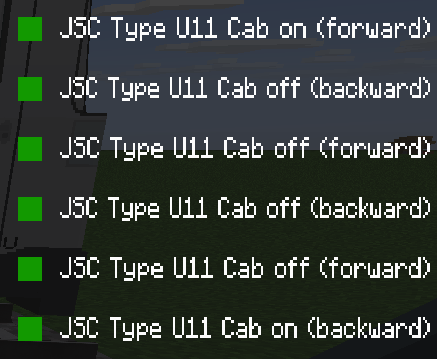
Cab on is always used as a first and last car of a train. If you want to sit in the cab on your own, you can use the drivable versions instead. Between the front/rear of your U11-config, you can use the Cab off versions.
## About the beta
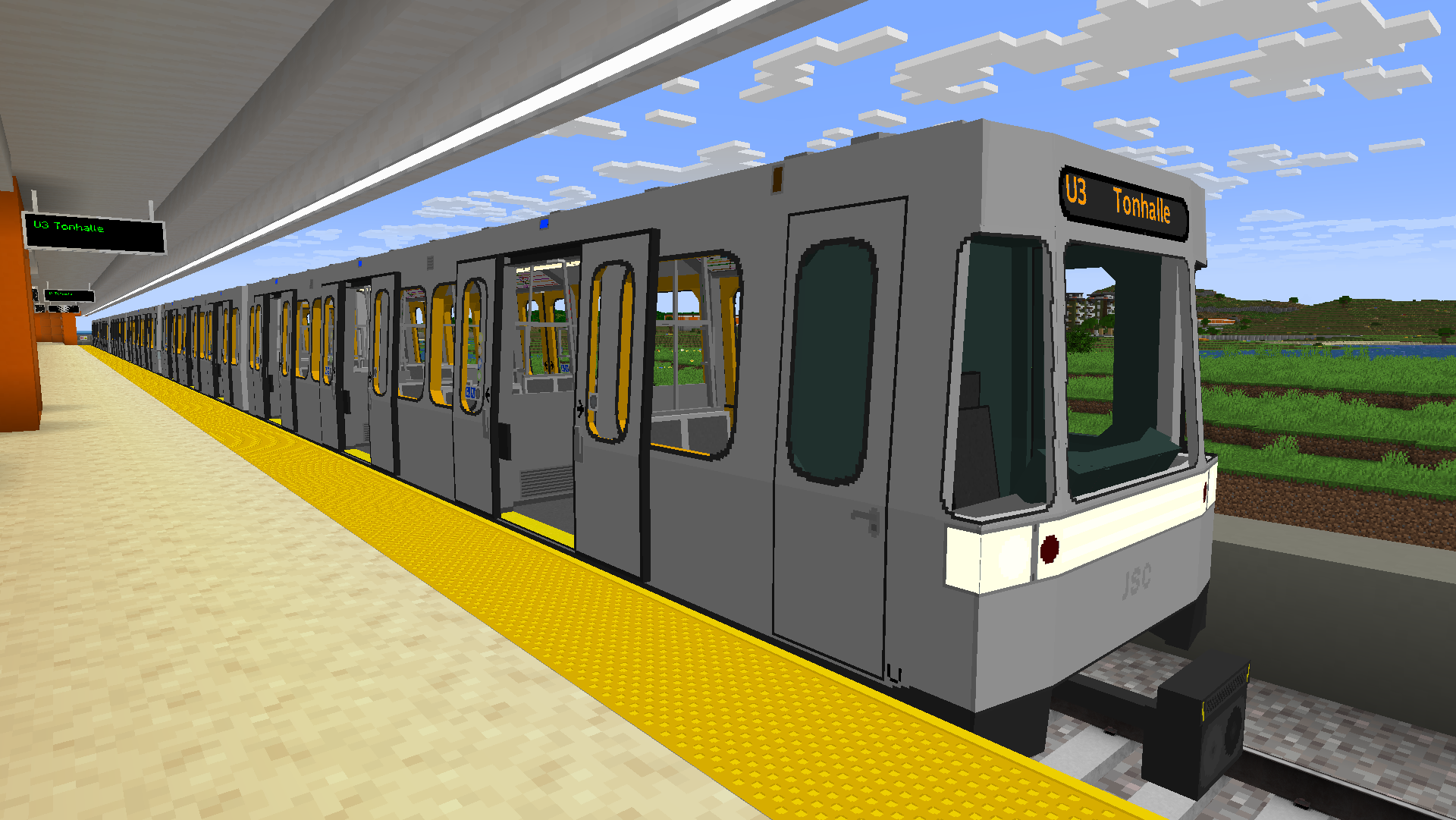
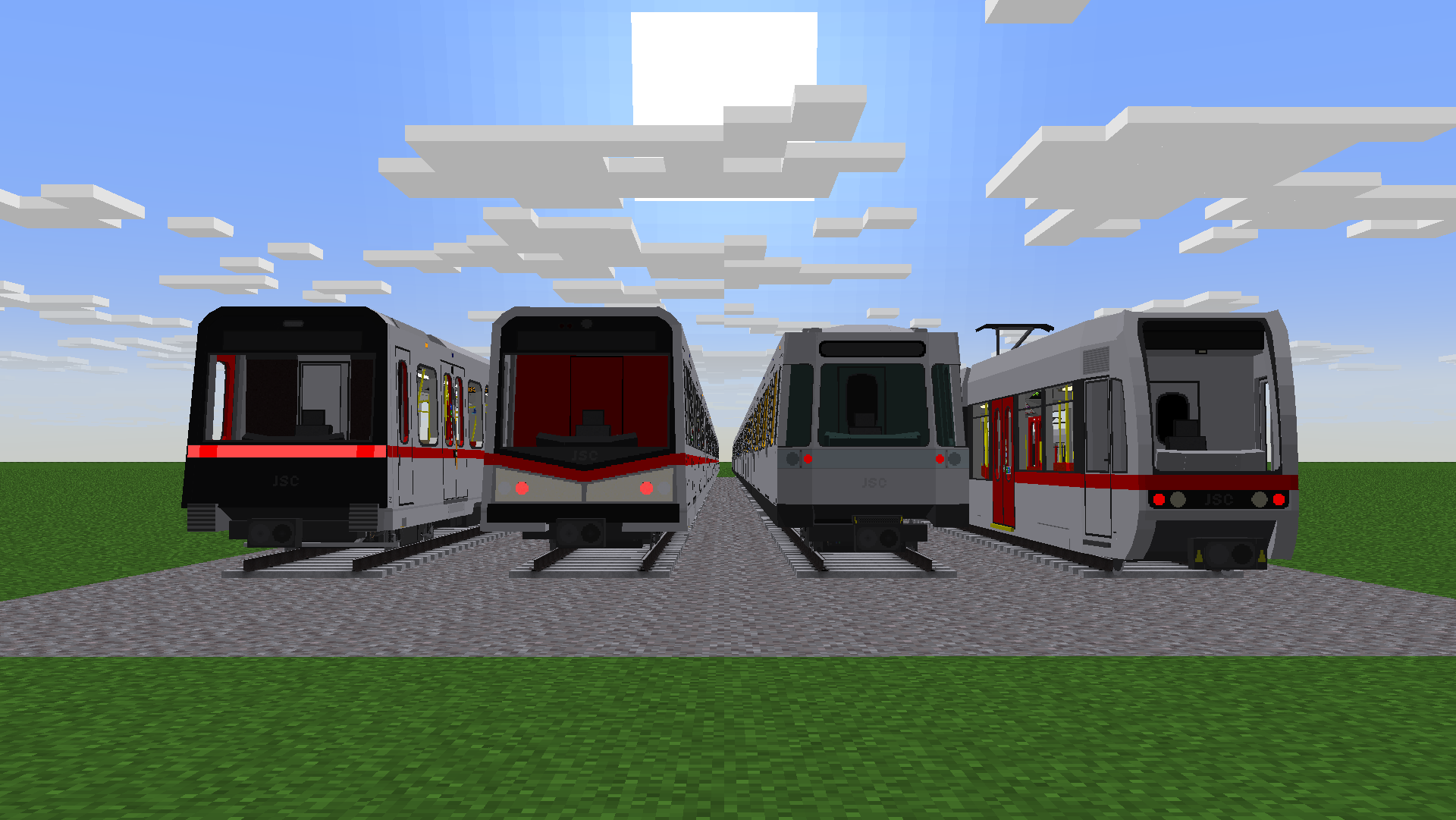
This is a beta version. You will be able to use a limited selection of the viennese metro trains, including:
– Type T1
– Type V (Gen3)
– Type X
– Type U11
Currently, no custom sounds are included. As of BETA 3, repainting is at own risk, as textures of all Types will change once for with BETA 4. Also, some known bugs of MTR 4.0.0 might occur while using this pack.
## Future changes
The older Types T and U/U2 will be added in the future. Other generations and prototypes of the existing types will be added as well, featuring different liveries.
## Bug Report
If you find a bug, just use #bug-report of the “u-bahn-wien-pack” category on the discord to report it. It may take some time to fix it.
Tyler the Creator Records
Changes minecrafts BORING discs to tyler the creators albums.
Currently has:
– **IGOR**
【MTR3】TX-3000系|TX-3000 Series
## このリソースパックは、日本のTX-3000系を追加します。
Wikipediaリンク/Wikipedia Link:首都圏新都市鉄道TX-3000系電車
よろしければ、Pinu様製作のTX-1000系とTX-2000系も合わせてご利用ください!
https://modrinth.com/resourcepack/tsukuba-express-tx-1000-and-tx-2000-series
## 注意
このリソースパックはつくばエクスプレスと何ら関係がなく、つくばエクスプレスの公式製品でもありません。
ご注意下さい。
objファイルを使用しているので、NTE(Nemo’s Transit Expansion)も導入してください。
リンク: https://modrinth.com/mod/mtr-nte
## インストール手順]
1. 起動設定のresourcepacksフォルダにzipを入れ、マイクラの設定から「リソースパック…」を押し、選択して適応させます。
2. ダッシュボードから車両基地の線路を選択すると、「TX-3000 10cars」「TX-3000 6cars」「TX-3000 free」から好きな車両をを選択します。
3. 車両が見えたら成功です!
## This resource pack adds the TX-3000 series in Japan.
Wikipedia Link: [Metropolitan Intercity Railway Company TX-3000 series electric train
Feel free to use the TX-1000 Series and TX-2000 Series created by Pinu as well, if you’d like.
https://modrinth.com/resourcepack/tsukuba-express-tx-1000-and-tx-2000-series
## Note
This resource pack is not affiliated with Tsukuba Express in any way and is not an official Tsukuba Express product.
Please note.
Since this uses obj files, please also install NTE (Nemo’s Transit Expansion).
Link: https://modrinth.com/mod/mtr-nte
## [Installation Instructions]
1. Place the zip file in the resourcepacks folder in the startup settings, then press “Resource Packs…” in Minecraft settings, select it, and apply.
2. Select the vehicle depot tracks from the dashboard, then choose your preferred vehicle from “TX-3000 10cars,” “TX-3000 6cars,” or “TX-3000 free.”
3. If the vehicle appears, installation was successful!
Turtle Shaders


**ABOUT**
Turtle Shaders is a high-end Minecraft shader pack designed for players who want stunning visuals and a calm, immersive experience. It features beautifully wavy water, realistic clouds, and an overall peaceful tone that enhances the world without being overly aggressive. Turtle Shaders is not made for low-end PCs; it’s optimized for mid-range systems, delivering advanced visual quality with high-end features comparable to other premium shaders. Perfect for players who want realism, smooth atmosphere, and premium visuals without compromise.

### Features
– Wavy water with smooth, natural movement
– Realistic clouds for an immersive atmosphere
– Water reflections on blocks during rain
– Distant horizon support for extended view distance
– High-end visual effects similar to other premium shaders
– Peaceful and balanced visual tone for a calm experience
### How to report BUGS!!
Our GlacierDevelopment Discord server is Live you can report bugs and Chat with other GlacierShaders users, report bugs, get help with issues, and join exciting giveaways — all in one place!

### OFFER!!

Turquoise3D Extra
Add-on for Turquoise3D, changing mushrooms & sugar cane, and adding 3D tools!
Mushrooms and Sugar Cane receive shading & Ambient Occlusion, and mushrooms get 3D stems!
3D Tools are added (which got redesigns some time ago, do you remember those?), using ONLY vanilla textures!
The stick gets a 3D model, and still uses a vanilla texture!
Turquoise3D
A project that gives 3D Models to flat/cross blocks and items!
Caps of mushrooms and fungi have been made 3D, while their stems don’t.
Sugar cane is almost fully 3D, with small bits remaining 2D.
The glow in the Redstone Torch is no longer weird!
Eye of Ender uses the End Portal model look, and Ender Pearls resemble the new look of the eyes!
Bricks and ingots? Got you covered.
Turnip’s Animated Lanterns
Breathe life into your builds with fully 3D, animated lanterns! This resource pack replaces the vanilla lantern model with a detailed 3D version featuring smooth flame animations. Perfect for fantasy builds, cozy cottages, or spooky dungeons.
🔹 Compatible with both lantern and soul lantern
🔹 No mods required – just drop it into your resource packs folder and enjoy!
You are free to use this in modpacks or other projects as long as proper credit is given. (CC-BY 4.0)
Turf Shader
Turf Shaders is a high-end Minecraft shader pack designed for players who want stunning visuals and a calm, immersive experience. It features beautifully wavy water, realistic clouds, and an overall peaceful tone that enhances the world without being overly aggressive. Turtle Shaders is not made for low-end PCs
TTRP Tamer’s Models and Fixes
The resource pack has DynamicPack support.
The texture adds weapons, hats, and more. These Texture are generally used for a server named TTRP, a dnd inspired minecraft server. This texture pack allows users to create and show off their amazing weapons, items, or unique items. Please make sure to join my discord for requests and commission work: Tamer’s Models and Fixes