Wild Cities
### **Ello!**
## ###
This datapack will add randomly generated skyscrapers to your world. Each floor is unique and provides monsters to fight along with loot from dungeons, desert temples, villagers, and ocean ruins. I intended this mod to be used with other mods that enhance the player’s abilities, the floors will be difficult.
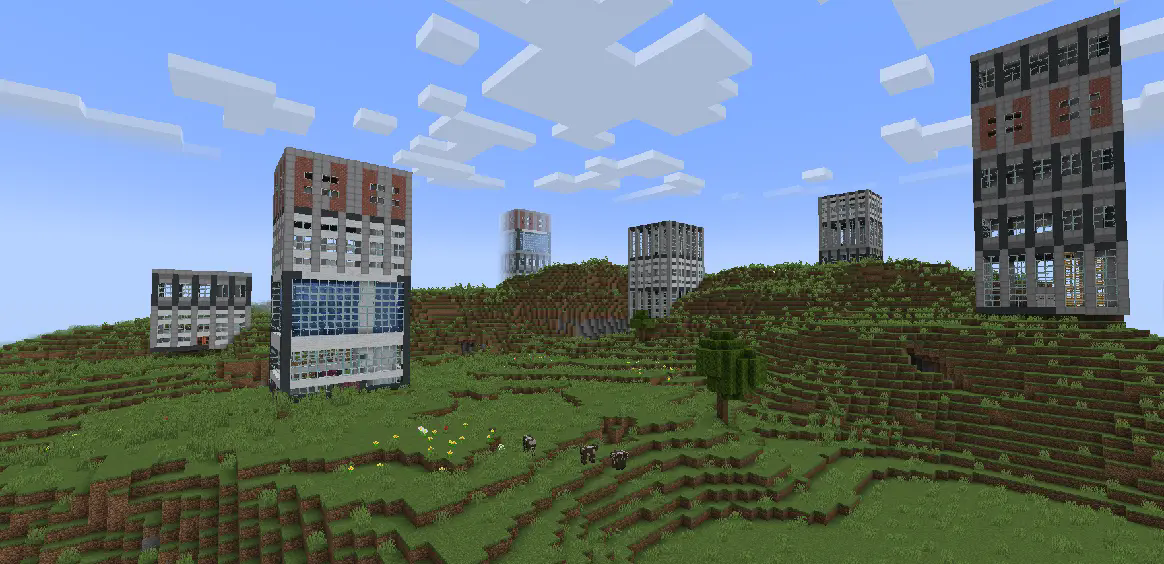
_Inspired by AtomicStryker’s Battle Towers and McJty’s Lost Cities mods_
Wild Animals
# Wild Animals
_**This datapack is mostly designed for server usage.**_
No resource pack required, **fully server side**.
All the new animals are **spawning naturally** in their respective biomes, and are **animated**.
This datapack can be used in singleplayer, but it may lag a lot. Manually use **/function animals:kill** if it lags too much!
## List of animals
– Elephant (**savanna, jungle**)
– Jellyfish (**ocean, deep ocean, warm ocean, cold ocean, deep warm ocean, deep cold ocean**)
– Shark (**deep warm ocean, deep cold ocean**)
– Crab (**beach**)
## Performance impact
– **Player/Client** (rendering the textures of the animals)
– Elephant —> Very Low
– Jellyfish —> High
– Shark —> Very Low
– Crab —> Very Low
– **Server** (functions, spawn rate and so on)
– Elephant —> Low
– Jellyfish —> Very Low
– Shark —> Very Low
– Crab —> Very Low
## Uninstalling
Run **/function animals:kill** before uninstalling!
Mathematical calculation commands
# Minecraft Math Lib
A mod that provides some math functions that can be used in-game more easily. (suitable for datapack makers)
# Futures
## Commands
### Math
Usage:
`/math `
perform operations.
The following operations are currently supported:
– Plus (`+`)
– Minus (`-`)
– Multiplication (`”*”`)
– Division (`”/”`)
– Max (`max`)
– Min (`min`)
– Average (`middle`)
– `=cos` / `=sin` / `=tan` / `=sqrt`
Please note: these will change the value of the first provided scoreboard
– Mod (`”%”`)
– Power (`”^”`)
The output result will be output in the chat bar. If the value of the scoreboard has not been modified, you can store it with execute store result.
If the value is modified this value will remain constant.
**Note that all operations are rounded up, as the Minecraft scoreboard doesn’t support decimals!**
### Random
Usage:
`/random ` or `/random `
Get a random integer between the minimum and maximum values.
# Support Languages
– English
– Simplified Chinese
**Translations are welcome: https://github.com/wifi-left/Minecraft-Math-Lib/tree/master/src/main/resources/assets/mathlib/lang**
Widgets
# Widgets
**Adds customizable in-game widgets to your game.**
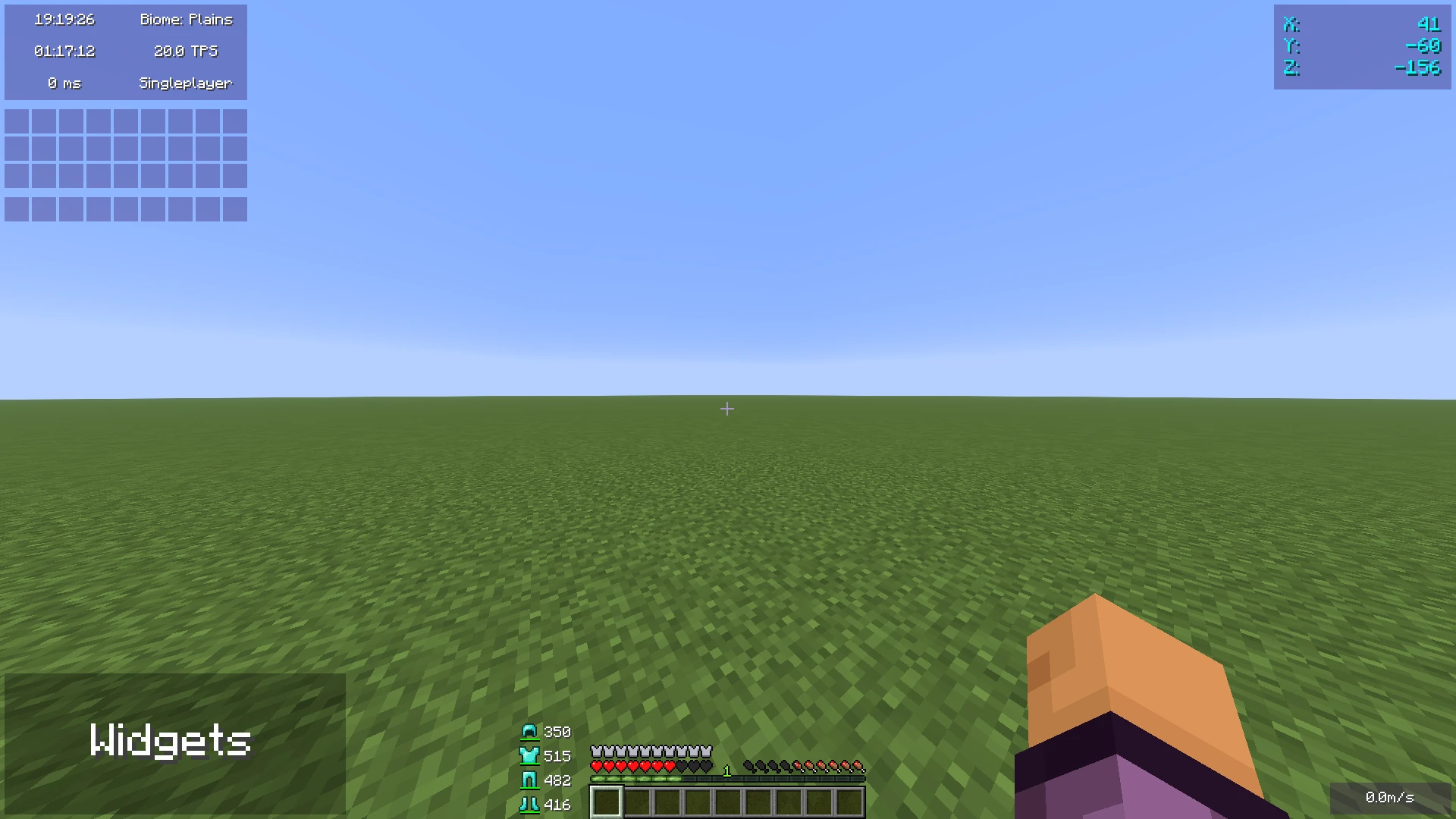
This Minecraft mod adds customizable widgets that you may know from other Minecraft clients.
This mod was specifically made for people who just use Fabric or Quilt (and no specific client).
It also has some benefits over using clients:
1. Performance:
– We’ve tried to optimize the mod as much as possible to make sure the game runs as smoothly as possible.
– Disabled widgets don’t use any performance
2. No additional features
– The mod focuses on **widgets only**. It does not contain any other features such as performance improvements or mods.
3. Easy to use
– We’ve tried to make the mod as easy to use as possible, for example, there are three ways to open the config menu instead of only a keybind.
## Widget settings
There are three ways to open the widget settings:
1. Press the key bind (bound to right shift by default)
2. Enter the command “/widgetsmod”
3. Open the config menu through Mod Menu
Once you’ve opened the settings, you will see the widget overview menu:
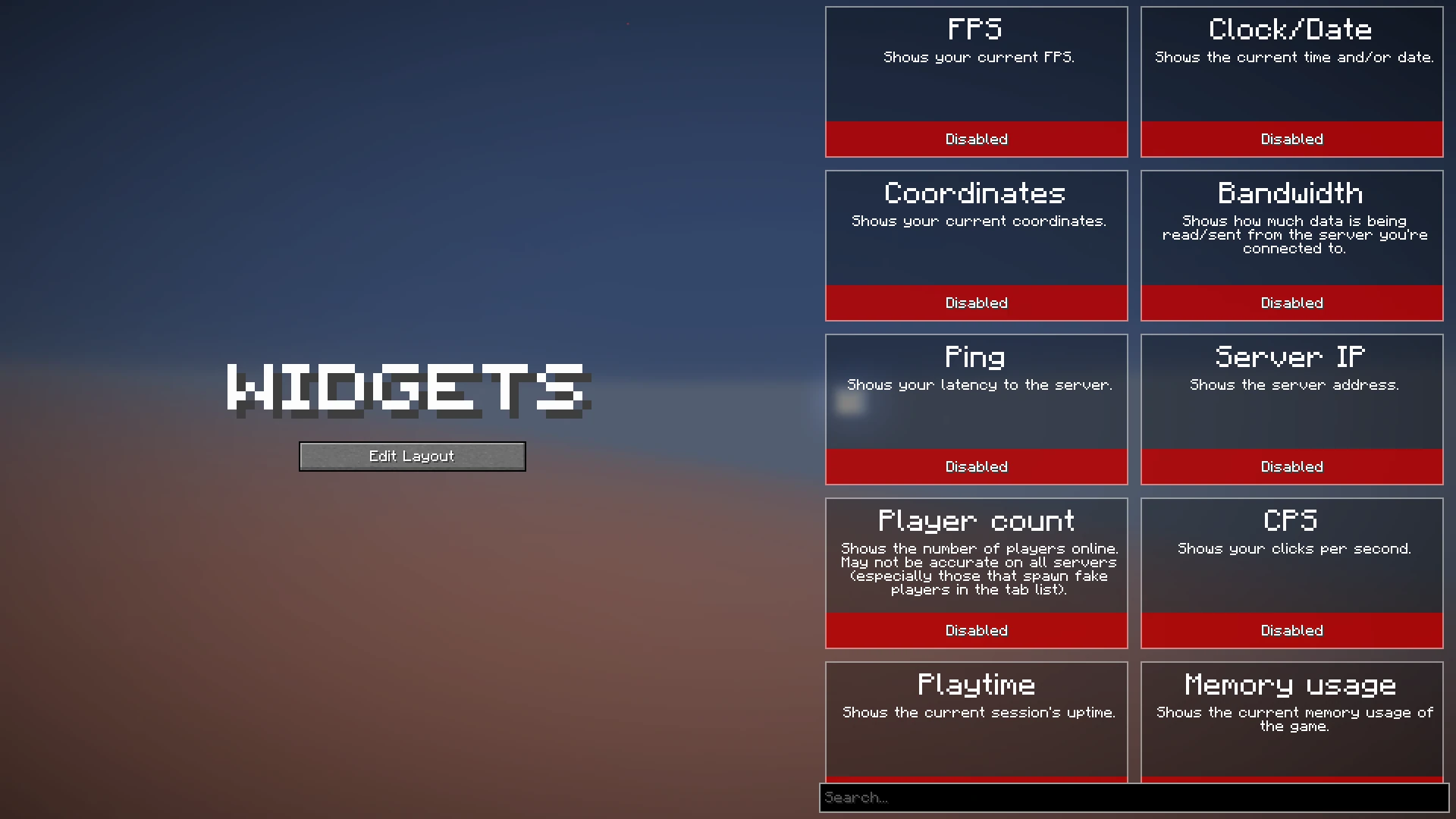
You can now enable the widgets you want to enable, or click on them to view their additional settings, as you can see here:
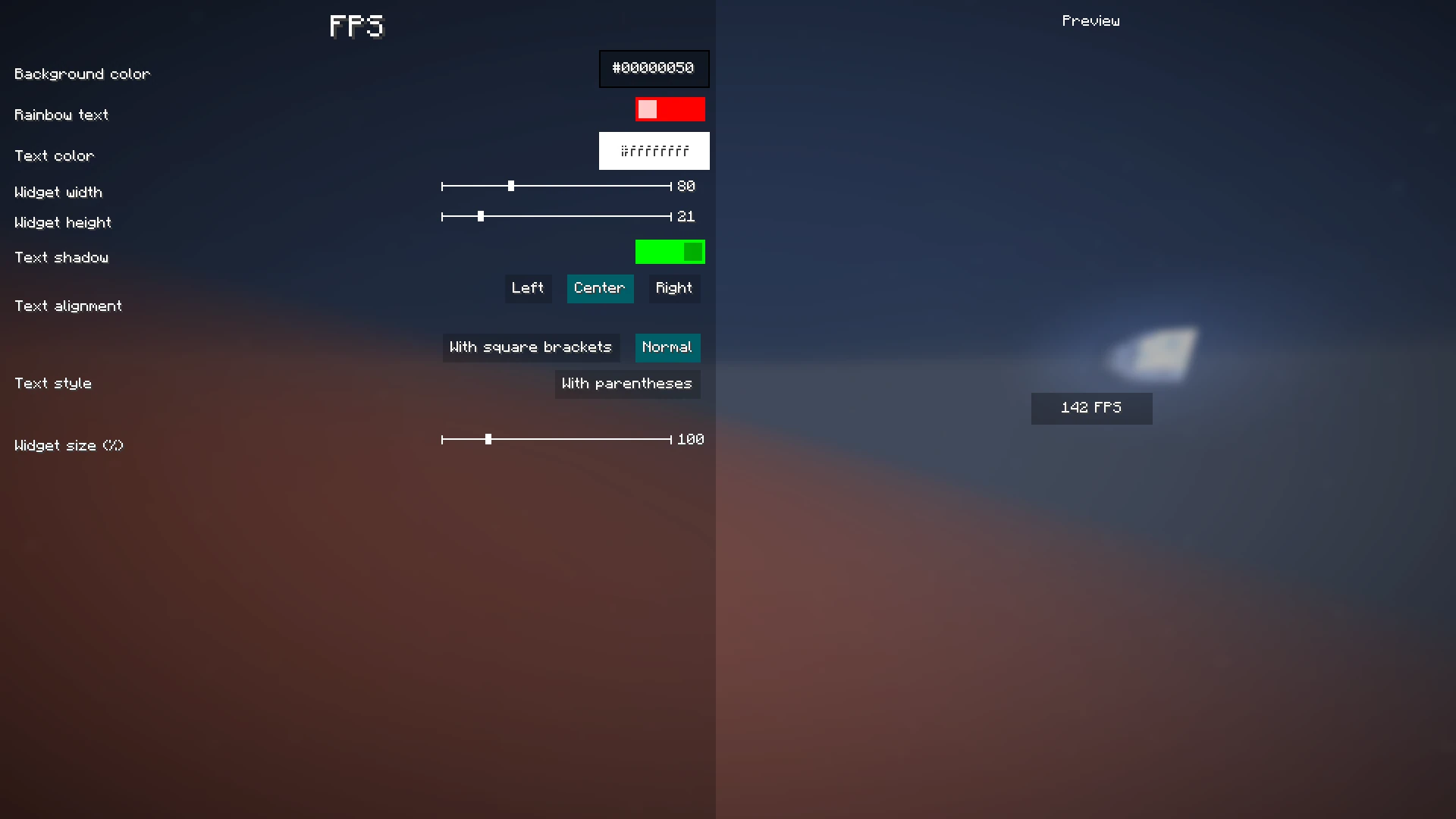
When you’re done with configuring which widgets you want to enable and their settings, click the “Edit Layout” button on the left side of the mod configuration screen.
This will take you to a screen where you can freely move around your enabled widgets.
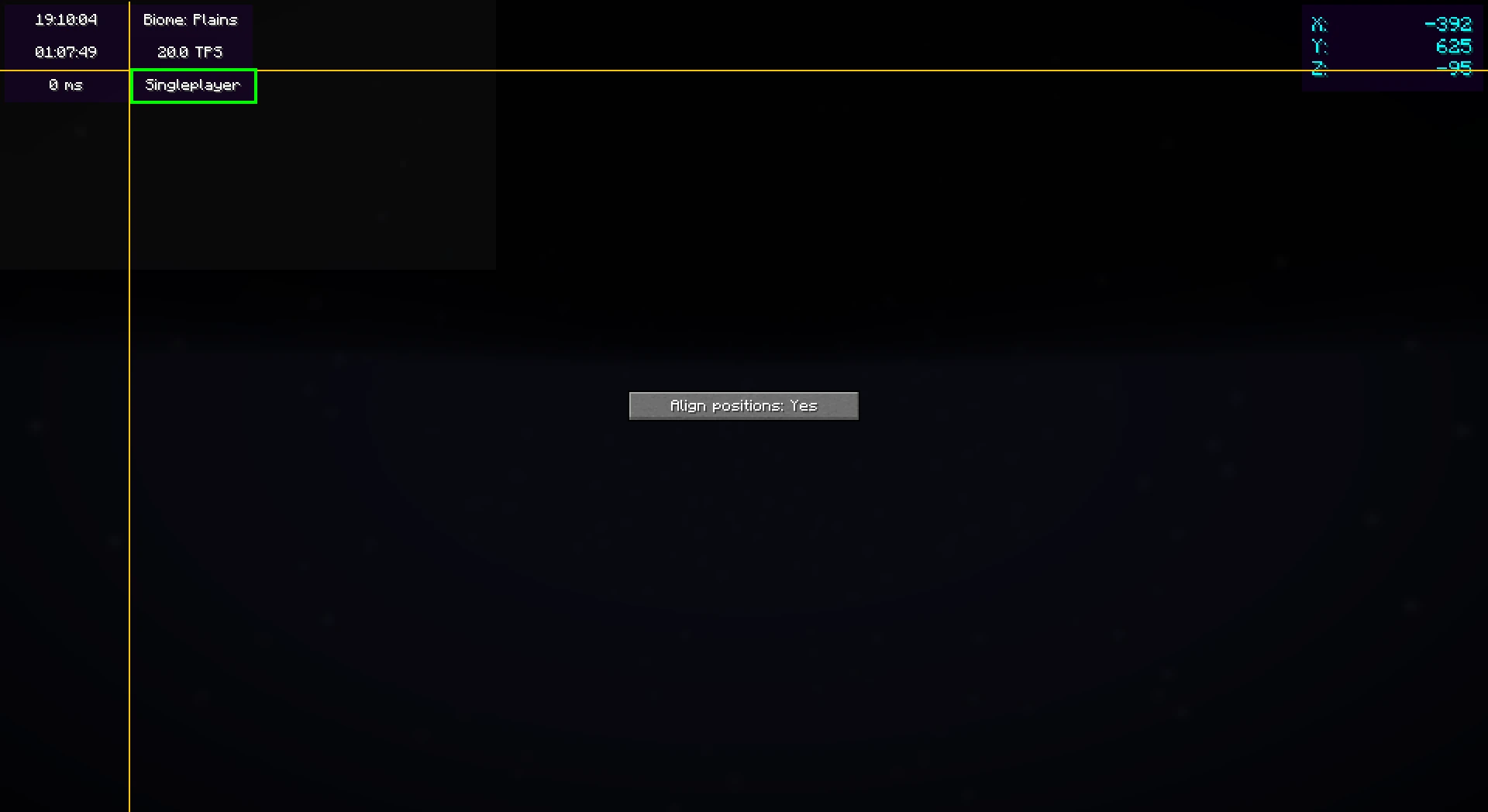
Right-clicking on this screen will bring up a useful context menu with additional options, like enabling/disabling widgets or changing their settings.
When you’re done, just press Escape until you return to the game.
Now, everything is done. Your widgets automatically save for the next time you play.
## Color editor
Newer mod versions (2.3.0+) include a **color editor** which provides full customization for your widgets’ background and text colors:
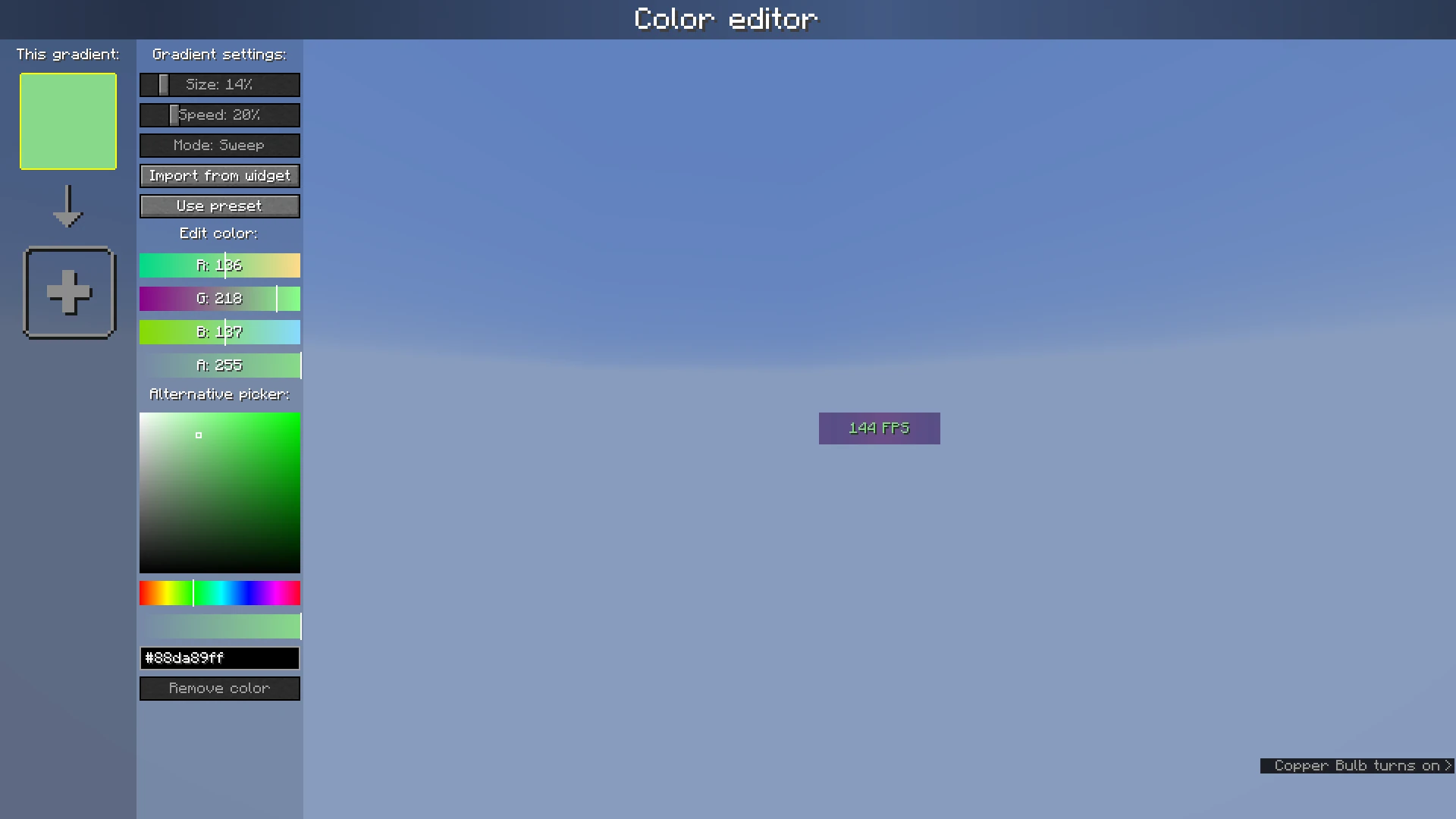
The color list on the left shows the colors which are currently configured; if you add more than one, it becomes a gradient. Clicking on the colors will select them.
The settings bar on the right of the color list can be used to customize gradient settings, import from other widgets, or use presets.
Below that, the color which is currently selected can be changed or deleted.
Wide Mining

Wide Mining adds an enchantment that lets you mine a **3×3 area** with a single swing of a
pickaxe, making mining **significantly faster**.

—
—
## Customization
Want to configure enchantment levels, sneak-to-disable, loot table options, or export for a
specific mod loader? Use the **Wide Mining
Generator**
to build a custom version — no setup required.
If you need help or have a specific request, join us on Discord.
—
## Installation
**Datapack**
1. Download the `.zip` file.
2. Place it in `.minecraft/saves//datapacks/`.
3. Run `/reload` in-game.
**Mod (Fabric / Quilt / Forge / NeoForge)**
1. Download the `.jar` file.
2. Place it in `.minecraft/mods/`.
3. Launch the game — no extra steps needed.
—
## Support
Found a bug or have a suggestion? Join us on Discord.
Wide Hoppers
It sucks in items in a 3×3 radius and is twice as fast than a normal hopper.
Acts like a regular hoppers, including using redstone to lock it.

See my other mods
Why stacks of 16?
Ever wondered why you can only stack Ender Pearls up to 16, but Ender Eyes up to 64? Why does the stack-size of 16 even exist?
Now, you can stack all items, which you could initially stack up to 16, up to 64 – also modded ones.
If you want your own Minecraft server to play with friends, check out Kinetic Hosting. They provide powerful servers for a fair price while being easy to use, and they have a nice support. Click on the image below for more information, and if you are interested, use code **LAIDBACKSLOTH** at checkout for a 15% discount.

Why Am I on Fire?
Why Am I on Fire works for both the client and server. For the best experience, use it on **both sides**.
## Behavior
**On client:** Hides the fire overlay when the player either has fire resistance or is in creative mode. If the player is still on fire and either the fire resistance effect is about to wear off or they’re holding a bucket of milk, the fire overlay will warn you.
**On server:** Physically removes the fire on players with fire resistance or that are in creative mode. If the player is standing inside lava or fire and either the fire resistance effect is about to wear off or they’re holding a bucket of milk, they will be set on fire again as a warning. In some cases, like standing inside a fire block, the fire screen overlay will still show on clients that don’t have the mod.
## Config
**Warning display:** You can choose between either: “Flash”, which has the fire overlay flash twice a second, “Transparent”, which displays a transparent fire overlay instead, or “None”, which never displays the overlay.
**Extinguish mobs:** Enables/disables the server-side behavior of extinguishing mobs which are resistant to fire.
### Modpack usage
Feel free, no need to ask.
Who are you?
because my minecraft server disabled them
this mod is a fork of the whoami mod
White Rabbit
This Fabric/Quilt mod adds a food and a drink that change the size of the player that consumes it.
Drinking Pishsalver will make you smaller (half your size each time you drink it by default) and eating Upelkuchen will make you larger (double your size each time you eat it by default).
The items can also be put in a Dispenser which will resize any entity in front of it when activated.
Recipes can be unlocked in the vanilla recipe book once you pick up Sweet Berries.
Several settings are configurable, including the duration of the resizing effect, the resizing multiplier for each item, the minimum and maximum scale, and the time it takes for your size to change.

