Wunderreich

Wunderreich brings some niceties and new mechanics to your game. Everything has been designed with configurability in mind. So you get to decide which features to use.
You may also want to install ModMenu and RoughlyEnoughItems. While those are optional, they enhance the experience (for example you do not have to edit Config-Files in order to change the general behaviour of our Mod.
## Features:
– 🤑 Influence trades offered by villagers
– 🧱 Slabs for vanilla blocks like sand, dirt, concrete or glass
– 🛕 Stairs and Walls for Wool, Concrete and Terracotta
– 🎁 Connected chests that have access to the same inventory
– 🛠️ A tool that places a random block from the hot bar.
Showcase:
 |
|
Trowels:
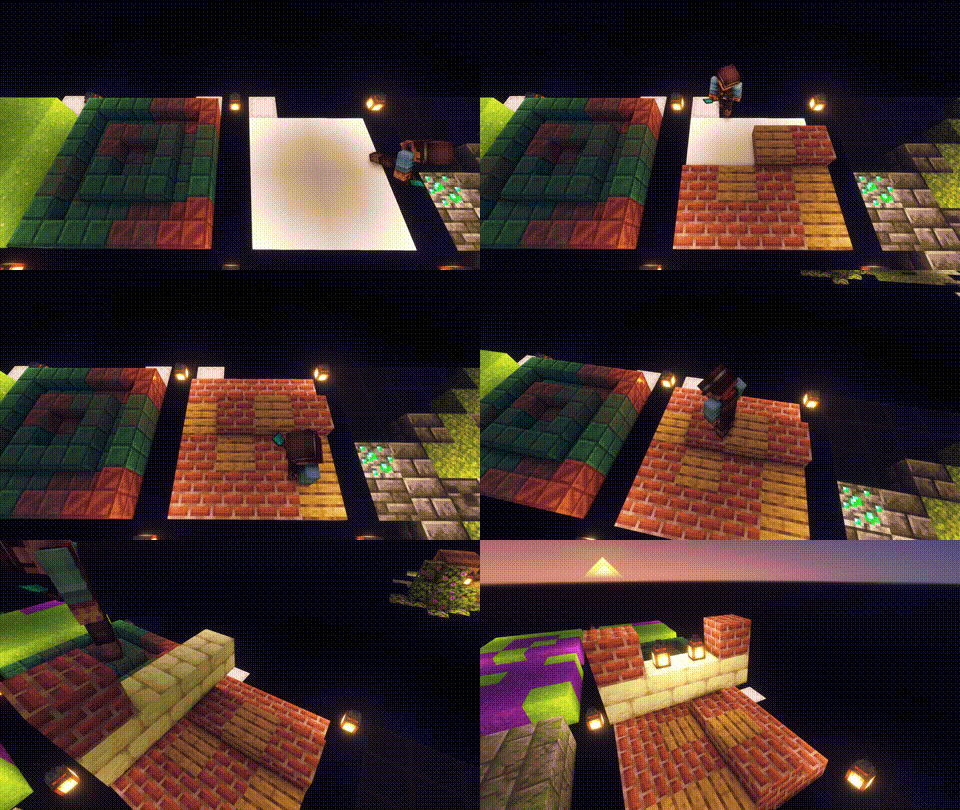
Use your Trowel to place a random Block/Item from your Hotbar. This is the perfect tool, if you want to use random looking block patterns in your builds. The more Blocks of a type you have in your hot-bar, the more likley it is to be choosen.
|
| |
 |
|
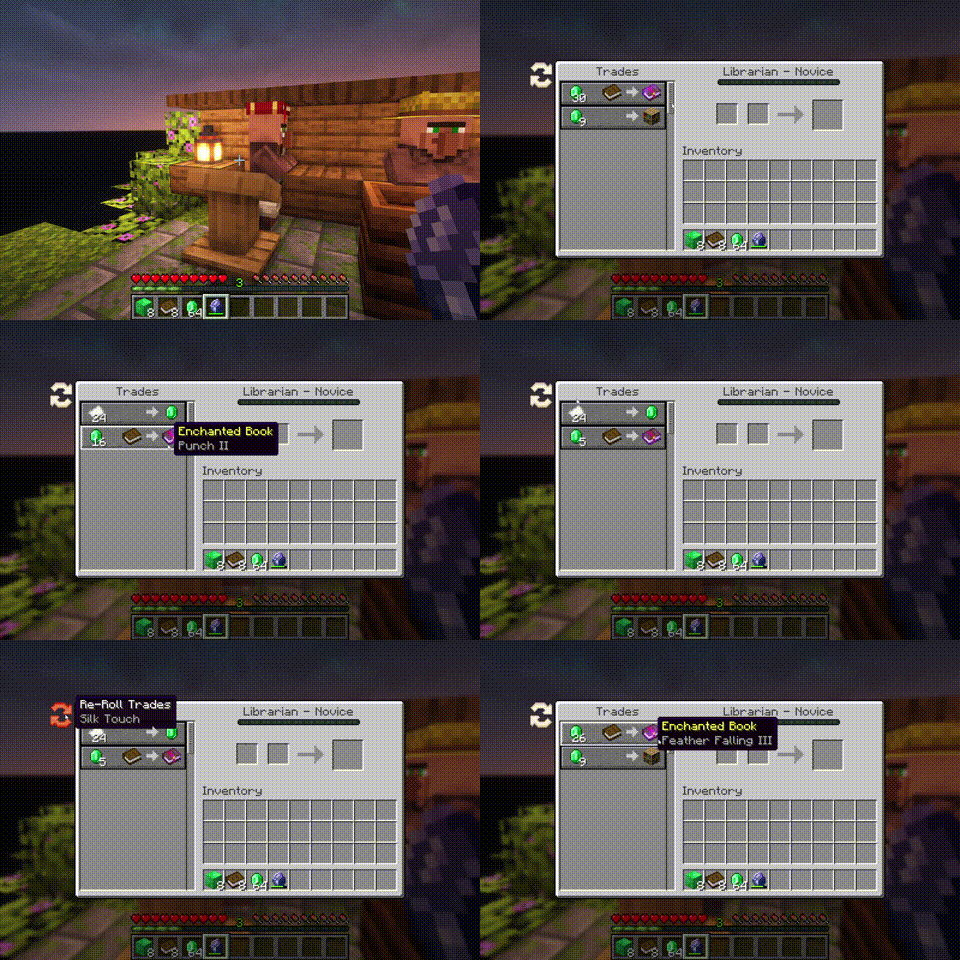
Whispers:
You can Whisper to your Villagers now. If a Villager is untrained, a whisperer of yours will force it to choose another set of initial trades. [more]
|
| |
 |
|
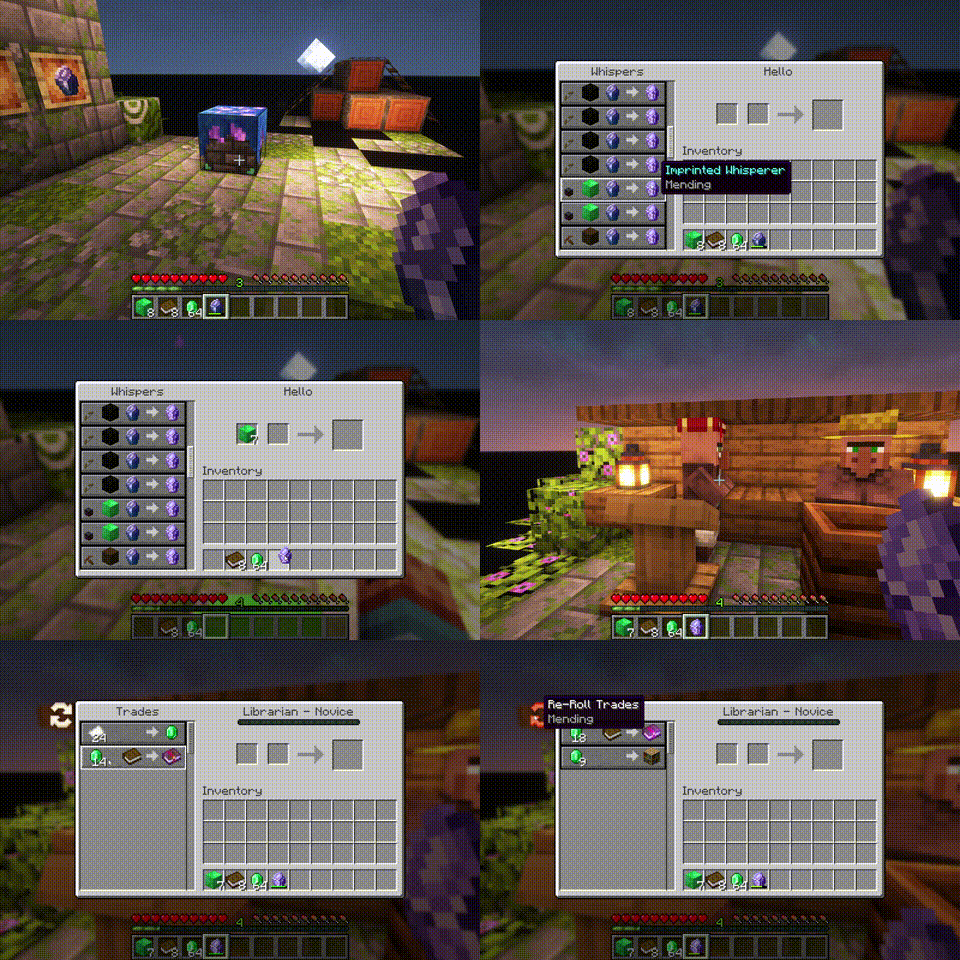
Imprinted Whispers:
If you imprint a Whisper with an enchantment, Librarians will offer only trades that include the imprinted enchanted book. [more]
|
| |
 |
|
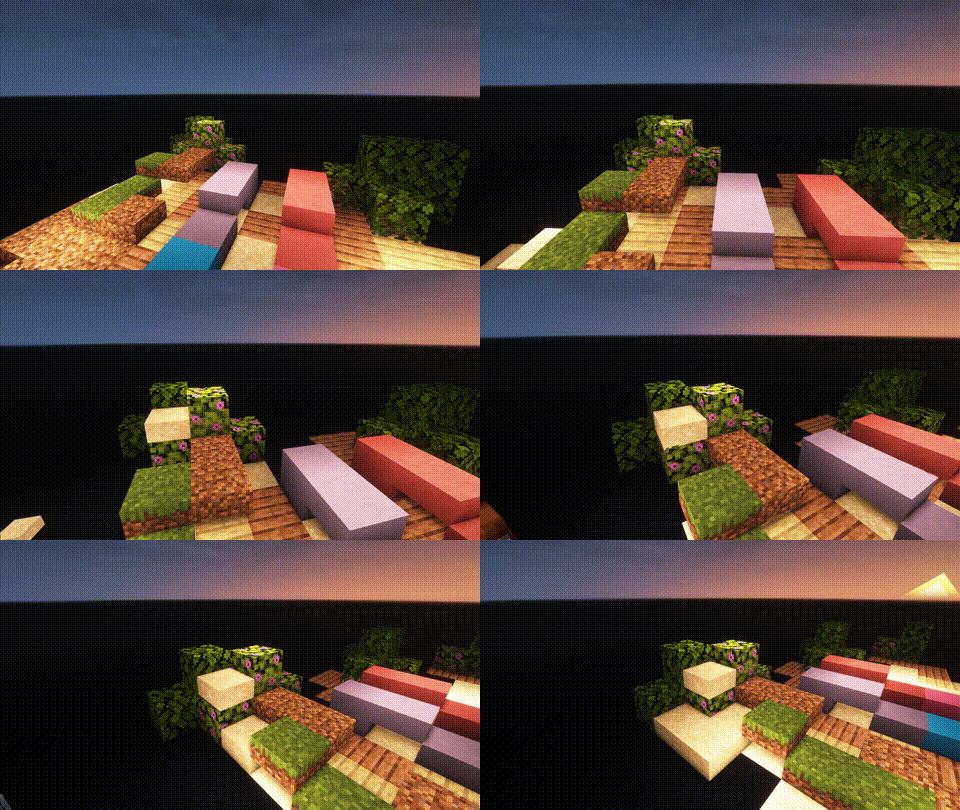
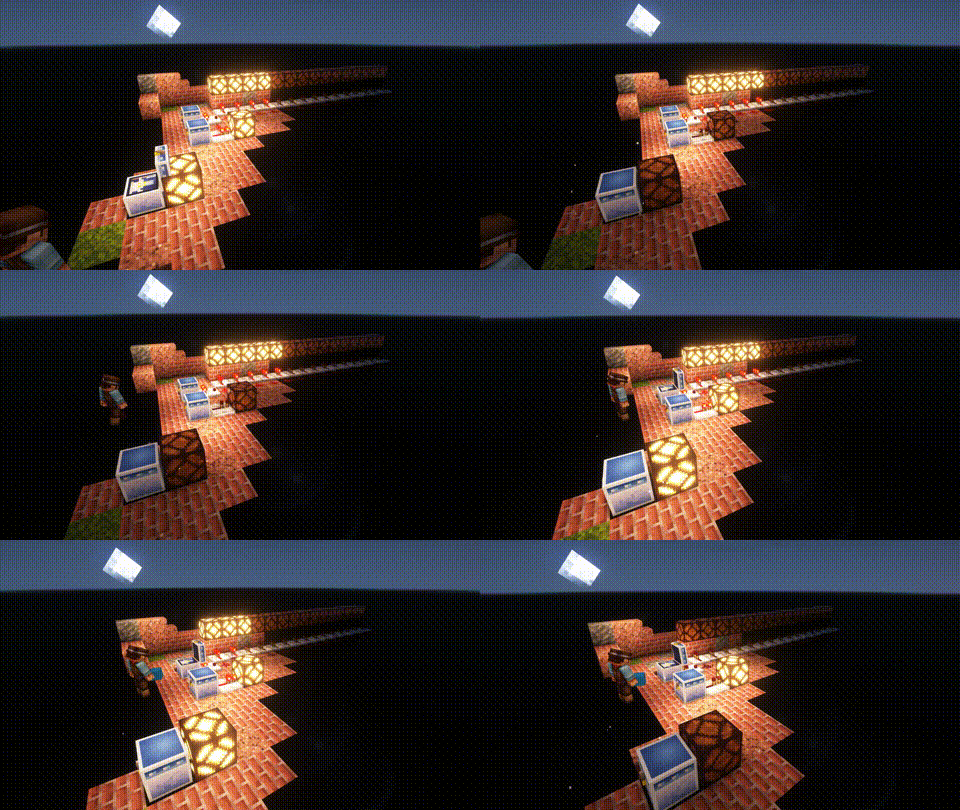
Slabs, Stairs and Walls:
Slabs, Stairs and Walls that are missing from the vanilla game. Our Slabs include Gras, Dirt, Dirt Paths, Coars Dirt, (Red-)Sand, Concrete, Terracotta, Wool and Glas. Sand Slabs will fall and Gras will spread to Dirt-Slabs. Stairs and Walls are currently limited to Concrete, Wool and Terracotta. There are also Walls for vanilla wood types.
|
| |
 |
|
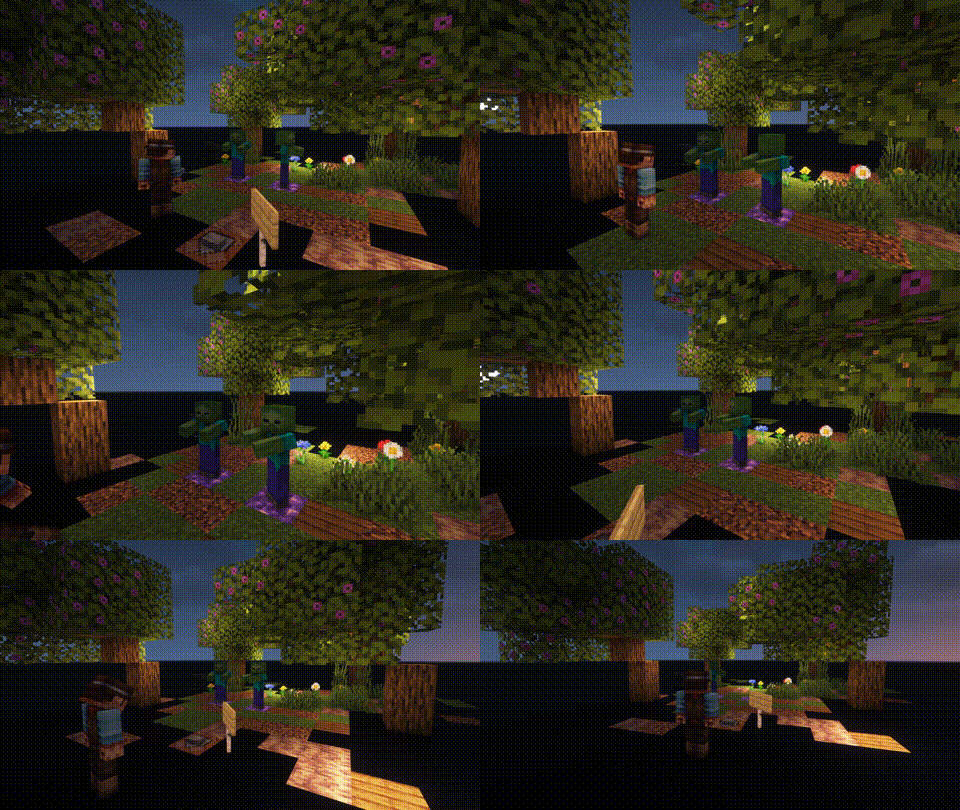
Wunderkiste:
One shared Storrage for everyone in your world. Every Wunderkiste in the world shares the same inevenory across Dimensions. Redstone updates are sent to every single one in real-time. That is why a Wunderkiste doubles as an inter-dimensional chunk loader.
By using dye on a Wunderkiste or naming it on an anvil, you can change the storage network. Wunderkisten of the same color share the same inventory. [more]
|
| |
 |
|
Named Monsters:
If you name a Monster using a Name-Tag, it will not de-spawn when you switch your game to peaceful. This is usefull, if you often need or want to switch back to peacfull and still be able to use mob farms that require hostile mobs (like endermites).
|


White Tulips Make White Dye
White Tulips Make White Dye replaces the recipe for making Light Gray Dye from White Tulips and crafts White Dye instead!

WTHIT
# What The Hell Is That?
[](https://modrinth.com/mod/fabric-api)
[](https://modrinth.com/mod/badpackets)
> _“I am no longer interested in modding.”_
> – TehNut
Hwyla is 🦀!!1 Now how the hell I can play Minecraft??!!1!
Don’t worry, ladies and gentlemen, I got you covered!
Introducing WTHIT – a fork of [HWYLA](https://minecraft.curseforge.com/projects/hwyla) by [TehNut](https://www.curseforge.com/members/tehnut), which is itself is a fork of [WAILA](https://minecraft.curseforge.com/projects/waila) by [ProfMobius](https://minecraft.curseforge.com/members/ProfMobius)
WTHIT is a mod that adds an ingame tooltip with information about what block (or fluid) the player is looking at.
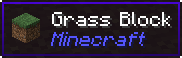
It also has an API for other mod to add more info about their blocks.
### Does WTHIT work with plugin X?
Of course, although make sure to use Fabric Loader 0.11+.
### Does it work with [insert minor version]?
Probably. The thing on brackets for every release is the version WTHIT compiled on.
It should work with any minor version if you want for some reason (like bruh just update)
### it’s A CLiEnt OnlY mod
It’s not. While some simpler feature may work in client only, more advanced stuff requires a server that has it installed. Feature that requires accessing NBT data (eg. inventory content) probably needs wthit on the server.
### Plz rENAmE
No. ~~Now that I think about it, “The hell I’m looking at” would work better :/~~
### Mod compatibility?
Check out [Megane](https://modrinth.com/mod/megane), it adds compatibility for tech mods to WTHIT.
What The Hell Have You Done To My World
# Welcome to What The Hell Have You Done To My World
This mod is obviously the best World Generation mod ever made in Minecraft!
## What the mod does:
– ~~Strips~~ Improves Overworld Generation
– ~~Mix~~ Enhances Nether Biome Distribution
## What the mod does not:
– Kissing the End Dragon (& its dimension by the way)
– Turning Endermans at a 90° degrees angle
– Making Dogs Flying when seeing Notch Twerking in front of a dandelion
– Making Redstone Blocks burnable
– Cooking your launch by telepathy
– Providing itself as a meat for turning around foxes (shouldn’t be an issue, you don’t want to use that with other mods until you want to turn your computer into a barbecue)
– Providing compatibility with other bad worldgen mods that are inferior to itself, like BetterX, BYG, and other ones
Consider checking the [Gallery](https://modrinth.com/mod/wthhydtmw/gallery) to see what amazing work is the mod doing to your world!
## Further Important Notice for people that don’t know what the concept of “kidding” is:
A joke is a display of humour in which words are used within a specific and well-defined narrative structure to make people laugh and is usually not meant to be interpreted literally. It usually takes the form of a story, often with dialogue, and ends in a punch line, whereby the humorous element of the story is revealed; this can be done using a pun or other type of word play, irony or sarcasm, logical incompatibility, hyperbole, or other means. [See the WikiPedia Page.](https://en.wikipedia.org/wiki/Joke) It also means, that:
– This mod is kidding about saying that it’s better than other ones
– Dude this mod is a fricking april fool don’t bother me
– All things said are jokes, please don’t make out of context
Way to Grave
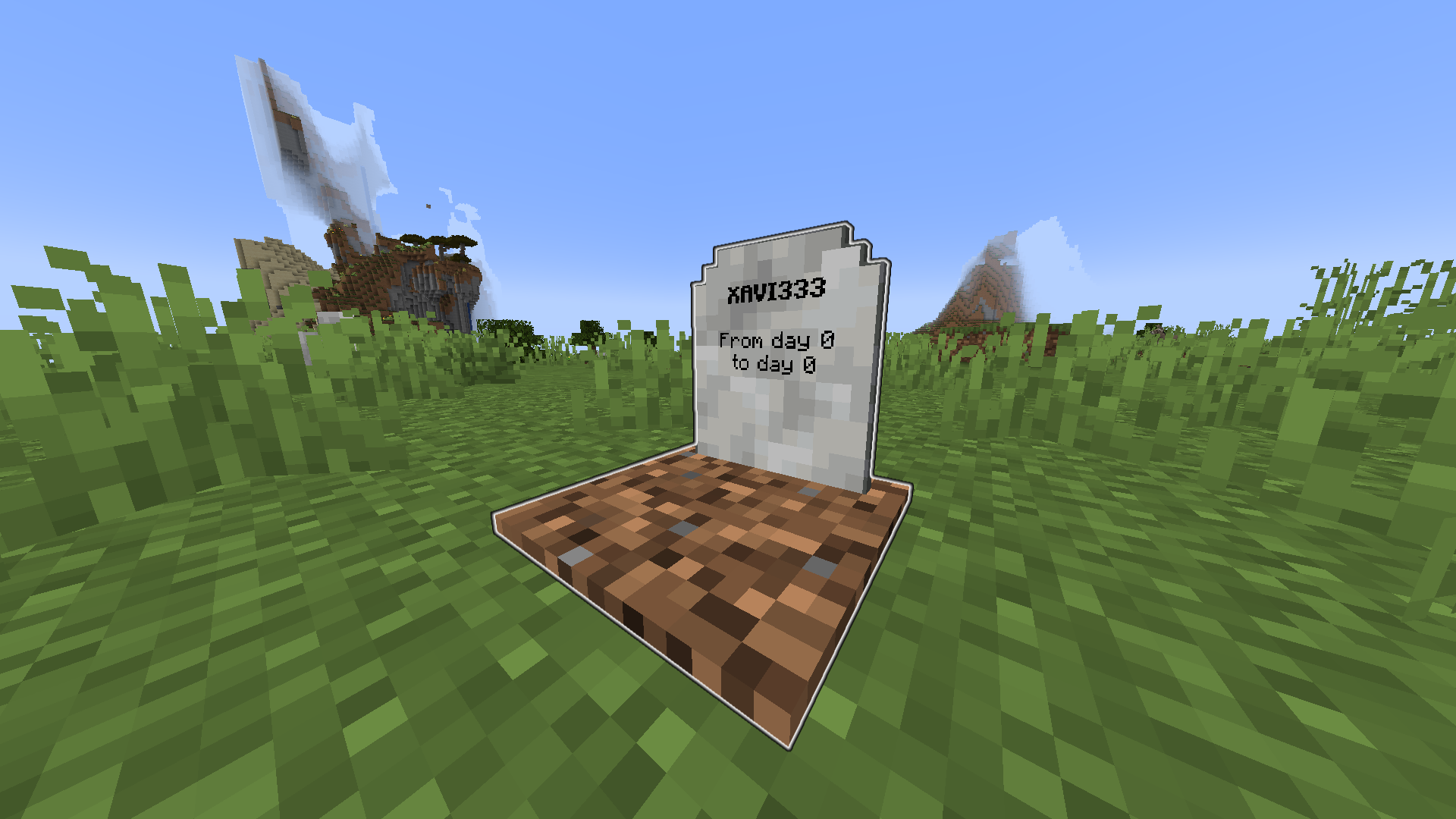
Keep your items safe after death in a Grave.
When you die, a grave containing all your items will spawn at your death location.
You then will spawn with a Recovery Compass so you can find your Grave an recover your items.
—
# Configuration:
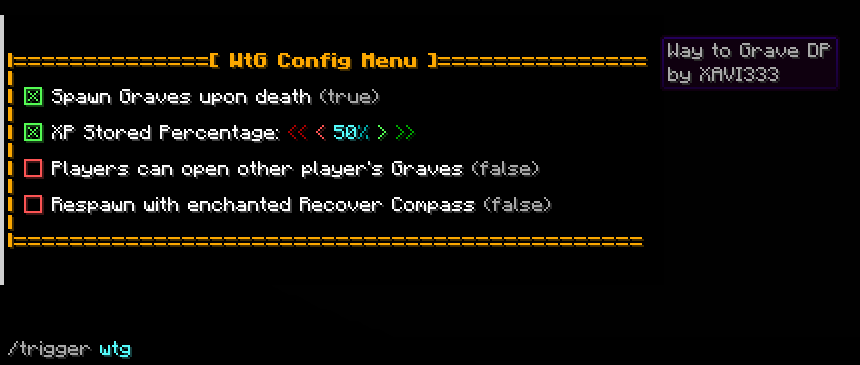
Use “/trigger wtg“ to access the config menu.
– A percentage of your XP will be store (50% as default, configurable).
– You can choose to get the Recovery Compass enchanted allowing you to teleport to your Grave.
– Only you can open your own Grave (configurable).
# Admin option:
By adding the tag _wtg_admin_ with the command “/tag add wtg_admin“. A new option will show in the config menu to allow only admins to edit the config.
Wren’s Nerd Pack
My personal client side modpack, a big mix of pretty much everything you could want.
– Game Optimizations and preformance improvements
– lots of tech centered mods for late game players, stuff like tweekeroo and litematica
– QoL Mods like world maps, better pickblock, and more inv functionallity
– Aesthetic changes aswell as support for shaders and all sorts of special reasource pack functions
– Various one-off fun mods
WOT Magic
WOT Magic is a minecraft magic datapack heavily inspired by the series The Wheel of Time. The datapack adds nearly 50 unique spells, but since they can be made smaller or larger and can even be combined the possibilities are endless. The datapack is also compatible with survival gameplay.
**Some of the features included are:**
-Strength system that prevents unlimited magic usage
-Randomized strengths when first joining
-Spells made from 5 elements
-Ability to combine strengths
-Objects that makes you more powerful
-Chat and visual feedback to let you know what others are up to
**The spells include:**
-Spells that cause damage and destruction
-Ways to disable other player’s magic
-Spells that can annoy entities
-Spells that give yourself advantages
-Teleportation
[Basic guide](https://lucasv-github.github.io/Magic_website/)
Keep in mind that this is my interpretation and implementation of a magic system, your views might differ substantially.
For any questions please reach out to me on discord @lprogrammer
Worthy Food





## Vanilla food is not pleasing anymore? Want something new?
### About the mod
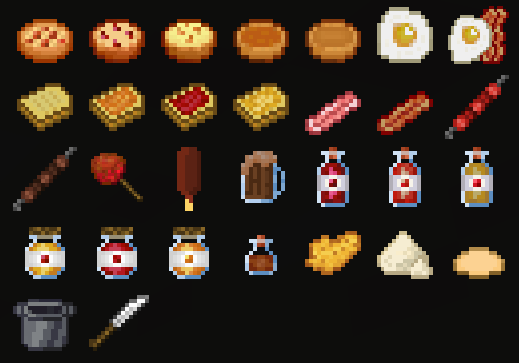
Worthy food mod provides various food to craft. Crafts themselves are not hard.
Some food consumes faster than usual, but restores less hunger
Mod will not pollute your world with tons of useless crops. Most of the crafts use vanilla ingredients
### Work in Progress
The mod just started existing, so we gradually will add new food over time
The updates will mostly be themed, like “Japanese food”, “French food” etc.
Balance / recipes / textures will be updated over time as well
There may be bugs, feel free to join our discord(ru/en) and tell us about them
New Food
| NAME |
RESTORES HUNGER |
CONSUMING TIME |
| Apple Pie |
8 hunger (16/20 halves) |
Standard |
| Sweet Berry Pie |
8 hunger (16/20 halves) |
Standard |
| Glow Berry Pie |
8 hunger (16/20 halves) |
Standard |
| Carrot Pie |
8 hunger (16/20 halves) |
Standard |
| Toast with Apple Jam |
6.5 hunger (13/20 halves) |
Standard |
| Toast with Sweet Berry Jam |
6.5 hunger (13/20 halves) |
Standard |
| Toast with Glow Berry Jam |
6.5 hunger (13/20 halves) |
Standard |
| Fried Egg with Bacon |
6.5 hunger (13/20 halves) |
2x faster |
| Cooked Beef Barbecue |
6 hunger (12/20 halves) |
Standard |
| Caramel Apple |
5 hunger (10/20 halves) |
2x faster |
| Cooked Bacon |
4 hunger (8/20 halves) |
2x faster |
| Biscuit |
4 hunger (8/20 halves) |
Standard |
| Toast |
3.5 hunger (7/20 halves) |
Standard |
| Apple Juice |
3.5 hunger (7/20 halves) |
2x faster |
| Sweet Berry Juice |
3.5 hunger (7/20 halves) |
2x faster |
| Melon Juice |
3.5 hunger (7/20 halves) |
2x faster |
| Glass of Cocoa |
3.5 hunger (7/20 halves) |
2x faster |
| Apple Jam |
3 hunger (6/20 halves) |
2x faster |
| Sweet Berry Jam |
3 hunger (6/20 halves) |
2x faster |
| Glow Berry Jam |
3 hunger (6/20 halves) |
2x faster |
| Ice Cream |
2.5 hunger (5/20 halves) |
2x faster |
| Fried Egg |
2.5 hunger (5/20 halves) |
2x faster |
| Raw Bacon |
2 hunger (4/20 halves) |
2x faster |
| Raw Beef Barbecue |
2 hunger (4/20 halves) |
Standard |
| Slice of Cheese |
1.5 hunger (3/20 halves) |
3x faster |
New Items/Ingredients
| Dough |
| Flour |
| Cooking Pot |
| Knife |
| Caramel |
### Also try my other mods


Origins: Wormlight
# 💡 Wormlight
**(Impact 2 Origin)**
*Alight like lanterns and adorned with luminous wings, these fluttery fireflies use the their inner glow to guide them through caves.*
## • Powerlist •
🕯️ Candlelight
You are connected to an essence called Candlelight, fueling your abilities.
Info
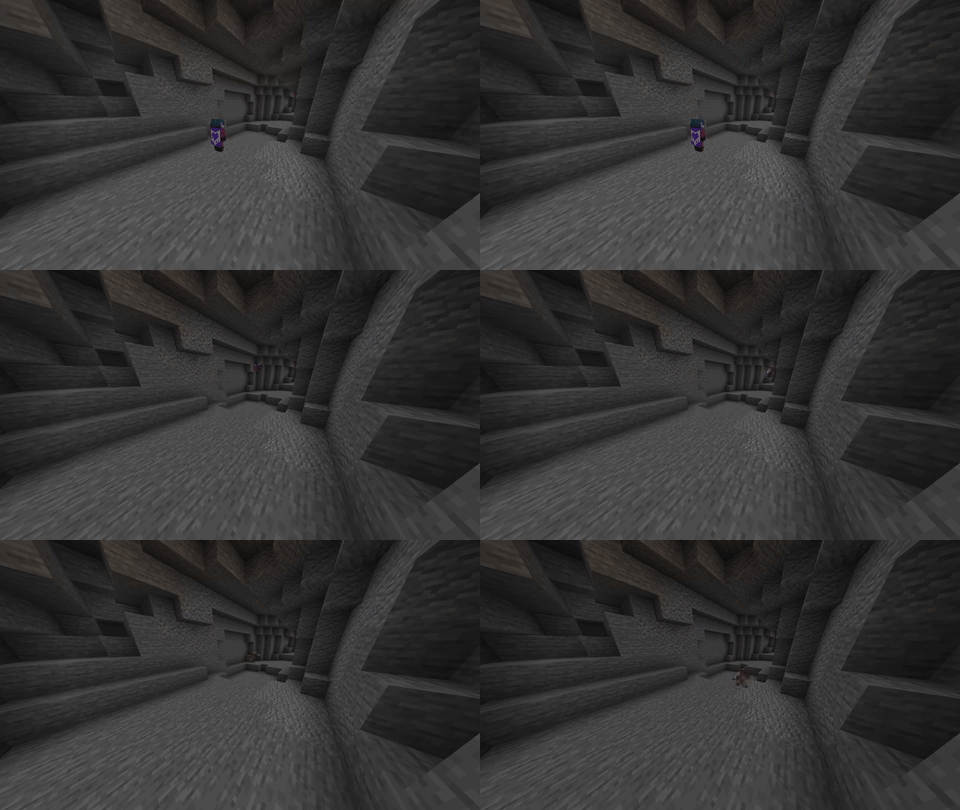
As you gain Candlelight, your ability to see through the dark increases, and your footsteps become silenced.
💎 Eternal Expedition
Candlelight originates in the glow of berries and the sparkles of ores, and you must harvest it from these sources.
Info
Stone gives traces of Candlelight when mined, ores give lots of Candlelight when mined and glow berries yield a bit of Candlelight. Ores and stone only give Candlelight if you mine them without Silk Touch.
🏮 Lantern Light: Primary Ability
By using the light of your body, you can continuously float forwards, allowing you to phase through blocks.
You will lose Candlelight over time while this power is active.
📡 Ruby Radar: Secondary Ability
You can release a burst of light, pushing entities away from the location and coating any nearby ores in a glowing essence.
Info
This costs a large amount of Candlelight, and will shoot you slightly backwards if activated above a block.
✨ Nifty Sparkles
You can repair items with raw ores by clicking them on top of the desired item. More durability will be restored based on the quality of the ore.
Info
You can use raw ores to bloom glow berries, acting as if they were bonemeal.
🫠 Melting
Sunlight melts away your Candlelight. Without Candlelight, you burst into flames while exposed to the sun.
Info
Depletion of Candlelight is mitigated by leather/gold helmets at the cost of durability.
🔥 Singed
Sunlight melts away your Candlelight. Without Candlelight, you burst into flames while exposed to the sun.
🪲 Arthropod
You react to the Bane of Arthropods enchant.
📖 Enlighten Me [LORE]
The depths of darkness call your curiosity. Check your advancements for Wormlight to uncover the 4 tomes that tale the story.
## • Additional •
Created for the Dead and Buried jam, and Ruby Radar couldn’t have been made without null.arbiter!
Wormhole Items
This datapack adds all of the advanced/custom items from the Wormhole directly as an easy-to-use pack!
For context, the Wormhole is a Minecraft glitch performed by Spoke which allowed him to gain _unfathomable power_! With this, he created many OP items like a literal gun.
The vanilla items are NOT included in this pack and they can be found at on Spoke’s Discord at [discord.gg/spokeishere](https://discord.gg/spokeishere) (or click this [direct link](https://tinyurl.com/wormhole-items)).
Source (World File)
[https://cdn.discordapp.com/attachments/1158193866361548851/1158199428990111744/Wormhole_Items.zip?ex=68cb52c6&is=68ca0146&hm=9a61ccadf6823687967375c927b3147b30e3e4b7e2b2a7cd861c15bdff8f6b47&](https://cdn.discordapp.com/attachments/1158193866361548851/1158199428990111744/Wormhole_Items.zip?ex=68cb52c6&is=68ca0146&hm=9a61ccadf6823687967375c927b3147b30e3e4b7e2b2a7cd861c15bdff8f6b47&)
The only other custom item not included is the **Crown of Premium Subscriptions** which uses a command called “demo” that doesn’t actually exist, I assume it’s from a plugin or mod. (Yes, I tested it on a multiplayer server.)
List of All Items & How To Get Them (Spoilers)
– Name any item `”Stasis Marker”` and drop it to mark where you want to set the stasis. _(Note only one stasis can exist at a time.)_
– Name any item `”Stasis Remove”` and drop it to remove the stasis.
– Name an **Eye of Ender** as `”Stasis Return”` and put it in your off-hand to instantly teleport back to your stasis. _(Your Stasis Return will not be used up, and you can keep it anywhere in your inventory. Your off-hand is its activation slot.)_
– Name a pair of **diamond boots** as `”Frost Stompers”` and wear them. This will replace air & water under you to ice that will eventually melt. Use with caution next to redstone!
– Name a pair of **diamond boots** as `”Greaves of Tomfoolery”` and wear them. It will replace nearby (a really large range actually) water to blue stained glass, logs to magma blocks, and leaves to basalt. It will also make nearby villagers trade you coal instead. Originally 3 wheat for an emerald? Now 3 wheat for COAL.
– Name a **poisonous potato** to `”Gravity Wand”`. When holding right click, it will basically force the nearest entity to wherever you’re looking. You can even clip them through walls, suffocate them, or throw them in the void! If you hold right click while it is in your offhand, it will teleport you forward in the direction you’re looking instead. Be careful, as you can still die to suffocation, drowning, … basically anything other than fall damage (it will protect you from fall damage). `Note: In pre-v3.1, use an end rod instead of a poisonous potato, offhand is not supported, and you do not have to hold right click.`
– Name any item that can be equipped on your **head** to `”Crown of Zeus”`. When equipped, it will smite nearby (all) entities! `Note: In 1.19.3, Zeus’s Blessing enchantment doesn’t exist. So even though the lightning won’t strike you, if you are close enough, you will still get damaged.`
– Name any item that can be equipped on your **head** to `”Crown of Control”`. When equipped, it will give nearby entities Weakness 4 and Slowness 4, and remove nearby potions, tridents, and arrows.
– Name any item that can be equipped on your **chest** to `”Cloak of Ruin”`. When equipped, it will literally just instantly kill nearby entities.
– Name **armor stands** to `”C4″`. When dropped (it is important that it is **dropped** and **not placed**), it will summon a C4 (explosion power the same as a TNT).
– Name a **tripwire hook** to `”C4 Detonator”`. When held in your off-hand, it will detonate *all* existing C4s.
– Name any item `”Forcefield Marker”`. When dropped on the ground, it will form a circle of size 10 (a red border will be shown for clarity). Players must have a **written book** named “AuthPass” to enter, or else they will be teleported 55 blocks in the sky! Supports **multiple** forcefields at once!
– Name any item `”Forcefield Remove”`. When dropped on the ground, it will remove **all** forcefields.
– Name **iron horse armor** to `”Gun”`. When held, it will shoot out a line of flames in the direction you’re looking at. Any mob that touches the line will be shot and damaged! It will also set the mobs on fire, but not the blocks. (Not as OP as it won’t one-shot mobs.) `Note: In 1.19.3, rename to “Flame Gun” instead.` **Range: 50 blocks**
– Name **iron horse armor** to `”Flame Gun”`. When holding right click, it will shoot out a line of flames in the direction you’re looking at. Any surface that it touches will set on fire! If you hold right click while it is in your offhand, it will “suck the soul” of any mob you’re aiming at. (Deals more damage than normal mode, and will set soul sand/soul soil on fire) `Note: In 1.19.3, this item doesn’t exist. In pre-v3.1 & 1.19.3, it will activate automatically when held and does not have offhand support.` **Range: 15 blocks**
– Name **poisonous potato** to `”Rail Cannon”`. When held, if it is not on cooldown, it will show a red dot in front of you. When right clicked, it will explode everything in a 150 block line, starting from the red dot. Then it will go on cooldown for 7.5 seconds. (Cool down is to prevent crashing potato pcs, or those with huge amounts of mods) **This is an original custom item by me, not from the wormhole.** `Note: In 1.19.3 & pre-v3.1, this item doesn’t exist.`
List of All Enchantments (1.21.8+ Only) (Spoilers)
– **Zeus’s Blessing**: Makes player immune to **lightning** damage. `Applicable on HELMETS.`
– **Pryotection**: Makes player immune to **fire** damage. `Applicable on ALL ARMOR.`
– **Explosion Protection**: Makes player immune to only **TNT**s, so that wind charges, etc. will still work. `Applicable on ALL ARMOR.`
List of All Tags (1.21.8+ Only) (Spoilers)
– **non-flammable** (block tag): A list of non-flammable blocks, like air, water, etc. so that the _Flame Gun_ won’t set everything on fire (without this tag everywhere you look would be fire, including the air!)
– **armor** (item tag): A full list of every armor piece in the game. Used to define what items can be applied with _explosion protection_ or _pyrotection_ (Minecraft doesn’t have a full tag for this, only separate ones.)