xokz’s Glowing Toggle
**To use, run `/trigger glowing` to toggle the glowing effect!**
This simple datapack allows players to toggle a permenant glowing effect for easy tracking in multiplayer.
This pack was created with compatibility and performance in mind. It is fully compatible with other sources of glowing. Toggling off glowing will not remove sources of glowing not from xokz’s glowing toggle.
Admin Commands
– To lock a players ability to toggle glowing, run `/execute as run function glowing:admin/lock_trigger`
– To unlock a players ability to toggle glowing, run `/execute as run function glowing:admin/unlock_trigger`
– To make a player glow, run `/execute as run function glowing:admin/make_glow`
– To make a player stop glowing, run `/execute as run function glowing:admin/stop_glow`
### Sponsor: Sparkedhost
Want a great server for a cheap price? Click the banner below, with code `xokz25` for a 25% discount!
[](https://billing.sparkedhost.com/aff.php?aff=3077)
XK’s Decoration
This is a multi-purpose decoration mod that adds more than 600 blocks, featuring a variety of themes ranging from many ancient civilizations to sci-fi punk or factories. We want our content to be rich and easy to use at the same time, so many of the blocks in the same theme can be switched seamlessly within the game.
## How to Play
Many items can be crafted in stonecutter or more simply by using “button 4” on your mouse (by default) to seamlessly switch between them in hand.
## Special thanks to the contributors:
LittleBai, ustc-zzzz, LucunJi, 3TUSK, TartaricAcid, IzzelAliz, Gu-ZT, SettingDust, a1640727878, xkball
XiOptimized
Minecraft 1.19.2 but with Xisuma’s mods (doesn’t include mods which could be considered cheats) and a couple other Quality of Life mods.
[SpeedInject](https://modrinth.com/modpack/speedinject)
XD’s Library
### XD’s Library
#### XDPXI’s library for numerous tasks.
—
### Features
> Please view the [Documentation](https://xdlib.xdpxi.dev/) for the correct features for your version
—
### Building from Source
#### To build the mod from source follow the steps below:
– Clone the [Git repository](https://github.com/XDPXI/XDLib)
– Run `gradlew build` or `build.ps1` in your terminal in the cloned repository
#### The compiled mod will be in `build/libs`
XDBar
A small mod that you can use to _visually tweak_ how the level indicator looks (toggle shadow or outline, change the text color or the _Y position_) and toggle whether the experience bar should still appear while the locator bar waypoints are present.
The settings can be accessed via [ModMenu](https://modrinth.com/mod/modmenu) in-game or directly with the file `.minecraft/config/xdbar.properties`!
> There are some cool examples at the gallery tab!
Xaero’s Minimap (Fair-Play)
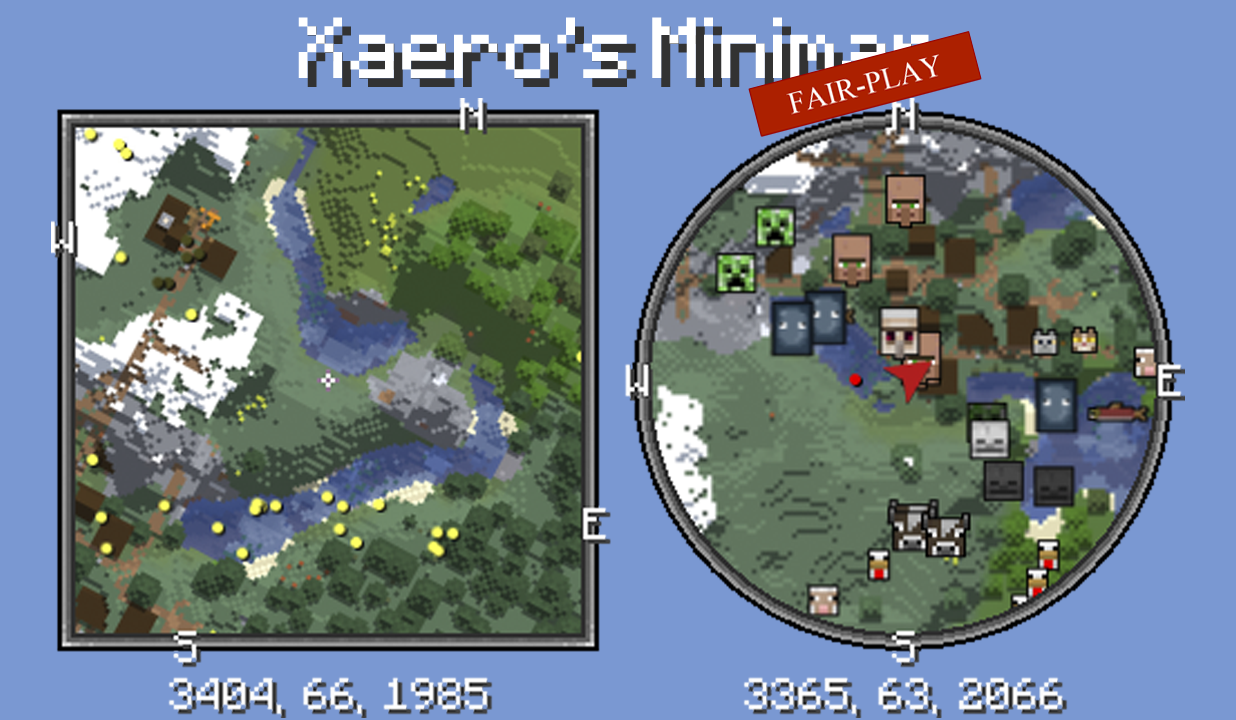
Unlike many other minimap mods, Xaero’s minimap keeps the aesthetic of vanilla Minecraft. This is the FAIR-PLAY version of the mod designed for fair PVP. Features like cave maps and entity radar are disabled in this version of the mod. Read more about the mod here.
Get full mod
Xaero’s Map Server Utils
## Introduction
This data pack adds some useful commands for server administrators, allowing easy access to make fair modifications needed for gameplay on players’ Xaero’s Map series of mods.
## How it works
See the `How do I prohibit the use of cave mode and/or entity radar on my server?` section of [Xaero’s Minimap Mod](https://modrinth.com/mod/xaeros-minimap).
## Usage
– `/function xaero:fairxaero` causes the minimap to disable cave mode (including world map) and entity radar (fair-play mode)
– `/function xaero:nominimap` disables the minimap completely
– `/function xaero:resetxaero` reset all the system message flags
– `/function xaero:xaerowmnetherisfair` causes world map cave mode to work in the nether despite the minimap being fair-play
These commands above will tell the player what the server administrator used, if you don’t want your players to know which command you used, add `silent/` after `xaero:` (Example: `/function xaero:silent/fairxaero`) (But the player will still receive a blank message)
## Autorun
The newly added autorun feature can automatically execute functions when players join the server, modifying the behavior of their minimap.
– `/function xaero:autorun/set/disabled` disable the feature (default)
– `/function xaero:autorun/set/…` select the function to run automatically
Xaero’s Map Chest Tracker Integration
# Xaero’s Map Chest Tracker Integration
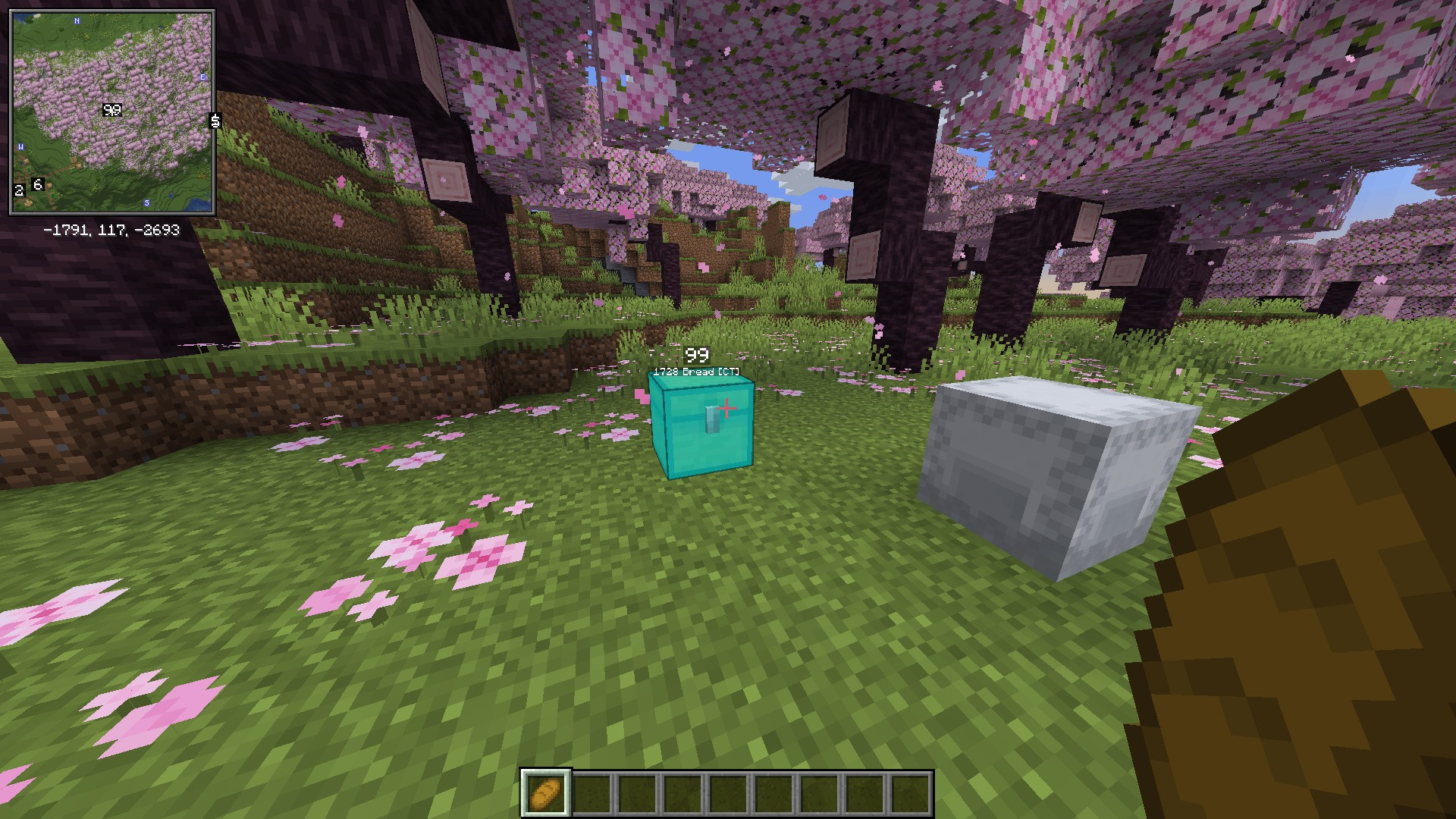
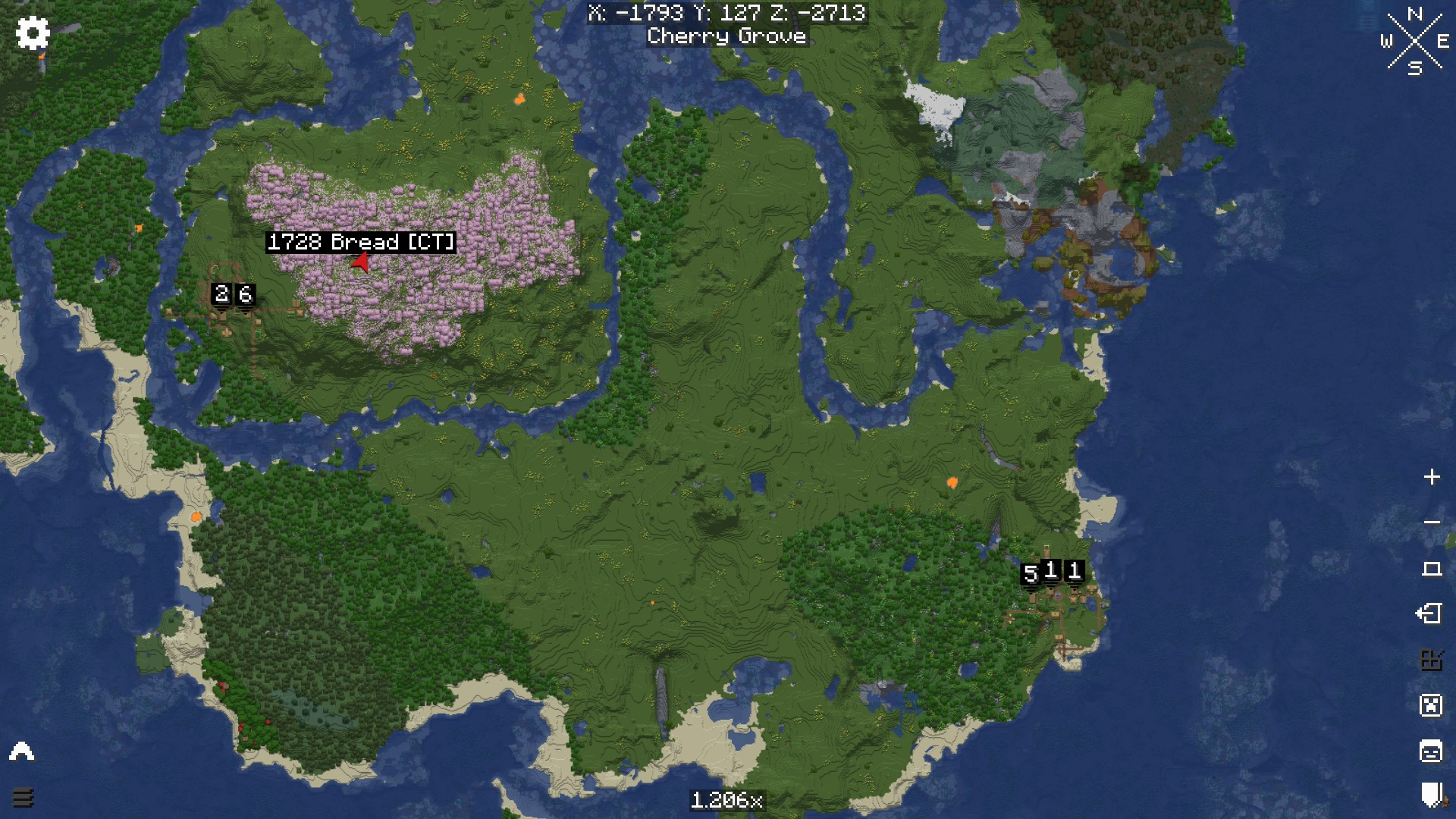
This mod extends [Chest Tracker](https://modrinth.com/mod/chest-tracker) functionality, showing the results in [Xaero’s Map](https://modrinth.com/mod/xaeros-world-map).
It is compatible with Xaero’s Minimap, Better PVP, and their fair versions.
### Requirements:
* [ChestTracker](https://modrinth.com/mod/chest-tracker)
* [Xaero’s Minimap](https://modrinth.com/mod/xaeros-minimap)
XaeroPlus
# XaeroPlus
XaeroPlus is a client-side Minecraft mod that depends on and modifies the Xaero’s WorldMap and Minimap mods with extra
features and performance improvements – particularly for use on anarchy servers like 2b2t.
XaeroPlus is not affiliated or endorsed by xaero96. Please report issues to XaeroPlus’s [Github](https://github.com/rfresh2/XaeroPlus/issues) or [discord server](https://discord.gg/nJZrSaRKtb).
Example Map

# Xaero Versions
Each XaeroPlus release is only compatible with a specific version of Xaero’s WorldMap and Minimap.
Xaero’s Minimap can be swapped out for [BetterPVP](https://chocolateminecraft.com/betterpvp2.php)
Download and include these mods **in addition** to XaeroPlus (3 jars total).
You can find download links to Xaero’s mods here:
* [Xaero’s World Map](https://modrinth.com/mod/xaeros-world-map/versions)
* [Xaero’s Minimap](https://modrinth.com/mod/xaeros-minimap/versions)
# Modifications
* [1.5-3x your FPS by limiting the framerate the minimap is rendered at!](https://youtu.be/hIG-VyGQLao)
* Tip: For least visual impact, lock the minimap’s north
* [Adjustable minimap scaling that increases how many chunks are visible](https://youtu.be/dNqxGzGAHyk)
* [NewChunks Highlighting in MiniMap and WorldMap.](https://youtu.be/n-Tf6TJSsiA)
* [Baritone](https://github.com/cabaletta/baritone) integration
* Baritone Goals synced as temporary waypoints
* [Point and Click Travel](https://youtu.be/gbguyfXLgi0)
* [Waystones](https://legacy.curseforge.com/minecraft/mc-mods/waystones) and [Fabric Waystones](https://legacy.curseforge.com/minecraft/mc-mods/fabric-waystones) integration
* Syncs Waystones as temporary waypoints
* [WorldTools](https://modrinth.com/mod/worldtools/) World Downloader integration
* [Highlights saved chunks while downloading](https://youtu.be/mtCqwJ_RGcc)
* [Portals Highlighting in Minimap and WorldMap](https://youtu.be/zstGVfVRrAs)
* [Portal Skip Highlighting in Minimap and WorldMap](https://youtu.be/g_yQ8D95RY0). Detects chunks where a portal could have been loaded.
* OldChunks Highlighting in Minimap and WorldMap.
* Intended for use on 2b2t. Highlights chunks that were generated in 1.12.2 or lower in the Overworld and Nether based on the natural blocks present in the chunk.
* [Transparent minimap background instead of wasted black screen space.](https://imgur.com/a/jGgHqL4)
* [Fast map region writes](https://youtu.be/B5d7FaHXDCk). Prevent missed chunks in map while traveling at very high speeds.
* Allow multiple MC instances to read/write to the same map concurrently
* Transparent obsidian roof. Useful for mapping 2b2t spawn.
* Setting to always view and create waypoints in the Overworld when in Nether.
* [Render server view distance square around the player.](https://youtu.be/iY_JTGFK6Yg)
* [Dimension hot-switching on WorldMap and Minimap.](https://youtu.be/hXZQtX2df3I)
* Recommended: Create keybinds for Minimap dimension switching.
* WorldMap GUI:
* WorldMap zoom unlocked
* GUI on WorldMap to pan the map to user entered coordinates.
* WorldMap Follow mode and GUI button
* F1 on WorldMap hides GUI and overlays
* Waypoints GUI:
* [Search](https://youtu.be/7DRMUsmZDxc)
* Display distance to waypoints on Waypoints GUI
* Always sort enabled waypoints before disabled waypoints
* GUI button to enable/disable all waypoints
* [Waypoint Beacons](https://imgur.com/a/jGgHqL4)
* Minecraft world always renders in background while in a Xaero GUI for client travel mods compatibility
* Minimap entity dot fix. Hides the entity dot when arrow mode is selected.
* WorldMap and Waypoint directories optionally indexed by:
* Multiplayer server list name.
* Base Server Domain Name
* Server IP (Xaero’s default)
* **Changing this setting requires you to manually rename existing folders in `.minecraft/XaeroWaypoints/` and `.minecraft/XaeroWorldMap/`**
* Overworld dimension optionally stored in the “DIM0” directory instead of “null”
* **Changing this setting requires you to manually rename existing folders in `.minecraft/XaeroWorldMap/Multiplayer_/`**
* WorldMap 1.30.0 added cave data saving and rendering. There is a setting on by default in XaeroPlus that changes how the nether is rendered with cave mode off to be as it was previously.
* This removes the need to manually move existing world data files.
Configurations are in the Xaero WorldMap and Minimap settings GUI.
Toggleable settings support keybinds through the standard Minecraft Controls GUI.
# Language Translations
PR’s are welcomed for language translations.
Language files are located in `src/main/resources/assets/xaeroplus/lang/`
# Other Useful Tools
* Convert JourneyMap World Files to Xaero: [JMToXaero](https://github.com/Entropy5/JMtoXaero)
* Convert JourneyMap Waypoints to Xaero: [JMWaypointsToXaero](https://github.com/rfresh2/JMWaypointsToXaero)
* 2b2t Atlas Waypoints to Xaero: [JMWaypointsToXaero/atlas](https://github.com/rfresh2/JMWaypointsToXaero/tree/atlas)
* Convert MC Region Files to Xaero: [JMToXaero/Region-Scripts](https://github.com/Entropy5/JMtoXaero/blob/Region-Scripts/src/main/java/com/github/entropy5/RegionToXaero.java)
* 2b2t 256k WDL Xaero Map (20GB): [mc-archive](https://data.mc-archive.org/s/eFDEy2XKof83Kez)
* Xaero World
Merger: [JMToXaero/Region-Scripts](https://github.com/Entropy5/JMtoXaero/blob/Region-Scripts/src/main/java/com/github/entropy5/XaeroRegionMerger.java)
* Can be used to merge 256k WDL into an existing world. With optional darkening only on tiles from 256K
Xaero Zoomout
## XaeroZoomout
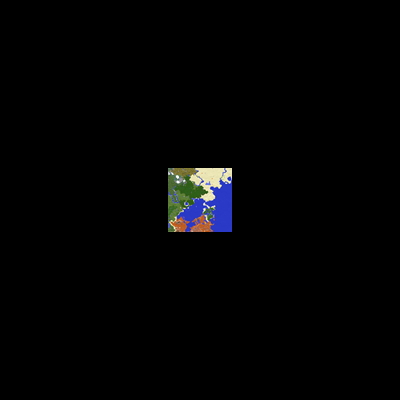
Reduces the minimum zoom of [Xaero’s World Map](https://modrinth.com/project/NcUtCpym) from 0.0625x to 0.0025x.
[]()
[](https://modrinth.com/project/T6oqPfxF/versions)
[](https://fabricmc.net/)
[](https://neoforged.net/)
[](https://modrinth.com/project/T6oqPfxF)
[](https://curseforge.com/minecraft/mc-mods/xaerozoomout)
[](https://github.com/TerminalMC/XaeroZoomout)
### Features
No settings, no setup; just zoom out and watch it work.
As a guide, the Xaero’s World Map display is typically about 30k blocks wide when
fully zoomed out. With this mod, the display width is increased to about 760k.
Note: Rendering the world map is quite CPU-intensive, so you’ll probably experience
some lag when fully zoomed out.
### Contact
[](https://discord.terminalmc.dev)
[](https://github.com/TerminalMC/XaeroZoomout/issues)
[](https://github.com/TerminalMC/XaeroZoomout/blob/HEAD/LICENSE.txt)