Wynntils Upgraded
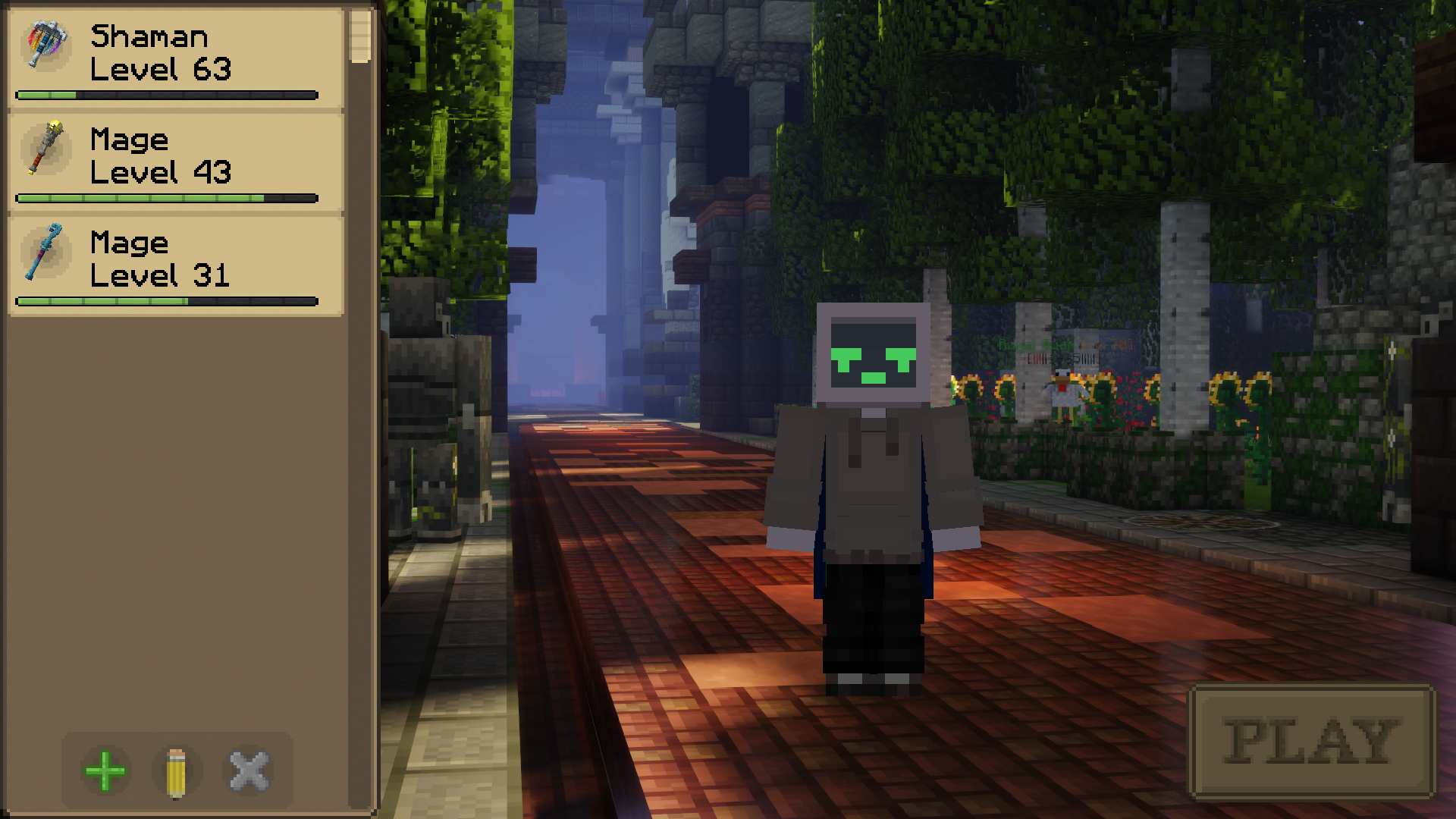
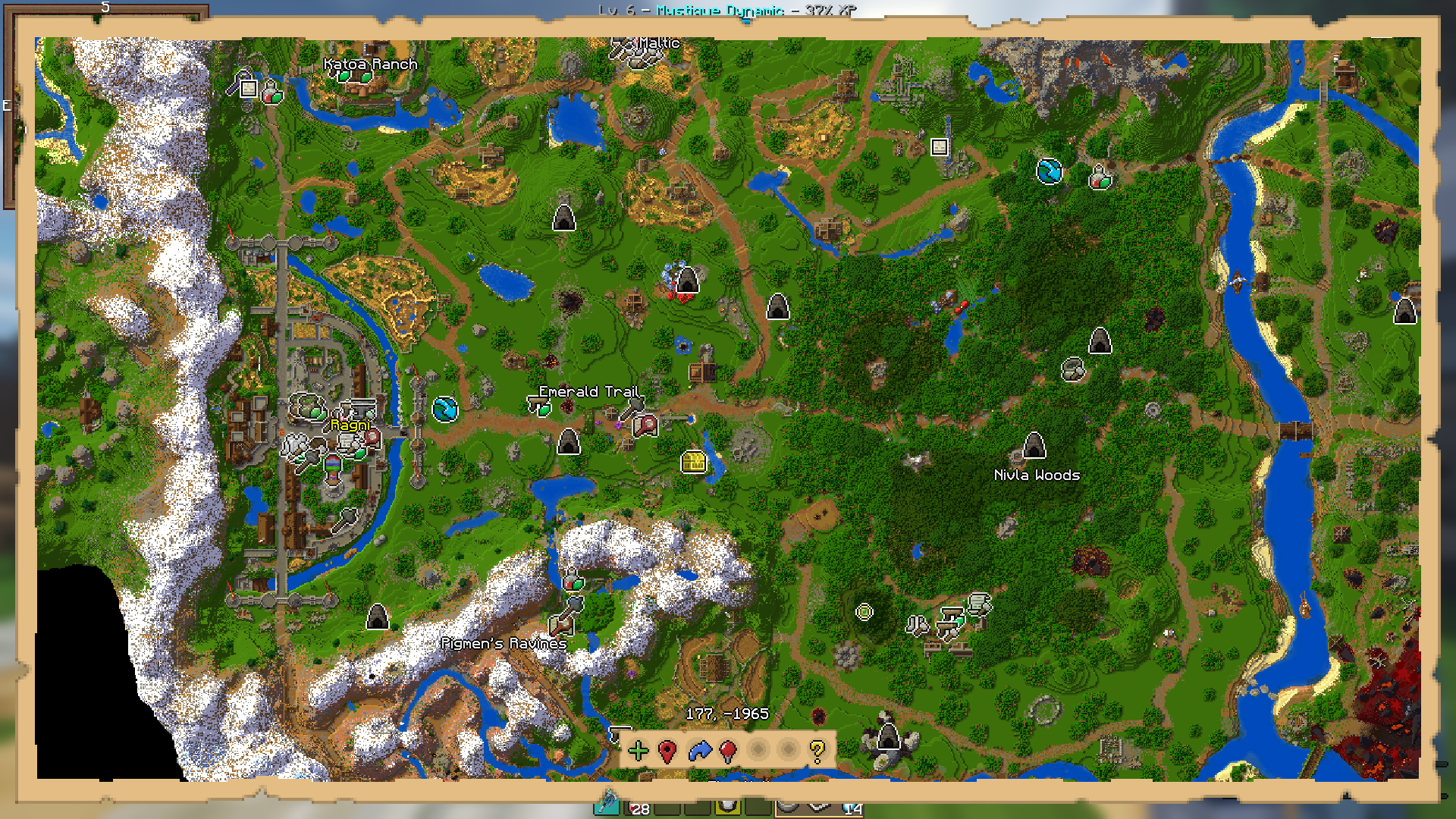
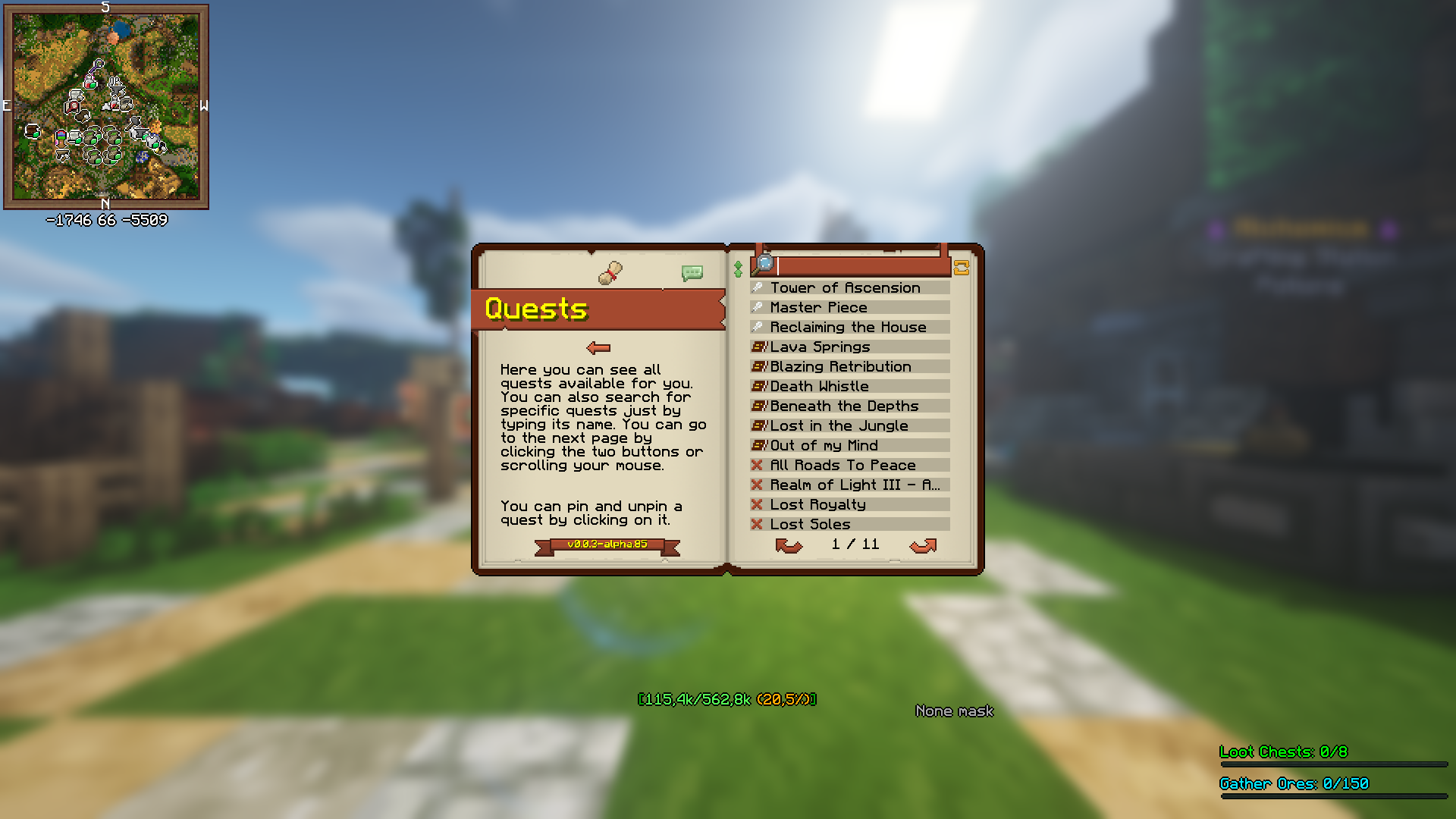
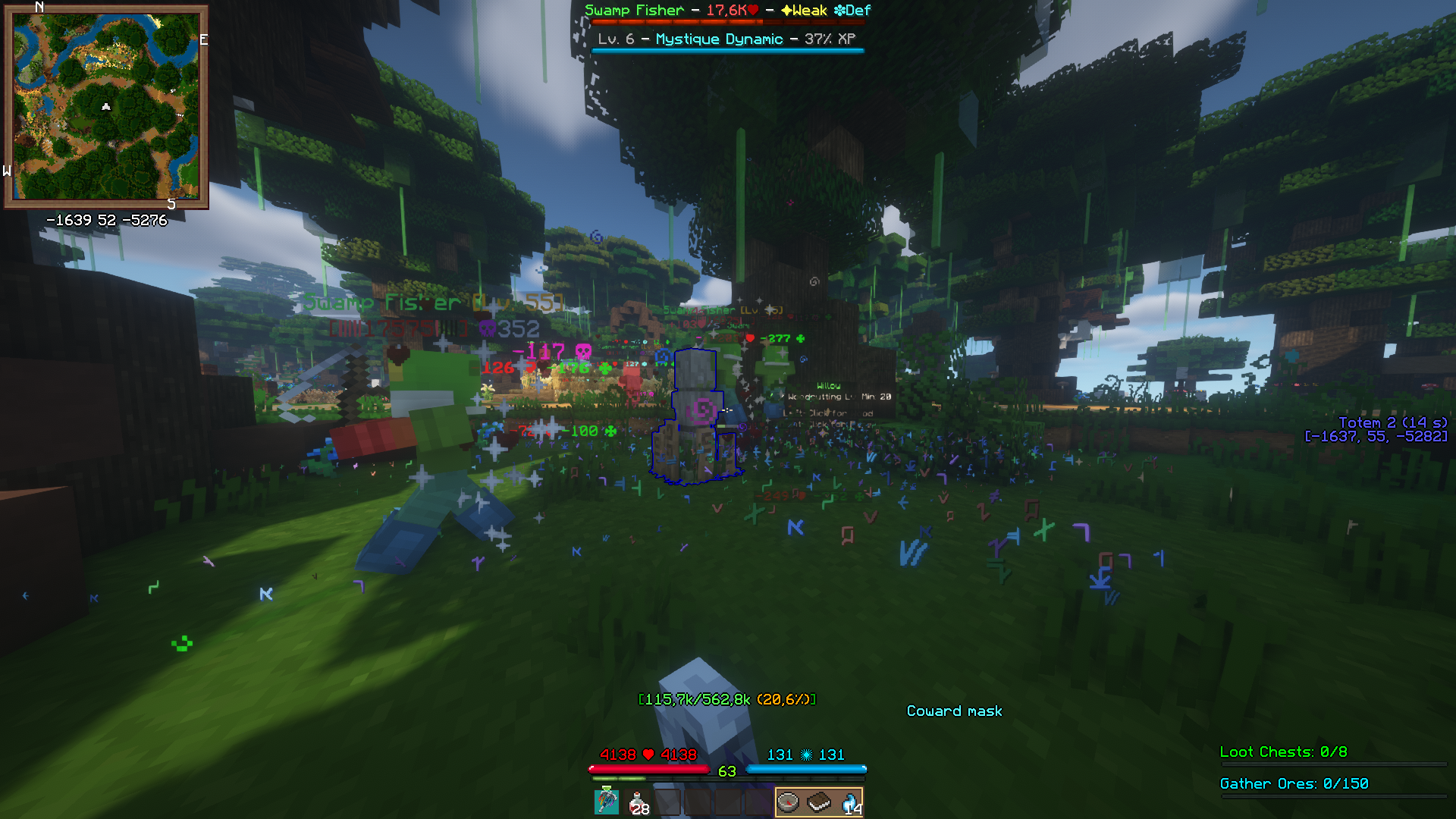
Wynntils is a mod designed to enhance the user experience of Wynncraft. The mods in this modpack seek to further enhance the user experience of Wynncraft through performance and visual enhancement mods. Now including Complimentary Shaders!
Thank you to Complimentary Shaders for allowing me to use them in this modpack! More information on these shaders can be found here https://www.complementary.dev/shaders/
Server IP: play.wynncraft.net
All settings are on default.
Mod List
– Better F3: More info in F3 menu
– Chat Heads: Shows player heads in chats
– Controlling: Search for keybinds
– CraftPresence: Discord integration
– Entity Culling: Skips rendering non-visible blocks and entities
– Euphoria Patches: Adds more features to Complementary Shaders
– FerriteCore: Memory usage optimizations
– FPS Reducer: Reduces FPS when inactive to reduce GPU and CPU load
– ImmediatelyFast: Various Optimizations
– Iris: Allows shaders to run with Sodium
– ModernFix: Improves perfomance, reduces memory usage, fixes bugs.
– Model Gap Fix: fixes https://bugs.mojang.com/browse/MC-73186
– Neoforge Version 21.1.57: [https://projects.neoforged.net/neoforged/neoforge](https://projects.neoforged.net/neoforged/neoforge)
– No Chat Reports: Disables Chat Reporting where legally possible
– Notes: Adds in-game notepad [https://www.curseforge.com/minecraft/mc-mods/notes](https://www.curseforge.com/minecraft/mc-mods/notes)
– Skin Layers 3D: Replaces second layer with 3d modeled version
– Sodium: Performance booster
– Spark: Performance profiler
– Wynntils: https://wynntils.com
Wynntils Upgraded Fabric
Wynntils is a mod designed to enhance the user experience of Wynncraft. The mods in this modpack seek to further enhance the user experience of Wynncraft through performance and visual enhancement mods. Now including Complimentary Shaders!
Thank you to Complimentary Shaders for allowing me to use them in this modpack! More information on these shaders can be found here https://www.complementary.dev/shaders/
Server IP: play.wynncraft.net
All settings are on default.
Mod List
– Chat Heads: Adds player heads next to chat messages.
– Iris Shaders: Allows use of shaders on Fabric!
– EMF: Adds support for Optifine’s Custom Entity Models
– ETF: Adds new Entity Texture Features!
– BadOptimizations: A collection of mostly micro optimizations that add up to something bigger!
– BetterGrassify: Adds Optifine’s fast and fancy grass options.
– Better Third Person: Adds independent rotation of the camera in third person.
– Bobby: Allows for render distances greater than the server’s view-distance setting.
– Continuity: Continuity is a Fabric mod that allows resource packs that use the OptiFine connected textures format.
– Controlling: Adds the ability to search for keybinds using their name in the KeyBinding menu, this allows players to easily find a key binding in the menu.
– CraftPresence: Completely customize the way others see you play Minecraft via Discord’s Rich Presence API & the DiscordIPC API by jagrosh!
– Debugify: Debugify is a project that fixes over 70 bugs found on the bug tracker in Minecraft. (and does nothing more!)
– Dynamic FPS: Reduce resource usage while Minecraft is in the background or idle.
– Entity Culling Fabric/Forge: Using async path-tracing to skip rendering Block/Entities that are not visible.
– Euphoria Patches: An add-on for Complementary Shaders (Reimagined and Unbound), developed by SpacEagle17 and isuewo.
– Falling leaves: Adds a neat little particle effect to leaf blocks.
– FerriteCore: Reduced memory usage
– FPS Reducer: This mod reduces unnecessary GPU and CPU load by reducing the frame rate automatically when the client window is inactive.
– Fusion: Fusion is a library which adds texture and model types such as connected textures to be used in resource packs and other mods.
– ImmediatelyFast: ImmediatelyFast is an open source Minecraft mod which improves the immediate mode rendering performance of the client.
– Iris: Allows shader use on fabric.
– Iris/Oculus & GeckoLib Compat: Fixes GeckoLib entities’ animations not working while using shaderpacks that have entity shadows.
– Item Highlighter: Quickly find new items by showing an animated star on all newly-picked up items.
– Lithium: Lithium is a general-purpose optimization mod for Minecraft, which works to improve a number of systems (game physics, mob AI, block ticking, etc.)
– Mod Menu: Adds a mod menu to view the list of mods you have installed.
– Model Gap Fix: Fixes small gaps in item and block models
– ModernFix: ModernFix is an all-in-one mod that improves performance, reduces memory usage, and fixes many bugs in modern Minecraft versions
– No Chat Reports: Makes chat unreportable where possible.
– Not Enough Animations: Adds first person animations to the third person camera.
– ParticleCore: Particle Optimizations
– Puzzle: Adds resourcepack features and a GUI to more conveniently configure OptiFine alternatives.
– Skin Layers 3D: Replaces the usually flat second layer of player skins with a 3d modeled version. Will automatically switch to the vanilla 2d rendering when players are further away than 12 blocks in order to increase the framerate. Also supports transparent parts on things like glasses!
– Sodium: Sodium is a powerful rendering engine and optimization mod for the Minecraft client, which improves frame rates and reduces micro-stutter, while fixing many graphical issues in Minecraft.
– Sound Physics Remastered: A Minecraft mod that provides realistic sound attenuation reverberation, and absorption through blocks.
– Spark: A performance profiler for clients, servers, and proxies.
– The Open Sauce Toast Killer: Gets rid of toasts.
– Transparent: Allows resource packs to make certain entities support transparency.
– Wynntils: https://wynntils.com/
– Zoomify: Zoomify aims to provide the easiest, most configurable and most sexy looking zo
Wynn’s Legacy – Wynncraft
Unofficial Modpack for the Official Wynncraft Server
This pack is a collection of unofficial community tools designed to enhance your gameplay on the official server:
✅ Useful Features: Enhanced maps, quest trackers, and UI improvements.
🚀 Performance: Optimization mods to fix lag and reduce bugs for a smoother experience.
Note: This modpack is a community project and is not affiliated with or supported by the official Wynncraft staff.
Wynnic Enchantments

[](https://modrinth.com/modpack/wynnicenchantments) [](https://github.com/Rafii2198/WynnicEnchantments) [](https://github.com/Rafii2198/WynnicEnchantments/issues)
# About
Wynnic Enchantments is a modpack for the MMORPG server Wynncraft. This handpicked collection of mods adds new features, enhances graphics and optimizes your game for the best Wynncraft experience!
# Features
– ## 🛡️ Wynntils
Artemis, the new generation of [Wynntils](https://modrinth.com/mod/wynntils), is the main powerhouse of new features: A mod tailored specifically for Wynncraft that makes the game feel like a proper MMORPG game.
From adding custom overlays (e.g. mini-map or improved HP & MP bars), adding keybinds (e.g. casting spells, mounting your horse, or custom actions), to custom sounds and visual features.
–
(WIP!) Custom Wynntils Enchantments Function Stock
Wynntils Artemis adds a system called Functions, which can retrieve, manipulate and format data. They are used in info boxes or custom bars, empowering you to customize everything to your needs!
Wynnic Enchantments adds a custom stock of these functions, letting you quickly use advanced functions for many different things!
– ## ✨ Graphic Enhancements
Behold the beautiful Wynncraft landscape with enhanced graphics! Add beautiful shaders with [Iris](https://modrinth.com/mod/iris), improve ambience with [Falling Leaves](https://modrinth.com/mod/fallingleaves) & [Nicer Skies](https://modrinth.com/mod/nicer-skies), and enjoy epic item previews with [Legendary Tooltips](https://modrinth.com/mod/legendary-tooltips)!
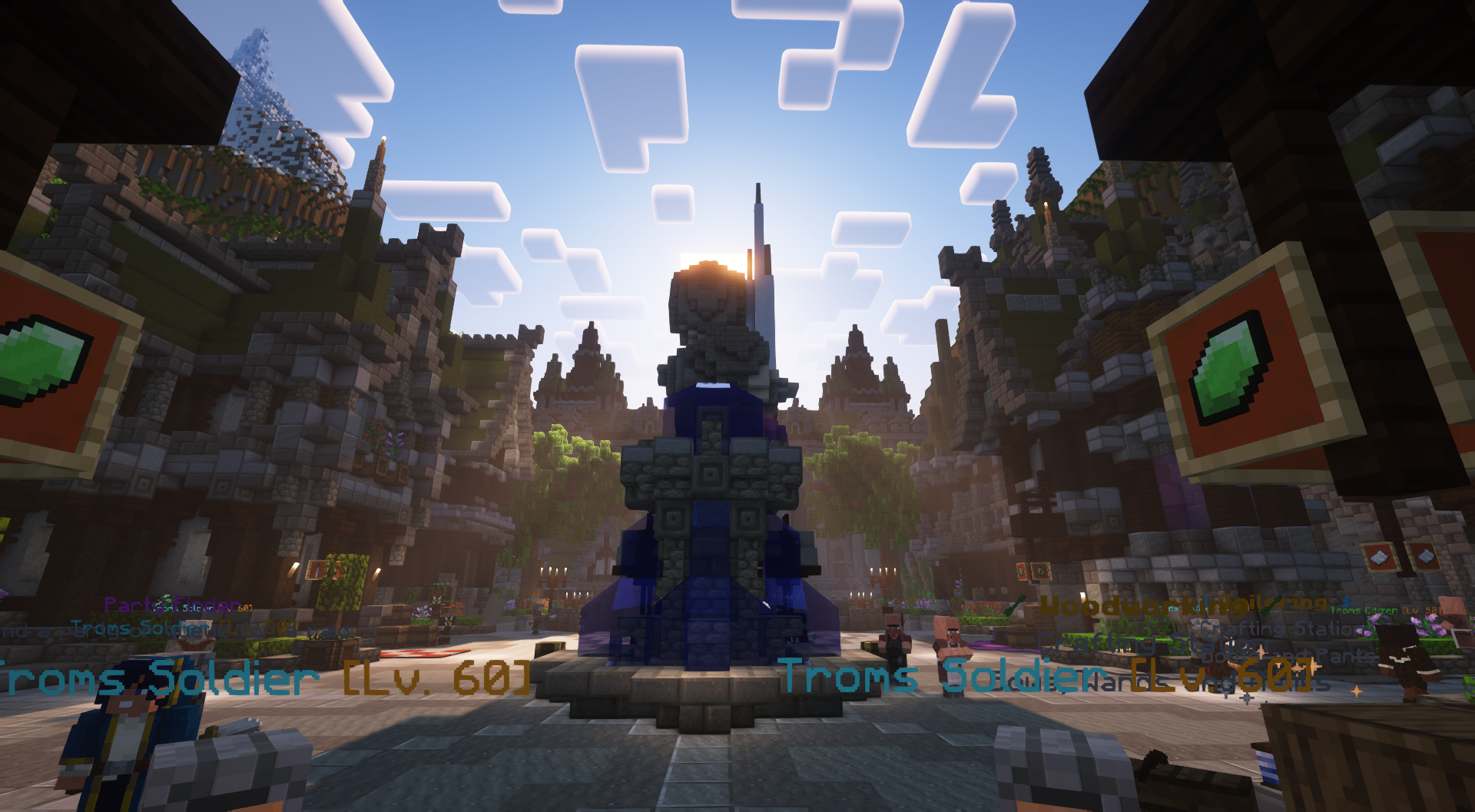
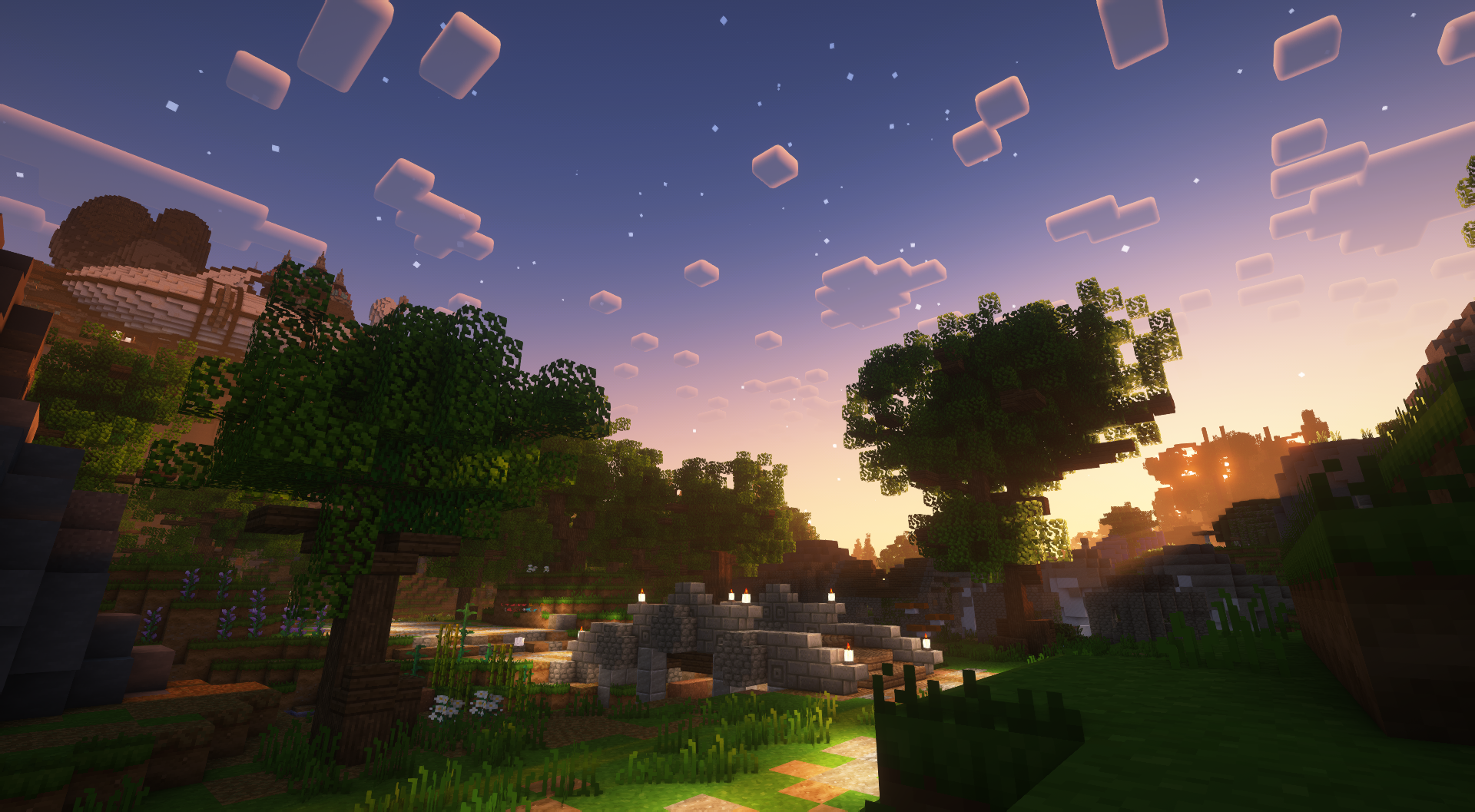
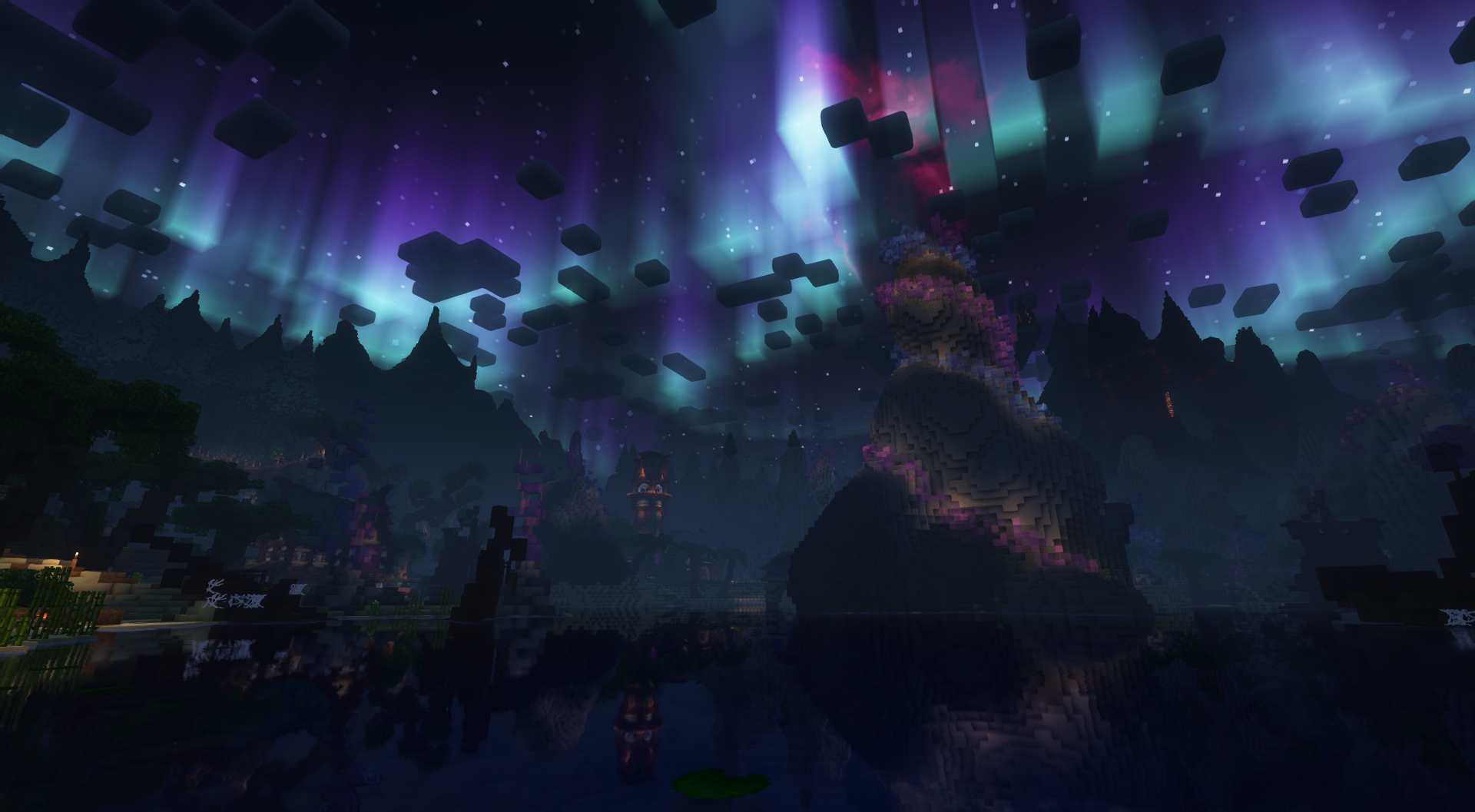
Wynnic Enchantments includes the simple [VanillAA](https://modrinth.com/shader/vanillaa) shader for antialiasing on vanilla graphics and the heavier (yet greatly optimized) [Complementary Reimagined](https://modrinth.com/shader/complementary-reimagined), which was used for the images below.
–
Some screenshots showcasing the landscapes
– ## 💉 Optimization
While [Sodium](https://modrinth.com/mod/sodium) probably is the best known one, this pack includes several mods to improve overall performance and stability. With compatibility in mind, enjoy increased FPS without losing graphical fidelity!
– ## 🫅 Express Yourself
[Figura](https://modrinth.com/mod/figura) is a mod that lets you customize your player model – the only limit is your imagination! Maybe you just want cute ears, or become a tall glorious knight with epic animations – everything is possible!
[3D Skin Layers](https://modrinth.com/mod/3dskinlayers) enhances the default model and [Not Enough Animations](https://modrinth.com/mod/not-enough-animations) lets you hug your homies after successful raids!. You can also see your body in first person.
# Links
– [Bluesky](https://bsky.app/profile/rafii2198.bsky.social) – This is my Bluesky account, where I will be posting updates about this modpack and _maybe_ some sneak peeks 👀
– [Ko-Fi](https://ko-fi.com/rafii2198) – You can buy me a coffee, definitely helps after hours of finding mods and making sure everything is compatible. Any donation help! ₍ᐢ•ﻌ•ᐢ₎
– Do you have issues or questions? Find me on the [Wynntils Discord](https://discord.gg/SZuNem8) server.
### Disclaimer
This modpack is not affiliated with Wynntils or any other mod included. While I am a Wynntils Discord moderator, **don’t** report any modpack related bugs or issues to them. Post them directly to me instead.
WynnerCraft
Wynnercraft is a compact modpack for the Wynncraft server. It includes performance and quality of life mods.
Included mods:
– Wynntils: A must have when playing wynncraft, lots of utilities
– BetterAdvancements: Larger view of the territory map
– BetterF3, Mod Menu: in the name
– Inventory HUD+: always see the contents of your inventory, useful when doing professions
– ChatPatches: A better chatting experience with 32k message history and a larger chat window
– Sodium, Sodium Extra, Reese’s Sodium options, Lithium, FerriteCore: Performance
– No Chat Reports: avoid being banned by microsoft for arbitrary reasons: turn off chat encryption and reports
– Iris: Shader support
– Dynamic FPS: Less resource usage when not in focus
Voices of Wynn is an optional mod that should be included at the discretion of the individual; it is not included in this pack because it’s large file size.
My own Wynntils config is available in the wynntils_config.txt, it can be loaded in the Wynntils settings, by putting the file content on the clipboard and pressing the import button.
Wynndows
I saw there wasn’t a lot of Wynncraft modpacks as so I took it upon myself to compile some of my favorite mods to create a Wynncraft modpack.
I’ve now made my own sounds and instruments to create a fully custom music pack for Wynncraft, I hope yall enjoy it.
All credits to the mod makers used in this modpack.
Wynncraft Ultimate
# Wynncraft Ultimate
Wynncraft Ultimate is the Ultimate way to experience Wynncraft.
> *What is Wynncraft?*
> *The biggest and most feature rich Minecraft MMO*
Ultimate makes use of the powerful Wynntills mod that allows for 100% customization of your Wynncraft experience. Ultimate provides a lot of performance and graphics mods that allows for your game to run smoothly even with shaders and a render distance set at 256 chunks!
The goal of Ultimate is to ensure an easy way for people to play Wynncraft with Wynntills. Ultimate therefore includes a lot of optimization mods that help make the experience more accessible.
Features like a customized menu screen makes it easy to jump right in to some wynnic action.
## Screenshots
Graphics
Shaders are pre-installed and ready to go. I don’t think i need any pictures… It’s just MC with shaders
Wynntils
Other
 |
| Main Menu |
## Modlist
Modlist
3dskinlayers
audio-extension-for-fancymenu
auudio
blanket
blur-fabric
boat-item-view
bobby
borderless-mining
c2me-fabric
cloth-config
continuity
controlling
cull-leaves
debugify
dynamic-fps
dynamic-sound-filters
entityculling
exordium-fabric-1.0.3-mc1.19.4
fabric-api
fabric-language-kotlin
fabrishot
fallingleaves
fancymenu
ferrite-core
forcecloseworldloadingscreen
in-game-account-switcher
indium
iris
konkrete
krypton
lazydfu
lithium
logical-zoom
midnightlib
modmenu
moreculling
no-multiplayer-menu
no-telemetry
presence-footsteps
reeses-sodium-options
searchables
sodium-extra
sodium
starlight
visuality
wynnlib-0.2.13-1.19.4
wynntils
yacl
Wynncraft: Rekindled
# Wynncraft: Rekindled
[![Wynncraft Rekindled World Banner][1]][2]
[1]: https://cdn.modrinth.com/data/cached_images/838a9c58769a06b79203a2687415f2e15a856139.webp
[2]: http://wynncraft.com “Redirect to homepage”
**If you are new to Wynncraft, click the banner above to learn more!**
**Please take a quick look at the installation section!**
This modpack seeks to overhaul and optimize the Wynncraft server experience. It is updated to support Minecraft 1.21 and the Rekindled World update. Several custom mods and features were developed specifically for this modpack!
## Features
This modpack is designed to be feature rich while providing functionality and options. Several popular features such as shoulder surfing and dynamic crosshairs are present but easily disabled. This modpack is designed to be beginner friendly so anyone new to Wynncraft can install and start playing with easy to understand presets applied. More advanced users who use warring features will want to change these settings as they have been disabled for simplicity.
### Custom Main Menu & Loading Screen
This modpack features a fully custom main menu with custom music! There are 10 main menu variants each with matching music. The loading screen has also been customized.
### Dynamic Weather
Features a [dynamic weather engine](https://modrinth.com/mod/wynncraft-dynamic-weather) created specifically for this modpack! Rain or thunder can randomly occur throughout the map, and areas such as Nemract, Pirate Cove, the Dernal Jungle, and others experience more frequent weather conditions. Traverse through snowstorms in Nesaak, sandstorms in Almuj and other weather hazards! Coupled perfectly with the [Particle Rain](https://modrinth.com/mod/particle-rain) mod with custom settings.

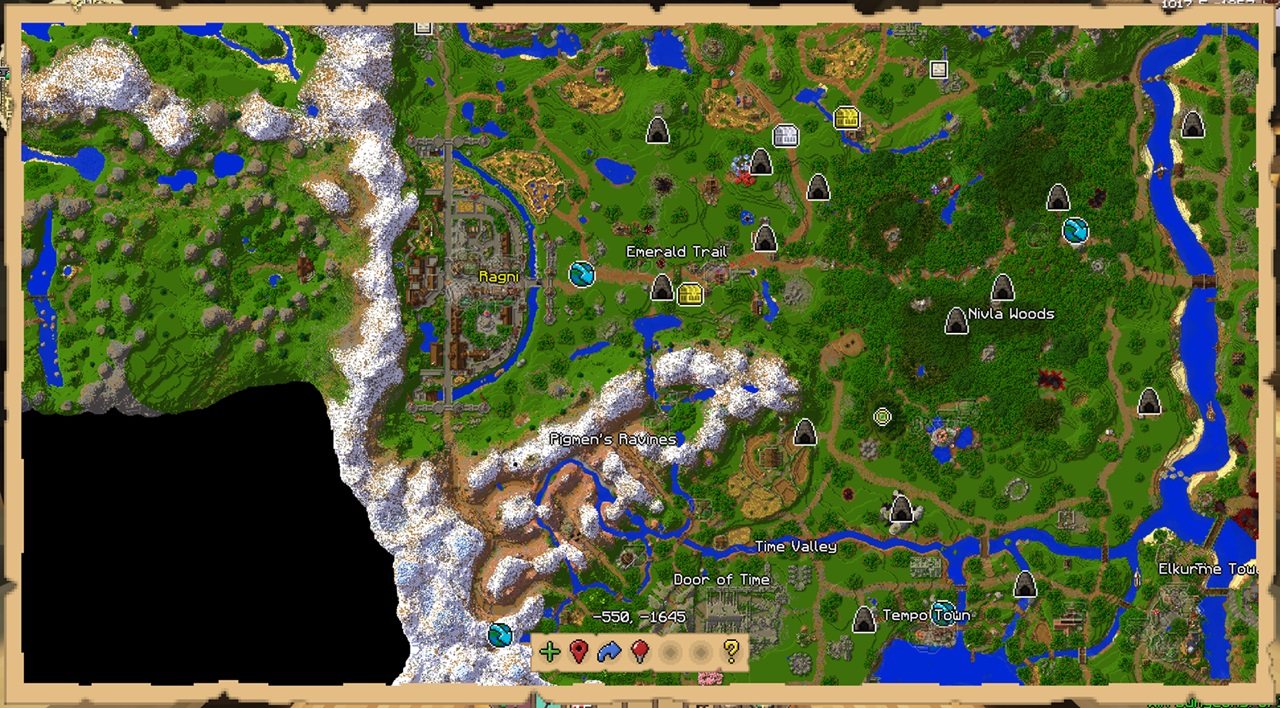
### Custom Wynntils Preset
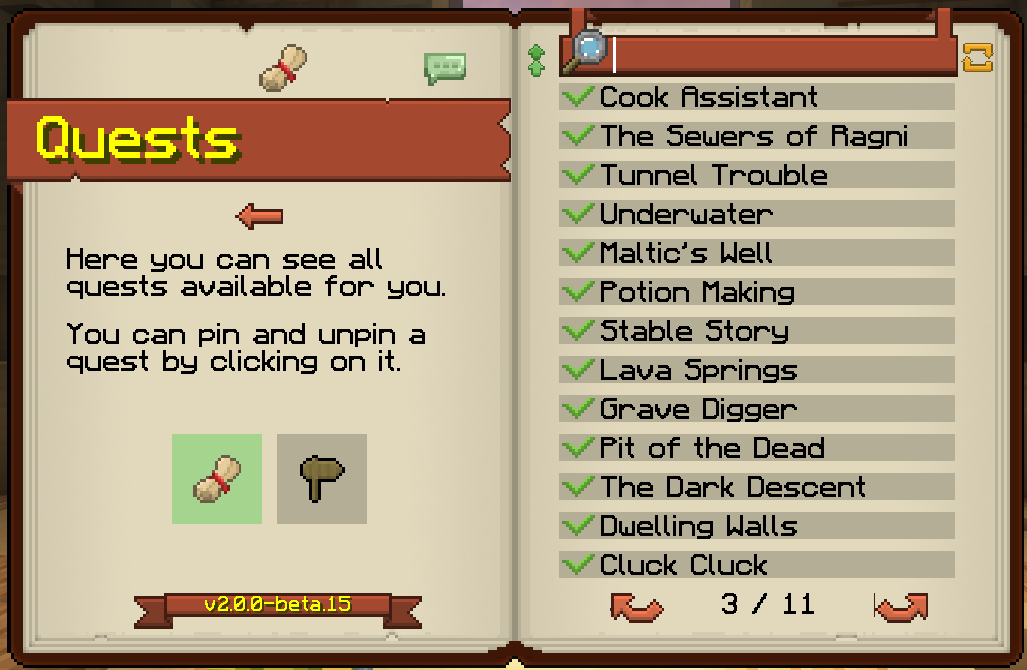
Comes preloaded with a custom Wynntils preset designed with simplicity and beginners in mind. More advanced players are recommended to import their own Wynntils settings.
### Shoulder Surfing
Comes with preset settings for the incredibly popular Shoulder Surfing mod! With the [Don’t Surf Through Cutscenes!](https://modrinth.com/mod/dont-surf-through-cutscenes!) mod, the experience isn’t broken during cutscenes.

### Optimization
Achieves peak performance with a wide variety of all the most recent optimization mods. Any future optimization mods will be added as well! See modlist for more information.
### Other
This modpack includes wide variety of quality of life and visual upgrades.
– Bobby mod allows server render distances up to 256 chunks
– Several chunk loading mods improve performance and visuals
– Complementary Unbound shaders with custom settings retains vanilla-like style with improved visuals
– Many, many visual tweaks in mods and resource packs
Some mods are still in the process of getting ported to 1.21. There are several that are on track to be added as soon as they are ported.
## Installation
**IMPORTANT NOTE:** Due to filesize limitations on Modrinth, the Bobby config folder is hosted on the [GitHub releases page.](https://github.com/elijahjibben/wynncraft-rekindled-modpack/releases) For instructions to install it, please review the installation guide.
Installation Guide
# Step One: Download the Modpack
There are three easy ways to download the modpack: The Modrinth app, Prism Launcher, Manually (Minecraft Launcher)
## Modrinth App
1. Download the [Modrinth App](https://modrinth.com/app) and sign in with your Microsoft/Minecraft account.
2. Press the Browse button and search for Wynncraft: Rekindled.
3. Install the modpack.
4. Navigate to the modpack’s [GitHub Releases](https://github.com/elijahjibben/wynncraft-rekindled-modpack/releases) panel.
5. Download the file “bobby.zip”. This allows you to increase your render distance beyond the server limit of 9 chunks.
6. Navigate to the Modrinth App’s Library panel, and select Wynncraft: Rekindled -> Folder.
7. Follow Step Two to install the bobby configuration.
## Prism Launcher
1. Download [Prism Launcer](https://prismlauncher.org/) and sign in with your Microsoft/Minecraft account.
2. Press “Add Instance” in the top right corner.
3. Select the Modrinth panel, and search for “Wynncraft: Rekindled”
4. Make sure the latest version is selected and press “Ok”.
5. Navigate to the modpack’s [GitHub Releases](https://github.com/elijahjibben/wynncraft-rekindled-modpack/releases) panel.
6. Download the file “bobby.zip”. This allows you to increase your render distance beyond the server limit of 9 chunks.
7. In Prism, select the modpack then press folder.
8. Follow Step Two to install the bobby configuration.
## Manually (Minecraft Launcher)
1. Download the .zip version of the modpack from the [GitHub Releases](https://github.com/elijahjibben/wynncraft-rekindled-modpack/releases) panel.
2. Download the [Fabric Installer](https://fabricmc.net/use/installer/) and install for Minecraft 1.21, Loader Version 1.60.0.
3. Copy the .minecraft folder from the zip file to any location (Roaming recommended)
4. Rename the folder (.wynncraft recommended)
5. Open the Minecraft Launcher
6. Select Minecraft: Java Edition on the left panel
7. Select Installations -> New Installation
8. Select the custom game directory, and set version to the fabric-loader
9. Optional: Set Java arguments from -Xmx2G to higher to allocate more RAM
10. Optional: Download this pack icon to change the instance icon!
[Rekindled Pack Icon](https://cdn.modrinth.com/data/cached_images/fd52f8703f66b28b37c2b1d782c1584ad4d90973.png)
11. Launch the game and follow Step Three.
# Step Two: Bobby Install
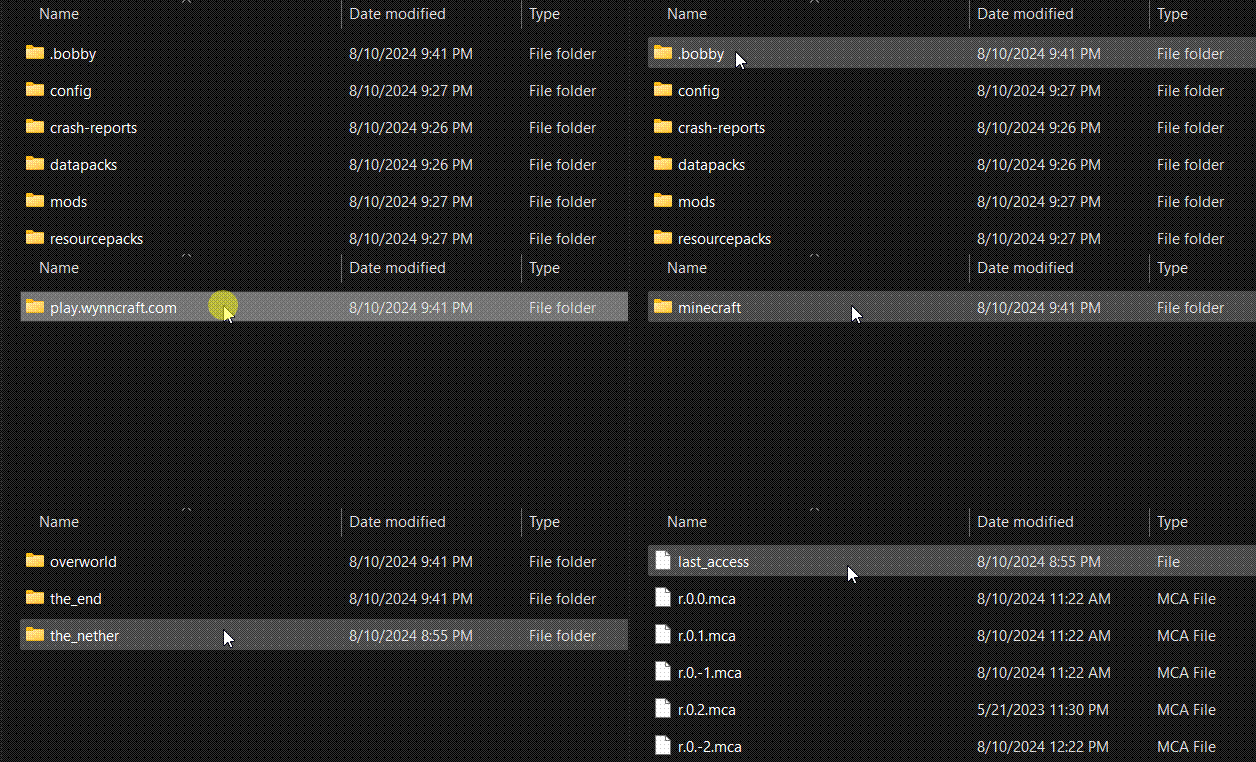
Extract the bobby file into the instance folder. Ensure the file is named:
“`
.bobby
“`
and contains a folder named:
“`
play.wynncraft.com
“`
It should look like this:
# Step Three: Download Voices of Wynn (Optional)
1. Voices of Wynn is a very popular community mod which adds voice acting for every quest in the game.
2. If you are interested, [download the latest version](https://voicesofwynn.com/downloads) and place the mod in the mods folder.
# Step Four: Configurations
1. Bobby Update
As soon as you are in a world, type the following command into chat:
“`
/bobby upgrade
“`
This command is required to make bobby register the chunks saved in the instance directory.
2. Configure Keybinds and Settings
Take a look through the keybinds menu! I recommend at least changing the “Cast 1-4 Spell” keybinds to suit your mouse/keyboard.
Look at the Video Settings to suit your computer’s performance.
Common Issues
**Crashing**
1. Minecraft 1.21 is the first verion to use Java 21. If you experience a crash, make sure you are using Java 21.
**Main Menu is Glitchy/Clipping**
1. Make sure you are using v1.1.3, as this version fixes many clipping issues.
2. Try pressing CTRL + Alt + R to reload the menu.
3. On the first load in, it will likely clip and look weird. From then on the textures should (hopefully) not have any clipping issues.
## Modlist
Modlist
– [Architectury](https://modrinth.com/mod/lhGA9TYQ)
– [ClientSideNoteblocks](https://modrinth.com/mod/flmhXQgb)
– [Mineblock’s Repeated Utilities](https://modrinth.com/mod/SNVQ2c0g)
– [Video Tape](https://modrinth.com/mod/LVTZtqlk)
– [FerriteCore](https://modrinth.com/mod/uXXizFIs)
– [Blur+ (Fabric)](https://modrinth.com/mod/NK39zBp2)
– [Particle Core](https://modrinth.com/mod/RSeLon5O)
– [ClickThrough](https://modrinth.com/mod/ERHOxvaH)
– [Barriers Don’t Block Rain](https://modrinth.com/mod/CXLh6wxz)
– [Dynamic Crosshair](https://modrinth.com/mod/ZcR9weSm)
– [Entity Texture Features](https://modrinth.com/mod/BVzZfTc1)
– [Smooth Scrolling Refurbished](https://modrinth.com/mod/trr0scVt)
– [Wynncraft Dynamic Weather](https://modrinth.com/mod/6z01GnNz)
– [Presence Footsteps](https://modrinth.com/mod/rcTfTZr3)
– [EntityCulling](https://modrinth.com/mod/NNAgCjsB)
– [ChatAnimation](https://modrinth.com/mod/DnNYdJsx)
– [Wynntils](https://modrinth.com/mod/dU5Gb9Ab)
– [ScalableLux](https://modrinth.com/mod/Ps1zyz6x)
– [ModernFix](https://modrinth.com/mod/nmDcB62a)
– [Fabric API](https://modrinth.com/mod/P7dR8mSH)
– [Entity View Distance](https://modrinth.com/mod/ihnBJ6on)
– [Chunks Fade In](https://modrinth.com/mod/JaNmzvA8)
– [Remove Hud But Not Hand!](https://modrinth.com/mod/MiPOIx6b)
– [Controlify](https://modrinth.com/mod/DOUdJVEm)
– [NotEnoughAnimations](https://modrinth.com/mod/MPCX6s5C)
– [fuy.gg](https://modrinth.com/mod/EMQzFaJ1)
– [Controlling](https://modrinth.com/mod/xv94TkTM)
– [Sodium Extra](https://modrinth.com/mod/PtjYWJkn)
– [Zoomify](https://modrinth.com/mod/w7ThoJFB)
– [Custom Splash Screen](https://modrinth.com/mod/BwFQLeCh)
– [MacOS Input Fixes](https://modrinth.com/mod/x9BrsVME)
– [MixinTrace](https://modrinth.com/mod/sGmHWmeL)
– [Fzzy Config](https://modrinth.com/mod/hYykXjDp)
– [Debugify](https://modrinth.com/mod/QwxR6Gcd)
– [Cubes Without Borders](https://modrinth.com/mod/ETlrkaYF)
– [Euphoria Patcher](https://modrinth.com/mod/4H6sumDB)
– [Serverpack Priority](https://modrinth.com/mod/56FVCPkz)
– [spark](https://modrinth.com/mod/l6YH9Als)
– [Mod Menu](https://modrinth.com/mod/mOgUt4GM)
– [Lithium](https://modrinth.com/mod/gvQqBUqZ)
– [BetterF3](https://modrinth.com/mod/8shC1gFX)
– [Don’t Surf Through Cutscenes!](https://modrinth.com/mod/dont-surf-through-cutscenes!)
– [Enhanced Block Entities](https://modrinth.com/mod/OVuFYfre)
– [Dynamic FPS](https://modrinth.com/mod/LQ3K71Q1)
– [Melody](https://modrinth.com/mod/CVT4pFB2)
– [ImmediatelyFast](https://modrinth.com/mod/5ZwdcRci)
– [Fabric Language Kotlin](https://modrinth.com/mod/Ha28R6CL)
– [FancyMenu](https://modrinth.com/mod/Wq5SjeWM)
– [Particle Rain](https://modrinth.com/mod/nrikgvxm)
– [More Culling](https://modrinth.com/mod/51shyZVL)
– [Cull Leaves](https://modrinth.com/mod/GNxdLCoP)
– [AmbientSounds](https://modrinth.com/mod/fM515JnW)
– [YDM’s Weapon Master](https://modrinth.com/mod/qi1sj2da)
– [CreativeCore](https://modrinth.com/mod/OsZiaDHq)
– [Shoulder Surfing Reloaded](https://modrinth.com/mod/kepjj2sy)
– [Sodium](https://modrinth.com/mod/AANobbMI)
– [Entity Model Features](https://modrinth.com/mod/4I1XuqiY)
– [Better Beds](https://modrinth.com/mod/kKwy3HU9)
– [YetAnotherConfigLib](https://modrinth.com/mod/1eAoo2KR)
– [Nvidium](https://modrinth.com/mod/SfMw2IZN)
– [Reese’s Sodium Options](https://modrinth.com/mod/Bh37bMuy)
– [Visuality](https://modrinth.com/mod/rI0hvYcd)
– [WaveyCapes](https://modrinth.com/mod/kYuIpRLv)
– [Animatica](https://modrinth.com/mod/PRN43VSY)
– [Searchables](https://modrinth.com/mod/fuuu3xnx)
– [Bobby](https://modrinth.com/mod/M08ruV16)
– [Konkrete](https://modrinth.com/mod/J81TRJWm)
– [No Resource Pack Warnings](https://modrinth.com/mod/6xKUDQcB)
– [Forge Config API Port](https://modrinth.com/mod/ohNO6lps)
– [Tiny Item Animations](https://modrinth.com/mod/wMkevcSR)
– [Indium](https://modrinth.com/mod/Orvt0mRa)
– [Krypton](https://modrinth.com/mod/fQEb0iXm)
– [Iris](https://modrinth.com/mod/YL57xq9U)
– [3d-Skin-Layers](https://modrinth.com/mod/zV5r3pPn)
– [Sounds](https://modrinth.com/mod/ZouiUX7t)
– [Sound Physics Remastered](https://modrinth.com/mod/qyVF9oeo)
– [Falling Leaves](https://modrinth.com/mod/WhbRG4iK)
– [YOSBR](https://modrinth.com/mod/WwbubTsV)
– [Continuity](https://modrinth.com/mod/1IjD5062)
– [Concurrent Chunk Management Engine](https://modrinth.com/mod/VSNURh3q)
– [More Chat History](https://modrinth.com/mod/8qkXwOnk)
– [Cloth Config v15](https://modrinth.com/mod/9s6osm5g)
– [Physics Mod](https://modrinth.com/mod/Xy8aRQKS)
## License and Affiliation
This modpack is licensed under the LGPL-3.0 license. This modpack is not affiliated with Wynncraft.
Wynncraft Reimagined
# **Wynncraft Reimagined**
# 
# Description
Wynncraft Reimagined aims to give players the best Wynncraft experience while also being **lightweight** and increasing performance.
# Features
* Minimap
* performance boost
* Better quest book
* Quest tracking
* QoL Features
## Links
[Curseforge]([https://modrinth.com/modpack/wynncraft-reimagined](https://www.curseforge.com/minecraft/modpacks/wynncraft-reimagined))
Wynncraft Plus
# 🌍 What is Wynncraft?
**Wynncraft** is a free-to-play **Minecraft MMORPG** (Massively Multiplayer Online Role-Playing Game) set in a vast, hand-crafted fantasy world.
Unlike typical Minecraft gameplay, Wynncraft offers a **complete RPG system** filled with quests, lore, and exploration across multiple provinces.
Choose from **five unique classes** — _Archer, Warrior, Mage, Assassin,_ or _Shaman_ — each with their own abilities, playstyles, and skill trees.
The server replaces Minecraft’s vanilla combat with **custom mechanics, spells, and mobs**, creating a whole new experience.
You’ll **level up** by completing story-driven quests, defeating enemies, exploring hidden areas, and gathering resources. The world features:
* 🏙️ Detailed cities and dungeons
* 🌲 Expansive wilderness zones and secret discoveries
* 💰 A full economy with trading, crafting, and professions
* ⚔️ Boss battles, raids, and seasonal events
The **main storyline** spans wars, ancient mysteries, and powerful factions — offering depth and adventure beyond typical Minecraft servers.
***
## 🧭 Short Summary
Wynncraft is a **full-scale RPG built inside Minecraft**, featuring hundreds of hours of gameplay, rich lore, and an ever-expanding world to explore.
***
## 🚀 Start Your Adventure!
**Download this modpack and dive into the world of Wynncraft today!**
Grab your gear, choose your class, and begin your journey across the provinces.
***
## ⚠️ Disclaimer
There are **no cheat mods** included that provide an advantage over other players.
If any are found unintentionally included, they will be **removed immediately**.