# Due to Modrinth’s choice to censor mods to users in foreign countries I will not be updating anything on Modrinth. Come check out my curseforge instead https://legacy.curseforge.com/members/unicornblood2468/projects.
# Dev8 out now on Curseforge
Also shout out to Shader Labs discord!
Tachyon Shaders
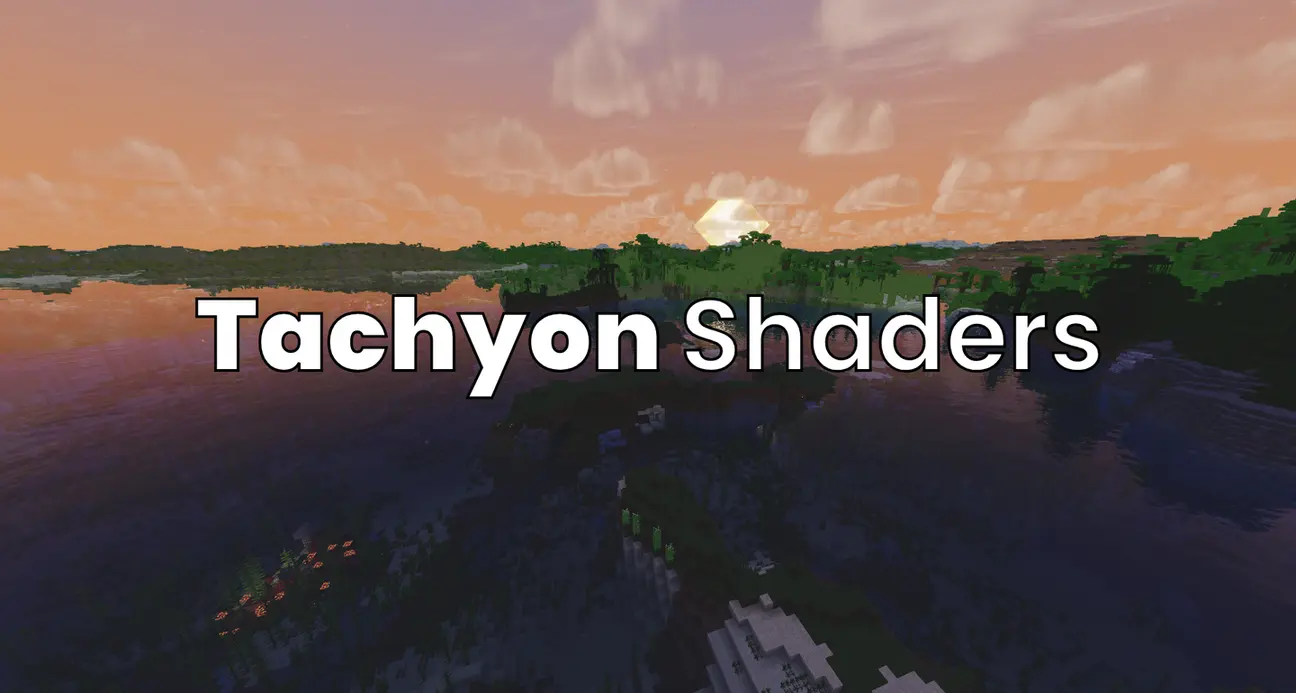
Tachyon is a highly customizable shader, with HDR, POM, reflections, Volumetric fog and clouds, shadows, Tonemapping, AO, and many other features. It’s optimized to be incredibly fast, often getting higher fps than even light shaders like fastPBR. I designed it to be able to both be a vanilla+ style shader for those who prefer more minimalistic improvements (in this mode it is even faster), as well as a more traditional high-visuals style.
# Known Issues
– the end and nether don’t have dedicated shaders yet so they’re really broken. working on a fix but it’s gonna take a bit
# Customizability
With every feature a shader adds, there’s one more feature you may not want. So Tachyon lets you customize *everything*. You don’t like shadows? Off. You find POM distracting? Off! You can customize Tachyon from just vannilla with shadows, to a full shader with reflections, HDR, ACES tonemapping, POM, etc.
# PBR Resource Pack
This shader looks way better with a PBR resource pack, since they provide extra details like how reflective each pixel is or a depth map. My favorite one to use is [sPBR](https://modrinth.com/resourcepack/spbr), as it remains 16×16 and very true to vanilla.
# PVP
This shader is fast enough and not nearly as distracting as others, so it’s actually usable in pvp, unlike many others. I know a lot of people (especially people who care about fps a ton) will not use this anyway, but I find that with high profile, visuals preset (and “nice water” under materials turned off as it makes it really hard to see shallow pools in pvp), my fps is consistently at my monitor’s max refresh rate.
# Credits
This is my first shader, and while I’d love to claim I wrote this all myself with no help, I did look at other shaders’ code for reference. Most notably:
1. [Solas Shader](https://modrinth.com/shader/solas-shader), which I based the clouds and water off of. The noise texture is a direct copy from this shader, so huge thanks to solas.
2. [XorDevs-Default-Shaderpack](https://github.com/XorDev/XorDevs-Default-Shaderpack) for a lot of the basic rendering, as it is basically a shader implementation of vanilla. Some code is very closely copied from this.
3. [Complementary Reimagined](https://modrinth.com/shader/complementary-reimagined), As I used it as a reference for screen space reflections and DH support.
4. [IterationT](https://drive.google.com/file/d/1rUvHaxnHmQCG5LvOL4I8kvoDpJu53lgV/view?usp=drive_link) for some POM reference. I am aware that this shader copied a lot of shaders, but I didn’t directly copy anything from this shader either.
5. [This Youtube Tutorial](https://www.youtube.com/watch?v=RjyNVmsTBmA) for shadows and other basics for how minecraft shaders work.
Other than the noise texture from solas, and I got explicit permission from Solas’ developer for that, I didn’t actually copy anything, so it doesn’t violate any of the shaders’ licenses.
TAA69

This shader runs TAA 4x. This allows it to achieve quality comparable to SSAA 4x while fully refreshing frame data over just 4 frames.
This shader uses multi-layer history buffer for TAA, allowing it to blend in previous frame data without smearing it over time.
Blah blah blah you know Porsche? This shader works exactly as the clutch in that supercar.

As always, you can come cry to my [Discord server](https://discord.gg/5zg5XuhCBk) if something doesnt work.
TAA-Distant Horizons port
Fork of https://modrinth.com/shader/taa to add distant horizons support. Only tested 1.20.1. Has almost 1:1 vanilla AO parity.
approximately a 5% performance impact(at 4 samples—at highest configuration(12 samples) expect around 13% performance impact)
## Features:
– Works with Iris and Colorwheel(enable fallbackmode in colorwheel)
– TAA: Core feature, smooths edges AND gets rid of flickering/noise on distant terrain
– Sharpening:
– Unsharp Mask: Leaves trails behind fast moving objects.
– CAS (Contrast Adaptive Sharpening): More stable, but still has some downsides to it.
– ### FIXED THE WATER BORDER: gets rid of the ugly water borders between DH and vanilla, check gallery for examples.
– Fog Start Distance:
– Configurable fog start for distant horizons, as a ratio of the render distance.
– Vanilla-like Ambient Occlusion:
– Configurable Ambient Occlusion samples, higher looks better but runs slower. (diminishing returns after 6 imo)
– Configurable Radius and Intensity: Preference based, feel free to play around with these, default values should look the same as vanila(or at least close enough).
# if patches of your DH terrain are darker turn LOD shading to Disabled or reload the world
TAA Project
## About
The TAA Project is a shaderpack that enhances the visual experience while maintaining a lightweight performance profile. With a minimal performance impact of just 3-6%*, this shaderpack integrates Temporal Anti-Aliasing (TAA) for smoother edges. _*On scene with 32 render distance._
– **Compatibility**: TAA Project is fully compatible with both OptiFine and Iris.
– **Temporal Anti-Aliasing (TAA)**: The core feature of this shader pack is its implementation of TAA, which effectively reduces visual artifacts such as jagged edges and shimmering. By using previous frames’ data, TAA smooths out edges and enhances the overall visual fidelity of the game.
– **Sharpening Options**: To further enhance image clarity, the TAA Project supports two types of sharpening techniques:
– **Unsharp Mask**: Leaves trails behind fast moving objects.
– **CAS (Contrast Adaptive Sharpening)**: More stable, but still has some downsides to it.
If you want to play with distant horizons:
https://modrinth.com/project/sdHPkbgOtW
FXAA fork (probably abandoned):
https://modrinth.com/project/HPkbgOtW
###### The TAA Project is a hard fork of VanillAA made for better performance and faster updates.
SunFlowerShader
YellowGlow Shaders
YellowGlow Shaders is a beautifully optimized yellow-themed shader pack designed specifically for low-end PCs. It transforms Minecraft with warm golden lighting, creating a cozy and vibrant atmosphere without causing heavy lag.
Unlike heavy shaders, YellowGlow focuses on performance-first design, making it perfect for players who want better visuals while maintaining high FPS. The shader enhances the world with soft shadows, smooth lighting transitions, and carefully optimized reflections on water, glass, and shiny surfaces.
The signature yellow aesthetic gives your game a unique look — brighter days, glowing sunsets, and a warm cinematic vibe that feels both relaxing and visually appealing.
Whether you’re playing survival, Bedwars, or recording content, YellowGlow ensures your game looks great without sacrificing performance.
A: Yes. **This does come with an epilepsy warning if you are on an m-series mac.**
Q: Does this work on Iris/Oculus?
A: Yes.
Q: Does this work on 1.8?
A: The Legacy version should work with 1.8.
## Pridepack
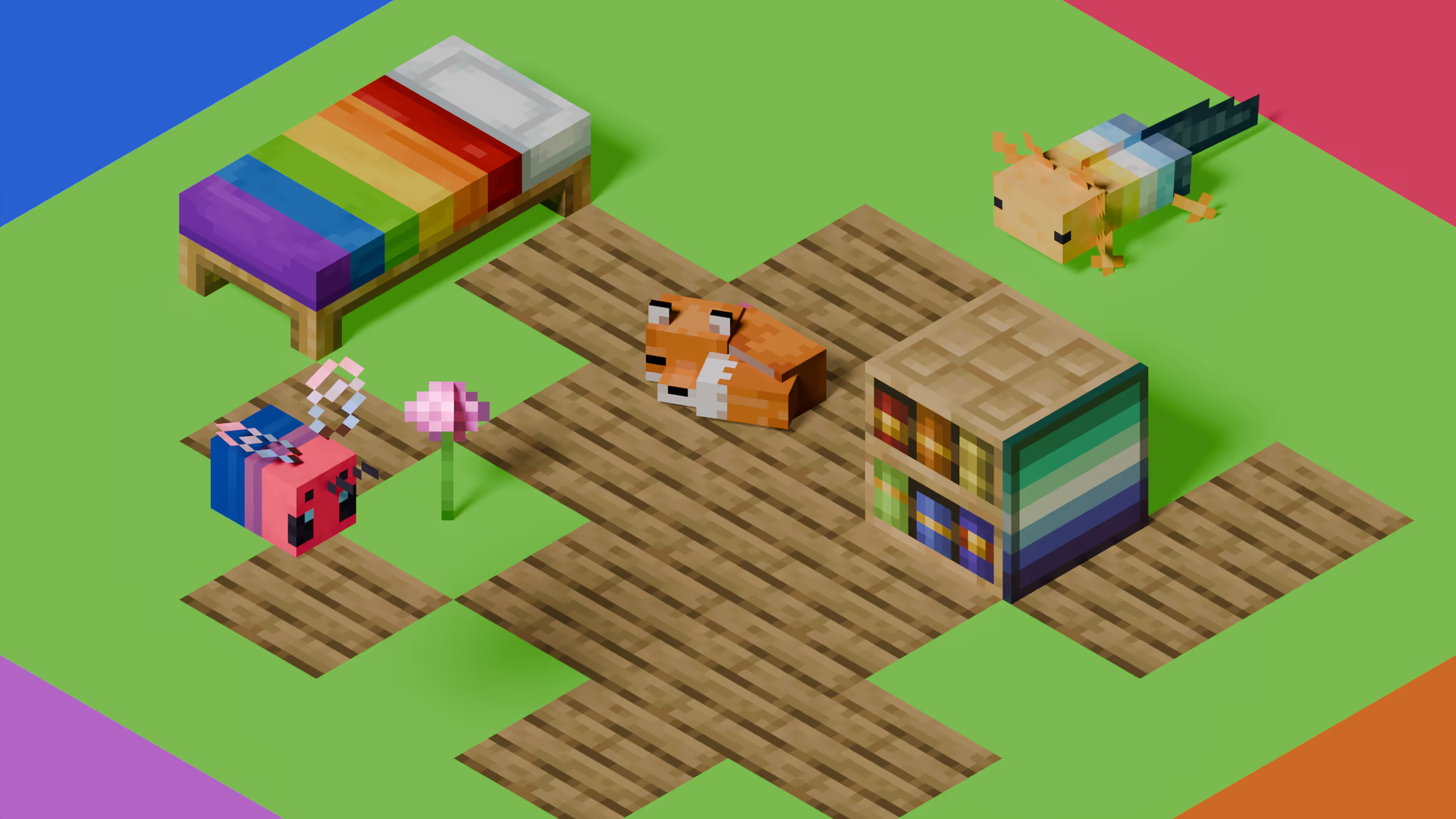
[Pridepack](https://pridecraft.gay/pridepack) is a Resource Pack made by [Pridecraft Studios](https://pridecraft.gay). It comes with many LGBT Pride additions, such as paintings, beds, mobs and Main Menu changes. If you’re interested in gaying your game, you should check it out!
Strawberry shader
Strawberry Shaders is a beautifully optimized pink-themed shader pack designed specifically for low-end PCs. It transforms Minecraft with soft strawberry lighting, creating a cozy and vibrant atmosphere without causing heavy lag.
Unlike heavy shaders, Strawberry Shaders focuses on performance-first design, making it perfect for players who want better visuals while maintaining high FPS. The shader enhances the world with soft shadows, smooth lighting transitions, and carefully optimized reflections on water, glass, and shiny surfaces.
The signature pink aesthetic gives your game a unique look — brighter days, glowing sunsets, and a warm cinematic vibe that feels both relaxing and visually appealing.
Whether you’re playing survival, Bedwars, or recording content, Strawberry Shaders ensures your game looks great without sacrificing performance.
Stracciatella Shaders
# Stracciatella
A very lightweight vanilla style shader with colored lights. Focuses on adding some nice features that go hand in hand with vanilla. It is highly configurable and lets you craft your own personal vanilla experience.
## Feature Highlights
### Colored Lighting
Stracciatella adds multi-lightsource colored lighting to Minecraft with excellent performance. Light emitting blocks glow bright and tint and shade the environment.
### Beautiful Distance Fog
The Overworld and the Nether have highly optimized volumetric-like fog effects that look especially beautiful with Distant Horizons, such as dynamic fog based on height aswell as patches of dense fog that sweep the landscape.
### Many Bells and Whistles
Stracciatella is packed with many subtle but important visual improvements and quality of life features that improve Minecraft’s look, such as rain refraction, puddles, shooting stars and much, *much* more!
### Configurable
Make it yours! Stracciatella puts you in the driver’s seat. All of Stracciatellas effects are highly customisable, so you can dial in the look exactly as you like it.
## Full Feature List
### Fog and Sky
– Fog – *OFF, Border, Auto, Advanced*
Border:
Simple, comparable to vanilla
Auto:
Enables “Advanced” fog when Distant Horizons is present
Advanced:
Border fog aswell as configurable exponential distance and height based fog
– **Advanced Fog**
– Global Fog Density
Constant fog density applied to exponential fog
Overworld, Nether and End densities are relative to this value
– Overworld Fog Density
Density of constant Overworld fog
Relative to “Global Density”
– Overworld Noise Fog
– **Overworld**
– Height Scale Multiplier
Multiplier applied to the scale factor used to calculate height fog
Higher values correspond to a harsher density falloff
– Height Density Multiplier
Multiplier applied to the density calculated from world height
– Dynamic Density Start Height
Fog density starts to increase with player height after the selected world height
Set to the default value, this acts as a correctional factor to keep the fog density (visually) constant
– Dynamic Density Multiplier
Controls how much player height influences fog density
– Anisotropic Sunset Fog
Fog density at sunset and sunrise increases more in direction of the sun
– Sunset Fog Anisotropy
Amount of Anisotropy
– Sunset Fog Multiplier
Controls how much the fog changes during sunset and sunrise
– Wind Speed
– Noise Fog Scale
– Noise Fog Fade
– Noise Fog Density Multiplier
– Nether Fog Density
Density of constant Nether fog
Relative to “Global Density”
– Nether Noise Fog
– **Nether**
– Wind Speed
– Noise Fog Scale
– Noise Fog Fade
– Near Fog Density Multiplier
– End Fog Density
Density of constant End fog
Relative to “Global Density”
– **End**
– Fog Start
Sets where the fog starts appearing
Relative to render distance
– Fog End
Sets where the fog reaches its maximum
Relative to render distance
– **Cave Fog and Sky**
– Cave Fog
Fog changes to a different color when you are underground
– Cave Sky
Sky changes to a different color when you are underground
– Cave Sky Height Threshold
Controls which world height is necessary for the sky color to change
– Cave Fog *(RGB Color Picker)*
Color of fog inside of caves
– **Sun and Moon**
– Change Sun and Moon Size
– Sun and Moon Size
Changes the size of sun and moon
– Sun Angle
Tilts the rotation axis of sun and moon
Vanilla is 0
– Hide under Horizon
Sun and moon start disappearing under the horizon
– Transition Height
Lower: sun and moon appear lower
Higher: sun and moon appear higher
– Transition
Lower: Longer transition
Higher: Shorter transition
– **Stars**
– Vanilla Star Brightness
– Custom Stars
– Size
– Density
– Coverage
– Glow Radius
– Glow Amount
– Shooting Stars
**Only** works with “Custom Stars” enabled
– Direction
– Density
– Speed
– Trail Length
– Trail Thickness
– Custom Sky Color
– **Sky Color Configuration**
– Custom Sunset
– Sky Sunset *(RGB Color Picker)*
– Sky Day *(RGB Color Picker)*
– Sky Day Rain *(RGB Color Picker)*
– Night Sky Brightness
– Sky Night *(RGB Color Picker)*
– Sky Night Rain *(RGB Color Picker)*
– Custom Fog Color
– **Fog Color Configuration**
– Fog Day *(RGB Color Picker)*
– Fog Day Rain *(RGB Color Picker)*
– Night Fog Brightness
– Fog Night *(RGB Color Picker)*
– Fog Night Rain *(RGB Color Picker)*
– **End Sky**
– End Sky Upper *(RGB Color Picker)*
– End Sky Lower *(RGB Color Picker)*
### Lighting
– Lightmap – *Simple, Default*
Default:
All Features
Simple:
Reduced features (only “Adaptive Blocklight Reduction” and “Minimum Light”)
– **Lightmap Settings**
– Skylight AO
Specifies the amount of ambient occlusion on skylight
– Blocklight AO
Specifies the amount of ambient occlusion on blocklight
– Skylight Gamma
Higher = Darker
Lower = Brighter
– Blocklight Gamma
Higher = Darker
Lower = Brighter
– Minimum Light
Restricts blocklight to never go below this value
Prevents caves from being pitch black (unless you set it to zero that is)
– **Lightmap Colors**
– Adaptive Blocklight Reduction
Reduces blocklight when the sky is bright to avoid clipping
If the blocklight is too bright during daytime, increase this slider
– Nether Ambient Brightness
– **End Ambient Light**
– End Ambient Brightness
– End Ambient Saturation
– Skylight Day *(RGB Color Picker)*
– Skylight Night *(RGB Color Picker)*
– Blocklight *(RGB Color Picker)*
Select blocklight color (torches, glowstone, etc.)
If “Complex Blocklight” is enabled, this color will **NOT** be used
– Complex Blocklight
Allows you to select two colors for blocklight
One for dark parts, one for bright parts
– Blend Curve
Higher: Emphasize “Bright” color
Lower: Emphasize “Dark” color
50 = linear transition
– Complex Blocklight Dark *(RGB Color Picker)*
– Complex Blocklight Bright *(RGB Color Picker)*
– Colored Lights
Enabled colored lighting on blocks
– **Colored Light Settings**
– Vibrance
– Accumulation Rejection – *Low, Default, High*
Sets how temporal history information is discarded
Higher corresponds to history being discarded more easily
– Acc. Blend Factor
Sets how temporal history information is merged with new information
A lower value places less emphasis on history and will cause colors to update faster at the cost of more flicker
– Flicker Reduction
Increase this slider if you experience frequent spots of color blinking into existence
Higher values will decrease the speed at which new color spreads and appears
– Acc. Regeneration Speed
Sets how fast empty regions (with no color information) are filled up
A high value will cause colors to appear faster initially, but may introduce flicker in disoccluded regions
– Sample LOD Bias
Controls the detail level at which colors are sampled
A higher value will make colors smoother but may cause small lights to be skipped
A lower value will sample at higher detail but will decrease smoothness and introduce flicker
The shader does its best to calculate the appropriate LOD itself
– Directional Lightmaps
– Directional Lightmap Strength
– Normals – *Generated, Texture*
– Normals Resolution Multiplier
Auto-Generated Normals may have a different resolution than your resource pack
This slider allows you to select a higher resolution for the normals
No performance impact
– HDR Emissives
– HDR Emissive Brightness
### Weather
– Rain Detection – *Temperature, Color*
How the shader detects if rain is present
”Color” is generally the better option
Select “Temperature” if:
Rain does not receive rain effects
Things that are not rain receive rain effects
– Rain Opacity
– Rain Refraction – *OFF, Fast, Fancy*
– Rain Refraction Strength
– Angled Downfall
– Angled Downfall Amount
– Angled Downfall Rotation Speed
– Rain Puddles
– **Rain Puddle Color**
– Rain Puddle *(RGB Color Picker)*
– Rain Puddle Coverage
– Rain Puddle Size
– Rain Puddle Opacity
– Rain Puddle Parallax
– Parallax Refraction
– Parallax Depth
### Waving Blocks
– Waving Blocks
– Waving Blocks Amount
– Waving Blocks Speed
– Waving Leaves
– Waving Lilypads
Controlled by “Waving Liquids Amount” and “Waving Liquids Speed”
– Waving Lanterns
– Waving Fire
– Waving Liquids
Water and Lava
– Waving Liquids Amount
– Waving Liquids Speed
### Camera and Color
– FXAA
Enables Anti-Aliasing
Improves quality of edges
– High Quality Upscaling
Switches to bicubic sampling
Internally enables FXAA
Can be useful with lower render quality settings
– Contrast
– Vibrance
– Saturation
– Brightness
– Vignette – *OFF, Round, Square*
Darkens screen borders
– Vignette Strength
– LUT
Applies a custom color LUT to the image
**Only works for Optifine G8 and higher!**
How to add your luts:
Extract the .zip
Go to: shaders/lut
Put your LUT in this folder and name it “lut[number].png”
You can then select the file using the slider
Up to 6 luts can be loaded this way
– Selected LUT
Default LUTs shipped with the shader are:
lut0.png: Neutral
lut1.png: Skyfall
lut2.png: A Summer Night’s Adventure
lut3.png: Chrome
lut4.png: Admiral’s Anime LUT
lut5.png: Green->Red Color swap (Infrared)
– Use LOG Color
– LUT Cell Size
Amount of cells on one side
Count the squares on the lut image along one side to figure this out
### Water
– Underwater Fog Density
– Depth Influence
Higher: Depth will have a strong influence on fog density
Lower: Depth will have a weak influence on fog density
Zero: Depth will have no influence on fog density
– Fog Brightness Influence
Higher: Underwater fog will be darker at night
– Fog Brightness Influence
Higher: Underwater fog will get darker faster when you dive deeper
– **Distant Horizons**
– Fade Terrain
Smoothly fades out Minecraft terrain, reducing the transition between Distant Horizons’ terrain and Minecraft’s terrain
– Discard DH Terrain
– Terrain Discard Tolerance
– Chunk Discard DH Transparents
– Transparents Discard Tolerance
– Dithering – *None, Smart, Full*
Removes Banding
Smart: Enables dithering in select programs
Full: Enables dithering in all programs
– Time Mode – *Realtime, Worldtime, Framecount*
Sets which method the shader uses to determine the time
Time is used for driving animations, for example waving leaves and water
Realtime:
Uses the actual time
Worldtime:
Uses the ingame time
This can be useful for animation tools like replaymod
Framecount:
Uses the frame count based on a fixed framerate
This can be useful for animation tools like replaymod
– Time Mode Framerate
Framerate used for calculating the time when “Time Mode: Framecount” is selected
– Solid Block Outline
– Line Thickness
Applies to all lines, for example block outline and hit boxes
**Only works from versions 1.17 and onwards**
**Doesn’t work on Iris**
– Block Outline Style – *Black, White, Rainbow, Custom Color*
– **Custom Color Configuration**
– Block Outline *(RGB Color Picker)*
– Aggressive Optimization – *OFF, On, Unsafe*
Activates Optimizations that can break some visuals or might break in future versions of Minecraft
## Agreement
**You are allowed to**
– Use my shaderpack in your videos / screenshots
**You are not allowed to**
– Redistribute my shaderpack: If you want to provide a download link you **must** link to my Modrinth / Curseforge page
– Use monetized URL shorteners linking to downloads of my shaderpack
– Publish edits of my shaderpack without my permission
Stereo’s Default+
## This shader is at its EOL, and will not be updated or supported.
Iris and Optifine, as well Sodium and Minecraft as they update have made a multitude of changes to rendering since the last version this shader was written in (Minecraft 1.18.2), and as such things are bound to break.
With all default settings, the shader does work up to Minecraft 1.21.1, Iris 1.8.5, and Sodium 0.6.8. However turning off waving liquids will cause the shader to not work in non-overworld dimensions from at least Minecraft 1.19.4, Iris 1.5.2, and Sodium 0.4.10, with a high likelihood of earlier versions.
—
This simple, vanilla-like shader adds:
– Shadows & Softer bluer lighting
– Water that waves, lava does the same too!
– Shadow strength depending on the time
– Nether & End support for shadows