Clarity
# Clarity Shader Pack – 
 
> Clarity is a shader pack that removes all shadows and fog in your game, making everything bright and easy to see in water and lava. With Clarity, you’ll always see clearly, no matter where you are in Minecraft! See the demonstration and screenshots [here](/shader/clarityshader/gallery). Its some sort of FullBright mod but then in shader variant.
### It’s perfect for:
– Exploring dark caves
– Traveling at night
– Finding your way in the nether
### Features:
– Removes Block Shadows
– Removes Entity Shadows
– Removes Particle Shadows
– Removes Fog
– Clear Sight Under lava and Water
– Change Snow and Rain Opacity
– Chage water opacity
– Vibrance setting
– Exposure setting
– Stars can be set to on or off
– Clouds can be set to dimmed, hidden and bright
– Anti Aliasing (SMAA)
– Works with Distant Horizons Mod
### Has Distant Horizons & Voxy Support!
Problems that need to be fixed
None 🙂
Work in progress
Chunks fading in and horizon fog. (These will all be togglable in the shader’s settings)
_Sidenote: This project was previously named FullBright2 but this was changed on 23/12/2025 12:00 GMT+1_
Chara’s Vibrant Shaders
Chara’s Vibrant Shaders feels like a world turned up too far—colors too bright, light too intense, everything just a little unstable. Greens glow almost unnaturally, water shimmers like liquid glass, and the sky bleeds vivid shades into the horizon. It’s beautiful in a loud, overwhelming way, like reality trying to outdo itself.
But it never quite settles. Light flickers when it shouldn’t, shadows shift unpredictably, and parts of the world seem to glitch or warp for a moment before snapping back. Sometimes it looks broken—other times, accidentally perfect.
It’s vibrant, messy, and unpredictable. Like something that wasn’t meant to work, but somehow does anyway.
It’s very buggy with contrast and night time but during the day it works out. the godrays are also very buggy.
Cartoonikal
# Cartoonikal!
Techniques used in hand-drawn art, in the form of a Minecraft shader.
Version 1 features a vanilla look, but with effects such as cel shading, cross hatching, emphasized (and slightly wavy) edges, and a tiny bit of blur (only in darker areas)! More features and improvements coming soon!
This shader should be very light on FPS, and was made for use on latest versions of Iris, but should work on older verisons and Optifine. Looks best with a dynamic lights mod and the Bare Bones pack. If you want the light flicker disabled, use Ari’s Accessiblity Tweaks
Check out the gallery for how it looks!
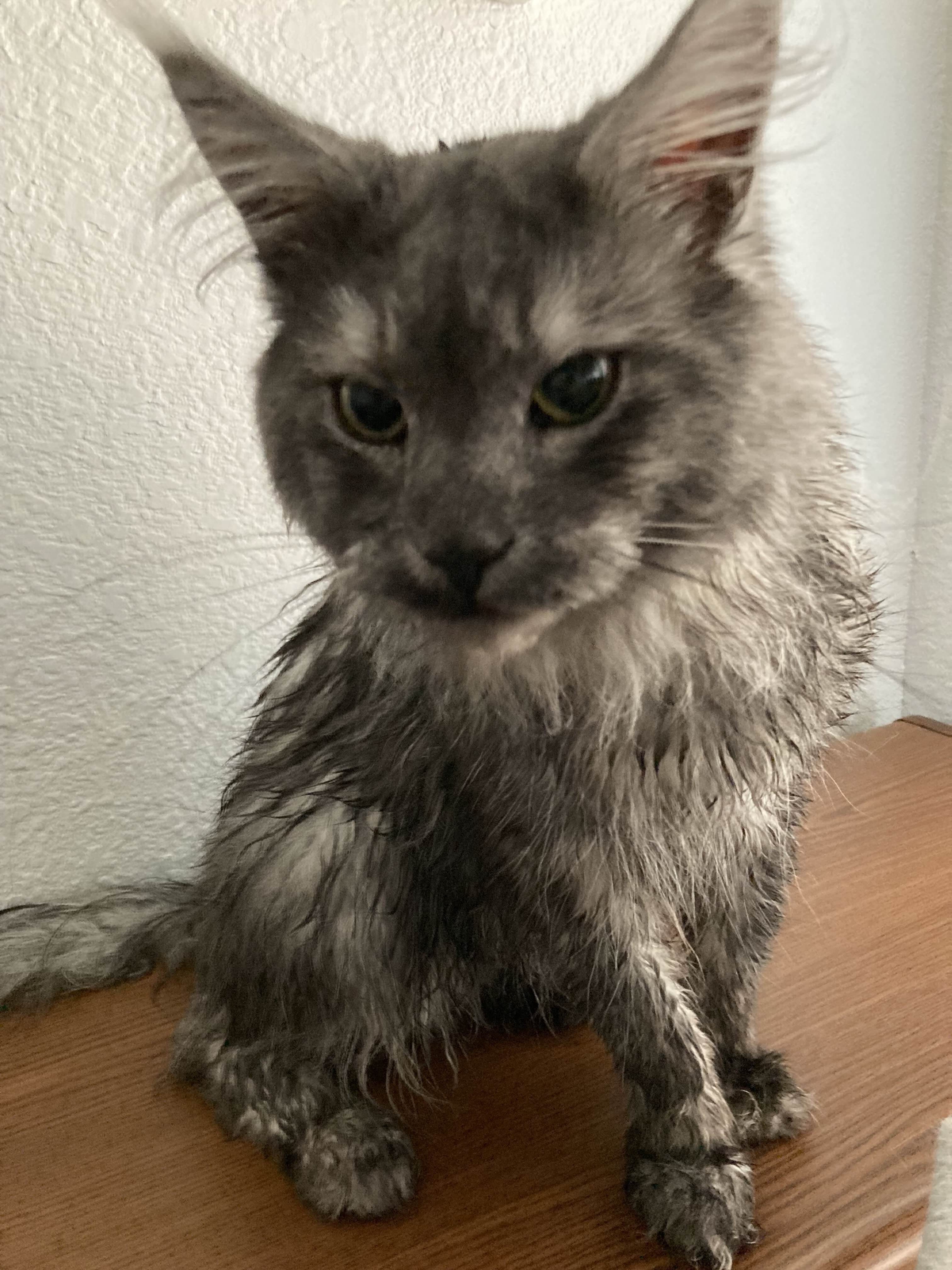
Shoutout to Diamond for the name idea and icon, featuring my cat Kenny!
BVSF


EN 🌐
# ABOUT:
**Hi, I’m LoLip_p! I’m the developer of the BVS shader, which is a vanilla preserving shader for minecraft. It is quite productive, but still some users have even weaker computers, for this reason I created a new version of the shader: BVSF (F – Fast) is a faster, but less functional version of BVS. It lacks such effects as DoF, SSR, PBR and others. With this version you will be able to squeeze out many times more fps compared to the regular version!**
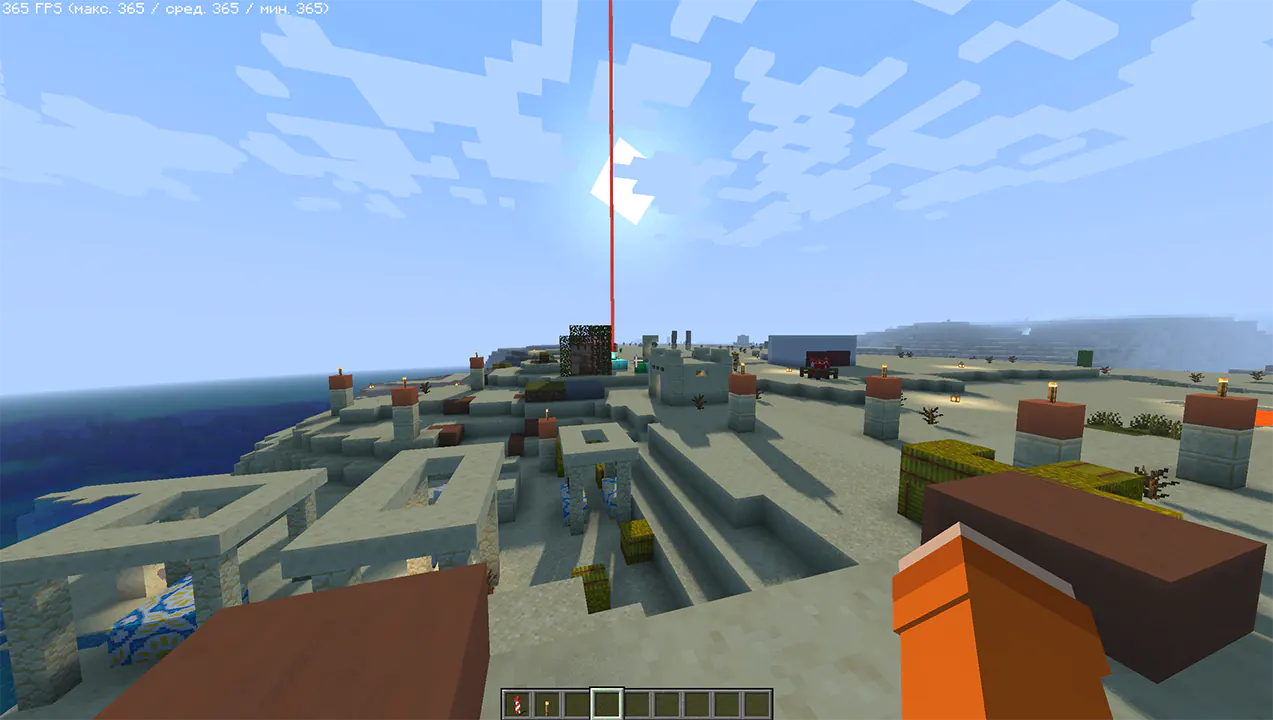
### Performance: 360 FPS+
– 2K (2560×1440)
– 10 chunks
– GPU: RX 580 _(8GB)_
– CPU: Ryzen 5 1500X
### SCREENSHOT:
## LINKS:
– Discord (Discuss, Bug Reports, Etc.)
– Telegram
– YouTube
## INSTALL THE SHADERS
– Download Client Which Supports Installing Shaders Such As Optifine And Iris
– Download The Shaders
– Copy Shaders to /.minecraft/shaderpacks
– Launch Minecraft, Go To Options –> Video Settings –> Shaders
– Choose **BVSF – Best Vanilla Shader (FAST)**
RU 🐻
# О:
**Привет, я LoLip_p! Я разработчик шейдера BVS, который является шейдером для Minecraft, сохраняющим ванильную версию игры. Он довольно производительный, но у некоторых пользователей компьютеры еще слабее, поэтому я создал новую версию шейдера: BVSF (F – Fast) — более быстрая, но менее функциональная версия BVS. В ней отсутствуют такие эффекты, как DoF, SSR, PBR и другие. С этой версией вы сможете выжать в разы больше fps по сравнению с обычной версией!**
### Производительность: 360 FPS+
– 2K (2560×1440)
– 10 чанков
– GPU: RX 580 _(8GB)_
– CPU: Ryzen 5 1500X
### СКРИНШОТ:

## ССЫЛКИ:
– Discord (обсуждения, сообщения об ошибках и т. д.)
– Telegram
– YouTube
## УСТАНОВКА ШЕЙДЕРОВ
– Загрузите клиент, поддерживающий установку шейдеров, такой как Optifine и Iris.
– Загрузите шейдеры.
– Скопируйте шейдеры в /.minecraft/shaderpacks.
– Запустите Minecraft, перейдите в Настройки –> Настройки видео –> Шейдеры.
– Выберите **BVSF – Best Vanilla Shader (FAST)**.
CH 🐉
# 关于:
**大家好,我是LoLip_p!我是BVS着色器的开发者,这是款保留原版风格的Minecraft着色器。虽然性能相当出色,但考虑到部分用户电脑配置更低,我特别推出了新版着色器:BVSF(F – Fast)是BVS的轻量化版本,在保留核心功能的同时去除了景深、镜面反射、PBR等特效。使用此版本可获得比标准版高出数倍的帧率!**
### 性能测试:360 FPS+
– 2K分辨率(2560×1440)
– 10个区块
– GPU:RX 580 _(8GB)_
– CPU:锐龙5 1500X
### 帧率截图:

## 相关链接:
– Discord (讨论区、错误报告等)
– Telegram
– YouTube
## 着色器安装指南
– 下载支持安装着色器的客户端(如Optifine或Iris)
– 下载着色器资源包
– 将着色器文件复制至 /.minecraft/shaderpacks 目录
– 启动Minecraft,进入选项 → 视频设置 → 着色器
– 选择 **BVSF – 最佳原版着色器(快速版)**
BVS – Best Vanilla Shader
EN 🌐
# ABOUT:
**Hi, I’m LoLip_p! I created this shader by saving vanilla Minecraft. I also tried to make flexible settings so that you can disable or enable the available functions to your liking. Support the author on Patreon.**
**A fast version of the shader is also available: **BVSF**!**
### SCREENSHOT:
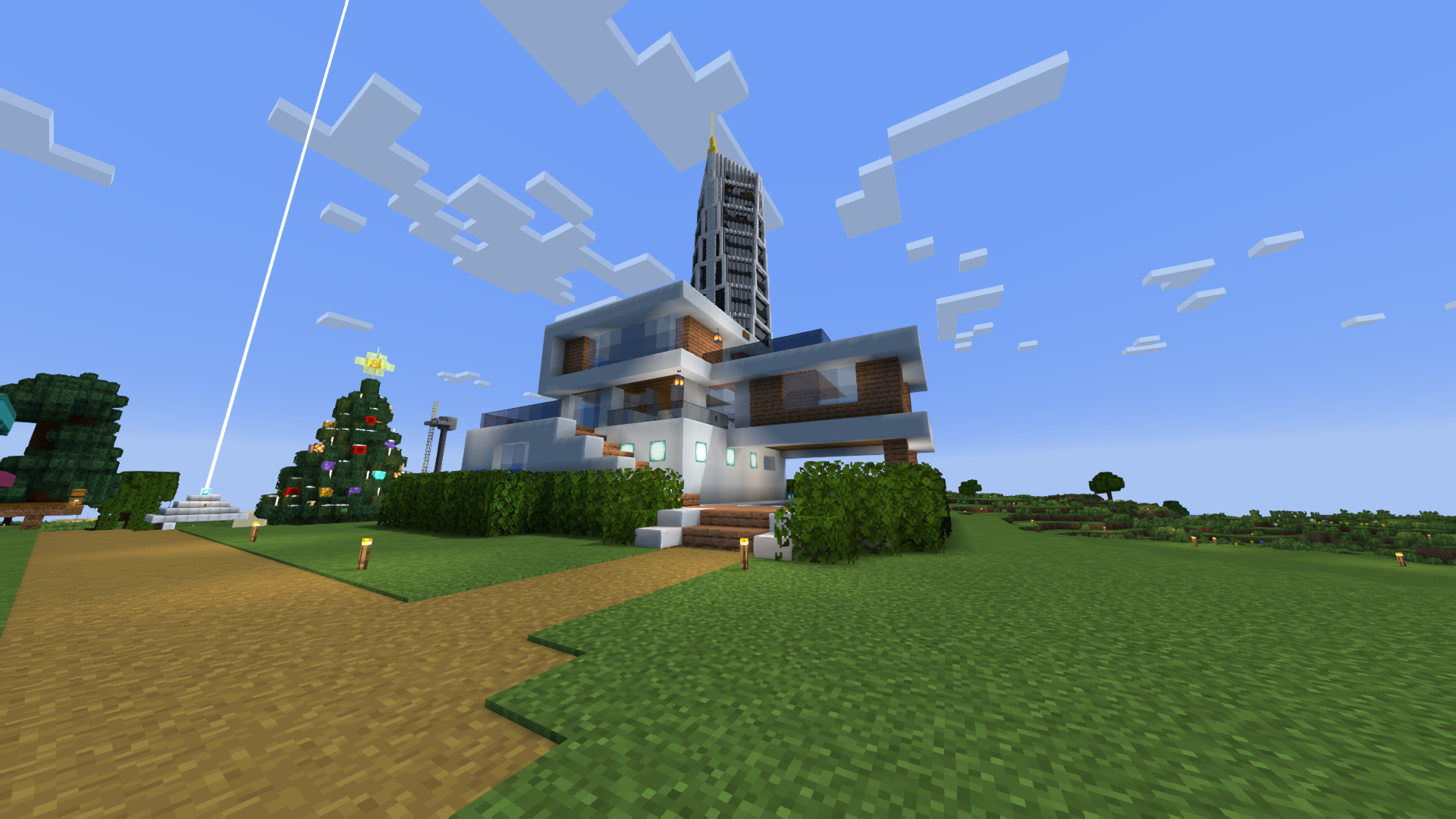
### Performance: 200 FPS+
– 2K (2560×1440)
– 10 chunks
– GPU: RX 580 _(8GB)_
– CPU: Ryzen 5 1500X
## THE SHADER HAS:
– Support Better Clouds
– Support Distant Horizons
– PBR support _(LabPBR)_
– Depth of Field
– Motion Blur
– Shading _(Shading the edges that do not fall under the sun’s rays)_
– Shadows
– FXAA _(anti-aliasing)_
– SSR _(Screen Space Reflection)_
– Auto Exposure
– Color Correction
– Support 7 language: _EN RU UA FR DE CH BR_
## LINKS:
– Discord (Discuss, Bug Reports, Etc.)
– Telegram
– YouTube
## INSTALL THE SHADERS
– Download Client Which Supports Installing Shaders Such As Optifine And Iris
– Download The Shaders
– Copy Shaders to /.minecraft/shaderpacks
– Launch Minecraft, Go To Options –> Video Settings –> Shaders
– Choose **BVS – Best Vanilla Shader**
## DEMO VIDEO
RU 🐻
# О:
**Привет, я LoLip_p! Я создал этот шейдер, сохранив классическую версию Minecraft. Я также постарался сделать настройки гибкими, чтобы вы могли отключать или включать доступные функции по своему усмотрению.**
**Также доступна быстрая версия шейдера: **BVSF**!**
### СКРИНШОТ:

### Производительность: 200 FPS+
– 2K (2560×1440)
– 10 чанков
– GPU: RX 580 _(8GB)_
– CPU: Ryzen 5 1500X
## ШЕЙДЕР ИМЕЕТ:
– Поддержка Better Clouds
– Поддержка Distant Horizons
– Поддержка PBR _(LabPBR)_
– Глубина резкости
– Размытие движения
– Затенение _(Затенение краев, не попадающих под лучи солнца)_
– Тени
– FXAA _(сглаживание)_
– SSR _(Отражение в пространстве экрана)_
– Автоматическая экспозиция
– Коррекция цвета
– Поддержка 7 языков: _EN RU UA FR DE CH BR_
## ССЫЛКИ:
– Discord (Discuss, Bug Reports, Etc.)
– Telegram
– YouTube
## УСТАНОВКА ШЕЙДЕРА
– Загрузите клиент, поддерживающий установку шейдеров, таких как Optifine и Iris
– Загрузите шейдеры
– Скопируйте шейдеры в /.minecraft/shaderpacks
– Запустите Minecraft, перейдите в «Настройки» –> «Настройки видео» –> «Шейдеры»
– Выберите **BVS – Best Vanilla Shader**
## ДЕМО ВИДЕО
CH 🐉
# 关于:
**你好,我是LoLip_p!我通过保存原版《我的世界》创建了这个着色器。我还尝试设计了灵活的设置选项,让你可以根据喜好启用或禁用可用功能。**
**还提供了一个快速版本的着色器:**BVSF**!**
### 屏幕截图:

### 性能: 200 FPS+
– 2K (2560×1440)
– 10 chunks
– GPU: RX 580 _(8GB)_
– CPU: Ryzen 5 1500X
## 着色器具有:
– 支持 更佳云层
– 支持 远景地平线
– PBR支持 _(LabPBR)_
– 景深效果
– 运动模糊
– 阴影渲染 _(对阳光照射范围外的边缘进行阴影处理)_
– 物体阴影
– FXAA _(抗锯齿技术)_
– SSR _(屏幕空间反射)_
– 自动曝光
– 颜色校正
– 支持7种语言:_EN RU UA FR DE CH BR_
## 链接:
– Discord (Discuss, Bug Reports, Etc.)
– Telegram
– YouTube
## 安装着色器
– 下载支持安装Optifine和Iris等着色器的客户端
– 下载着色器资源包
– 将着色器文件复制到/.minecraft/shaderpacks目录
– 启动Minecraft,进入选项 –> 视频设置 –> 着色器
– 选择**BVS – 最佳原版着色器**
## 演示视频
DE 🍺
# ÜBER:
**Hallo, ich bin LoLip_p! Ich habe diesen Shader erstellt, indem ich Vanilla Minecraft gespeichert habe. Außerdem habe ich versucht, flexible Einstellungen zu erstellen, damit Sie die verfügbaren Funktionen nach Belieben deaktivieren oder aktivieren können.**
**Eine schnelle Version des Shaders ist ebenfalls verfügbar: **BVSF**!**
### SCREENSHOT:

### Leistung: 200 FPS+
– 2K (2560×1440)
– 10 chunks
– GPU: RX 580 _(8GB)_
– CPU: Ryzen 5 1500X
## DER SHADER VERFÜGT ÜBER:
– Unterstützung für Better Clouds
– Unterstützung für Distant Horizons
– PBR-Unterstützung _(LabPBR)_
– Tiefenschärfe
– Bewegungsunschärfe
– Schattierung _(Schattierung der Kanten, die nicht unter die Sonnenstrahlen fallen)_
– Schatten
– FXAA _(Anti-Aliasing)_
– SSR _(Screen Space Reflection)_
– Automatische Belichtung
– Farbkorrektur
– Unterstützung von 7 Sprachen: _EN RU UA FR DE CH BR_
## LINKS:
– Discord (Discuss, Bug Reports, Etc.)
– Telegram
– YouTube
## INSTALLIEREN SIE DIE SHADER
– Client herunterladen, der die Installation von Shadern wie Optifine und Iris unterstützt
– Shader herunterladen
– Shader nach /.minecraft/shaderpacks kopieren
– Minecraft starten, zu Optionen –> Videoeinstellungen –> Shader gehen
– **BVS – Best Vanilla Shader** auswählen
## DEMO VIDEO
BR 🎭
# SOBRE:
**Olá, sou o LoLip_p! Criei este shader salvando o Minecraft vanilla. Também tentei criar configurações flexíveis para que você possa desativar ou ativar as funções disponíveis de acordo com sua preferência.**
**Uma versão rápida do shader também está disponível: **BVSF**!**
### CAPTURA DE TELA:

### Desempenho: 200 FPS+
– 2K (2560×1440)
– 10 chunks
– GPU: RX 580 _(8GB)_
– CPU: Ryzen 5 1500X
## O SHADER TEM:
– Suporte a Better Clouds
– Suporte a Distant Horizons
– Suporte PBR _(LabPBR)_
– Profundidade de campo
– Desfoque de movimento
– Sombreamento _(Sombreamento das bordas que não são atingidas pelos raios solares)_
– Sombras
– FXAA _(anti-aliasing)_
– SSR _(Reflexão no espaço da tela)_
– Exposição automática
– Correção de cor
– Suporte a 7 idiomas: _EN RU UA FR DE CH BR_
## LINKS:
– Discord (Discuss, Bug Reports, Etc.)
– Telegram
– YouTube
## INSTALE OS SHADERS
– Baixe o cliente que suporta a instalação de shaders como Optifine e Iris
– Baixe os shaders
– Copie os shaders para /.minecraft/shaderpacks
– Inicie o Minecraft, vá para Opções –> Configurações de vídeo –> Shaders
– Escolha **BVS – Best Vanilla Shader**
## VÍDEO DE DEMONSTRAÇÃO
FR 🥐
# À PROPOS:
**Bonjour, je m’appelle LoLip_p ! J’ai créé ce shader en enregistrant Minecraft vanilla. J’ai également essayé de rendre les paramètres flexibles afin que vous puissiez désactiver ou activer les fonctions disponibles à votre guise.**
**Une version rapide du shader est également disponible : **BVSF**!**
### CAPTURE D’ÉCRAN:

### Performance: 200 FPS+
– 2K (2560×1440)
– 10 chunks
– GPU: RX 580 _(8GB)_
– CPU: Ryzen 5 1500X
## LE SHADER DISPOSE DE:
– Prise en charge Better Clouds
– Prise en charge Distant Horizons
– Prise en charge PBR _(LabPBR)_
– Profondeur de champ
– Flou de mouvement
– Ombrage _(Ombrage des bords qui ne sont pas exposés aux rayons du soleil)_
– Ombres
– FXAA _(anti-aliasing)_
– SSR _(Screen Space Reflection)_
– Exposition automatique
– Correction des couleurs
– Prise en charge de 7 langues : _EN RU UA FR DE CH BR_
## LIENS:
– Discord (Discuss, Bug Reports, Etc.)
– Telegram
– YouTube
## INSTALLER LES SHADERS
– Téléchargez le client qui prend en charge l’installation de shaders tels que Optifine et Iris
– Téléchargez les shaders
– Copiez les shaders dans /.minecraft/shaderpacks
– Lancez Minecraft, allez dans Options –> Paramètres vidéo –> Shaders
– Choisissez **BVS – Best Vanilla Shader**
## VIDÉO DE DÉMONSTRATION
UA 🕊️
# О:
**Привіт, я LoLip_p! Я створив цей шейдер, зберігши класичну версію Minecraft. Я також постарався зробити налаштування гнучкими, щоб ви могли відключати або вмикати доступні функції на свій розсуд.**
**Також доступна швидка версія шейдера: **BVSF**!**
### СКРИНШОТ:

### Продуктивність: 200 FPS+
– 2K (2560×1440)
– 10 чанків
– GPU: RX 580 _(8GB)_
– CPU: Ryzen 5 1500X
## ШЕЙДЕР МАЄ:
– Підтримка Better Clouds
– Підтримка Distant Horizons
– Підтримка PBR _(LabPBR)_
– Глибина різкості
– Розмиття руху
– Затінення _(Затінення країв, що не потрапляють під промені сонця)_
– Тіні
– FXAA _(згладжування)_
– SSR _(Відбиття в просторі екрану)_
– Автоматична експозиція
– Корекція кольору
– Підтримка 7 мов: _EN RU UA FR DE CH BR_
## ССЫЛКИ:
– Discord (Discuss, Bug Reports, Etc.)
– Telegram
– YouTube
## УСТАНОВКА ШЕЙДЕРА
– Завантажте клієнт, що підтримує встановлення шейдерів, таких як Optifine та Iris
– Завантажте шейдери
– Скопіюйте шейдери в /.minecraft/shaderpacks
– Запустіть Minecraft, перейдіть в «Налаштування» –> «Налаштування відео» –> «Шейдери»
– Виберіть **BVS – Best Vanilla Shader**
## ДЕМО ВІДЕО
Butter Shaders

## **BUTTER | Shaders**
Butter Shaders is a lightweight Minecraft shaderpack designed to bring a warm, soft, and realistic atmosphere to your world.
Based on MakeUp Ultra Fast Shaders, it enhances the original project with improved lighting, smoother water reflections, and refined sky rendering while keeping excellent performance.
Featuring smooth lighting, natural water reflections, dynamic clouds, and vibrant sunsets, this shader focuses on beauty and performance balance — perfect for both low-end and high-end devices.
### **Features :**
• Shadows
• Depth of field
• Temporary anti-aliasing
• Improved ambient occlusion
• Chromatic aberration
• Motion blur
• Volumetric clouds
• Volumetric light
• Reflexes
• Waving plants
• … and more
### **If you have any suggestions, found a bug, etc.,contact me on Discord. :**
▪︎ https://discord.gg/GfcRKJxXfk
### **Credits :**
Original creator: Javier Garduño Links:
• https://www.planetminecraft.com/mod/makeup-ultra-fast-shader
• https://www.planetminecraft.com/mod/makeup-ultra-fast-shader
• https://www.curseforge.com/minecraft/customization/makeup-ultra-fast-shader
• https://www.curseforge.com/minecraft/customization/makeup-ultra-fast-shader