Add a touch of vintage tech to your Minecraft world with the **CRT-Monitor Shader** – a visual enhancement designed to replicate the look and feel of classic CRT displays.
### **Featuring:**
* **Curved screen distortion** for that authentic old-school display vibe
* **Scanlines and subtle flicker**, just like vintage TVs and monitors
* **Phosphor glow** that brings retro screens to life
* Perfect for **labs, terminals, arcades**, and **sci-fi builds**
_Whether you’re recreating a retro computer lab or building a high-tech base with analog flavor, this shader brings your screens to life with a nostalgic, immersive touch._
* **OptiFine:** Fully compatible with _all_ OptiFine shader versions (MC 1.7.10 → latest).
* **Iris:** Fully compatible with **Iris/Sodium** on **Minecraft 1.16.5 and newer**.
* Uses **GLSL 1.20**, so it works on all systems supported by OptiFine and Iris.
Cozy & Light
**About**
Cozy & Light is a shader pack for Minecraft Java Edition. It’s a simple, lightweight, shaderpack that adds better lighting, improves water, and more! This makes your game feel a bit more cozy than vanilla **Minecraft**.
**_We strive to let people with low end devices feel good about how Minecraft looks._**

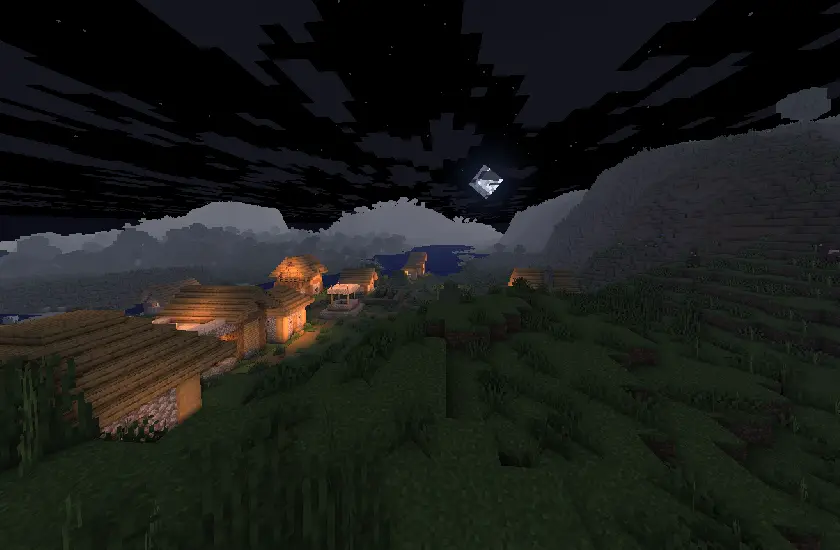
Cosinus Shader
Sinus, but with cosine!
Contains all options from the original shader (defaults are in bold):
Spoiler
Setting | Values | Description
——- | —— | ———–
Direction | **-Y**, Y, -X, X | Direction.
Only in water | **Off**, On | Only in water.
Height | 0.0, 0.1, …, 1.0, 2.0, …, 29, 30.0 | Y coordinate of the effect position.
Speed | 0, 1, …, 68, 69 | Speed.
Frequency | 0.0, 1.0, …, 59.0, 60.0 | Amount of waves on the screen.
Complementary Shaders – Unbound

### About
Complementary Shaders is a shader pack for Minecraft Java Edition with exceptional attention to detail, high standards of quality, and top tier optimisation. It offers a ton of high quality effects, two default visual style choices, custom effects for almost every block in the game, profiles ranging from Potato to Ultra and it’s designed to never be obstructive during gameplay. It started as an edit of BSL Shaders in 2018, and it received countless major updates including a complete rewrite to meet the standards of our community. Complementary Shaders is dedicated to be shaped by user feedback over anything else, and it still receives regular updates to this day.
“Unbound” is one of the two default styles Complementary Shaders r5 comes with. It is the less restricted style of Complementary that aims for a more realistic image. **Learn more about the two styles here.**
### Choose Your Style
Complementary Shaders comes with two distinct visual style options. The only difference between these two styles is the default settings. The Unbound style is designed for people looking for a more realistic experience, while the Reimagined style is made to reimagine Minecraft while preserving its unique visual elements. Please note that you can still customize everything after you download either style. You can switch to blocky clouds on the Unbound style, or use realistic water on the Reimagined style. All settings are located in Shader Options.
With this lightweight shader you can turn your world black and white.
Important Notes:
-The colors are inverted when starting the Shader for the first time, please look into the shader settings
-for better results, turn the brightness down to 0%
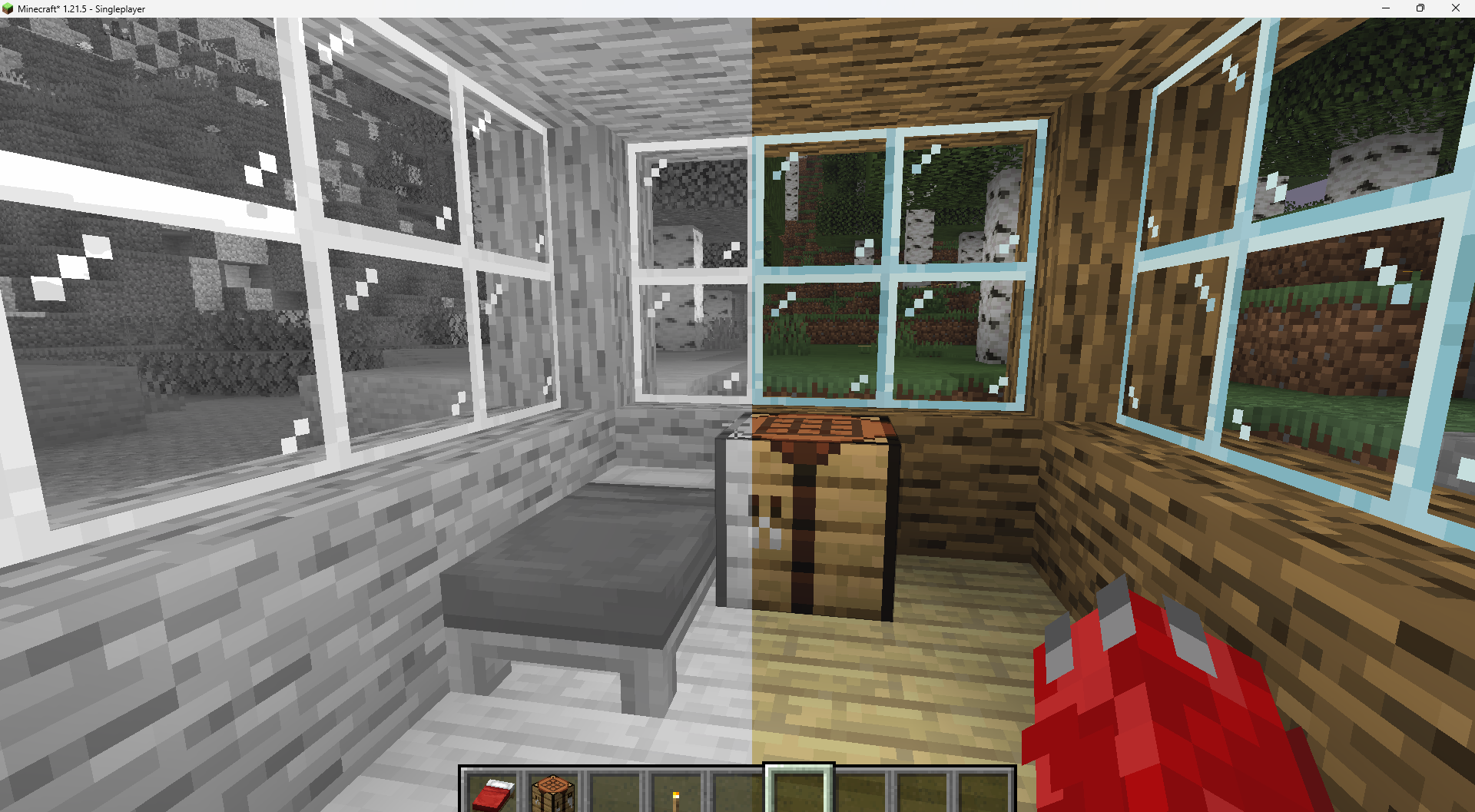
Features:
-turn world black and white
-optimised for PCs with a bad performance
-holding an item like a torch emmits light around the player
-shadows and fog
-colored lighting
-red light around player if hurt (can be deactivated)
Configurable Settings:
-inverted = if true, the colors are inverted
-coloredGlassShadows = if true, the shadows of colored glass are colored
-blacknwhite = if true, the world is black and white
-graytorchlight = if true, items like torches emmit a gray light, else, they give of a orange light
-redRadiusIfHurt = if true, red light appears around the player if hurt
Color Cone

**Color Cone** is a real-time color vision simulation shader designed to accurately reproduce how different types of color perception and color blindness affect visual output.
—
### 👁️ Supported Vision Modes
The shader includes simulation for:
* **Normal Vision**
* **Deuteranopia (No Green Cone)**
* **Protanopia (No Red Cone)**
* **Tritanopia (No Blue Cone)**
* **Deuteranomaly (Weak Green Cone)**
* **Protanomaly (Weak Red Cone)**
* **Tritanomaly (Weak Blue Cone)**
* **Achromatopsia (No Cone Cells)**
* **Blue Cone Monochromacy**
Each mode transforms the rendered image to reflect the perceptual characteristics of the selected vision type.
—
# Red Green Blue – Test
## Deuteranopia (No Green Cone)

## Protanopia (No Red Cone)

## Tritanopia (No Blue Cone)

## Achromatopsia (No Cone Cells)

—
### ⚙️ How It Works
* Applies cone response transformation matrices
* Adjusts RGB channel sensitivity per vision profile
* Simulates full dichromacy, anomalous trichromacy, and monochromacy
* Runs efficiently in real time
—
### 🎯 Use Cases
* Accessibility testing
* Inclusive game & UI design
* Educational visualization
* Visual research & experimentation
—
### 🚀 Key Features
* Single shader, multiple vision profiles
* Fast and lightweight implementation
* Easy integration into rendering pipelines
* Accurate perceptual approximation
Color Cone helps developers, designers, and researchers better understand how visuals are perceived across different types of color vision.
CoffeeShaders

### ABOUT
**CoffeeShaders is a visual edit of GlacierShaders, made for players who enjoy its clean, lightweight style but want a warmer touch. It keeps almost the same visuals as GlacierShaders while introducing a new water color and a few visual tweaks to create a smoother, more cozy aesthetic.**
### Features
**CoffeeShaders is optimized for performance just like GlacierShaders, with minimal post-processing and no heavy visual effects. The main difference lies in the visual tone — the water has a rich coffee-colored tint, and certain effects are adjusted to make the environment feel warmer and softer without reducing FPS.**
### BUGS
**Found a bug? You can report it by creating a ticket under the bug category in our Discord server. Your feedback helps us improve CoffeeShaders and fix issues faster. Every report means a lot to us and truly makes our day better!**
**CoffeeShaders is based on GlacierShaders and is published under the same licensing terms. All visual edits and tweaks are original and follow the permissions and distribution rules of the original GlacierShaders project.**
CMS – Cloud Mask Shaders
This shaderpack turns clouds completely white, and everything else, black. It is used to mask out clouds in Photoshop.
ClearVision Shader
ClearVision Shader enhances Minecraft with crystal clear visibility similar to night vision in all dimensions (Overworld, Nether, End).
It is optimized for every device — from low-end (potato) to high-end — ensuring smooth and stable FPS.
Fully compatible with Minecraft 1.21 – 1.21.11 using OptiFine and Iris.