Despatra’s CRT
Designed to look like you’re playing Minecraft on a CRT Features bloom, a reflective digital CRT rim, and customizable resolution
Designed to look like you’re playing Minecraft on a CRT Features bloom, a reflective digital CRT rim, and customizable resolution
# DepthField
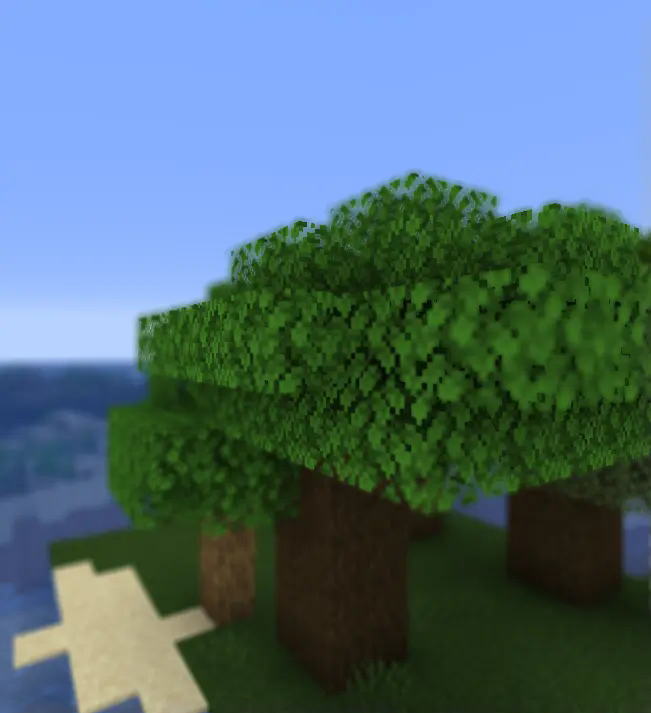
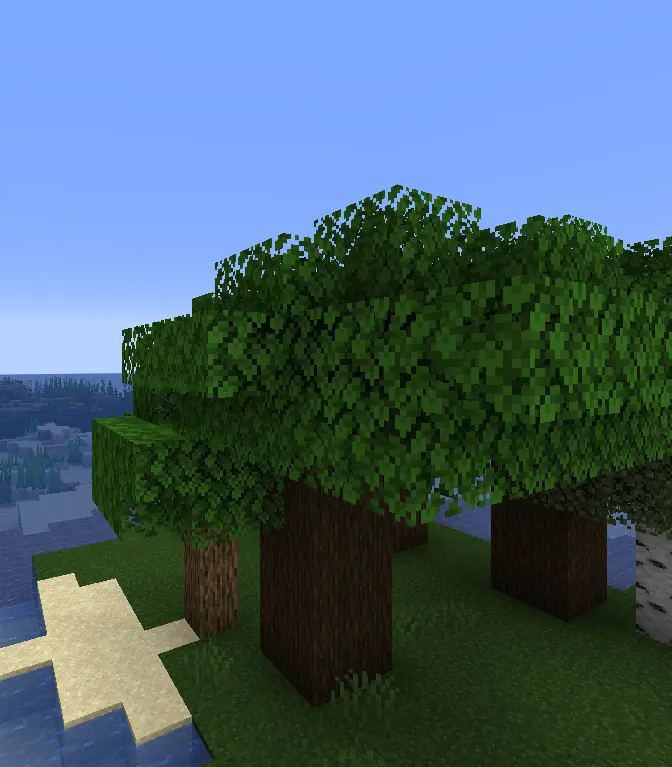
This shader adds a **depth of field** effect to Minecraft, making distant objects blur while keeping close-up details sharp. It enhances visuals by creating a more immersive and cinematic experience. Easy to install and compatible with other shaders, this effect brings a professional touch to your gameplay.
inspiration by:LoLip_p
## With DOF Depth of Field
## Without DOF Depth of Field
# ABOUT:
**This shader can be useful for mod, model, and texture pack developers. It supports various modes that display Wireframe, Normal Maps, Depth, PBR, Position, etc. in a single shader, and they all have labels.**
When I first started working with shaders, I didn’t quite understand how these modes looked visually during debugging. Therefore, I hope to help beginners assemble a convenient ready-made shader in one place.


### Wireframe Demo:

### Normal Maps Demo:

– About
Cyanide is a simple yet decent shaderpack, with not too many lines of code.
The shaderpack is extremely optimized, and doesn’t make the feeling of the vanilla game fade away.
Colors change based on time, and many improvements were made, with the inclusion of many tonemap operators to choose from, each one giving a different vibe.
– Requirements
A potato

# **Cursed View is not your typical shaderpack.**

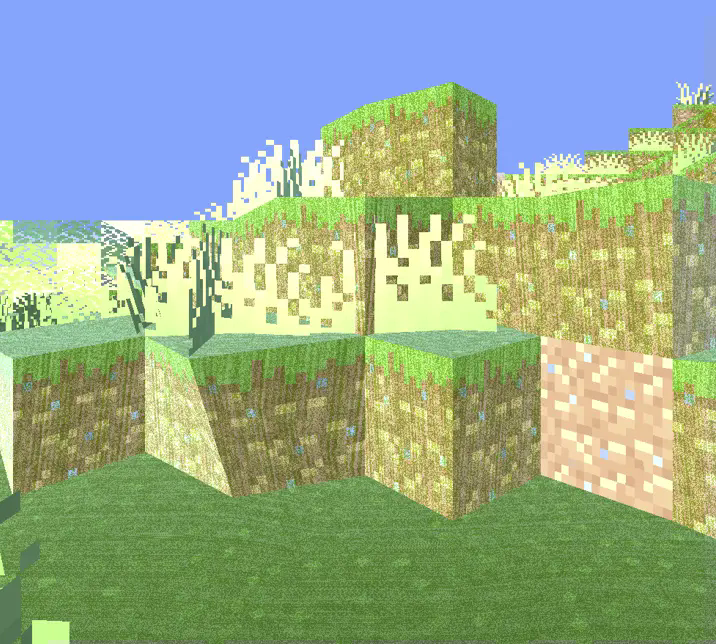
This shader was created to intentionally break the visual norms of Minecraft.
Instead of aiming for beauty or realism, it dives headfirst into chaos, distortion, and discomfort.

With Cursed View, you’ll experience:
* Overexposed lighting that burns your world in light
* Colors that look like they’re fighting each other
* Shadows that don’t behave like they should
* Blocks and entities that feel off, distorted, or almost corrupted
* A surreal atmosphere that turns peaceful villages into cursed zones
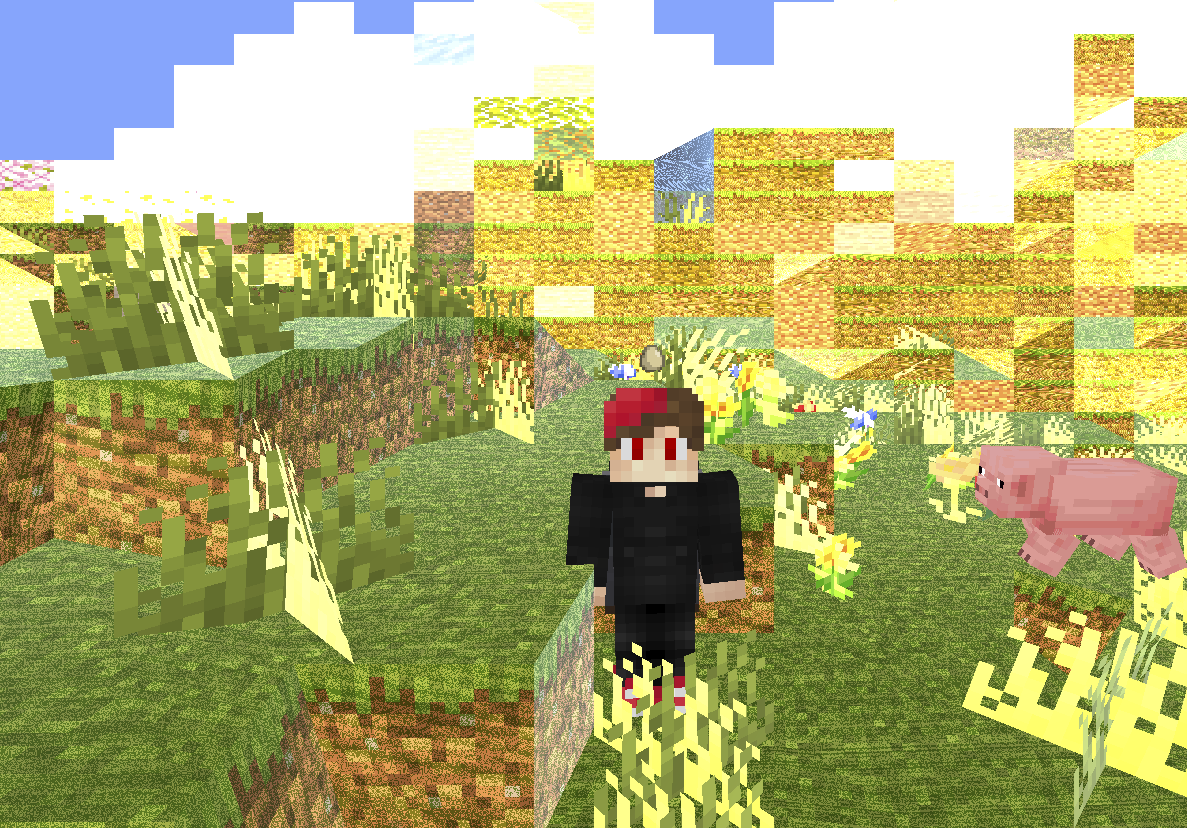
The goal is simple: make Minecraft look _wrong_ — and weirdly fascinating.
Whether you’re exploring glitchcore builds, recording cursed videos, or just want to mess with your perception,
Cursed View delivers an experience that no “normal” shader would dare attempt.
It doesn’t aim to be pretty.
It doesn’t aim to be playable.
It exists to disturb, confuse, and sometimes even amuse.
**Recommended FOV: Quake Pro** — to fully embrace the madness.
If you’ve ever asked,
**_”What if a shader hated you?”_** — this is your answer.


**🧠 Lamapi: Next-Gen Open Source AI**
Pushing the boundaries of accessible intelligence. Whether you need lightweight efficiency or industrial-grade reasoning, the **Next Series** delivers.
**Why build with Lamapi?**
– ⚡ **High Efficiency:** From compact 1B models to powerful 70B reasoning engines.
– 🌍 **Multilingual Mastery:** Optimized for superior performance in English & Turkish.
– 🛠️ **Ready to Deploy:** State-of-the-art open weights available immediately.
**Explore our models and start building:**
🔗 https://huggingface.co/Lamapi

**🚀 KCB Hosting: Power Meets Reliability**
Looking for a host that takes your gaming experience as seriously as you do? We provide robust infrastructure ensuring smooth gameplay and enterprise-grade uptime.
**Why switch to us?**
– 💎 **7-Day Free Trial:** Experience the quality risk-free (No commitment).
– 🛡️ **99.9% Uptime SLA:** Your server stays online, guaranteed.
– ⏰ **24/7 Support:** Expert help whenever you need it.
🔥 Experience the difference with 25% off your first month,
Use code **XSORAS**
**Deploy your server now:**
🌐 https://kcbhosting.com
💬 https://discord.gg/kcbhosting

# **_Welcome to the chaos._**
# ABOUT:
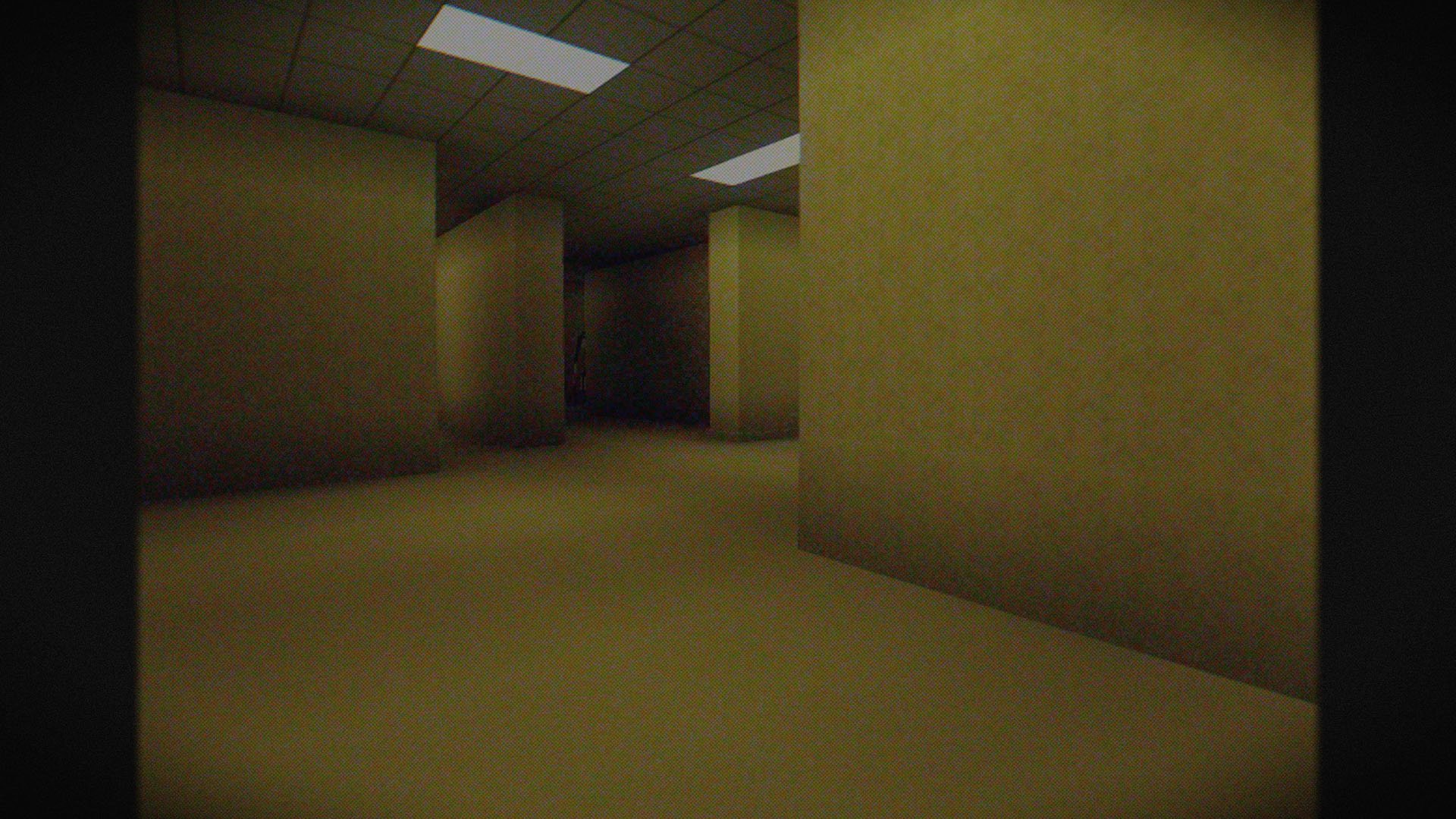
**Hi, I’m LoLip_p! I developed this shader to create a tense and eerie atmosphere, perfect for horror modpacks. I would be delighted if it were included in your projects. It features a CRT mask, various video artifacts, noise effects, and more. If any effects don’t match your preferences, all parameters are fully customizable, allowing you to easily toggle settings on or off. Support the author on Patreon.**
### SCREENSHOT:
## LINKS:
– Discord (Discuss, Bug Reports, Etc.)
– YouTube
– Telegram
## INSTALL THE SHADERS
– Download Client Which Supports Installing Shaders Such As Optifine And Iris
– Download The Shaders
– Copy Shaders to /.minecraft/shaderpacks
– Launch Minecraft, Go To Options –> Video Settings –> Shaders
– Choose **Cursed Fog**
## DEMO VIDEO
# О:
**Привет, я LoLip_p! Я разработал этот шейдер, чтобы создать напряженную и жуткую атмосферу, идеально подходящую для модпаков в жанре хоррор. Я был бы рад, если бы он был включен в ваши проекты. Он включает в себя маску CRT, различные видеоартефакты, шумовые эффекты и многое другое. Если какие-либо эффекты не соответствуют вашим предпочтениям, все параметры полностью настраиваемы, что позволяет легко включать или отключать настройки. Поддержите автора на Patreon.**
### СКРИНШОТ:

## ССЫЛКИ:
– Discord (Discuss, Bug Reports, Etc.)
– YouTube
– Telegram
## УСТАНОВИТЬ ШЕЙДЕР
– Загрузите клиент, поддерживающий установку шейдеров, таких как Optifine и Iris
– Загрузите шейдеры
– Скопируйте шейдеры в /.minecraft/shaderpacks
– Запустите Minecraft, перейдите в «Настройки» –> «Настройки видео» –> «Шейдеры»
– Выберите **Cursed Fog**
## ДЕМО ВИДЕО
# 关于:
**你好,我是LoLip_p!我开发了这款着色器,旨在营造紧张诡异的氛围,特别适合恐怖模组合集。若能将其纳入您的项目,我将深感荣幸。它包含CRT滤镜、多种视频伪影、噪点效果等特色功能。若某些效果不符合您的偏好,所有参数均可自由调整,您可轻松启用或禁用各项设置。支持作者请访问 Patreon.**
### 屏幕截图:

## 链接:
– Discord (Discuss, Bug Reports, Etc.)
– YouTube
– Telegram
## 安装着色器
– 下载支持安装着色器的客户端(如Optifine和Iris)
– 下载着色器资源包
– 将着色器复制到 /.minecraft/shaderpacks 目录
– 启动Minecraft,进入选项 –> 视频设置 –> 着色器
– 选择 **诅咒雾**
## 演示视频
# ÜBER:
**Hallo, ich bin LoLip_p! Ich habe diesen Shader entwickelt, um eine spannende und unheimliche Atmosphäre zu schaffen, die perfekt für Horror-Modpacks geeignet ist. Ich würde mich sehr freuen, wenn er in Ihren Projekten verwendet würde. Er verfügt über eine CRT-Maske, verschiedene Videoartefakte, Rauscheffekte und vieles mehr. Wenn Ihnen bestimmte Effekte nicht gefallen, können Sie alle Parameter vollständig anpassen und die Einstellungen ganz einfach ein- oder ausschalten. Unterstützen Sie den Autor auf Patreon.**
### SCREENSHOT:

## LINKS:
– Discord (Discuss, Bug Reports, Etc.)
– YouTube
– Telegram
## INSTALLIEREN SIE DIE SHADER
– Client herunterladen, der die Installation von Shadern wie Optifine und Iris unterstützt
– Shader herunterladen
– Shader nach /.minecraft/shaderpacks kopieren
– Minecraft starten, zu Optionen –> Videoeinstellungen –> Shader gehen
– **Cursed Fog** auswählen
## DEMO VIDEO
The CTR VCR shader brings the nostalgic feel of old CRT monitors and VHS tapes to your Minecraft experience, adding subtle but impactful visual artifacts and distortions. Inspired by the retro charm of analog technology, this shader introduces static noise, light distortions, chromatic aberration, scan-lines, and more to give the game a vintage, glitchy aesthetic. While these effects evoke a sense of retro realism, they are finely tuned to ensure they don’t overwhelm the visuals, making the shader perfect for regular gameplay. Enjoy the blend of modern gameplay with a retro-futuristic vibe that keeps the world immersive, stylish, and entirely playable.
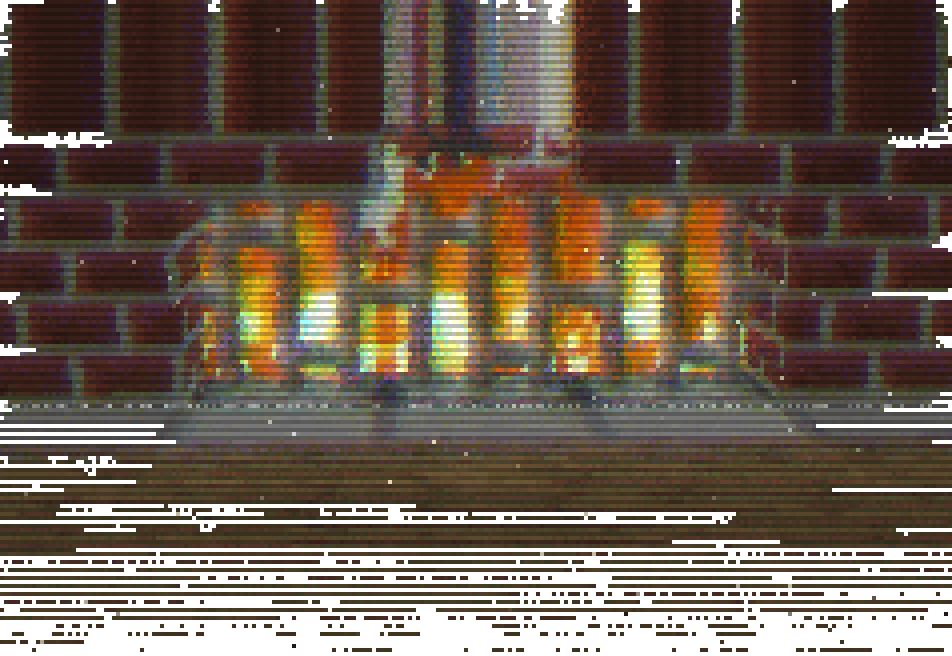
### Uncut gameplay using the shader (v0.0.1) in Nostalgic Craft v0.1.3o
—
The shader effects were originally a GLSL shader written for Unity in 2023, but were ported to minecraft shader.
# Crucify Shaders
🔥 Reality-Bending Nightmare Shaders for Minecraft 🔥
Crucify is a horrifying shader pack designed to destroy your sanity with nauseating visual effects, disturbing distortions, and psychedelic colors. Not for the faint of heart!
### ⚠️ WARNING ⚠️
These shaders contain intense visual effects including strobing, flickering, and rapid color changes that may be uncomfortable or potentially trigger photosensitive conditions. Use at your own risk!
### 🧠 Features That Will Break Your Brain
– Sky Insanity: Psychedelic patterns and distortions transform the sky into a nightmare
– Terrain Warping: Watch as the world wobbles and shifts beneath your feet
– Entity Distortion: Mobs and players twist and contort in disturbing ways
– Hand Movements: Your hands perform unnatural, disturbing animations
– Water Chaos: Water becomes a psychedelic, nauseating experience
– Weather Madness: Rain and snow move in chaotic, impossible patterns
– Rainbow Horror: Shifting colors that cycle through nightmarish hues
– Screen Distortion: Your entire view warps and pulses
– Texture Warping: All textures shift and distort unnaturally
### 📋 Requirements
– Minecraft Java Edition
– Iris Shaders
“I don’t know why anyone would want to use these lmao” – Developer
Download if you dare, but don’t say we didn’t warn you. This isn’t about making Minecraft pretty – it’s about making it horrifying.
### CRT Shader aiming to give Minecraft a retro style!
Current features include:
– Imitating Pixels
– Lens Distortion
– Chromatic Aberration and Bleed
– Posterization
– Scan Line
### Customization
While there still are limitied options I aimed to add as much customibitlity as possible giving you the ability to tweak most features to your liking 😀
### Warnings
This shader should work with Optifine and Iris from 1.8.9 – 1.20.1, if you encounter any issues you can allways report them 😀
Also from experience this shader does strain your eyes if you play with it on for hours on end.
The appearance may not be the best in images as it is best experienced in game.
### Installation
– First you need to install either OptiFine or the Iris mod to be able to load shaderpacks. (Choose Iris if you are unsure)
– Then you need to launch the game, and get to the Shaderpacks/Shaders menu in Video Settings.
– Open the shaderpacks folder by clicking the button in the menu.
– Download the CRT Shader and put it in the shaderpacks folder.
– Get back in the game, and choose CRT_Shader in the shaderpacks menu. (Refresh the menu if it doesn’t appear)
# CRT Monochrome Shaderpack
> *”End of Line.”*
**CRT Monochrome Shaderpack** is a lightweight GLSL shader pack for Minecraft Java Edition (Iris/OptiFine) that replicates the high-contrast, phosphor-display aesthetic of early 80s computing.
It replaces standard rendering with a strict two-tone wireframe/threshold visualization, simulating a monochromatic CRT monitor inside the game.
## 🖥️ Visual Style
### The “P1″ Phosphor Aesthetic
By default, the pack utilizes the **”P1 Apple Green” (#33FF33)** color scheme, mimicking the high-persistence green phosphor monitors of the Apple II era. The world is rendered as a stark contrast between illuminated geometry and a pure black void.
### CRT Emulation
The pack includes a fully procedural CRT post-processing stack:
– **Screen Curvature:** subtle geometric distortion to mimic a curved glass tube.
– **Scanlines:** Horizontal beam lines that scroll slowly with time.
– **Chromatic Aberration:** Slight RGB channel separation at the screen edges.
– **Vignette:** darkening at the corners to simulate tube depth.
## ⚙️ Technical Features
– **Depth-Based Rendering:** Uses Sobel Edge Detection and luminance thresholding on the depth buffer to generate outlines and solids.
– **Optimization Friendly:** Extremely low GPU overhead. Disables standard lighting, shadows, and PBR calculations.
– **”Hall of Mirrors” Fix:** Includes a custom Sky Shader module that forces a depth buffer clear. This prevents the “smearing” artifacts common when using optimization mods (like Radon/Sodium) that disable vanilla sky rendering.
– **Driver Support:** Compatible with both NVIDIA and AMD GPUs (OpenGL 3.0+).
## 🎛️ Configuration
While the default is Green, the pack is fully configurable via the **Shader Options** menu in-game.
### RGB Color Channels
You can manually mix the phosphor color using 0-255 sliders.
– **Classic Amber:** R: 255, G: 176, B: 0
– **Macintosh White:** R: 229, G: 251, B: 255
– **Neon Purple:** R: 214, G: 3, B: 220
### World Settings
– **Contrast Threshold:** Controls the sensitivity of the edge detector (higher = darker world, lower = more noise).
– **Void Distance:** Sets the strict cutoff distance where the grid fades into black.
– **CRT Effects:** Sliders to adjust or disable Curvature, Scanline Intensity, and Aberration.
## ⚠️ Known Issues & Troubleshooting
### The “Hall of Mirrors” (Smearing) Effect
If you see the screen “smearing” or trails following your movement, your Depth Buffer is not being cleared correctly.
– **The Cause:** This usually happens with high-performance custom clients or mods that disable the vanilla sky rendering to save FPS. Without the sky pass, the command to clear the previous frame’s depth data is never sent.
– **The Fix:**
1. Ensure **Sky Rendering** is enabled in your client settings.
2. If you are a developer using a custom rendering engine, ensure the depth buffer bit is cleared at the start of the frame.
### Items appear as “Blobs” or lack detail
If hand items look like solid blocks of color:
– Adjust the **Contrast Threshold** in the shader options.
– Lowering the threshold will make the detector more sensitive to smaller depth changes, revealing more detail on close-up objects.
## 📥 Installation
1. Download the `.zip` file.
2. Place it into your `.minecraft/shaderpacks` folder.
3. Launch the game using **Iris** or **OptiFine**.
4. Select **CRT Monochrome Shaderpack** from the Shader list.
*Note: For the best experience, ensure “Render Regions” is enabled if using OptiFine.*
## 📣 Streaming & Content Creation
If you feature this shader pack in a stream or video, please provide credit by linking to the official project page or mentioning **h1ggsk**. I’d love to see what you create with it!
## 📦 Modpack Policy
– **Permission Granted:** You are free to include the `CRT Monochrome Shaderpack` in modpacks hosted on **CurseForge** or **Modrinth**.
– **Requirement:** The modpack must use the official project dependency/link so that downloads are tracked through the original source.
– **Prohibited:** You may not re-upload the shader pack as a standalone file or host it on third-party “mirror” sites.
## 📄 License
**Copyright © 2026 h1ggsk. All Rights Reserved.**
This software is the intellectual property of **h1ggsk**.
1. **Non-Redistribution:** You may not re-upload, mirror, or redistribute this shader pack as a standalone project.
2. **Modification:** You may modify the code for **personal use only**. You may not distribute modified versions of the code (“forks”) without explicit written permission from the author.
3. **Modpack Exception:** Use in curated modpacks is permitted under the conditions outlined in the “Modpack Policy” above.