## Features
– Shadows
– Distant Horizons Support
– Custom Settings
Miniature Shader
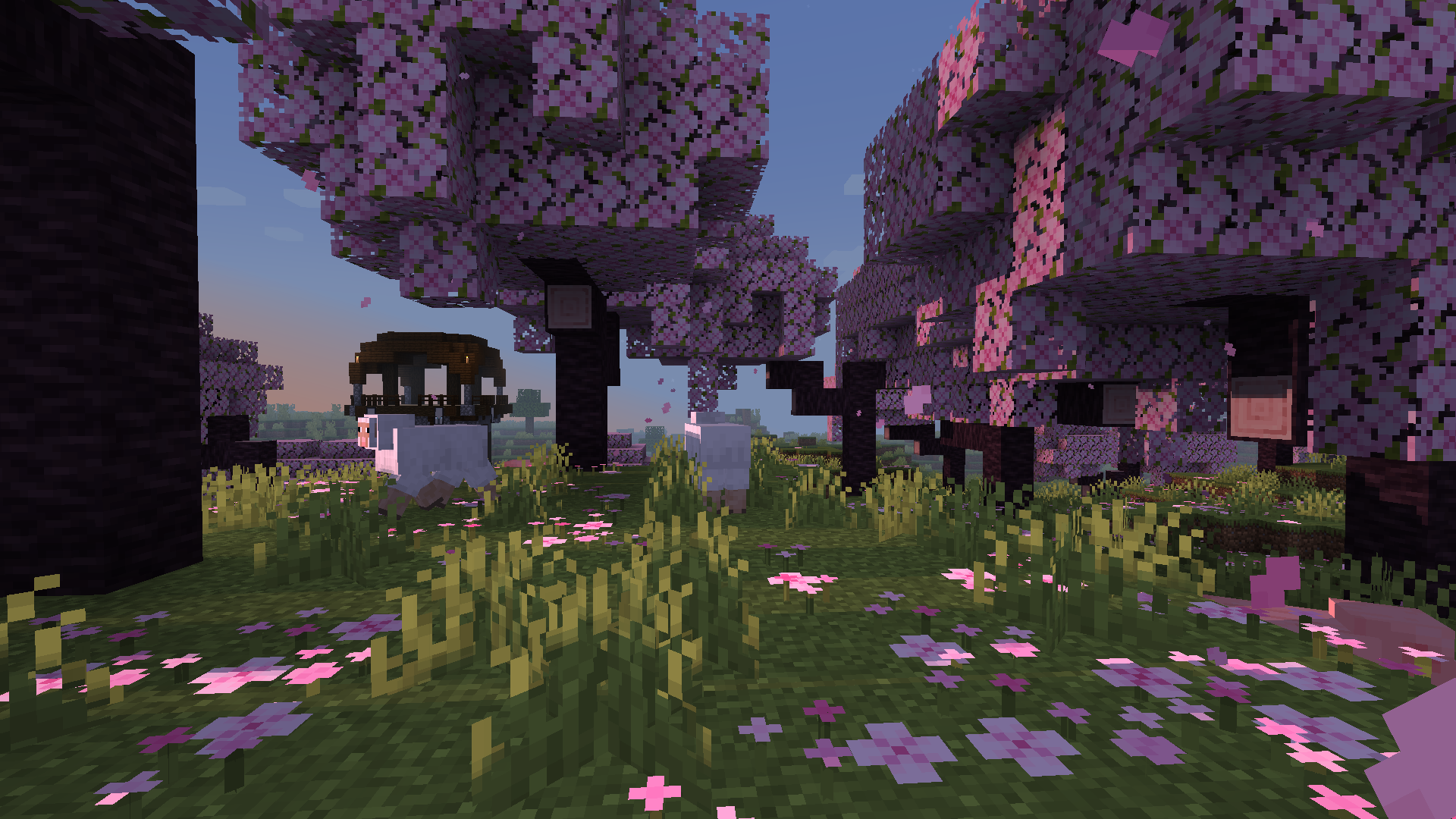
Miniature is a natural take on Minecraft shaders. It offers blocky shadows and reflections in water, ice and
other commonly reflective blocks, and a slight overhaul of emissive lighting; all in a very lightweight way. Its goal, above all else, is to keep with Minecraft’s model-like appearance without compromising performance.
Chippa256 shader
Very basic but effective shader that applies dithering and other vintage screen effects to make the iconic low-res look and feel of Minecraft seem even more low-res!
There isn’t much to say about this shader for now.
Mellow
### Features
– Broad mod compatiblity: Distant Horizons, Voxy, Colorwheel etc.
– Several preset color schemes
– Extensive & customizable fog system
– Multiple styles of clouds
– Lightmap or shadowmap based shadows
– Extensive olor grading (saturation, exposure, color balancing tool etc.)
– Easily adjustable colors
### Compatibility
– At the moment only versions 1.17 and up are being tested. Earlier versions may or may not work.
– Modern Nvidia, AMD and Intel gpus are supported on both Windows and Linux. Macs may or may not work.
– Please use the latest Iris version (any version that supports custom uniforms should work). Optifine has some small bugs, but it should also mostly work.
Mello
# Mello
Mello is a shader designed to deliver high performance with great visuals.
It uses efficient and minimal algorithms for visuals to get better performance.
It has different profiles and configurable options.

– Soft Large Bloom
– Filtered Shadows
– Volumetric Fog and Water
– Accurate Subsurface Scattering
– Reflections
## Coming Soon :
– Clouds
– Dynamic lighting
– Penumbra shadows
– More accurate effects
– More efficient code
Currently in development
minecraft CRT
# mCRT
mCRT is a simple highly customizable analog horror shader primarily designed to emulate CRT monitors.
—
### Features
– Customizable pixel size
– Various colorful overlays
– Fully adjustable fog
– Customizable scan flicker
– Variable screen static
– Chromatic aberration

—

—

This shader is an adaptation (and expansion) of Xor’s wonderful CRT shader for GameMaker, which can be found [here](https://mini.gmshaders.com/p/gm-shaders-mini-crt).
MC VHS
## ⨠ Notes
Despite what the versions may say, all MC VHS versions 2 and above will work on _most_ versions of Iris (and probably Optifine, though I haven’t tested). It would be a hassle to constantly update what versions it supports, so I’m just saying it here. Thanks for using my shader!
# ⨠ What is MC VHS?
MC VHS is a Minecraft shader, duh. Jokes aside, this shader aims to apply a somewhat realistic VHS filter to the game itself, as opposed to a filter applied in post. Compared to other shaders which incorporate VHS effects, this shader aims to be a bit more realistic than just “slap on some chromatic aberration and scanlines”, which I will expand upon in “What does MC VHS do?”. Whether you use it for an ARG, nostalgia bait or what have you, so long as my work is used for something creative, I’m happy.
## ⨠ What does MC VHS do?
Here I’ll talk a bit more in-depth about the features and how it works.
First off, as stated previously, MC VHS is a slightly more realistic VHS effect for minecraft. Whereas most other effects will use some combination of chromatic aberration, scanlines and distortions, my shader tries to emulate how videos are compressed, the main features being compression in the YIQ colour space, colour & luminance noise, post-sharpening and interlacing.
## ⨠ What next?
Sorry it took so long for this, I really was in college, but I have also had Version 2 on my hard drive for quite a while now so there isn’t much of an excuse… I won’t promise I’ll update this to the extent I was doing, I may add some features in the future, or mess around with it a bit, but not as much.
**MakeUp** aims to provide the best quality / performance ratio, building a shader that can be adapted to anyone’s resources. Build the shader you want! All the effects are optional!, and you will only consume the resources that you need.
**¡Compatible with Optifine and Iris!**
## Optional features:
* Shadows
* Optional volumetric clouds
* Antialiasing (TAA)
* Depth of field
* Enhanced ambient occlusion
* Water reflection and refraction
* Motion blur
* Optional bloom
* Optional chromatic aberration
* Auto-exposure
* Shader for all native dimensions
* FAST!
* And more…
## Tested on
* Minecraft 1.12.+ – 1.21.x
* Nvidia, Intel, AMD (It’s not guaranteed to work on each and every existing model)
* Windows and Linux
## You can
* You can use the shader without restrictions.
* You can fork the shader from: [https://github.com/javiergcim/MakeUpUltraFast](https://github.com/javiergcim/MakeUpUltraFast)
* You can modify this shader for any purpose.
* If you modify or use the shader PLEASE add a credit.
## Color schemes
It can be boring that everything looks the same all the time. Choose a color scheme according to your tastes and change it whenever you want.
## Recommendations
Leave Optifine’s native shader options at their default values, otherwise you may see shader quality reduced. Customize using only the options of the shader itself.
Shadows and depth of field are resource-intensive effects. You can remove them if you need more performance, and it will still look great.
## Donation
If you think this work deserves a small stipend, please donate! I will be eternally grateful to you:
[Donation via PayPal](https://www.paypal.com/donate/?hosted_button_id=4N9Q5RMZL2CVN)
Make Your Own Shaders
This is a Tutorial Series that will teach you how to make your own Shaders!
Each version here has a YouTube video that walks you through everything. It Teaches you in an interactive way, so that you can play around and have fun being creative, instead of just copy-pasting code and not knowing how it works.
… More
…you can watch the whole playlist on YouTube, and the files for each episode are also free on Patreon. They are here for anyone who has a problem accessing Patreon.
Each video should also be linked in the change log for each version.
A cinematic, realistic shader pack for Minecraft Java Edition.
Luxora Shaders delivers warm, film-like visuals with golden lighting, natural sky gradients, and clean post-processing. Designed for players who want their worlds to look stunning without the over-processed look.
## Features
* **Cinematic Lighting** — Warm golden sunlight with natural color grading across all times of day
* **4 Color Schemes** — Cinematic, Natural, Golden Hour, and Moonlit
* **Beautiful Water** — Reflections, caustics, wave normals, and optional foam
* **God Rays** — Screen-space lightshafts around the sun
* **Bloom** — Soft glow on lanterns, torches, and bright surfaces
* **Volumetric Clouds** — Fancy clouds with silver lining effect
* **Ambient Occlusion** — Adds realistic depth to blocks and surfaces
* **Waving Vegetation** — Plants and leaves sway in the wind
* **Adjustable Sun/Moon Size** — Scale from 0.5x to 3x
* **Anti-Aliasing** — TAA, SMAA, and optional image sharpening
* **Distant Horizons Support** — Works with the DH mod
* **Custom Tonemap** — Unique “Luxora” tonemap operator for cinematic highlights
* **Depth of Field & Motion Blur** — Optional camera effects
* **3 Performance Profiles** — Fast, Fancy, and Fabulous
## Requirements
* Minecraft Java Edition
* Iris Shaders or OptiFine