Rethinking Voxels
# Rethinking Voxels
This shader is an edit of [Complementary Reimagined](https://www.complementary.dev/reimagined) that aims to be decently fast (when compared to path tracing shaders) while having block lights cast sharp shadows.
### Notes
The lighting system is not perfect. Occasional sudden brightness changes are a side-effect of the way it works and cannot be completely removed without hurting performance or removing sharp shadows from light sources. To do the latter, disable `Per-Pixel Lighting` in the `Rethinking Voxels Settings`.
This shader is developed on Iris, using an AMD graphics card on linux, and it is also tested on an NVidia graphics card on linux. While it usually works on other platforms, bugs that appear only there are not caught by my testing and hence they take longer to fix. To use this shader pack, the Iris shader loader is required. Beta 18d and older versions also work on OptiFine.
### Contact
If you need support, please join the [shaderLabs discord server](https://discord.gg/8wT5KxF4TZ), where this shader has a channel (#rethinking-voxels-gri573).
### Partnership
I have entered a partnership with Ember, a Minecraft server hosting provider. This is because Ember hosts the complementary SMP server and has provided a better hosting experience / customer support than the previous hosting service, and because they reached out asking about it. If you need to host a Minecraft server and wish to support Rethinking Voxels’ development at the same time, do check them out! Using the promotional code `RETHINKING` in a first-time purchase will redirect 70% of the first month’s fee to me as well as give you a 10% discount.
[](https://billing.ember.host/aff.php?aff=13)
### Media
Video by youtube user iambeen that showcases rethinking voxels beta 18d (with custom settings), compared to the original reimagined:
RenderPearl
# Modern, lightweight shaders for Iris
RenderPearl is an incredibly lightweight shader pack using the latest Iris features and optional extensions on various graphics drivers, aiming to deliver pleasant visuals with excellent performance on modern hardware.
If you want to report a bug or give feedback/suggestions, the best way to do so is by opening an issue on the [GitHub issue tracker](https://github.com/Luracasmus/renderpearl/issues). I rely heavily on user feedback in bug fixing and design.
Trivia
This project started as a continuation of “Luracasmus Shaders” (which is why you might have seen it called “LS RenderPearl”), but modern versions share little to no code with the original project. The question remains as to whether the same shader pack remains throughout, when all parts are replaced.
The name “RenderPearl” is inspired by the Bedrock Edition [RenderDragon](https://minecraft.fandom.com/wiki/RenderDragon) engine.
## Features
LabPBR 1.3 compliance & material data
“Yes” indicates support for per-texel data.
| LabPBR 1.3 required component | From resource pack | Configurable nonstandard channels | Included/procedural |
| —————————– | —————————————– | ——————————— | ———————– |
| Albedo | Yes | No | No |
| Smoothness | Yes, or as linear or perceptual roughness | Yes | Yes |
| f0/reflectance | No | | Constant |
| Normal | Yes | No | Yes |
| LabPBR 1.3 optional component | From resource pack | Included/procedural |
| —————————– | —————————— | ————————————– |
| Hardcoded metal | No | No |
| Porosity | No | No |
| Subsurface scattering | No | Constant, only on translucent geometry |
| Emmissiveness | No | Yes |
| Ambient occlusion | Binary, per-block (from model) | Yes |
| Height | No | No |
* Smooth, colored real-time shadows and volumetric light using distorted shadow mapping.
* Colored block light with physically based reflections using a light list combined with vanilla lighting and average texture color.
* Ray traced, per-hand hand light.
* A wide range of highly optimized post-processing effects, including compute shader implementations of [FidelityFX Contrast Adaptive Sharpening](https://gpuopen.com/fidelityfx-cas/), [SMAA](https://www.iryoku.com/smaa/) 1x from [SMAA-MC](https://modrinth.com/shader/smaa-mc), automatic exposure and a variety of tone mapping operators.
* Customizable waves and water opacity.
* Built-in utility features such as light level visualization and a compass overlay.
## Mod & Resource Pack Compatibility
Most built-in PBR information, including light colors, material normals and roughness, are almost entirely procedurally generated and should therefore work perfectly with most resource packs and mods.
Integration with Distant Horizons and Voxy is supported on the latest Minecraft version, but experimental and very basic. Complete support is planned for a future update.
Support for mods that modify the Iris shader pipeline, such as Chunks Fade In, is experimental and may have issues, such as the shader pack failing to compile.
## Requirements
> If you have a decently modern non-macOS device it probably supports everything you need, but you might have to update your Iris and graphics drivers.
* **Iris** with support for features:
* `BLOCK_EMISSION_ATTRIBUTE`
* `COMPUTE_SHADERS`
* `CUSTOM_IMAGES`
* `ENTITY_TRANSLUCENT`
* `PER_BUFFER_BLENDING`
* `SEPARATE_HARDWARE_SAMPLERS`
* `SSBO`
* **Graphics drivers** with support for **GLSL 4.60.8+**.
* **Minecraft** of a version that is listed as supported by the RenderPearl release. The latest supported version is usually the most stable.
Driver Support
| OS | Drivers | Support |
| ——- | —————– | ——— |
| Linux | Mesa RadeonSI | Perfect |
| Linux | Nvidia | Very Good |
| Linux | Mesa Zink/RADV | Good |
| Linux | Mesa Zink/Nvidia | Unstable |
| Windows | AMD Adrenalin | Good |
| Windows | Nvidia Game Ready | Very Good |
Only the latest stable versions are tested. All other drivers are untested. Please report any issues that occur.
## Tuning & The Compatibility Menu
The default configuration and all values selectable with profiles are intended to work on all systems that meet the shader pack’s **Requirements**, though you may be able to achieve higher performance and quality by changing some of these options. Beware that some values may cause the shader pack to not compile, in which case you simply have to reset the option. These are usually marked with a red ⚠.
Implementation-Limited Options
> The usable values and effects of these options depend on your graphics drivers.
* **Light List Capacity** is limited by the amount of Local Data Share memory usable per work group on your GPU. Depending on your GPU and graphics drivers, and the features enabled by the 16/8-Bit Types option, you may be able to set this significantly higher than the maximum value selectable with profiles (though there is no reason to do so if the light list isn’t being filled completely, usually indicated by lights flickering, as it impacts performance negatively).
* **16/8-Bit Types** uses optional OpenGL/GLSL extension-provided half- and/or quarter-sized data types to reduce register, LDS and VRAM usage. Performance impact varies depending on hardware and drivers, as conversion between types has a cost, but operations with smaller types can be significantly faster.
* **Trinary Min/Max** performs trinary minimum and maximum operations in singular function calls using the optional `AMD_shader_trinary_minmax` OpenGL/GLSL extension, which may allow generation of more optimal instruction sequences. It’s recommended to use this whenever possible.
* **32×16-Bit Multiplication** performs multiplication between 32-bit integers and integers in the 16-bit-representable range using special functions provided by the optional `INTEL_shader_integer_functions` OpenGL/GLSL extension, that may be faster than regular 32-bit multiplication operators. It’s recommended to use this whenever possible.
* **Immutable Constants** marks all shader variables that can be immutable as constant, possibly enabling better optimizations. This feature is required by the GLSL specification, but still unsupported on some graphics drivers. It’s recommended to use it whenever possible.
## Design & Modding RenderPearl
RenderPearl’s source code is intended to be modifiable and re-usable. It’s written according to best practice to the best of my ability, but prioritizing performance over readability. If you have any questions about how it works, feel free to contact me on any platform.
Technical information can be found in [the GitHub repository](https://github.com/Luracasmus/renderpearl/blob/main/DEV.md).
—
**These are the only RenderPearl project pages made by me:**
* [Modrinth](https://modrinth.com/shader/renderpearl)
* [CurseForge](https://www.curseforge.com/minecraft/shaders/renderpearl)
* [Planet Minecraft](https://www.planetminecraft.com/mod/luracasmus-s-shaders/)
* [GitHub](https://github.com/Luracasmus/renderpearl)
If you want to distribute RenderPearl, or just spread the word of it, I would greatly appreciate if you would link to at least one of them, Modrinth being the most important one.
Reflective Vanilla Shaders
## About
**Reflective Vanilla Shaders** is a Shader Pack which makes Vanilla graphics reflective. The shader adds reflections, specular highlights, and blurs, with PBR (physically based rendering).
## Features
– Sky reflection
– SSR (screen-space reflection)
– Roughness blurs for reflections
– Translucent blurs for blocks behind translucent objects
– Specular highlights by PBR or the Vanilla sun (toggle)
– Camera angle dependent water transparency
– Gamma correction, tone mapping, and contrast filter
## Donation
This project is totally free, but if you support me through your donations, I would be very pleased and would like to make them motivation of mine in the future.
**[Donate](https://ko-fi.com/rinloid)**
RedHat Shaders
– About
RedHat is a shaderpack that for Iris and Optifine.
It is an edit of an old version of Chocapic13, and has many features.
RedHat’s main features are lighting effects such as Godrays (3D, or 2D, if you have a low-end machine), Shadows, Underwater Light Absorption, and many more.
The shaderpack features reflections too, and reflects some light on all surfaces, to make everything look more similar to the Minecraft trailers style.
There are many cinematic options such as Lens Flares, Depth of Field (Chromatic Aberration included), Grain, Tilt Shift, and others.
The colors, which change depending on the time, make everything more realistic yet they keep the fantasy vibe.
There are many effects related to movement as well. All foliage or hanging things such as lanterns wave. Along those there are Waving Hand and Waving Camera options too, configurable as well.
If that wasn’t enough, RedHat supports all versions from 1.7.10 up to 1.21, and it supports custom skyboxes!
Lastly, there are many atmospherics effects such as Fog and Clouds, Round moon and sun, and other things like PBR support, Auto-Exposure, Stars, and many, many other things.
There are a lot of ways you can customize the shaderpack, and make it look like the way you want.
– Requirements
GPU: Must support OpenGL 3.2 and have at least 1GB of VRAM. AMD, NVIDIA and Intel are all supported (You’ll have to decrease some settings to play smoothly with Intel GPUs).
CPU: Must have a minimum clock speed of 1GHz
RAM: Must have located at least 1.5-2GB of RAM to your game
OS: Windows (7,8, 8.1, 10, 11), Linux (Mesa drivers might lead to issues)
Shadermod: Optifine or Iris
MC Version: 1.7.10, up to 1.21
> Light Settings Recommendation: i3/i5 3-4th Gen, 4GB DDR3 RAM, GT 1030 2GB GDDR5
> Balanced Settings Recommendation: i5/i7 8-9th Gen, 8GB DDR4 RAM, GTX 1050 Ti 4GB GDDR5
> Heavy Settings Recommendation: i5/i7/i9 10th+ Gen, 16GB DDR5 RAM, GTX 1660 Ti 6GB GDDR6
If you use RedHat without meeting these requirements, then keep in mind you’ll take a risk.
RedHat is a pretty heavy shaderpack, thus do not expect it to be FPS friendly on the default settings.
Recastional
# 🌊 Recastional Shader Pack
> **Elevate your Minecraft experience to a cinematic masterpiece.**
**Recastional** is a shader pack designed to transform your world into an exhilarating visual journey. It creates a unique atmosphere, enveloping the environment in a warm, caressing light that brings every pixel to life.
***
## ✨ Overview
As the sun rises and sets, its rays pierce through the clouds, casting a **soft golden glow** that enhances the natural beauty of the landscape. With **Recastional**, you don’t just play — you immerse yourself in a cinematic experience where every frame is a work of art.
* **Vibrant Textures:** Every rock, tree, and building feels detailed and alive.
* **Shimmering Waters:** Realistic water surfaces that sparkle as if kissed by sunlight.
* **Dynamic Shadows:** Stretching and shifting shadows that add profound depth to your surroundings.
* **Atmospheric Skies:** Volumetric clouds and glowing flora that invite exploration.
***
## 🛠 Complete Feature List
### 🎨 Advanced Rendering Systems
* **Enhanced Particle System** – Physics-based particle rendering with LOD support.
* **Volumetric Clouds** – High-precision ray-marching for realistic skyboxes.
* **Advanced Water System** – Real-time reflections, refractions, and caustics.
* **Parallax Terrain Mapping** – Height-based surface displacement with triplanar mapping.
* **Entity Glow Effects** – Dynamic rim lighting and emissive textures for special entities.
### 🔧 Post-Processing Pipeline
* **Enhanced Composite** – HDR tone mapping, professional color grading, and subtle film grain.
* **Bloom System** – Multi-pass bloom with Gaussian blur and granular intensity control.
* **Depth of Field** – Realistic camera focus with high-quality hexagonal bokeh.
* **Advanced Shadow Mapping** – PCF filtering with support for soft and colored shadows.
### 🚀 Performance & Optimization
* **GPU Optimizer** – Hardware-specific tweaks for **NVIDIA**, **AMD**, and **Intel**.
* **LOD Manager** – Automatic level-of-detail scaling based on distance.
* **Dynamic Quality Scaling** – Real-time performance adjustments to maintain stability.
### 🔄 Compatibility & Legacy
* **OpenGL Compatibility** – Stable fallback shaders for older graphics hardware.
* **Cross-Platform** – Full support for **Windows, macOS, and Linux**.
* **VR & Multi-Monitor** – Stereoscopic rendering and ultra-wide display configurations.
### 📚 Technical Foundation
* **PBR Shading Library** – Physically Based Rendering using the **Cook-Torrance BRDF**.
* **Next-Gen Lighting** – Volumetric lighting, SSAO, and Global Illumination (GI).
* **Weather Module** – Dynamic simulation of rain, snow, and atmospheric fog.
***
## 📋 Configuration & Presets
You can fine-tune your experience using our modular configuration files:
* `advanced.properties` – Toggle high-end rendering features.
* `performance.properties` – Hardware-specific optimization toggles.
* `debug.properties` – Tools for development and analysis.
### ⚠️ Important Note on Performance
To achieve the **ULTRA** and **HIGH** graphics shown in screenshots, **Iris Shaders** is highly recommended.
> **Note:** High settings are hardware-intensive. If you experience low FPS, please adjust your preset in the shader options.
***
## 🎮 Version Support
* **Compatibility:** Fully optimized for **Minecraft 1.21.11**.
* **Engine:** Works best with **Iris** or **OptiFine**.
***
_Created with passion for the Minecraft community._
Also available on CurseForge: [CurseForge](https://www.curseforge.com/minecraft/shaders/recastional)

Pyvtron VX
## [Pyvtron VX](https://pyvton.pages.dev/minecraft-shaders/pyvtron-vx)
### Details
Features: Volumetric Fog, Water Caustics, Cumulus Clouds, Cirrus Clouds, High Resolution Graphics, ultra realistic rain and very much features that you will see in the game!
Performance Impact: High / Medium (Medium: If you have a good computer).
You can find older versions and the official release(s) of Pyvtron VX [here](https://pyvton.pages.dev/minecraft-shaders/pyvtron-vx) ([My Website](https://pyvton.pages.dev/))
### Requirements
AMD CPU (Recommended)
Nvidia GPU (Recommended)
A graphics card that supports OpenGL 4.6 or OpenGL 4
Note: I currently only have access to Nvidia GPUs for testing. I cannot make sure if Pyvtron VX works on Intel CPUs and AMD GPUs.
### Installation
Install it like other Minecraft Shaders or read this here if you don’t know how to install minecraft shaders:
1. First download the Iris Shaders Installer / Mod
2. Run the .jar and click on Install.
3. Download the latest version of Pyvtron VX
4. Open the Minecraft Launcher. You’ll see the Iris Shaders profile – select it and start Minecraft.
5. Go to Options → Video Settings → Shaders → Shaderpacks Folder.
6. Drag the downloaded shaderpack into the shaderpacks folder.
7. Select the shaderpack ingame.
8. Enjoy.
### Other Stuff
Before you modify or do something with this shaderpack, you must read the [license](https://pyvton.pages.dev/licenses/pccl)
Pyvtron VX is not path traced etc. VX means Version X
If you want to know, how to add support for modded dimensions (for new dimension mods) read this here on my [docs](https://pyvton.pages.dev/docs/minecraft-shaders/modding/how-to-add-mod-support-for-modded-dimensions)
Pyvtron Shaders
## [Pyvtron Shaders](https://pyvton.pages.dev/minecraft-shaders/pyvtron)
Pyvtron shader is a shader that tries to look realistic.
This shader has a extreme realistic 8k resolution sky and and a beautiful water color
Stuff: Light-Rays, Dirty Lens, Ambient Occlusion, Much Settings, Fog and More!
If you want to support me please make videos on youtube, tiktok or other platforms (so that Pyvtron Shaders becomes better known)
And don´t forget to download the newest version!
### Requirements
– AMD CPU. Intel is not compatible with this shader!
– Nvidia GPU Or AMD GPU.
– A graphics card that supports OpenGL 4.6 or OpenGL 4
– Iris Shaders Mod. Other Shaders Mods are **NOT SUPPORTED OR TESTED**
Installation
1. First download [Iris Shaders](https://www.irisshaders.dev/) (This is only the Installer or download [the mod](https://modrinth.com/mod/iris))
2. Run the .jar and click on Install.
3. Download the latest version of Pyvtron.
4. Open the Minecraft Launcher. You’ll see the Iris Shaders profile sellect you profile and Start Minecraft.
5. Go to Options → Video Settings → Shaders → Shaderpacks Folder.
6. Drag the downloaded shaderpack into the shaderpacks folder.
7. Select the shaderpack ingame.
8. Enjoy.
## Please Check Also My Other Shaders Out:
### [Pyvtron VX](https://pyvton.pages.dev/minecraft-shaders/pyvtron-vx) (Version X)
Pyvtron VX (Version X) Is realistic and has much much more detail and has much more realism than Pyvtron Shaders!
### Blacklist:
– KLauncher
– Xenolith
– Minecraftzw
– FoxyCraft
### Whitelist:
– 9Minecraft
– Zonacraft
– Feed The Mods
– Minecraft-France
## 1. Allowed Actions
You can upload it to a site but the download link must be one of CurseForge, Modrinth, Github or [My Website](https://pyvton.pages.dev/minecraft-shaders/pyvtron)
“Modify the project for personal use only, without sharing or publishing it.
Record and upload videos, screenshots, and streams showcasing Pyvton Shaders on platforms like YouTube, Twitch, TikTok, etc., including monetization, under these conditions:
## 2. Prohibited Actions
Uploading, rehosting, or distributing any version of Pyvton Shaders using your own links.
Using any ad-based or monetized link services (e.g., AdFly, Linkvertise, Boosters).
Bundling or embedding Pyvton Shaders into:
Modpacks, resource packs, launcher tools, or shader collections.
Minecraft servers or launchers, in any form—pre-installed, downloadable, or bundled.
Any third-party software or shader management tools.
Sharing modified versions unless:
You received explicit written permission from Pyvton.
The modified version contains significant original work.
It is licensed under the same license.
No monetization is involved unless approved by Pyvton.
Using parts of the project (e.g., code or textures) in other projects without permission.
Add a download link in the description
Prismarine Shader
**ABOUT**
+ Prismarine is a BSL Shaders edit. It aims to provide beautiful visuals at moderate performance cost.
**KEY FEATURES**
+ Fancy volumetrics (clouds, fog, Nether & The End smoke)
+ Custom sky effects (nebulae, auroras, planar clouds, stars, moon smoke)
+ Integrated PBR resourcepack
+ Cinematic blur effects (depth of field, motion & distant blur, bloom)
+ Fancy water effects (refraction, caustics, light absorption & scattering and underwater light shafts)
PixelCraft Shaders
##  A Complementary Shaders Edit
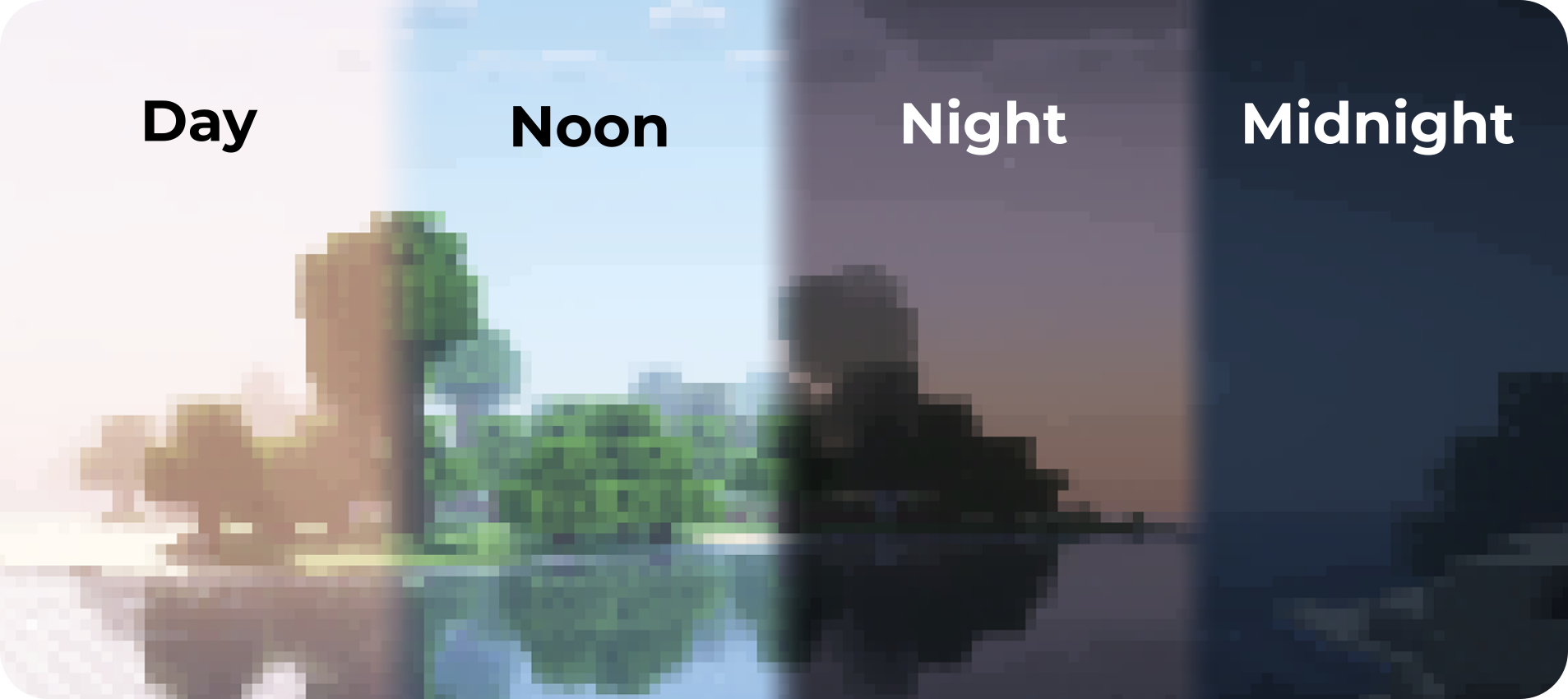
PixelCraft Shaders is a [Complementary Shaders](https://modrinth.com/shader/complementary-reimagined) edit, developed by [SpacEagle17](https://linktr.ee/SpacEagle17), aiming to replicate pixel art. Every screenshot is a new piece of art brought to life!
**Important notice: Please don’t report any bugs to Emin, contact information is below.**

## 🔗 Links
* **Support SpacEagle17 on [Patreon](https://www.euphoriapatches.com/support/) and get access to Preview Versions!**
* **[Website](https://euphoriapatches.com)** of Euphoria Patches – the main project of SpacEagle17!
* **Contact: https://euphoriapatches.com/contact**
## Sponsored by Ember Host
Looking for an affordable and reliable Minecraft server host? Check out [**Ember Host**](https://www.euphoriapatches.com/ember-referral)! I personally love working with them – they offer incredible value for the price, are highly underrated, and have an amazing support team.
By clicking the banner below, you’ll get a **10% discount on your first purchase** and support the development of Euphoria Patches, with 50% of your first purchase going directly to its creator. Alternatively, use the code **EUPHORIA** at checkout to claim your discount!
Special thanks to Emin the developer of [Complementary Shaders](https://www.complementary.dev/) and all testers on Discord! This project would have been impossible without you!
Phoxel PT
## Please read!
This shader is still in beta, expect to encounter issues, because you will. When you do come across issues, let me know about it! I am actively working on improving and fixing up Phoxel, and your help will make it a lot easier
## About Phoxel
Phoxel was started because of a lack of publicly available path tracing shaders for Minecraft, and was originally meant to be purely vanilla in it’s style. But with the 0.6 re-release, Phoxel is starting to take on it’s own visual style, and I now strive for Phoxel to capture some of the beauty of real life, mixed with the unique ambience and blocky beauty of the Minecraft we’ve all come to love.
Phoxel currently covers two shaders: Phoxel PT, and Phoxel Lite, some info will differ between the two. All new releases and features will come out on Phoxel PT before Phoxel Lite, but Phoxel Lite will have a few features before Phoxel PT, purely because some features are much easier to implement without path tracing.
## Phoxel PT
### Phoxel PT is designed for screenshots, if you want to use Phoxel for gameplay, please check out Phoxel Lite (Not yet available)
Phoxel PT is the original, with the goal of eventually capturing Phoxel, with it’s core philosophy, at it’s absolute best. (with some render time of course :P)
## Extra Info
Report issues and see up coming updates for the project on [Github](https://github.com/Despatra/Phoxel). See events, ask questions, and do more in the [Discord](https://discord.com/invite/GSF9D3Q2T5)
### Most Recent Update
Phoxel is back, but there are changes to how things will work:
1. I will no longer be releasing Beta versions, instead all projects will now only include releases and patches
2. All full releases will receive patches to make sure they work with the most recent version of Minecraft
Generally this does mean releases will be much more spread out in comparison to pre Phoxel Beta 0.5 releases, but I feel you all deserve not crappy shaders and projects.
I’m going to try a couple more things, but if what I try doesn’t work, or is something beyond me, Phoxel will not be able to be as performant as needed, and may move to a screenshot directed shader, rather than a real time path tracer, and the quality will probably never be comparable to others.


