Spring Shaders (Chun)
# Introduction
“Spring” sets a tone of freshness and nature, using soft and bright colors to create a tranquil and harmonious atmosphere. As the harsh winter melts away and all living things recover, who is it that plucks the strings of the season and plays the movement of life? The brand-new shader work, **Spring v2**, will take you into a dreamlike utopia.
## Shader Information
This shader is a practice work I wrote while studying the course *Games202 – High Quality Real-Time Rendering*. I consider it a sequel to the “Spring” series of shaders; you can view it as a refactored/completed version of *Spring v1*. “Spring” is the codename I used when creating texture packs ten years ago, and I have continued to use this designation.
Below are the effects included in this shader:
### Lighting System
* Path Traced Global Illumination (PTGI) and Ray-Traced Colored Lighting (Requires Iris, disabled by default).
* Reflective Shadow Maps (RSM) with denoiser and screen space light leak suppression.
* PCSS Soft Shadows, Cloud Shadows, Colored (Glass) Shadows, and Screen Space Shadows supporting both near and far distances.
* Ground Truth Ambient Occlusion (GTAO).
* Handheld Dynamic Lighting with colored light support (Syncs with Ray Tracing/Colored Lighting settings).
### Atmosphere System
* Physically Based Atmospheric Scattering and Atmospheric Fog.
* Volumetric Fog, 2D Planar Clouds, Volumetric Clouds, and Screen Space Godrays.
* Unique sunrise and sunset hues.
* Celestial bodies (Sun, Moon, Stars).
### Water and Translucency
* Three wave patterns and Wave Parallax.
* Water Fog, Underwater Volumetrics, and Immersive Underwater Effects.
* Water Refraction simulation and Screen Space Reflections (SSR).
* Water Caustics and Dispersion effects.
* Translucent Object Shadows, PBR Reflections, and Translucent Refraction simulation.
### Material Rendering
* Supports Normal Mapping, Smooth Parallax, and Voxel Parallax.
* Physically Based Rendering (PBR) for reflections, specular highlights, and material interactions.
* Rain puddles, ripples, and wet surface reflection effects.
### Post-Processing
* High-quality Bloom, Auto Exposure, Simple Filters, Tone Mapping, Motion Blur, Depth of Field (DoF), Vignette, and Lens Occlusion.
* Temporal Anti-Aliasing (TAA), Robust Contrast Adaptive Sharpening (RCAS), and Anisotropic Filtering.
### Others
* Exclusive effects for Night, Rain, The End, and The Nether.
* Natural foliage waving animations.
* Full English shader settings interface.
* Supports Distant Horizons, Voxy (Basic/Partial support), Kaleidoscope Cookery, Farmer’s Delight, and Biomes O’ Plenty.
## Ray Tracing Comparison
**Top:** Ray Tracing / Colored Lighting Enabled.
**Bottom:** Standard Rendering


Soft Voxels Lite
[](https://youtu.be/RwGXOxF3DsM “Soft Voxels Showcase”)
## **What is Soft Voxels Lite?**
This is the free edition of my Soft Voxels Shaderpack, which intends to be a minimalistic and rather performant shaderpack that relies on voxels and path-tracing to give you some fast yet good looking lighting. This obviously also includes proper colored lighting from various emitters. As there is no actual shadowmap the direct light from sun and moon is rather soft, giving the pack its signature overcast outdoor-looks.
## **What features does it offer?**
* path-traced lighting
* temporal upscaling (TAAU), at 50% by default
* dynamic fog
* screenspace godrays
* screenspace reflections
* waving foliage
* resourcepack specular support (according to labPBR specification)
## **Any Requirements?**
* Optifine for 1.16 or newer/Iris 1.5.0 or newer
* GTX 1050/RX 560 or similar/better (has to support OpenGL 4.3)
* GTX1660/RX 5600XT or better recommended for 1080p at default settings
* Windows/Linux
* **Intel HD 5000 Graphics and older are NOT supported!**
## **External Links:**
* My Website: [Link](https://rre36.com/soft-voxels)
* My Discord Server: [Link](https://discord.gg/y5xzQ6H)
[](https://www.patreon.com/bePatron?u=19790203)
Shrimple
A Minecraft Java shader that attempts to maintain a minimal “vanilla” aesthetic, while adding some optional features:
– Waving Plants.
– FXAA (anti-aliasing).
– Sharp/Soft Shadows.
– CSM (Cascaded Shadow Mapping). *****
– Dynamic colored lighting. *****
– Ray-Traced block-light shadows. *****
– Volumetric fog lighting.
– POM (Parallax Occlusion Mapping).
– Normal Mapping.
– Specular (shininess).
***** Feature only available with [Iris 1.6](https://discord.com/channels/774352792659820594/1093675994025566268) or later!
#### Special Thanks
– Fayer: _very_ extensive help with QA, support, repairs, and motivation.
– Builderb0y: help with optimized bit-magic supporting the core of voxelization.
– Bálint: Created the fancy Iris warning, as well as more help with bit-shifting madness.
– Tech: Helped implement improved soft shadow filtering & dithering.
Quanta Shader
# Quanta Shader
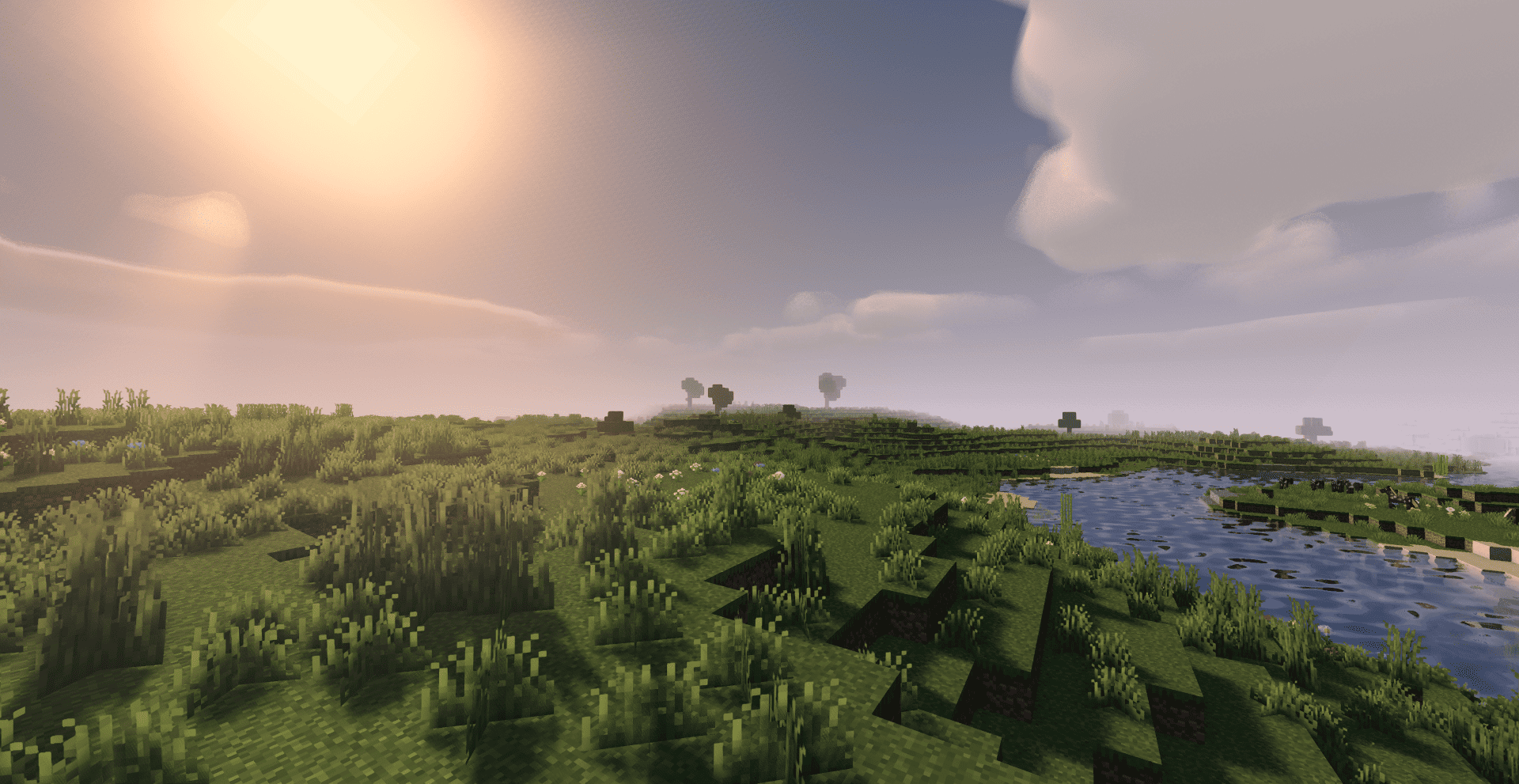
> A simple, fast and beautiful Minecraft shader for Iris/OptiFine.
> Soft sunlight, gentle bloom, real shadows, dynamic clouds and lively
> water — tuned to look great while staying smooth on modest hardware.
—
A huge thank you 🙏
Quanta Shader exists only thanks to **Javier G. Cimarras (`javiergcim`)**
and his amazing project **[MakeUp Ultra Fast]**.
All the heavy lifting — the lighting model, the shadows, the water,
the sky, the clouds, every clever optimization that makes this shader
fast — is his work. This project is just a small, respectful fork:
renamed, cleaned up, and slightly tweaked.
If you like Quanta Shader, please go and support the original author
first. He deserves all the credit. ❤️
* Original project:
* Original author: **javiergcim or KDXavier**
Phoxel PT
## Please read!
This shader is still in beta, expect to encounter issues, because you will. When you do come across issues, let me know about it! I am actively working on improving and fixing up Phoxel, and your help will make it a lot easier
## About Phoxel
Phoxel was started because of a lack of publicly available path tracing shaders for Minecraft, and was originally meant to be purely vanilla in it’s style. But with the 0.6 re-release, Phoxel is starting to take on it’s own visual style, and I now strive for Phoxel to capture some of the beauty of real life, mixed with the unique ambience and blocky beauty of the Minecraft we’ve all come to love.
Phoxel currently covers two shaders: Phoxel PT, and Phoxel Lite, some info will differ between the two. All new releases and features will come out on Phoxel PT before Phoxel Lite, but Phoxel Lite will have a few features before Phoxel PT, purely because some features are much easier to implement without path tracing.
## Phoxel PT
### Phoxel PT is designed for screenshots, if you want to use Phoxel for gameplay, please check out Phoxel Lite (Not yet available)
Phoxel PT is the original, with the goal of eventually capturing Phoxel, with it’s core philosophy, at it’s absolute best. (with some render time of course :P)
## Extra Info
Report issues and see up coming updates for the project on [Github](https://github.com/Despatra/Phoxel). See events, ask questions, and do more in the [Discord](https://discord.com/invite/GSF9D3Q2T5)
### Most Recent Update
Phoxel is back, but there are changes to how things will work:
1. I will no longer be releasing Beta versions, instead all projects will now only include releases and patches
2. All full releases will receive patches to make sure they work with the most recent version of Minecraft
Generally this does mean releases will be much more spread out in comparison to pre Phoxel Beta 0.5 releases, but I feel you all deserve not crappy shaders and projects.
I’m going to try a couple more things, but if what I try doesn’t work, or is something beyond me, Phoxel will not be able to be as performant as needed, and may move to a screenshot directed shader, rather than a real time path tracer, and the quality will probably never be comparable to others.
Oct-Path
## About
Oct-Path is a Minecraft shaderpack based on Octray Rewrite, an open source ray tracing shader developed by Bruce KnowsHow.
“Octray Rewrite” is an innovative ray tracing shader that supports unlimited render distance, i.e., raytracing the entire render distance (64x chunks, 384 height), and allows casting long distance rays at high speeds by implementing an Octree-like acceleration structure for ray tracing.
While “Octray Rewrite” has an excellent ray tracing mechanism, it was incomplete because it omitted drawing entities and omitted translucent processing including water, and so on. Therefore, Oct-Path was born to take advantages of this shader while not interfering with Minecraft gameplay.
## Requirements
– OptiFine 1.16.5 or newer (Iris is not supported)
– Graphics card supporting OpenGL 4.0 or later (newer ones are preferable)
## Installation
As a precondition, OptiFine is installed
– Minecraft > Video Settings… > Shaders… > Shaders Folder
so the shaderpacks folder is opened.
– Place the downloaded Oct-Path zip file in the shaderpacks folder. (No need to unzip the zip file)
– Select Oct-Path from the Shaders list.
## Special Thanks
Special thanks to BruceKnowsHow who developed “[Octray Rewrite](https://github.com/BruceKnowsHow/OctrayRewrite)”.
“Octray Rewrite” has been declared open source by the author, and moreover, BruceKnowsHow has also given his approval when I released Oct-Path, saying “Yep, you are free to release it”.


Noble Shaders
# Noble

Noble finds the perfect balance between performance and realism.
This Minecraft shader pack uses clever lighting techniques and powerful customization to create clean, immersive, and enjoyable visuals.
### Socials (click the banners)


## Releases
The project is in constant evolution. Therefore, you can expect bug fixes, new features, and
occasional issues along the way.
Noble will always remain **free and open source**. I started this project to learn computer graphics
and have fun, I do not want to monetize it.
You can still access paid, more engineered versions of Noble on my [Patreon page](https://patreon.com/Belmu).
I’ve poured hundreds of hours, many sleepless nights, and a lot of coffee into this project. I deeply
hope you enjoy the result!
Feel free to report bugs or discuss ideas on the [Discord server](https://discord.gg/jjRrhpkH9e).
## Supported Mods


## Requirements
* **[Optifine](https://optifine.net/home) or [Iris](https://www.irisshaders.dev/) for 1.16 (or newer)**
* A Nvidia graphics card (GTX 950 or newer) **OR** an AMD graphics card (R7 370 or newer)
* Windows or Linux (MacOS isn’t supported)
## License
> Noble is licensed under the [GNU General Public License V3.0](https://www.gnu.org/licenses/gpl-3.0.en.html).
> Consider reading the terms before modifying or redistributing this project.
Miniature Shader
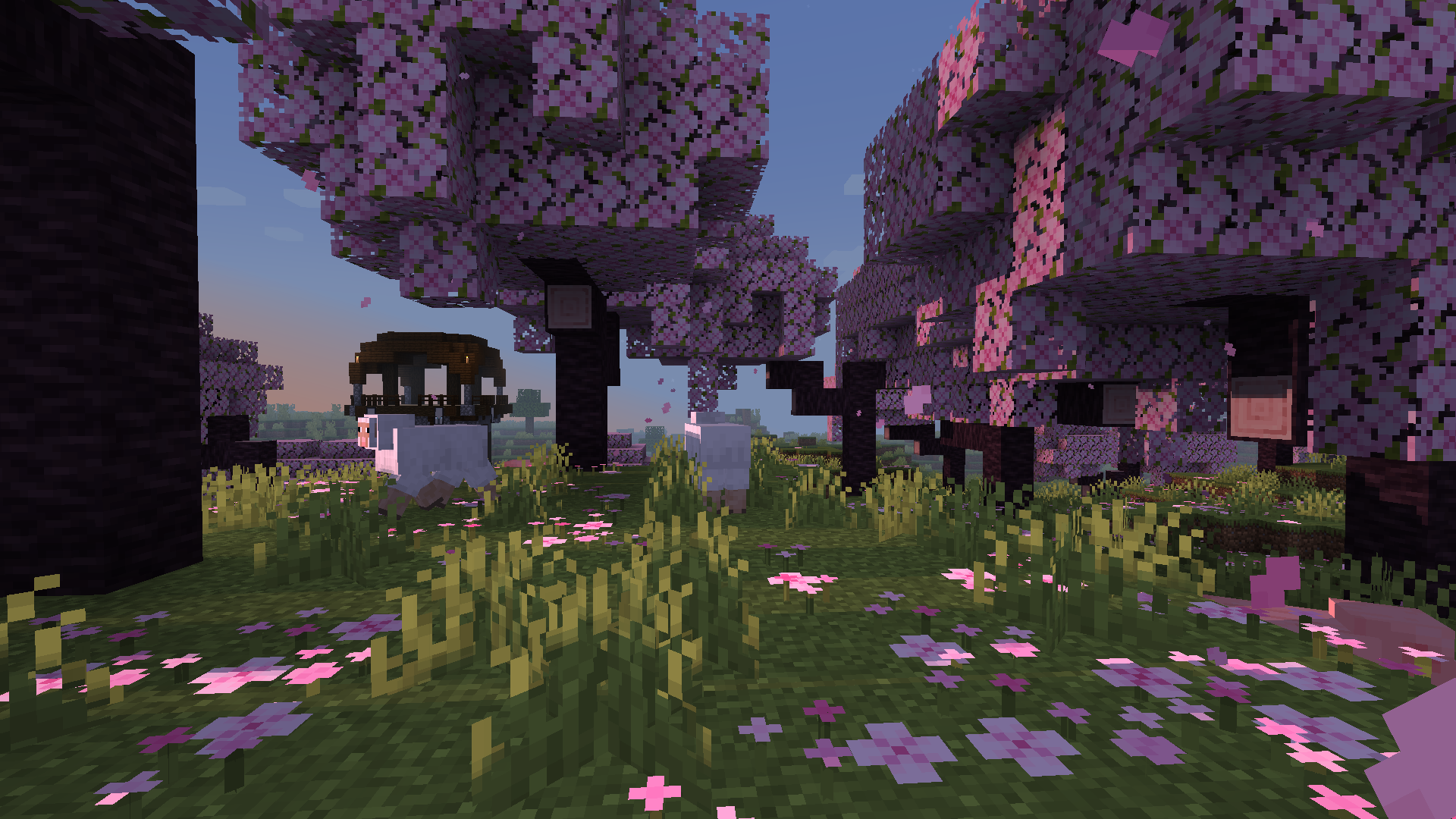
Miniature is a natural take on Minecraft shaders. It offers blocky shadows and reflections in water, ice and
other commonly reflective blocks, and a slight overhaul of emissive lighting; all in a very lightweight way. Its goal, above all else, is to keep with Minecraft’s model-like appearance without compromising performance.
MCPT
**What is MCPT?**
MCPT is a Minecraft shader meant for taking high quality, photorealistic screenshots. It is a brute-force spectral volumetric path tracer that makes use of hardware raytracing through Vulkanite. These shaders are not meant for gameplay as they require you to stand still and wait for the image to render.
**Features**
– Spectral Rendering
– Volumetric Path Tracing
– Atmosphere Simulation
– Water Parallax Mapping
– Refractive/Reflective Caustics
– Path Traced Anti-Aliasing
– Path Traced DoF
– Full Lens System Simulation
– Bloom
– Configurable settings for all of the above.
### _**WARNING**_
MCPT requires Vulkanite, which is currently in a very unstable and buggy state, so there is no gaurantee that these shaders will work on your system (specifically AMD cards). For the best chances of getting these shaders to run, **follow these requirements exactly:**
**Requirements**
– A hardware raytracing capable GPU
– Minecraft 1.20.1
– [Sodium 0.5.2](https://modrinth.com/mod/sodium/version/mc1.20.1-0.5.2)
– [Iris 1.6.8](https://modrinth.com/mod/iris/version/1.6.8+1.20.1)
– [Vulkanite 0.0.3 pre-alpha](https://modrinth.com/mod/vulkanite-mod/version/0.0.3-pre-alpha)
– A LabPBR resourcepack that supports Minecraft 1.20.1 or later (I use AVPBR Retextured R5).
### **IMPORTANT: restart the game whenever you change resourcepacks or the textures will appear glitched (Vulkanite bug).**
### **IMPORTANT: If your game crashes on startup, try adding this to your launch arguments: `-Dorg.lwjgl.system.stackSize=8192`**
**How to Use**
Press F1 to begin a render, and F2 to take a screenshot.
**Feedback**
As Vulkanite is very unstable, you’ll find a lot of bugs in the shader. There’s a 99% chance that a bug you find is due to Vulkanite and not the shaders. For reporting non-Vulkanite issues and requesting features, feel free to DM me on discord: johnpayne.
Lyrae Shaders
Lyrae • Physically-Based Real-Time Path Traced Shaderpack
📌 **NOTICE:** This project is currently in _very early_ alpha stages. Expect issues, visual artifacts and varying performance. I have a huge roadmap. I’d appreciate any kind of feedback and your support!
## Features
– **Real-Time Voxel Path Tracing**
– Monte Carlo global illumination with multiple light bounces
– Fast voxel traversal via DDA algorithm
– AABB tracing for detailed sub-voxels
– **Sampling & Image Stability**
– Low-discrepancy blue noise sampling
– Flexible SVGF denoiser pipeline
– Next Event Estimation (NEE) for explicit sun sampling
– **Physically-Based Materials**
– Unified physically-based shading pipeline
– Support for **LabPBR** resource packs
– **Post-Processing**
– Filmic tonemapping
– Color grading
– Auto exposure adjustment
– Chromatic aberration
## Community
If you enjoy my shaderpack, you can support me & my studies here: [Buy Me a Coffee](https://buymeacoffee.com/kadir014) ❤️
You can join the [discord server here](https://discord.gg/eS7MzZHmWq), share screenshots or provide feedback and report issues.
## Attributions
– [Kirilpro6284](https://github.com/Kirilpro6284): 0th ray optimization to start in fragment position.
## PBR Support
Lyrae supports **LabPBR 1.3** standard. So make sure to use a resourcepack with **LabPBR** material support, here’s a [list of resourcepacks](https://shaderlabs.org/wiki/LabPBR_Supported_Packs#Resource_Packs) on shaderlabs site.
## Performance Tips
– I tried to write detailed descriptions for all settings, so you can hover over them in-game for more detailed performance tips.
– `Samples` is one setting with the most impact on the performance, because it increases the path complexity exponentially. Try to keep this at 1 if you want to enjoy real-time.
– You can try changing the `Resolution Scale` setting, lowering this from 100% will make the lighting quality lower.
– For most scenarios 3 bounces is enough. 2 bounces will not have indirect lighting, so GI will look less accurate.
– If you are in a *completely isolated* room where no sunlight is visible, you can try disabling NEE. Note that disabling NEE will break sun light.
– You generally shouldn’t mess with SVGF settings unless you know what you’re doing. If you are okay with noisy image you can disable spatial filtering.