zDonutBaltop

—
# **DonutBaltop**
### **Fast, Free, and Lightweight**
**The plugin you’ve been waiting for.**
DonutBaltop is a high-performance Minecraft **1.21x** plugin packed with powerful features and optimized for smooth gameplay. It is designed to provide a high-end experience for viewing player balances without bloating your server.
—
## **Showcase**
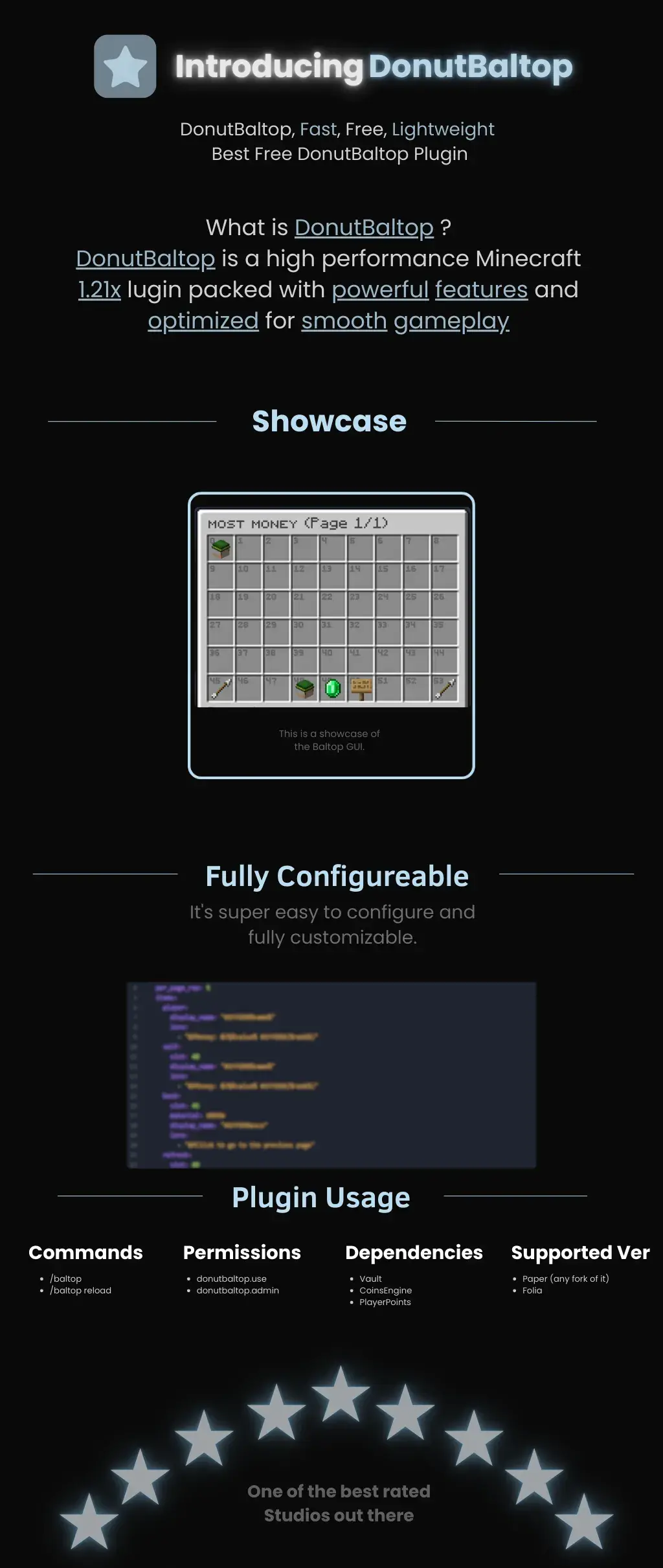
The plugin features a custom **Baltop GUI** titled “MOST MONEY.”
* **Visual Interface:** Players can see a grid of heads representing the top earners on the server.
* **Navigation:** Includes easy-to-use “Previous” and “Next” page arrows.
* **Information:** Displays specific economy data via interactive icons like emeralds and signs.
## **Fully Configurable**
DonutBaltop is super easy to configure and fully customizable. The configuration file allows you to edit:
* **Item Display Names:** Customize how text appears in the GUI.
* **Lore/Descriptions:** Add custom flavor text or change how currency is displayed.
* **Slot Placement:** Choose exactly where items appear in the menu.
—
## **Plugin Usage**
### **Commands**
* **/baltop** — Opens the balance top GUI.
* **/baltop reload** — Reloads the plugin configuration.
### **Permissions**
* **donutbaltop.use** — Grants access to the /baltop command.
* **donutbaltop.admin** — Access to admin functions and reloading.
### **Dependencies**
To function correctly, this plugin requires:
* **Vault**
* **CoinsEngine**
* **PlayerPoints**
### **Supported Versions**
* **Paper** (and any forks of Paper)
* **Folia**
—
*Spooker Services — One of the best rated services out there.*
zCore

# zCore
[](https://modrinth.com/project/zcore_)
[](https://www.spigotmc.org/resources/zcore.128843/)
[](https://github.com/zysws/zCore/releases)
[](https://discord.gg/XbrtmjAhh7)
—
A **lightweight**, **modular toolkit** designed for server owners who want essential features — no bloat, just high performance and simplicity.
## Why choose zCore?
– **Lightweight:** Keeps your server running smoothly without slowing it down.
– **Fast:** Made for speed and efficiency.
– **Bloat-free:** Only the features you need, nothing extra.
– **Easy-to-use:** Easy setup and configuration.
– **Customizable** Easy to customize any message.
—
## Commands
| Command | Permission Node | Description |
|—————|——————–|—————————————-|
| `/sethome` | `zCore.setHome` | Allows the player to set homes. |
| `/home` | `zCore.home` | Allows the player to teleport to home. |
| `/setspawn` | `zCore.setSpawn` | Allows the player to set spawn. |
| `/spawn` | `zCore.spawn` | Allows the player to teleport to spawn.|
| `/tpa` | `zCore.tpa` | Allows sending teleport requests. |
| `/tpaccept` | `zCore.tpAccept` | Allows accepting teleport requests. |
| `/tpadeny` | `zCore.tpaDeny` | Allows declining teleport requests. |
| `/announce` | `zCore.announce` | Allows sending announcements in chat. |
| `/rtp` | `zCore.rtp` | Allows teleporting to a random location.|
| `/invsee` | `zCore.invsee` | Allows viewing other players’ inventories.|
| `/endersee` | `zCore.endersee` | Allows viewing other players’ ender chests.|
—
## License
zCore is licensed under the permissive [MPL License](https://github.com/zysws/zCore/blob/master/LICENSE). See the license file for details.
zCookieClicker
[](https://minestrator.com/a/GROUPEZ)
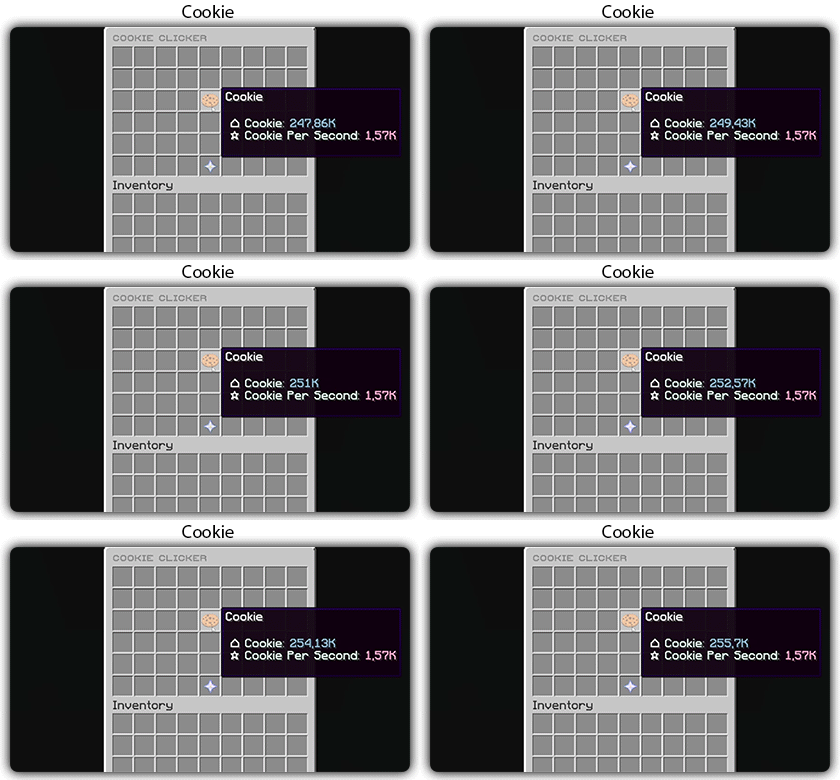
zCookieCliker allows you to click frantically on a cookie in order to obtain an infinity! Inspired by the famous cookie clicker game!
You need to install zMenu
## Commands:
– /cookie
– /cookie reload
## Placeholders:
– %zcookieclicker_cookie%
– %zcookieclicker_cps%
– %zcookieclicker_upgrade_%
## Features:
– Customizable inventories
– Storage in SQLITE, MYSL or with HIKARICP
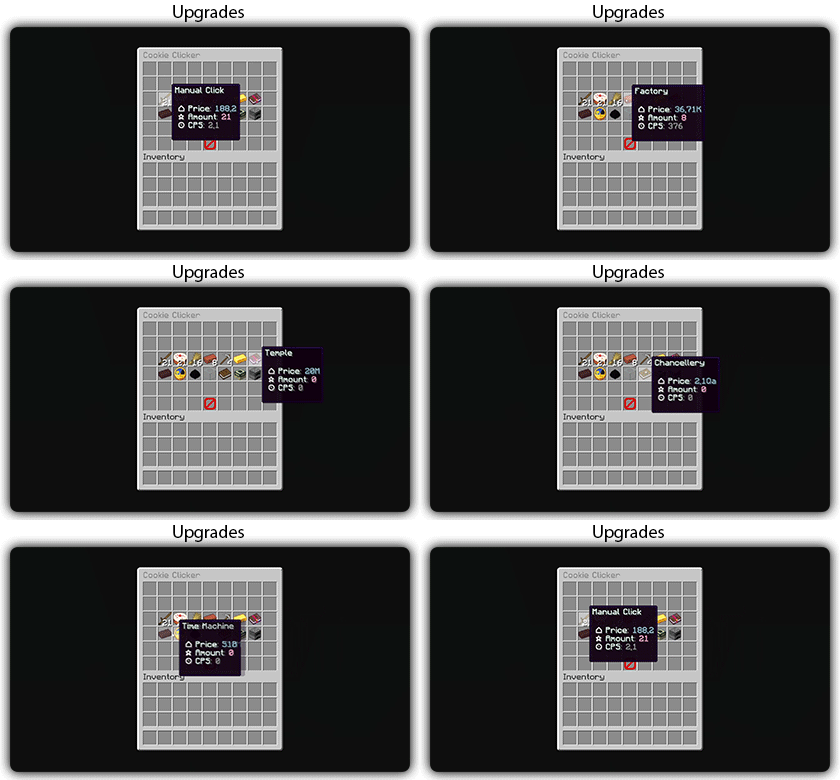
– Customizable upgrades
– Customizable number format
ZCommandCooldown
# ZCommandCooldown
A lightweight Minecraft plugin that adds customizable, permission-based cooldowns to any command on your server.
[](https://papermc.io/)
[](https://github.com/PaperMC/Folia)
[](https://www.minecraft.net/)
## Features
– **Permission-Based Cooldowns**: Set different cooldown durations based on player permissions
– **Command Aliases**: Define aliases for commands that share the same cooldown
– **Customizable Messages**: Fully customizable messages with MiniMessage format support
– **Action Bar Support**: Display cooldown messages in the action bar instead of chat
– **Admin Commands**: Reload configuration, clear cooldowns, and more
– **Persistent Cooldowns**: Cooldowns persist across server restarts
– **Folia Compatible**: Works with both Paper and Folia servers
## Dependencies
– [MCKotlin](https://modrinth.com/plugin/mckotlin)
## Installation
1. Download the latest release from [Modrinth](https://modrinth.com/plugin/zcommandcooldown/versions)
2. Download the appropriate version of MCKotlin from [Modrinth](https://modrinth.com/plugin/mckotlin)
3. Place the JAR file in your server’s `plugins` folder
4. Restart your server
5. Edit the configuration files in the `plugins/ZCommandCooldown/` directory to customize the plugin
## Configuration (`cooldowns.yml`)
“`yaml
cooldowns:
repair: # Command that a cooldown will be applied to.
aliases: # Other aliases for the command. All share the same cooldown.
– fix
– erepair
durations: # Set durations of cooldown according to permission. If player has multiple of these perms, the lowest duration is used.
default: 600 # 600 seconds for players by default
group.group1: 120 # 2 minutes for players with group.group1 permission
group.group2: 60 # 1 minute for players with group.group2 permission
custom.repair.fast: 30 # 30 secods for players with the custom.repair.fast permission
“`
zCombat
**Author:** veltronthegoat
A lightweight and efficient **combat logging prevention plugin** designed for **Paper 1.21.11** servers.
This plugin ensures fair PvP by placing players into combat only when they **directly hit another player**, preventing abuse through unintended triggers like ender pearls or team interactions. Combat duration is fully configurable and displayed in real-time via the action bar for a clean user experience.
While in combat, players are restricted from using commands, eliminating escape exploits. If a player logs out during combat, they are instantly killed, their inventory is dropped at their location, and a lightning effect marks the spot. The opponent is immediately released from combat to maintain smooth gameplay flow.
The plugin also integrates with **BetterTeams**, ensuring that teammates cannot trigger combat with each other.
Built to be minimal, optimized, and free from unnecessary spam, this plugin is ideal for SMP and PvP-focused servers looking for a reliable and clean combat system.
zChat
zChat
======================================================================
[zChat](https://www.spigotmc.org/resources/zchat.116042/) is a Spigot plugin that is simple to format and manage your chat on your server.
## Features
– Support for all versions from 1.13 to 1.20.6
– Chat Formatting
– PlaceholderAPI Support
– [MiniMessage](https://docs.advntr.dev/minimessage/) support
– Per group format using permissions
## Commands
– /zchat – Manage your zChat plugin.
– /clearchat – Clears the chat.
– /togglechat – Toggle off and on the chat.
– /chatfilter – Manage the chat’s filter.
– /chatcooldown – Set or toggle the cooldown on chat.
## Requirements, Extensions & Supported Software
Requirements:
– Java 8+
– Minecraft 1.13 – 1.20.6
– Luckperms
Supported Software:
– Spigot ([Website](https://www.spigotmc.org/))
– Paper ([GitHub](https://github.com/PaperMC/Paper)) ([Website](https://papermc.io/software/paper))
Optional Dependencies/Extensions:
– PlaceholderAPI
## Found a bug?
Open an issue in the GitHub [issue tracker](https://github.com/mrzcookies/zchat/issues)
## BStats
[](https://bstats.org/plugin/bukkit/zChat/21533)
## Credits
– [Adventure](https://docs.advntr.dev/) – Minecraft text api
– [Luckperms](https://luckperms.net/) – Minecraft permission plugin
– [PlaceholderAPI](https://placeholderapi.com/) – Minecraft placeholders
ZavShop
## Features
– 🛒 **GUI Shop System** – Beautiful categorized shop with 5 categories (Nether, Gear, Food, End, Misc)
– 🏷️ **Auction House** – Player-driven marketplace with search, filter, and sort options
– 💰 **Sell System** – Quick sell items for configured prices
– 📋 **Tab Completion** – Full auto-completion for all admin commands
– 🔐 **Permission System** – Control access to admin features
– 💾 **YAML Configuration** – Easy editing of items and prices via config files
– 🚫 **Block/Item Blocker** – Prevent placement or usage of specific materials
– ⚡ **Hot Reload** – Reload configurations without server restart
## Installation
1. Download the `zavshop-1.0.jar` file
2. Place it in your `plugins/` folder
3. Make sure you have **Vault** and an economy plugin installed (e.g., EssentialsX)
4. Restart the server
5. The plugin creates `plugins/ZavShop/` with config files
## Commands
### Player Commands
| Command | Description |
|———|————-|
| `/shop` | Opens the main shop GUI |
| `/sell` | Sells the item in hand for configured price |
| `/ah` | Opens the Auction House |
| `/ah sell ` | Lists held item for auction |
### Admin Commands (requires `zavshop.admin`)
| Command | Description |
|———|————-|
| `/shopadd - ` | Add an item to shop |
| `/shopremove - ` | Remove an item from shop |
| `/shopprice - ` | Update item price |
| `/shopreload` | Reload all configuration files |
| `/blocker ban block ` | Ban a block from being placed |
| `/blocker ban item ` | Ban an item from being used |
| `/blocker unban ` | Remove a ban |
| `/blocker list` | Show all banned items |
## Shop Categories
– **Nether Shop** – Blaze Rods, Nether Wart, Glowstone, Magma Cream, etc.
– **Gear Shop** – Obsidian, Totem of Undying, Ender Pearls, Golden Apples
– **Food Shop** – All food items with configurable prices
– **End Shop** – End-related items like Shulker Shells, Dragon Breath
– **Misc Shop** – Custom items added by admins
## Auction House Features
– 🔍 **Search** – Find items by name
– 🎯 **Filter** – Filter by category (Blocks, Tools, Food, Combat, Potions, Books, Ingredients, Utilities)
– 📊 **Sort** – Sort by Newest, Oldest, Price (Low to High), Price (High to Low)
– 👤 **Your Items** – View only your listings
– ✏️ **Manage** – Right-click your listings to remove them
## Permissions
| Permission | Description |
|————|————-|
| `zavshop.admin` | Access to all admin commands
Tutorial:
ZAutoBroadcast
# ZAutoBroadcast
Powerful and customizable AutoBroadcaster/AutoAnnouncer plugin for Minecraft servers. It allows server administrators to set up automatic and forced broadcasts with a variety of features, including support for MiniMessage format, MiniPlaceholders. and PlaceholderAPI placeholders.
## Folia Supported ✔️
## Features
– **Automatic Broadcasts**: Set up automatic broadcasts that are sent to all players on the server at a configurable interval.
– **Forced Broadcasts**: Set up forced broadcasts that can only be run via command.
– **Weighted Broadcasts**: Control how often each broadcast is shown with the “weight” field. Broadcasts with a higher weight will appear more often.
– **[MiniMessage Support](https://docs.advntr.dev/minimessage/format.html)**: The messages use MiniMessage format, allowing for rich text formatting and color codes.
– **PlaceholderAPI Support**: Use any PlaceholderAPI placeholders in your messages. (Requires the [PlaceholderAPI](https://github.com/PlaceholderAPI/PlaceholderAPI) plugin)
– **MiniPlaceholders Support**: Use any MiniPlaceholder placeholders in your messages. (Requires the [MiniPlaceholders](https://github.com/MiniPlaceholders/MiniPlaceholders/) plugin)
## Commands
– `/zab reload`: Reloads the `broadcasts.yml` file.
– `/zab broadcast `: Broadcasts a message with the given key.
– `/zab custom `: Broadcasts a custom message.
– `/zab interval get/set `: Gets or sets the broadcast interval.
– All commands require the `zautobroadcast.admin` permission.
## Version Compatibility
– Compatible with [**Folia**](https://github.com/PaperMC/Folia), a powerful library for Minecraft plugins.
– Must be run on Paper or a Paper fork.
– Requires Java 17 or higher.
– Compatible with at least 1.20.4 and above.
## Installation
1. Download the latest version of ZAutoBroadcast from the [versions page](https://modrinth.com/plugin/zautobroadcast/versions).
2. Place the downloaded `.jar` file into your server’s `plugins` folder.
3. Restart your server.
4. Configure the plugin to your liking by editing the `config.yml` and `broadcasts.yml` files in the `plugins/ZAutoBroadcast` folder.
## Configuration
Refer to the comments in the `config.yml` and `broadcasts.yml` files for information on how to configure the plugin.
## Support
If you encounter any issues or have any questions, please [open an issue](https://github.com/Zepsi/ZAutoBroadcast/issues) on GitHub.
## License
ZAutoBroadcast is licensed under the [MIT License](https://github.com/Zepsi/ZAutoBroadcast/blob/main/LICENSE).
zAuth
**zAuth** is a lightweight, secure, and highly customizable authentication plugin designed for offline-mode and Geyser/Floodgate servers.
Built for performance and security, zAuth protects your players from account theft, password guessing, and session hijacking.
Whether you’re running a small SMP or a large network, zAuth gives you enterprise-grade login protection with smooth UX.
**🔐 Key Features**
✅ Secure Login & Registration
+/register
+/login
+/changepassword
+/logout
Passwords are stored using BCrypt (industry-grade hashing).
**🛡 Account Protection**
Account lock after X failed attempts
Automatic unlock after configured cooldown
IP-trust system (optional)
Session manager prevents re-login abuse
Freeze players completely until authenticated
**👀 Player Visibility & Mob Safety
**
Hide ALL players from each other until they login
Disable mob targeting and damage before login
Bossbar reminder
Safe login teleport location
Optional: Allow players to set /spawnlogin
**🔏 Privacy Protection**
Password masking in:
Chat logs
Console
Command logs
Commands like /login, /register, /changepassword NEVER reveal real passwords.
zAuctionHouse

### **This is a free demo version of zAuctionHouse. It is similar to the paid or open-source version, but you cannot receive support with this version.**
The free version will always be one version behind the paid versions. To get support and the latest version, you can purchase the plugin on the other sales platforms.


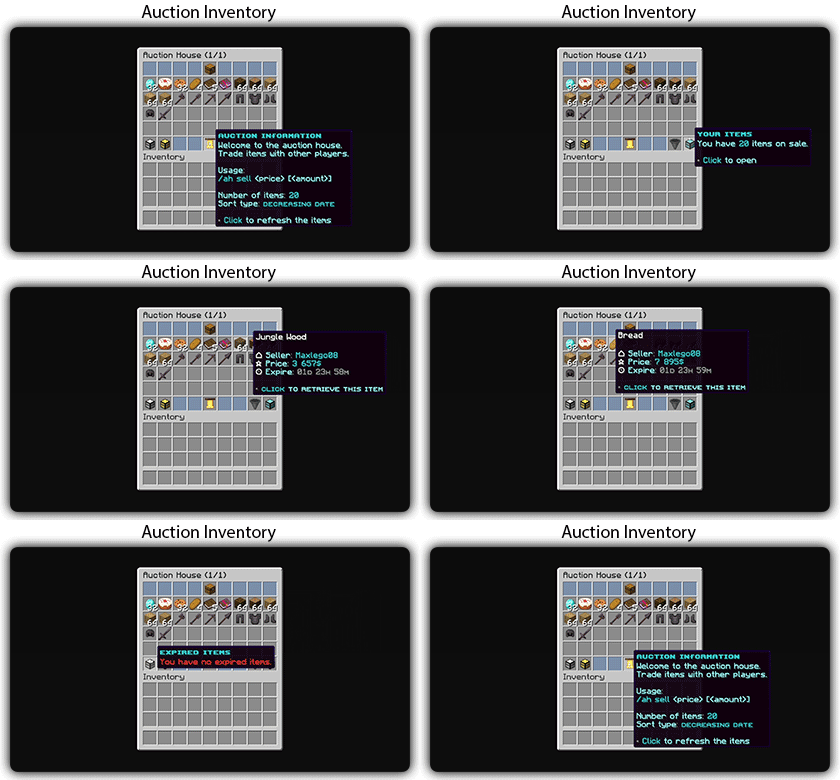
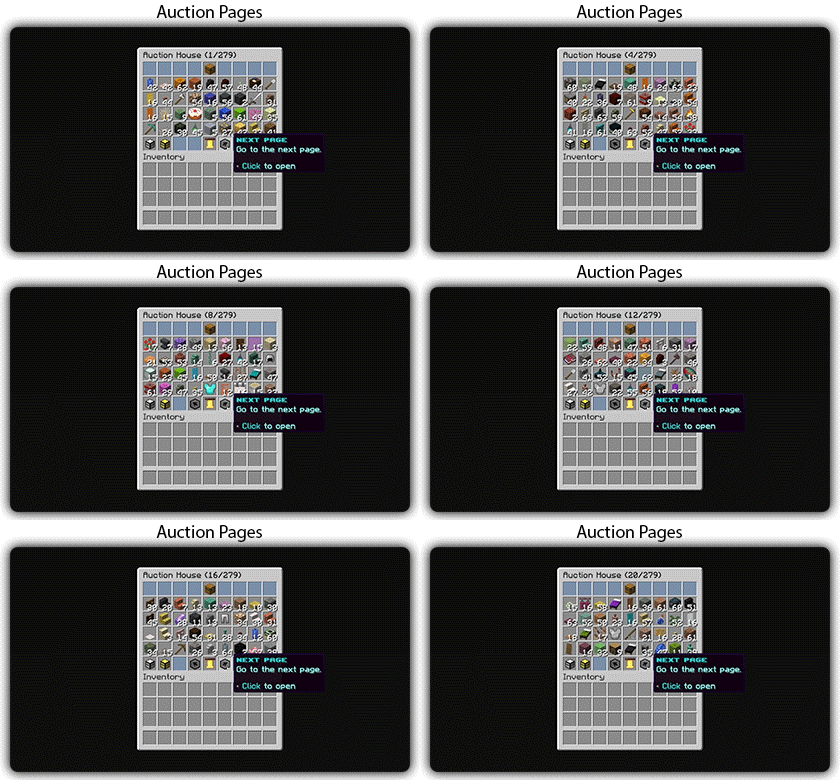
## Gifs
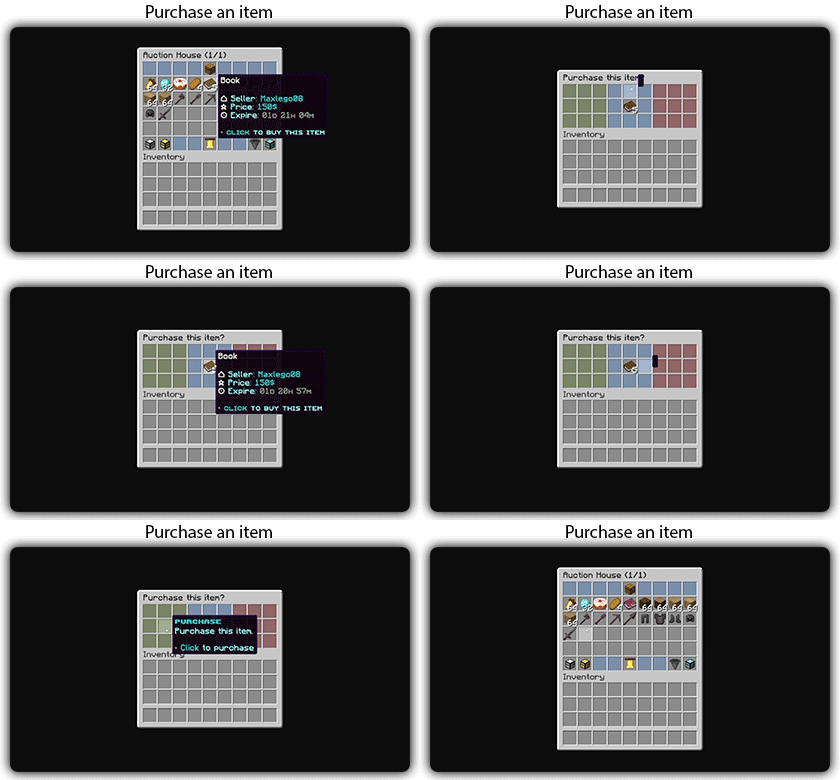
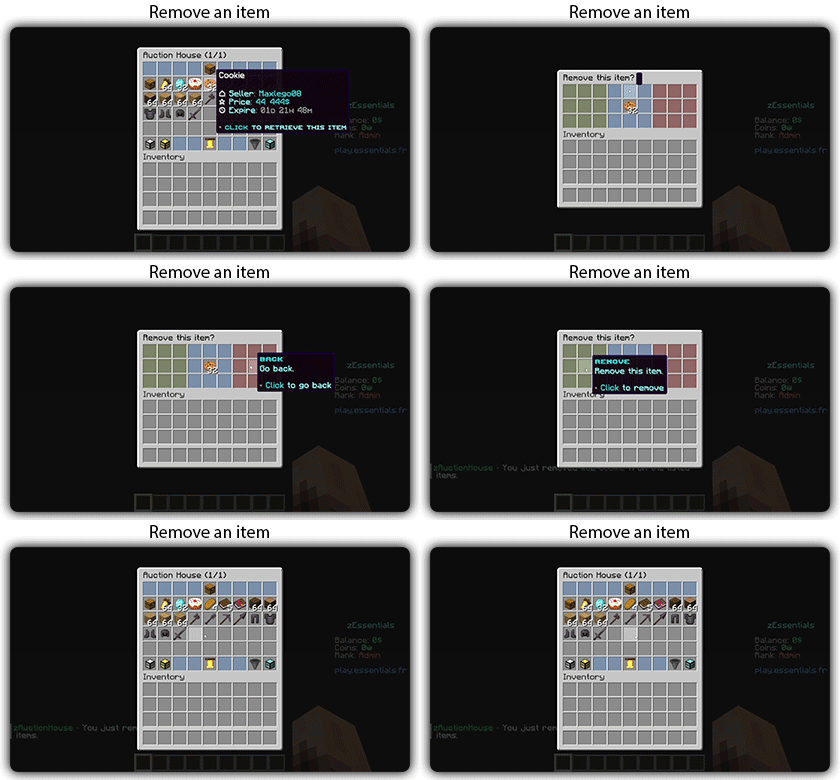
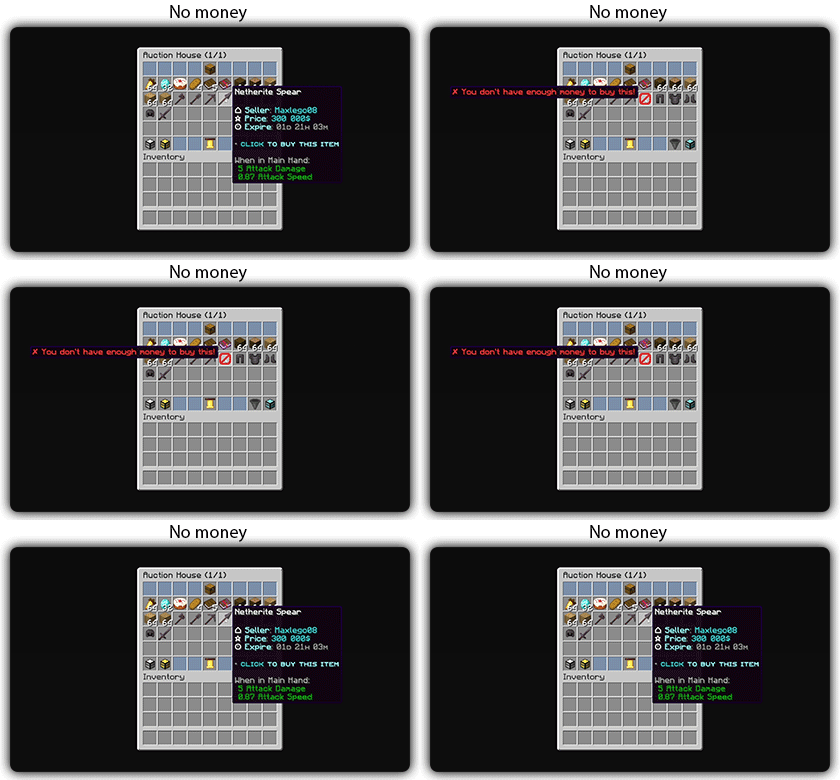
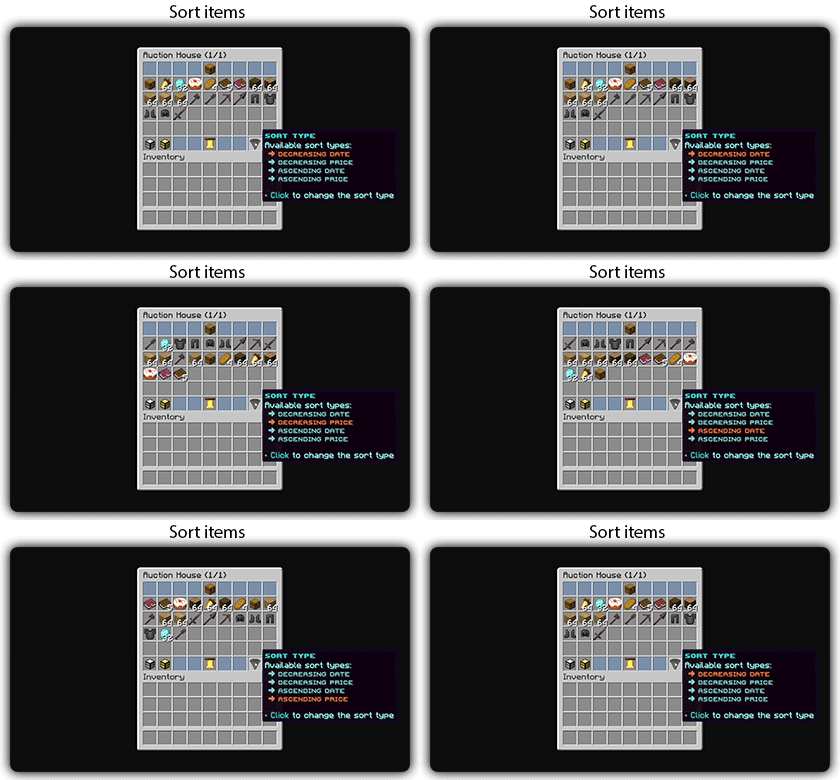
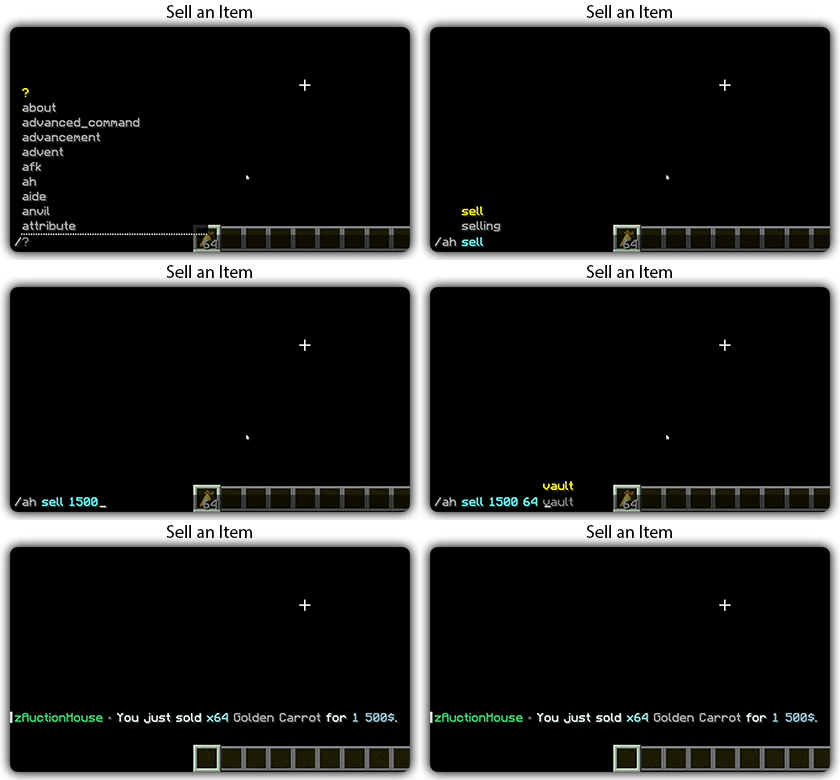
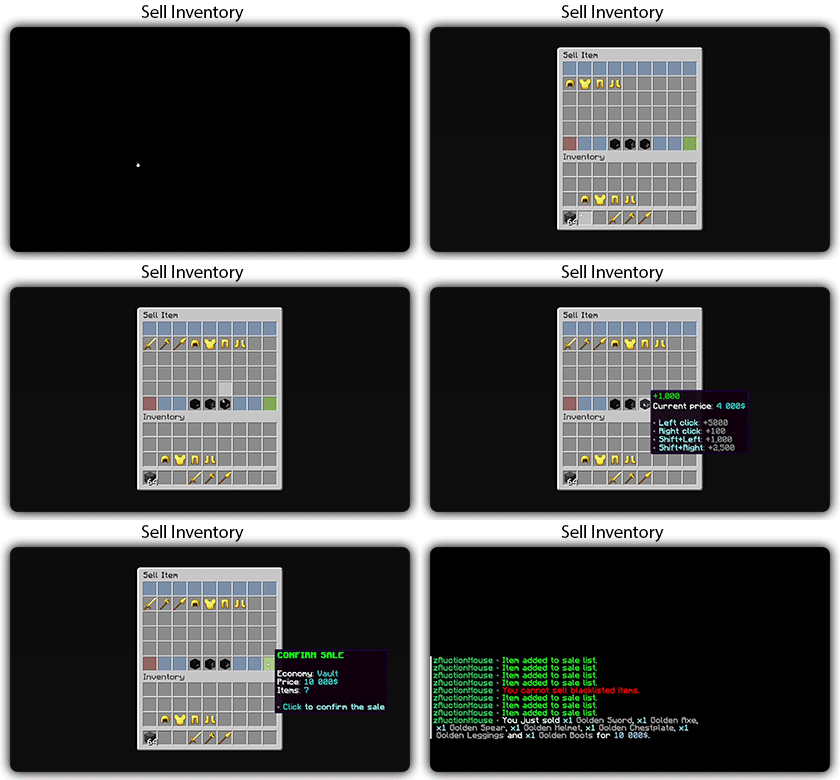
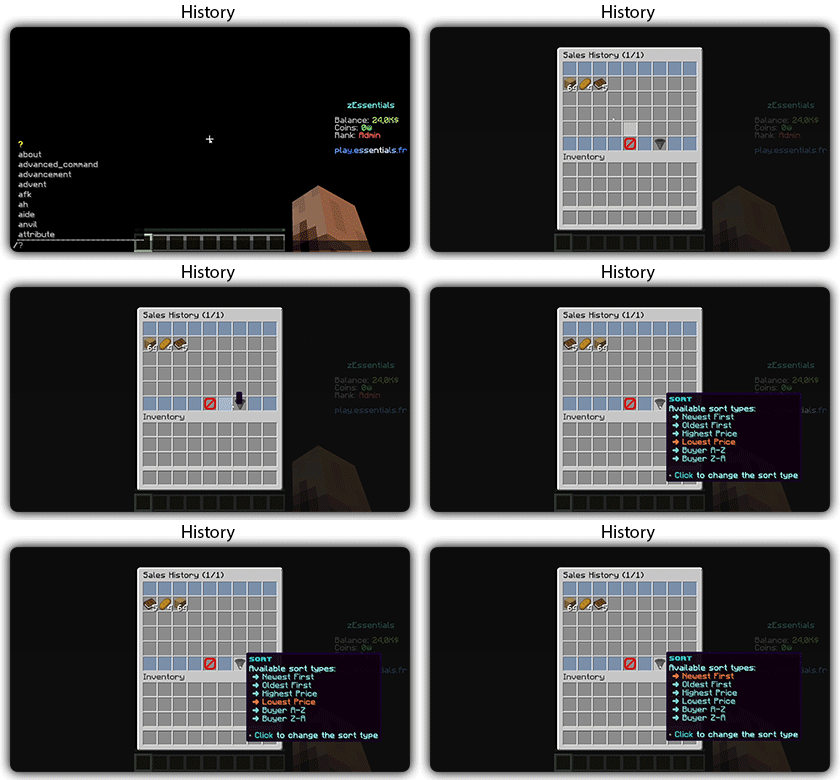
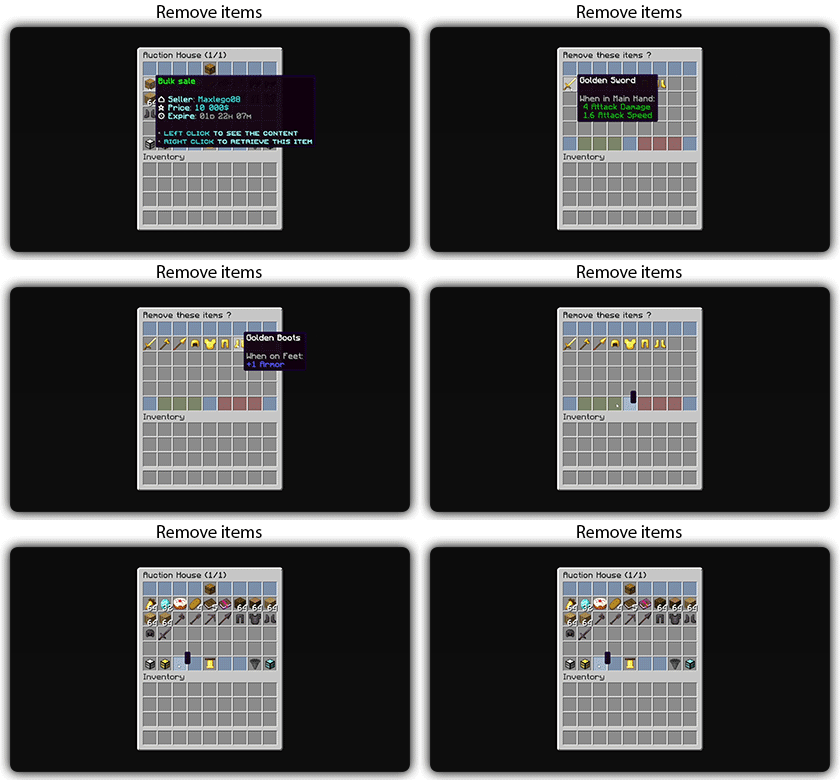
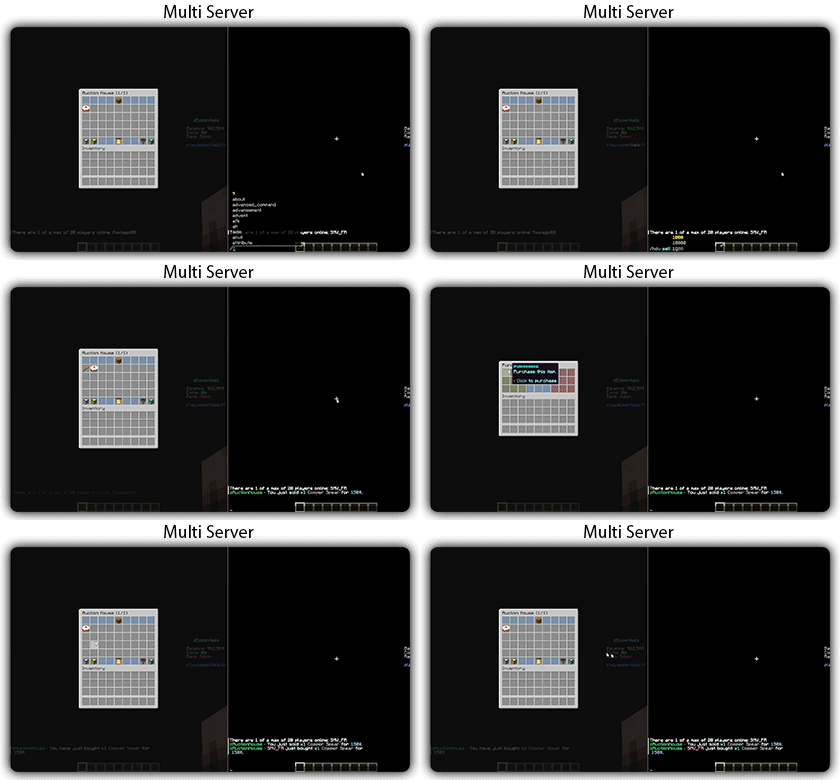
Text version
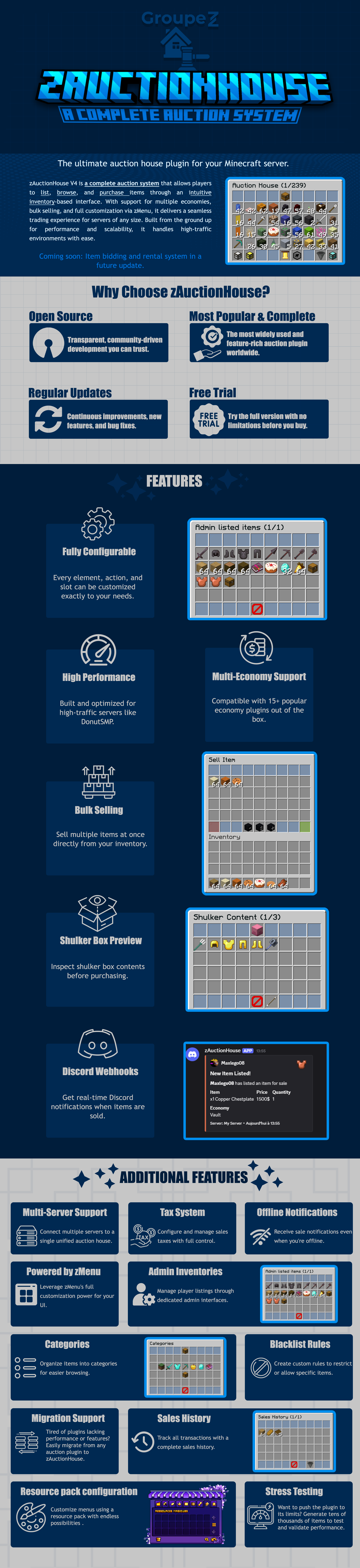
zAuctionHouse V4 is a complete auction system that allows players to list, browse, and purchase items through an intuitive inventory-based interface. With support for multiple economies, bulk selling, and full customization via zMenu, it delivers a seamless trading experience for every server type. Built from the ground up for performance and scalability, it handles high-traffic environments with ease.
# Why Choose zAuctionHouse?
## Open Source
Transparent, community-driven development you can trust.
## Most Popular & Complete
The most widely used and feature-rich auction plugin worldwide.
## Regular Updates
Continuous improvements, new features, and bug fixes.
## Free Trial
Try the full version with no limitations before you buy.
# Additional Features
## Multi-Server Support
Connect multiple servers to a single unified auction house.
## Tax System
Configure and manage sales taxes with full control.
## Offline Notifications
Receive seller notifications when you’re offline.
## Powered by zMenu
Leverage **zMenu’s full customization power** for your UI.
## Admin Inventories
Manage player listings through dedicated admin interfaces.
## Categories
Organize items into categories for easier browsing.
## Blacklist Rules
Create custom rules to restrict or allow specific items.
## Migration Support
Tired of plugin locking or performance issues?
Easily migrate from any auction plugin to zAuctionHouse.
## Sales History
Track all transactions with a complete sales history.
## Resource Pack Configuration
Customize menus using a resource pack with endless possibilities.
## Stress Testing
Want to push the plugin to its limits?
Generate tens of thousands of items to test and validate performance.
# **Features**
– **## Selling & Buying**
– **Instant buy listings** List items for a fixed price
– **Bulk selling** Sell multiple items at once
– **Purchase confirmation** Confirm before buying
– **Sell confirmation** Confirm before listing
– **Price limits** Set min/max prices per item or globally
– **Item quantity selection** Choose how many items to sell
– **Expired items recovery** Retrieve unsold items
– **## User Interface**
– **Inventory-based UI** No commands needed
– **Shulker box preview** View contents before purchase
– **Categories** Browse items by type
– **Sorting options** Sort by price, date, name
– **Search system** Find items by name or type
– **Player listings** View your own items
– **Purchase history** Track your purchases
– **## Economy & Taxes**
– **15+ economy plugins** Vault, PlayerPoints, and more
– **Tax on sales** Configurable seller tax
– **Tax on purchases** Configurable buyer tax
– **Permission-based taxes** Different rates per group
– **## Administration**
– **Admin inventories** Manage all player listings
– **Blacklist system** Block specific items
– **Whitelist system** Allow only specific items
– **Item rules** Advanced filtering (lore, name, NBT)
– **Player limits** Max listings per player
– **Expiration system** Auto-expire old listings
– **Log system** Track all transactions
– **## Performance & Storage**
– **Async operations** Non-blocking database queries
– **SQLite support** Zero-config local storage
– **MySQL/MariaDB support** Scalable database
– **Redis support** Multi-server synchronization
– **Folia compatible** Works with Folia servers
– **Caching system** Optimized data access
– **## Customization**
– **zMenu integration** Full UI customization
– **Custom messages** Edit every message
– **Custom sounds** Configure all sounds
– **PlaceholderAPI** Use placeholders anywhere
– **Command aliases** Customize command names
– **Configurable slots** Place buttons anywhere
– **## Notifications**
– **Discord webhooks** Post sales to Discord
– **Offline notifications** Notify on next login
– **Title messages** Display on screen
– **ActionBar messages** Subtle notifications
– **Chat messages** Traditional notifications
– **## Migration & Testing**
– **Plugin migration** Convert from other plugins
– **Test data generator** Stress test with fake items
– **Debug mode** Troubleshoot issues
– **## Security**
– **Anti-dupe protection** Prevent item duplication
– **Permission system** Control access to features
– **Confirm dialogs** Prevent misclicks
– **Price validation** Block invalid prices