Zslow







# ZSlow
ZSlow is a versatile plugin designed to manage chat activity on your Minecraft server. With ZSlow, server administrators can easily control chat by enabling features such as chat pausing, slow mode, and chat logging. Whether you’re looking to maintain a more organized chat environment or implement stricter chat regulations, ZSlow provides the tools you need to manage chat activity effectively.

– **Chat Pausing:** Temporarily pause chat activity to prevent messages from being sent.
– **Slow Mode:** Limit the frequency of messages in the chat to reduce spam and maintain order.
– **Chat Logging:** Log chat messages to keep track of conversations and monitor player activity.
– **Whitelist and Blacklist:** Control who can send messages by adding players to either the whitelist or blacklist.
– **Customizable Settings:** Adjust plugin settings to suit your server’s needs and preferences.

– **/zslow enable**: Activate the chat management system.
– **/zslow disable**: Deactivate the chat management system.
– **/zslow settings**: Configure plugin settings, including chat cooldown.
– **/zslow info**: Obtain information about the plugin.
– **/zslow whitelist**:
– `/zslow whitelist add `: Add a player to the whitelist.
– `/zslow whitelist remove `: Remove a player from the whitelist.
– `/zslow whitelist list`: Display all whitelisted players.
– **/zslow blacklist**:
– `/zslow blacklist add `: Add a player to the blacklist.
– `/zslow blacklist remove `: Remove a player from the blacklist.
– `/zslow blacklist list`: Display all blacklisted players.
– **/zslow pausechat**:
– `/zslow pausechat on`: Pause the chat.
– `/zslow pausechat off`: Unpause the chat.
– **/zslow help**: Access plugin help information.
– **/zslow status**: Check the status of the chat management system.
– **/zslow reload**: Reload plugin configurations.
– **/zslow chatlogs**:
– `/zslow chatlogs on`: Enable chat logging.
– `/zslow chatlogs off`: Disable chat logging.

– `zslow.admin`: Allows access to all ZSlow commands and features.
– `zslow.whitelist`: Allows access to manage players on the whitelist.
– `zslow.blacklist`: Allows access to manage players on the blacklist.
– `zslow.info`: Allows access to view plugin information.
– `zslow.pausechat`: Allows access to pause or resume chat activity.
– `zslow.help`: Allows access to view plugin help information.
– `zslow.status`: Allows access to view the current status of chat management features.
– `zslow.reload`: Allows access to reload plugin configurations.
– `zslow.chatlogs`: Allows access to enable or disable chat logging.
– `zslow.bypass.slowmode`: Allows bypassing the slowmode restrictions in ZSlow.
– `zslow.bypass.pausechat`: Allows bypassing the pausechat restrictions in ZSlow.
– `zslow.chatlogs.exempt`: Allows bypassing the pausechat restrictions in ZSlow.
## Support
For support or assistance with the ZSlow plugin, please visit our [GitHub repository](https://github.com/zuhaz/zslow) or contact us through the SpigotMC forums or join our [Discord Server](https://discord.gg/7mhdvfgybX).
## Installation
1. Download the latest version of ZSlow from the [releases page](https://github.com/zuhaz/zslow/releases) or [SpigotMC](https://www.spigotmc.org/resources/zslow.115755/) or [Modrinth](https://modrinth.com/plugin/zslow/).
2. Place the downloaded `.jar` file in your server’s `plugins` folder.
3. Restart or reload your server.
## License
ZSlow is licensed under the MIT License. See the [LICENSE](LICENSE) file for details.
ZPython
# 🐍 ZPython
**ZPython** is a combination of a **Minecraft plugin** (Paper/Spigot 1.20.1) and a **web panel** for managing Python projects on your Minecraft server.
🧩 The plugin handles **starting and stopping scripts**.
🌐 The panel provides **easy management of projects, files, logs, and access controls**.
—
[](https://zpython.zdev.website/)
[](https://discord.gg/53HpgxpzrX)
—
## ✨ Key Features of the Plugin
– 🚀 **Start and stop projects**
Launch Python scripts from the web panel with unified logic.
– ⌨️ **Management commands:**
/zpython projects — list projects
/zpython create — create a project
/zpython run — start a project
/zpython stop — stop the current project
/zpython status [] — get project status
– 🌍 **Localization:** RU/EN (set in `config.yml`)
– ⚡ **Server optimization:** the `optimizeMode` disables unnecessary game features and can restrict player access.
– 🤫 **Silent synchronization:** update files and projects without cluttering the console.
– 🛠 **Compatibility:** Paper 1.20.1
—
## 🖥 Web Panel Features
– 📦 **Project management**
Create/delete, upload files, configure dependencies, start/stop projects.
– 📊 **Real-time status**
– 🔑 **Discord authorization**
– 🌐 **Bilingual panel:** RU/EN + translated tooltips.
—
## 💡 Why use ZPython?
– ⚙ **Fast deployment of Python projects**.
– 💤 **Minimal load** and “silent” mode.
– 🌏 **Multilingual support**.
ZPlus+ Optimize
A simple Minecraft modpack focusing on performance and graphics enhancements.
**ZPlus+ Optimize** is the best optimization modpack to optimize and boost your Minecraft experience with better performance and amazing visuals. Improve FPS, reduce lag, enjoy smooth gameplay with this lightweight and powerful modpack. Perfect for all Minecraft players.
# ⚠️ Attention Content Creators⚠️
If you’re a content creator making a video about the More Optimized, please make sure to:
1. Provide the Official Link: Share the official Modrinth link in your video description.
2. Give Proper Credits: Mention the modpack name and give credits in your video to support its creators. Your support helps the community grow and keeps modders motivated to create amazing content!
## Key Features:
– Performance Boost: Powered by Sodium, Lithium, and ImmediatelyFast, this modpack drastically improves frame rates, reduces lag, and optimizes chunk loading for a buttery-smooth experience.
– Visual Enhancements: With Iris Shaders, enjoy breathtaking lighting effects, realistic shadows, and enhanced textures for a visually captivating world.
– Improved Efficiency: Mods like More Culling, Dynamic FPS, and Entity Culling ensure your system runs efficiently by minimizing unnecessary rendering and resource usage.
– Stability & Fixes: Say goodbye to memory leaks and lag spikes with Memory Leak Fix and ModernFix, ensuring a stable and crash-free gameplay experience.
– User-Friendly Configuration: Easily tweak your settings with the intuitive YetAnotherConfigLib (YACL) and Cloth Config API.
– Additional Enhancements: Enjoy faster chunk management with Concurrent Chunk Management Engine, better mob rendering with Enhanced Block Entities, and smoother animations with 3D Skin Layers.
– Included Dependencies: The modpack comes preloaded with carefully selected mods to deliver peak performance and visual excellence
## Included Dependencies:
**The modpack comes preloaded with carefully selected mods to deliver peak performance and visual excellence:**
1. Krypton to optimize server and client networking.
2. Sodium Extra and Reese’s Sodium Options for advanced performance settings.
3. FerriteCore and LazyDFU for reduced memory usage.
4. Model Gap Fix for enhanced block model rendering.
5. Clumps for simplified experience orb collection.
##
zozinian’s FPS performance pack remastered
my minecraft performance pack is configured to draw out your computers maximum fps potential thanks to a wide variety of optimization mods hand picked by me ;]
i will try to keep updating this pack with the newest optimization mods to the latest versions of minecraft
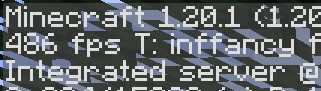
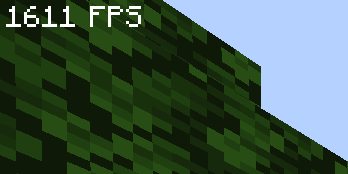
“this modpack gave me 300% more fps ~~and my wife came back~~” – _you, after downloading my pack_
**vanilla minecraft, no mods**
**my pack, optimized**
Mods
– [Yet Another Config Lib](https://modrinth.com/mod/yacl)
– [BactroMod](https://modrinth.com/mod/bactromod)
– [Ksyxis](https://modrinth.com/mod/ksyxis)
– [ServerCore](https://modrinth.com/mod/servercore)
– [VanillaIcecreamFix](https://modrinth.com/mod/vanillaicecreamfix)
– [ImmediatelyFast](https://modrinth.com/mod/immediatelyfast)
– [Clean F3](https://modrinth.com/mod/clean-f3)
– [Logical Zoom](https://modrinth.com/mod/logical-zoom)
– [I see you over there!](https://modrinth.com/mod/i-see-you-over-there)
– [fast-ip-ping](https://modrinth.com/mod/fast-ip-ping)
– [Blocky Bubbles](https://modrinth.com/mod/blocky-bubbles)
– [Sodium](https://modrinth.com/mod/sodium)
– [PurpurClient](https://modrinth.com/mod/purpurclient)
– [Reese’s Sodium Options](https://modrinth.com/mod/reeses-sodium-options)
– [Collision Fix](https://modrinth.com/mod/collision-fix)
– [Disable Accessibility Screen](https://modrinth.com/mod/disable-accessibility-screen)
– [StutterFix](https://modrinth.com/mod/stutterfix)
– [Async Pack Scan](https://modrinth.com/mod/async-pack-scan)
– [Cull Leaves](https://modrinth.com/mod/cull-leaves)
– [Fast Items](https://modrinth.com/mod/fast-items)
– [Fabric Language Kotlin](https://modrinth.com/mod/fabric-language-kotlin)
– [Yeetus Experimentus](https://modrinth.com/mod/yeetus-experimentus)
– [Dynamic FPS](https://modrinth.com/mod/dynamic-fps)
– [Video Tape](https://modrinth.com/mod/videotape)
– [Bobby](https://modrinth.com/mod/bobby)
– [ServerAddressSpaceFix](https://modrinth.com/mod/serveraddressspacefix)
– [Entity Culling](https://modrinth.com/mod/entityculling)
– [Xaero’s World Map](https://modrinth.com/mod/xaeros-world-map)
– [lazy-language-loader](https://modrinth.com/mod/lazy-language-loader)
– [Enhanced Block Entities](https://modrinth.com/mod/ebe)
– [Indium](https://modrinth.com/mod/indium)
– [Fabric API](https://modrinth.com/mod/fabric-api)
– [Sodium Extra](https://modrinth.com/mod/sodium-extra)
– [RailOptimization](https://modrinth.com/mod/railoptimization)
– [No Fog](https://modrinth.com/mod/no_fog)
– [Model Gap Fix](https://modrinth.com/mod/modelfix)
– [Debugify](https://modrinth.com/mod/debugify)
– [Particle Core](https://modrinth.com/mod/particle-core)
– [Faster Random](https://modrinth.com/mod/faster-random)
– [FixMCStats](https://modrinth.com/mod/fixmcstats)
– [Nvidium](https://modrinth.com/mod/nvidium)
– [Concurrent Chunk Management Engine (Fabric)](https://modrinth.com/mod/c2me-fabric)
– [LibJF](https://modrinth.com/mod/libjf)
– [FastChest](https://modrinth.com/mod/fastchest)
– [FeyTweaks](https://modrinth.com/mod/feytweaks)
– [NarrusYeetus](https://modrinth.com/mod/narrus-yeetus)
– [Iris Shaders](https://modrinth.com/mod/iris)
– [I Know What I’m Doing!](https://modrinth.com/mod/i-know-what-im-doing)
– [Remove Reloading Screen](https://modrinth.com/mod/rrls)
– [kennytvs-epic-force-close-loading-screen-mod-for-fabric](https://modrinth.com/mod/forcecloseworldloadingscreen)
– [Chunky](https://modrinth.com/mod/chunky)
– [Server Resourcepack Checker](https://modrinth.com/mod/server-resource-pack-checker)
– [Krypton](https://modrinth.com/mod/krypton)
– [Client Side Noteblocks](https://modrinth.com/mod/clientsidenoteblocks)
– [bad packets](https://modrinth.com/mod/badpackets)
– [BadOptimizations](https://modrinth.com/mod/badoptimizations)
– [Lithium](https://modrinth.com/mod/lithium)
– [Fzzy Config](https://modrinth.com/mod/fzzy-config)
– [No Telemetry](https://modrinth.com/mod/no-telemetry)
– [FPS Reducer](https://modrinth.com/mod/fps-reducer)
– [Entity View Distance](https://modrinth.com/mod/entity-view-distance)
– [Server Pinger Fixer](https://modrinth.com/mod/serverpingerfixer)
– [Better Beds](https://modrinth.com/mod/better-beds)
– [spark](https://modrinth.com/mod/spark)
– [FabricBetterGrass](https://modrinth.com/mod/fabricbettergrass)
– [Mod Menu](https://modrinth.com/mod/modmenu)
– [ModernFix](https://modrinth.com/mod/modernfix)
– [Language Reload](https://modrinth.com/mod/language-reload)
– [FerriteCore](https://modrinth.com/mod/ferrite-core)
– [IJM’s Tweaks](https://modrinth.com/mod/ijm-tweaks)
– [Very Many Players (Fabric)](https://modrinth.com/mod/vmp-fabric)
– [Fishing Rod Fix](https://modrinth.com/mod/fishing-rod-fix)
– [Centered Crosshair](https://modrinth.com/mod/centered-crosshair)
– [Auth Me](https://modrinth.com/mod/auth-me)
zOptimized



## 💬 Description – *english*
Well optimized with a lot of its own chips fully client modpack. There are mods for beautiful clouds, splashes on the water, and even… for bedrock edition?
You don’t have to worry about anything, resource packs, configs and shaders are already in the file.
We update to the latest stable versions and always stay cool. Stable updates and modpack support – yes
Modpack simplifies common processes in Minecraft, such as crafting or moving items
– Item Scroller – allows you to quickly move items from inventory to another inventory
The main purpose of the modpack – is beauty, added a lot of mods that either improve the external component of Minecraft
– Better Clouds – beautiful clouds
– Subtle Effects – beautiful partials in different interactions
– And a lot of other mods for splashes on the water or shine on the armor
### 📩 How to install?
🟢 Modrinth App
One of the easiest ways to install modpack
– Open the Launcher
– Search for this modpack (Action & Stuff ON JAVA)
– Click download
– Run and play
– ✅
🌍 MultiMC / Prism Launcher and etc.
In these launchers there are 2 ways to install modpack
1:
– Click in the launcher “Add build”
– Select “Modrinth” and search this modpack (Action & Stuff ON JAVA)
– Click download (or OK)
– Run and play
– ✅
2:
– Download the modpack file [here](https://modrinth.com/modpack/actionandstuffonjava/versions)
– Click “Add build” in the launcher
– Select “Import from file”
– Import modpack file to launcher
– Run and play
– ✅
2.1:
– Download the modpack file [here](https://modrinth.com/modpack/actionandstuffonjava/versions)
– Grab the file with your mouse and move it to the launcher (modpack starts installing)
– Run and play
– ✅
🦠 TLauncher
– Download the modpack file [here](https://modrinth.com/modpack/actionandstuffonjava/versions)
– Convert the modpack from .mrpack to .zip on any website (search *mrpack to zip converter*)
– Create build in “TL Mods” (Create modpack/instance/build > Select your MC version (version of file *1.21.4/8/10*) > Select Fabric *last version* > Remove check mark from “Use skin system TL” and “Use Optifine”)
– Open the files (.minecraft) > Open “versions” folder > Open “*your name of modpack*” folder
– All files from .zip file should be moved here
– Run and play
– ✅
🟤 Official launcher or any other launcher
The hardest way
– Download the modpack file [here](https://modrinth.com/modpack/actionandstuffonjava/versions)
– Fabric Loader must be installed (you can find the tutorials on how to download it yourself)
– Convert the modpack from .mrpack to .zip on any website (search *mrpack to zip converter*)
– All files from .zip file should be moved to the folder with minecraft (*.minecraft* mostly)
– If you have done everything correctly modpack should start and work correctly
– Run and play
– ✅
—
## 💬 Описание – *русский*
Хорошо оптимизированный с кучей своих фишек полностью клиентский модпак. Есть мод на красивые облака, всплески на воде, и даже… на bedrock edition?
Вам ненадо ни о чем беспокоиться, ресурс паки, конфиги и шейдеры уже находятся в файле
Мы обновляемся на самые последние стабильные версии и всегда остаемся крутыми. Стабильные обновления и поддержка модпака присутствуют
Модпак упрощает обычные процессы в майнкрафте, такие как крафт или перемещения предметов
– Item Scroller – позволяет быстро перемещать предметы из инвентаря в другой инвентарь
Основная цель модпака – это красота, добавлено очень много модов которые как либо улучшают внешнюю состовляющую майнкрафта
– Better Clouds – красивые облака
– Subtle Effects – красивые партиклы при разных взаимодействиях
– И еще очень много других модов на вспески на воде или блеск на броне
### 📩 Как установить?
🟢 Modrinth App
Один из самых простых способов установки модпака
– Откройте лаунчер
– Найдите этот модпак (Action & Stuff ON JAVA)
– Нажмите
– Запустить и играть
– ✅
🌍 MultiMC / Prism Launcher
В этих лаунчерах есть 2 способа установить модпак
1:
– Нажмите в лаунчере “Добавить экземпляр (Add build)”
– Выберите “Modrinth” и найдите эту сборку (Action & Stuff ON JAVA)
– Нажмите скачать (или ОК)
– Запустить и играть
– ✅
2:
– Скачайте файл модпака [здесь](https://modrinth.com/modpack/actionandstuffonjava/versions)
– Нажмите в лаунчере “Добавить экземпляр (Add build)”
– Выберите “Импортировать из файла”
– Импортируйте файл модпака в лаунчер
– Запустить и играть
– ✅
2.1:
– Скачайте файл модпака [здесь](https://modrinth.com/modpack/actionandstuffonjava/versions)
– Захватите файл мышью и перенесите его в лаунчер (модпак начнет установливаться)
– Запускай и играй
– ✅
🦠 TLauncher
– Скачайте файл модпака [здесь](https://modrinth.com/modpack/actionandstuffonjava/versions)
– Конвертируйте модпак из .mrpack в .zip на любом сайте (ищите *mrpack to zip converter*)
– Создайте сборку в “TL Mods” (Создать модпак/экземпляр/сборку > Выберите вашу MC версию (версия файла сборки *1.21.4/8/10*) > Выберите Fabric *последняя версия* > Уберите галочку из “Ипользовать систему скинов TL” и “Использовать Optifine”)
– Откройте файлы (.minecraft) > Откройте папку “versions” > Откройте папку “*your name of modpack*”
– Все файлы из .zip файла необходимо переместить в эту папку
– Запускай и играй
– ✅
🟤 Официальный лаунчер или любой другой
Самый сложный способ
– Скачайте файл модпака [здесь](https://modrinth.com/modpack/actionandstuffonjava/versions)
– Fabric Loader должен быть установлен предварительно (вы можете найти руководство, как скачать его самостоятельно)
– Конвертируйте модпак из .mrpack в .zip на любом сайте (ищите *mrpack to zip converter*)
– Все файлы из .zip файла необходимо переместить в папку с майнкрафтом (*.minecraft* обычно)
– Если вы все сделали правильно, модпак должен запуститься и работать корректно
– Запускай и играй
– ✅
ZoomLens
🔍 Zoomify – The Ultimate Zoom Mod for Minecraft! 🔍
Previously known as Zoomify!
🌍Experience distant structures, mesmerizing landscapes, and stunning views with exceptional clarity! Whether you’re a traveler, a creator, or a scenery enthusiast, Zoomify’s adjustable zoom feature enhances every moment!🌍
—
🖱️ Easy to Use:
Hold C + scroll the middle mouse button to adjust the zoom level.
—
🎥 Video Showcase:
—
Zoomer
A Simple Zoom Mod.
(my first ever mod btw :D)
Discord: EpikBird
dm me some ideas for the mod so i might add them 🙂
Also Im Planning To Make Even More Mods/Plugins So I Can Train Until Doing My Biggest Project…
Zombies Reworked
⚜️ Description:

Requires Clockwork -> [https://www.curseforge.com/minecraft/mc-mods/clockworklib](https://www.curseforge.com/minecraft/mc-mods/clockworklib)
Zombies Reworked is a mod that overhauls and changes the zombies in a better way! Ranging from small features to better AI system and better mechanics to make the mod a must need for apocalyptic minecraft modpacks. This mod has some code that our other mod, Rotted has, but better! This mod is pretty lightweight but also heavy configurable as it does not add that much content!
Now drowned zombies can be captured when…fishing?? Not only that, but players can turn into zombies now just as villagers can turn into zombie villagers! Zombies are smart enough to use items and perform certain actions? Yes! Everything in one place, put it all together in this particular mod!
🎬 Credits:
Many thanks to some github repositories and their authors that made it easier for us to make such a mod.
Mod made by us, Team Abyssal. Any acts of copying / stealing the work of us can result in a DMCA claim or something similar. Code can be shared freely when taking a look at our github repositories.
💫 Features:
– Zombies can now spot you from further away, meaning that they will come to ur house from anywhere.
– If u hurt a zombie, it will alert all other close ones, giving them your location.
– Zombies can now stay in groups, following each other around.
– Zombies can perform small leaps at the player to be more unpredictable and dangerous.
– Zombies have improved attack range and visuals for that.
– Zombies can spawn with better armor and better equipment and more commonly. These tools greatly improve their abilities.
– Zombies can now perform small sprints when close to the player.
– Zombies will be faster at night.
– Zombies are smart enough to use items now. They can use shields to partially block attacks and they can use flint and steels to light the player on fire whenever they attack.
– When fishing, you have a chance to capture a drowned zombie.
– Players can now turn into zombies when a zombie kills them, taking their name and sometimes their equipment.
Zombies improved!
**### Русское описание:**
> 🧟♂️ **Zombies Improved** — мод, который делает зомби реальной угрозой!
> Теперь они ломают любые деревянные двери, объединяются в орды, подбирают и используют экипировку, боятся солнца и ищут укрытия.
> Зомби (и зомби-жители) могут заразить игрока вирусом: сначала тошнота, затем слепота, а потом — превращение в зомби!
> Если зомби или зомби-житель убивает игрока, он всегда возвращается в виде зомби с его снаряжением!
>
> 🦠 Спастись от инфекции можно только золотым или зачарованным яблоком.
>
> ⚙️ **Есть конфиг!**
> Все основные параметры настраиваются в файле `zombies_improved-common.toml`:
>
> * `firstStageSeconds` — длительность первой стадии (тошнота),
> * `secondStageSeconds` — длительность второй стадии (слепота + тошнота),
> * `infectionChance` — шанс заразить при ударе зомби (0.0–1.0),
> * `spawnZombieOnKill` — превращать ли игрока в зомби после смерти от зомби.
>
> 💬 Нашли баг или есть вопросы?
> 👉 Заходите в Discord!
> Подписывайтесь на обновления, чтобы ничего не пропустить, и посмотрите мой профиль — там много крутых модов!
**### English description:**
> 🧟♂️ **Zombies Improved** brings true zombie danger to Minecraft!
> Zombies break all wooden doors (but not iron), group up as hordes, pick up and use loot, fear sunlight, and seek shelter.
> Zombies (and zombie villagers) can infect players: first nausea, then blindness, then full zombification!
> If a zombie or zombie villager kills a player, they will always return as a zombie with all their gear!
>
> 🦠 Only a golden or enchanted apple can save you from infection.
>
> ⚙️ **Fully configurable!**
> Main features can be adjusted in `zombies_improved-common.toml`:
>
> * `firstStageSeconds` — first stage duration (nausea),
> * `secondStageSeconds` — second stage duration (blindness + nausea),
> * `infectionChance` — infection chance on hit (0.0–1.0),
> * `spawnZombieOnKill` — always turn killed players into zombies.
>
> 💬 Found a bug or have questions?
> 👉 Join our Discord!
> Subscribe for updates, and check out my profile for more awesome mods!
Zombie Outbreak
Step into the of terror and immerse yourself in a desperate fight for humanity’s survival. Zombie Outbreak plunges you into a ravaged world, where the undead roam free and the living are hunted. Buckle up for a thrilling, high-octane adventure, expertly crafted to push your skills to the limit. This meticulously curated collection of mods is designed to deliver a **hardcore zombie-slaying experience** like no other.
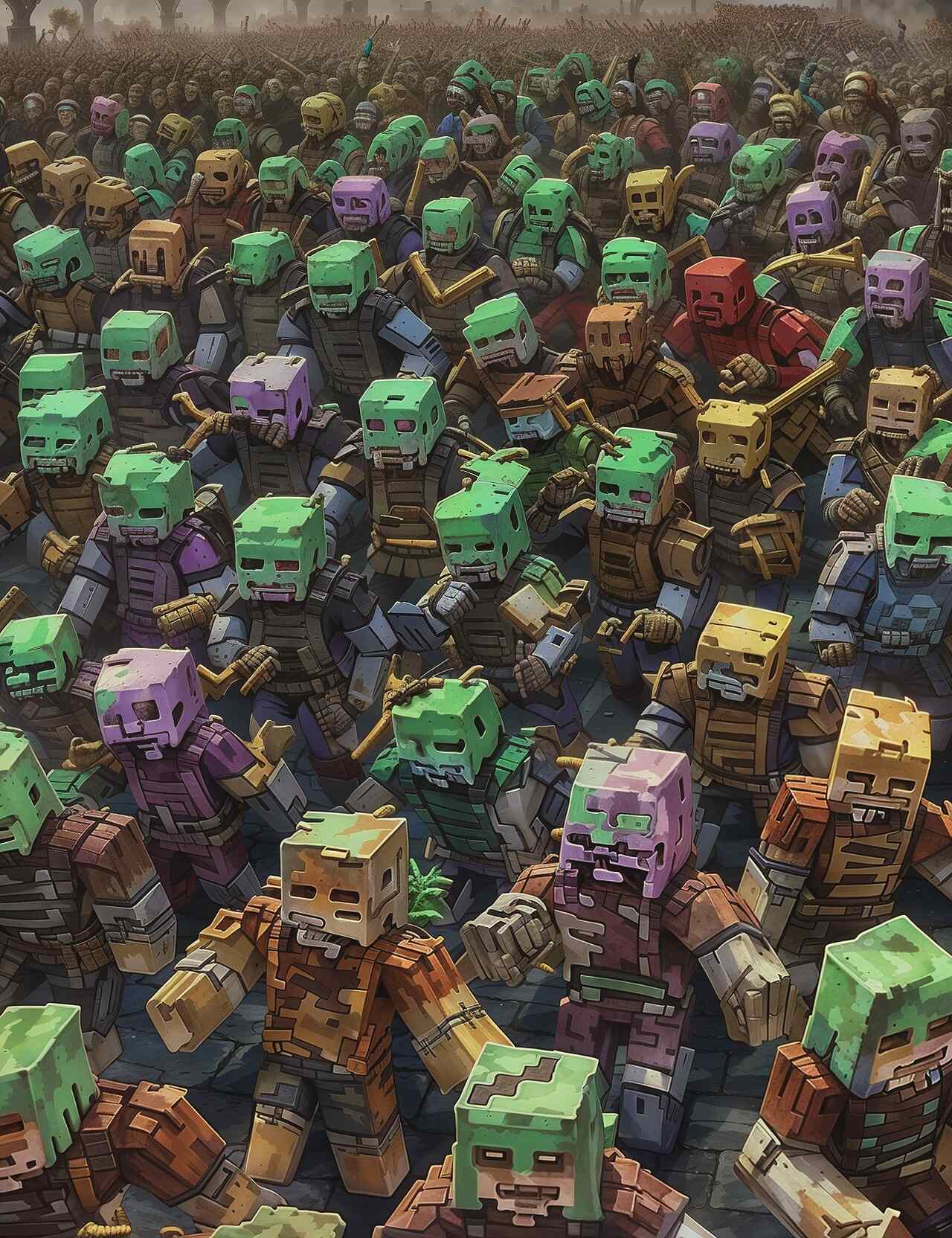
**In this unforgiving landscape**, every decision is a matter of life and death. Resources are scarce, danger lurks around every corner, and the infected are relentless in their pursuit of human prey.
Spoiler
Will you answer the call to survive, or will you succumb to the unrelenting hordes of undead?