Xbox Edition
This modpack is carefully designed to recreate the classic Minecraft Xbox 360 Edition experience on PC. It brings back the original visuals, sounds, menus, and gameplay style using optimized mods and high-quality custom textures.
The main goal of this project is to offer a smooth, nostalgic, and enjoyable experience for players who miss the old console version. It is lightweight, easy to install, and specially optimized for low-end and low-resource PCs, ensuring good performance even on modest systems.
This project is actively maintained and continuously improved to provide a stable, immersive, and fun experience for the Minecraft community.

xBlocked

## 📌 xBlocker Description
## Example #1
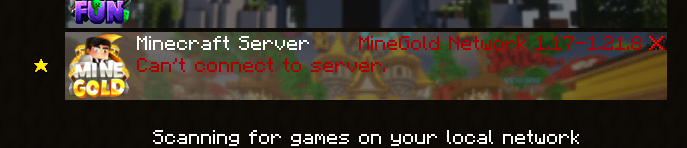
xBlocker is the ultimate plugin to control and customize the connection experience on your Minecraft server, designed for admins who want professionalism, flexibility, and full compatibility.
🔹 Version Management:
Set a minimum allowed protocol (e.g. from 1.16.5 upwards) and block outdated or incompatible clients with clear, customized messages.
🔹 Custom Messages:
Server List (Ping) text to inform players about unsupported versions.
Unique disconnection screens, with dynamic placeholders like %server_version%.
Full integration with i18n (multi-language): messages automatically adapt to the player’s locale.
🔹 Internationalization (i18n):
Multi-language system with support for Spanish, English, and Portuguese, among others. The plugin detects the client’s locale and shows the appropriate translation.
🔹 Compatibility & Performance:
Optimized IP → protocol caching.
Works on Spigot, Paper, and forks (for MOTD).
Proxy support (BungeeCord / Velocity) through xMotd integration.
🔹 Extra Tools for Admins:
Built-in Modrinth update notifier.
Optional usage stats via bStats.
Advanced debug mode for testing and troubleshooting.
✨ With xBlocker you gain total control over how your server appears in the client list and how version mismatches are handled — all with a professional, multi-language, hassle-free experience.
## ✨ Config.yml ✨
“`yaml
# _________ _____.__
# _ ___ ____ _____/ ______| ____
# / / / _ / __| |/ ___
# ___( <_> ) | | | / /_/ >
# ______ /____/|___| /__| |_____ /
# / / /_____/
# Hecho con amor por 777 Studios – xPlugins
#
# Wiki y informacion: https//xblocker.willfry.net/
# =========================
# I18N (MULTI-LENGUAJE)
# =========================
i18n:
enabled: true # true = usar bundles /messages/*.yml
default-lang: “es_ES” # idioma por defecto
# PLAYER_LOCALE_THEN_DEFAULT: usa el locale del cliente; si no, default
# FIXED: fuerza el idioma en fixed-lang
mode: “PLAYER_LOCALE_THEN_DEFAULT”
fixed-lang: “es_ES” # usado si mode=FIXED
ping-lang: “es_ES” # idioma para PING/MOTD (no hay Player)
# Mapeos para normalizar locales reportados (ej. es -> es_ES)
locale-map:
es: “es_ES”
en: “en_US”
pt: “pt_BR”
# =========================
# Notificador de Actualizaciones (Modrinth) (No tocar)!!
# =========================
updates: # (No tocar)!!
modrinth: # (No tocar)!!
enabled: true # (No tocar)!!
project: “xblocked” # (No tocar)!!
# Comprobar cada X horas (>=1)
check-interval-hours: 1 # (No tocar)!!
notify: # (No tocar)!!
console: true
admins-on-join: true
permission: “xblocked.update”
# =========================
# bStats (No tocar)!!
# =========================
bstats:
enabled: true
plugin-id: 27316
# — Compatibilidad de versiones —
# Protocolo mínimo permitido (735 = MC 1.16.5; 763 = 1.20.1; 769 = 1.21.1, etc.)
min-protocol: 735
# Texto que se muestra a la DERECHA en la lista de servidores cuando
# el cliente es más antiguo que min-protocol o no coincide con el servidor.
# Se procesa con el mismo formato indicado en motd.format (auto/legacy/mini).
# NOTA: si i18n.enabled=true, se usará messages/.yml -> serverlist.incompatible.
# Este texto queda como FALLBACK si desactivas i18n.
incompatible-message: “&c ✖️ ¡Oye! 1.19.4 – 1.21x”
# — Caché IP -> protocolo detectado (handshake) —
cache-ttl-seconds: 45 # Tiempo de vida de la entrada
cache-soft-limit: 1000 # Límite suave de entradas (limpieza si se excede)
# Motd ( Solo para Spigot x paper ) Para velocity/bungee Usa xMotd
motd:
enabled: false # true para habilitar el MOTD personalizado
format: auto # auto | legacy | mini
center: true # centra cada línea (approx. por caracteres)
center-width: 50 # ancho usado para el centrado
# Si i18n.enabled=true y existe messages/.yml->motd.*, se prioriza ese contenido.
line1: “&cxBlocked &7| &fLobby”
line2: “&f¡Bienvenido!”
# — Mensaje de desconexión en LOGIN (Outdated server/client) —
disconnect:
enabled: true
# Si es true, solo reemplaza mensajes tipo “Outdated …”.
# Si es false, reemplaza cualquier kick de login por este mensaje.
only-on-version-mismatch: true
format: auto # auto | legacy | mini
# Placeholders disponibles:
# %server_version% -> versión del servidor (ej: git-Paper-196 (MC: 1.20.1))
# Si i18n.enabled=true, se usa messages/.yml->disconnect.incompatible (por jugador).
# Este texto queda como FALLBACK si desactivas i18n.
message: “✖ Servidor/cliente no coinciden. Usa %server_version%”
#### ##### #### # # #### ### #### ##### ### # #
# # # # # # # # # # # # # # # ## #
# # ##### #### # # #### ##### # # # # # # #
# # # # # # # # # # # # # # # ##
#### ##### # ### # # # # #### ##### ### # #
debug: true # logs de handshake/ping/disconnect
debug-force-incompatible: false # fuerza el estado incompatible para
“`
## ✨ Messanges / ES and EN
“`yaml
# _____ ____ ____ ___________ |__| ____ ______
# / _/ __ / / ___/__ | |/ __ / ___/
# | Y Y ___/| | \___ / __ _ | ___/ ___
# |__|_| /___ >___| /____ >(____ /__| |___ >____ >
# Hecho con amor por 777 Studios – xPlugins
# Usa colores HEX (<#RRGGBB>) o de Minecraft (&a, &b, etc.)
meta:
name: “English (US)”
version: 1
serverlist:
incompatible: “✖ Your version is not supported. Please use %server_version%”
disconnect:
incompatible: “✖ Server/client mismatch. Please use %server_version%”
motd:
line1: “GhostBlocker”
line2: “Professional connection control”
admin:
reloaded: “Config reloaded.”
“`
—
Xavier Optimized
**Xavier Optimized** is a **highly optimized Minecraft** modpack designed to deliver **higher FPS gains** than ordinary optimization packs. The modpack’s ultimate goal is to **maximize the vanilla survival experience** without altering the game’s core mechanics. It features **FPS/MSPT optimization**, **enhanced mod compatibility**, and **survival utility tools**.
[Downloading and using this modpack means that you have agreed to the Terms of Service and Disclaimer.](https://docs.xaviermc.top/wiki/XavierOptimized/disclaimers)
[简体中文](https://www.mcmod.cn/modpack/1209.html) | [Wiki](https://docs.xaviermc.top/)
> Notice: Work in Progress
>
>This introduction is currently incomplete and actively being updated. Check back later for more details.
—
**⭐Hyper Optimization**
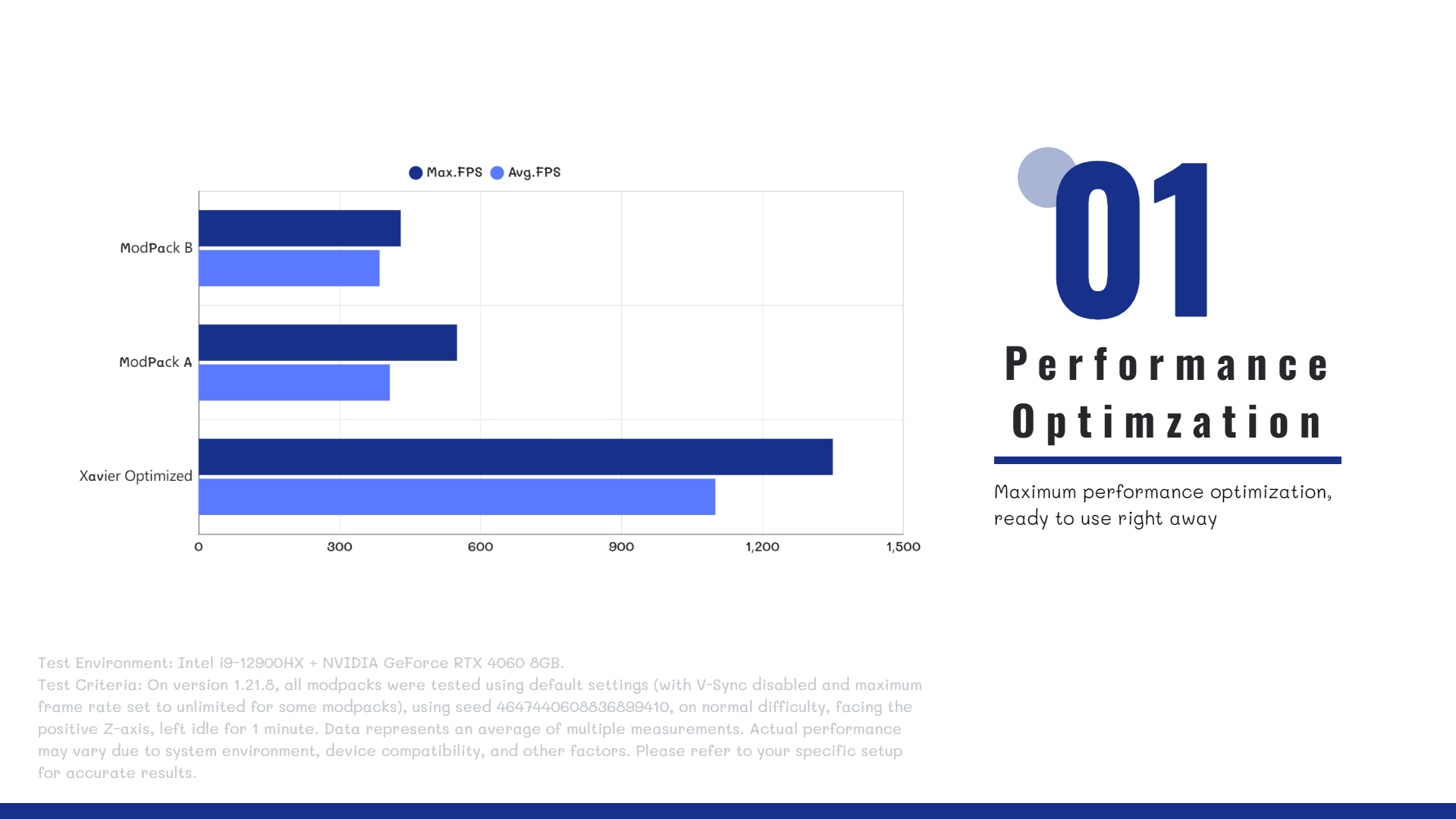
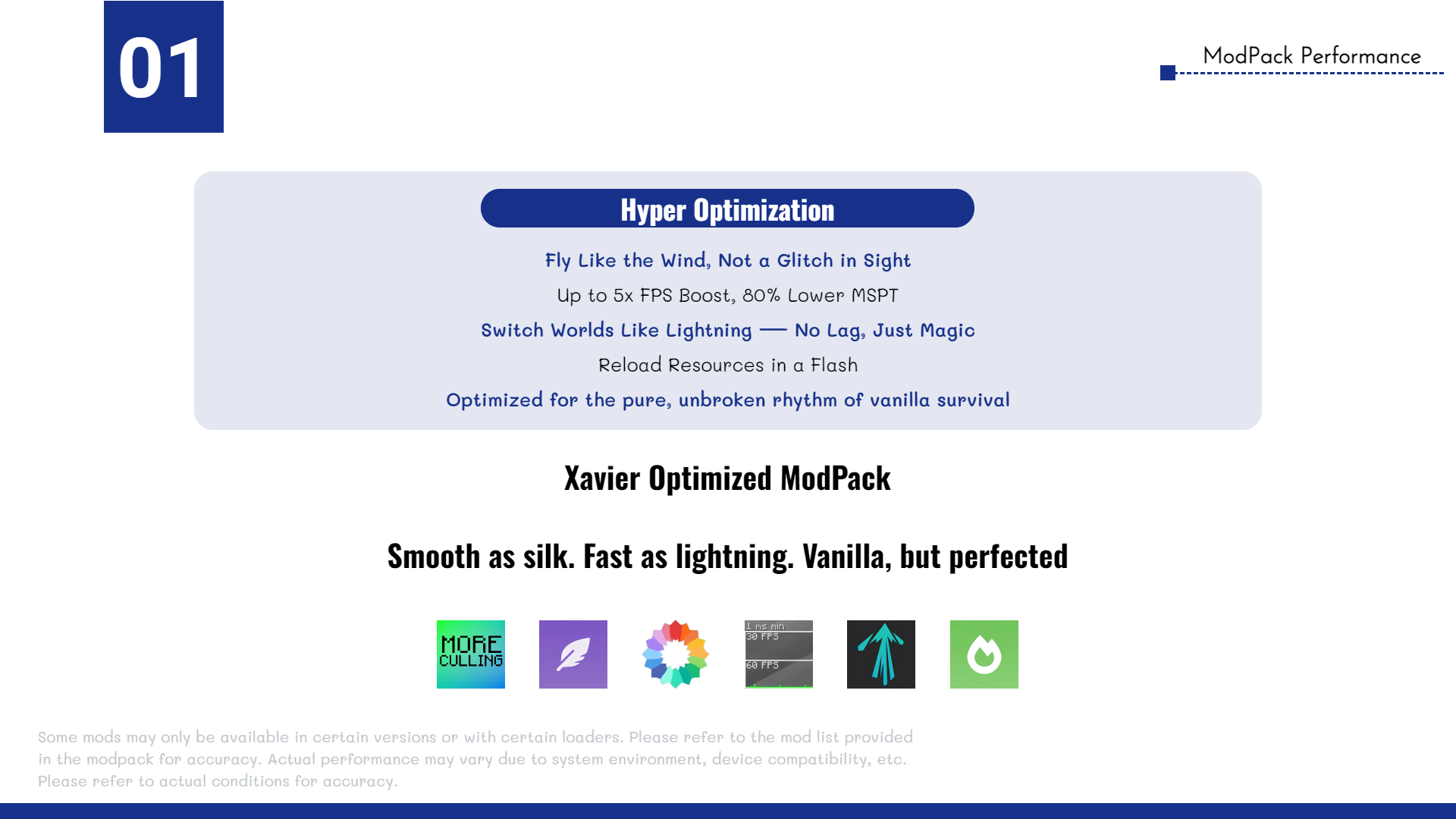
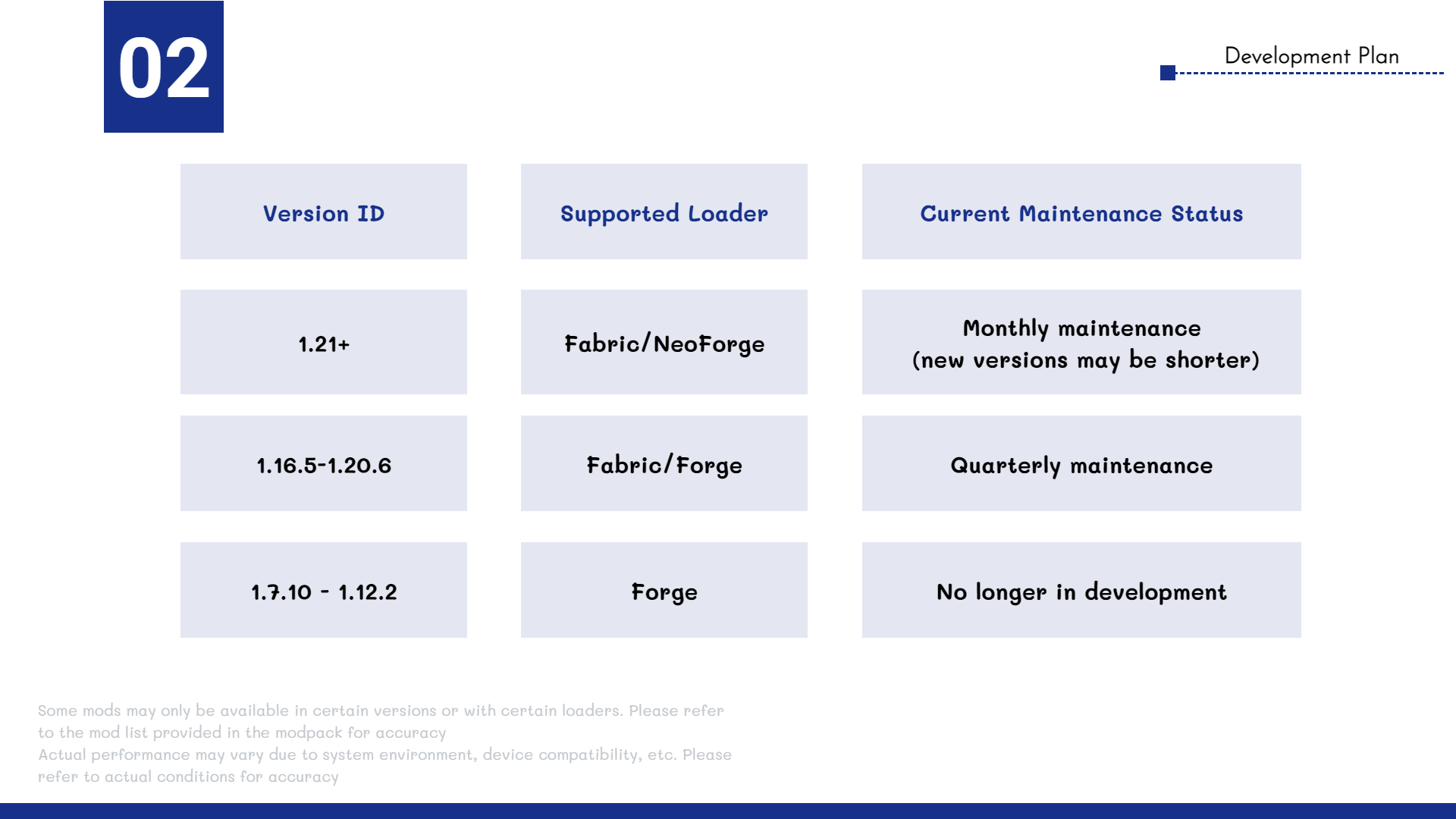
The **Xavier Optimized** modpack includes a wide range of high-performance optimization mods, such as **Sodium**, **Lithium**, **More Culling**, and more, ensuring **maximum efficiency**, **stability**, and **smooth gameplay**. All selected mods are carefully tested to be **safe for both single-player worlds and multiplayer servers**.
Whether you’re running the game on a modern high-end PC or a previous-generation entry-level device, **Xavier Optimized** delivers **significant performance improvements**.
—
**🤔FAQ**
>**Q**: Does the modpack support multiplayer?
>
>**A**: Yes! Xavier Optimized is compatible with most servers and allows vanilla clients to connect seamlessly.
>**Q**: What mods are included in the pack?
>
>**A**: To see the full list of mods, go to the **Versions** tab, select a version, and scroll down to view the included mods.
>**Q**: Do I need to install the modpack on the server?
>
>**A**: No. The modpack is client-side only and works on any server that accepts vanilla clients.
—
**🔗 Author Link**
Email: [email protected]
Xaropy Vanilla
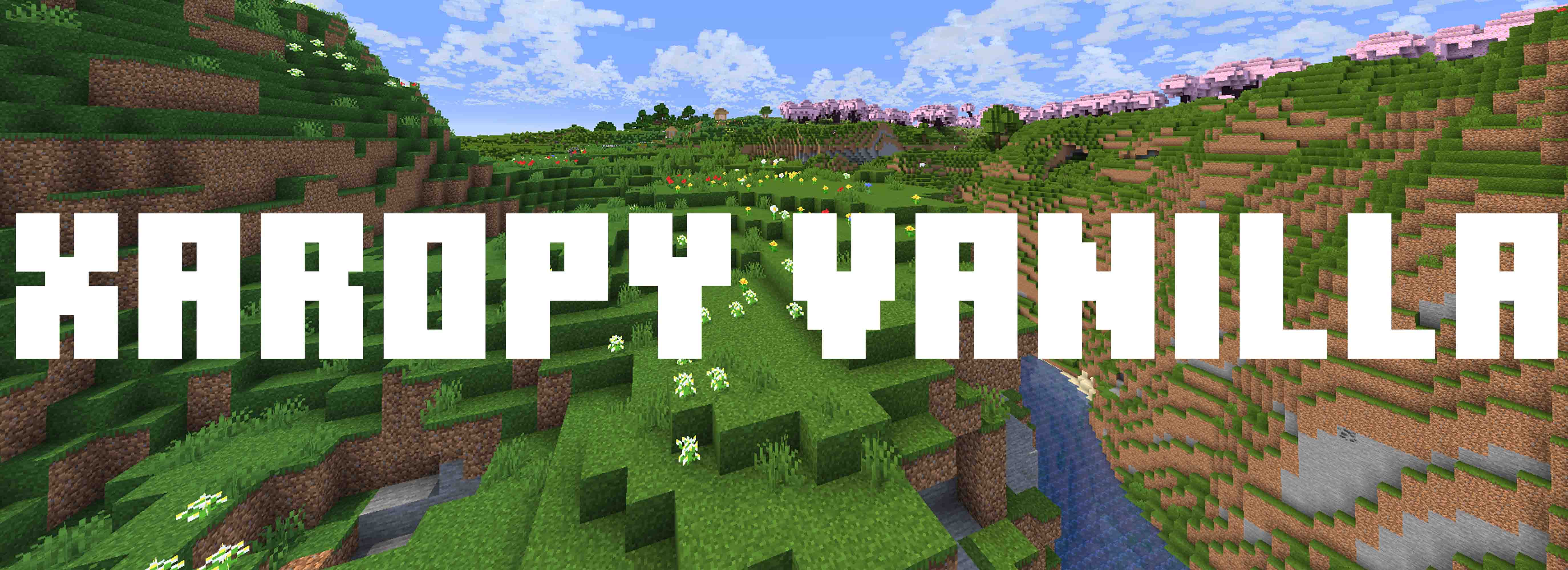
Xaropy Vanilla is a lightweight, fully client side, performance-friendly modpack designed to enhance Minecraft’s visuals while preserving its classic gameplay. This pack improves lighting, textures, and atmospheric effects, creating a more immersive and visually stunning experience without altering the core mechanics.
**Features**:
– ✅ Improved Graphics – Enhanced lighting, more particles and visual effects.
– ✅ Shader Support – Fully compatible with popular shaders for breathtaking visuals.
– ✅ Dynamic Weather & Seasons – Realistic rainfall, sandstorms in the desert, and biome-based fog.
– ✅ Better Mobs & Animations – Smoother movements and improved textures.
– ✅ Optimized Performance – Lightweight and FPS-friendly, even on lower-end PCs.
**Perfect for**:
– ✔️ Players who love vanilla but want better visuals.
– ✔️ Builders looking for more depth and atmosphere.
– ✔️ Adventurers seeking a more immersive world.
Rediscover Minecraft with a fresh, beautiful look
🇧🇷
Xaropy Vanilla é um modpack leve, totalmente do lado do cliente e otimizado para desempenho, projetado para aprimorar os visuais do Minecraft enquanto preserva sua jogabilidade clássica. Este pacote melhora a iluminação, texturas e efeitos atmosféricos, criando uma experiência mais imersiva e visualmente deslumbrante sem alterar a mecânica original do jogo.
🌿 **Recursos**:
✅ Gráficos Aprimorados – Iluminação melhorada, mais partículas e efeitos visuais.
✅ Suporte a Shaders – Totalmente compatível com shaders populares para visuais impressionantes.
✅ Clima Dinâmico & Estações – Chuva realista, tempestades de areia no deserto e névoa baseada em biomas.
✅ Melhores Mobs & Animações – Movimentos mais suaves e texturas aprimoradas.
✅ Otimizado para Desempenho – Leve e amigável para FPS, mesmo em PCs mais modestos.
🎯** Perfeito para**:
✔️ Jogadores que amam o vanilla, mas querem visuais aprimorados.
✔️ Construtores que buscam mais profundidade e atmosfera.
✔️ Aventureiros que desejam um mundo mais imersivo.
Redescubra o Minecraft com um visual novo e incrível — baixe agora Xaropy Vanilla!
CREDITS
Resources used in the Screenshots:
– [Complementary Reimagined](https://modrinth.com/shader/complementary-reimagined)
– [Miniature Shader](https://modrinth.com/shader/miniature-shader)
– [Icons](https://modrinth.com/resourcepack/icons)
– [Hypixel Server](https://hypixel.net/)
– [Default Dark Mode](https://modrinth.com/resourcepack/default-dark-mode)
– [Flashback](https://modrinth.com/mod/flashback)
– [Fresh Animations](https://modrinth.com/resourcepack/fresh-animations)
# Used the modpack [fabulously-optimized](https://modrinth.com/modpack/fabulously-optimized) as a base
Create: Optimized
# ⚙️ Create Optimized
Automation Refined. Performance Perfected.
Create Optimized is a lightweight, performance-focused Minecraft modpack that merges the smooth experience of Optimized FPS
with the elegant machinery of the Create ecosystem.
This pack strips Minecraft back to its essentials, keeping the core vanilla gameplay intact while enhancing it through mechanical creativity and automation.
## 🧩 The Concept
Where Optimized FPS fine-tunes your framerate, Create Optimized fine-tunes your gameplay.
You won’t find a massive overhaul or dozens of magic and tech mods here—just the clean, polished engineering playground that Create offers, running at silky-smooth performance.
## ⚙️ What’s Inside
– **Create and Friends** – The base Create mod and its best-in-class add-ons (like Create: Steam ‘n’ Rails or Create: Deco) bring motion, logic, and artistry to vanilla worlds.
– **Optimized FPS Foundation** – Sodium, Lithium, FerriteCore, and other performance libraries ensure minimal lag, even in automation-heavy builds.
– **Seamless Vanilla Integration** – World generation, progression, and balance remain true to vanilla Minecraft—only now, your farms and factories can move.
– **Simplified, Streamlined Design** – No unnecessary clutter. No broken progression. Just you, your machines, and a beautifully stable sandbox to invent in.
## 🌍 Ideal For
– Builders who love redstone-style automation and mechanical motion.
– Players wanting Create’s beauty and complexity without performance loss.
– Servers seeking a lightweight vanilla+ experience that stays stable under load.
## 🧠 Philosophy
Create Optimized is built around one principle: optimization should never sacrifice creativity.
Every mod, every configuration, and every performance tweak serves a purpose—to give you the best possible Create experience while staying as close to vanilla as possible.
## 🚀 Summary
⚙️ A pure, performance-tuned world of gears, shafts, and innovation. Build smarter, run smoother, and let your imagination spin freely.
Christmas escapade
This is a cool “little” modpack that adds a bunch a **christmas related** mods **+** some cool **utility** and **performance** mods and some **custom world gen** too 🙂
in this modpack you will find for terrain generation:** Terralith, Geophilic and better snowy slopes**. For performance there is: **sodium, lithium, noisium, immediatly fast and more**. You will find **Snow!Real magic!, snowy spirit, snow default, always snow, better snow coverage**, and a bunch more for the christmas spririt **and a lot more other mod for the asthetic and just some cool block, items and feature for christmas** I HAVE MADE NONE OF THESE MODS ALL OF THE CREDIT ARE GIVEN TO THE CREATORS THAT HAVE CREATED THESE AMAZING MODS!.
this modpack has been made for player to have a amazing christmas in and out of the game! Hope you enjoy it! and HAPPY CHRISTMAS EVERY ONE!!!
( i have also included some texture pack and shaders to amplify the asthectic 🙂 )
WyvernProject
Interesting modpack for playing Minecraft with mods and friends!
Magic, Technology, Magic Technologies!
The assembly is optimised for weak computers, for example, on Celeron N3060, 4GB RAM – 30 fps on the server is stable!
Start your journey with **WyvernProject**
WynnX
# What is WynnX?
A modpack focused on giving you the best experience on Wynncraft. As you would expect from Minecraft’s biggest MMORPG the mods we use are constantly changing and we will do our best to keep everything up to date. You can find a list of these mods below with some helpful descriptions.
_I do not own any of these mods all rights reserved to the original creators._
Graphical Enhancements
– **Iris Shaders:** A simple shaders mod, I’ve also included ‘Complementary Shaders’ alongside it. (For lower end PCs you can turn down the settings and you may be able to use it; if not you can toggle it off which it will be by default)
– **Shoulder Surfing Reloaded:** Removes 2nd person, and allows you to use 3rd person more freely.
– **Cubes Without Borders:** A mod that allows you to use Borderless Fullscreen
Performance
– **Sodium:** The main Minecraft peformance mod on Fabric
– **Sodium Extra:** An extension of Sodium
– **Reese’s Sodium Options:** Allows you to control more graphical settings in your options menu
– **Lithium:** General purpose optimization mod fixing a number of things including physics, mob AI, block ticking, etc.
– **Particle Core:** Particle culling mod; particles outside of your view will no longer be generated
– **Entity Culling:** Entities outside of your view will no longer be generated
– **More Culling:** Additional culling for other objects
– **Ferrite Core:** Reduces memory usage
Quality of Life
– **Wynntils:** The main Wynncraft mod
– **Wynn-Spell-Caster:** A mod that has finally solved the age-old-problem of having issues casting spells. No more manual casting or configuring macros. (You will need to disable/unbind Wynntils built-in version of spell caster which is on by default, and then bind Wynn-Spell-Caster’s)
– **Wynnventory:** A mod that adds useful tooltips to your HUD, displaying things like raid aspects and market prices
– **WynnExtras:** A few quality of life features such as better bank, crafting helper, in game profile/guild viewer, raid list and more
– **Chat Patches:** Allows you to configure several chat options such as timestamps, duplicate messages, and copy and paste chat messages. Go into ‘Mods’ then ‘Chat Patches’ in your escape menu and click the configure button to adjust to your liking.
~~- **RemoveHUD:** Allows you to disable individual vanilla UI~~
– **Zoomify:** Allows you to zoom in
– **Controlling:** Allows you to search in keybinds menu
– **Kenny’s-Force-Close-Loading-Screen:** Allows you to load the game faster
**WARNING: If a mod is removed for game breaking reasons you may need to re-download the modpack**
WynnVista
# WynnVista

The Fog is coming. WynnVista is a Minecraft mod designed to enhance the gameplay experience on Wynncraft by automatically adjusting the render distance of LOD mods (Distant Horizons or Voxy). Made for my modpack [World of Wynncraft](https://github.com/bob10234/World-of-Wynncraft)
## What’s Up
– Supports both **Distant Horizons** and **Voxy** LOD mods
– Automagically adjusts LOD render distance based on player location
– Captures your current LOD render distance on first launch
– Returns to saved distance when inside the Wynncraft map, reduces when outside
– Configurable settings via Mod Menu or config file
## Installation
1. Make sure you have Fabric Loader and Fabric API installed
2. Download and install **either** Distant Horizons (2.2+) **or** Voxy (0.2.9+)
3. Download the latest version of WynnVista from the releases page
4. Place the downloaded .jar file in your Minecraft mods folder
## Configuration
You can configure WynnVista using Mod Menu. The following options are available:
– **Show In-Game Messages**: Toggle whether to display “The Fog lifts/descends” messages
– **Max Render Distance** (16-256 chunks): Your preferred LOD distance inside the Wynncraft map
– On first launch, WynnVista captures your current LOD render distance
– After that, you can adjust this value in the config to change your max distance
– **Reduced Render Distance** (12-128 chunks): Distance for areas outside the Wynncraft map
– **Distant Horizons**: Uses this value outside the map
– **Voxy**: Ignores this setting and completely hides LODs outside the map
## Requirements
– Minecraft 1.21.11
– Fabric Loader 0.14.21 or higher
– Fabric API
– **One of the following LOD mods:**
– Distant Horizons 2.2 or higher
– Voxy 0.2.9-alpha or higher
– Cloth Config
– Mod Menu
## Go Ham
– I don’t know nothing about java so if you wanna fork this and fix this up go ham.
– Feel free to use this in your modpack
## Acknowledgments
– Thanks to the Distant Horizons team for their amazing mod
– Thanks to Cortex for the incredible Voxy mod
– Thanks to the Wynncraft team for creating an awesome MMORPG experience in Minecraft
– Thanks to igbarvonsquid!!!
## Support and My Mods
Please report any bugs or feature suggestions on the Github Issues page, I’ll be updating this frequently with community feedback and ideas! You can also [join my discord](https://discord.gg/jqFF64rXZZ) if you need direct support, or want to stay updated with all of my mods.
### Check out all my projects!
> [World of Wynncraft Modpack](https://modrinth.com/modpack/world-of-wynncraft)
> [WynnVista](https://modrinth.com/mod/wynnvista)
> [Wynn Weapon Bigger](https://modrinth.com/mod/wynnweaponbigger)
> [Nimble ReWynnded](https://modrinth.com/mod/nimble-rewynnded)
> [Class Keybind Profiles](https://modrinth.com/mod/class-keybind-profiles)
> [WynnBubbles](https://modrinth.com/mod/wynnbubbles)
> [WynnLODGrabber](https://modrinth.com/mod/wynnlodgrabber)
Wynntils Upgraded
Wynntils is a mod designed to enhance the user experience of Wynncraft. The mods in this modpack seek to further enhance the user experience of Wynncraft through performance and visual enhancement mods. Now including Complimentary Shaders!
Thank you to Complimentary Shaders for allowing me to use them in this modpack! More information on these shaders can be found here https://www.complementary.dev/shaders/
Server IP: play.wynncraft.net
All settings are on default.
Mod List
– Better F3: More info in F3 menu
– Chat Heads: Shows player heads in chats
– Controlling: Search for keybinds
– CraftPresence: Discord integration
– Entity Culling: Skips rendering non-visible blocks and entities
– Euphoria Patches: Adds more features to Complementary Shaders
– FerriteCore: Memory usage optimizations
– FPS Reducer: Reduces FPS when inactive to reduce GPU and CPU load
– ImmediatelyFast: Various Optimizations
– Iris: Allows shaders to run with Sodium
– ModernFix: Improves perfomance, reduces memory usage, fixes bugs.
– Model Gap Fix: fixes https://bugs.mojang.com/browse/MC-73186
– Neoforge Version 21.1.57: [https://projects.neoforged.net/neoforged/neoforge](https://projects.neoforged.net/neoforged/neoforge)
– No Chat Reports: Disables Chat Reporting where legally possible
– Notes: Adds in-game notepad [https://www.curseforge.com/minecraft/mc-mods/notes](https://www.curseforge.com/minecraft/mc-mods/notes)
– Skin Layers 3D: Replaces second layer with 3d modeled version
– Sodium: Performance booster
– Spark: Performance profiler
– Wynntils: https://wynntils.com