y-v
this is a lightweight optimization and quality-of-life modpack, **specifically for the y-v smp**. it includes mods like sodium + ferritecore for performacne, and simple voice chat for quality of like enhancements…
this is a lightweight optimization and quality-of-life modpack, **specifically for the y-v smp**. it includes mods like sodium + ferritecore for performacne, and simple voice chat for quality of like enhancements…
# Xyetta
Xyetta is a **Kitchen Sink**, **Vanilla+** modpack designed to enhance Minecraft in every way!
Xyetta has all your favourite mods like **Terralith**, **Replay Mod**, and more.
Create breathtaking worlds with Xyetta’s world generation mods for all dimensions while preserving the feel of Minecraft.
**[](https://www.curseforge.com/minecraft/mc-mods/xxl-packets “Click here to download on curseforge!. “)**
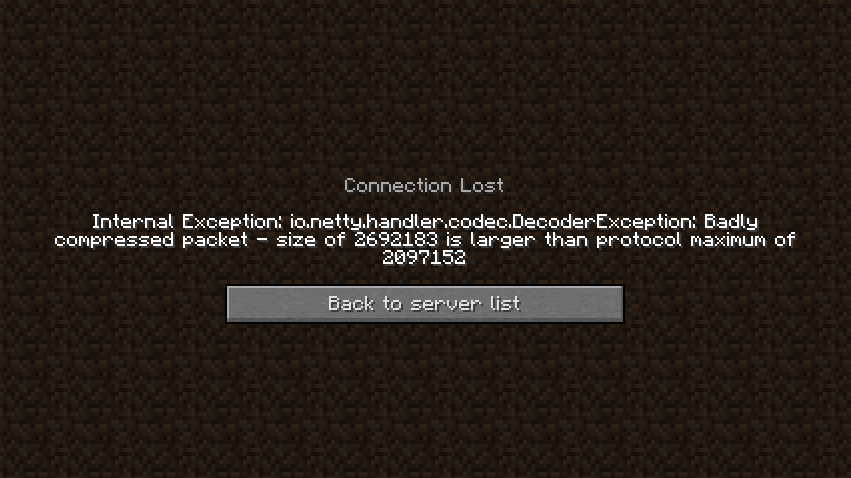
DISCLAIMER: This is a fork of the original XL Packets mod, This fork extends the packet limit to the Java Integer limit
Fixes https://bugs.mojang.com/browse/MC-185901 by raising the packet size limit from 2MB to 2.14GB (2147483647), so that servers with large datapacks, packets, etc don’t kick the client.
This mod is needed clientside for any connecting clients.
**[](https://bh.lazuline.xyz “Click here for 25% off a minecraft server by BisectHosting. (if you use code ‘Ultimate’). “)**
# XVN.
This modpack is built for one thing: maximum FPS without sacrificing gameplay. Expect **up to 750%+ FPS improvements** depending on your setup, all while staying smooth, responsive, and PvP-ready.
> Every mod is carefully selected and configured to reduce overhead, improve rendering efficiency, and minimize input lag. No bloat. No gimmicks. Just performance.
⚠ WARNING:
> Includes **VulkanMod** (experimental & picky). There is a **high chance of crashes**, so dont believe it 100% that its gonna work first try, check out their Github for incompatibilities and other stuff
https://github.com/xCollateral/VulkanMod
## Key features
• **Massive** FPS **Boost**.
> Advanced rendering, memory tweaks, and engine-level improvements for dramatically higher frame rates.
• **Less** input **latency**.
> Optimized for mouse & keyboard responsiveness — ideal for PvP.
• **Smoother** experience.
> Faster chunk loading, reduced stuttering, and consistent frame pacing.
• Mods for **other daily tasks**.
> Quality-of-life improvements for competitive play without adding bloat.
• Not making the game **look worse for performance**.
> Clean, sharp look without heavy graphical overhead.
## Rare/Intersting picks ive made.
> This pack also includes some uncommon but powerful mods you don’t see everywhere:
• **VulkanMod** – experimental Vulkan renderer (FPS monster, but crash-prone)
• **Bad Optimizations.** – like its description says, aton of micro-optimizations that end up doing a bigger change.
## Kind of people i made this for.
– PvP & competitive players wanting max performance without drops that sodium or other packs might have.
– Low-end PCs needing serious optimization ( ⚠ must be new enough to support it. ⚠ )
– High-end PCs looking for new peaks while enjoying their experience.
– Anyone who wants Minecraft to max out.
# Big notes!
– Gains vary by hardware, previous mods, and settings.
– Allocate RAM reasonably; avoid over-allocation.
– Use updated GPU drivers.
– Additional heavy mods may reduce stability.
> – ### 
> Not just another FPS boost pack — a carefully tuned performance build focusing on competitive play, responsiveness, and extreme optimization. Load it up and feel the difference immediately.
## Incase you are not in the wanting of troubleshooting.
– **You should try Alternatives to Vulkan modpacks or modpacks like Fabulously Optimized.**
– **BUT BEWARE OF A POSSIBLE DECREASE OF PERFORMANCE OF WHAT YOU COULD ACHIEVE WITH THIS.**
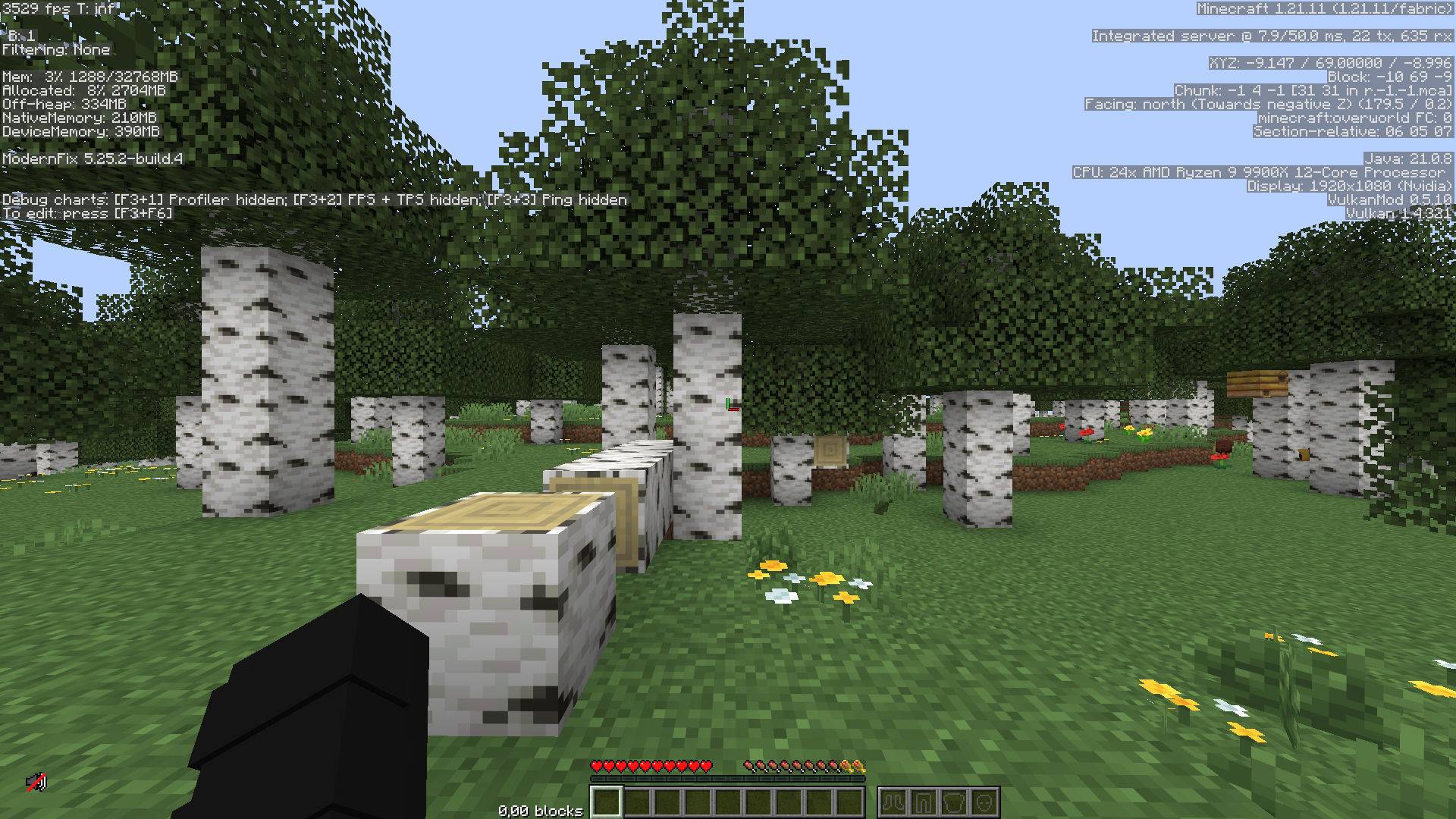
> I have only tested this on my own hardware, which you can see some of it in the given screenshots.
# **VANILLA+** mods and resource packs
**All the server mods and resource packs you need, for the perfect vanilla** (_but better_) **minecraft experience!**
### 🌟 Experience Minecraft in a new but familiar way!
**Vanilla+** enhances your Minecraft server without changing what makes the game special. This carefully assembled collection of mods, in combination with a few resource packs, improves performance, adds quality-of-life features and more — all while maintaining the authentic Minecraft feel:
### ✨ What’s included?
– **Performance optimization** – enjoy smoother gameplay even with many players
– **Quality-of-life improvements** – small tweaks that make a big difference
– **Bug fixes** – solutions for those frustrating vanilla issues
– **Vanilla-friendly additions** – new structures, biomes and more, that all fit perfectly into the Minecraft aesthetic
### ❤️ Just Vanilla!
Everything works perfectly with vanilla Minecraft content, meaning:
– No adding any new blocks or entities into the game
– Friends can join your server without needing the mods on their client
– All vanilla gameplay mechanics remain intact, or are made even better
### 🛠️ Technical Details
Vanilla+ is lightweight and server-friendly, designed to:
– Reduce server lag and TPS drops
– Optimize chunk loading and entity handling
– Improve overall stability
> **NOTE:**
> _This modpack has been tested on several servers, and it has been confirmed that none of the mods, not even a fabric installation, is required to join a server using this modpack._
### 📋 Compatibility
– Works with Minecraft version **1.21.4**
– Compatible with most client-side mods
## ⚙️ Mod Configurations
Configurations for inside the mod config files for the best experience.
### 📟 Better Fabric Console
For the best looking console log, use this as the `log-pattern` value:
“`bash
log-pattern=”%highlight{[%d{HH:mm:ss} %level] [%t]: [%logger{1}] }{FATAL=bright_magenta, ERROR=bright_red, WARN=bright_yellow, INFO=bright_cyan, DEBUG=bright_black, TRACE=bright_blue}%highlight{%paperMinecraftFormatting{%msg}}{FATAL=magenta, ERROR=red, WARN=yellow, INFO=white, DEBUG=bright_black, TRACE=white}%n”
“`
——————————————————————————–
_Visit my [GitHub](https://github.com/XulbuX) to learn about other stuff I do!_
在此整合包中,可达到80~650fps , mod加载器:fabric

开启中配置光影后(Complementary Shaders – Unbound),Fps为50~85
With Complementary Shaders – Unbound enabled in the configuration, the Fps is 50 to 85
开启低配置光影后(Mellow),Fps为300~400
After turning on low-configuration lighting (Mellow), the Fps is 300 to 400.
1.使用了较多的优化mod,整合包比原版fps高的多(测试过:本机原版fps30~60,使用此整合包后fps80~650)
2. Xaero’s Minimap、appleskin、jade、连锁挖掘等辅助mod可以给你带来好的体验。
1. The mod uses a lot of optimization, the integrated package is much higher than the original fps (tested: the original fps of this machine 30~60, after using this integrated package, fps is 80~650) 2. Xaero’s Minimap,kin, jade, chain mining and other auxiliary mods can bring you a good experience.
# ⚡ Xtremely Optimized
🚀 The Ultimate Performance Modpack for Fabric
**Boost FPS • Enhance Graphics • Reduce Lag**
[](https://modrinth.com/modpack/xtremely-optimized)
[](https://github.com/mptamilan/xtremely-optimized/releases)
—
## 📌 About Xtremely Optimized
Xtremely Optimized is a **lightweight, high-performance modpack** designed to **maximize FPS, improve world loading, and enhance graphics**—all while keeping the classic Minecraft feel. It’s perfect for **low-end PCs and high-end gaming setups** alike!
✅ **Massive FPS Boost** – No more lag spikes, smoother gameplay.
✅ **Better World Loading** – Faster chunks, improved performance.
✅ **Enhanced Graphics** – Beautiful visuals with **no FPS loss**.
✅ **Multiplayer-Ready** – Play with friends, no chat reporting!
✅ **Pre-Tuned Settings** – No tweaking required, just install & play!
—
## 🛠️ What’s Inside?
### ⚙️ **Performance Mods**
– **Lithium** – Optimized physics, AI, and tick performance.
– **Sodium** – The best FPS-boosting rendering mod.
– **FerriteCore** – Cuts RAM usage in half.
– **Dynamic FPS** – Reduces background lag and improves focus performance.
– **ImmediatelyFast** – Enhances rendering speed for more stable FPS.
– **More Culling** – Improves rendering efficiency to save system resources.
### 🎨 **Visual Enhancements (No FPS Drop!)**
– **Iris Shaders** – Enables high-performance shaders as an OptiFine replacement.
– **No Chat Reports** – Keeps multiplayer safe & private.
– **Custom Splash Screen** – Allows personalized loading screen customization.
📝 *Full mod list available on [Modrinth](https://modrinth.com/modpack/xtremely-optimized).*
—
## 🚀 Xtremely Optimized – Installation Guide
### 🟢 Modrinth Launcher (Recommended)
1. Open Modrinth Launcher.
2. Go to the Browse tab.
3. Search for “Xtremely Optimized”.
4. Click Install and wait for the download to finish.
5. Go to the Library tab, select the modpack, and click Play ▶️.
### 🔵 Prism Launcher / PolyMC
1. Open Prism Launcher or PolyMC.
2. Click Add Instance ➕.
3. Go to the Modrinth tab.
4. Search for “Xtremely Optimized”.
5. Select the latest version and click OK ✅ to install.
6. Once installed, select the instance and click Launch 🚀.
### 🟠 ATLauncher
1. Open ATLauncher.
2. Go to the Packs tab 📦.
3. Click Add Modrinth Pack and search for “Xtremely Optimized”.
4. Select the latest version and click Install ⬇️.
5. Once installed, select the instance and click Play ▶️.
## 🟡 CurseForge / Overwolf Launcher
1. Open CurseForge Launcher.
2. Click on Minecraft 🟩 and go to Browse Modpacks.
3. Search for “Xtremely Optimized”.
4. Click Install ⬇️ and wait for the download to finish.
5. Click Play ▶️ to launch.
### 🔴 MultiMC
1. Open MultiMC.
2. Click Add Instance ➕.
3. Select Import from Modrinth.
4. Search for “Xtremely Optimized” and select the latest version.
5. Click OK ✅, then launch the instance 🚀.
### ⚡ Other Launcher
1. Open Any Launcher.
2. Find For Modpack install Section.
3. Search “Xtremely Optimized” Find and Select Version And install.
4. Click Play To Launch.
—
## ❓ FAQ
**Q: What Minecraft version does this support?**
A: The modpack is designed for **Minecraft 1.21.4** and newer updates.
**Q: Is OptiFine required?**
A: **No!** Instead, this pack includes **Iris Shaders**, which supports shaders better than OptiFine **without FPS drops**.
**Q: How do I report issues or suggest mods?**
A: Open an issue on [GitHub](https://github.com/mptamilan/xtremely-optimized/issues) or join our [Discord](https://discord.gg/2sEahV9TXK).
—
## 🌟 Support & Contribute
💡 Want to help improve Xtremely Optimized?
⭐ **Like the pack? Give it a ⭐ star on GitHub & Modrinth!**
🔹 **Fork the repo** and submit PRs for improvements.
🔹 **Report bugs & suggest new mods** via [GitHub Issues](https://github.com/mptamilan/xtremely-optimized/issues).
🔹 **Join the community** on [Discord](https://discord.gg/2sEahV9TXK).
—
## 📜 License
Xtremely Optimized is **open-source** and licensed under **Apache License 2.0**.
You’re free to modify and share, but **please credit the original creators**.
—
## 🔗 Useful Links
📥 [Download on Modrinth](https://modrinth.com/modpack/xtremely-optimized)
📂 [GitHub Repository](https://github.com/mptamilan/xtremely-optimized)
🎮 [Join Our Discord](https://discord.gg/2sEahV9TXK)
🚀 **Enjoy Minecraft like never before with Xtremely Optimized!**
PL:
To jest modpaczka dla Polskiego serwera xTremCraft która nie jest wymagana by grać.
Modpaczka zawiera:
– Wszystkie te mody: [xTremCraft™ Pack Collection](https://modrinth.com/collection/aPKG1YUL)
– + configi modów
– + 7200×7200 wyrenderowaną mapę serwera dla Xaero’s minimap oraz worldmap
– Resourcepack: Motschen’s Better Leaves
– dodano serwer do listy serwerów
– Dodano emotki do Emotecraft
– Zalecamy użycie: Sildur’s Vibrant Shaders v.1.52 ponieważ wyglądają super
Wszystkie prawa idą do Autorów/Właścicieli modów/paczek zasobów
Celem tej modpaczki jest byciem łatwym w zainstalowaniu dla każdego gracza który ma trudności z pobieraniem modów ręcznie oraz/lub zawarciem konfiguracji.
EN:
This is mod pack for Polish server xTremCraft wich is not required to play.
modpack itself includes:
– All These mods: [xTremCraft™ Pack Collection](https://modrinth.com/collection/aPKG1YUL)
– + configs of these mods
– + 7200×7200 server’s rendered map for Xaero’s minimap and worldmap
– Resourcepack: Motschen’s Better Leaves
– Added server to the server-list
– Added emotes to Emotecraft
– We recommend to use: Sildur’s Vibrant Shaders v.1.52 cause it’s look cool
All rights going to mods/resourcepack’s Authors/Owners
The goal of this modpack is to be easy to instal to any player that have difficulties with downloading mods manually and/or including configs.
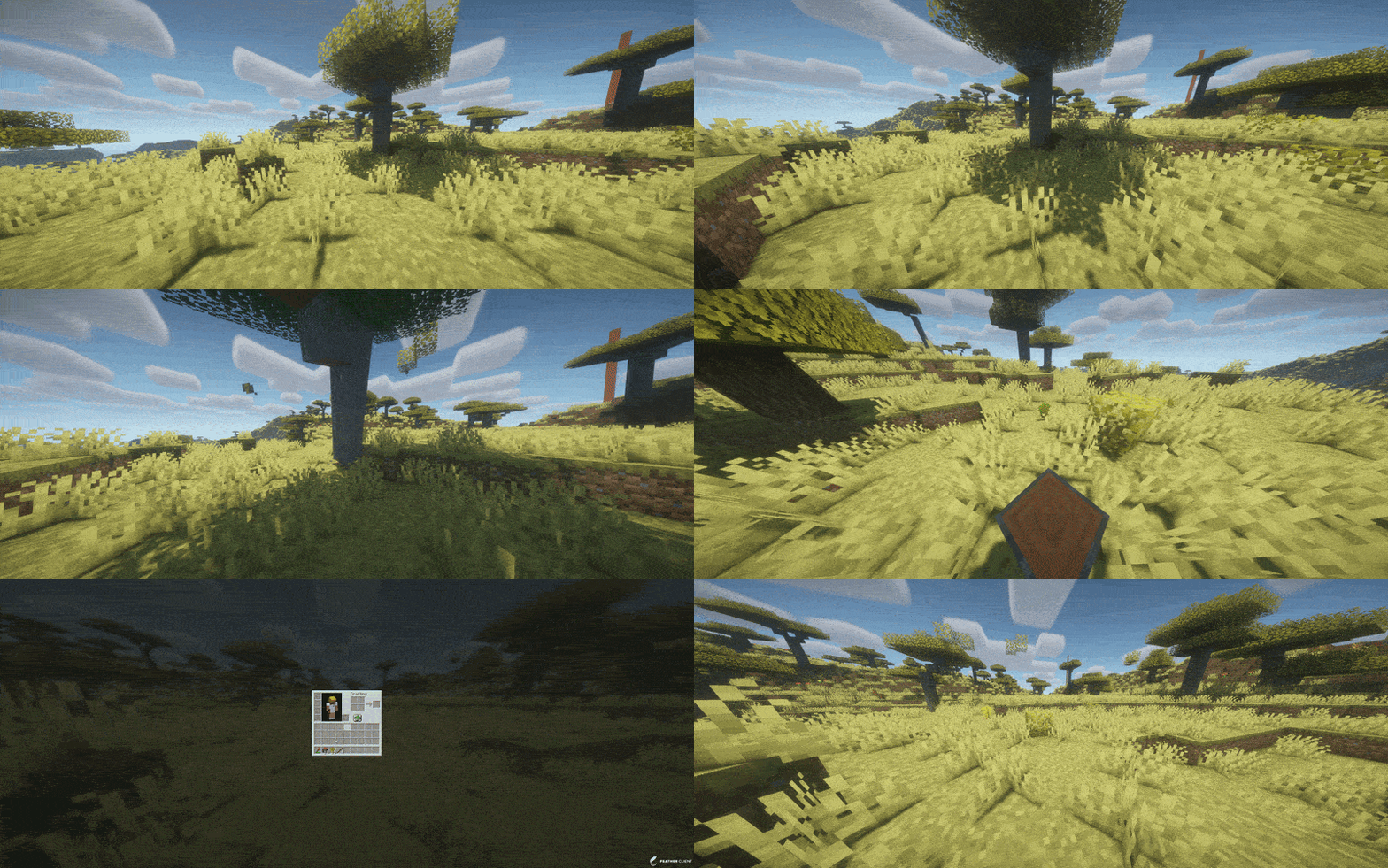
TreeFeller is a Paper plugin for Minecraft 1.21.x that makes tree cutting feel more natural and visually satisfying.
Instead of instantly removing the whole tree, the tree falls over with an animation, lands in the direction it actually falls, drops its loot near the impact point, and leaves behind a few scattered leaves for a nicer result.
The plugin is designed to feel immersive without turning tree cutting into an overpowered instant-break feature.
## Features
– Animated tree falling
– Trees fall away from the player
– Drops appear near the actual impact point
– Sounds and particles play on the correct side
– A few leaves are placed on the ground after impact
– Saplings, sticks and apples can drop naturally
– Sneaking lets players bypass the system and break blocks normally
– Axe-only support
– Improved detection to reduce false positives on player-built wooden structures
– Better separation of connected leaves between nearby trees
– Simple language/message system
## Supported server software
– Paper 1.21.x
Tested on:
– Paper 1.21.11
## Supported tree types
– Oak
– Birch
– Spruce
– Jungle
– Acacia
– Dark Oak
– Cherry
– Mangrove
## How it works
When a player breaks a log with an axe, TreeFeller checks whether the structure looks like a natural tree.
If it is detected as a valid tree:
– the tree is collected
– the blocks are replaced with animated displays
– the tree falls over
– sounds, particles and drops are spawned on the same side as the visual fall
– logs and natural loot are dropped near the landing point
– a few leaves are left on the ground for a more natural look
Sneaking while breaking a log bypasses the plugin and keeps normal block breaking behavior.
## Tree detection
TreeFeller includes extra checks to avoid treating random wooden builds as natural trees.
It also tries to separate leaves from nearby trees more carefully, so if two tree crowns touch, the plugin does not simply take every connected leaf block.
No automatic tree detection is perfect in every edge case, but the current system is built to be much safer than a simple “connected logs and leaves” approach.
## Installation
1. Download the latest release
2. Put the jar into your server’s `plugins` folder
3. Start or restart the server
## Requirements
– Java 21
– Paper 1.21.x
## Configuration
### `config.yml`
“`yaml
language: en
This mod has many new features, some may seem hard to figure out. here are some instructions for hard features.
Mars dimension. in order to go to mars, you need to make a portal out of mars block. you craft it with red sand in the middle and corners of the crafting grid, the rest filled in with iron ingots. you make it like a nether portal, but ignite it with the mars portal igniter made with red sand and flint and steel. in mars, you will find iron oxide, volcanic basalt, and mars bases. the iron oxide can be crafted with iron nugget + bottle of water (not water bottle) the bottle of water is crafted with 2 glass on top of each other. iron oxide can be converted to iron nuggets with sandpaper + iron oxide. sandpaper is made with paper and sand on top of the paper. volcanic basalt can be made into slabs, stairs and walls.
2. Biomes. The biomes naturaly generate around the world. the pine forest is the most commen. it is like a tall tree spruce biome, but the trees are a new tree type, pine, they can be crafted into planks, slabs, stairs, door, trapdoor, and fence. i forgot to make wooden tool and stick craftable with it. Biome 2: Orange tree feilds. this biome generates with orange trees and grass. the oranges drop from the leaves. the oranges can be eaten or crafted into with orange + bottle of water. Biome 3: Glowing plains. this biome is less serious, the ground is glow block, and dirt is glowstone. In mars, there is mars biome and mars basalt plains. in the garbage dimension there is landfill.
3. Garbage dimension. garbage is crafted with paper, stick, dirt. 4 garbage makes a garbage block, used to make a garbage portal. be careful to not break the garbage block be cause it drops junk. to ignite the portal use the garbage portal igniter crafted with flint and steel and garbage. the garbage dimension is garbage block and trash water. it is just like water but flows slower.
4. Ores and materials there are 2 new ores and 5 new materials. first uranium its a bit rare and the armour gives you blast protection and the pickact mines a 3×3 area. the sword gives poison 1 for 60 ticks. next, tin. tin is another ore. it can be used to craft bronze with 1 copper and one tin ingot. bronze can be used to craft a sword, pickaxe, and trumpet. the bronze tools are almost as good as diamond. next, stone armour is now a thing. it is crafted with stone, andisite, diorite, and granite, not cobblestone. Next, great material. the tools and armour are overpowered. you craft it with netherite, diamond and iron. it has a sword, axe, pickaxe, and armour.
5. Plants. Many new plants generate all over the world. some plants, like corn, raspberrys, and tomatos can be eaten. corn when you eat it drops a corn husk, which can be crafted into bonemeal. other plants are decorative. the mushroom piles drop mushrooms.
6. mobs. at the time of writing this, the only new mob is a duck. they are a bit buggy.
7. this may change. new things are always being added.