LBD Shaders
   
—

### 📋 About
LBD Shders is a shaderpack which is ideal for learning OptiFine GLSL due to its good structure. And maybe a few cool effects will be added too.
—
### ⚙️ Compatibility
This pack works with OptiFine as well as Iris and has no major compatibility issues.
—
📦 Features
- Color Sources
- Albedo (colotex0)
- Depth (depthtex0)
- Shadowtex (shadowtex0)
- Post Processing Effects
- 1-Bit (everything reduced to 10 colors)
- Pseudo Thermal (luminiscense to color spectrum)
- Colorgrading
- Coordinate-specific Tests
- Drawing circle on the screen
- Vignette
Technology used
#include#defineshaders.properties- defining functions
- defining
lang
Kyoko Shader’s
Experience Minecraft Like Never Before
Introducing Kyoko Shaders — a professionally crafted Vanilla+ shader pack designed to deliver realistic lighting, vibrant colors, and immersive atmosphere while preserving the iconic feel of Minecraft. Built with both beauty and performance in mind, Kyoko Shaders creates a cinematic experience without straying too far from the game’s original style.
From glowing sunsets and dynamic shadows to crystal-clear water reflections and volumetric clouds, every visual effect has been carefully tuned to make your world feel alive.
✨ Features
Realistic lighting and dynamic shadows
Vibrant Vanilla+ visual style
Beautiful water reflections and wave effects
Soft bloom and cinematic atmosphere
Volumetric clouds and enhanced skies
Improved sunlight, moonlight, and ambient lighting
Smooth reflections and immersive environmental effects
Enhanced fog for realistic depth and atmosphere
Balanced visual quality and optimized performance
Multiple settings for both high-end and lightweight gameplay
Kute
This lightweight Minecraft shader gives your game a gentle dreamy glow without slowing things down It’s perfect for players who want a cozy, soft vibe while keeping smooth gameplay and super friendly on performance ^-^
KUDA Shaders
[](https://modrinth.com/shader/kuda-shaders)

[
](https://discord.gg/FVH3GaMHJz)
[](https://github.com/T1taniumF0rge-Industries-Inc/kuda-shaders)
[](https://modrinth.com/shader/kuda-shaders)
[](https://ko-fi.com/titan1um)

**WIP! Expect bugs and errors!**
**This shader provides detailed Minecraft gameplay that’s compatible with Iris and OptiFine!**

# 📝Introduction:
KUDA Shaders is a detailed and polished shader pack designed to enhance Minecraft’s visuals without adding unnecessary effects. It focuses on realistic lighting, dynamic fog, and clean color grading to create a balanced and immersive experience. With strong compatibility and flexibility with various features to choose from, it offers high-quality semi-realistic visuals while remaining lightweight (if customized in Iris shader pack options) and thus suitable for any modern PC!

# 📥Installation:
This shader pack provides detailed Minecraft gameplay that’s compatible with Iris and OptiFine! This shader is *made for* **all versions and snapshots between 1.6.1 and 26.1.1**.
⚠️**It is recommended to change the shader packs quality by going to Iris’ shader pack options when loading the shader to suit your PCs components!** *If you load something too performance-intensive* (like _Ultra_ or _**Cinematic**_ mode), *your GPU will have a hard time to render everything and you will get very bad and unstable framerates!* Use the chart below to see what mode is best suitable for you:
| Shader pack quality | Suitable for |
| — | — |
| Lowest | Low-end PCs/laptops |
| Low | Low-end PCs/laptops |
| Medium | Low-end and medium-end PCs/laptops |
| High | Medium-end PCs/laptops |
| _Ultra_ | _Medium-end and high-end PCs/laptops_ |
| _**Cinematic**_ | _**High-end PCs/laptops only!**_ |

# ✨Features:
Check them out in the Iris shader pack options menu (_default keybind to open Iris menu:_ “0”)!

# 🛠️Versioning:
This shader pack uses the following versioning system:
– **Base pack:** standard versioning
– -> *e.g.* **1.4.0, 2.4.4,…**

Credits:
KUDA Shaders is inspired by [DeDelner](https://dedelner.net/)’s original KUDA Shaders
# 💘 Support me!
To help me and make me develop more fascinating projects, share and recommend this shader. Thank you so much!!!
You can also try my other projects [here](https://modrinth.com/user/Titan1um) or the projects me and Polr made [here](https://modrinth.com/organization/titan1um-x-polr)! 😀

koptiretro


# KOPTRETRO – Kin’s retro shader

this is a retro shader for optifine with many color modes, dithering and pixelation filter aswell
# OPTIONS:
– dithering (it also causes pixelation)
– resolution level (how pixelized it is when with dithering)
– color depth (how many bits per color there are)
Kappa Shader
[](https://youtu.be/QWAb4RLTiMk)
## **What is the Kappa Shader?**
A shaderpack that aims towards a realistic, but also authentic look. So it is not plainly using physically accurate vales and equations like many other packs do. Instead, while still using many accurate calculations, it is tweaked to reproduce what you could observe in nature, which usually goes beyond just having equations to describe most phenomenons.
## **What features does it offer?**
* Dynamic soft shadows
* Screen-space path-tracing (SSPT)
* Temporal Anti-Aliasing and Upscaling (TAAU)
* Procedural realistic skybox with multiple cloud layers
* Screen-space reflections and optional offscreen environment reflections (when enabling the reflection capture)
* Volumetric fog
* Random per-day and daytime driven weather parameters controlling clouds and fog
* labPBR resourcepack support
* Various optional lens effects such as depth of field, lens flares and vignette
and many, many more.
## **Any Requirements?**
* Optifine for 1.16 or newer/Iris 1.5.0 or newer
* GTX 1050/RX 560 or similar/better (has to support OpenGL 4.0, something faster than those is recommended though)
* Windows/Linux
* **DUE TO REPEATED ISSUE-REPORTS: Intel HD 5000 Graphics and older are NOT supported!**
## **External Links:**
* My Website: [Link](https://rre36.com/kappa-shader)
* My Discord Server: [Link](https://discord.gg/y5xzQ6H)
[](https://www.patreon.com/bePatron?u=19790203)
JustVanilla
# JustVanilla Shader Pack
JustVanilla is a lightweight Minecraft shader pack focused on a clean, vanilla-friendly look.
## Features
– Terrain, water, and entity shader passes
– Shadow pass support
– Composite and final post-processing stages
– Separate eye/spider-eye rendering passes
## Folder Structure
This pack uses the standard shaderpack layout:
“`text
JustVanilla/
shaders/
*.vsh
*.fsh
shaders.properties
“`
## Installation
1. Place the `JustVanilla` folder in your shaderpacks directory.
2. Launch Minecraft with a shader-capable mod:
– OptiFine, or
– Iris + Sodium
3. Open `Options -> Video Settings -> Shaders`.
4. Select `JustVanilla`.
## Notes
– Designed to keep the game close to vanilla visuals.
– If the pack does not appear, make sure `shaders/shaders.properties` exists and the folder is not nested twice.
## License
MIT
Jooonah’s Grove
[](https://www.youtube.com/@GlacierServicesMC)
### About Shaders
**Joonah’s Groove is a fanmade shader pack created for Jooonah, a popular Minecraft 1.8 creator. It features a green-themed sky, glowing clouds, and an overall green tone inspired by Jooonah’s 1.8 texture pack.
The shaders include two styles of clouds – realistic and fantasy – which you can customize in the settings.
It’s compatible with all versions of Minecraft and works with both [Optifine](https://optifine.net/downloads) and [Iris](https://modrinth.com/mod/iris).**
### Credit
**The base shaders used is [Complementary Reimagined](https://modrinth.com/shader/complementary-reimagined) by EminGT, and this project fully follows its license.**
**OFFER!!**

### Styles
**Jooonah’s Grove comes with two types of clouds – Fantasy and Realistic, both customizable in the settings.**
InvertColors-Shader
This is a shader pack that makes your minecraft graphics render in inverted colors.
It supports the default view fog of minecraft and it could toggle the rendering of light level of the blocks.
It supports OptiFine HD and IRIS Shader (1.1.0 supported iris shader, do not run 1.0.0 under iris shader because it will crash your game!)
It supports English and Chinese in shaderpack settings
Insanity Shader






A stylized, horror themed Iris shaderpack with high customizability and performance.
Check out Fear Nightfall, the official modpack that Insanity was made for.
Insanity is based from BSL Shaders by Capt Tatsu! With expanded customizability, new clouds, and a unique scary atmosphere


- 🧟 Horror styled gameplay. Great for horror modpacks!
- 📓 Highly customizable shader configuration. Expanded from BSL’s limits.
- ⛈️ Immersive weather. From foggy mornings to torrential rains.
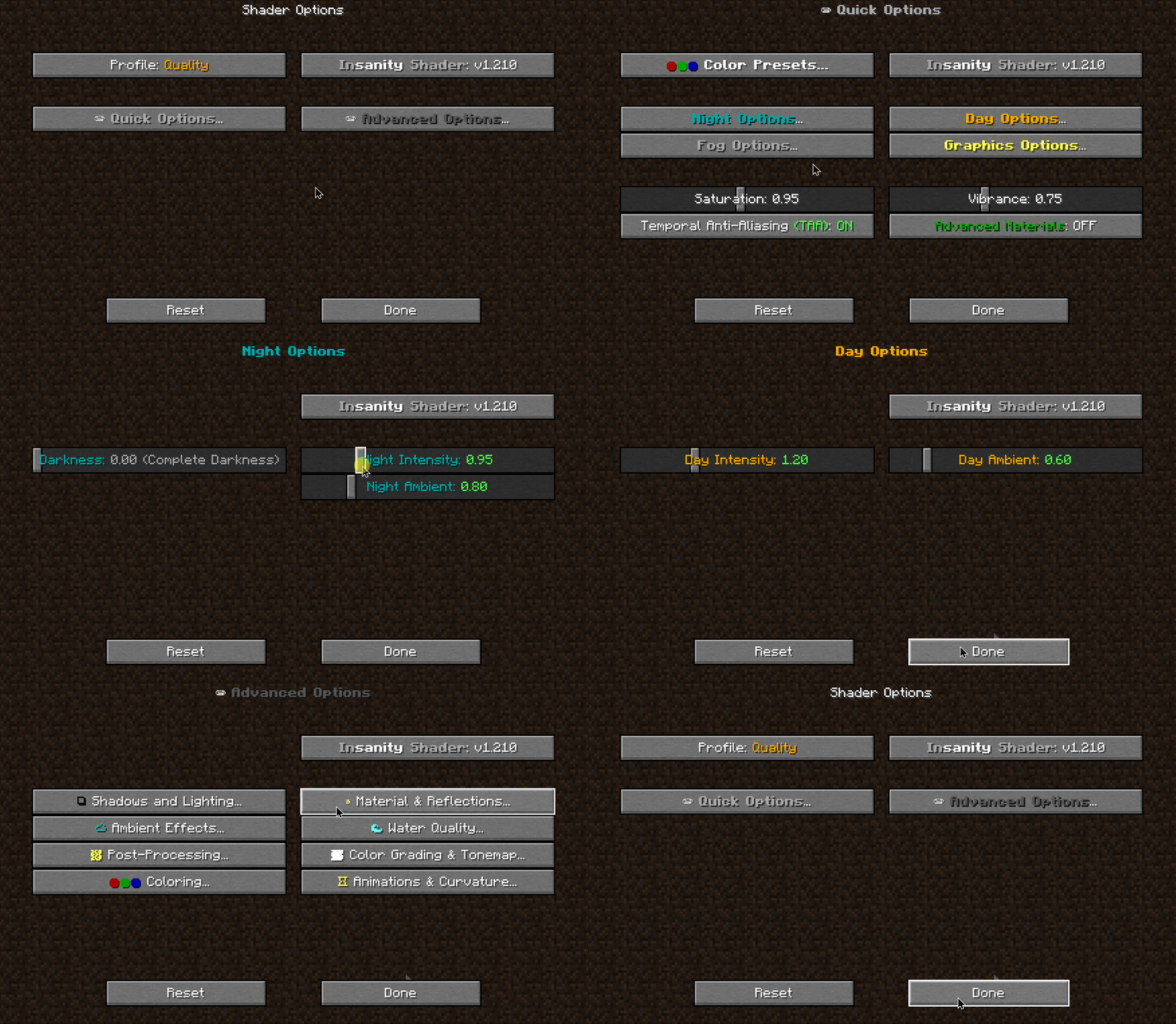
- 📝 User-friendly menu. Including a quick options menu with easy to configure settings.
- 💻 Runs on most modern PC’s! Optimized even for modern low end GPUs.
- 🔦 Always bring some torches. Not only the night is dark, the Nether and End are even worse!
- 🌎 Wide compatibility across versions. Supports all newer MC versions, even 1.19 using Iris!
- ☀️ Support for “realistic” texture packs*
* Please enable “Advanced Materials” on the Materials and Reflections settings
Can I share the shader with my friends/community/followers?
Yes, of course. Just don’t distribute the files. If you want to share the shader, send the link to this modrinth page.
Can I make a video using this shader?
Feel free to make any video with the shader, crediting would be appreciated, but it’s not necessary 🙂
If you plan on making a review, don’t forget to share it in the comments of this page so we can see it!
How do I install the shader? (Iris)
The recommended way to use Insanity is through Iris Shaders, an alternative to OptiFine
- To install it, download it from their website, open the .jar file and install it in your .minecraft folder
- Then download Insanity and place the .zip file onto .minecraftshaderpacks
- Open Minecraft using the Fabric Loader that Iris installed and go to Video Settings > Shaders and select Insanity
- Enjoy the darkness.
Made with 🖤 by ElocinDev
Special thanks to Capt Tatsu for making BSL