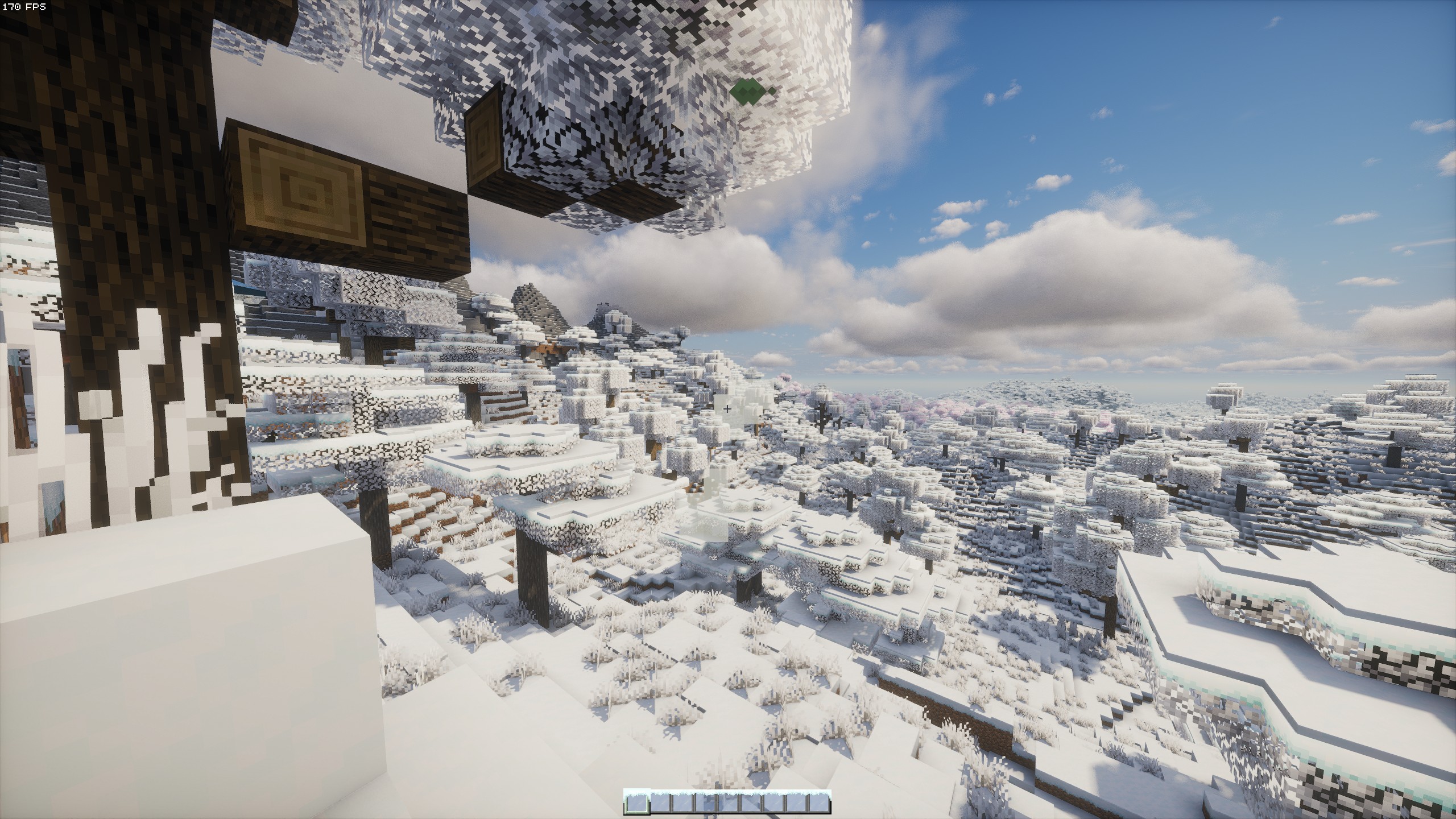
Winter Survival

It can be a challenge to survive, but give it a try.
You’ll need to find a shelter or build one yourself, but be careful: you’ll need a lot of luck to find animals.
You’ll have to face the bitter cold, to warm up set up a fire in a cave or any other structure you can find.
Use the plants you find near your home to make a farm, melt some ice to get water, and then boil it in a furnace or use a campfire.
Good luck and have fun!

Spoiler

Dear Mr. Eitan,

Following a thorough review of your application and interview, we are pleased to offer you the position of researcher at Nuclear Technology & Research.

Your primary responsibilities and duties will include:
1. Make photos of your surroundings, animals and plants and send these photos to the office.
2. Soil analysis, search and study of various minerals and sending reports to the office.
Your first day of employment is scheduled for 18 July, 2017.

We are confident that your expertise and professional qualities will be a valuable asset to our team and will significantly contribute to the success of our projects and the advancement of Nuclear Technology & Research.
We look forward to a successful and productive collaboration.

Winter’s Tweaks

![Winter’s Tweaks Logo Banner](https://raw.githubusercontent.com/Winter-tf/branding/main/assets/sukisuwu/banner/new_banner_1_1300px.png “Winter’s Tweaks”)

![Built on Fabulously Optimized](https://download.fo)

![Modrinth Downloads](https://img.shields.io/modrinth/dt/faNqEX4o)

Welcome to Winter’s Tweaks, a fork of Avery’s Essentials. This modpack includes all the features of the original Avery’s Essentials with additional visual and sound enhancements, as well as some comfort mods.
# USE JAVA 21 FOR 1.21!!!

You can download Winter’s Tweaks via Modrinth.
Link

## Warning

**_Please be aware that multiple mods in this modpack could be considered cheating on certain servers. Always check the server’s rules and, if necessary, ask the server moderators. Using this modpack could result in punishment or bans._**

## FAQ

– **Q** What does bleeding-edge mean?
– **A** _Bleeding-edge means that Winter’s Tweaks has less testing on updates compared to other modpacks. This can make it less stable but more up-to-date._

– **Q** What does rolling release mean?
– **A** _A rolling release model means updates are released as soon as non-breaking changes are made, resulting in smaller, more frequent updates. This is different from stable releases, which are less frequent but more thoroughly tested._

– **Q** Can I build off of this pack?
– **A** _Yes, feel free to modify and build upon this pack._

– **Q** What is this project licensed under?
– **A** _It’s MIT licensed._

## Credits

– Avery’s Essentials

The following mods are not on Modrinth, so their credits are listed here:

– Carpet – Gnembon
– Carpet Extra – Gnembon
– Syncmatica – End-Tech (original), Sakura Ryoko (update)

These mods are included with permission from their authors or licenses. If any author has problems with me including their mod(s) in this modpack, feel free to contact me and I will remove it as soon as possible.

Winterlands

modrinth-gallery
website
NeoForge
BSD-3-Clause

# Winterlands
A cozy winter-and-Christmas flavored NeoForge 1.21.1 pack that started as a friends-only world. It’s tuned for that perfect seasonal Minecraft phase: frosty landscapes, festive decorations, new Worldgen, and enough performance mods to stay smooth.

## Why You’ll Love It
– Winter ambience that feels festive without overwhelming every biome.
– Builder-friendly tools, decorative blocks, and exploration hooks that reward wandering and screenshotting.
– Survival-friendly balance: light progression, QoL mods, and accessibility tweaks for comfy long sessions.
– Multiplayer-ready curation with carefully integrated holiday features.

## Credits, Permissions & Attribution
All licensing, permissions, and proof screenshots:
– **https://winterlands.zacklack.de/licensing/**

Click to expand attribution links

### **Attribution Required**
These mods were obtained from CurseForge and require a link back to their original project page:
– **Christmas Culinary and Decorations**
https://www.curseforge.com/minecraft/mc-mods/christmas-culinary-desires-decorations

### **Mods Included With Explicit Permission from Authors**
Screenshots of the permission confirmations are available on:
https://winterlands.zacklack.de/licensing/

– **Farmer’s Delight Christmas Edition** (permission granted directly)
Author: ThePoupyBuTers
Original CurseForge page:
https://www.curseforge.com/minecraft/mc-mods/christmas-delight

– **Christmas Music Discs** (permission granted directly)
Author: ThePoupyBuTers
Original CurseForge page:
https://www.curseforge.com/minecraft/mc-mods/christmas-music-discs

– **Mama’s Merrymaking** (permission granted; license changed to MIT)
Author: Mama_Michelle
Original CurseForge page:
https://www.curseforge.com/minecraft/mc-mods/maidens-merry-making

– **Herbs & Harvest** (dependency of Merrymaking, permission confirmed)
Author: Mama_Michelle
Original CurseForge page:
https://www.curseforge.com/minecraft/mc-mods/mamas-herbs-and-harvest

## Notes for Server Admins
– Match the client stack: **Minecraft 1.21.1 + NeoForge 21.1.215**
– Remove anything on the server-incompatible list before launch:
https://github.com/Zzackllack/Winterlands/blob/main/modpack/scripts/server/incompatible-mods.md
– Keep bundled datapacks intact when copying to your server (see `config/paxi/datapacks`) so world tweaks load correctly.

### ℹ️ **Version Notice**

Releases before Winterlands 0.131.8 (Alpha) are no longer available on Modrinth.
This is due to licensing issues identified in 0.131.7 Alpha, where a mod (“fastboot”) had to be removed because it was no longer permitted for redistribution on Modrinth, the mod itself is no longer available on modrinth.
These earlier versions remain documented in the repository but cannot be hosted here.

Wintercraft Fabric

Wintercraft is a client-sided performance improvement modpack, which is optimized for the community server we launch. It offers a veriety of performance modpacks such as
“`
Entity Culling
FerriteCore
ImmediatelyFast
Let Me Despawn
“`
but it also offers a great variety of Quality of Life Mods such as
“`
Jade
Mod Menu
Sodium
Iris
Controlling
Simple Voice Chat
“`

If you want to join us on our journey. Go to wintercraft.community and sign up via the provided form.

Wintercraft Enhanced

# Wintercraft Enhanced

An **enhanced version of minecraft BUT it’s always Winter** using the **_fabulously optimized_** modpack as baseline for **performance improvements**.
![Wintercraft Enhanced](https://cdn.modrinth.com/data/cached_images/944ed6e93cccc976c8b5fd5f1827abd92b49b4a1.jpeg)

## Feautures

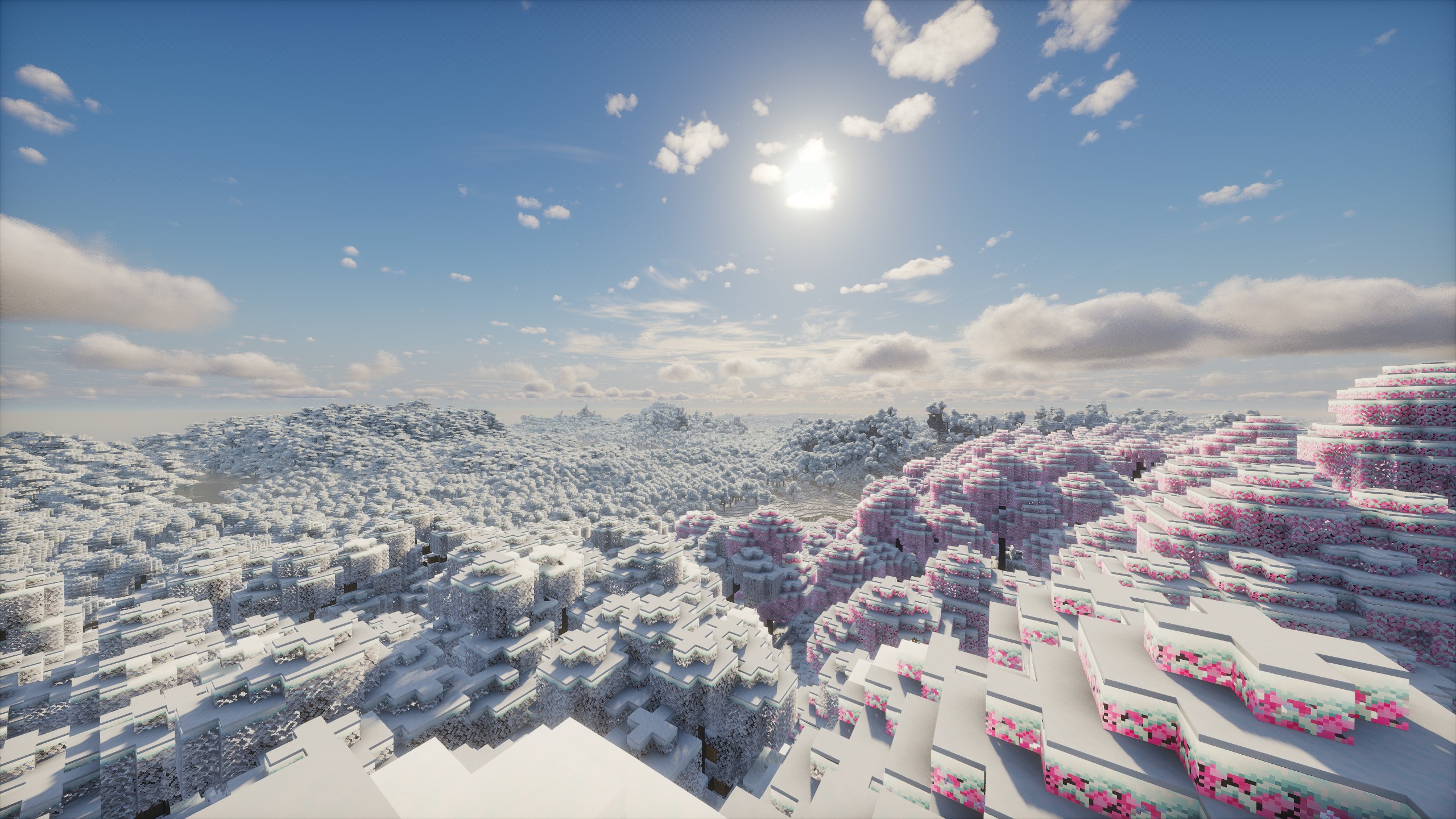
This modpack **changes every biome to be frostful, enhances visuals, sounds, gui, atmosphere, many quality of life features and adds many new features to explore & even surprise you** by adding many little mods and resource packs & some bigger mods you can fully explore while playing the game.

**Essentially it makes the game feel like when you were a kid and everything was new BUT in WINTER…**

This pack offers for **easy multiplayer** using the Essential mod. Just open your Singleplayer world and invite your friends via a friend-list, like in most other ko-op games!
![Snowy Landscape](https://cdn.modrinth.com/data/cached_images/ec03d3829f628953c8a9d0d74cf9e17c909cf67d.jpeg)

![Snowy Biomes](https://cdn.modrinth.com/data/cached_images/1fabacb4ba3f763280ff29aee467e662b2ddea31.jpeg)

![Winter Wonderland](https://cdn.modrinth.com/data/cached_images/7afabc844e8bfcbf2a3e9aa4f2e0869652bdfdf5.jpeg)

most notable features:

– huge **performance improvements** (one of the best performance modpacks out there as base line)

– Distant Horizons NOW changed for **VOXY** with **Tectonic** world generation & **shader compatibility** (Voxy offers way better looking Lods (far away rendered chunks) than Distant Horizons at way better performance and finally with shader support too! **To learn how to install shaders and use Voxy, read further below at “issues & solutions”**)

– many new **Structure and Exploration mods**, most notably **Dungeons and Taverns**

– **new weapons & tools** & -functionality, some new Ores

– **Enhanced Nether and End** as well as **NEW dimensions**

– **Fresh animations** and **not enough animations** with **first person model** for more immersive gameplay (also more mob variants with fresh animations and addons)

– **better sounds** and **ambience** (inventory, items, birds, wind and lots more depending on biome and scenery)

– Many NEW and enhanced particles & effects in all areas of the game!

– Lots of **quality of life improvements** in all areas of the game

– **smoother gui** and lots more to enhance the base game just enough to make it feel fresh and exciting again.

![Aurora](https://cdn.modrinth.com/data/cached_images/2ff7b3af2e574a3c984d9a3789ad4fa64b848180.jpeg)

## Features modlist (most notable)

### World Generation & Exploration
– Tectonic
– **Voxy** (for distant chunks)
– **Chunky** to generate Chunks before playing (Voxy can’t create chunks on its own – **read more below at “issues & solutions”**)
– Dungeons and Taverns (with better stronghold and many more addons)
– Overhauled & NEW Dungeons & Stronghold
– Roguelike Dungeons, Structory
– Grand Capital villages, & more Biome Villages
– Subsurface – **new cave biomes**, including underground jungles & ICE biomes)
– Better Archeology
– All Biomes are covered in snow from the start & have rain replaced with snowing
– Naturally accumulating Snow (accumulating snow from snowstorms will melt after snowing has stopped to revert snowlevels to normal)
– Some Flowers as Snowmen
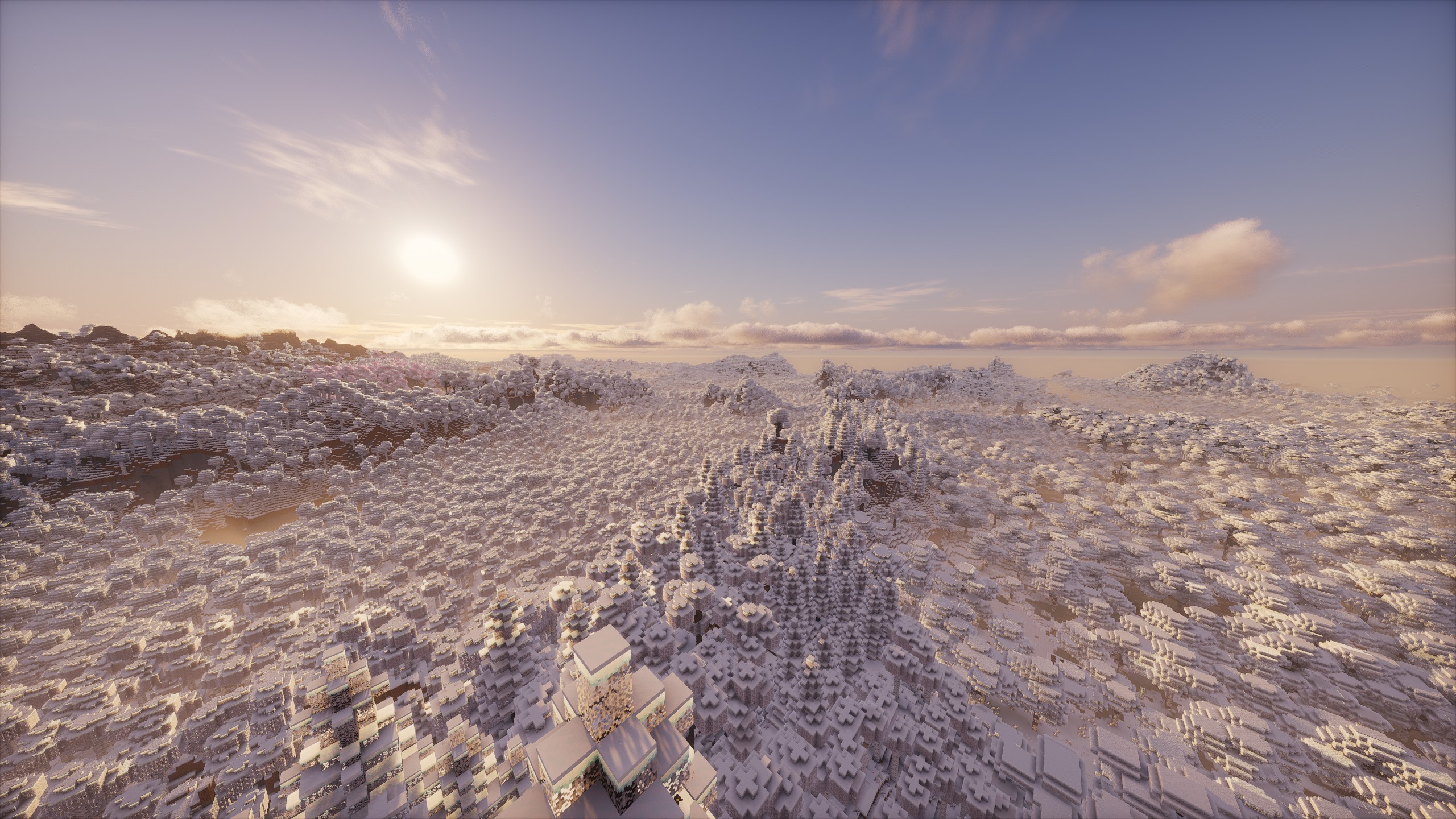
![Frozen Landscape](https://cdn.modrinth.com/data/cached_images/8f0625cb08a9dec5f8c8103377dba2e9f73adcb7.jpeg)

![New Structures](https://cdn.modrinth.com/data/cached_images/fafa17fcbfb92065eb8caaa53ede641c2d5bf91c.jpeg)

![frozen trees](https://cdn.modrinth.com/data/cached_images/0086dc5f5d478a5f54f2c20e3bf1c70a928f9e02.jpeg)

![Snowmen](https://cdn.modrinth.com/data/cached_images/0646ed9e7e212e61c6db83d2f964645a815676cf.jpeg)

![new caves](https://cdn.modrinth.com/data/cached_images/3683a5598576845f25f2056b3596cb072ed9d5d4.jpeg)

### Dimensions
– Amplified Nether, New Nether Strucures, Nether Weather, Advanced Netherite
– Updated END with Stellarity (overhauls & adds new fantastical Biomes to the End), Better Endcities, Medieval Buildings, Enderite (new tools and armor)
– Deeper & Darker (adds the missing dimension to the big portal in the ancient cities) & updated Ancient cities
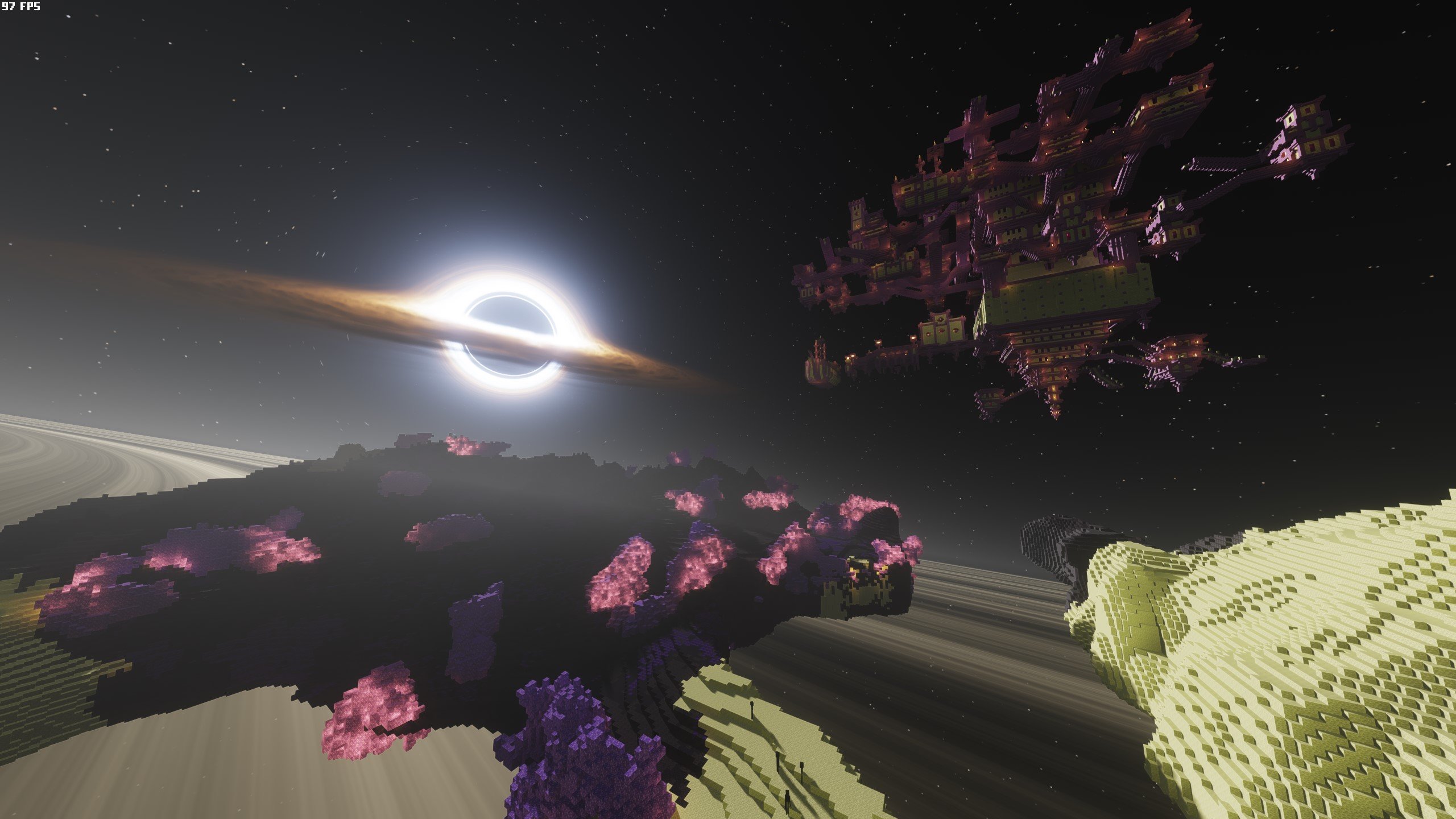
![Nullscape & Better End Cities with Iteration shader (not included)](https://cdn.modrinth.com/data/cached_images/4c8d99543620cc4788f5cd7079f9d7324312081f.jpeg)
changed Nullscape for Stellarity (Better End Cities displayed above…)
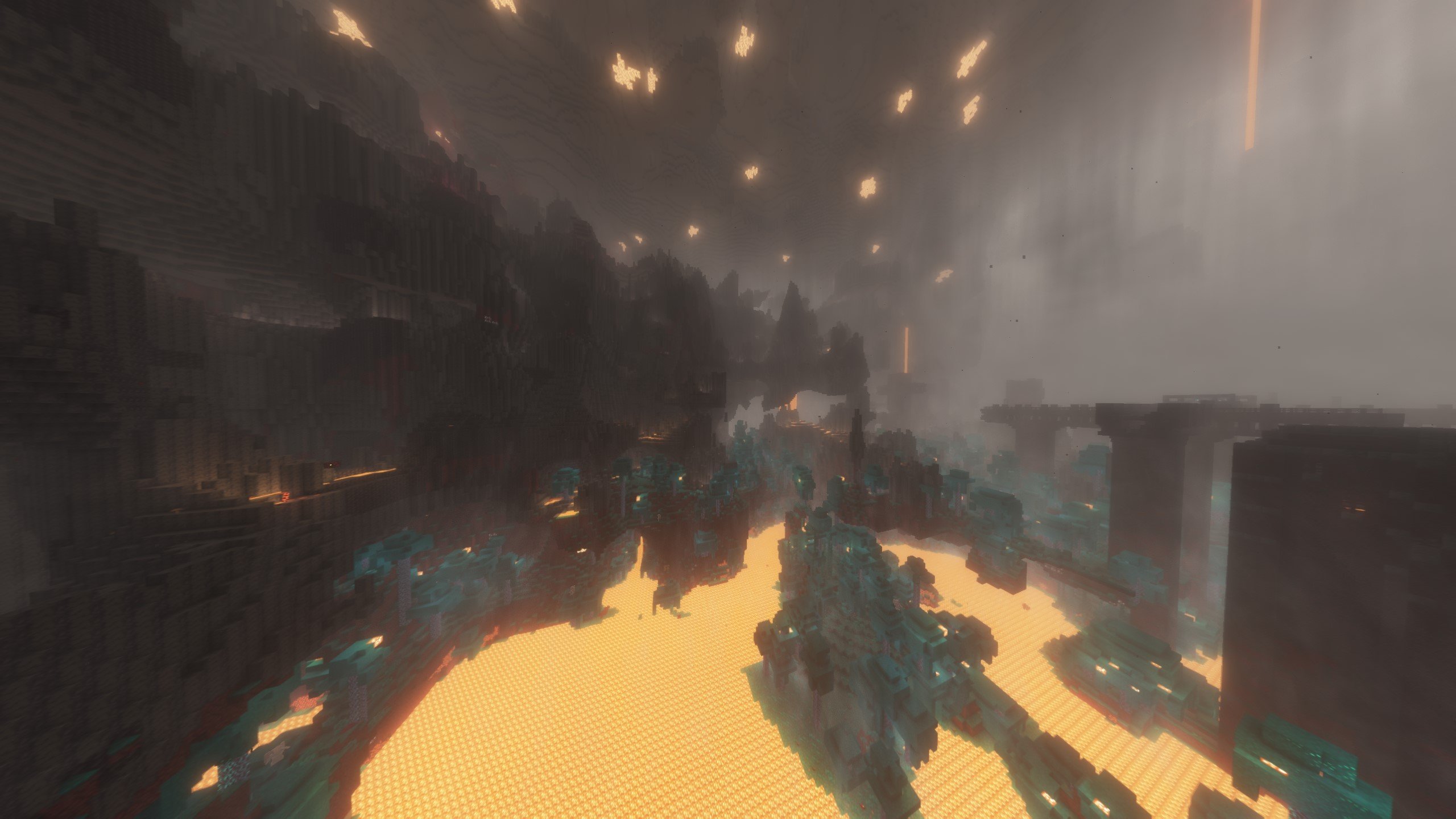
![Amplified Nether](https://cdn.modrinth.com/data/cached_images/ee95571a20054eaf610526796dc74465356019b8.jpeg)

### Combat and Tools
– just hammers (a tool that can break blocks in a 3×3 area)
– Swingthrough (you can fight mobs through tall grass)
– More Armor, Weapon, Tool and Elytra Trims with effects
– RightClickHarvest (harvest crops and replant at the same time by rightclicking with a hoe)
– Axes are weapons
– Basic Weapons
– Show Healthbar from Mobs & Players
– Item physics

![item physics](https://cdn.modrinth.com/data/cached_images/0dc585dc47ebe3a62177900653d69ccc01508cda.jpeg)

### Mobs
– Living things (more animal mobs)
– More Mob Variants
– Friends & Foes (adds the mobs which lost in the mob votes)
– New Illager types
– Fresh Animation with addons for all Mobs

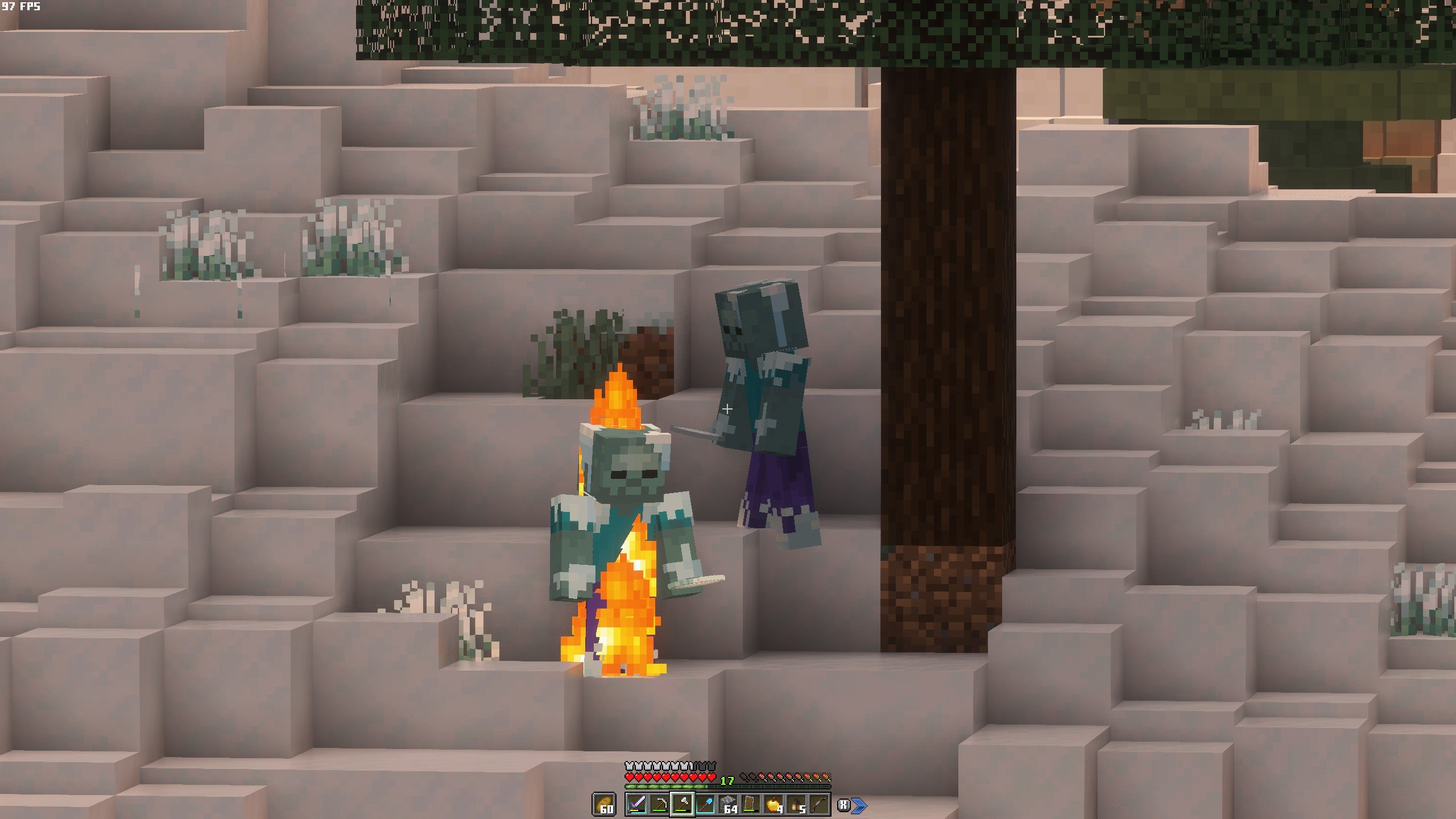
![Fresh Animations Addons](https://cdn.modrinth.com/data/cached_images/3544956287dcb092c3ffb107711f3053f9b65275.jpeg)

![Mob Variants](https://cdn.modrinth.com/data/cached_images/7774c7f21599ac972d2185adc1184f2882a12217.jpeg)

![Penguins!](https://cdn.modrinth.com/data/cached_images/6ec0c6f58fccda1527f3bbed240b9bba26c5ff9a.jpeg)

![More Mobs](https://cdn.modrinth.com/data/cached_images/f23eb36e552ca3433e3c4963658f97b0fbd6d995.jpeg)

### Quality of Life Improvements

– Vanilla refresh (enhances & adds many mechanics)
– Bridging mod (allows to place blocks at the end of another block, without the need to hold shift to walk at the edge)
– Woodcutter (same as the stonecutter but for wood – like why isn’t this in the base game?)
– Easy Anvils, Magic and Workbench (items stay in the workstation and are displayed on top of it)
– Tree Harvester (with toggle and fast leave decay)
– Farmer’s delight (more food variants)
– Graves (you leave a grave when dying which keeps your inventory safe to recollect)
– Items on Horse & Boat visible
– Snow under trees & flowers

### Other cool features
– New Weather types & Effects
– Lootr(for multiplayer: everyone can open a chest with individual loot)
– First Person Model
– Vanilla Notebook
– Better than Mending
– Ping wheel (for multiplayer)
– Some Surprise Mods for the “feeling like a kid again” -aspect

![New Weather](https://cdn.modrinth.com/data/cached_images/7a5c488fd1d07b2fc2207920727829ac7d7a27b7.jpeg)

![Lootr](https://cdn.modrinth.com/data/cached_images/911554e9258e93ba6d23b53bc92292dd029aaa4b.jpeg)

## Visual & auditive improvements modlist (most notable)

Many more mods and resource packs that enhance Minecraft in this pack are for example the following:

– WinterPack
– Better Grassify (Optifine’s fast and fancy grass ported)
– Ambient Sounds, Presence Footsteps, Sounds, Reactive Music
– Appleskin, Eating Animation
– More Mob Variants – Fresh Animations, Fresh Moves
– Better Clouds
– Visuality, Particular, Subtle Effetcs, Fancy Block Particles
– Cameroverhaul, Camera Utils, Better third Person
– Chat Heads, Chat Animation
– Continuity, Entity Model, Texture, Sound -Features
– Fancy Health Bar, Held Item Info, Highlighter, Tiny Item Animations, Mouse Tweaks
– Immersive Thunder, Iris
– Jei, Jade, No Resource Pack Warnings
– Show me your skin, 3D skin layers
– smooth gui, smooth scrolling
– Xaeros Minimap and World Map
– colorful containers, better flame particles, torches & lanterns
– Fancy Crops, Blinking Ender Eyes, Icons
– Low shield and fire
– MinecraftTen Font
![New Effetcs](https://cdn.modrinth.com/data/cached_images/5bd0cf4e29c8ac695cb6984c5cbb7c9d0f87ada3.jpeg)

![fancy block particles](https://cdn.modrinth.com/data/cached_images/d41ee9d281f3b1041245d98a9099585dc7ee70b5.jpeg)
You can adjust these fancy block particles to your liking or turn them off completely for better performance

## Issues & Solutions

### Voxy Chunk Generation
**To see far away chunks when starting a new world, type the below Chunky commands in the chat of your world in that order**
– /chunky center
– /chunky shape circle
– /chunky radius 2000 (*this decides the scale of the world to be generated and time needed for it depends on your system. You can start with a radius of 1000 and see from there)
– /chunky start
The chunks will now generate and depending on the radius and your hardware the time needed for it may vary between a few minutes.

Use a vanilla render distance of 8 to 12 to have amazing render distance (through Voxy) with amazing performance!
As of now Voxy can’t generate chunks on it’s own. It can only render already existing chunks. So if you play just like that you can only see the vanilla render distance while traveling and would only see very far in the direction where you’ve already been, which obviously is not the goal of a far render distance…

SO! To generate chunks before playing you’ll have to use a few **COMMANDS** with the Mod **Chunky**.

Chunky lets you pregenerate chunks in a world, so you’ll have to only wait a few minutes to have it load and then you’ll be able to play Minecraft with 512 chunks render distance and everything already fully loaded!
These chunks also load in again in just a few seconds when you start the world the next time!
To use Chunky, type in the above commands in that order in the chat!

**ISSUE**
Sometimes a clear border between the vanilla rendered chunks and the chunky-genrated chunks can be seen (no chunks rendered in between)!
– To solve this, just **increase** your **vanilla render distance** shortly for the missing chunks to load in when this happens, then **decrease it again**, when all chunks finally are loaded in.

### Shaders

The shader should already be installed though, but if not, go here again.

**For shaders to work, download the voxy-support shader from this Link:**
https://github.com/sixthsurge/photon/tree/voxy-support

Voxy finally has shader support, which offers for better looking far away chunks at render distances up to 512 chunks with even greater performance than before!
**HOWEVER** only a few shaders do already work with Voxy at the moment!
Luckily one of the best looking & most performant shaders at the same time is already available:

**Photon shader**

This shader must be downloaded from the creator’s website (Link above)

Just change the version of the shader to the voxy-supporting shader
![Voxy photon](https://cdn.modrinth.com/data/cached_images/936593ab206f0b69dd529e075ee007fa857c16e3.png)
Then download the ZIP on the right via “code”
![voxy photon](https://cdn.modrinth.com/data/cached_images/c1c812979753e02b6a9ebab3073ee9b87fcedfa3.png)
Open the downloaded ZIP-file and drag the included “Photon-Voxy-support” shader into your shaderpacks folder in your minecraft / modpack folder
![voxy photon](https://cdn.modrinth.com/data/cached_images/19ed22a04427cffbe8be1838154106117410287a.png)

### Resource Packs

When installing the Modpack, the resoure packs should already be set up in the correct order.
However, if you want to customize some settings, this is important:

**For the resource packs to work properly you have to arrange them specifically**

The packs below get used first, then the above ones will override the ones below if there are any crossings.
**Just make sure to put the baseline of packs at the bottom** (Winterpack (& Resprited if you want to change up the vanilla look even further)) and **specific packs on top**.
– For **frosty custimization** I added 2 different Winter Resource Packs you can choose from!
– *Winterpack* &
– *Snowstorm*
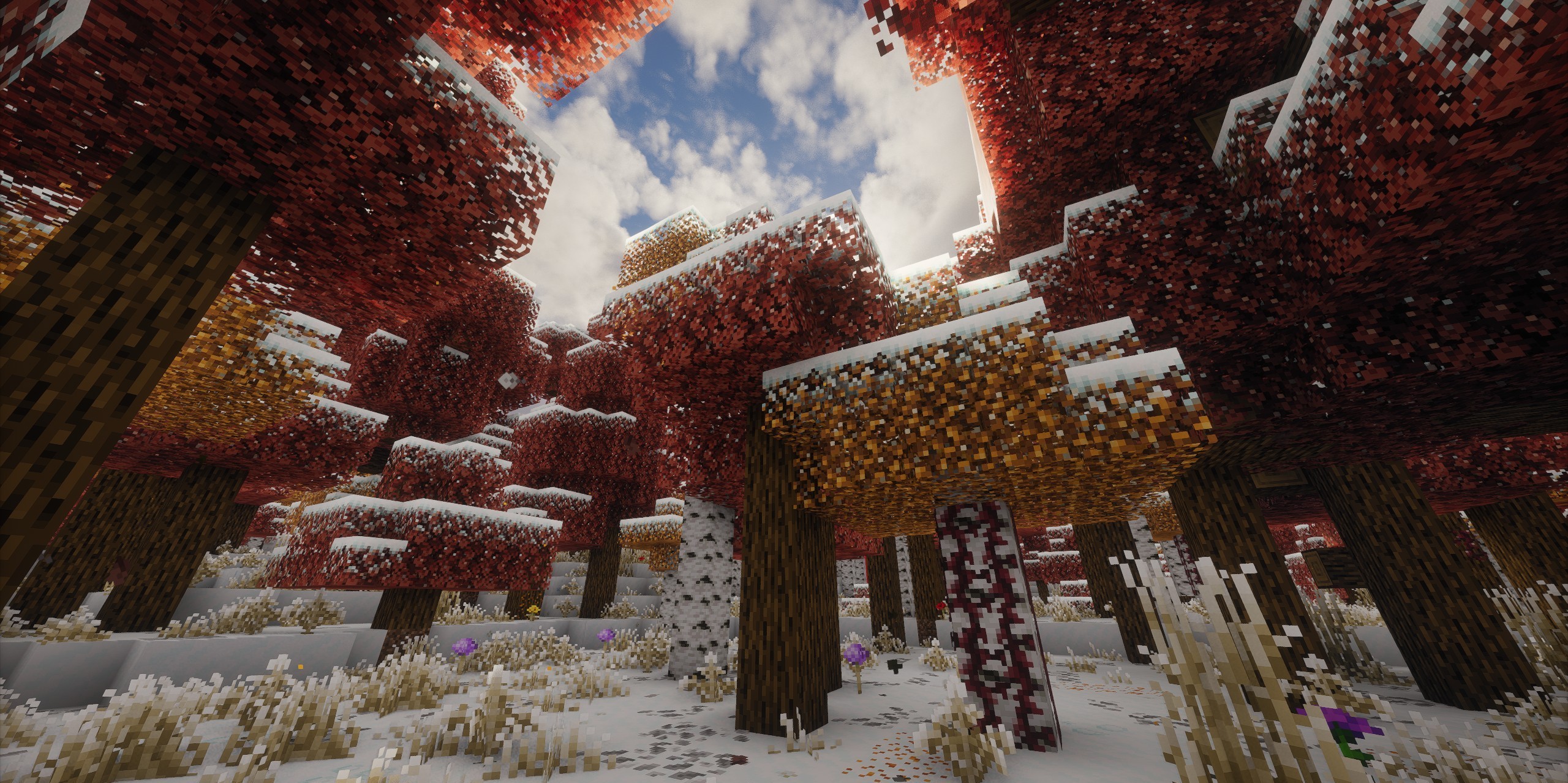
– **Winterpack** offers some more color variation to the leaves and gives some trees reddish and pines dark green leaves, while
– **Snowstorm** gives all leaves a white frosty appearance and also to your hotbar and inventory. (You can look at the difference in the screenshots in the gallery above)
– (if you don’t like the transparent look of leaves with the Snowstorm pack, just remove the “Cull Leaves” Resource Pack)

### important!
– If you use the **Winterpack**, put it as baseline in the resource packs!
– If you use **Snowstorm**, put it on top of the resource packs to work properly (otherwise the leaves will break)
![Winterpack](https://cdn.modrinth.com/data/cached_images/af1debddfff21a51cbf9eefb91d3fcc8b0e42011.jpeg)
![Snowstorm](https://cdn.modrinth.com/data/cached_images/49e4fd760b79994de73edbe61f71316784c7ae6c.jpeg)

– For Fresh Animations, make sure to put the base pack as the lowest of the animation packs and the addons on top.

### Performance & Config

You can also use the pack without shaders for better performance & turn Voxy (distant chunk Lods) on & off

To get the best performance with Voxy, with which you can look hundreds of chunks in the distance, set your normal render distance lower to like 8 or 12.
(_Only 8/12 chunks will be rendered completely then and the rest will be rendered in lower quality presets, progressively getting lower in quality the further away the chunks are.
This makes it possible to run 128-256 or even 512 chunks view distance with shaders on around 150FPS on a good machine!_)

You can also toggle enhanced vanilla fog in the mod menu, to make fog look better when not using shaders **AND** voxy.

– When using **Voxy** you’ll have to **turn off vanilla fog**, as the fog will not work on the voxy-rendered Lods! (_Voxy does have his own fog_)
– When using **shaders** you’ll also have to **turn off Clouds** (_as most shaders come with their own clouds and the enhanced vanilla clouds will otherwise interfere with them._)

– I’ve also included some **liteweight shaders** for “potato PCs”
These **do not work with Voxy** though at the moment, so when using these you’ll only see the vanilla render distance chunks!

![fog without shader](https://cdn.modrinth.com/data/cached_images/ff7845118011af4f3ebc74bef35472ea5041bca4.jpeg)
screenshot with voxy disabled, shaders disabled, clouds enabled & fog enabled at 24 chunks vanilla render distance

![disable fog1](https://cdn.modrinth.com/data/cached_images/cf0a9399e584d1440381d5c8c9c86679e7c5abfd.jpeg)

____________________________________________________________

If you want to get the End shader with the black hole…
That’s a bit tricky. The creator seems to share it in a drive file but only sometimes..
You can look for it though on your own. The shader is called “IterationT 3.0.0”

____________________________________________________________

Winter Wonderland

# Winter Wonderland

**A nice cozy modpack that aims to perfectly capture the Minecraft winter experience**

Winter Wonderland is a meticulously curated modpack that takes you on a journey through the enchanting world of Minecraft’s winter season. This modpack is not just a collection of mods; it’s a carefully crafted experience that immerses you in a cozy, snow-covered environment. The inclusion of sleds, everlasting snow from **Primal Winter**, and a huge variety of new festive items, foods, and decorations from mods like **Snowy Spirit**, **Winterly**, and **Noel** truly bring the holiday spirit to life.

The pack enhances immersion with features like **Sound Physics Remastered**, **Presence Footsteps**, and the **Physics Mod**, which even adds realistic snow tracks! Gameplay is deepened with the inclusion of **Farmer’s Delight** and its festive add-ons, perfect for surviving the cold. You’ll discover new herbs with **Hibernal Herbs** and can cozy up by a **Soothing Campfire**.

The world feels more alive with improved structures from **Philips Ruins**, better villagers via **More Villagers**, and the friendly **Snuffles** and Outvoted Mobs from **Friends&Foes**. All this is built on a modern performance foundation, with **Sodium** and **Iris** providing optimization and shader support right out of the box.

With **”Winter Wonderland,”** you’ll not only enjoy the festive atmosphere but also experience an improved and immersive gameplay experience. It’s more than just a modpack; it’s a complete overhaul of your Minecraft winter experience.

Full List of Mods

– Accessories

– Another Furniture

– Aquatic Torches

– Architectury API

– Capes

– Chat Heads

– Christmas Culinary Decorations

– Christmas Delight

– Chunks Fade In

– Chunky

– CIT Resewn

– Cloth Config API

– Collective

– Enhanced Block Entities

– Entity Model Features

– Entity Texture Features

– Fabric API

– Fabric Language Kotlin

– Farmer’s Delight

– Friends&Foes

– GeckoLib

– Hibernal Herbs

– Immersive Snow

– Indium

– Iris Shaders

– Kiwi

– Lithium

– Mod Menu

– Moonlight Lib

– More Villagers

– MrU

– Noel

– owo-lib

– Patchouli

– Philips Ruins

– Physics Mod Pro

– Presence Footsteps

– Primal Winter

– Rainbow Christmas

– Rare Ice

– Reese’s Sodium Options

– Resourceful Lib

– Seasons Greetings

– Smooth Scrolling Refurbished

– Snow! Real Magic! ⛄

– Snowy Leaves Plus

– Snowy Spirit

– Snuffles

– Sodium

– Sodium Extra

– Soothing Campfires

– Sound Physics Remastered

– Terra

– Villager Names

– Winter Overhaul

– Winter Stonecutter Miniblock Recipes

– Winterly

– YetAnotherConfigLib

Win’s Create Vanilla+

This modpack aims to seamlessly patch up the weaknesses of Vanilla Minecraft,
like performance, graphics, animations, world generation and incomplete/missing features.
Enjoy Create like never before while playing Minecraft as it always should have been!

This modpack also lets users take full advantage of their high-end PCs,
while still being compatible with low- to mid-end machines.

**Features:**
– Create
– Overhauled world generation
– Overhauled End
– Vast performance improvements
– Countless Quality of Life improvements, configured to be unobtrusive
– Full OptiFine Resourcepack compatibility

**Notable Changes:**
– Creepers don’t destroy blocks, but MobGriefing is otherwise enabled
– You keep all items on death, but drop all XP. The XP can be recovered in full.

The WINNN SMP [ENHANCED]

![Title](https://cdn.modrinth.com/data/cached_images/f3fba62dc20828aca51f08a2830cdc57af808026.png)

### Welcome to **The WINNN SMP**, an immersive and dynamic multiplayer experience that redefines survival gameplay. Built for those who crave both challenge and camaraderie, this modpack offers a finely tuned balance of **adventure, combat, and progression**, ensuring that every session feels fresh and rewarding.

## ⚔️ Intense Combat & Progression ⚔️
– Face off against **unique enemies** with advanced mechanics
– **PvE and PvP** encounters that require skill and strategy
– Level up, acquire powerful gear, and forge your own path to dominance

## 🌍 Expansive World & Custom Features 🌍
– Hand-crafted landscapes, **hidden secrets, and lore-driven locations**
– Enhanced **biomes, dungeons, and world events** to keep exploration exciting

## 💸 Player-Driven Economy & Custom Crafting 💸
– **Trade, gather resources, and craft exclusive items** unique to The Clicked SMP
– Shape the economy through **player-driven markets and rare item collection**

## 🎭 Roleplay & Community-Driven Stories 🎭
– **Form alliances, engage in rivalries, and influence the world** around you
– Every decision matters in this **ever-evolving multiplayer experience**

## 🎮 Optimized Multiplayer Experience 🎮
– **Smooth performance, fair play, and balanced mechanics** for all players
– Designed to **accommodate both solo adventurers and team-based gameplay**

Are you ready to carve your legend in **The Clicked SMP**? **Join now and experience survival like never before!**

_

Spoiler

Resource Creds:
– SeaOfPixels
– Mizuno
– Furfsky Redux 1.8 (can’t find author)
– Minuncraft Full Edit (Myself/Minuncraft)
– Click (Myself)

_

Wings Pack

Official modpack for the Wings Server.
A collection of mods that greatly enhance the Vanilla experience of Minecraft. The gameplay loop is exactly the same, no new ores or equipments are added.
It adds many small QOL features and changes to Minecraft, as well as many graphicak enhancements and optimization Mods for the player.
Some small Vanilla-like recipes and mobs are added, you can see on the list below.

# What it includes
## Mods
### Changes
– 3D Skin Layers
– Auto HUD
– Better Days
– Better Pind Display
– Better Third Person
– Bridging Mod
– Cave Dust
– Charmonium
– Chest Tracker
– Debugify
– Distant Horizons
– Dynamic Crosshair
– Fabric API
– Fabric Language Kotlin
– Falling Leaves
– First-Person Model
– Immersive UI
– Immersive:Tooltip
– Inventory Profiles Next
– NoRecipeBook
– Not Enough Animations
– Pickup Notifications
– Ping Wheel
– https://modrinth.com/mod/rei
– [Roughly Enough Items (REI)
– Serene Seasons
– Sound Physics
– Sounds
– This Rocks!
– Visual Workbench
– Visuality

### Optimizations
– BadOptimizations
– Enhanced Block Entities
– Entity Culling
– Faster Random
– Ferrite Core
– ImmediatelyFast
– Krypton
– Lithium
– ModernFix
– Sodium
– StutterFix

### Additions
– Friends & Foes
– Handcrafted

## Resource Packs
– 3D Crops
– Baby Animals
– Beautiful Enchanted Books
– Better Cats!
– Eating Animations
– Fancy Crops
– Fresh Animations
– Fresh Animations Extensions
– Fresh Moves
– Pixlli
– Villagers Refreshed + Fresh Animations
– Wild Wolves
– Deep Origins Overlays
– rotrBLOCKS

## Shaderpack
– Bliss Shader

## Dependencies
– Architecturt API
– Cicada
– Cloth Config API
– Continuity
– CreativeCore
– Forge Config API Port
– Fzzy Config
– GlitchCore
– Indium
– Iris Shaders
– Kaleido
– M.R.U
– Text Placeholder API
– YetAnotherConfigLib
– [[EMF] Entity Model Features](https://modrinth.com/mod/entity-model-features)
– [[ETF] Entity Texture Features](https://modrinth.com/mod/entitytexturefeatures)
– LibIPN
– pv-addon-sculk
– pv-addon-soundphysics

Minecraft 1.21 and Fabric 1.16 required.

Winds of Fate: RPG

# _Where fate rules the storm_

![Traveller](https://i.postimg.cc/TYgBQdhn/2025-11-06-19-09-28.png)

## Review

Winds of Fate is an RPG-modpack that immerses players in a vast, fulfilling world. A bunch of unexplored worlds and structures, new weapons, armor and mechanics.
You will create your own legend — alone or side by side with your friends.

The build is well optimized. I added immersivity (GUI, mobs, music, sounds). Playing in multiplayer is now much more interesting — thanks to the «What Are They Up To» mod, teammates will be able to see what you are typing and what you are doing in the GUI. Also, thanks to the «Hardcore Revival» mod, after dealing fatal damage, players now have a chance to raise the fallen.

## Key Mods

– **Divine RPG** — is one of the largest modifications for Minecraft — one of the largest modifications for Minecraft. 8 New Dimensions 115+ New Mobs/Bosses Hundreds of New Blocks and Items Unique Weapons and Armor
– **ATi Structures**, **Dungeon and Taverns**, **Towns and Towers** — adds fantasy and medieval structures to your Minecraft world.
– **Myths & Legends** — a dark fantasy mod that introduces mythical creatures, structures, and relics, all inspired by global folklore.
– **Tyz’s Skills** — adds independent progression, increasing your xp to level up and earning skill points that can be used to purchase and upgrade a variety of skills.