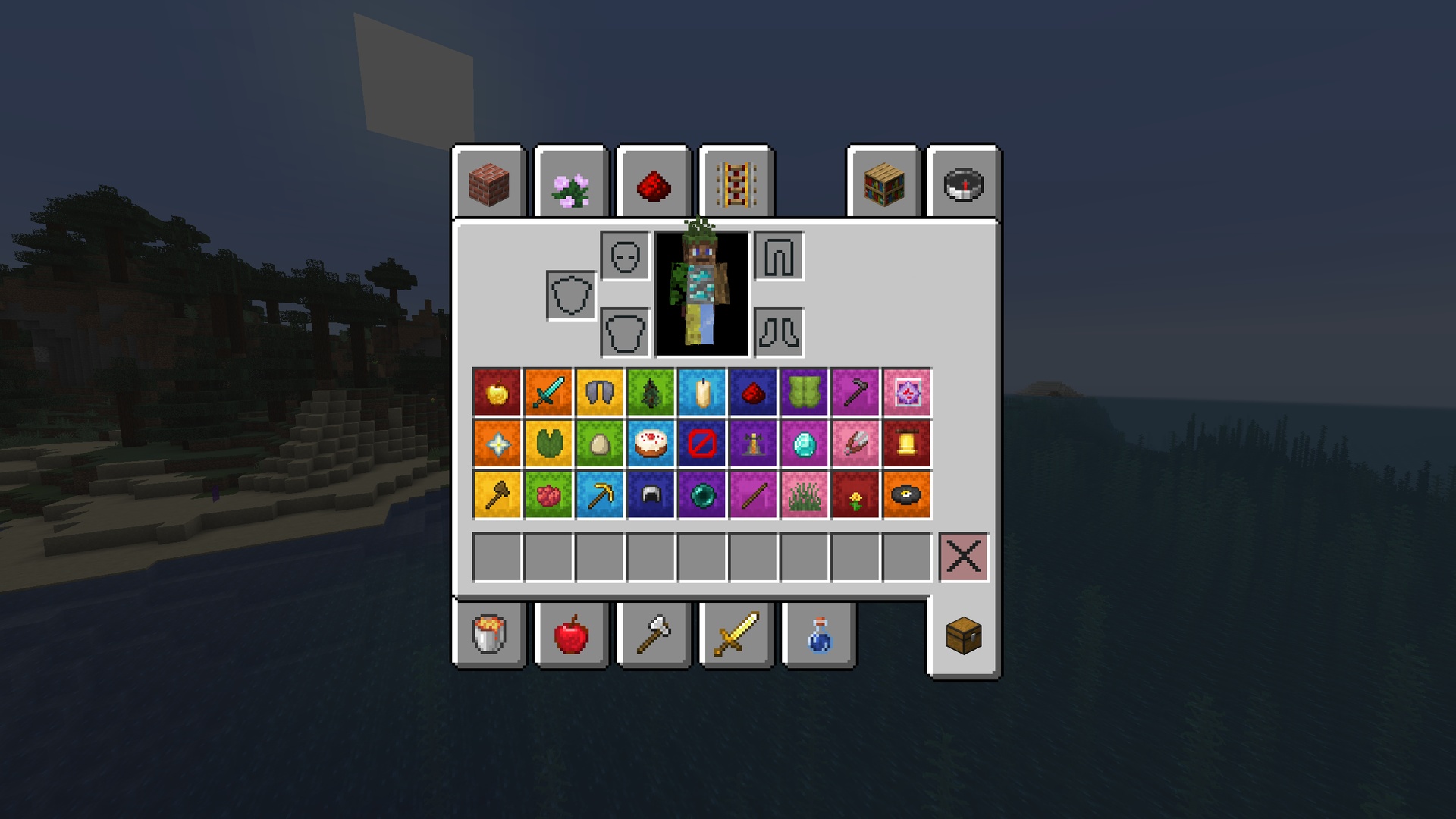
Visual Shulker Labels: 2D Display Addon
Visual Shulker Labels: 2D Display Addon Logo

## Label your shulkers with style

[View the pack on my website!](https://ewanhowell.com/resourcepacks/visual-shulker-labels-2d-display)

This addon requires the base pack to function.

This pack makes it so that you can give a shulker box an item name and the shulker gets a visual label of the item on it!

How to name your shulkers:

This list shows all of the valid names for a shulker box.
In these examples, I will be using the item “Apple”.
– Apple
– Apple Shulker
– Apple Box
– Apple Shulker Box
– Any Prefix You Want Apple
– Any Prefix You Want Apple Shulker
– Any Prefix You Want Apple Box
– Any Prefix You Want Apple Shulker Box

All of these are case insensitive!
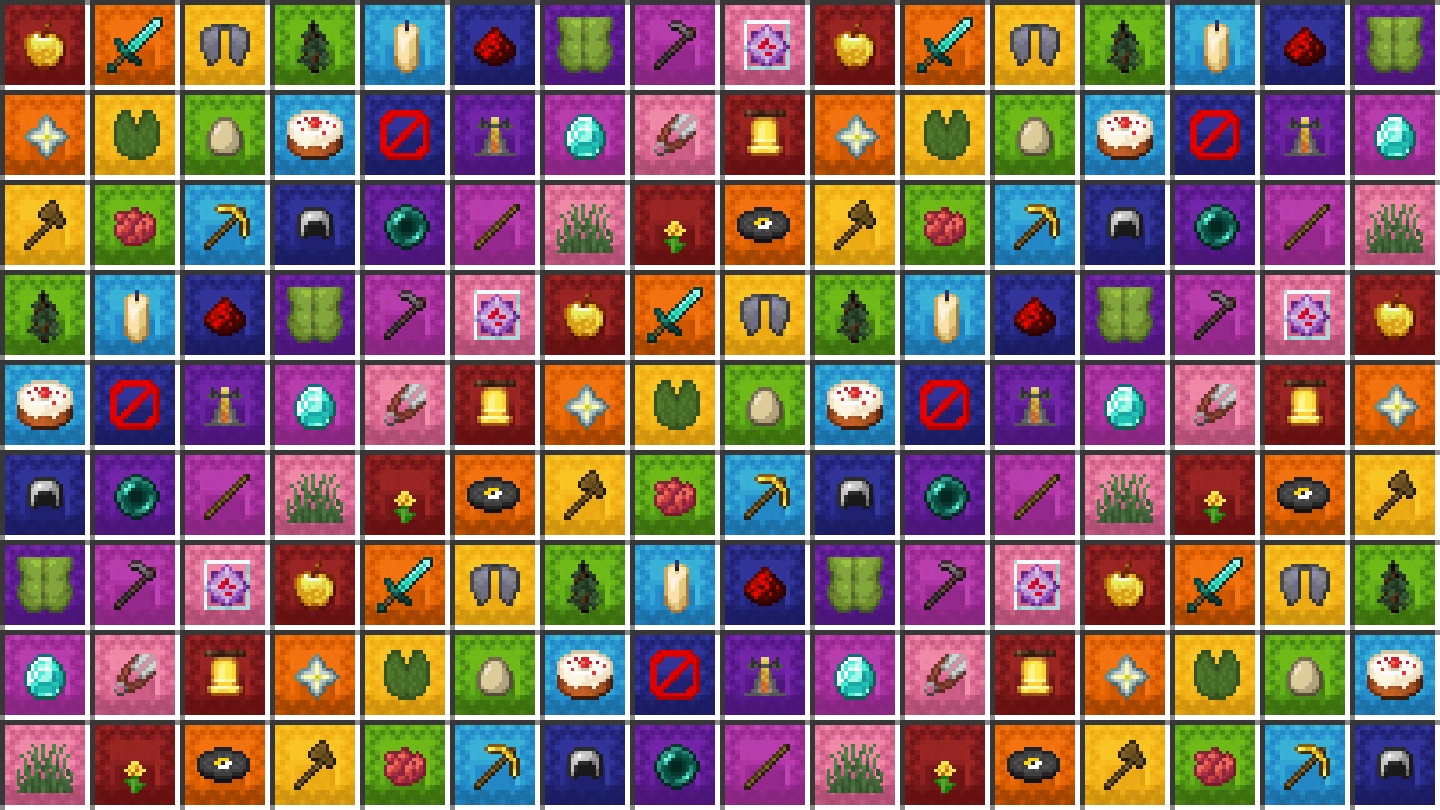
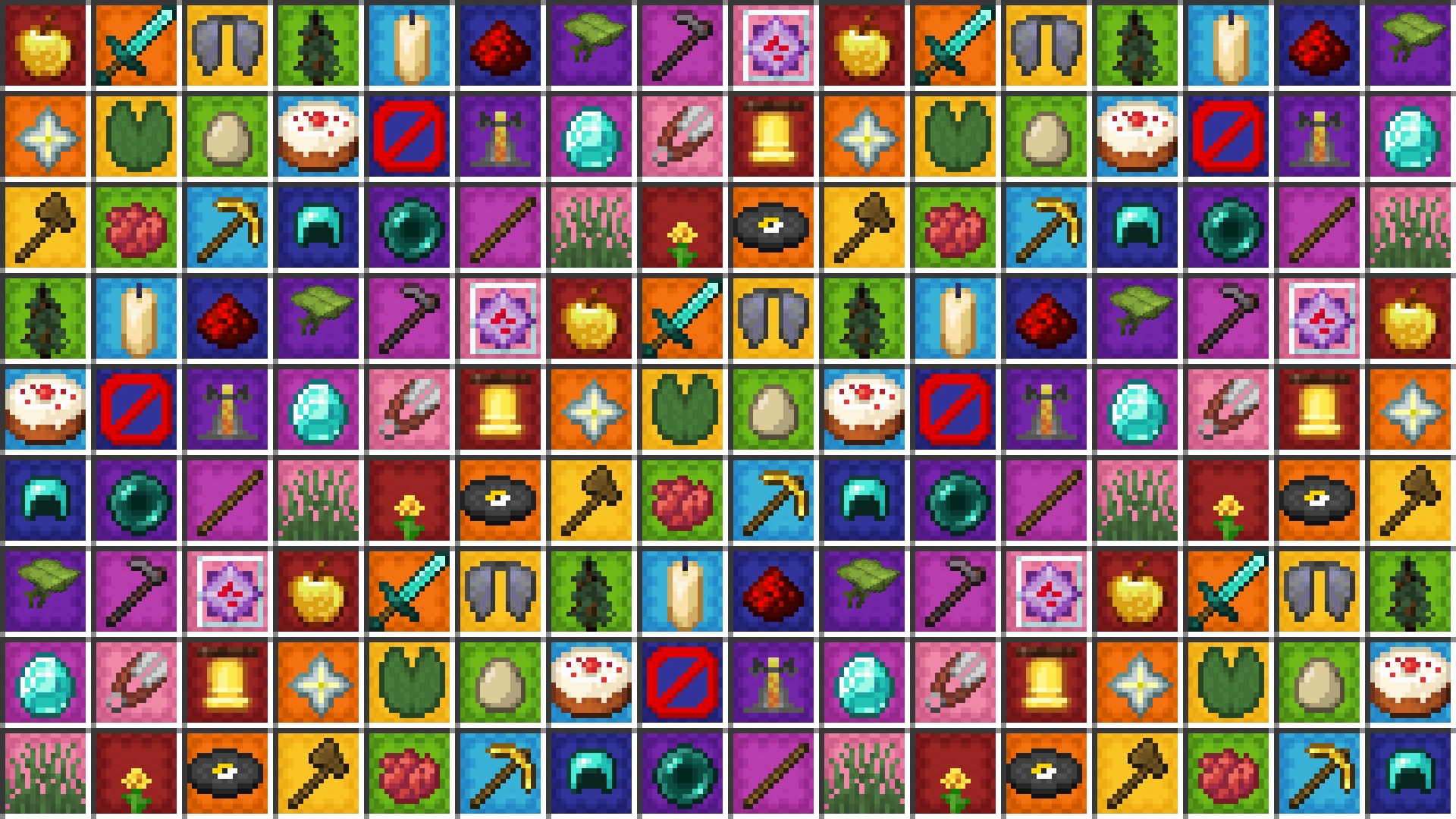
GUI

Inventory

⎯⎯⎯⎯⎯⎯⎯⎯⎯⎯⎯⎯⎯⎯⎯⎯⎯⎯⎯⎯⎯⎯⎯⎯⎯⎯⎯⎯⎯⎯⎯⎯⎯⎯⎯⎯⎯⎯⎯⎯⎯⎯⎯⎯⎯⎯⎯⎯⎯⎯

[

Join my Discord Server!]( https://discord.ewanhowell.com/)

[

Join the Resource Pack Development Discord Server!]( https://resourcepacks.ewanhowell.com/)

[

Subscribe on YouTube!]( https://www.youtube.com/@EwanHowell)

[

Follow me on Twitter!]( https://twitter.com/ewanhowell5195)

[

Support me on Ko-fi!]( https://ko-fi.com/ewanhowell)

Visual Shulker Labels

Visual Shulker Labels Logo

## Label your shulkers with style

[View the pack on my website!](https://ewanhowell.com/resourcepacks/visual-shulker-labels)

This pack makes it so that you can give a shulker box an item name and the shulker gets a visual label of the item on it!

Shulkers must be named to exactly match the name of the item you wish it to display. Names are case sensitive, but fully lowercase and fully uppercase are also supported!

GUI

Orange Shulker

Yellow Shulker

⎯⎯⎯⎯⎯⎯⎯⎯⎯⎯⎯⎯⎯⎯⎯⎯⎯⎯⎯⎯⎯⎯⎯⎯⎯⎯⎯⎯⎯⎯⎯⎯⎯⎯⎯⎯⎯⎯⎯⎯⎯⎯⎯⎯⎯⎯⎯⎯⎯⎯

[

Join my Discord Server!]( https://discord.ewanhowell.com/)

[

Join the Resource Pack Development Discord Server!]( https://resourcepacks.ewanhowell.com/)

[

Subscribe on YouTube!]( https://www.youtube.com/@EwanHowell)

[

Follow me on Twitter!]( https://twitter.com/ewanhowell5195)

[

Support me on Ko-fi!]( https://ko-fi.com/ewanhowell)
Visual Powder Snow

In this Pack the Texture of powder snow is changed to a more alarming one

Visual 3D Mace

**THIS PROJECT IS NOT AFFILIATED WITH OREVILLE STUDIOS**

**_This resource pack adds a 3D handheld mace inspired by Actions & Stuff, while maintaining its 2D sprite in the inventory, on the ground, and in item frames._**

It also has enchantment-specific models for each mace-specific enchantment.
– **Wind burst:** Animated wind swirling around the heavy core of the mace
– **Breach/Density:** Spikes on the sides of the heavy core
– **Unenchanted or none of the above**: Just heavy core

**Note:** There may be some visual issues regarding the wind-swirling effect with the enchantment glint. Therefore, it is recommended to adjust your enchantment glint strength in accessibility to 50% or less for optimal results

![Unenchanted mace](https://cdn.modrinth.com/data/cached_images/b557cc95768a41378b935eccdeeff952afbcee1f.png)
![Fully enchanted mace](https://cdn.modrinth.com/data/cached_images/d4cf40e6cb55c56d5f74508b1e0e88f0a5d51461.png)
![2D sprites](https://cdn.modrinth.com/data/cached_images/1af18218158fbcf8fb65a4060fd71c499f8a8f08.png)

LeoTweaks Visual Leaves

### This Resourcepack gives all Leaves their own distinction, depending on decayability.


Once you’re familiar with the pack, you’ll be able to tell if a leaf is Decaying, Placed by another player or natural – at just a glance!

Inspired by the works of [6_28318530717958](https://modrinth.com/user/6_28318530717958)

Visual Leaf Decay

# Visual Leaf Decay

This resource pack changes leaves to look dead and brown when they are decaying.

This can be useful to tell if you have removed all the logs from a tree, or just as a general aesthetic improvement.

[Click here for a bushy leaves version.](https://www.curseforge.com/minecraft/texture-packs/visual-leaf-decay/files/3841291)
[Click here for a programmer art version.](https://www.curseforge.com/minecraft/texture-packs/visual-leaf-decay/files/3841298)

how the pack works:

Terms of usage

If you use or feature this resourcepack through any medium (PMC, YouTube, Curseforge, etc.), you must credit me and link to this page and/or my profile.

If you would like to use this in your public resourcepack, please ask me first, and include credit and a link to this page both in a credits.txt in the resourcepack file and in the description.

Usage must be a modification or addition to your pack, not a repost.

If you see anyone using my content without permission, please let me know so I can sort it out 🙂

## Showcase video

## Alternate downloads

[![Planet Minecraft link](https://i.imgur.com/pPPEZV8.png)](https://www.planetminecraft.com/texture-pack/visual-leaf-decay/)[![CurseForge link](https://i.imgur.com/3cHzVrw.png)](https://www.curseforge.com/minecraft/texture-packs/visual-leaf-decay)

## License

[![CC BY-NC-SA license](https://licensebuttons.net/l/by-nc-sa/3.0/88×31.png)](https://creativecommons.org/licenses/by-nc-sa/4.0/)

This resourcepack is licensed under [Creative Commons Attribution-NonCommercial-ShareAlike 4.0 International License](https://creativecommons.org/licenses/by-nc-sa/4.0/)

Visual Hanging Apples

With this resource pack, Oak trees will look nicer, as some leaves will have Apples hanging off them! Breaking those leaves will **not** give you an apple, as this pack is just visual. Still, it will be a great decoration.

This pack should also be compatible with most packs that changes the models for the oak leaves, as this uses a separate model which is joined with the oak leaves model with multiparts (really cool feature), so you can try it with most bushy leaves packs. It won’t be fully compatible (or not compatible at all) with anything that changes blockstates, so be warned.

Visual Enchantments

Ever found yourself not recognising enchantments on a chest? Spending time checking every item description to see if it’s the tool you want? Do you want this to be different, know what tool someone’s using at a simple glance? Visual Enchantments fixes this for you!

Every enchantment is now represented by simple and consistent texture changes, so you can identify the attributes of a tool with a simple look.

All Enchantment Motifs

General enchantments:

– Unbreaking: Wood parts to obsidian

– Vanishing curse: Crooked item

– Mending: Green xp orb/motiv

Swords:

– Knockback: Baseball bat / no guard

– Looting: Four-leaved clover

– Sweeping: Longer blade

– Fire aspect: Flaming blade

Swords & Axes:

– Sharpness: Wider and sharper blade on swords, double filo on axes

– Smite: Cross-shaped blade on swords, elongated filo on axes

– Bane of arthropods: Dented blade

Axes, Pickaxes, Hoes and Shovels:

– Efficiency: Redstone grip

– Fortune: Golden tool head

– Silk touch: Diamond tool head

Bows:

– Power: Golden themed

– Punch: Red glove arrow

– Flame: Fiery arrow

– Infinity: Diamond themed / soul arrow

Tridents:

– Impaling: Wider trident

– Loyalty: String

– Riptide: Dolphin fin

– Channeling: Golden trident

General Armor:

– Binding curse: Red padlocks

– Protection: Enchanted book bands

– Blast protection: Metallic shields

– Projectile protection: Wooden shields

– Fire protection: Golden shields

– Thorns: Vines on top of the armor

Helmet:

– Respiration: Mouth piece

– Aqua affinity: Guardian fins

Boots:

– Depth strider: Guardian fins

– Frost walker: Frosted boots

– Feather falling: Feathered boots

– Soul speed: Swirling Souls

Leggings:

– Swift Sneak: Socks

**Versions below minecraft 1.21.5 require either [OptiFine](https://optifine.net/) or [CITresewn](https://modrinth.com/mod/cit-resewn/versions)**

![Miscellanea](https://cdn.modrinth.com/data/CTAstxQN/images/5682b32b4b84911403c73ceb82f86d8245e20950.png)
![Books](https://cdn.modrinth.com/data/CTAstxQN/images/d5f49e8f2865d99922d97afd1780426c92faa0eb.png)
![Swords](https://cdn.modrinth.com/data/CTAstxQN/images/010b94ac2b234376b14af9184caeb21b94bfc03f.png)

Visual Bee Items

Visual Bee Items fully displays the contents of bee nests and beehives on the item, allowing you to see how many bees and how much honey is in the block.

[OptiFine](https://www.optifine.net/downloads) or [CIT Resewn](https://modrinth.com/mod/cit-resewn/) is required for this resourcepack to work.

The honey level textures are taken from [Vanilla Tweaks](https://www.vanillatweaks.net/picker/resource-packs/).

Planned Features

– Chime support
– Displaying baby bees in hives

Terms of usage

If you use or feature this resourcepack through any medium (PMC, YouTube, Curseforge, etc.), you must credit me and link to this page and/or my profile.

If you would like to use this in your public resourcepack, please ask me first, and include credit and a link to this page both in a credits.txt in the resourcepack file and in the description.

Usage must be a modification or addition to your pack, not a repost.

If you see anyone using my content without permission, please let me know so I can sort it out 🙂

## Alternate downloads

[![Planet Minecraft link](https://i.imgur.com/pPPEZV8.png)](https://www.planetminecraft.com/texture-pack/visual-bee-items)[![CurseForge link](https://i.imgur.com/3cHzVrw.png)](https://www.curseforge.com/minecraft/texture-packs/visual-bee-items)

## License

[![CC BY-NC-SA license](https://licensebuttons.net/l/by-nc-sa/3.0/88×31.png)](https://creativecommons.org/licenses/by-nc-sa/4.0/)

This resourcepack is licensed under [Creative Commons Attribution-NonCommercial-ShareAlike 4.0 International License](https://creativecommons.org/licenses/by-nc-sa/4.0/)

Visible egaps

Simply makes enchanted golden apples purple, making them easier to spot!

_Is also featured in my Endessentials pack!_![Preview!](https://cdn.modrinth.com/data/cached_images/28d606b7dbf779de25a2d602d1a1c9753b761544.png)