Warden Bossbar
No further updates
Bossbar for the Warden.
No further updates
Bossbar for the Warden.
`Not Server compatible!`
English: Warden Bossbar
The Warden didn´t have a bossbar until now, so I just created one.
German: Warden Bossbar
Der Warden hatte bis jetzt noch keine Bossbar deswegen habe ich einfach mal eine erstellt.
This is an upload from my old planetminecraft account. I have updated it to the 1.20 versions. The 1.20 version is also available on my new planetminecraft account.
Dies ist ein upload von meinem alten planetminecraft account. Ich habe es auf die 1.20 Versionen geupdatet. Die 1.20 Version ist auch auf meinem neuen planetminecraft account verfügbar.
_This is my first datapack I published on Modrinth._ So I wanted to make a boss bar for the Warden entity because it literally has like 500 HP. This datapack works on 1.20.5 or later.
This datapack includes:
– **Warden Boss Bar**
– A new advancement called **Should’ve Been the Final Boss**
_Go and Check the gallery to see everything this Datapack adds!_
# Warden Boss Bar
Adds a dynamic boss bar to the Warden so encounters feel more intense and informative.
✔ Boss bar tracks Warden health in real time
✔ Supports multiple Wardens (tested with up to 10 simultaneously)
✔ Server-friendly and lightweight
✔ Works in survival, adventure maps, and custom servers
✔ Easy to extend for more Wardens if needed
Perfect for players and server owners who want deeper Warden encounters without changing core gameplay.
### GENERAL DESCRIPTION
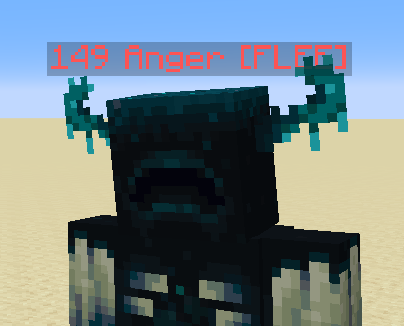
This data pack adds an anger display above the warden’s head. A higher anger level means that the warden is more likely to attack the player.
### INSTALLATION GUIDE
go to your saves folder located here on Windows:
“`
C:Users(your name)AppDataRoaming.minecraftsaves
“`
put the zipped file in the data packs folder, and either restart your world or execute /reload
### OTHER THINGS TO NOTE
– to learn more about warden’s anger levels, refer to the mc wiki
– for feedback, bug reports, or other help, join the discord server from the links section of this page!
## 🔥Features
You can now become the Warden in Minecraft! *Multiplayer Supported*
**Buffs:**
– You get a **Super OP** Warden Sonic Boom Weapon
– As the Warden, You are fire and lava resistant and you can no longer Drown
– You are now 10x Stronger, Faster and More Durable than a normal Player
– Because you are a Warden, you have a Whopping 250 Health!
– You can hear players that are sprinting, but if they are on **wool** they won’t make a sound
**Debuffs:**
– You are blind, and can only see people that are making sound, either by running or stepping in fire
– That’s it lol
## ⚙️Commands
+ To become the warden, use `/trigger warden_trigger`.
+ Using `/trigger warden_uninstall` will remove warden effects from you and you will be a normal player.
## 📥Installation Process
Choose Weather you want it to be a Datapack or a Mod.
> **Mod:**
Go to your `.minecraft` folder then find the folder named `mods` and open it. Drop the Warden `.jar` file here.
> **Datapack:**
Put the pure data pack .zip file into the `datapacks` folder of your Minecraft world. To find your minecraft world, Press your Windows key and search `%appdata%` . It should come up with a File Folder which you will need to open. After opening it, go to `.minecraft` , then try and locate your `saves` folder which you will need to open. This is the folder where you will find your Minecraft world folder.
**__This mod adds a powerful new boss—the “War Wither”—which is stronger and more agile than the standard Wither.__**
If configuring settings, the War Wither will replace the Wither spawned via Soul Sand. You can enable/disablethis feature in the configuration settings. When disabled as an independent boss, players can transform a vanilla Wither into the War Wither by using a Nether Star on it (or by adding the warwither:change_wither_to_war_wither tag).
Configuration files allow you to adjust the War Wither’s attributes and enable/disable damage limitation mechanics.
**This mod requires Jerotes Warehouse as a prerequisite.**


A New Chapter
Wanderlust started as a small idea to make Minecraft more fun. Now, it’s grown into a big project with lots of exciting features! We’re really happy to share the official, long-term version of Wanderlust with you all.
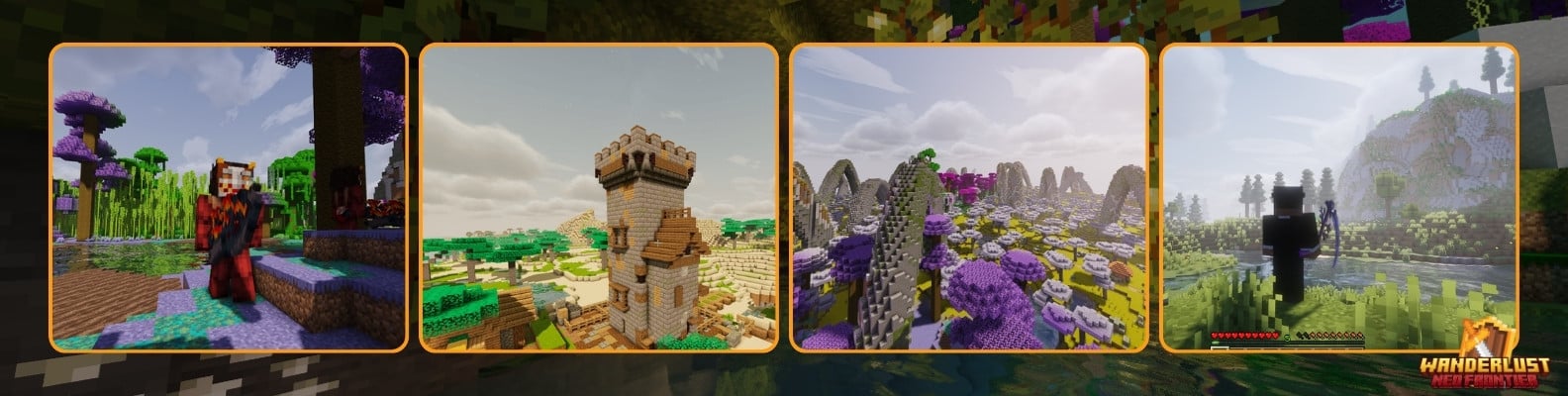
One of the coolest things about Wanderlust is the way the world looks and feels. Thanks to the amazing work of Noisium (thanks Steveplays28 and Builderb0y!), we’ve optimized the world generation to make it faster and smoother. This means you can explore vast landscapes and discover hidden secrets without any lag.

eg)
Wanderlust introduces a bunch of new creatures, both friendly and fierce. You’ll meet adorable animals, challenging monsters, and even some mysterious beings. And don’t forget to craft powerful gear to help you on your adventures!
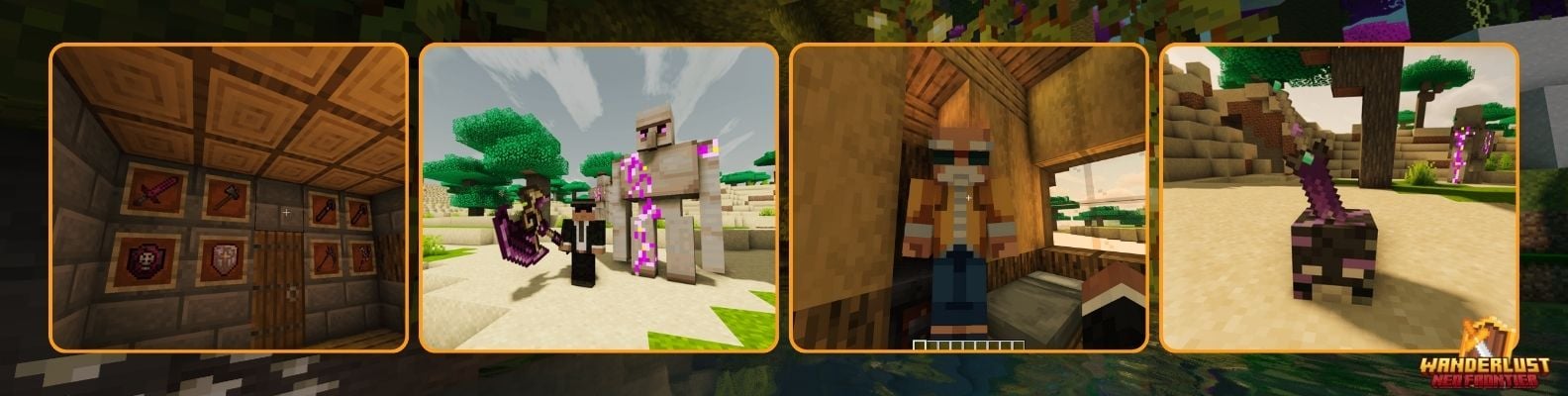
We’re always working hard to make Wanderlust even better. In the future, you can look forward to:
New Worlds: Explore exciting new dimensions filled with wonder and danger.
Exciting Gameplay: Experience new ways to play Minecraft with complex crafting systems and challenging puzzles.
Endless Possibilities: Customize your adventure with a variety of options.
Join the Wanderlust Community
We’re so grateful for the amazing community that has grown around Wanderlust. We hope you’ll join us on this adventure and help shape the future of the mod. Stay tuned for updates and let’s create some unforgettable memories together!
Portal Frame

In light of unforeseen personal circumstances, I will prioritize the maintenance and development of the Neo Forge version at the moment. The next update, incorporating new features and improvements, is planned for a Christmas 2024 release.
_Wandering Villagers_ adds a rare chance for Villagers to appear near players, allowing villages to naturally form around player-built areas rather than necessitating kidnapping.
_Wandering Villagers_ can be toggled on and off at anytime with the gamerule _DoWanderingVillagers_.
# WanderingTrades

*WanderingTrades is a plugin that allows server owners to customize the trades of Wandering Traders through an easy to use in-game GUI. Also allows for creating custom traders and villagers, as well as selling Player Heads of players from your server!*
## Features
– Adds trades defined in config files to Wandering Traders.
– In-game GUI config editor
– Trade config files are located in the `plugins/WanderingTrades/trades` folder in your server.
– You may create as many trade configs as you like. If you have no configs, an example.yml config file will be created for you.
– For more info on what the options are, check out the default config.yml, and the example.yml
– Check out the VanillaTweaks-style microblocks.yml trade config (screenshots in gallery)
– Supports custom player heads, custom item lores, custom item names, enchantments, and custom NBT data.
– Supports RGB colors, gradients, and rainbows for trader and item names in 1.16+ using MiniMessage. To see how to format text for all versions refer to this page
– Customizable chance for each trade config to be added to Wandering Traders, with option to limit to one config per trader.
– Automatically adds trades for player heads of players from your server to Wandering Traders, with customizable head names, lore, amount, and fully customizable prices. Configure in playerheads.yml
– Option to remove the original trades of Wandering Traders
– Summon custom Wandering Trader or Villager defined in config files through commands.
– Command summoned traders can be configured to have custom names above their heads in the trade config.
– Command summoned traders can refresh their trades automatically after an amount of time set in config.yml
– You can summon Traders that do not move around using the noai summon commads.
– If the value ‘invincible: true’ is in a trade config and a trader is summoned by command using that config, the trader will never despawn or take any damage from anything, except from players with the `wanderingtrades.damage` permission
– Language localization support
– Includes English (en_US), German (de_DE), Romanian (ro_RO), Russian (ru_RU), and Simplified Chinese (zh_CN) locales by default. Set the language in config.yml.
– Any text in menus or commands is translatable
– If you can speak another language and want to help translate the plugin make a Pull Request on GitHub or send me a config on Discord.
## Screenshots


See the gallery for more
## Commands and Permissions
| Command | Description | Permission |
|———|————-|————|
| `/wanderingtrades` | Base command | – |
| `/wanderingtrades edit` | Open the trade config edit GUI menu | `wanderingtrades.edit` |
| `/wanderingtrades editconfig` | Edit the config.yml in-game through a GUI menu | `wanderingtrades.edit` |
| `/wanderingtrades editplayerheads` | Edit the playerheads.yml in-game through a GUI menu | `wanderingtrades.edit` |
| `/wanderingtrades reload` | Reload the plugin configuration | `wanderingtrades.reload` |
| `/wanderingtrades list` | List available trade configurations | `wanderingtrades.list` |
| `/wanderingtrades summon` | Summons a Wandering Trader using the specified config | `wanderingtrades.summon` |
| `/wanderingtrades summonvillager` | Summons a Villager using the specified config | `wanderingtrades.summonvillager` |
Additional permissions:
– `wanderingtrades.damage`: needed to deal damage to command summoned traders with the invincible option on in their trade config.
## Plugin Compatibility
– Integration with WorldGuard
– In config.yml there is a configurable white/black list of WorldGuard regions to allow refreshing the trades of command spawned traders in.
– Supports custom items from any plugin! Simply use the in-game config editing GUI (/wt edit) and set your trades to use custom items, for example Crazy Crates keys!

Link
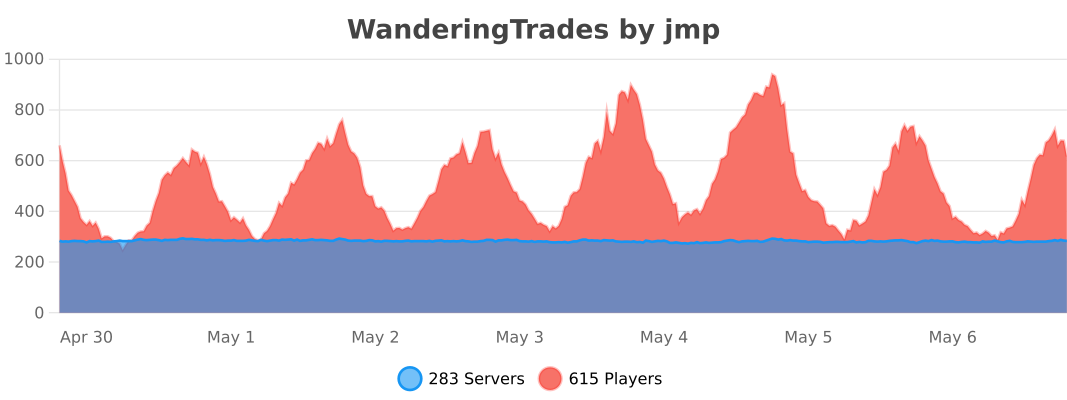
Opt-out of anonymous stats in the global bStats config.
*Looking for other Vanilla Tweaks datapack plugins?*
Check out VanillaTweaks by Machine Maker! If you use their “PersistentHeads” Module, Wandering Trades and other plugins Player Heads will preserve their Name and Lore after placing and breaking!