Trading Cards




—
Tracker Compass
# TrackerCompass
Feature-rich Manhunt tracker compass mod for Fabric.
## Commands and permissions
| Command | Permission | Description |
|—————————|——————————————-|———————-|
| /trackercompass | trackercompass.commands.main (default) | About info |
| /trackercompass reload | trackercompass.commands.reload (op 4) | Reloads mods config |
| /tracker, /compass, /hunt | trackercompass.commands.tracker (default) | Toggles compass item |
## Configuration
Config file is found at `config/trackercompass.json`.
“`json5
{
// How often (in ticks) the compass updates tracking direction (10 ticks = 0.5 seconds)
“compassUpdateTicks”: 10,
// Enable right-click GUI menu to select which player to track
“enableTrackerGui”: true,
// Display tracking information in the action bar above hotbar
“actionBarInfo”: true,
// Only show action bar info when holding the compass
“onlyShowWhenHoldingCompass”: true,
// Show distance in meters to the tracked player
“showDistance”: true,
// Show directional arrow (↑, →, ↓, ←, etc.) pointing to target
“showDirectionArrow”: true,
// Show status indicators like (Portal) or (Offline) after player name
“showStatusIndicators”: true,
// Automatically give compass to players when they join the server
“giveCompassByDefault”: false,
// Show offline players in the tracker GUI selection menu
“showOfflinePlayersInGui”: true
}
“`
Tracker Compass
# Tracker Compass
A Minecraft datapack that adds a compass which tracks the nearest player. Primarily intended for Minecraft Manhunts.
## Features
– Track multiple players – the compass will point to the nearest target.
– Remembers the last position tracked, even if the runner enters a different dimension. Also works if the hunter dies (but the compass will not remember the dimension it was last used in before the hunter’s death).
– Hunters are not able to lose or drop their compass.
– Runners are not able to pick up or use tracker compasses.
## Installation
Datapack version:
– Download latest release
– Locate your world’s datapack folder (`.minecraft/saves/[your_world_name]/datapacks`)
– Place the datapack into the datapack folder
– Make sure the datapack is enabled by using `/datapack list`. If it isn’t, enable it with `/datapack enable “file/tracker-compass_(version_number).zip”`
Mod version:
– Download latest version from Modrinth
– Place mod into mods folder (`.minecraft/mods`)
## How to Use
To set the hunters, use:
“`
/team join Hunters player_name
“`
To set the speedrunners, use:
“`
/team join Runners player_name
“`
To start the game and give the hunters their compasses, use:
“`
/function tracker:start
“`
This will also clear everybody’s inventories, set each team to survival mode and max out their health and food levels.
Hunters can refresh their compass by right-clicking them.
## Settings
This datapack automatically disables the locator bar upon loading to prevent runners from knowing the hunters’ whereabouts, but this can be toggled with the `locator_bar` gamerule:
“`
/gamerule locator_bar (true|false)
“`
The tracker can be set to show the tracked player’s y-coordinate (off by default):
“`
/scoreboard players set y_mode TrackerSettings (0|1) (0 for off, 1 for on)
“`
Hunters respawn with compasses by default, but this can be disabled:
“`
/scoreboard players set respawn TrackerSettings (0|1) (0 for off, 1 for on)
“`
## Commands
| Command | Description |
|———————————————————-|———————————————————————————|
| `/team join Hunters player_name` | Adds the user `player_name` to the Hunters team. |
| `/team join Runners player_name` | Adds the user `player_name` to the Runners team (will be tracked by compasses). |
| `/function tracker:start` | Clears inventories, heals all and gives all hunters tracker compasses. |
| `/function tracker:get_compass` | Gives the executor a tracker compass. |
| `/function tracker:setup/install` | Initialises the datapack. Automatically called upon datapack load. |
| `/function tracker:setup/uninstall` | Removes all variables used by the datapack from the scoreboard. |
| `/scoreboard players set y_mode TrackerSettings (0|1)` | Toggles whether compasses will show the target’s y-coordinate. |
| `/scoreboard players set respawn TrackerSettings (0|1)` | Toggles whether hunters will respawn with their compass. |
TraceSMP
# Plugin
This is a recreation of minecrafts Trace SMP. There will be many updates on this minecraft plugin. There are powers, effects, and particles.
## Why Download this?
It can add fun gameplay to your server, whether its pvp based, or just chilling. My friends used this for a minigame thing so they could find each other once (1.1).
## Who originally made this?
Jitscraft made TraceSMP with the custom plugin, shut down a bit later.
## What are the effects/powers
### Red
Effect: Fire resistance
Power: Right Click to turn lava into obsidian in a 5 block radius.
### Blue
Effect: Water Breathing
Power: Make a player Drown for a minute.
### Yellow
Effect: Speed
Power:Strike lightning
### Green
Effect: Hero Of The Village
Power: Get resistance 2 for 30 seconds
### Black
Effect: Invisability
Power: Teleport
### White
Effect: Slow falling. Do /slowfalling to toggle it. (Plugin version 1.2.1 or higher)
Power: Shoot up into the sky with levatation, no fall damage
### Pink
Effect: Regeneration
Power: gain 5 extra hearts for 30 seconds.
### Orange (Version 1.4.0+)
Effect: Strength
Power: Lazar Beam
# Stones (Upgrade, Version 1.4.1+)
You get a stone when you kill a mob. You need a different stone for each power.
### Black
Spiders (0.5%)
### White
Skeletons (0.5%)
### Green
Zombies (0.5%)
### Red
Blazes (1%)
### Blue
Drowned (1%)
### Pink
Which (1%)
### Yellow
Piglin (1%)
### Orange
Gaurdians (2%)
# Power Swapper
### Look in gallery for recipe!
# Help
You can get help in the discord under trace-smp-talk
Tcat’s Paintball (tpb)
I have a few updates planned out, and if this gets enough positive feed back, I will implement them.
Note! This is still very new, if you have any issues, please report them on the issues page, and I will try to help.
Other Note! This is not ready for survival, it requires an admin to run.
When this project hit 100 downloads, I will start working on the next update! It will have more Paintball guns to choose from, and maybe even some skins!
Features:
– Paintball Gun, gotten with /function paintball:give
– Config Screen, opened with /function paintball:config
– Auto Score Keeping, start a game with /function paintball:start_game, and paintball:end_game
– 7 Teams with Colors, Magenta, Blue, Yellow, Red, Cyan, Green, effects gun impact particle colors
– Auto Timed Games, while on 1.20.2
– /trigger join_team, to join a team, dissabled after a game is started
– Autopearl Stasis Chamber, formed by dropping eye of ender on glass, drop on an ender pearl to
– charge, or even hopper in, then power with redstone to active
Setup: First run /paintball:load then run /paintball:config to change configs
Recommended Maps:
– Dronko’s 2-5 players map (https://www.planetminecraft.com/project/paint-ball-map-2-to-5-players/)
TPA Utilities Neo
Original Mod : **MimStar_**
This is Port To NeoForge.
# What is this mod?
TPA Utilities is a server-side mod that adds new commands to your server! This mod only adds TPA (Ask for Teleportation) commands.
# What new commands?
Here is the list :
– /tpa [player_name] : Send a teleport request to the player. If the player accepts, you will be teleported to the player. If the player don’t respond after 60 seconds, the request expires.
– /tpahere [player_name] : Send a teleport request to the player. If the player accepts, he will be teleported to you. If the player don’t respond after 60 seconds, the request expires.
– /tpaccept : Accept the last teleport request that was sent to you.
– /tpadeny : Refuse the last teleport request that was sent to you.
– /tpacancel : Cancel all your teleport requests that are pending.
– /tpalock : Enable/Disable the ability of other players to send you teleport requests.
Tp Twist
TpTwist is a lightweight, configurable plugin that randomly teleports all players at regular intervals — adding chaos, fun, and challenge to your survival or mini-game server!
✨ Features
⏱️ Customizable teleport interval (in seconds)
Radius and minimum distance to control teleport spread
Per-world toggle to disable teleporting in specific worlds
⛔ Unsafe block detection (lava, bedrock, non-solid blocks, etc.)…
To configure this plugin usee the config there are 2 commands for Tptwist /tpstart and /tpend
You can add unsafe blocks all blocks compatible
**Version of Config**
> interval: 300
> display_mode: actionbar # or bossbar
>
> radius: 10000 # max distance from player’s current location
>
> min_distance: 100 # min distance from player’s current location
>
> countdown: true # false
>
> disabled_worlds:
>
> world
>
> world_nether
>
> – world_the_end
>
> unsafe_blocks:
> – LAVA
> – WATER
> – CACTUS
> – CAMPFIRE
> – MAGMA_BLOCK
## Notes
– I recommend Action bar mode not default
– if you want this updated for earlier version suggest it on my discord or if you want a update but i will probably update it but not as a priority
TP to Me
# TP to Me
Everything will teleport to you once a minute.
(Attention, it’s all entities, including villagers, monsters, items, and so on. It can be modified in settings)
It’s a funny, exciting, and hard datapack. Can you survive in this world?
# Start/Stop
Click **Game Start** / **Game Stop** in the settings book to start / stop.
Or you can use these commands to quickly start and stop.
“`
/function tpme:start
/function tpme:stop
“`
### Note:
When you enter the game for the first time, you will get a **settings book**. If you lose the book, you can use this command to get it again:
“`
/function tpme:give_book
“`
# Presets
There are many settings, so it provides 4 presets for quick setup. You can find them on the last page of the settings book.
**Default:** Teleport everything to a player every minute.
**Horror:** You don’t know when they will come, so it looks like a horror game.
**Multiplayer Act Together:** Designed for Multiplayer, teleport all players to one player every 30 seconds. This forces players to be together.
**World Travel:** Not teleport others to you, but teleport you to others. Enjoy your journey!
Except **Default**, I think you have to try **World Travel**. It is different, and it feels like some videos which switch scenes quickly.
(In World Travel, in order to travel far, you’d better increase Simulation Distance)
# Customization & Settings
These are the settings in the book.
## Display Settings
You can show or hide the time prompt. You can enable following options:
**Sidebar:** Always show the countdown on the right.
**Timeout Notice:** Displays text and sound alerts when nearing the timeout.
## Time
The time interval between two teleports.
It has 4 options: 30s, 1min, 2min, and random.
The first three are fixed intervals. If you choose random, the time interval will be different each time, ranging from 1s to 200s. This is used in Horror preset.
You can use commands to set a custom time. For example, the following command will set the time to 10s.
“`
/function tpme:set_time {value:10}
“`
Just change the number (10) to whatever you want (in seconds).
## TP Protect
If enabled, all teleported entities receive Resistance IV for 5s.
(That’s right, other entities will be protected, too)
## TP
There are some options about the teleported object and destination:
### From:
tp everything
only tp players
not tp players
### To:
tp to a player
tp to anything
Furthermore, you can set the **From**/**To** targets with commands. For example:
“`
/function tpme:set_from {value:”@e[type=!minecraft:creeper]”}
“`
It means not teleporting creeper.
“`
/function tpme:set_to {value:”@e[type=minecraft:player,sort=furthest,limit=1]”}
“`
It means teleporting to the player who is in overworld and farthest from world spawn point.
## Print
In the end, you can use the book to check current settings by printing **Settings** and **TP Command**.
TownyCreative
# About
– Allows admins to create block palletes for each towny nation
– Players then may enter a creative mode and build from blocks from that pallete
### Commands
`/townycreative`
– permission: `townycreative.player.toggle`
– Allows players enter or exit creative mode
– While in this managed creative mode:
– Players are unable to open inventories, damage other entities, interact with villagers, drop items from inventory, etc
– Players are allowed to build and destroy blocks only within their own town
– Players may place and destroy only blocks that are defined in their nation block pallete
– When exiting the creative mode player inventory is cleared
– The creative mode is automatically removed when a player crosses town border
`/townycreative set-build-blocks `
– permission: `townycreative.admin`
– Allows admins/moderators to specify block palletes for each nation
– Place a chest
– Put desired blocks inside the chest
– Stand directly on top of the chest
– Run the command
### Requirements
– Towny https://github.com/TownyAdvanced/Towny
– Paper (or its forks) 1.19.x (should work on older versions as well as long as the server itself is running on Java 17)
### Support
Ping me at towny discord
“Townfall” – Dungeon in the sky
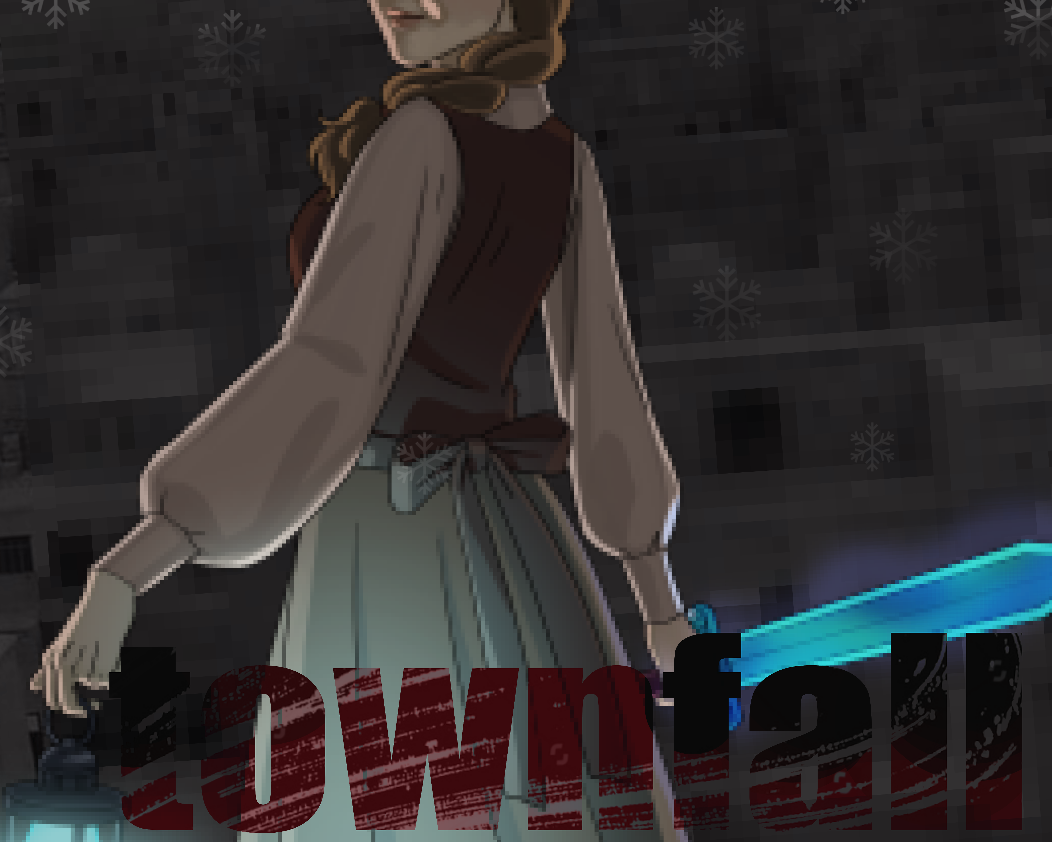
Townfall adds a sky town – dungeon in the vein of the old dungeon crawlers with custom coloured loot and mini bosses. All of this works on the data capabilities of minecraft itself, so the mod is supposed to be compatible with other mods. I tried to create a little story with riddles traders legendary swords and dark fantasy elements, if you put still my texture pack created just for this dungeon (from the discord link)
### Townfall features the following:
– A in the sky fully customised dungeon with random rooms corridors secrets and redstone mechanisms with mini stories.
– The dungeon is not just faceless corridors, it functions and lives like a city as it should be with points of interest and important urban locations, sewers for more immersion.
– Many rooms and some corridors and areas will appear exclusively only in your variant dungeon providing a unique experience.
– The dungeon is a multi-level structure with sewers, the city streets themselves, the roof level and buildings that rise up even higher.
– The dungeon encourages flying and falling, using custom potions tied to teleportation and levitation that you find, the risk is fun.
– Experimentally altered monsters dont like to be tricked and fight back with their rotten skin or their aura confuses the mind, so youll have to think about how to kill them differently.
– In the dungeon you can find animal friends and custom merchants. With the resource pack will change the appearance of villagers, monsters will also become more gloomy with the vibe of the city eaten by diseases.
### Configurations:
– the dungeon is friendly to any shader texture packs, but it comes with its own texture pack that changes a lot of things in the dungeon, adding an atmosphere of cold and lostness.
– it does not change anything in your game outside of its borders and modified items and potions will only be in town.
– I have not changed the vanilla keys that you can open trial chests and you can use them indefinitely although for rp I scattered around the city secret chests with keys.
– swords pickaxes axes and armour and other loot from the chests has balance and no netherite. from the trial chests you can take out things that have specific lore enchantments and are a stronger version of what you find in the regular chests.
– The sky dungeon is a real city if you defeat everyone and disarm the spawners, it can be used for different farms, rp, mini games and other purposes.
– If you want to immediately find a dungeon use the command /locate stucture with townfall:dungeon
– the dungeon appears only in the biome snowy slopes, to get up there you need to find a smoking brick house.
– the zombie horse mini boss can be tamed if you wait for its aura of darkness to end and use a saddle
You can join my discord channel for feedback, for help, request or ideas.

and check out my other work on planet minecraft