Zombie Infection
# Zombie Infection
## Basic Gameplay:
Whenever a player dies, they will be infected, but they can eat a golden apple to be cured. Death and curing will be announced in the chat
Zombies won’t burn in the day
Zombies always spawn with a decently high chance of spawning reinforcements
Sleeping won’t pass the night anymore
Humans can’t attack other humans, and the infected can’t attack other infected.
## Modes:
There are 3 modes, which an operator can pick when the datapack is enabled.
If you need to change the mode (not recommended once someone becomes infected) or the menu was not visible on start, just run the command /function zombie_infection:menu to open the menu
Fast:
Meant to be for more of a manhunt style. Infected players can not be cured, keep inventory is on, and instant respawn is on.
Normal (Default):
A normal experience, not meant to be fast, but not too long. Infected players are slower, keep inventory on, and instant respawn is off.
Long:
Meant to be more of a roleplay scenario, make your own rules! Infected players are slower, have mining fatigue, and have less health. Keep inventory off, and instant respawn is also off.
– – –
This datapack is the most fun with other people but can be played solo as an extra challenge.
Thank you so much for reading this, or even downloading it! I hope you enjoy it!
[](https://bisecthosting.com/Sir_BananaCat)
Zombie Invade Nether End
## 僵尸入侵下界末地
> 僵尸几乎入侵了整个世界!由于感染,各地几乎惨绝人寰……
>
> —— 来自 _下界/末地早报_
一个在下界和末地中大幅增加僵尸生成的数据包,同时减少本地生物。
它主要用于 [Zombie Invade 100 Days](https://modrinth.com/modpack/zombie-invade-100-days)(僵尸入侵 100 天)整合包,并且已经包含在其中。
## Zombie Invade Nether End
> Zombies are almostly invade the whole world! The native are nearly extinct because of the infection.
>
> —— From _Nether/End Newspaper_
A datapack that add spawn of zombies in the Nether and the End, meanwhile decrease the native mobs.
It’s mainly for the modpack [Zombie Invade 100 Days](https://modrinth.com/modpack/zombie-invade-100-days), and it’s already included in the modpack.
Life Series – Zombie ApocyLife
**Zombie ApocyLife** is a custom Life Series gamemode where eliminated players respawn at night.
This datapack requires the Life Series mod by Mat0u5: https://modrinth.com/mod/life-series
It also works well with my Zombie Hearts resourcepack: https://modrinth.com/resourcepack/life-series-zombie-hearts
# How It Works
At nightfall (time=13000), the datapack will attempt to respawn any eliminated players.
If there are no eliminated players online, or if the eliminated players have already been respawned, it will not attempt a respawn.
Their goal is to kill as much people as possible to get more Zombies. They are instructed to ignore previous alliances and not to harm other Zombies.
# Setup Instructions
1 – Make sure you have the Life Series mod installed and the gamerule doDaylightCycle is set to true.
You can pause the daylight cycle before playing, but do not pause it at 13000.
2 – Choose a location where you want your zombies to respawn and run:
“`
/function zombieapocylife:setrevivepoint
“`
3 – To verify the revive point location, run:
“`
/function zombieapocylife:checkrevivepoint
“`
4 – If you want to move the revive point, first remove the old one:
“`
/function zombieapocylife:removerevivepoint
“`
Note: Only one revive point should exist. If multiple exist, removerevivepoint will remove all of them, allowing you to start fresh.
# Manual Respawn
If you want to manually trigger a respawn, run:
“`
/function zombieapocylife:revive
“`
This will revive all currently eliminated players that aren’t already Zombies.
# Respawn Details
– Zombies will spawn with their old inventories.
– Default health is 20 HP (10 hearts).
– There isn’t a built-in way to change this, but you can adjust it yourself using command blocks.
ZLives

# Please read the concept of this plugin
## Concept :
– **1. Player A and Player B gets default 3 lives and 10 Hearts**
– **2. Player A killed Player B, then Player B will lose 1 live (remaining = 2) and in exchange of the live, player B will get +5 Hearts (total = 15).**
– **3. If Player A again killed Player B, then Player B will lose 1 live (remaining = 1) and in exchange of the live player B will get +5 Hearts (total = 20)**
– **4. After this if Player B killed Player A, then Player B will gain 1 live and -5 Hearts.**
– ### *NOTE : The maximum hearts obtainable are 25 and maximum lives are 3, so no one can go beyond it (untill changed from config.yml)*
## 1. Plugin Description
**ZLives** is a unique Minecraft plugin that introduces a **lives and heart system** to your server. Players start with a limited number of lives and hearts, and their actions (such as killing other players or being killed) affect their lives and hearts. Key features include:
– **Lives System**:
Players start with a default number of **3 lives**. When a player loses all their lives, they are eliminated and put into spectator mode.
– **Heart System**:
Players have a limited number of hearts, **default is 10** (20 Heart points). Hearts determine the player’s max health.
– **Revival System**: Eliminated players can be revived using a special **Revive Book** or by an admin using the `/revive` command.
– **Elimination Animation**: When a player is eliminated, a dramatic animation and sound effect play to signify their elimination.
– **Customizable Config**: The plugin allows server admins to configure default lives, hearts, and other settings via the `config.yml` file.
– **Commands**:
– `/lives`: Check your remaining lives and hearts.
– `/revive `: Revive an eliminated player (admin-only).
– `/elimination-animation`: Play the elimination animation on a player or at specific coordinates (admin-only).
## 2. Installation Guide
Follow these steps to install and set up the **ZLives** plugin on your Minecraft server:
#### **Step 1: Download the Plugin**
1. Download the `ZLives.jar` file from the provided source (e.g., SpigotMC, GitHub, or your custom build).
2. Place the `ZLives.jar` file in your server’s `plugins` folder.
#### **Step 2: Start the Server**
1. Start or restart your Minecraft server.
2. The plugin will generate a default `config.yml` file in the `plugins/ZLives` folder.
#### **Step 3: Configure the Plugin**
1. Open the `config.yml` file located in the `plugins/ZLives` folder.
2. Customize the settings as needed.
#### **Step 4: Test the Plugin**
1. Join your server and test the plugin’s features.
2. Use the `/lives` command to check your lives and hearts.
3. Test the elimination and revival mechanics.
—
## **3. Screenshots**
### **Elimination Animation**
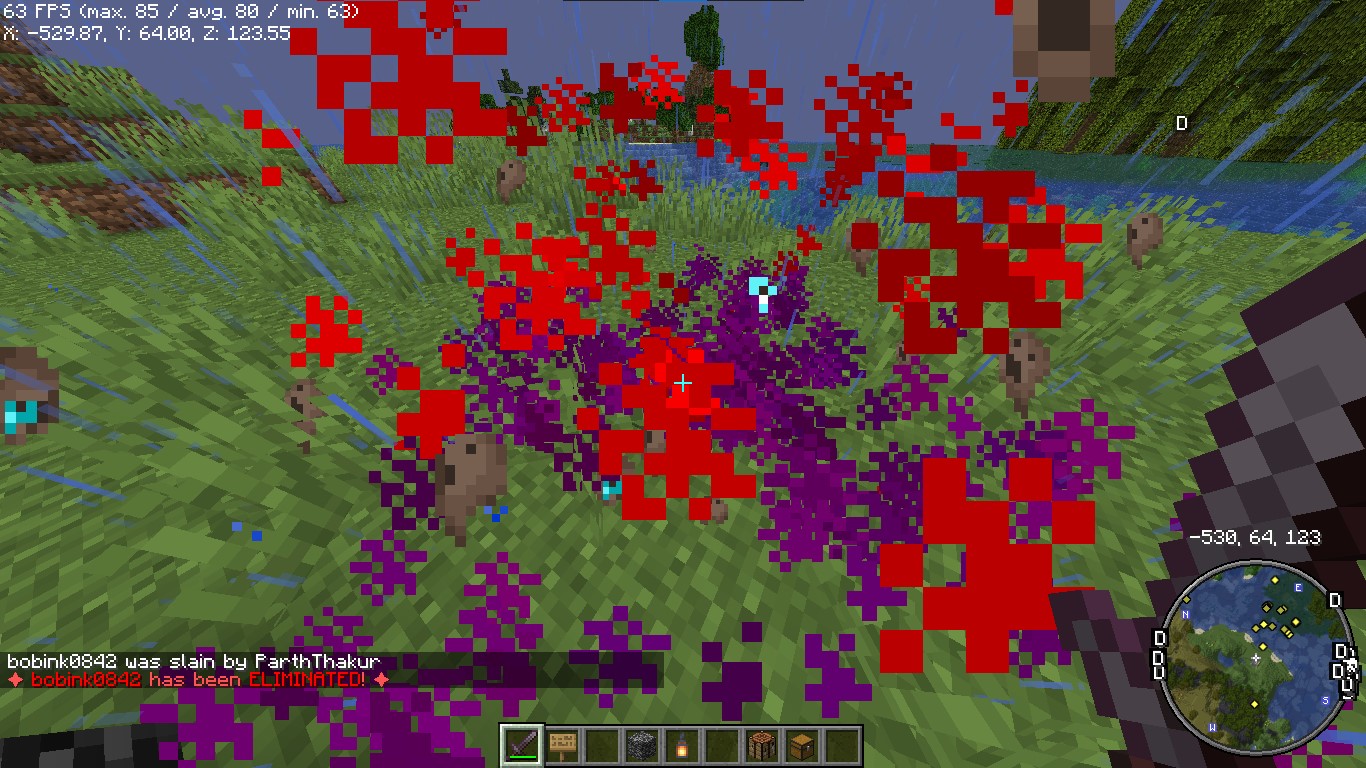
*Players see a dramatic animation when they are eliminated.*
### **Revival Animation**
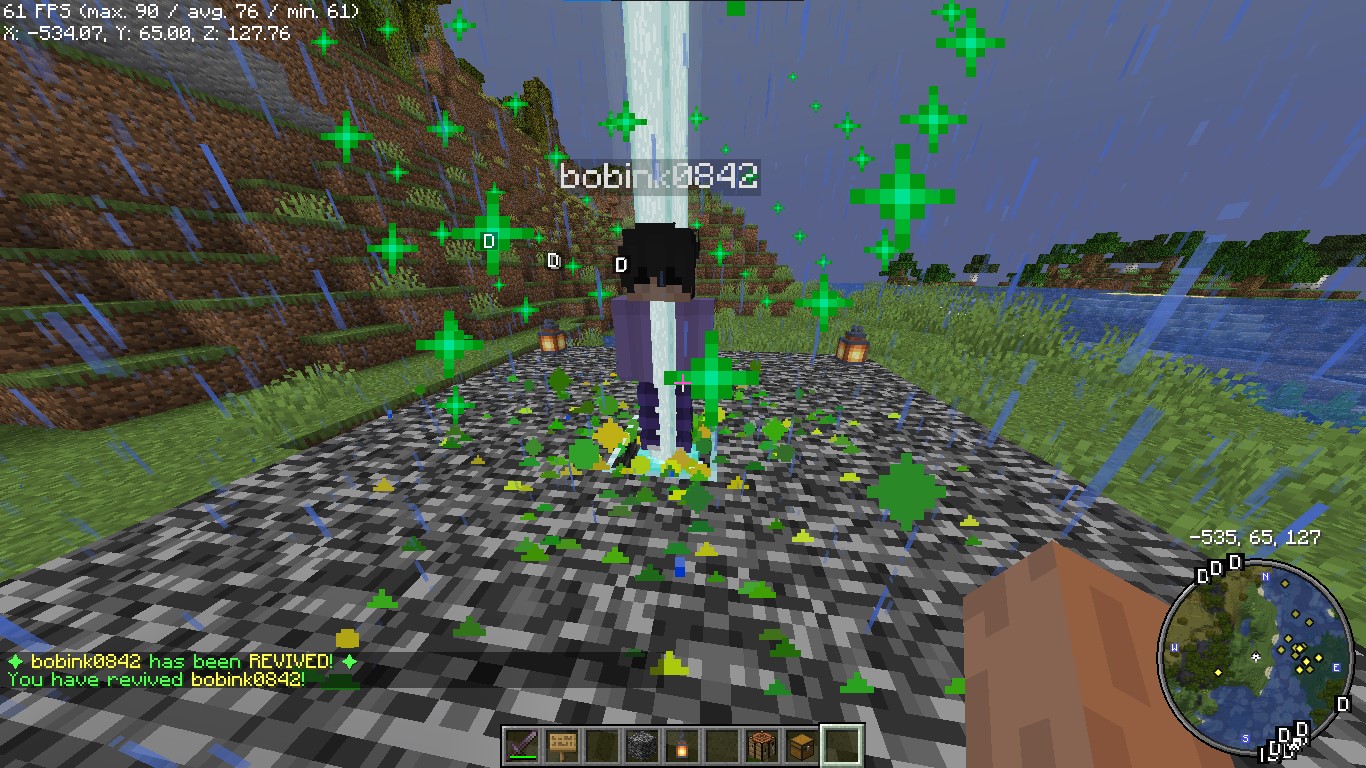
*Players see a dramatic animation when they are eliminated.*
### **Revive Book**

*The Revive Book can be crafted and used to revive eliminated players.*
### *Note: This recipe can be changed from config.yml.*
### **Remaining Lives message after killed by a player**

### **+5 Hearts on every death by a player**
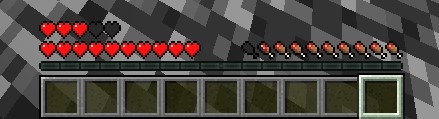
*+5 Hearts when a player is killed by other player*
### **Elimination Message**
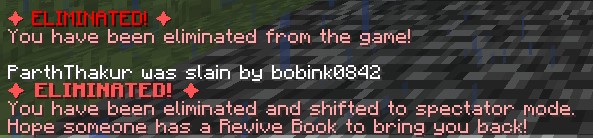
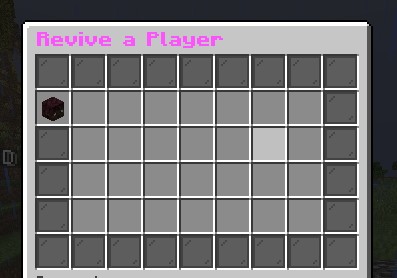
### **ReviveGUI**
## **4. Donations**
### Liked my Content? Want to support me?
– **Support me by sending money on this UPI QR Code**.

## **5. Reporting Issues**
**Need Help? Contact Us!**
Encountered a problem or have suggestions? We’re here to assist you!
### 📧 **Discord Support**: Contact me on Discord at **@iitian_69**.
#### **Step 1: Check the Logs**
1. Look for error messages in the server console or `logs/latest.log`.
2. Copy the relevant error message.
#### **Step 2: Provide Details**
When reporting an issue, include the following information:
– **Minecraft Version**: The version of Minecraft your server is running.
– **Server Software**: The server software you’re using (e.g., Spigot, Paper).
– **Plugin Version**: The version of the **ZLives** plugin you’re using.
– **Steps to Reproduce**: A detailed description of how to reproduce the issue.
– **Error Logs**: The error message or log snippet.
#### **Step 3: Submit the Issue**
**Contact me at discord username is : @iitian_69**
#### **Example Issue Report**
“`
**Minecraft Version**: 1.21.4
**Server Software**: Paper
**Plugin Version**: 1.0.0
**Issue**: Players are not losing hearts when they kill another player.
**Steps to Reproduce**:
1. Set default lives to 3 and hearts to 10 in the config.
2. Have a player with 2 lives kill another player.
3. Check the killer’s hearts after the kill.
**Error Logs**: [No errors in the logs]
“`
### **Final Notes**
The **ZLives** plugin adds a unique and engaging gameplay mechanic to your Minecraft server. If you have any questions, need further assistance, or want to suggest new features, feel free to reach out! 😊
Happy gaming! 🚀
zLife Season 1
Start with 1 heart and 7–13 lives. On death: lose 1 life, gain 1 heart. On kill: gain 1 life. Name color shows lives: Red (1–3), Yellow (4–6), Lime (7–9), Dark Green (10+). Run out of lives = elimination.
ZeroContact
Adding ballistic SAPI plates/Body armors to Minecraft providing unique close combat experiences for TACZ
## Features
– Many types of body armor, plate-carrier, accessories.
– Recalculation mechanism for armor of incoming bullet damage.
– Custom datapack support for various needs.
– Interesting ideas.

## Report & Suggestion
If you have any idea, hit the issue link or join my server, I’m very honored to have you becoming one of the nightly-build testers!
For Chinese Users, click here:[加入频道](https://pd.qq.com/s/85369dlsb)←中文用户
[](https://github.com/TuDouNi92/ZeroContact/issues)
[](https://discord.gg/F97mkDA9Fr)
Zeph’s EggHunt
# Zeph’s EggHunt
Give your player’s an activity to do this Easter! An Easter Egg hunt built for Nexo so you get real Egg Models for players to hunt. Hide eggs around your world for players to find, or let the server scatter them automatically near players as they explore. Both modes work at the same time.
## How It Works
### Event Eggs (Admin Hidden)
Use a placement wand to hide Nexo furniture eggs around your world. Every player can find and claim each egg once. Once someone collects an egg, it changes to a “claimed” look just for them.
### Random Eggs (Player Spawning)
Every few minutes, each online player has a chance of an egg popping up somewhere nearby. A chime plays when it spawns, and optional particles and ambient sounds pulse to help players track it down. If nobody grabs it, it despawns after a timeout.
### The Wand
You get a blaze rod wand via `/egghunt wand`. Right-click a block to place an egg facing your direction. Left-click to cycle tiers — there’s also a **Random** option that rolls a weighted tier each time you place. Sneak + right-click removes the nearest egg.
### Tiers and Visual Variety
Set up as many tiers as you want. Each tier can have multiple Nexo furniture IDs, so you get visual variety while sharing the same reward pool. The plugin picks one randomly when placing.
### Rewards
Rewards are just strings in the config. No nested YAML, no type declarations:
“`yaml
– “diamond 5”
– “golden_apple 1 &eShiny Apple”
– “cmd: eco give {player} 500”
“`
Equal chance per line. Want one to show up more? Add it twice.
### Action Bar
Action bar shows the collection process. Action bar shows up in the world set by the config. By default, it’s set to “event” if you plan to hide the eggs in an event world. You can change it to “world” to make the action bar show up in the main world. Collecting a random egg shows a quick one-shot confirmation. Both are configurable.
### Stats and Leaderboard
Event eggs and random eggs are tracked separately. Players can check their own stats with `/egghunt stats`, and the leaderboard shows top collectors across both modes. Top hunters are announced when the event ends.
### PlaceholderAPI
Optional — everything works without it. But if you have PlaceholderAPI, you get placeholders for player counts, event status, leaderboard positions, and more. Useful for scoreboards, tab, holograms, or whatever you’re running.
| Placeholder | What it returns |
|—|—|
| `%egghunt_collected%` | Player’s total eggs |
| `%egghunt_event_collected%` | Player’s event eggs |
| `%egghunt_random_collected%` | Player’s random eggs |
| `%egghunt_total%` | Server-wide total collected |
| `%egghunt_active%` | Whether the event is running |
| `%egghunt_rank%` | Player’s leaderboard position |
| `%egghunt_top_1_name%` | #1 collector’s name |
| `%egghunt_top_1_count%` | #1 collector’s count |
## Commands
| Command | Permission | What it does |
|—|—|—|
| `/egghunt stats` | `egghunt.stats` | Your personal stats breakdown |
| `/egghunt leaderboard` | `egghunt.leaderboard` | Top collectors |
| `/egghunt start` | `egghunt.admin` | Start the event |
| `/egghunt stop` | `egghunt.admin` | End the event, show results |
| `/egghunt wand` | `egghunt.admin` | Get the placement wand |
| `/egghunt clear [admin|player|all]` | `egghunt.admin` | Remove eggs by mode |
| `/egghunt cleanup` | `egghunt.admin` | Clean up orphaned entities |
| `/egghunt reload` | `egghunt.admin` | Reload config |
| `/egghunt status` | `egghunt.admin` | Event info at a glance |
| `/egghunt debugspawn` | `egghunt.admin` | Force-spawn a test egg nearby |
| `/egghunt reindex` | `egghunt.admin` | Re-link entity IDs after chunk issues |
## Permissions
| Permission | Default | Description |
|—|—|—|
| `egghunt.admin` | op | All admin commands |
| `egghunt.collect` | true | Collect eggs |
| `egghunt.stats` | true | View personal stats |
| `egghunt.leaderboard` | true | View leaderboard |
## Requirements
– **Paper 1.21.4+** (not Spigot — uses Paper APIs)
– **Java 21**
– **[Nexo](https://nexomc.com/)** for the egg furniture models
– **[ProtocolLib](https://www.spigotmc.org/resources/protocollib.1997/)** for per-player visuals
**Optional:** [PlaceholderAPI](https://www.spigotmc.org/resources/placeholderapi.6245/) for scoreboards, tab, holograms, etc.
## Egg Models
This plugin doesn’t include any models — you’ll need Nexo furniture items set up for your eggs. The ones we use on Cobble & Commons are from MCModels and work great out of the box:
[**Easter Egg Collection on MCModels**](https://mcmodels.net/profile/orders/c6483ef6-aaf1-48df-9fa2-9cb45986544b)
Highly recommended if you want a polished look without building your own. Just drop them into your Nexo config and match the furniture IDs in the EggHunt config.
## Try It Live
Want to see it in action before setting it up? Come check it out on **Cobble & Commons** — the server where this plugin was built and tested. We run seasonal egg hunts with both modes active.
**Server Address:** `mc.cobblecommons.com`
ZenXArch’s Zombie Apocalypse
## Data Driven zombies?
This mod adds data driven zombies since version 0.0.15.
What this means is that the variants of a zombie can be added using datapacks.
“Download the mod on modrinth”
Github link
https://github.com/offbeat-stuff/zombies
How the data driven system works
The mod adds a dynamic registry like for enchantments
Currently the mod adds the following configuration to variants
– lootTableInfo contains a field for spawn armor and loot drop
– events -> 7 event handlers (spawn,tick,death,kill etc.)
– Runs like an enchantment effect when event fires
– BiomePredicate -> what biomes the variant spawns in
– Requirements -> a loot condition for mob to spawn
– attribute (base and modifiers) to add on spawn
– weight (contains weight and quality) -> similiar to loot table entries (uses difficulty)
My plans for additional fields
– texture (would require client side changes) which isn’t plan so I will make a seperate to allow for that to be done in more portable way.
– spawn weight (How much the mob counts towards internal zombie cap) (unlikely)
– attachments to mob ai
What event handlers are there?
– apply status effect to target
– swap positions
– single target
– freeze
– ignite
– spawn effect cloud
– spawn particle effect
– apply status effect
Installation
Just install the main jar alongside smartbrainlib 1.16.7+ and fabric api 0.118+
## What about the apocalypse?
This mod continually spawns zombies around the players in overworld.
Also currently gives small leaping ability to zombies.
There is a seperate difficulty system that takes into account player weapons,armor,food.
And time spent in the world. But has a inverse effect based on time spent in a chunk.
Meaning that if you spent too much time in a chunk (8 hours on easy 35 hours on hard)
that place will no longer be apocalyptic. (I will be adding a gamerule to control this.
Certain things I want to implement over long period:
– Give various abilities to zombies: Like [Eldritch Mobs](https://modrinth.com/mod/eldritch-mobs) (not exactly the same but like)
– Give various intelligence to zombies: jump over gaps (Probably not, its hard to implement), and mob behaviour (grouping around the player) (also hard to implement but could be)
Certain things I want to implement right now:
– Different zombies for different places (drowned for water, zombie piglins for lava, husk for the sun)
– Make use of various creative mode tools (like /ride /tp) to give zombies a edge
– Add mechanics for zombies to escape mob farms
– Make zombies not group together in small spaces
## Didn’t you make a similiar mod ?
Yeah I did [Zombie Apocalypse](https://codeberg.org/ZenXArch/zombie-apocalypse), It was a good experience. This mod is still available as source, so you can use it if you compile the code. (Feel free to use the source code in your own mods.)
## So what went wrong with the old mod ?
Well It was a hassle to maintain. My mistake,I know. The worst thing was config. I had to spend way too much time to write the config code. Also the mod kinda felt not like what it name was.
It didn’t feel like the zombies were very good. So this time I wanna make the zombie low in density and high in damage and abilities. And also not limit myself to some config options.
One of the thing that was kinda wrong the last time. Everything was a config and that made it hard for me to try doing funky that were hard to write config for.
## So No config this time?
Yep, At least for a long time.
But I will be making simple stuff controllable via datapacks.
## So this is a all zombies mod.
Maybe, maybe not. I am open to ideas.
## Will you add client side content?
~~No. (Maybe textures using a seperate client side mod… maybe)~~
Zombie variants will use `{namespace}/textures/entity/zombie/{id}.png` as texture.I won’t be adding any other client side features.
ZenoDuels
## ⚔️ ZenoDuels – Clean Duel System
A straightforward duel plugin that actually works well. Challenge players, fight in dedicated arenas, and let the plugin handle the rest.
## 🎮 What it does
Players can challenge each other with `/duel `. The challenged player gets clickable accept/deny buttons in chat. Once accepted, both players teleport to the arena, fight until someone dies, and the winner gets configurable time to collect items before everyone returns to their original spots.
The arena automatically resets after each duel, so you don’t have to worry about cleanup.
## ✨ Key features
– 💬 Simple `/duel` command system
– 🖱️ Clickable chat responses (no typing commands)
– 🎯 Custom gamemode support (nodebuff, crystal, sumo, etc.)
– 🔄 Automatic arena restoration
– ⏰ Configurable winner collection time
– 🎨 Fully customizable messages
– ⚙️ Easy admin setup
## 🤔 Why use this?
Most duel plugins are either overcomplicated or missing basic features. This one focuses on doing duels right – clean interface, reliable teleportation, and automatic cleanup. Perfect for PvP servers that want organized 1v1s without the hassle.
Set your arena points, create some gamemodes, and you’re done. No complex configuration needed. 🚀
## 🎯 Perfect For
PvP servers, practice servers, tournament hosting, and community servers wanting organized, fair dueling with automatic arena cleanup.
## 🎮 DISCORD
Join our discord if you have any questions or problems related the plugin: [__Join Our Discord__](https://discord.gg/pVbSPXg3uG) here you can make friends, talk and watch for updates. Maybe you can win some giveways or some packs of mine.
zCookieClicker
[](https://minestrator.com/a/GROUPEZ)
zCookieCliker allows you to click frantically on a cookie in order to obtain an infinity! Inspired by the famous cookie clicker game!
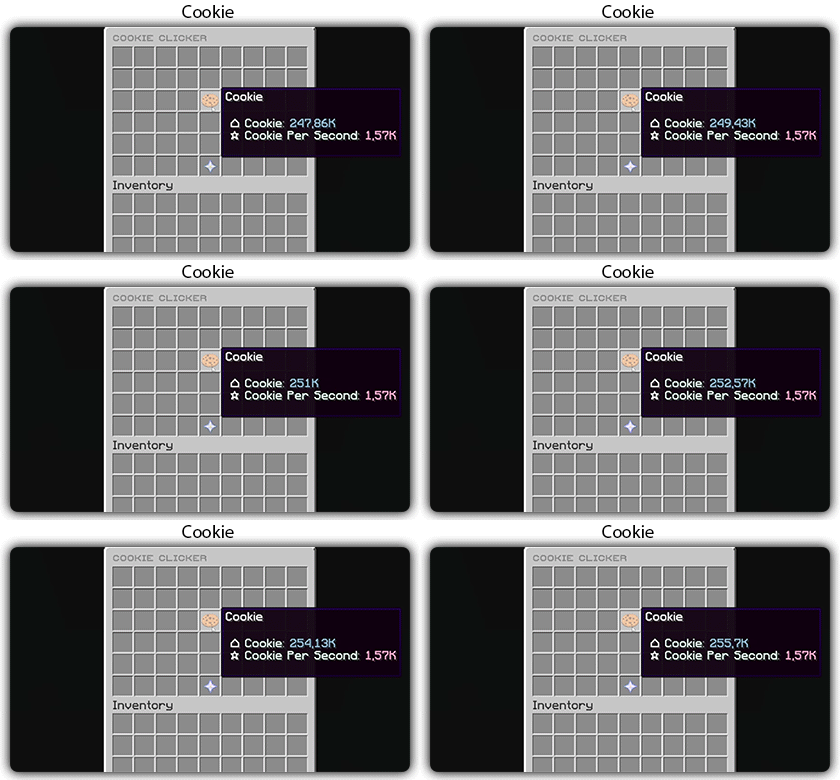
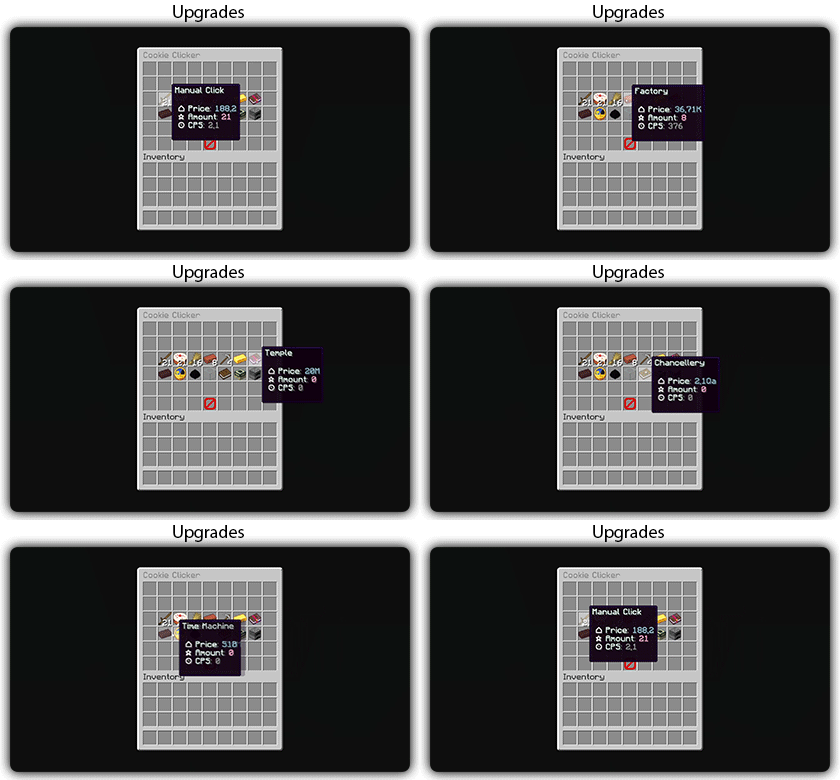
You need to install zMenu
## Commands:
– /cookie
– /cookie reload
## Placeholders:
– %zcookieclicker_cookie%
– %zcookieclicker_cps%
– %zcookieclicker_upgrade_%
## Features:
– Customizable inventories
– Storage in SQLITE, MYSL or with HIKARICP
– Customizable upgrades
– Customizable number format