# Blood – Wathe
## Adds Blood to Welcome Aboard The Harpy Express / TMM / Wathe
### Cool Features:
1. Blood comes from the part of the body you attack.
2. Different sized blood stains depending on speed.
3. Blood is different depending on what weapon is used.
4. Blood changes color based on age.
5. Blood Splatter based on attack direction.
### This Means you can tell:
1. When someone was killed.
2. What weapon was used.
3. Where the killer was.
WaterFly
# WaterFly
**WaterFly** is a feature-rich and customizable fly plugin built for **PaperMC 1.21+** servers. It provides players with a survival flying experience while maintaining minimal server overhead. Whether for survival perks or administrative utility, **WaterFly** offers good and customizable control over aerial movement in survival or creative mode.
—
## Key Features & Why You Should Download It
* **Advanced Flight Control**: Seamlessly toggle flight mode and customize a lot of setting on configuration file to suit your needs.
* **Minimal Overhead:** Designed to ensure zero impact or lag on server. Perfect for everything from small private SMPs to large-scale public networks.
* **World Restrictions**: Easily blacklist specific worlds where flight should be prohibited, with bypass permissions available for staff or special players.
* **Customize Plugin Messages:** Customize all WaterFly messages completely on `messages.yml`! Uses MiniMessage so you can have gradients, hex, clickable text and more! No more ugly § color codes! MiniMessage formatter: [https://webui.advntr.dev/](https://webui.advntr.dev/)
* **Intuitive Commands:** Everything the player needs is covered by a very small, super easy-to-remember commands.
* **Modern Server Support:** Built specifically for the latest **PaperMC 1.21+** versions and its forks, guaranteeing up-to-date performance and stability.
* **Open Source:** Developed under the **GNU General Public License v3.0**, allowing for transparency and community contributions.
—
## Commands & Usage
**(<> is optional, [] is required):**
## Default Configs
Default configs used on the plugin.
config.yml
“`yaml
# WaterFly – Feature rich fly plugin for your server!
# GitHub Source code: https://github.com/WatermanMC/Waterfly
# Support: https://discord.gg/Scgqfm5EU4
# Should the plugin remove player’s fly when changing worlds/quit?
# Will reset fly speed too.
# Will cause player to fall when relogging.
remove-fly:
quit: false
world-change: false
affect-creative-spectators: false
# Disable fly in this world
# Bypass permission: waterfly.bypass.world-restriction
disabled-worlds:
– “example_world”
# Default fly speeds
default-fly-speeds:
# The speed when you’re flying normally without sprinting
# Vanilla default: 0.1 (Approx. 10.8 blocks per second)
# Scale: 0.0 to 1.0 (NOTE: Values above 0.8 might cause player lag)
normal: 0.1
# The speed when you’re flying and sprinting too
# Vanilla default: 0.2 (Approx. 21.6 blocks per second)
# Increasing this might trigger your server’s anticheat plugins if you have one
sprint: 0.2
“`
messages.yml
“`yaml
# Only uses MiniMessage!
# MiniMessage formatter: https://webui.advntr.dev
prefix: “WaterFly:”
pluginReloaded: “Plugin reloaded!”
nopermission: “You don’t have permission to do that!”
disabledworld: “Flying is not allowed in this world.”
invalidgamemode-for-fly: “This fly feature is not allowed since you’re in {gamemode}!”
fly:
enabled: “Fly enabled!”
disabled: “Fly disabled.”
flyspeed:
invalidinput: “Invalid speed. Must be between 1 and 10!”
invalidnumber: “{number} is not a valid number!”
set: “Fly speed set to {speed}.”
“`
## Türkçe
WaterGame – Minecraft’ta heyecan dolu bir hayatta kalma deneyimi sunan benzersiz bir eklenti!
### Oyun Mekaniği:
Oyuncular belirlenen bir arena içinde hayatta kalmaya çalışırken, sürekli yükselen su seviyesiyle mücadele ederler.
Su yükseldikçe arena küçülür, oyuncuları merkeze doğru hareket etmeye zorlar.
“Lava yükseliyor” konseptinin su temalı bir alternatifi olarak tasarlanmıştır.
### Özellikler:
2 farklı oyun modu: Normal Mod ve Elytra Modu
3 takım boyutu seçeneği: Solo (1), Duo (2), Trio (3)
16 farklı takım rengi ve özel takım yönetimi
Özel su kazması ve su kanatları eşyaları
Dinamik dünya sınırı ve su yükselme sistemi
Tamamen özelleştirilebilir config ayarları
Kazanan takım için havai fişek kutlaması
### Desteklenen diller
Türkçe (tr)
İngilizce (en)
Azerice (az)
Yunanca (el)
İspanyolca (es)
Fransızca (fr)
Almanca (de)
Rusça (ru)
Çince (zh)
Japonca (ja)
Korece (ko)
Portekizce (pt)
İtalyanca (it)
Hintçe (hi)
### Komutlar:
/setcenter – Oyun alanının merkezini belirler
/waterstart – Oyunu başlatır
/watergame reload – Eklenti ayarlarını yeniden yükler
## English
WaterGame – A unique plugin that offers an exciting survival experience in Minecraft!
### Game Mechanics:
Players try to survive in a designated arena while battling against constantly rising water levels.
As the water rises, the arena shrinks, forcing players to move toward the center.
Designed as a water-themed alternative to the “rising lava” concept.
### Features:
2 different game modes: Normal Mode and Elytra Mode
3 team size options: Solo (1), Duo (2), Trio (3)
16 different team colors with special team management
Special water pickaxe and water wings items
Dynamic world border and water rising system
Fully customizable config settings
Firework celebration for winning team
### Supported languages
Turkish (tr)
English (en)
Azerbaijani (az)
Greek (el)
Spanish (es)
French (fr)
German (de)
Russian (ru)
Chinese (zh)
Japanese (ja)
Korean (ko)
Portuguese (pt)
Italian (it)
Hindi (hi)
### Commands:
/setcenter – Sets the center location of the game arena
/waterstart – Starts the game
/watergame reload – Reloads plugin configuration
Water Propeller
WARNING: versions before release 1.21.11 will kill all your villagers.
this datapack will boost you while you are under water. it may also cause lag on weaker devices.
if you want to see how it works, just place a few repeathing command blocks with /effect clear @e[type=villager]
thanks! 😀
Water Balloon
# Water Balloon!
This mod aims to add a small aspect of summer fun to the game by adding water balloons!
Craft some water balloons in the crafting table (the recipe is unlocked once you obtain a water bucket).
Then, have some fun by tossing them at each other! They do no damage (unless you are an Enderman), but give you some slowness for a short time!
You can also have fun launching water balloons at each other with a Sling Shot and a Balloon Bazooka! The crafting recipes for those are unlocked by obtaining String and an Iron Ingot respectively)
SirJain’s Discord: https://discord.gg/nwDQcxpJG8
Warrior Cats Events
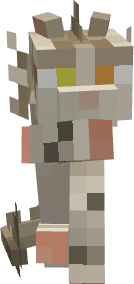
Warrior Cats Events is the most complete, popular, and loved Warrior Cats mod available for Minecraft.
Warrior Cats Events is a mod inspired by the Warrior’s saga that promises to turn your vanilla survival experience into a true clan cat survival experience.
Warrior Cats Events adds several new blocks, items, entities, systems, and features specifically designed for inmersion and taking good care of aesthetics, with the only goal to offer the most realistic, inmersive, and book-loyal Warrior Cats experience.
1.8.0 | Climbing system and more!
After a generous break I took for my own good and health, I have returned.
Allow me to introduce the climbing system! As it has been requested in the past, here is the official climbing system. Climbing will be an unlockable skill as part of the skill tree, only unlockable after maxing the speed and jump skill.
Climbing allows you to climb a wide amount of different surfaces, but not all. Part of the allowed surfaces include every type of wood and blocks made of wood, every type of rock or stone (but considered as a hard surface, which will cause you to lose grip faster), and many other blocks.
Climbing has a limit. You can only climb for a certain amount of time, and additionally, there is an exhaustion level which if reaches its max, you wont be able to climb at all. So make sure to take breaks after climbing, or you might eventually fall…
Additionally in this update… While I was on my break, I dedicated some time to model and make a few funny additions I always thought of but never did. These include a few accessories, and kittypet bowls! But anyway, you should check it out yourself.
Changelog
– Added Climbing system! Unlock the climb skill through the skill tree, use the keybind “C” by default to start climbing. – Thirst system can now be disabled through world config – Skill tree attributes now only apply when on cat form – Fixed some screens not showing cat npcs correctly – Minor adjustements to other screens – Fixed scars and silver variant not loading from saved morphs – Reworked territory claiming. The cost is now more expensive, but the claimed territory has been expanded from 1 chunk to 9 chunks. – Added bio for characters and a custom gender field. Use `/wce info profile` – Added honey mossball. Put a moss-ball and a honey bottle or honey block on a crafting rock to get a honey moss-ball. These not only restore food, but will also bounce a lot more! – Added textures for soaked and honey moss balls. – Added first-person and third-person animation for throwing moss-balls – Drinking water from bottles now also restores thirst – Added kittypet bowls of different colors. – Now its not possible to attack cats too close to moss-balls – Added accesories only obtained from villages chests: Pink bow, red bow, black bow, cat hat – Added Skull mask – You can now rename clans through `/wce clan manage` – Removed vanilla (Crafting Table) recipes for: Freshkill & herbs, Traveling Herbs. These are now crafted through the Crafting Rock – Added JEI compatibility. Recipes for certain items now will show their Crafting Rock recipe. Clicking an item in the JEI menu will show its recipe. Right-clicking the Crafting Rock item in the same menu will display all the recipes available. – In creative mode, using the Flowers Bouquet item will now instantly increase the friendship level to 100 – Saved eagles from drowning (now for good) – Using `/wce clan` now will open your clan screen – Added `/wce clan map` – Added some /gamerule commands. Use `/gamerule wce` to view the options. – Other minor adjustements and fixes
Warrior Cats Events is born from the lack of good quality mods based on Warrior Cats. There was never a public and reliable mod that could truly make you able to be a Warrior!
I once wanted a mod like that too, one I could both play in Singleplayer, and that was also fully compatible and even better in Multiplayer.
I searched for mods, tried different combinations in a modpack, nothing worked…
Nothing really felt like Warriors.
But there is a valuable golden rule of mine…
“If it doesn’t exist, create it yourself”
Warrior Cats Events seeks to fill that void that for many years has been in the Minecraft community and Warriors community. A mod that could truly transform your survival experience into Warrior Cats. But a complete, inmersive, and carefully designed one.
“What if we could create our own characters? What if we could have our own warriors? What if we could make our own camps, clans, friendships?”
“What if we could write our own story?”
And then, Warrior Cats Events was born.
Warrior Cats Eventspromises to turn your vanilla survival experience into a true Warrior Cats experience, always taking good care of aesthetics, game design, and including as much as possible to be the most loyal to the Warriors saga.
Warrior Cats Events adds everything that a Warriors world needs.
A realistic clan system compatible with multiplayer.
Wild Cats to recruit for your clan.
Genetics and customization to create and make your very own unique character with billions of different combinations.
Chat bubbles, emotes, and more mechanics for self expression.
Realistic and inmersive systems such as thirst, leaping, fishing, territories, patrols, and more.
Many classic herbs and blocks for decoration.
Clan roles with their own functionalities.
Accessories to wear.
Prey to hunt and eat.
And so, so much more…
Warrior Cats Events‘s goal is to be the best, most popular, most inmersive, most fun, and most complete Warrior Cats inspired mod in the whole Minecraft community.
Warrior Cats Events is a very deep mod, full of different systems, mechanics, functionalities, and additions that are just too much to summarize.
Therefore, to know everything, every detail, and every single thing Warrior Cats Events adds and allows you to do, you can check the WikiInstead!
“How do I morph into a cat?”
You are morphed into cat the first time you join a world and create your character. To switch between cat and human, you can use the orange button in the emote menu opened pressing “Y” by default.
“I turned into human by mistake and I can’t morph back”
To morph back into cat, use the orange button in the emote menu opened pressing “Y” by default. I also suggest to disable the keybind for morphing the mod woodwalkers provides to avoid unmorphing by mistake again
“How can I tame/recruit cats?”
First, make sure the cat you found is a Wild Cat from Warrior Cats Events, vanilla cats wont work. To recruit a cat, you will have to give them [Fresh-kill and Herbs]. After that, they might accept your offer and join you.
“How do I make a clan?”
To make a clan, use “/wce clan register”. To see the list of commands available for clans, type “/wce clan ” and see the list of arguments.
“How do I breed Wild Cats?”
You can bring two cats together giving Catmint to each of them. Just the same way you would do with any other Minecraft animal. Only if there is a female, the female will then be expecting kits.
“Will WCE ever be available for Bedrock, Fabric, etc?”
Bedrock is a whole different platform, a whole new coding language, and it is a lot different from Java. So WCE wont be ported to Bedrock.
Fabric while it is in Java and would technically possible, it is not planned since it’s a whole new different environment with its own limitations. So as for now, WCE wont be available for Fabric.
In the future, it might be ported to newer versions and Neoforge, but it is not planned nor confirmed.
“How do I change Server config and Client config?”
Client config is accessible through the “Mods” section in the pause menu in the game. Search “Warrior Cats Events”, click “Config”, and you will see it. The client config is also present in the “config” folder in your instance.
Server config file is in the “serverconfig” folder in your world. You can access the files of your world through your instance folder, then go to “saves”, then go to the world you wish.
“How do I…”
Check the Warrior’s Guide or the wiki. Everything in the mod is explained and detailed there. It contains further information about everything, and therefore it is the main source of information.
Thanks to Clangen for allowing the use of their clan symbols assets under Creative Commons license. All symbols used belong to Clangen and their devs.
Thanks to Sharon Hurvitz for allowing her song “Generations” to be implemented in this mod. You can check more of her music on Youtube and know more about her onLinktree!
Thanks to Bookwom for allowing Chestnutpatch to be part of this mod.
Thanks to Telefonjoker for allowing Ratstar to be part of this mod.
Thanks to Cat for allowing Twitchstream and Blazepit to be part of this mod.
Thanks to Whale_shark for allowing Sparrowstar to be part of this mod.
Thanks to Sejr for allowing Foxeater and Willowsong to be part of this mod.
Thanks to CoffeeCat for providing a Caramel for this mod.
Thanks to CoffeeCat for providing a Bengal for this mod.
Thanks to CoffeeCat for allowing Mothpaw to be part of this mod.
Thanks to CoffeeCat for providing an Albino for this mod.
Thanks to CoffeeCat for providing a Short hair for this mod.
Thanks to pvppet for allowing Hailflake to be part of this mod, and thanks to Mswolfy81 for modeling.
Thanks to CoffeeCat for allowing Salem to be part of this mod, and thanks to Mswolfy81 for modeling.
Thanks to Mswolfy81 for providing a Brindle tortie for this mod.
Thanks to bem te vi for allowing Violetdew to be part of this mod, and thanks to Mswolfy81 for modeling.
Thanks to RainbowServal for allowing Turtleheart to be part of this mod, and thanks to Mswolfy81 for modeling.
Thanks to Slay for providing a Gray-white Tabby for this mod.
Thanks to Feathered Melodica for allowing Stoneflare to be part of this mod.
Thanks to Feathered Melodica for allowing Patch to be part of this mod.
Thanks to Lightley for providing a Brown and Cream Calico for this mod.
Thanks to Lightley for providing a Light Brown and Cream Calico for this mod.
Thanks to Lightley for providing a Dark Brown and Cream Calico for this mod.
Thanks to whitenoisewife for allowing Longtail to be part of this mod.
Thanks to whitenoisewife for allowing Frostdawn to be part of this mod.
Thanks to whitenoisewife for allowing Redtail to be part of this mod.
Thanks to whitenoisewife for allowing Leafstar to be part of this mod.
Thanks to whitenoisewife for providing a Karpati for this mod.
Thanks to whitenoisewife for providing a Tortoiseshell point for this mod.
Thanks to PsychicStudios for allowing Parlee to be part of this mod, and thanks to CoffeeCat for modeling her. May the real Parlee always hunt with Starclan.
Thanks to Lightley for providing the models and textures for the Head Dandelion, Head Flower, Golden Eagle Feathers, and more.
Thanks to bem te vifor providing the model for the Golden Eagle, and toLightley for providing the feathers for the model.
Thanks to Mswolfy81 for intellectually designing the entirety of the genetics system, providing textures for it, and for collaborating hand to hand during the whole process. Genetics wouldn’t be possible if it wasn’t thanks to her.
Stay tuned for future updates and participate in this mod’s development!
If you wish to contribute and support this project by donating, you can do it in Ko-fi
There is more to come…
For contact:
– Curseforge DMs
– Discord: xo.snow.
Warden Fight: Reimagined
# How does the bossfight work?
– An all-new bossbar will appear when a warden is summoned, or when a players gets close enough to a warden.
– Once the warden reaches half health, it will begin the **Deep Dark Summoning Ritual**, and particles will begin to appear on the ground as the Deep Dark approaches the surface.
– The deep dark will break through and begin to infect the ground below the warden, infecting any block it stands on.
– Just before it dies, the warden unleashes the **Sculk Lunge**, and sculk blocks will begin to fall onto the player, dealing damage upon impact.
The warden now has a chance to drop the **Silence Armor Trim**.
Warden bossfight
## Overview
– Allows you to turn a player into a warden boss.
– To bring up the main menu, either use `/reload` or `/function warden/setup`. From there, you can turn yourself into a warden, change configs, stats, and ability cooldowns. Full explanation below.
– This datapack uses some tricks to be compatible with ALL minecraft versions from 1.20.5 up to 1.21.11, with a singular release.
## Warden stats
– 500 health
– 5 attack damage
– 70% knockback resistance
– +50% movement speed
– +20% water movement speed
– +10% size
– 0.5 block step height
– +0.5 block range
– no fall damage
– no soul sand slowdown
– fire resistance
– night vision
– infinite hunger, but no health regen
## Warden abilities
### Sonic boom
– Shoots a sonic blast.
– Default cooldown: 5s
### Descending dark
– Jump into the air before charging down, dealing damage and burning an area around the landing location.
– Default cooldown: 10s
### Wild charge
– Briefly wind up before gaining a huge speed boost, blowing up the first target you run into.
– Default cooldown: 15s
### Agitate
– Most abilties spread sculk. Cause nearby sculks to catch fire and spread to nearby sculk, blinding, weakening and slowing entities hit.
– Default cooldown: 20s
## Warden menu
### Give warden’s mark
– Give yourself an item you can shoot other players with to mark them. Marked players will initiate a transformation sequence upon death and gain their stats and abilities.
### Remove warden
– Remove the current warden’s attributes, abilities, and bossbar.
### Become warden
– `/tag @s add warden_mark`
– Running the command marks you as the next warden. You can also change `@s` to another player’s name to mark them instead
### Uninstall
– `/function foppy:uninstall`
– Uninstalls the datapack.
## Configs
### Infect blocks
– Whether warden can turn soft blocks into sculk. Agitate will work on all blocks if this is disabled.
– Default: 1 (true)
### Warden health
– How much health a warden starts with. Since you can change this value, wearing armor is not recommended.
– Default: 500
### Warden damage
– How much base damage the warden deals. Weapons are also not recommended.
– Default: 5
### Requires death
– Whether a marked player needs to die to turn into a warden. If disabled, whoever gets marked becomes a warden immediately.
– Default: 1 (true)
### Use custom game rules
– Whether the datapack will set its game rules during the next reload, being:
– doImmediateRespawn: true
– mobGriefing: false (Explosions will destroy blocks if true)
– sendCommandFeedback: false
– When disabled, you still need to set the gamerules manually. They just won’t be reset on the next `/reload`
## Final notes
– Join the discord server to suggest more features, configs and attacks.
– Don’t try to spawn two wardens at once, it won’t end well.
– Credit to `lowpolyellie` on discord for creating wild charge and descending dark.
– If you want to use this datapack for commercial purposes, please notify me before doing so. This is just for tracking purposes, I have no issues with people profiting off of my work
warden airdrop
get tools and resources before the timer runs out and warden get dropped!
can you do that in 10 minutes? (probably not!)
## **how to play**
1. turn on the cheats. (otherwise the datapack won’t work)
2. when you’re ready, type **/function wc:start** in the chat.
## **explaination**
after you enter the command the world border will shrink to 150 and your timer will start.
after 10 minutes world border will shrink to 75 and you will be teleported in the center of the map where the warden is spawned.
WantedPlayers is a Paper plugin that adds a **Wanted Level system** based on player killstreaks.
It rewards bounty hunters with **money via Vault** and displays Wanted stars using PlaceholderAPI.
—
## 🔌 Dependencies
– [Vault](https://www.spigotmc.org/resources/vault.34315/) – economy handling
– [PlaceholderAPI](https://www.spigotmc.org/resources/placeholderapi.6245/) – placeholders
– [LuckPerms](https://luckperms.net/) – groups and permissions (optionnal)
– [PvPStats Plugin](https://www.spigotmc.org/resources/pvpstats-plugin.69984/) – or other killstreak tracking plugin for plugin version 1.2+
– [MythicMobs](https://modrinth.com/plugin/mythicmobs) – for MythicMobs reward sources (optional)
# Killstreak placeholder used to get player killstreak.
# Change it with a valid killstreak placeholder from any plugin or expansion.
killstreak-placeholder: “%pvpstats_killstreak%”
# Killstreak thresholds for each Wanted level.
# Example: level 1 requires 1 killstreak, level 2 requires 3, etc.
wanted-levels:
1: 1
2: 3
3: 5
4: 10
5: 20
# Symbols used to display stars in placeholders or messages.
stars:
full: “★” # Full star for achieved level
empty: “☆” # Empty star for levels not reached
rewards:
# Base reward ranges for each Wanted level.
# A random value between min and max will be chosen.
ranges:
1:
min: 5
max: 10
2:
min: 10
max: 20
3:
min: 20
max: 40
4:
min: 40
max: 80
5:
min: 80
max: 150
# Reward sources for entities.
# Add a mob here to make it give a reward.
# Example: killing a player multiplies reward by 3.
# Multiplier is optional, defaults is 1.
reward-sources:
player: 3
zombie: 1
iron_golem: 2
# fire_dragon: 5 #Example MythicMobs entity reward source
# Multipliers applied based on Wanted level.
# Example: level 3 multiplies the base reward by 2.0.
level-multipliers:
1: 1.0
2: 1.5
3: 2.0
4: 2.5
5: 3.0
# Multipliers applied based on LuckPerms primary group.
# Example: vip group multiplies the reward by 2.5.
group-multipliers:
default: 1.0
vip: 2.5
vip_plus: 3
#Reward commands
#Available placeholders are: %player% -> return player username, %amount% -> return reward amount in decimal.
#Add as many as you want !
reward-command:
– ‘eco give %player% %amount%’
messages:
# Message sent to the killer when they receive coins.
# Placeholders:
# %amount% = final reward amount
# %stars% = star display for Wanted level
# %group% = LuckPerms group name
kill-reward: “&aYou earned %amount% coins thanks to your Wanted level (%stars%) and your group (%group%)!”
# Message sent when the config is reloaded with /wantedreload.
reload: “&aConfig reloaded successfully.”
“`
—
## 📜 Commands
– `/wantedreload` → reloads the configuration (`config.yml`)
– Permission: `wanted.reload`
—
## 🪧 Placeholders (via PlaceholderAPI)
### 1.0 and 1.1
– `%wanted_level%` → current Wanted level (1–5)
– `%wanted_stars%` → star display (★/☆)
– `%wanted_multiplier%` → total multiplier (Wanted × group)
### 1.1.1+
– `%wantedplayers_level%` → current Wanted level (1–5)
– `%wantedplayers_stars%` → star display (★/☆)
– `%wantedplayers_multiplier%` → total multiplier (Wanted × group)
—
## 🎮 How it works
1. Each kill increases your **killstreak** (via PvPStats Plugin).
2. Your **Wanted level** is calculated based on thresholds.
3. On each kill, you receive a random reward (min–max) × Wanted multiplier × group multiplier.
4. Coins are added directly to your balance via Vault.
5. A custom message is sent with the amount, stars, and group.