##  Meaning of Project | Смысл проекта
### ENG
Shaders are created **SOLELY** for fun. Shaders distort the view of the world and **can cause nausea, be careful!**
### RUS
Шейдеры созданы **ИСКЛЮЧИТЕЛЬНО** ради забавы. Шейдеры искажают видение мира и **могут вызвать тошноту, осторожно!**
## 💡Requirements for Use | Требованию к использованию💡
To display shaders correctly, you need to turn off “Clouds”. | Для корректного отображения шейдеров нужно выключить “Облака”.
– Forge
– OptiFine **1.7.2-1.20.4** for Shader function | Для функции Шейдеров
– Fabric
– Fabric API **1.14-1.20.6** API for Sodium | Для Sodium
– Sodium **1.16.5-1.20.6** for Iris Shaders | Для Iris Shaders
– Iris Shaders **1.16.5-1.20.6** for Shader function | Для функции Шейдеров
– Quilt
– Quilted Fabric API (QFAPI) / Quilt Standard Libraries (QSL) **1.18.2-1.20.4** for Sodium | Для Sodium
– Sodium **1.16.5-1.20.6** for Iris Shaders | Для Iris Shaders
– Iris Shaders **1.16.5-1.20.6** for Shader function | Для функции Шейдеров
## ❗️How to Project Works | Принцип работы проекта❗️
## 🪙Optional Addition | Необязательное дополнение🪙
### ENG
Each of my projects is not set up for paid use, but if you want to support me in any way, you can do this by donating. (minimum – 0.15 $)
### RUS
Каждый мой проект не настроен на платное использование, но если у вас есть желание как-либо поддержать меня, то вы можете сделать это путём доната. (минимальная – 10 ₽)
Cursed Fog
EN 🌐
# ABOUT:
**Hi, I’m LoLip_p! I developed this shader to create a tense and eerie atmosphere, perfect for horror modpacks. I would be delighted if it were included in your projects. It features a CRT mask, various video artifacts, noise effects, and more. If any effects don’t match your preferences, all parameters are fully customizable, allowing you to easily toggle settings on or off. Support the author on Patreon.**
## INSTALL THE SHADERS
– Download Client Which Supports Installing Shaders Such As Optifine And Iris
– Download The Shaders
– Copy Shaders to /.minecraft/shaderpacks
– Launch Minecraft, Go To Options –> Video Settings –> Shaders
– Choose **Cursed Fog**
## DEMO VIDEO
RU 🐻
# О:
**Привет, я LoLip_p! Я разработал этот шейдер, чтобы создать напряженную и жуткую атмосферу, идеально подходящую для модпаков в жанре хоррор. Я был бы рад, если бы он был включен в ваши проекты. Он включает в себя маску CRT, различные видеоартефакты, шумовые эффекты и многое другое. Если какие-либо эффекты не соответствуют вашим предпочтениям, все параметры полностью настраиваемы, что позволяет легко включать или отключать настройки. Поддержите автора на Patreon.**
# ÜBER:
**Hallo, ich bin LoLip_p! Ich habe diesen Shader entwickelt, um eine spannende und unheimliche Atmosphäre zu schaffen, die perfekt für Horror-Modpacks geeignet ist. Ich würde mich sehr freuen, wenn er in Ihren Projekten verwendet würde. Er verfügt über eine CRT-Maske, verschiedene Videoartefakte, Rauscheffekte und vieles mehr. Wenn Ihnen bestimmte Effekte nicht gefallen, können Sie alle Parameter vollständig anpassen und die Einstellungen ganz einfach ein- oder ausschalten. Unterstützen Sie den Autor auf Patreon.**
## INSTALLIEREN SIE DIE SHADER
– Client herunterladen, der die Installation von Shadern wie Optifine und Iris unterstützt
– Shader herunterladen
– Shader nach /.minecraft/shaderpacks kopieren
– Minecraft starten, zu Optionen –> Videoeinstellungen –> Shader gehen
– **Cursed Fog** auswählen
## DEMO VIDEO
CTR VCR
The CTR VCR shader brings the nostalgic feel of old CRT monitors and VHS tapes to your Minecraft experience, adding subtle but impactful visual artifacts and distortions. Inspired by the retro charm of analog technology, this shader introduces static noise, light distortions, chromatic aberration, scan-lines, and more to give the game a vintage, glitchy aesthetic. While these effects evoke a sense of retro realism, they are finely tuned to ensure they don’t overwhelm the visuals, making the shader perfect for regular gameplay. Enjoy the blend of modern gameplay with a retro-futuristic vibe that keeps the world immersive, stylish, and entirely playable.
### Uncut gameplay using the shader (v0.0.1) in Nostalgic Craft v0.1.3o
—
The shader effects were originally a GLSL shader written for Unity in 2023, but were ported to minecraft shader.
Crusher
This shader can reduce both color count and resolution of the image (each function can be toggled on/off for your liking, see gallery for previews)
# Colors
Decreases the amount of colors that is displayed on the screen. This limits each channel to a certain number of values (the value set in settings + black).
For example, if you set the color amount to 2, each color channel will now be able to be at only 0, 127 and 255.
You can also toggle between RGB and HSV modes to change how colors are changed.
## Dithering
This option applies 4×4 bayer matrix dithering to the image which makes the colors appear much smoother but introduce more flickering. Obeys color count and pixel size
# Pixels
Enlarges pixels and in turn decreases the resolution. The large pixels do not average the color of underlying normal pixels, rather pick the color of the top left pixel.
**Larger pixel sizes might create flickering on farther objects**
# Anti-flicker
Decreases flickering on large pixel sizes by averaging colors inside pixels. May decrease performance.
# Corruption
You can enable corruption to make your game look like the universe is getting shut down. **DO NOT USE** if you are photosensitive, it creates **LOTS** of flashing lights.
Fun Fact: this option originated as a failed implementation of the anti-flicker feature, and one of my friends suggested it to be added as a separate option
Crucify
# Crucify Shaders
🔥 Reality-Bending Nightmare Shaders for Minecraft 🔥
Crucify is a horrifying shader pack designed to destroy your sanity with nauseating visual effects, disturbing distortions, and psychedelic colors. Not for the faint of heart!
### ⚠️ WARNING ⚠️
These shaders contain intense visual effects including strobing, flickering, and rapid color changes that may be uncomfortable or potentially trigger photosensitive conditions. Use at your own risk!
### 🧠 Features That Will Break Your Brain
– Sky Insanity: Psychedelic patterns and distortions transform the sky into a nightmare
– Terrain Warping: Watch as the world wobbles and shifts beneath your feet
– Entity Distortion: Mobs and players twist and contort in disturbing ways
– Hand Movements: Your hands perform unnatural, disturbing animations
– Water Chaos: Water becomes a psychedelic, nauseating experience
– Weather Madness: Rain and snow move in chaotic, impossible patterns
– Rainbow Horror: Shifting colors that cycle through nightmarish hues
– Screen Distortion: Your entire view warps and pulses
– Texture Warping: All textures shift and distort unnaturally
“I don’t know why anyone would want to use these lmao” – Developer
Download if you dare, but don’t say we didn’t warn you. This isn’t about making Minecraft pretty – it’s about making it horrifying.
Cozy Shader
(I know the video seems laggy, but the shader shouldnt have too much of an impact on your game’s performance. It’s just that the software I used to record it wasn’t too great)
**Features:**
– Warm golden sunlight with realistic sunrise and sunset color shifts
– Rich orange torchlight for a cozy indoor atmosphere
– Animated water with depth-based coloring
– Soft directional shadows with distortion for better quality
– Distance fog for atmosphere
– Subtle vignette for a cinematic feel
Cozy & Light
**About**
Cozy & Light is a shader pack for Minecraft Java Edition. It’s a simple, lightweight, shaderpack that adds better lighting, improves water, and more! This makes your game feel a bit more cozy than vanilla **Minecraft**.
**_We strive to let people with low end devices feel good about how Minecraft looks._**

Complementary Shaders – Unbound

### About
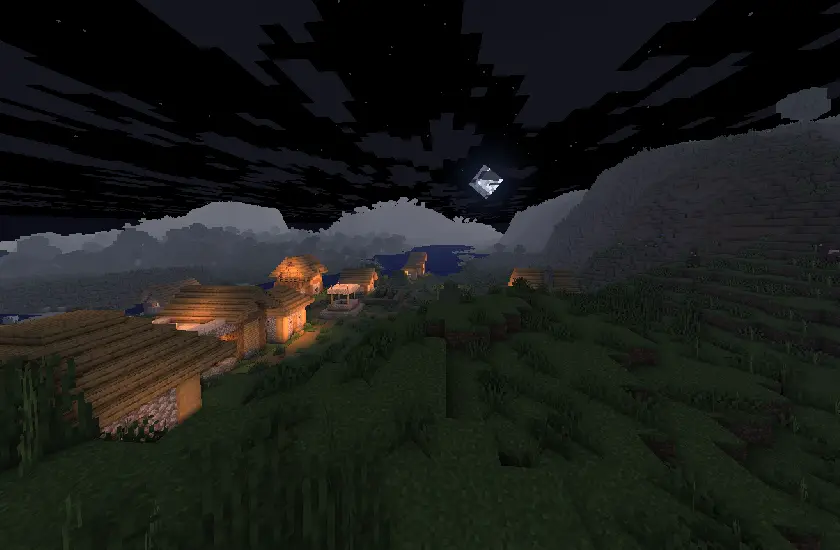
Complementary Shaders is a shader pack for Minecraft Java Edition with exceptional attention to detail, high standards of quality, and top tier optimisation. It offers a ton of high quality effects, two default visual style choices, custom effects for almost every block in the game, profiles ranging from Potato to Ultra and it’s designed to never be obstructive during gameplay. It started as an edit of BSL Shaders in 2018, and it received countless major updates including a complete rewrite to meet the standards of our community. Complementary Shaders is dedicated to be shaped by user feedback over anything else, and it still receives regular updates to this day.
“Unbound” is one of the two default styles Complementary Shaders r5 comes with. It is the less restricted style of Complementary that aims for a more realistic image. **Learn more about the two styles here.**
### Choose Your Style
Complementary Shaders comes with two distinct visual style options. The only difference between these two styles is the default settings. The Unbound style is designed for people looking for a more realistic experience, while the Reimagined style is made to reimagine Minecraft while preserving its unique visual elements. Please note that you can still customize everything after you download either style. You can switch to blocky clouds on the Unbound style, or use realistic water on the Reimagined style. All settings are located in Shader Options.
### Installation
**New:** You can just download the **Complementary Installer** and click Install to automatically do all the steps below.
**-** First you need to install the **Iris** mod to be able to load shaderpacks.
**-** Then you need to launch the game, and get to the Shaderpacks/Shaders menu in Video Settings.
**-** Open the shaderpacks folder by clicking the button in the menu.
**-** Download Complementary Shaders and put it in the shaderpacks folder. (Please don’t unzip the file)
**-** Get back in the game, and choose Complementary in the shaderpacks menu. (Refresh the menu if it doesn’t appear)
### Other
**-** Check out the **Complementary Development Website** for more information.
**-** Join the **Complementary Discord** community if you have any questions, or just want to talk.
**-** If you would like to support the development of Complementary, you can do so on **Patreon**.
Comic Shaders
# Comic Shaders
A shader pack that emulates the look of classic comic books. Most of the effects in the pack are customizable in the in-game settings menu to achieve your desired appearance.
I highly recommend using the texture pack Bare Bones in conjunction with the shader pack.
– Ben-Day dots
– Outlines
– Color correction
– Quantization
– Color separation
– (Experimental) reduced framerate for entities
## Contact
For any questions/comments/bugs, add me on Discord: kloppi417. I’d love to hear your feedback!
Colorless (Black and White)
With this lightweight shader you can turn your world black and white.
Important Notes:
-The colors are inverted when starting the Shader for the first time, please look into the shader settings
-for better results, turn the brightness down to 0%
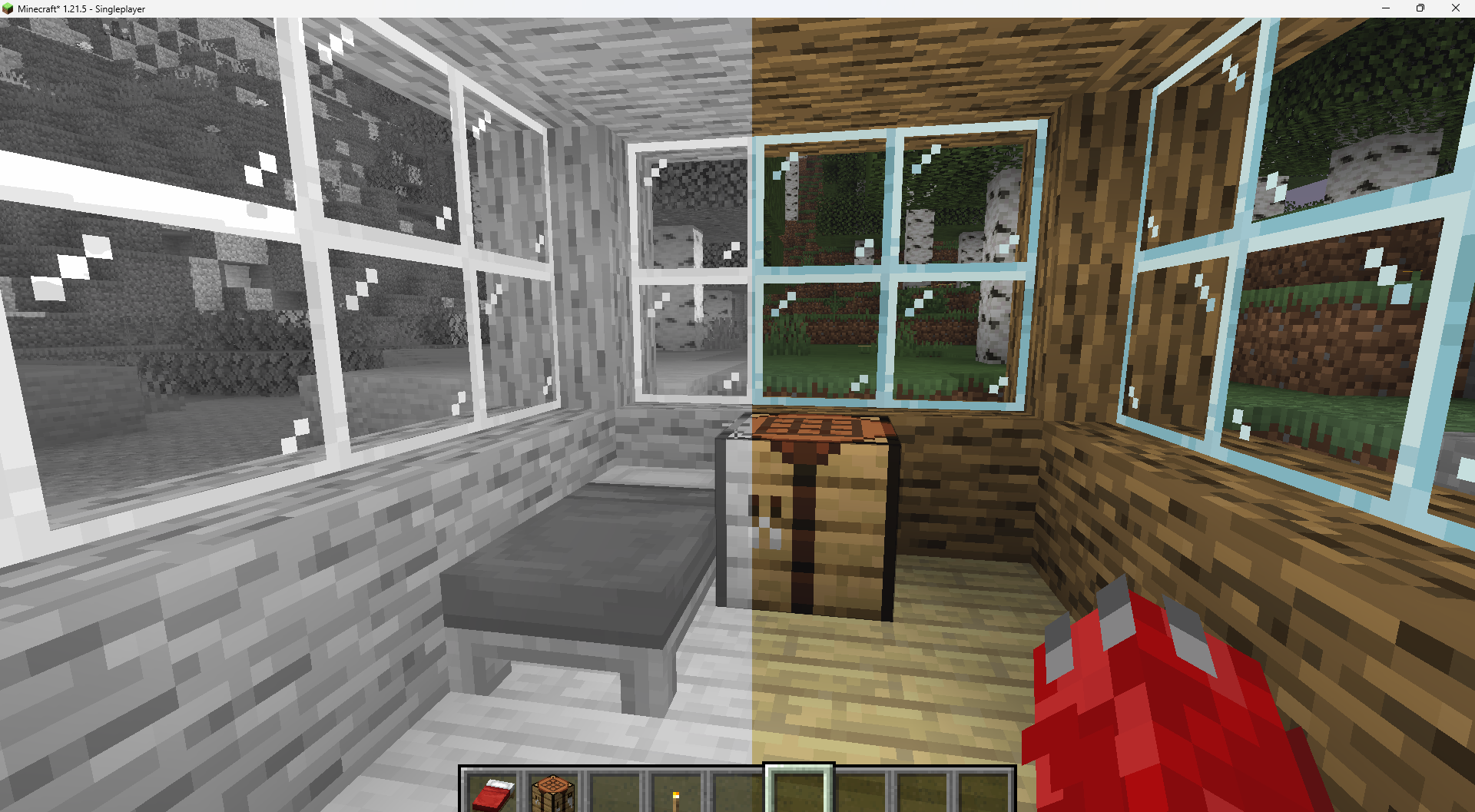
Features:
-turn world black and white
-optimised for PCs with a bad performance
-holding an item like a torch emmits light around the player
-shadows and fog
-colored lighting
-red light around player if hurt (can be deactivated)
Configurable Settings:
-inverted = if true, the colors are inverted
-coloredGlassShadows = if true, the shadows of colored glass are colored