XVN.
# XVN.
This modpack is built for one thing: maximum FPS without sacrificing gameplay. Expect **up to 750%+ FPS improvements** depending on your setup, all while staying smooth, responsive, and PvP-ready.
> Every mod is carefully selected and configured to reduce overhead, improve rendering efficiency, and minimize input lag. No bloat. No gimmicks. Just performance.
⚠ WARNING:
Vulkanmod
> Includes **VulkanMod** (experimental & picky). There is a **high chance of crashes**, so dont believe it 100% that its gonna work first try, check out their Github for incompatibilities and other stuff
https://github.com/xCollateral/VulkanMod
## Key features
• **Massive** FPS **Boost**.
Details
> Advanced rendering, memory tweaks, and engine-level improvements for dramatically higher frame rates.
• **Less** input **latency**.
Details
> Optimized for mouse & keyboard responsiveness — ideal for PvP.
• **Smoother** experience.
Details
> Faster chunk loading, reduced stuttering, and consistent frame pacing.
• Mods for **other daily tasks**.
Details
> Quality-of-life improvements for competitive play without adding bloat.
• Not making the game **look worse for performance**.
Details
> Clean, sharp look without heavy graphical overhead.
## Rare/Intersting picks ive made.
> This pack also includes some uncommon but powerful mods you don’t see everywhere:
• **VulkanMod** – experimental Vulkan renderer (FPS monster, but crash-prone)
• **Bad Optimizations.** – like its description says, aton of micro-optimizations that end up doing a bigger change.
## Kind of people i made this for.
– PvP & competitive players wanting max performance without drops that sodium or other packs might have.
– Low-end PCs needing serious optimization ( ⚠ must be new enough to support it. ⚠ )
– High-end PCs looking for new peaks while enjoying their experience.
– Anyone who wants Minecraft to max out.
# Big notes!
– Gains vary by hardware, previous mods, and settings.
– Allocate RAM reasonably; avoid over-allocation.
– Use updated GPU drivers.
– Additional heavy mods may reduce stability.
> – ### 
> Not just another FPS boost pack — a carefully tuned performance build focusing on competitive play, responsiveness, and extreme optimization. Load it up and feel the difference immediately.
## Incase you are not in the wanting of troubleshooting.
– **You should try Alternatives to Vulkan modpacks or modpacks like Fabulously Optimized.**
– **BUT BEWARE OF A POSSIBLE DECREASE OF PERFORMANCE OF WHAT YOU COULD ACHIEVE WITH THIS.**
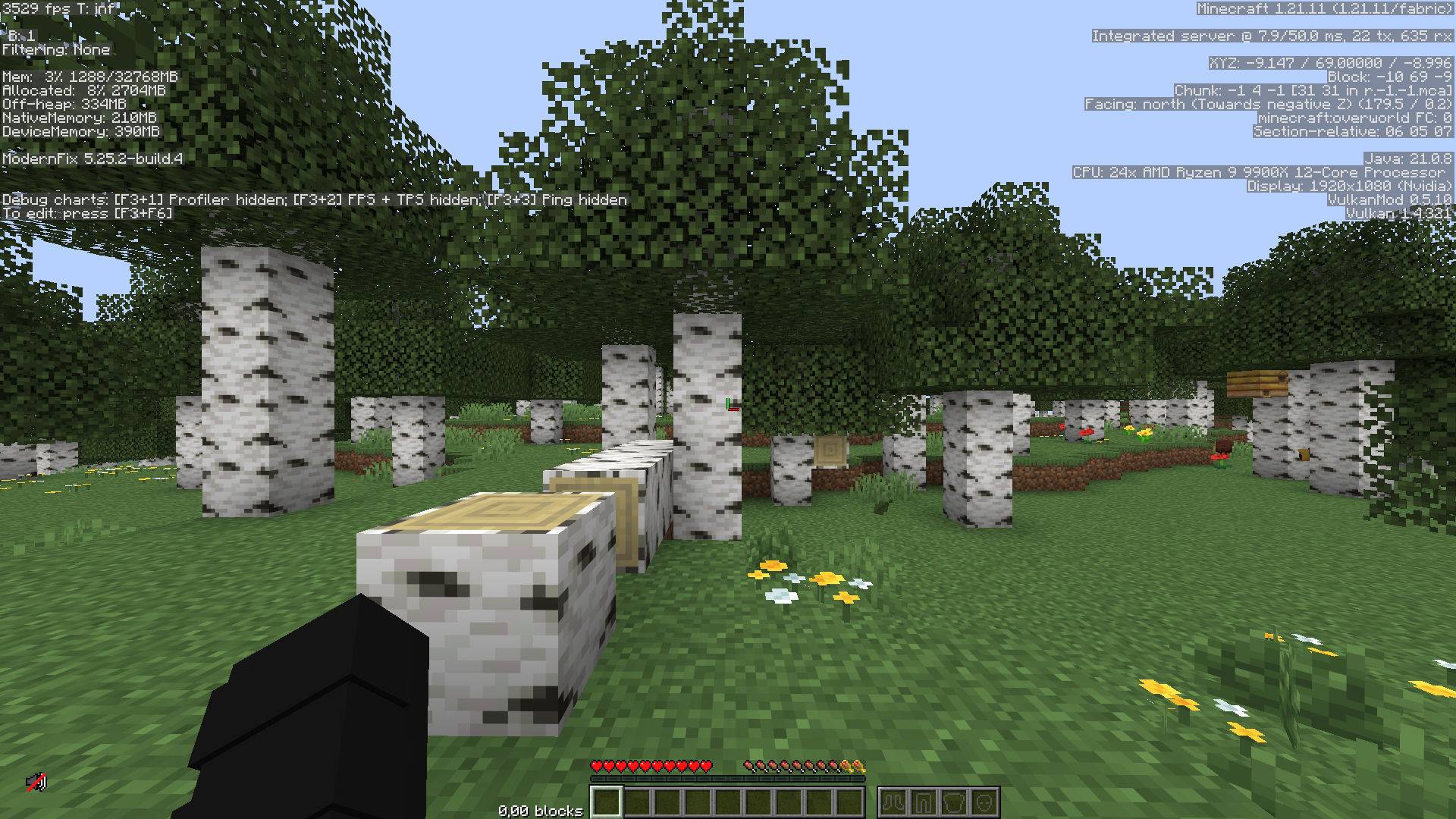
> I have only tested this on my own hardware, which you can see some of it in the given screenshots.
Xuansfy的整合包
在此整合包中,可达到80~650fps , mod加载器:fabric

开启中配置光影后(Complementary Shaders – Unbound),Fps为50~85
With Complementary Shaders – Unbound enabled in the configuration, the Fps is 50 to 85
开启低配置光影后(Mellow),Fps为300~400
After turning on low-configuration lighting (Mellow), the Fps is 300 to 400.
1.使用了较多的优化mod,整合包比原版fps高的多(测试过:本机原版fps30~60,使用此整合包后fps80~650)
2. Xaero’s Minimap、appleskin、jade、连锁挖掘等辅助mod可以给你带来好的体验。
1. The mod uses a lot of optimization, the integrated package is much higher than the original fps (tested: the original fps of this machine 30~60, after using this integrated package, fps is 80~650) 2. Xaero’s Minimap,kin, jade, chain mining and other auxiliary mods can bring you a good experience.
Xtremely Optimized
# ⚡ Xtremely Optimized
🚀 The Ultimate Performance Modpack for Fabric
**Boost FPS • Enhance Graphics • Reduce Lag**
[](https://modrinth.com/modpack/xtremely-optimized)
[](https://github.com/mptamilan/xtremely-optimized/releases)
—
## 📌 About Xtremely Optimized
Xtremely Optimized is a **lightweight, high-performance modpack** designed to **maximize FPS, improve world loading, and enhance graphics**—all while keeping the classic Minecraft feel. It’s perfect for **low-end PCs and high-end gaming setups** alike!
✅ **Massive FPS Boost** – No more lag spikes, smoother gameplay.
✅ **Better World Loading** – Faster chunks, improved performance.
✅ **Enhanced Graphics** – Beautiful visuals with **no FPS loss**.
✅ **Multiplayer-Ready** – Play with friends, no chat reporting!
✅ **Pre-Tuned Settings** – No tweaking required, just install & play!
—
## 🛠️ What’s Inside?
### ⚙️ **Performance Mods**
– **Lithium** – Optimized physics, AI, and tick performance.
– **Sodium** – The best FPS-boosting rendering mod.
– **FerriteCore** – Cuts RAM usage in half.
– **Dynamic FPS** – Reduces background lag and improves focus performance.
– **ImmediatelyFast** – Enhances rendering speed for more stable FPS.
– **More Culling** – Improves rendering efficiency to save system resources.
### 🎨 **Visual Enhancements (No FPS Drop!)**
– **Iris Shaders** – Enables high-performance shaders as an OptiFine replacement.
– **No Chat Reports** – Keeps multiplayer safe & private.
– **Custom Splash Screen** – Allows personalized loading screen customization.
📝 *Full mod list available on [Modrinth](https://modrinth.com/modpack/xtremely-optimized).*
—
## 🚀 Xtremely Optimized – Installation Guide
### 🟢 Modrinth Launcher (Recommended)
1. Open Modrinth Launcher.
2. Go to the Browse tab.
3. Search for “Xtremely Optimized”.
4. Click Install and wait for the download to finish.
5. Go to the Library tab, select the modpack, and click Play ▶️.
### 🔵 Prism Launcher / PolyMC
1. Open Prism Launcher or PolyMC.
2. Click Add Instance ➕.
3. Go to the Modrinth tab.
4. Search for “Xtremely Optimized”.
5. Select the latest version and click OK ✅ to install.
6. Once installed, select the instance and click Launch 🚀.
### 🟠 ATLauncher
1. Open ATLauncher.
2. Go to the Packs tab 📦.
3. Click Add Modrinth Pack and search for “Xtremely Optimized”.
4. Select the latest version and click Install ⬇️.
5. Once installed, select the instance and click Play ▶️.
## 🟡 CurseForge / Overwolf Launcher
1. Open CurseForge Launcher.
2. Click on Minecraft 🟩 and go to Browse Modpacks.
3. Search for “Xtremely Optimized”.
4. Click Install ⬇️ and wait for the download to finish.
5. Click Play ▶️ to launch.
### 🔴 MultiMC
1. Open MultiMC.
2. Click Add Instance ➕.
3. Select Import from Modrinth.
4. Search for “Xtremely Optimized” and select the latest version.
5. Click OK ✅, then launch the instance 🚀.
### ⚡ Other Launcher
1. Open Any Launcher.
2. Find For Modpack install Section.
3. Search “Xtremely Optimized” Find and Select Version And install.
4. Click Play To Launch.
—
## ❓ FAQ
**Q: What Minecraft version does this support?**
A: The modpack is designed for **Minecraft 1.21.4** and newer updates.
**Q: Is OptiFine required?**
A: **No!** Instead, this pack includes **Iris Shaders**, which supports shaders better than OptiFine **without FPS drops**.
**Q: How do I report issues or suggest mods?**
A: Open an issue on [GitHub](https://github.com/mptamilan/xtremely-optimized/issues) or join our [Discord](https://discord.gg/2sEahV9TXK).
—
## 🌟 Support & Contribute
💡 Want to help improve Xtremely Optimized?
⭐ **Like the pack? Give it a ⭐ star on GitHub & Modrinth!**
🔹 **Fork the repo** and submit PRs for improvements.
🔹 **Report bugs & suggest new mods** via [GitHub Issues](https://github.com/mptamilan/xtremely-optimized/issues).
🔹 **Join the community** on [Discord](https://discord.gg/2sEahV9TXK).
—
## 📜 License
Xtremely Optimized is **open-source** and licensed under **Apache License 2.0**.
You’re free to modify and share, but **please credit the original creators**.
—
## 🔗 Useful Links
📥 [Download on Modrinth](https://modrinth.com/modpack/xtremely-optimized)
📂 [GitHub Repository](https://github.com/mptamilan/xtremely-optimized)
🎮 [Join Our Discord](https://discord.gg/2sEahV9TXK)
🚀 **Enjoy Minecraft like never before with Xtremely Optimized!**
xtex’s MP Pack
# xtex’s MP Pack
> Minecraft modpack focusing on multiplayer (Survival, Creative or PvP) performance and experience optimization.
[](https://codeberg.org/xtex/xtex-mp-pack/src/branch/main/LICENSE)   [](https://modrinth.com/modpack/xtex-mp-pack) [](https://git.exozy.me/xtex/xtex-mp-pack-staging) [](https://codeberg.org/xtex/xtex-mp-pack)
This Fabric-modpack is client-only.
Get more tips from [the wiki](https://codeberg.org/xtex/xtex-mp-pack/wiki/Home).
## Download
### Stable
The stable versions are available at [Modrinth](https://modrinth.com/modpack/xtex-mp-pack).
### Staging (recommended)
> Use **at your own risk**. Some of your customized configurations may be erased during the update.
The staging version is the delayed version of the dev. It is hosted on [exogit](https://exozy.me) and will be synchronized with dev every 24h, so some temporary bugs may be fixed in time.
[packwiz bootstrap URL](https://git.pub.solar/xtex/xtex-mp-pack-staging/raw/branch/main/pack.toml) | [MultiMC / PrismLauncher Pack](https://xtex.envs.net/xmpp/XMPP-staging.zip)
> Note that you may need to restart the game twice to apply latest updates when using PrismLauncher 9.4+.
### Dev: packwiz installer
> Using this bootstrap URL means your client will always be in sync with the latest development branch **at your own risk**.
>
> To keep your own customized configurations, disable custom pre-launch command after first launch.
[packwiz bootstrap URL](https://codeberg.org/xtex/xtex-mp-pack/raw/branch/main/pack.toml) | [MultiMC / PrismLauncher Pack](https://xtex.envs.net/xmpp/XMPP-dev.zip)
> Note that you may need to restart the game twice to apply latest updates when using PrismLauncher 9.4+.
## Credits
Credits
# Credits
Thanks to everyone who contributed to xtex’s MP Pack and the parts it uses.
## Credit Links
– [Xaero’s Minimap](https://modrinth.com/mod/xaeros-minimap) & [Xaero’s World Map](https://modrinth.com/mod/xaeros-world-map)
– [XeKr Square Pattern](https://modrinth.com/resourcepack/xekrsquarepattern)
## Direct Contributors
– xtex
## Content List
This is a complete list of all mods, resource packs and shaders included in this pack.
– 3D Skin Layers
– AdvancementInfo Reloaded
– AppleSkin
– Architectury API
– AudioShutdown
– bad packets
– BetterF3
– Better Ping Display [Fabric]
– Better Sky
– Carpet
– Carpet Extra
– Chat Heads
– Chest Tracker
– Chunky
– ClickThrough Plus
– Cloth Config API
– Concurrent Chunk Management Engine (Fabric)
– Custom Crosshair Mod
– Debugify
– Default Dark Mode
– Durability Tooltip
– Dynamic FPS
– e4mc
– Entity Culling
– Fabric API
– Fabric Language Kotlin
– FerriteCore
– FlightHelper
– Foliage+
– IMBlocker
– ImmediatelyFast
– Indium
– Inventory HUD+
– Inventory Profiles Next
– Iris Shaders
– Key Language Pack
– Krypton
– LambDynamicLights
– Language Reload
– LAN World Plug-n-Play
– lazy-language-loader
– libIPN
– Litematica
– Litematica Printer
– Lithium
– Log Cleaner
– MakeUp – Ultra Fast
– MaLiLib
– MixinTrace
– Mod Menu
– More Culling
– No Chat Reports
– ObsidianUI
– Pseudo-localization Language Pack
– Redstone Tweaks
– Reese’s Sodium Options
– ReplayMod
– Roughly Enough Items (REI)
– Screenshot to Clipboard
– Shiny Ores
– Sodium
– Sodium Extra
– Sofron oCd
– spark
– StackDeobfuscator
– SuperMartijn642’s Config Lib
– ThreadTweak
– TweakerMore
– Tweakeroo
– Twemojis In Minecraft
– Very Many Players (Fabric)
– ViaFabricPlus
– Who am I?
– WTHIT
– Xaero’s Minimap
– Xaero’s World Map
– XeKrSquarePattern
– YetAnotherConfigLib
## Modrinth Links
– [3D Skin Layers](https://modrinth.com/mod/zV5r3pPn)
– [AdvancementInfo Reloaded](https://modrinth.com/mod/tLuRLqpa)
– [AppleSkin](https://modrinth.com/mod/EsAfCjCV)
– [Architectury API](https://modrinth.com/mod/lhGA9TYQ)
– [AudioShutdown](https://modrinth.com/mod/cSJudN5h)
– [bad packets](https://modrinth.com/mod/ftdbN0KK)
– [BetterF3](https://modrinth.com/mod/8shC1gFX)
– [Better Ping Display [Fabric]](https://modrinth.com/mod/MS1ZMyR7)
– [Concurrent Chunk Management Engine (Fabric)](https://modrinth.com/mod/VSNURh3q)
– [Carpet Extra](https://modrinth.com/mod/VX3TgwQh)
– [Chat Heads](https://modrinth.com/mod/Wb5oqrBJ)
– [Chest Tracker](https://modrinth.com/mod/ni4SrKmq)
– [Chunky](https://modrinth.com/mod/fALzjamp)
– [ClickThrough Plus](https://modrinth.com/mod/fJi8nm80)
– [Cloth Config API](https://modrinth.com/mod/9s6osm5g)
– [Custom Crosshair Mod](https://modrinth.com/mod/o1tyE5vJ)
– [Debugify](https://modrinth.com/mod/QwxR6Gcd)
– [Durability Tooltip](https://modrinth.com/mod/smUP7V3r)
– [Dynamic FPS](https://modrinth.com/mod/LQ3K71Q1)
– [e4mc](https://modrinth.com/mod/qANg5Jrr)
– [Entity Culling](https://modrinth.com/mod/NNAgCjsB)
– [Fabric API](https://modrinth.com/mod/P7dR8mSH)
– [Fabric Language Kotlin](https://modrinth.com/mod/Ha28R6CL)
– [FerriteCore](https://modrinth.com/mod/uXXizFIs)
– [FlightHelper](https://modrinth.com/mod/1yyNJogn)
– [IMBlocker](https://modrinth.com/mod/WMDesFsZ)
– [ImmediatelyFast](https://modrinth.com/mod/5ZwdcRci)
– [Indium](https://modrinth.com/mod/Orvt0mRa)
– [Inventory Profiles Next](https://modrinth.com/mod/O7RBXm3n)
– [Iris Shaders](https://modrinth.com/mod/YL57xq9U)
– [Krypton](https://modrinth.com/mod/fQEb0iXm)
– [LambDynamicLights](https://modrinth.com/mod/yBW8D80W)
– [Language Reload](https://modrinth.com/mod/uLbm7CG6)
– [lazy-language-loader](https://modrinth.com/mod/Nz0RSWrF)
– [libIPN](https://modrinth.com/mod/onSQdWhM)
– [Litematica Printer](https://modrinth.com/mod/3llatzyE)
– [Litematica](https://modrinth.com/mod/bEpr0Arc)
– [Lithium](https://modrinth.com/mod/gvQqBUqZ)
– [Log Cleaner](https://modrinth.com/mod/hwRo6mwQ)
– [MaLiLib](https://modrinth.com/mod/GcWjdA9I)
– [MixinTrace](https://modrinth.com/mod/sGmHWmeL)
– [Mod Menu](https://modrinth.com/mod/mOgUt4GM)
– [More Culling](https://modrinth.com/mod/51shyZVL)
– [No Chat Reports](https://modrinth.com/mod/qQyHxfxd)
– [ObsidianUI](https://modrinth.com/mod/E0L8mfJZ)
– [Reese’s Sodium Options](https://modrinth.com/mod/Bh37bMuy)
– [Roughly Enough Items (REI)](https://modrinth.com/mod/nfn13YXA)
– [ReplayMod](https://modrinth.com/mod/Nv2fQJo5)
– [Screenshot to Clipboard](https://modrinth.com/mod/1KiJRrTg)
– [Sodium Extra](https://modrinth.com/mod/PtjYWJkn)
– [Sodium](https://modrinth.com/mod/AANobbMI)
– [spark](https://modrinth.com/mod/l6YH9Als)
– [StackDeobfuscator](https://modrinth.com/mod/NusMqsjF)
– [SuperMartijn642’s Config Lib](https://modrinth.com/mod/LN9BxssP)
– [ThreadTweak](https://modrinth.com/mod/vSEH1ERy)
– [TweakerMore](https://modrinth.com/mod/GBeCx05I)
– [Tweakeroo](https://modrinth.com/mod/t5wuYk45)
– [ViaFabricPlus](https://modrinth.com/mod/rIC2XJV4)
– [Very Many Players (Fabric)](https://modrinth.com/mod/wnEe9KBa)
– [Who am I?](https://modrinth.com/mod/CcxcmoLQ)
– [WTHIT](https://modrinth.com/mod/6AQIaxuO)
– [Xaero’s Minimap](https://modrinth.com/mod/1bokaNcj)
– [Xaero’s World Map](https://modrinth.com/mod/NcUtCpym)
– [YetAnotherConfigLib](https://modrinth.com/mod/1eAoo2KR)
– [Better Sky](https://modrinth.com/mod/Zrixe2pD)
– [Default Dark Mode](https://modrinth.com/mod/6SLU7tS5)
– [Foliage+](https://modrinth.com/mod/kXiPMJsD)
– [Key Language Pack](https://modrinth.com/mod/QCLPvYpB)
– [Pseudo-localization Language Pack](https://modrinth.com/mod/oZcsj8Sx)
– [Redstone Tweaks](https://modrinth.com/mod/RvfAlf4Z)
– [Shiny Ores](https://modrinth.com/mod/oYrEfh82)
– [Twemojis In Minecraft](https://modrinth.com/mod/WdYcUVh8)
– [XeKrSquarePattern](https://modrinth.com/mod/rq4lDGdf)
– [MakeUp – Ultra Fast](https://modrinth.com/mod/izsIPI7a)
## License
This modpack is released under the Apache-2.0 license.
> Copyright 2023-2025 xtex
>
> Licensed under the Apache License, Version 2.0 (the “License”);
> you may not use this file except in compliance with the License.
> You may obtain a copy of the License at
>
> http://www.apache.org/licenses/LICENSE-2.0
xspv’s pvp pack
personal PvP modpack made public
no texture packs included.
general optimization, QoL, sick custom hud, lunar freelook, show other players tier from mctiers, oh and essentials, their cosmetics & more.
show me mods silly goose
1. EMF
2. ETF
3. 3D Skin Layers
4. AppleSkin
5. ArchitecturyAPI
6. Better Ping Display
7. Bobby
8. Chat Heads
9. CIT Resewn
10. Cloth Config API
11. Controlling
12. CustomHud
13. Dynamic FPS
14. Entity Culling
15. Essential Mod
16. Fabric API
17. Freecam
18. Freelook
19. HitColor
20. Iris Shaders
21. LazyDFU
22. MaLiLib
23. Memory Leak Fix
24. Mod Menu
25. Model Gap Fix
26. ModernFix
27. More Chat History
28. Mouse Tweaks
29. NameTagPing
30. Reese’s Sodium Options
31. Remove Reloading Screen
32. Searchables
33. Shulker Box Tooltip
34. Simple Voice Chat
35. Sodium
36. Status Effect Bars
37. Status Effect Timer
38. TierTagger
39. uku’s Armor Hud
40. ukulib
41. YetAnotherConfigLib
thats all
XrCreate
# What _is_ XrCreate?
XrCreate is a modpack meant for a server started by a couple of friends intended to be played on Questcraft, however fully functional on other platforms. XrCreate is focused on performance and functionality with content mods like Farmer’s Delight and Create (More to be added soon).
## How to join?
[Join the Discord here](https://discord.gg/55B4C2ZsEr) and install the modpack on either your computer or Quest headset.
From there navigate the server until you find the server ip. There is currently no whitelist so you can join!
## Disclaimer:
While intended for use on the XrCreate Server ([Discord here!](https://discord.gg/55B4C2ZsEr)) it is a fully functional pack independantly. Use on other servers is discouraged, however, personal use is fine.
XPON Optimize
## **XPON Optimize: A Minecraft Optimization Modpack for PojavLauncher**
##
XPON Optimize is crafted specifically for **PojavLauncher**, aiming to enhance performance on **Fabric** platforms. This modpack addresses the unique challenges of running Minecraft Java Edition on mobile devices, delivering a smoother gaming experience tailored for ARM architecture.
### Why XPON Optimize?
The ARM platform, commonly found in mobile devices, significantly differs from the x86 architecture of traditional PCs. XPON Optimize bridges this gap, ensuring that the APIs and renderers are optimized for ARM’s unique capabilities.
### Graphics and Renderers
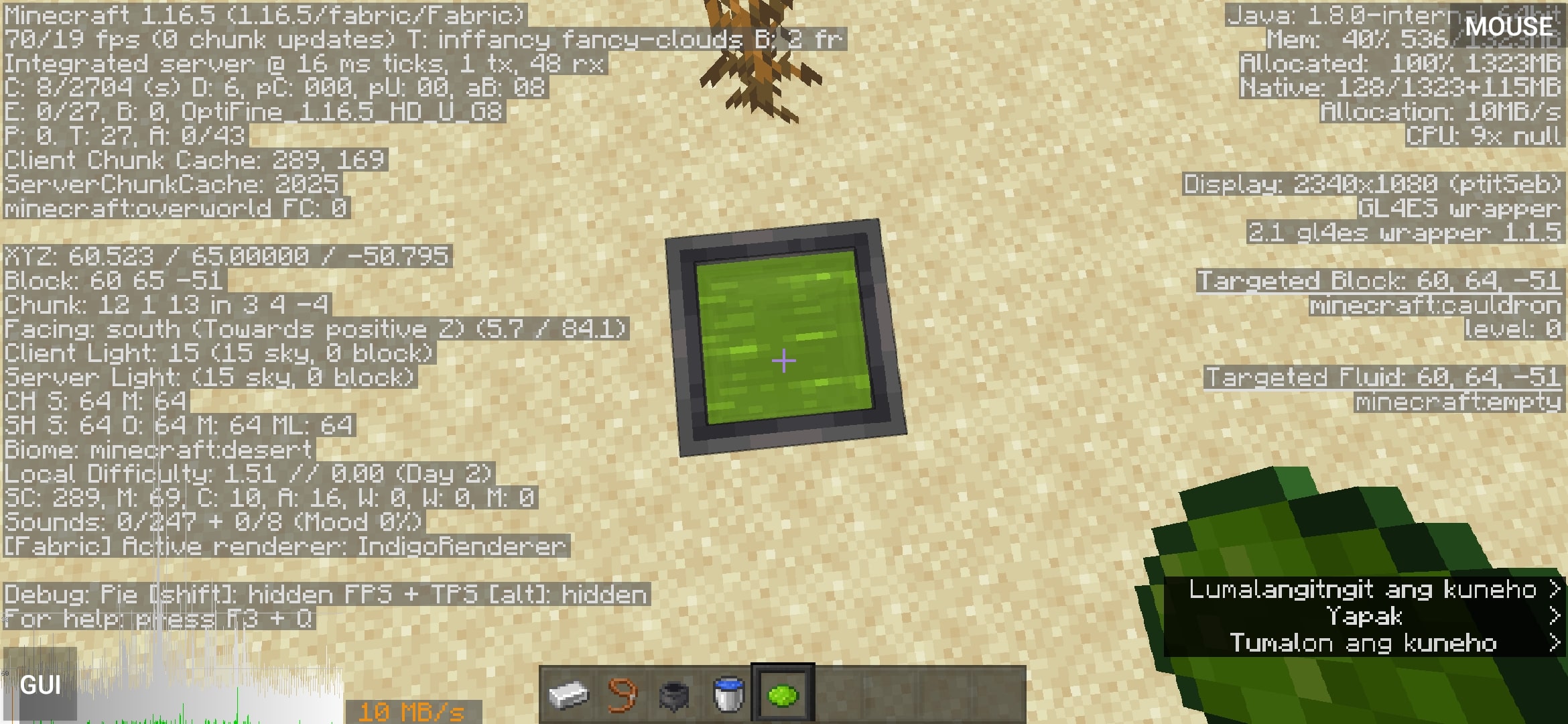
The modpack features custom **Renderers** designed to enable mobile SoCs (System on Chips) to handle Minecraft rendering efficiently. While not flawless, these open-source renderers provide a substantial performance boost. However, some optimization mods, like **Sodium**, require patching to function correctly on mobile devices.
### Java Runtime and ARM Support
PojavLauncher utilizes a custom-built **Java Runtime Environment (JRE)** for ARM32/64, making Minecraft compatible with mobile processors. XPON Optimize includes mod options tailored to ARM, maximizing performance on these devices.
### Modpack Variants
XPON Optimize offers different versions to cater to specific needs:
– **Fabric-SodiumReady**
Each version focuses on compatibility and performance optimization for the respective rendering engines.
### Optifine Integration
Due to **Optifine’s copyright restrictions**, XPON Optimize does not include the Optifine mod file. Users need to download Optifine separately from [optifine.net](https://optifine.net/) and place it in the correct directory.
### VulkanMOD
This modpack also features an edited version of **VulkanMOD** for ARM platforms, enhancing graphics performance.
**Credits:**
– xCollateral’s VulkanMOD
– sa1672ndo’s VulkanMOD for ARM
XPlus PerioTable Modpack (NeoForge)

XPlus PerioTable Modpack (Neoforge) is a modpack aimed at **improving the vanilla game experience**. This modpack’s ultimate goal is to **improve the vanilla survival experience** as much as possible **without changing the game’s mechanism**, and it includes features like **FPS/MSPT optimization**, compatibility, and **survival utilities**.
**Sinytra Connector** enables XPlus PerioTable Modpack (NeoForge) to **load Fabric mods**, which means **you can use Tweakeroo, Litematica, MiniHUD and other Fabric utility mods** on this **NeoForge** modpack.
—
**Check out the Fabric version of this modpack: [XPlus PerioTable Modpack (Fabric)](https://modrinth.com/modpack/xplus-2.0-modpack-global)**
XPlus PerioTable Modpack (Fabric) supports Minecraft 1.16.5-latest game version, which provides more utilities and optimization.
—
### ⭐Ultra Optimization
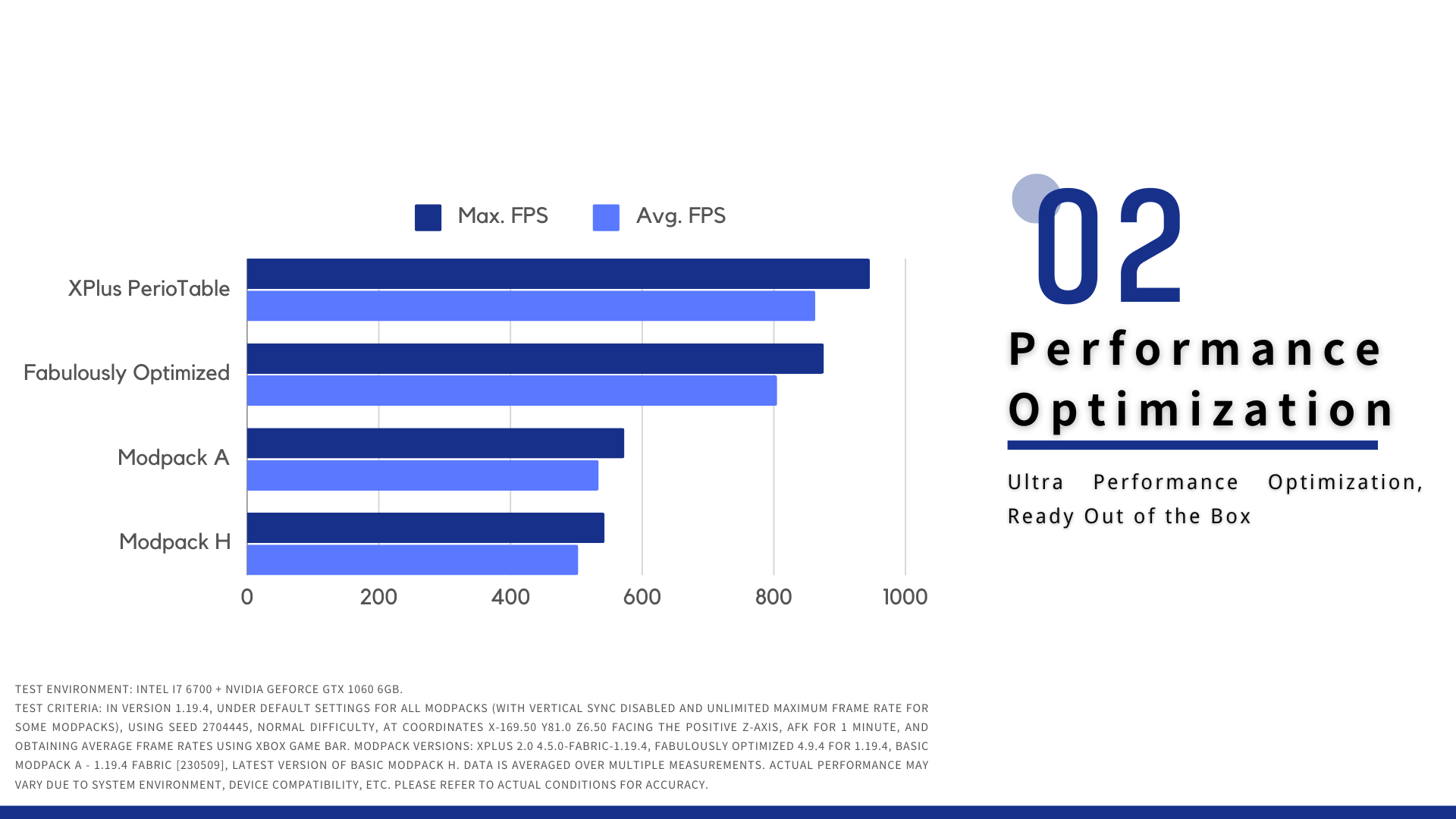
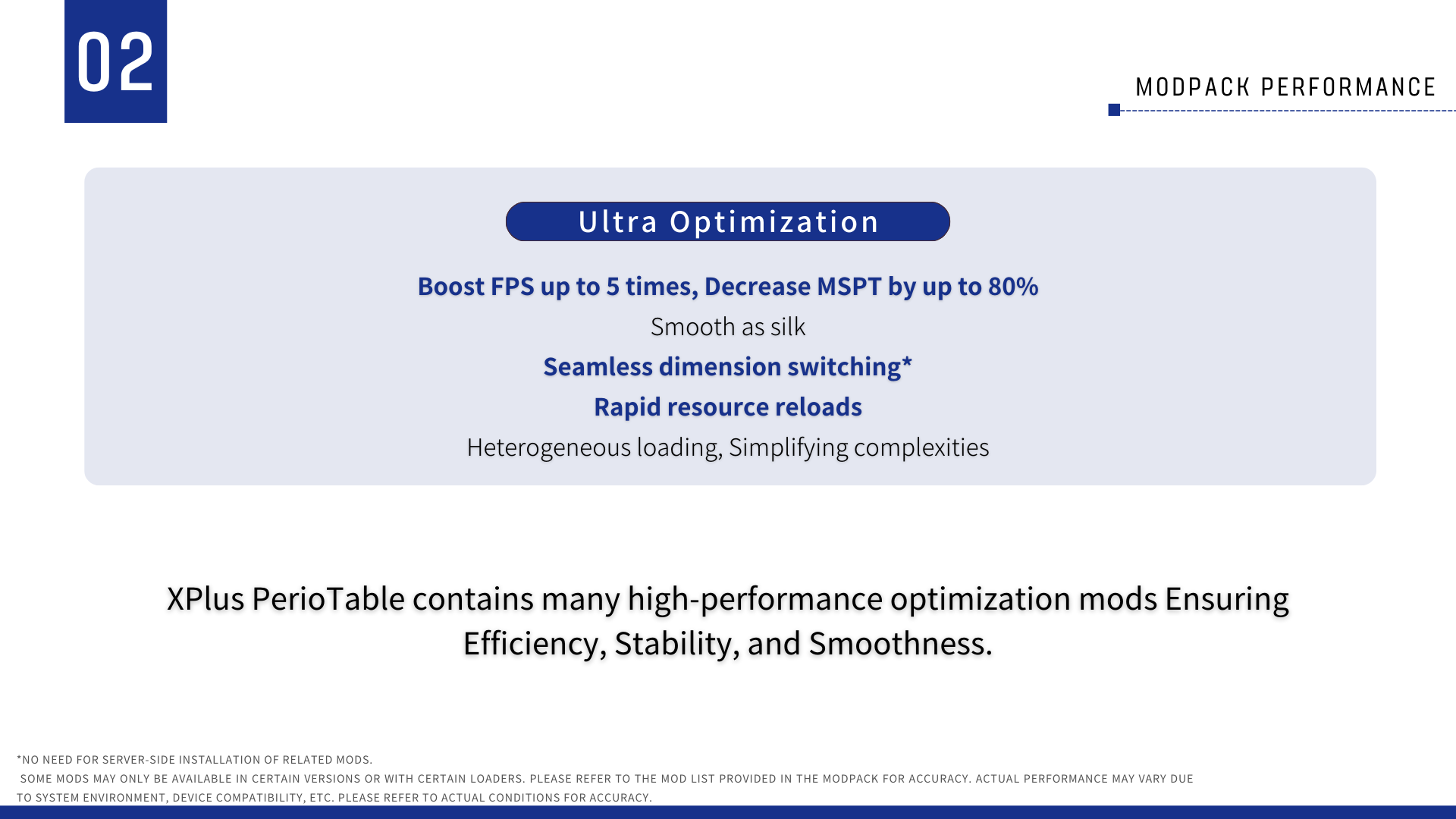
XPlus PerioTable Modpack (Neoforge) contains many high-performance optimization mods, ensuring efficiency, stability, and smoothness. The mods selected are carefully tested to safe in your world and multiple-player game.
With optimization mods like Sodium, ModernFix, etc., whether you are playing on a modern high-performance PC, or an entry-level device from the previous generation, XPlus PerioTable Modpack can significantly enhance its performance.
### ✨ OptiFine Resourcepack Support
With sodium and Iris Shader’s ultra optimization, XPlus PerioTable Modpack still supports most of OptiFine ResourcePack features, **enabling most of the “OptiFine Only” resourcepack to be loaded correctly.**
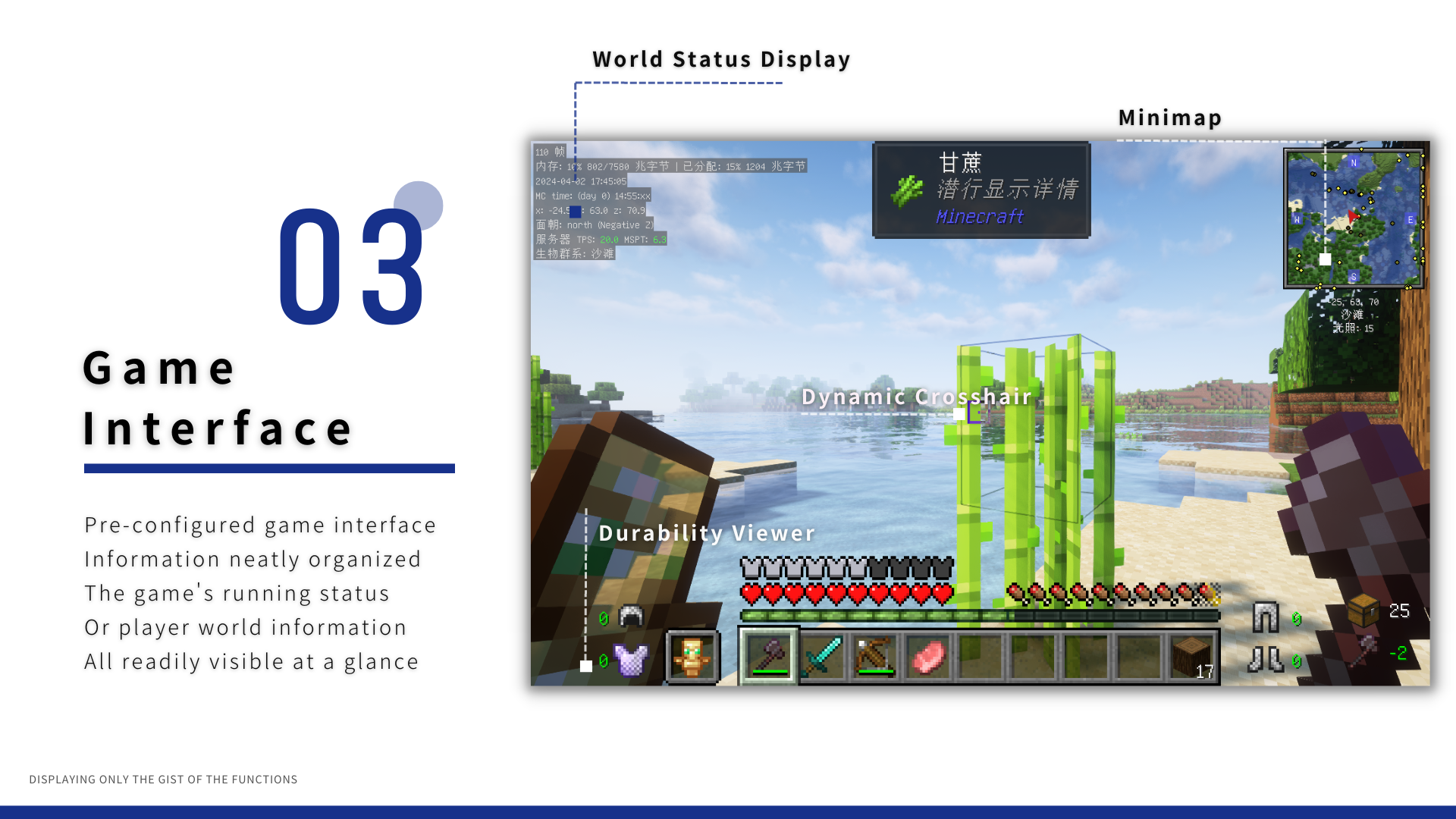
### 👓 Game Interface
### 🔨 Game utilities and Vanilla toolchain
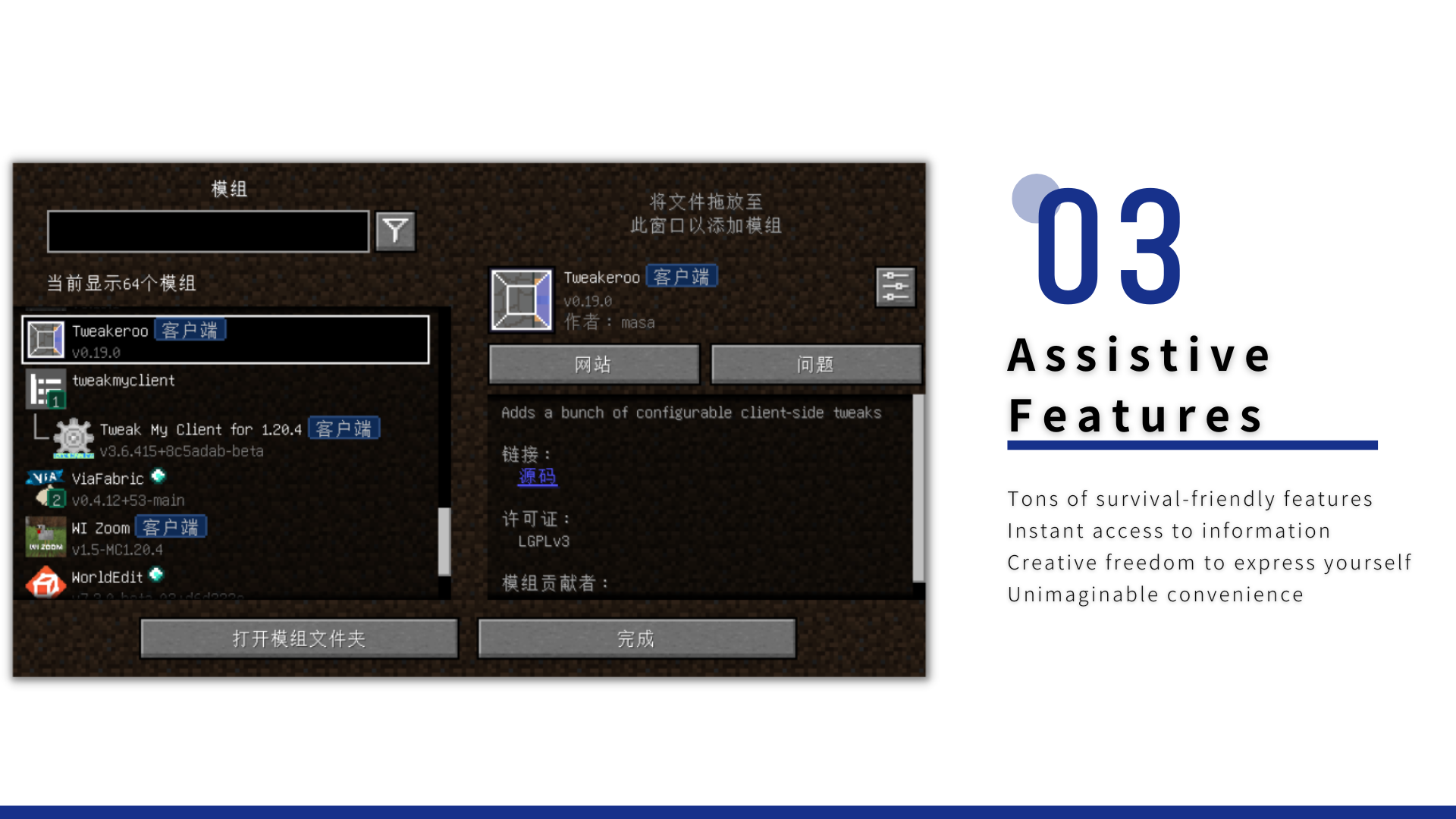
– **Tweakeroo, Litematica, Minimap, AppleSkin**, provide Tons of **survival utilities**.
– Auto Fish, freeing your hands. Advancement information displaying mod.
– ModernUI includes a powerful text layout engine and powerful Graphical User Interface, which significantly enhances the game’s UI appearance.
### 🤔FAQ
**Q:** Does the modpack support multiple-player game?
**A:** XPlus PerioTable Modpack supports most of servers, which allows vanilla client to login.
**Q:** What mods does it have?
**A:** Switch to the [Versions](https://modrinth.com/modpack/xplus-periotable-modpack-neoforge/versions) Tab, click on the version and scroll down.
### 🧾 User Agreement and Disclaimer
You unconditionally agree to the [XPlus Series Modpack User Agreement and Disclaimer](https://github.com/Wudji/XPlus-2.0-Modpack/blob/main/LICENSE) by downloading and using this modpack.
[【Simplified Chinese】](https://www.mcmod.cn/modpack/467.html)
xolotelx’s Expanded Vanilla
Welcome to xolotelx’s Expanded Vanilla! This is a small-ish modpack that I created with the help of a few of my friends that I feel helps expand and enhance the base Minecraft experience.
Key mods include:
– Performace mods (Sodium, Iris, and the like)
– Worldgen mods like Blooming Biosphere, Amplified Nether, and Caves and Canyons
– Scout, to assist in inventory management
– Structure mods such as Explorify
– Visual mods like Astrocraft and Falling Leaves
– Animation mods including Fresh Animations and Fresh Moves
– Many resource packs, including AL’s Creepers Revamped and Even Better Enchants
– And True Ending, to make the final battle that much more epic!
Shader compatibility is a bit iffy until Astrocraft updates to support them, just turn Astrocraft off in the config if you want to use shaders without visual bugs.
Vanilla Tweaks link (Despite it only being used in older versions): [https://vanillatweaks.net/picker/resource-packs/](https://vanillatweaks.net/picker/resource-packs/)
Xisuma’s Hermitcraft Pack
Xisuma’s collection of mods and configurations to enhance the vanilla game!
As seen in his video series from the Hermitcraft Server, these mods will improve your minecraft experience.
This is a **client-side** only modpack.
If you want the best server-side experience use the [Hermitcraft Server Pack](https://modrinth.com/modpack/hermitcraft).