zy optimised pack
zy optimised pack is modpack with a focus on optimisation and quality of life features. The performance of the game is improved with mods such as [Sodium](https://modrinth.com/mod/sodium) and [Lithum](https://modrinth.com/mod/lithium), with QoL mods such as [Bobby](https://modrinth.com/mod/bobby), [WI Zoom](https://modrinth.com/mod/wi-zoom), [Shulker Box Tooltip](https://modrinth.com/mod/shulkerboxtooltip) and [WI Zoom](https://modrinth.com/mod/wi-zoom) being included.
Various resource packs and shaders are included, making configuration easily accessible upon startup. This modpack aims to enable good performance across various devices and keep the experience as close to vanilla as possible, whilst improving the game in unobtrusive ways.
[PrismLauncher](https://prismlauncher.org/) is recommended to manage different Minecraft versions.
## How to Install
[PrismLauncher](https://prismlauncher.org/download/) is recommended to manage instances and download mods. With PrismLauncher open, click the `Add Instance` button, select the `Modrinth` tab and search for this modpack (either by name or by using the link).
Alternatively, you can use the `Import` tab to select the `.mrpack` that can be downloaded to import the pack into PrismLauncher.
You will need Java (version 21) installed on your device. PrismLauncher can download Java for you when you open it for the first time.
Additionally, you can also download Java here: [adoptium.net](https://adoptium.net/en-GB/temurin/releases/?version=21&os=any&arch=any).
> **Note: On Macs with Intel processors, you need to install the x64 version of Java, on Macs with Arm 64 (Apple silicon) processors, you need to install the Arm 64 (aarch64) version of Java.**
## When Updating
To keep your settings, make sure to copy over `options.txt` to the new instance’s folder, from your old folder. Also, if you want, copy over `servers.dat` (your server list), `hotbar.nbt` (your saved creative hotbars), `saves/` (your worlds) and `screenshots/`, along with `.bobby/` (only made if you have the bobby mod).
## Included Resource Packs and Shaders
**Resource Packs**
> – [Bare Bones](https://modrinth.com/resourcepack/bare-bones)
> – [C418 Songs Only](https://modrinth.com/resourcepack/c418-songs-only)
> – [Default Dark Mode](https://modrinth.com/resourcepack/default-dark-mode)
> – [Enchantment Glows](https://modrinth.com/resourcepack/enchantment-glows)
> – [Even Better Enchants](https://modrinth.com/resourcepack/even-better-enchants)
> – [No Mob Variants](https://modrinth.com/resourcepack/even-better-enchants)
> – [No Wolf Skin Variants](https://modrinth.com/resourcepack/no-wolf-skin-variants)
> – [Redstone Tweaks](https://modrinth.com/resourcepack/redstone-tweaks)
> – [Vanilla Tweaks](https://vanillatweaks.net/picker/resource-packs/)
**Shaders**
> – [BSL Shaders](https://modrinth.com/shader/bsl-shaders)
> – [Complementary Reimagined](https://modrinth.com/shader/complementary-reimagined)
> – [Complementary Reimagined](https://modrinth.com/shader/complementary-reimagined) [+ Euphoria Patches](https://modrinth.com/mod/euphoria-patches)
> – [Rethinking Voxels](https://modrinth.com/shader/rethinking-voxels/versions)
Zyno’s Visuals+
***(Built on Top of Zyno’s Client+, Check out Zyno’s Client+ to see its features)***
This Modpack Completely Overhauls Minecraft’s Visuals with new animations, Ambients sounds, New Footsteps sounds, includes a lightweight shader as well as a high performance shader
It includes the better third person mod and First Person Models so you can see yourself how steve does. The only way to see how many features are there is to install Modpack
It is Built on My Other Modpack Zyno’s Client+ Which has a ton of optimization mods and QOL features
**The Modpacks Comes with the Barebones resource pack and Fresh Animations So you can make the game look like the trailer too!**
Zyno’s Client+
Features:
– In game account switcher
– In game skin manager
– In game screenshot manager (has cropping and brush)
– Friends System!
– Better Chat (Copy Chat text, Search Chat messages and timestamps)
– Drag server and resource packs to arrange them
– Player head icons in chat
– Custom HUD (Click Right-Shift)
– Custom crosshair
– Gamma utils(fullbright)
– Dynamic Lights
– In game resource pack downloader
– In game server browser
– Wavy capes
– Custom capes for Free! (MinecraftCapes)
– Emotes for Free and Custom Emotes too! (Check Emotecraft Menu NOT Essential Emotes)
– Zoom
– Search keybinds
– Cape support from optifine, labymod, cosmetica, clocks+, MinecraftCapes and Wyntills
– And a bunch of performance mods!
Zynirium
**Zynirium** was built to give PvP players a **clean**, **fast**, and **reliable** client that just works. With MCPVP moving to Minecraft 1.21.11, we wanted a **ready-to-go pack that maximizes FPS**, reduces input latency, and includes **only useful PvP tools — no clutter**, no unnecessary features, and no confusing settings.
**Unlike many other PvP modpacks, Zynirium intentionally avoids unnecessary mods** such as minimaps, chest trackers, or similar utilities. These mods often add visual clutter, provide little value in combat, and are **frequently not allowed on competitive servers.**
Our goal was to keep the pack focused purely on **performance and PvP gameplay.**
✅ All mods included in this pack are **allowed according to the MCPVP Tier List**, so you can use the pack on competitive servers without worrying about disallowed features.
**Please still look up the rules of any Server you want to play on and check if there are any mods not allowed.**
⸻
## ✦ Why choose Zynirium?
⚡️ **Performance-first**
Carefully selected optimization mods such as Sodium, Lithium, FerriteCore, and Ixeris improve FPS, reduce stuttering, and make gameplay smoother even during intense fights.
🛡️ **PvP-tuned**
Includes useful combat tools like:
• Hit feedback improvements
• Totem counters
• Status effect timers
• Shield fixes
• Crosshair and zoom utilities
These features help provide clear combat feedback without changing gameplay mechanics.
🔁 **Stable & compatible**
Built on a tested Fabric mod stack with up-to-date libraries to reduce crashes and mod conflicts.
🧰 **Minimal & focused**
No filler mods. Everything included directly improves PvP gameplay or performance.
⚙️ **Easy setup**
Includes Mod Menu and configuration libraries so you can easily tweak settings to your preference.
Zwad’s Simple Bingo
The pack includes several essential optimization mods, along with [Chunky](https://modrinth.com/plugin/chunky) for chunk pregeneration.
My primary use case for this modpack is when setting up a server for LAN events. [Chunky](https://modrinth.com/plugin/chunky) is particularly crucial; without pregenerating chunks, allowing all players to join at once could lead to server crashes due to Minecraft’s highly resource-intensive chunk generation process.
I host the modpack using the [itzg docker image](https://docker-minecraft-server.readthedocs.io/en/latest/) on a local server, but feel free to host it however suits you best.
Here’s an example using Docker Compose:
“`yaml
version: “3.8”
services:
mc:
image: itzg/minecraft-server
tty: true
stdin_open: true
ports:
– “25565:25565”
environment:
EULA: “TRUE”
MOD_PLATFORM: MODRINTH
MODRINTH_MODPACK: LINK_TO_YOUR_MODPACK
volumes:
# attach the relative directory ‘data’ to the container’s /data path
– ./data:/data
“`
Please feel free to use this pack, but note that I cannot guarantee any continued support beyond any updates I make in preparation for upcoming LAN events.
Zwad’s Create/Vanilla+
## Overview ##
This modpack was designed to seamlessly integrate the Create mod into the vanilla gameplay of Minecraft, providing an enhanced yet familiar experience. Whether you’re a fan of technical builds or just enjoy adventuring, this modpack has something for you.
While the modpack is mostly focused on the Create mod it also includes some progression mods. This is mainly so that my non-technically inclined friends would stop leaving every server after one week, having completed all the goals they wanted to achieve.
## Main Mods ##
[**Create**](https://modrinth.com/mod/create-fabric): brings innovative automation and engineering to Minecraft. With gears, belts, pulleys, and cogs, you can build complex machinery and contraptions to automate tasks and enhance your world.
[**End Remastered**](https://modrinth.com/mod/endrem): Forces players to embark on a thorough exploration of the world before accessing the End. It adds depth and progression to the game, encouraging players to enjoy the journey as much as the destination. Make sure to check out the End Remastered mod page for detailed information.
[**Better End**](https://modrinth.com/mod/betterend): Adds more content to the End dimension. This mod provides new biomes, mobs, and items, giving players plenty to explore and conquer after defeating the Ender Dragon. Be sure to read the Better End mod page to fully understand its offerings.
The addition of Better End is the largest step away from vanilla Minecraft outside of the Create mod. However, I hope it won’t be too controversial, as the End has always been severely lacking in content and reasons to visit outside of finding an Elytra or building an Enderman farm.
[**YUNG’s Mods**](https://modrinth.com/user/YUNGNICKYOUNG): Make existing structures more interesting and challenging without feeling the need to add loads of new structures that clutter the landscape.
[**Terralith**](https://modrinth.com/mod/terralith): Adds new biomes and world generation without introducing any new blocks to the game. It also adds new village buildings. There are a few rare new structures, but they shouldn’t feel out of place.
[**Farmer’s Delight**](https://modrinth.com/mod/farmers-delight): Expands the food and farming options in the game. In combination with the Create mod, you can now build the Jaffa factory of your dreams.
## General ##
The modpack includes all the expected performance mods and comes with Complementary Shaders out of the box. The Supplementaries mod is included but configured to disable some features that felt out of place. To compensate for the extra blocks added mostly by the Create mod, Backpacks and Storage Drawers are included in the modpack.
A world map and minimap are also included, as well as a claims system, all integrated to make playing, especially on servers, easier. Chunky is included for world pregeneration, which is strongly encouraged for those running the pack on servers, as it would solve all chunk generation-related lag issues.
Many other smaller, less impactful mods are also included, but writing a description for each would be impractical. If you’re interested in seeing a full list of mods, you can simply inspect the version dependencies.
_This modpack was created for personal use. Any future updates are completely dependent on my interest in playing the game at that moment in time._
zozinian’s Ultimate Performance Pack
Introducing Zozinian’s Ultimate Performance Pack, affectionately known as ZUPP, the ultimate game-changer in Minecraft modpack optimization. Prepare to be astounded by the unprecedented performance boosts that make ZUPP stand out from any other modpack you’ve ever encountered.
ZUPP is a meticulously crafted masterpiece, meticulously designed to push the boundaries of Minecraft modding to new heights. From the moment you enter the world, you’ll notice the lightning-fast loading times and the seamless gameplay that leaves you completely immersed.
Experience a wealth of optimizations that go above and beyond your wildest expectations. ZUPP incorporates state-of-the-art resource allocation techniques, intelligent chunk loading algorithms, and advanced memory management systems. This results in jaw-dropping performance increases, allowing you to explore vast, complex worlds without any lag or slowdown.
But ZUPP doesn’t stop there. It goes even further to enhance the visual aspects of Minecraft. With carefully selected and optimized mods, ZUPP delivers stunning graphics, immersive lighting effects, and realistic textures that bring the game to life like never before.
Prepare to embark on an unforgettable Minecraft adventure with Zozinian’s Ultimate Performance Pack. It’s time to revolutionize your gameplay and witness the true potential of Minecraft modding. Say goodbye to lag and welcome the exhilarating world of ZUPP.
ZPlus+ Optimize
A simple Minecraft modpack focusing on performance and graphics enhancements.
**ZPlus+ Optimize** is the best optimization modpack to optimize and boost your Minecraft experience with better performance and amazing visuals. Improve FPS, reduce lag, enjoy smooth gameplay with this lightweight and powerful modpack. Perfect for all Minecraft players.
# ⚠️ Attention Content Creators⚠️
If you’re a content creator making a video about the More Optimized, please make sure to:
1. Provide the Official Link: Share the official Modrinth link in your video description.
2. Give Proper Credits: Mention the modpack name and give credits in your video to support its creators. Your support helps the community grow and keeps modders motivated to create amazing content!
## Key Features:
– Performance Boost: Powered by Sodium, Lithium, and ImmediatelyFast, this modpack drastically improves frame rates, reduces lag, and optimizes chunk loading for a buttery-smooth experience.
– Visual Enhancements: With Iris Shaders, enjoy breathtaking lighting effects, realistic shadows, and enhanced textures for a visually captivating world.
– Improved Efficiency: Mods like More Culling, Dynamic FPS, and Entity Culling ensure your system runs efficiently by minimizing unnecessary rendering and resource usage.
– Stability & Fixes: Say goodbye to memory leaks and lag spikes with Memory Leak Fix and ModernFix, ensuring a stable and crash-free gameplay experience.
– User-Friendly Configuration: Easily tweak your settings with the intuitive YetAnotherConfigLib (YACL) and Cloth Config API.
– Additional Enhancements: Enjoy faster chunk management with Concurrent Chunk Management Engine, better mob rendering with Enhanced Block Entities, and smoother animations with 3D Skin Layers.
– Included Dependencies: The modpack comes preloaded with carefully selected mods to deliver peak performance and visual excellence
## Included Dependencies:
**The modpack comes preloaded with carefully selected mods to deliver peak performance and visual excellence:**
1. Krypton to optimize server and client networking.
2. Sodium Extra and Reese’s Sodium Options for advanced performance settings.
3. FerriteCore and LazyDFU for reduced memory usage.
4. Model Gap Fix for enhanced block model rendering.
5. Clumps for simplified experience orb collection.
##
zozinian’s FPS performance pack remastered
my minecraft performance pack is configured to draw out your computers maximum fps potential thanks to a wide variety of optimization mods hand picked by me ;]
i will try to keep updating this pack with the newest optimization mods to the latest versions of minecraft
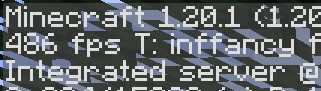
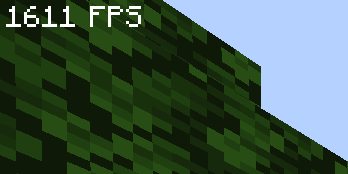
“this modpack gave me 300% more fps ~~and my wife came back~~” – _you, after downloading my pack_
**vanilla minecraft, no mods**
**my pack, optimized**
Mods
– [Yet Another Config Lib](https://modrinth.com/mod/yacl)
– [BactroMod](https://modrinth.com/mod/bactromod)
– [Ksyxis](https://modrinth.com/mod/ksyxis)
– [ServerCore](https://modrinth.com/mod/servercore)
– [VanillaIcecreamFix](https://modrinth.com/mod/vanillaicecreamfix)
– [ImmediatelyFast](https://modrinth.com/mod/immediatelyfast)
– [Clean F3](https://modrinth.com/mod/clean-f3)
– [Logical Zoom](https://modrinth.com/mod/logical-zoom)
– [I see you over there!](https://modrinth.com/mod/i-see-you-over-there)
– [fast-ip-ping](https://modrinth.com/mod/fast-ip-ping)
– [Blocky Bubbles](https://modrinth.com/mod/blocky-bubbles)
– [Sodium](https://modrinth.com/mod/sodium)
– [PurpurClient](https://modrinth.com/mod/purpurclient)
– [Reese’s Sodium Options](https://modrinth.com/mod/reeses-sodium-options)
– [Collision Fix](https://modrinth.com/mod/collision-fix)
– [Disable Accessibility Screen](https://modrinth.com/mod/disable-accessibility-screen)
– [StutterFix](https://modrinth.com/mod/stutterfix)
– [Async Pack Scan](https://modrinth.com/mod/async-pack-scan)
– [Cull Leaves](https://modrinth.com/mod/cull-leaves)
– [Fast Items](https://modrinth.com/mod/fast-items)
– [Fabric Language Kotlin](https://modrinth.com/mod/fabric-language-kotlin)
– [Yeetus Experimentus](https://modrinth.com/mod/yeetus-experimentus)
– [Dynamic FPS](https://modrinth.com/mod/dynamic-fps)
– [Video Tape](https://modrinth.com/mod/videotape)
– [Bobby](https://modrinth.com/mod/bobby)
– [ServerAddressSpaceFix](https://modrinth.com/mod/serveraddressspacefix)
– [Entity Culling](https://modrinth.com/mod/entityculling)
– [Xaero’s World Map](https://modrinth.com/mod/xaeros-world-map)
– [lazy-language-loader](https://modrinth.com/mod/lazy-language-loader)
– [Enhanced Block Entities](https://modrinth.com/mod/ebe)
– [Indium](https://modrinth.com/mod/indium)
– [Fabric API](https://modrinth.com/mod/fabric-api)
– [Sodium Extra](https://modrinth.com/mod/sodium-extra)
– [RailOptimization](https://modrinth.com/mod/railoptimization)
– [No Fog](https://modrinth.com/mod/no_fog)
– [Model Gap Fix](https://modrinth.com/mod/modelfix)
– [Debugify](https://modrinth.com/mod/debugify)
– [Particle Core](https://modrinth.com/mod/particle-core)
– [Faster Random](https://modrinth.com/mod/faster-random)
– [FixMCStats](https://modrinth.com/mod/fixmcstats)
– [Nvidium](https://modrinth.com/mod/nvidium)
– [Concurrent Chunk Management Engine (Fabric)](https://modrinth.com/mod/c2me-fabric)
– [LibJF](https://modrinth.com/mod/libjf)
– [FastChest](https://modrinth.com/mod/fastchest)
– [FeyTweaks](https://modrinth.com/mod/feytweaks)
– [NarrusYeetus](https://modrinth.com/mod/narrus-yeetus)
– [Iris Shaders](https://modrinth.com/mod/iris)
– [I Know What I’m Doing!](https://modrinth.com/mod/i-know-what-im-doing)
– [Remove Reloading Screen](https://modrinth.com/mod/rrls)
– [kennytvs-epic-force-close-loading-screen-mod-for-fabric](https://modrinth.com/mod/forcecloseworldloadingscreen)
– [Chunky](https://modrinth.com/mod/chunky)
– [Server Resourcepack Checker](https://modrinth.com/mod/server-resource-pack-checker)
– [Krypton](https://modrinth.com/mod/krypton)
– [Client Side Noteblocks](https://modrinth.com/mod/clientsidenoteblocks)
– [bad packets](https://modrinth.com/mod/badpackets)
– [BadOptimizations](https://modrinth.com/mod/badoptimizations)
– [Lithium](https://modrinth.com/mod/lithium)
– [Fzzy Config](https://modrinth.com/mod/fzzy-config)
– [No Telemetry](https://modrinth.com/mod/no-telemetry)
– [FPS Reducer](https://modrinth.com/mod/fps-reducer)
– [Entity View Distance](https://modrinth.com/mod/entity-view-distance)
– [Server Pinger Fixer](https://modrinth.com/mod/serverpingerfixer)
– [Better Beds](https://modrinth.com/mod/better-beds)
– [spark](https://modrinth.com/mod/spark)
– [FabricBetterGrass](https://modrinth.com/mod/fabricbettergrass)
– [Mod Menu](https://modrinth.com/mod/modmenu)
– [ModernFix](https://modrinth.com/mod/modernfix)
– [Language Reload](https://modrinth.com/mod/language-reload)
– [FerriteCore](https://modrinth.com/mod/ferrite-core)
– [IJM’s Tweaks](https://modrinth.com/mod/ijm-tweaks)
– [Very Many Players (Fabric)](https://modrinth.com/mod/vmp-fabric)
– [Fishing Rod Fix](https://modrinth.com/mod/fishing-rod-fix)
– [Centered Crosshair](https://modrinth.com/mod/centered-crosshair)
– [Auth Me](https://modrinth.com/mod/auth-me)
Zombie Modpack
Welcome to the Zombie modpack — a world where the wild has taken over, the dead roam freely, and every day is a fight to stay alive.
This pack combines intense zombie survival with a massively expanded world, featuring new biomes, structures, and challenges that transform Minecraft into a true post-apocalyptic adventure.
🔥 Features:
🧟 Hordes of zombies with smarter AI and special variants
🌍 Dozens of new biomes, dungeons, and natural structures
⚔️ Survival-focused gameplay: scavenging, crafting, and defending
🌅 Dynamic weather, immersive sounds, and atmospheric visuals
🪓 Balanced performance with optimization mods