# IMPORTANT NOTICE
This project is retired. I unfortunately dont have the time to upkeep and update it anymore and havent for awhile. For an alternative, see polymer
# Vanillify
Vanillify is a server-side library that allows fully-modded blocks on fabric servers, yet still allows vanilla Minecraft clients to connect!
It does this by modifying the packets that are sent from the Minecraft server to the Minecraft client!
For example, you can make a block that teleports the player to a new dimension, but on the client the
block looks like a block of obsidian(or any block you specify!). This works for large amount of modded
items and blocks that utilize this library. It also supports chest-gui and block entities.
Supported Currently:
* **Items** – Completely modded items are supported.
* **Blocks** – Completely modded blocks are supported.
* **Block Entities** – Modded blocks WITH block entities are supported.
* **Chest GUI** – Chest GUI are mostly supported.
* **Crafting Recipes** – Crafting recipes for the modded items and/or blocks are supported.
* **Entities** – Completely modded entities are supported.
## Developer Usage
This mod is actually a library and thus is mostly going to be used
by mod developers. You should know the following if you are a developer.
For more information please see the Quick-Start Guide
on our wiki!
#### Key Terms
* **Representation** – A representation is a vanilla block or item(depending on use case) that will
be used to represent your modded block/item to vanilla clients!
* **Display Name** – A display name is the name that vanilla clients see when they hold the item.
## Project Goals
This project is in VERY early stages. Some things planned in the near future are:
* **WTHIT-Mod Support** – Allowing support for the WTHIT mod on clients with the mod installed is a key priority.
* **Pucking** – A term stolen from the PolyPuck project, it would allow vanilla clients to connect, but would also allow clients that connect WITH the client mod installed to see the modded things instead of their vanilla representations.
## Known Bugs
Once again, this project is in VERY early stages. Please note that there ***will*** be bugs.
Some notable known issues are:
* **Creative Mode** – Creative mode causes SEVERE issues with modded items in particular.
in practice it means that when a user with creative mode opens their creative inventory, it converts
the modded item into its actual vanilla representational item. This will be extremely difficult to fix,
so its going to be a bit off in the future in terms of fixes.
* **Block Breaking Speed** – If you have a different block breaking speed than your representative vanilla
block, the client will appear to glitch when mining your modded block, sometimes horribly.
We highly encourage you to find representative blocks that match your intended mining speed.
VanillaConfig
# VanillaConfig by TreSet
## Description
A config API that allows for easy and flexible loading and saving of mod configs and generates vanilla-like config screens.
## If you are a user, don’t worry about this mod
It only does anything when installed with mod that depend on it. On its own it is useless.
Only install this mod if another mod tells you to do so.
You also need to install Fabric API with this mod.
## If you are a developer, read the docs
Go to the docs here.
## Enjoying this mod?
Consider checking out TreeLauncher, the component based Minecraft Launcher.
## License
This mod is available under the GNU GPLv3 license. Feel free to redistribute, modify and incorporate it in your own open-source projects.
Vanilla Video Player
# Minecraft Vanilla Video Player
[English](README/README_en.md) [简体中文](README.md)
> by WindWaves_Sea
>
> This article is also published on the author’s Blog, Bilibili Column, the project’s GitHub repository, and Modrinth.
—
## Introduction
This project is based on a datapack and provides pseudo-video playback in vanilla Minecraft by displaying image sequences.
Main purposes of this datapack:
– Automatically calculate frame rates and batch process frame files.
– Provide adaptive frame rate to improve performance.
– Provide interfaces for quick configuration.
– Play image sequences stored in resource packs.
It also provides several **variables** for quickly adding image-sequence videos through resource packs.
—
### Warning
This **datapack** uses the head equipment slot by default to trigger the camera overlay.
If you do not want to use the head slot, you can modify it inside the datapack manually (currently required in V2.0).
The resource pack includes a transparent model used as the equipped overlay item, creating a pseudo “no item equipped” playback effect.
> **Image Sequence** means saving every frame of a video or animation as an independent static image file, arranged in order by frame number. It is widely used in post-production, 3D animation, visual effects, and other fields due to high compatibility and lossless quality.
—
## Download
You can download this package from:
– Modrinth
– GitHub
—
## Video Requirements
Videos must be converted into **PNG image sequences**.
—
### Play 60 FPS Video with Increased Tick Rate
20 FPS videos are recommended.
If using a 60 FPS video, set the tick rate to 60:
“`mcfunction
/tick rate 60
““
This sets the target game tick speed.
—
### Play 60 FPS Video with Frame Interpolation
Set the original frame rate in the config:
“`txt
frame_rate:60
“`
—
## Dialog Menu
You can open the menu by pressing **G** or through command:
“`mcfunction
/dialog show @s animations:open_menu
“`
Players need to choose the video resolution.
* 1920×1080 = 16:9
* 2560×1080 = 16:10
If you want to use the playback page, please select a language first in settings.
—
## Parameter Explanation
### frame_zero
Number of leading zeros before the frame number.
Example:
`video0000.png`
Then:
“`json
{frame_zero:”000″}
“`
—
### frame
Current frame number.
“`json
{frame:1}
“`
—
### path
Output file path.
“`json
{path:”animation:school/”}
“`
—
### name
Video prefix name.
Example:
`video0000.png`
Then:
“`json
{name:”video”}
“`
Shorter names are recommended for better macro performance.
—
### blender
Enable if the sequence was exported from Blender.
“`json
{blender:true}
“`
—
### blender_name
Leave empty when using Blender.
“`json
{blender_name:””}
“`
—
### frame_rate
Original frame rate of the video.
Used for adaptive frame rate.
For servers:
“`txt
function-permission-level=3
“`
—
### sound
Audio event name defined in `sounds.json`.
—
### sound_switch
Enable or disable sound playback.
“`json
{sound_switch:true}
“`
—
### max_frame
Maximum frame count.
—
### slot
Equipment slot used for overlay.
Supported values:
* head
* body
* chest
* feet
* legs
* mainhand
* offhand
* saddle
* Adobe Animate
* Premiere Pro
* Apple Motion
* Processing
* Aseprite
Export them as PNG sequences.
—
## Recommended Resolution
Minecraft supports adaptive textures.
Recommended size:
**960 × 540**
This reduces storage usage and resource pack size.
—
## Notes
Due to a Mojang issue, played textures may remain in memory and cannot be fully cleared.
This may cause memory overflow on low-memory systems.
Bug Report:
MC-277837
—
## Debug Mode
Enable Debug Mode with:
“`mcfunction
/scoreboard players set #debug video_setting 1
“`
> Only use Debug Mode when troubleshooting datapack issues or developing with this datapack.
Vanilla Permissions
# Vanilla Permissions
This mod adds permission checks into vanilla, to allow for full permission customization.
* You need to have a permissions mod installed. (e.g. LuckPerms)
(Any permission provider mod that supports fabric-permissions-api
is also supported.)
## Permissions
| Permission | Description |
|——————————————————————————————-|———————————————————————————|
| `minecraft.adminbroadcast.receive` | Receive command feedback |
| `minecraft.bypass.spawn-protection` | Build inside spawn protection |
| `minecraft.bypass.force-gamemode` | Bypass forced gamemode |
| `minecraft.bypass.move-speed.player` | Bypass “Player moved too fast” |
| `minecraft.bypass.move-speed.vehicle.` | Bypass “Player moved too fast”, while riding an `entity` (e.g `minecraft.boat`) |
| `minecraft.bypass.chat-speed` | Bypass chat kick, when sending messages / commands to quick |
| `minecraft.bypass.whitelist` | Bypass server whitelist |
| `minecraft.bypass.player-limit` | Bypass server player limit |
| [`minecraft.command.`](#commands) | Command permissions, see [commands](#commands) for more information |
| `minecraft.debug_stick.use.` | Use debug stick on `block` (e.g. `minecraft.oak_trapdoor`) |
| `minecraft.debug_chart` | View debug chart |
| `minecraft..` | Place blocks with nbt data and use debug commands |
| `minecraft.operator_block..` | Place, view, edit and break operator blocks. |
| `minecraft.selector` | Use entity selectors in commands |
| [`minecraft.selector.entity.`](#selectors) | Allow selecting [non-player entities](#scope-control) using the `selector` |
| [`minecraft.selector.player.`](#selectors) | Allow selecting [nonself players](#scope-control) using the `selector` |
| [`minecraft.selector.self.`](#selectors) | Allow selecting [self](#scope-control) using the `selector` |
## Meta
Also sometimes referred to as “options” or “variables”.
Incorrect types are considered undefined values.
| Meta | Type | Description |
|——————————————————|———–|————————————————————————————————-|
| [`minecraft.selector.limit.`](#selectors) | `Integer` | [Limit the maximum number](#entity-limit) of entities that can be selected using the `selector` |
| [`minecraft.selector.weight.`](#selectors) | `Integer` | Selector weight, see [selection weight](#selection-weight) for more infomation |
## Commands
This mod uses Brigadier’s node-based permission system. Each command is made up
of multiple nodes, and each node has its own permission.
For example, the `/gamemode` command:
– The root command node (`/gamemode`) requires minecraft.command.gamemode.
– Sub-nodes like `survival`, `creative`, etc., use `minecraft.command.gamemode.survival`,
`minecraft.command.gamemode.creative`, and so on.
In vanilla Minecraft, only the **root node** has a permission check (e.g. OP level 2). Once a player has access to that
root node, **all sub-nodes are considered unlocked by default**.
If you want finer control, you can manually restrict sub-nodes by denying their specific permissions.
This allows players to use `/gamemode` but restricts them to only the allowed sub-options
(e.g., survival and adventure).
For other commands, see *Syntax* section of each command’s Minecraft Wiki page.
## Selectors
Command blocks and datapacks bypass all selector permission checks.
By default, granting `minecraft.selector` allows players to use any selector in commands they have access to.
Fine-grained permission control operates as follows. Note that this mod restricts based on **selection results**, not
raw selector syntax. Using player names, UUIDs, or selectors like `@e` are equivalent if they produce identical
results.
### Value of ``
The `` string follows the format: `..` where:
* `` is the root command name
* `` matches the argument name in the command’s *Arguments* section on Minecraft Wiki
* `` traces the command’s argument hierarchy after the selector
For example, in the `/teleport` command:
– `` and `` are valid selector names
(they are `entity` selectors)
– Subsequent arguments form the remainder of the path
Most selectors are `entity` selectors, which is supported.
For a complete support list, see [below](#status).
| Command | Self | Nonself Players | Non-player Entities | Resulting Behavior |
|—————————————————————|———————————————————————-|————————————————————|———————————————————–|———————————————————|
| `/teleport ` | `` allowed by default | `` allowed by #𝟏 | `` allowed by #𝟐 | Teleport to any entity |
| `/teleport ` | `` allowed by default `` allowed by default | `` denied by #𝟓 `` denied by #𝟓 | `` allowed by #𝟑 `` denied by #𝟔 | Only teleport non-player entities to self |
| `/teleport ` | (No selectors) | – | – | Unrestricted position teleport |
| `/teleport ` | `` allowed by default | `` denied by #𝟓 | `` denied by #𝟔 | Only teleport self to positions |
| `/teleport facing entity ` | `` allowed by default `` denied by #𝟕 | `` denied by #𝟓 `` allowed by #𝟒 | `` denied by #𝟔 `` denied by #𝟔 | Teleport self to positions while facing nonself players |
### Entity Limit
Set meta `minecraft.selector.limit.` to restrict the maximum number of entities selectable via a
given selector.
No limit is applied if this meta is unset.
### Selection Weight
Controlled by meta `minecraft.selector.weight.`.
Entities without weight settings can always select any target and be selected by any selector. When both entities have
weight values, a selector can only select targets whose weight is `less than or equal` to its own.
| Player | Can modify gamemode of | Reason |
|———|————————–|—————————————————————————-|
| Player1 | All players | Weight ($7$) ≥ all others’ weights |
| Player2 | Only Player2 and Player4 | Weight ($-1$) < Player1/Player3 ($7$) No weight restriction for Player4 |
| Player3 | All players | Weight ($7$) ≥ all others’ weights |
| Player4 | All players | No weight restriction → unrestricted access |
### Status
The following list shows which selectors can use fine-grained permissions:
* `/ban-ip`: Not supported
* `entity`: Fully supported
* `game_profile`:
[Selection Weight](#selection-weight) for offline players not supported in Minecraft < 1.21.6. Others fully supported
* `message`: Not supported
* `score_holder`:
Only [Entity Limit](#entity-limit) supported
## Quality of Life
### Server Side
If the mod is installed server-side, it will make clients think they're OP. This allows players with [appropriate
permissions](#permissions) to place operator blocks and access the gamemode switcher menu.
### Execute Command
* Includes another condition: `/execute if permission ` to allow datapacks to
check permissions (e.g. `/execute if permission @s group.admin run say I am an admin`)
* #### Modifiers
* The `feedback` modifier `/execute feedback [silent | console]` or `/execute feedback entity ` is used to
silence, or redirect command feedback (e.g. `/execute feedback silent run gamemode creative`)
* The `oplevel` modifier `/execute oplevel ` or `/execute oplevel ` can be used to *reduce* the op
permission level of the command source context, this can be useful if you want to run a command as a user (from
functions or console), but want bypass permissions to work (e.g. `/execute as DrexHD oplevel entity @s run rtp`,
this will use the op level of the player `DrexHD` instead of the actual command executor for checking permissions
like `rtp.bypass`)
### Client Side
If the mod is installed on the client, the gamemode switcher can also be accessed, if the player has access to the
command, but isn’t OP (useful for spigot-based servers)!
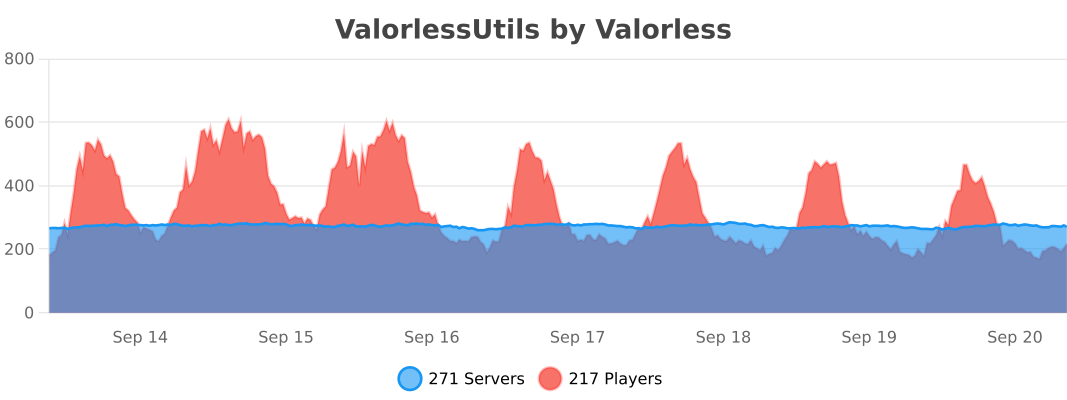
ValorlessUtils
ValorlessUtils is a utility library for my other plugins for easier plugin development.
If you need an older version or a specific build, you can find them all here: https://github.com/Valorless/ValorlessUtils/tree/main/builds
Valkyrien Skies
**Valkryien Skies 2 is in BETA. It’s generally stable and you can play with it, but we haven’t even reached 1% of our full potential!**
# Valkyrien Skies
Website | Discord | GitHub
*Blocks that move. Blocks that scale. Blocks with physics. Mini ships. Huge ships. With Valkyrien Skies, not even the sky is a limit.*
Notice: *Valkyrien Skies* is a library mod, you need to download an add-on to use it in ordinary gameplay. If you don’t have any in mind, try out Eureka!
## Buoyancy?
You betcha. If your ship is light enough, it floats!
## Everything Collides
Ship to ship. Ship to world. Ship to player. Ship to entities. Valkyrien Skies integrates seamless into vanilla.
## Oh, right. It also supports Create
Your favorite Create machines just got mobile! And this is just the first of many integrations for many popular mods to come.
ValkyrieLib
About
This is a library of common code for all of ValkyrieofNight’s and TeamKrypticLinks mods.
Can I use this in my modpack?
Curesforge, Modrinth and FTB modpacks: Go Ahead 🙂
Packs on external sites: Must acquire my permission and then link back to this project page.
Valhelsia Core
Valhelsia Core is an API for different mods: Valhelsia Structures, Valhelsia Furniture, Valhelsia Tweaks, Valhelsia Quests and Forbidden and Arcanus.
## **ANNOUNCEMENT**
– Announcements appear at specific intervals in the form of, Chat, Actionbar, Title, Bossbar, and Toast (Achievement).
– Messages are parsed using MiniMessage, meaning there is support for all vanilla chat colors and Hex color codes, as well as gradients
– Send/broadcast Messages, Titles, Action Bars, Boss Bars, and Toasts to worlds or players using commands.
– Edit auto broadcast messages in the announcer.yml file.
– The auto-broadcast feature can send messages globally.
– The auto-broadcast feature can send messages via Action bar.
– The auto-broadcast feature can send messages via Title.
– The auto-broadcast feature can send messages via Boss bar.
– The auto-broadcast feature can send messages via Toast (Achievement).
## **CUSTOM MESSAGE**
– Join & Quit and First join messages
– Join & Quit and First join action bar messages
– Join & Quit and First join title messages
– Play sound when players join or leave the server
– Customizable title delays
– Custom join MOTD messages ( Personalized Avatar )
## **MENTION SYSTEM**
– If a player’s name is mentioned by another player, they will be notified with a sound and a message!
– Notify the player with a Title/SubTitle/ActionBar (Each can be disabled in the config)
– Notify the player with a Title/SubTitle/ActionBar (Each can be disabled in the config)
– Play sound via Mention
– After being mentioned, the tone of the conversation does not change.
## **CHAT HOVER**
– All player names visible in chat, messages displayed when hovering over them, and click – – – actions, such as interaction features
– Custom hover text
– Click event (suggest, execute and open links)
– Per group hover text
– Fully configurable
## **INVENTORY DISPLAY**
– Type [item] in chat to show off the item in your hand!
– Type [inv] in chat to show off your inventory
– Type [ender] and you guessed it! Show your ender chest!
## **CHAT COLOR & NICK COLOR**
– Players can change their own chat (/chatcolor) and name (/nickcolor) colors. (minimessage – – supports this)
– Colors are fully customizable
– The menu is fully customizable
## **PLUGIN HIDER**
– Show the players only commands that they should see
– Customize or disable the /pl message
– Customize tab-completions (also subarg tab-completion)
## **COUNTDOWN TIMER**
– Start a countdown with your desired time interval
– You can start a countdown separately with the Boss bar and Action Bar.
– You can start countdowns in minutes, hours, and days.
– You can start a countdown based on a date
– MiniMessage supported text
## **MORE INFO**
– Staff Chat
– Mute Chat
– Prevent players from talking in chat.
– Prevents specific commands from being executed when chat is disabled.
– Bypass permission so staff can talk in chat.
– Chat Filter
– Anti-Spam: Block sequential messages
– Anti-Capslock: Limit use of capital letters
– Ad and Profanity Blocker: Banned word and link filter (whitelist supported).
## ✅ Features
– **Efficiently** converts UUIDs to hex format
– Optimized for speed by relying on a precomputated hexadecimal range (`0000-FFFF`), increasing static data usage
## 📖 Usage
Call the `uuid:_` function as an entity and use its output in `storage uuid:out plain`
Alternatively, assign a 4-integer array to `storage uuid:in UUID`, then call the `uuid:convert` function to format it.
 TreeLauncher, the component based Minecraft Launcher.