Vortherion Sword
# **Vortherion Sword Texture Pack**
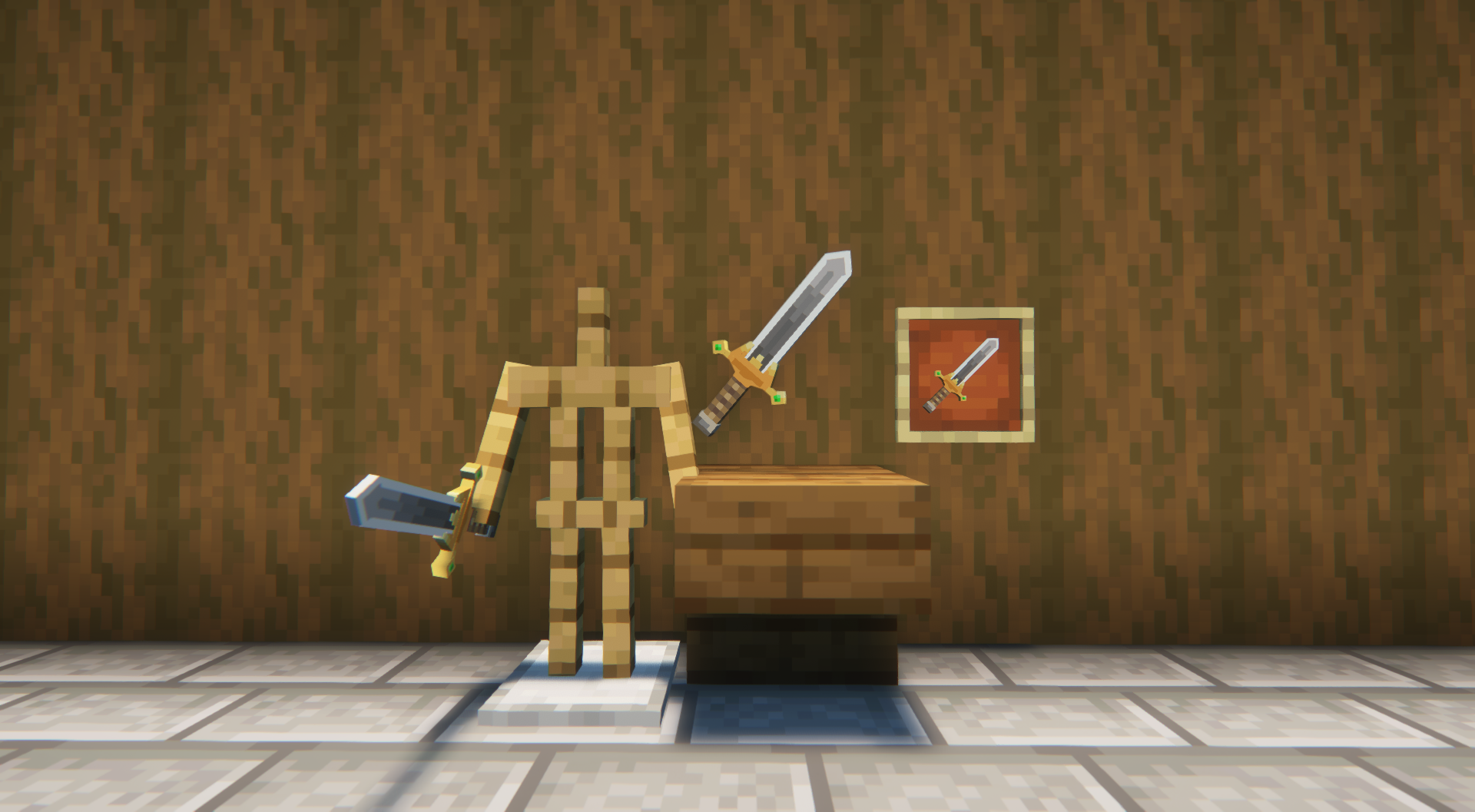
## **Description**
Tired of the normal Netherite Sword? Then try out my resource pack. This texture pack transforms the Netherite Sword into the Vortherion Sword.
## **Usage Guidelines**
This texture pack is designed for non-commercial use, making it perfect for personal gameplay and non-monetized projects. When using the Vortherion Sword Texture Pack assets, please provide proper attribution by acknowledging the source.
Vorlitix’s Bullets
Changes arrows to bullets!
In fact, these bullets are 9mm Mauser and 8mm Mauser, however I classified them as “9mm Bullet” and “8mm Bullet” to be easier to find, hence the pack name.
Why mauser bullets? Well, this pack is supposed to be paired with Pekit’s Bows to Guns WWII edition. **Please** go shoot them a download, as their guns pair perfectly, and are meant to pair, with these bullets! **These guns do NOT require optifine** to work. They work perfectly on vanilla, as well as these bullets due to the bullets just being a retexture of the arrow.
I have also implemented different noises to the arrow landing noise to make them sound somewhat realistic.
This pack **should** support 1.14 and above but is specifically made for 1.19.
Enjoy!
VoodooDoll Wide
# VoodooDoll
A resource pack that changes the totem of undying into a plush toy version of the player’s model. No mods required!
## Comparision between versions
### Vanilla Custom:
**Pros:**
– all totems can be made unique (perfect for multiplayer)
– supports both the slim and wide player models
**Cons:**
– works only on Minecraft 1.21.5 and up
– a bit complicated to customize
### Vanilla Wide/Slim:
**Pros:**
– works with very old versions of Minecraft, from 1.11.0 and up
– easy to customize
**Cons:**
– every totem of undying will look the same (good enough on single-player)
– only supports either the slim or wide player models
You can use Vanilla Custom edition and either Vanilla Wide or Vanilla Slim edition alongside each other, if so desired.
## How to customize
By default, the resource pack only comes with a texture of Steve, so if you want to use your own skin, or someone else’s skin, you will have to follow these instructions.
1. Extract the content of the resource pack from the ZIP.
2. Go to `assets/minecraft/textures/item/totem_of_undying` folder (`assets/minecraft/textures/items/totem` for 1.11-1.12 version).
3. Copy your desired user’s skin texture into the folder and rename it to `totem_of_undying.png` (`totem.png` for 1.11-1.12 version).
4. Overwrite the original file if prompted.
5. Package the content of the resource pack back into ZIP.
6. Done. Have fun :3
VoodooDoll Slim
# VoodooDoll
A resource pack that changes the totem of undying into a plush toy version of the player’s model. No mods required!
## Comparision between versions
### Vanilla Custom:
**Pros:**
– all totems can be made unique (perfect for multiplayer)
– supports both the slim and wide player models
**Cons:**
– works only on Minecraft 1.21.5 and up
– a bit complicated to customize
### Vanilla Wide/Slim:
**Pros:**
– works with very old versions of Minecraft, from 1.11.0 and up
– easy to customize
**Cons:**
– every totem of undying will look the same (good enough on single-player)
– only supports either the slim or wide player models
You can use Vanilla Custom edition and either Vanilla Wide or Vanilla Slim edition alongside each other, if so desired.
## How to customize
By default, the resource pack only comes with a texture of Alex, so if you want to use your own skin, or someone else’s skin, you will have to follow these instructions.
1. Extract the content of the resource pack from the ZIP.
2. Go to `assets/minecraft/textures/item/totem_of_undying` folder (`assets/minecraft/textures/items/totem` for 1.11-1.12 version).
3. Copy your desired user’s skin texture into the folder and rename it to `totem_of_undying.png` (`totem.png` for 1.11-1.12 version).
4. Overwrite the original file if prompted.
5. Package the content of the resource pack back into ZIP.
6. Done. Have fun :3
VoodooDoll Custom
# VoodooDoll
A resource pack that changes the totem of undying into a plush toy version of the player’s model. No mods required!
## Comparision between versions
### Vanilla Custom:
**Pros:**
– all totems can be made unique (perfect for multiplayer)
– supports both the slim and wide player models
**Cons:**
– works only on Minecraft 1.21.5 and up
– a bit complicated to customize
### Vanilla Wide/Slim:
**Pros:**
– works with very old versions of Minecraft, from 1.11.0 and up
– easy to customize
**Cons:**
– every totem of undying will look the same (good enough on single-player)
– only supports either the slim or wide player models
You can use Vanilla Custom edition and either Vanilla Wide or Vanilla Slim edition alongside each other, if so desired.
## How to customize
By default, the resource pack only comes with textures of Steve and Alex, so if you want to use your own skin, or someone else’s skin, you will have to follow these instructions.
1. Extract the content of the resource pack from the ZIP.
2. Go to `assets/minecraft/textures/item/totem_of_undying` folder.
3. Copy your desired user’s skin texture into the folder and rename it to `.png`. (replace the `` part with whatever name you want, can be an in-game username)
4. Now, navigate to `assets/minecraft/models/doll` folder.
5. Make a copy of either the `alex.json` or `steve.json` depending on the width of the skin’s arms, and rename it to `.json` (the same name you used for the skin texture).
6. Open the JSON file with a text editor and replace the mention of `”alex”` or `”steve”` with `”“`.
7. Then, go to `assets/minecraft/items` and open the `totem_of_undying.json` file with a text editor.
8. Either replace the `steve`/`alex` with `` and `”Steve”`/`”Alex”` with the name that will trigger turning the totem into a doll, or use that as a template for new cases (Warning: you **can’t** add multiple trigger names to the same case, you need to create a separate case for that)
9. Repeat the entire process when making it for more than one person.
10. Package the content of the resource pack back into ZIP.
11. Done. Have fun :3
Instructions for VoodooDoll CIT (discontinued)
**Warning**: These instructions only apply to VoodooDoll CIT v1 and v2. For VoodooDoll Custom, follow the instructions above.
1. Extract the content of the resource pack from the ZIP.
2. Go to `assets/minecraft/citresewn/cit` folder.
3. Copy your desired user’s skin texture into the folder and rename it to `.png`. (replace the `` part with whatever name you want, can be the person in-game username)
4. Make a copy of either the `alex.json` or `steve.json` depending on the width of the skin’s arms, and rename it to `.json`.
5. Open the JSON file with a text editor and replace the mention of `”alex”` or `”steve”` with `”“`.
6. Make a copy of any of the `.properties` files (doesn’t matter which one), and rename it to `.properties`.
7. Open the `.properties` file you’ve just created with a text editor.
8. Replace the `texture=` and `model=` with the name of the PNG and JSON files. The `nbt.display.Name=` is what will trigger the totem of undying to be the voodoo doll when you rename it in the game, so you can change it to whatever you want, as long as it fits the 50 characters limit of anvils.
9. Repeat the entire process if making for more than one person.
10. Package the content of the resource pack back into ZIP.
11. Done. Have fun :3
voodoo totem
This resoursepack allows you to **rename** the totem of undying to **”voodoo”** to replace its model with a beautiful voodoo doll.
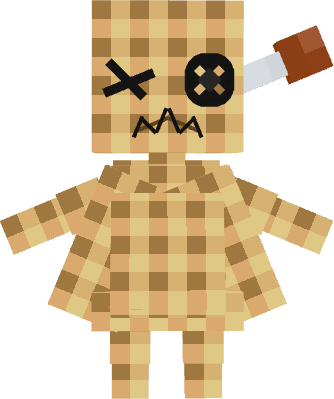 _(its look better in game >.<, so see the gallery)_
I also **strongly recommend** installing the **"RP renames"** mod, it greatly simplifies the use of my resource pack
Voodoo Doll of Undying
A small pack that allows you to change the totem of undying into a smaller version of your skin
for people who want to use their own skin:
– requires ability to use image editors like paint.net or blockbench (image editor option)
– the totem texture has a template of how a “steve” texture would look like when scaled down to the doll’s dimentions
# How to Customize?
1. open the resource pack and go to “assets/minecraft/textures/item“ and extract “totem_of_undying.png“
2. open “totem_of_undeying.png“ in image editing software
“`
[left side is for base right side is for outer layer]
[both left leg and left arm are on the left side of each section, same with right side but on right]
“`
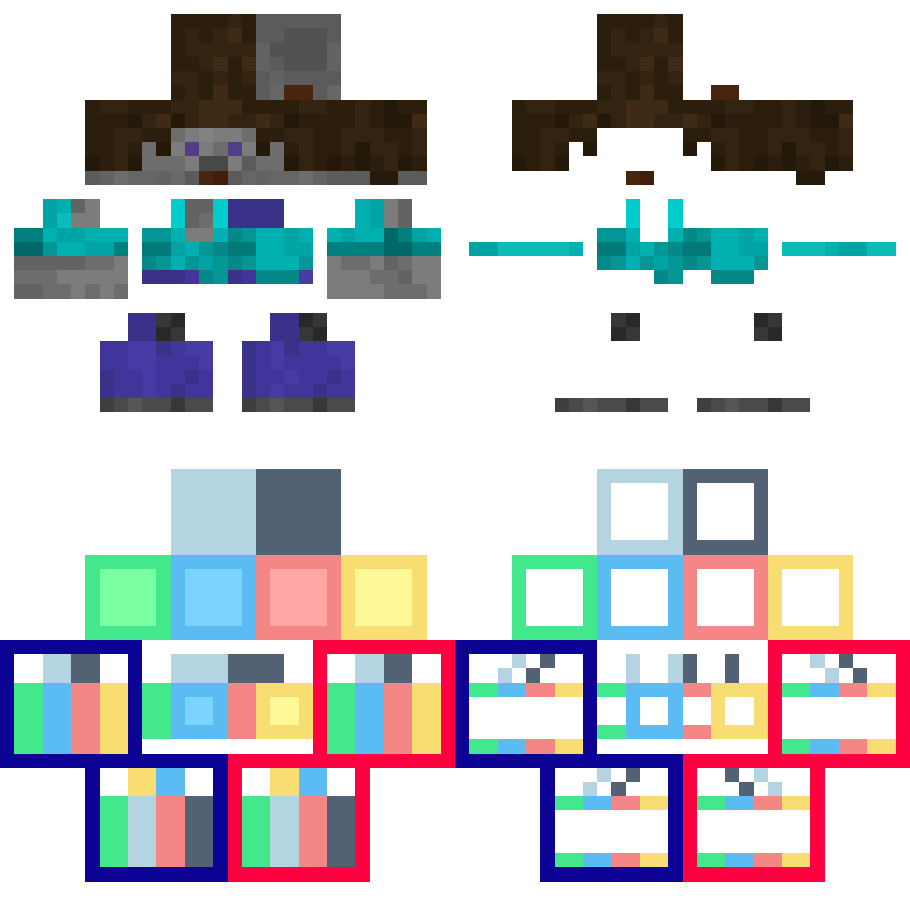
3. edited “totem_of_undying.png“ put back in “assets/minecraft/textures/item“
4. reload the resource pack using debug shortcut “[F3] + [T]“
5. done
VonDoomCraft
All Future Downloads
Beta 8.8 Now Available
Volumetric
Join the **Discord server** to **report issues** and get **announcements**!
Volumetric is a resource pack that aims to enhance your Minecraft experience by giving each item a unique 3D model. Volumetric adds a new level of detail to your world, while staying true to visual style of the game we all know and love.
**⭐Features**
– 3D item models
– Custom textures
**🌱Progress**
– The project is still in the works, and will take some time before it’s completed. You can view the progress of the project below.

**⚙️Compatibility**
– This pack, unfortunately, might not be fully compatible with other resource packs. The good news is that you can create an addon to increase it’s compatibility!
**📃Usage terms**
You can ✅:
– Use this pack for content creation (showcasing on youtube, using in streams, etc.) as long as you link back to this page.
– Create addons for this pack.
– Distribute modified versions of this pack. (changes must be significantly different from the original pack)
– Use this pack in modpacks.
You cannot ❌:
– Distribute unmodified versions of this pack.
– Claim ownership over any of the assets in this pack.
– Upload this pack to other websites as me/on my behalf.
Recommended ⭐:
– Download from this page to ensure a safe download and get the latest versions.
Volmur Textures




### VolmurVanilla
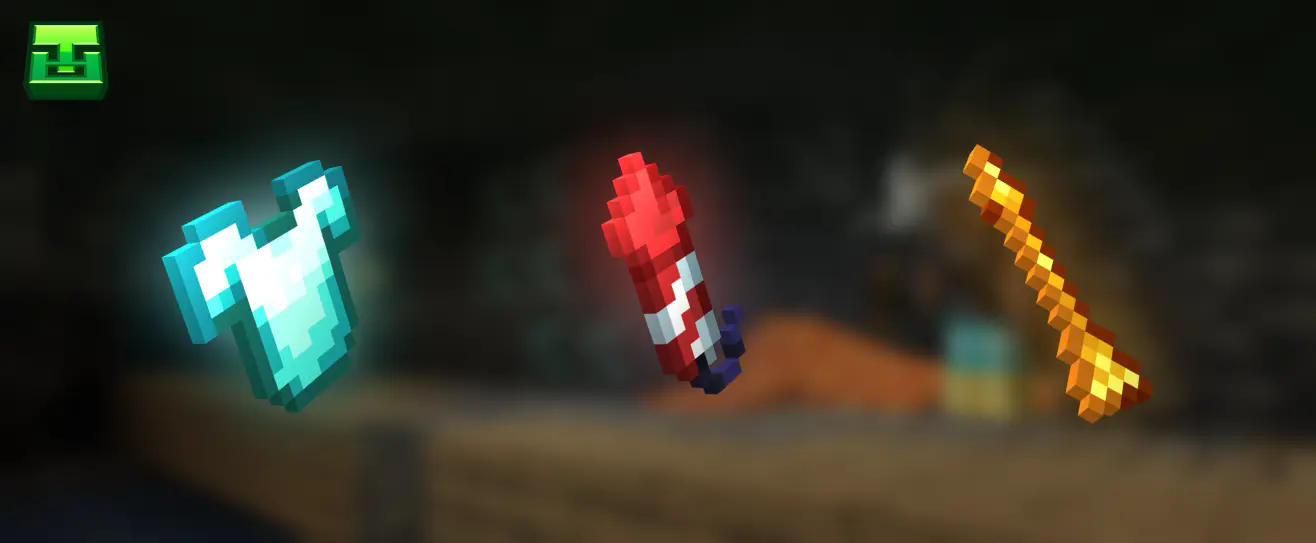
The resource pack updates various items for the author’s own game and makes some textures and shades more logical, for example with diamond items – Why diamond has one palette and diamond armour and tools have a different palette?
### What’s currently done in the resource pack?
Right now, the following is finished: armor, tools, weapons, and some minor items. In the future, I’m planning to retexture the food, all the tools, and the potion bottles!
### Community
Join our Discord Server to ask questions, suggest your ideas, or just chat with the community!