Real Night Vision Shader
**English version:**
Real Night Vision Shader
Transforms your nights into a cinematic military NVG experience. Fully vanilla by day — at night, everything switches to a green monochrome with scanlines, grain, and a goggle vignette. No performance cost.
**Features:**
– Green NVG tint activates automatically at night
– Brightens dark areas so you can actually see
– CRT scanlines & analog grain for realism
– Goggle-style vignette on screen edges
– Smooth transition at dusk and dawn
– Zero changes during daytime
Compatible with Minecraft 1.17–1.21.x via OptiFine or Iris.
Subscribe so you don’t miss any updates! If you have questions or need support, join our Discord.
**Русская версия:**
Real Night Vision Shader
Превращает ночь в кинематографичный опыт с прибором ночного видения. Днём — полностью ванильно, ночью — зелёный монохром со сканлайнами, зерном и виньеткой как у настоящих NVG очков.
**Возможности:**
– Зелёный тинт автоматически включается ночью
– Brightens тёмные зоны — реально видно в темноте
– CRT сканлайны и аналоговое зерно для реализма
– Виньетка как через очки ночного видения
– Плавный переход на закате и рассвете
– Ноль изменений днём
Совместимо с Minecraft 1.17–1.21.x через OptiFine или Iris.
Подписывайтесь, чтобы не пропустить обновления! Если есть вопросы — заходите в Discord за поддержкой.
Raincore
—
The rain never stopped in 1998.

[](https://github.com/myueqf/Raincore/stargazers)
#### About:
Raincore is a shader pack that captures the petrichor scent of moist earth after the rain, featuring distinct pixelated effects and grain/lo-fi.
This is my fifth shader pack, built upon my previous work, [Lantern](https://modrinth.com/shader/lantern-shader). I hope you enjoy it! (^-^)
#### Performance:
No high-end hardware is required; integrated graphics are sufficient for a smooth experience.
For the best visual balance, a render distance of 8 chunks is recommended. While you can go lower, it is best kept between 8 to 11 chunks.
#### Links:
– >[Github](https://github.com/myueqf/Raincore)
– >[Discord](https://discord.gg/9ATsdr2ms7)
– >[CurseForge](https://www.curseforge.com/minecraft/shaders/raincore)
#### FAQ:
– **Q**: Can I include this shader in my Modpack?
– **A**: Distributing this shader as part of a modpack without modifying its source code is not considered creating a derivative work. Other components of the modpack are not bound by the GPLv3 license.
Quarter
# Quarter
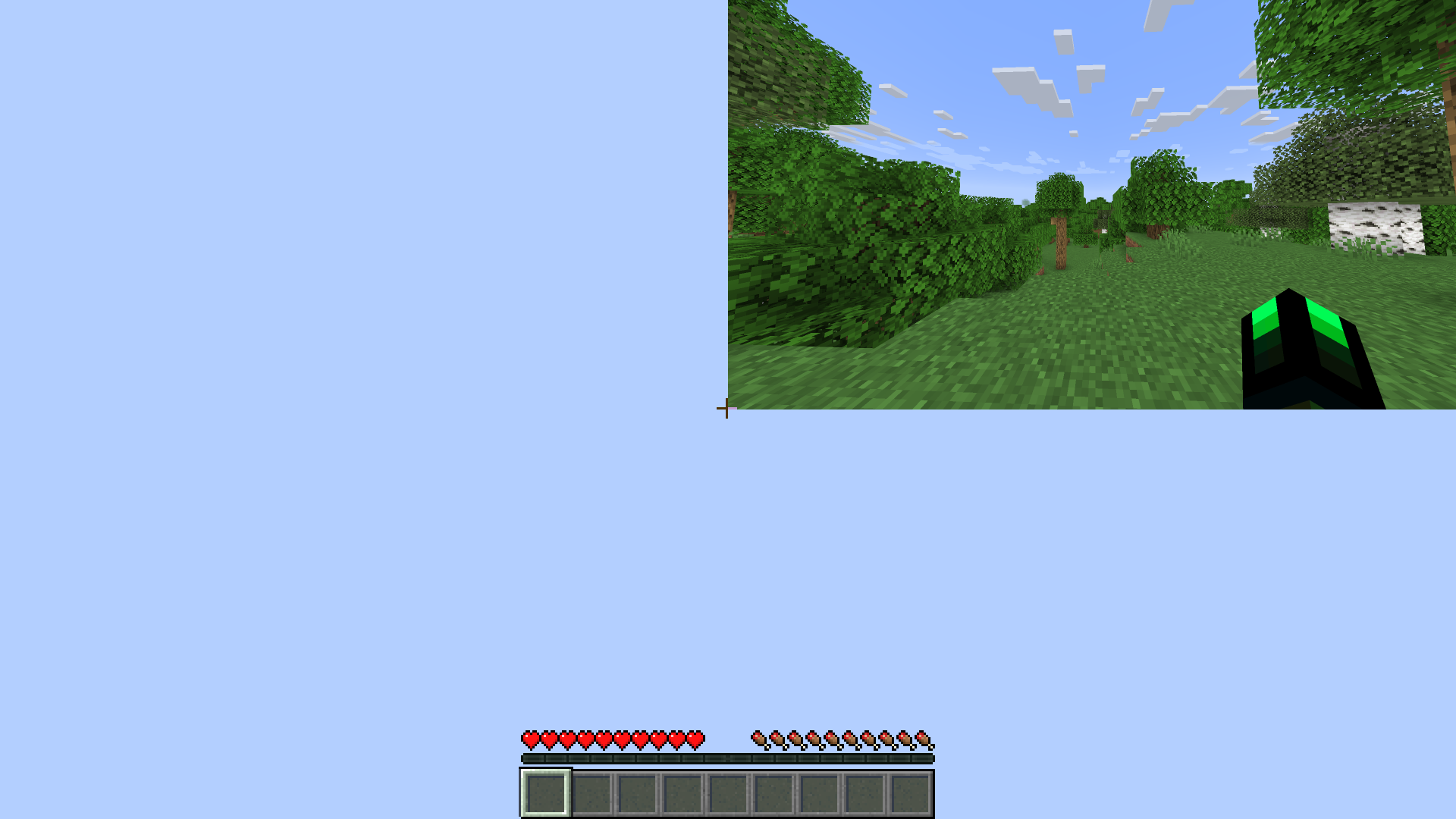
Ever dreamt of playing Minecraft in a miniature world, tucked away in the corner of your screen? The Quarter Shader Pack makes that dream a reality, transforming your entire Minecraft environment into a captivating, small rectangle.
Quanta Shader
# Quanta Shader
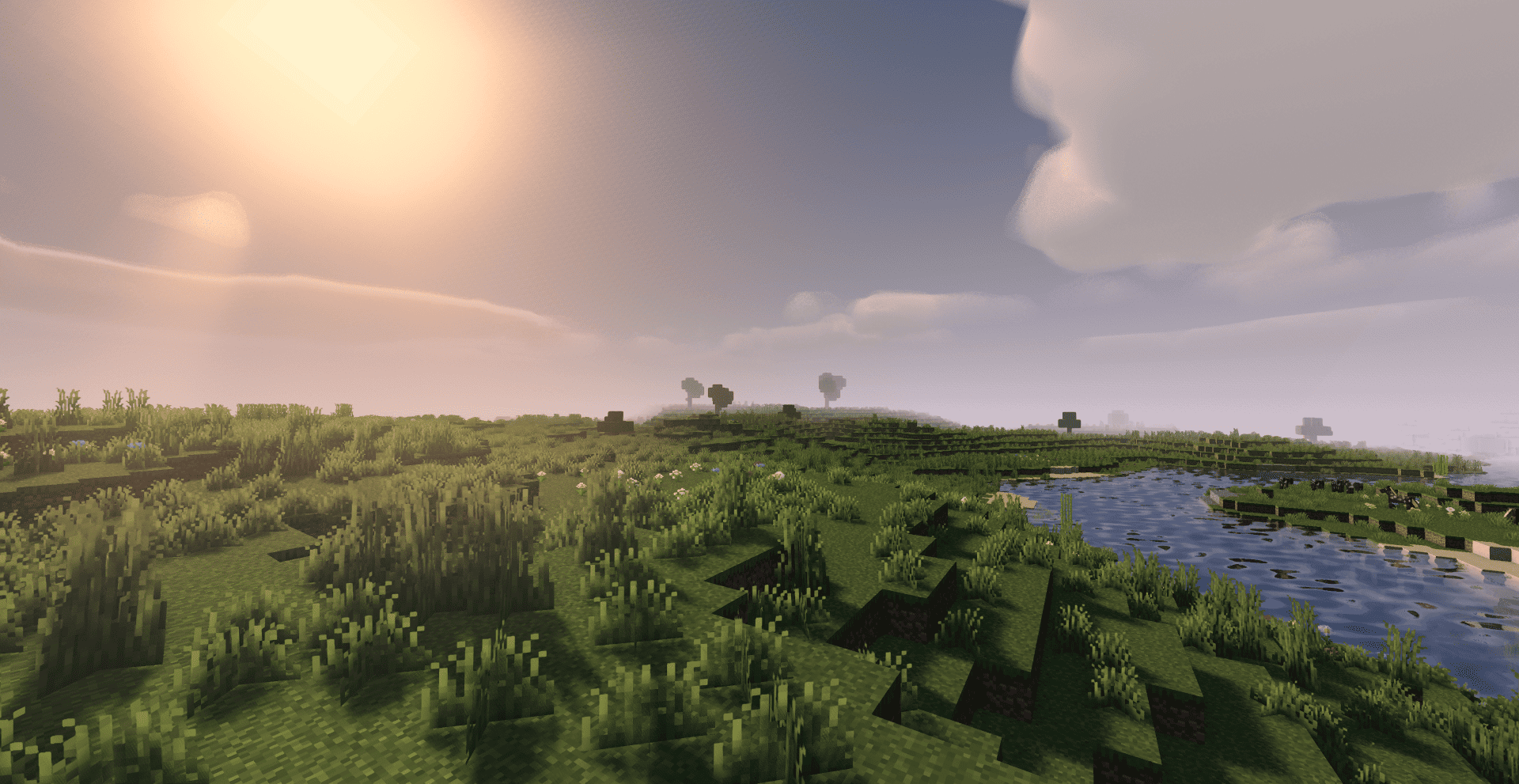
> A simple, fast and beautiful Minecraft shader for Iris/OptiFine.
> Soft sunlight, gentle bloom, real shadows, dynamic clouds and lively
> water — tuned to look great while staying smooth on modest hardware.
—
A huge thank you 🙏
Quanta Shader exists only thanks to **Javier G. Cimarras (`javiergcim`)**
and his amazing project **[MakeUp Ultra Fast]**.
All the heavy lifting — the lighting model, the shadows, the water,
the sky, the clouds, every clever optimization that makes this shader
fast — is his work. This project is just a small, respectful fork:
renamed, cleaned up, and slightly tweaked.
If you like Quanta Shader, please go and support the original author
first. He deserves all the credit. ❤️
* Original project:
* Original author: **javiergcim or KDXavier**
Pyvtron VX
## [Pyvtron VX](https://pyvton.pages.dev/minecraft-shaders/pyvtron-vx)
### Details
Features: Volumetric Fog, Water Caustics, Cumulus Clouds, Cirrus Clouds, High Resolution Graphics, ultra realistic rain and very much features that you will see in the game!
Performance Impact: High / Medium (Medium: If you have a good computer).
You can find older versions and the official release(s) of Pyvtron VX [here](https://pyvton.pages.dev/minecraft-shaders/pyvtron-vx) ([My Website](https://pyvton.pages.dev/))
### Requirements
AMD CPU (Recommended)
Nvidia GPU (Recommended)
A graphics card that supports OpenGL 4.6 or OpenGL 4
Note: I currently only have access to Nvidia GPUs for testing. I cannot make sure if Pyvtron VX works on Intel CPUs and AMD GPUs.
### Installation
Install it like other Minecraft Shaders or read this here if you don’t know how to install minecraft shaders:
1. First download the Iris Shaders Installer / Mod
2. Run the .jar and click on Install.
3. Download the latest version of Pyvtron VX
4. Open the Minecraft Launcher. You’ll see the Iris Shaders profile – select it and start Minecraft.
5. Go to Options → Video Settings → Shaders → Shaderpacks Folder.
6. Drag the downloaded shaderpack into the shaderpacks folder.
7. Select the shaderpack ingame.
8. Enjoy.
### Other Stuff
Before you modify or do something with this shaderpack, you must read the [license](https://pyvton.pages.dev/licenses/pccl)
Pyvtron VX is not path traced etc. VX means Version X
If you want to know, how to add support for modded dimensions (for new dimension mods) read this here on my [docs](https://pyvton.pages.dev/docs/minecraft-shaders/modding/how-to-add-mod-support-for-modded-dimensions)
Pyvtron Shaders
## [Pyvtron Shaders](https://pyvton.pages.dev/minecraft-shaders/pyvtron)
Pyvtron shader is a shader that tries to look realistic.
This shader has a extreme realistic 8k resolution sky and and a beautiful water color
Stuff: Light-Rays, Dirty Lens, Ambient Occlusion, Much Settings, Fog and More!
If you want to support me please make videos on youtube, tiktok or other platforms (so that Pyvtron Shaders becomes better known)
And don´t forget to download the newest version!
### Requirements
– AMD CPU. Intel is not compatible with this shader!
– Nvidia GPU Or AMD GPU.
– A graphics card that supports OpenGL 4.6 or OpenGL 4
– Iris Shaders Mod. Other Shaders Mods are **NOT SUPPORTED OR TESTED**
Installation
1. First download [Iris Shaders](https://www.irisshaders.dev/) (This is only the Installer or download [the mod](https://modrinth.com/mod/iris))
2. Run the .jar and click on Install.
3. Download the latest version of Pyvtron.
4. Open the Minecraft Launcher. You’ll see the Iris Shaders profile sellect you profile and Start Minecraft.
5. Go to Options → Video Settings → Shaders → Shaderpacks Folder.
6. Drag the downloaded shaderpack into the shaderpacks folder.
7. Select the shaderpack ingame.
8. Enjoy.
## Please Check Also My Other Shaders Out:
### [Pyvtron VX](https://pyvton.pages.dev/minecraft-shaders/pyvtron-vx) (Version X)
Pyvtron VX (Version X) Is realistic and has much much more detail and has much more realism than Pyvtron Shaders!
### Blacklist:
– KLauncher
– Xenolith
– Minecraftzw
– FoxyCraft
### Whitelist:
– 9Minecraft
– Zonacraft
– Feed The Mods
– Minecraft-France
## 1. Allowed Actions
You can upload it to a site but the download link must be one of CurseForge, Modrinth, Github or [My Website](https://pyvton.pages.dev/minecraft-shaders/pyvtron)
“Modify the project for personal use only, without sharing or publishing it.
Record and upload videos, screenshots, and streams showcasing Pyvton Shaders on platforms like YouTube, Twitch, TikTok, etc., including monetization, under these conditions:
## 2. Prohibited Actions
Uploading, rehosting, or distributing any version of Pyvton Shaders using your own links.
Using any ad-based or monetized link services (e.g., AdFly, Linkvertise, Boosters).
Bundling or embedding Pyvton Shaders into:
Modpacks, resource packs, launcher tools, or shader collections.
Minecraft servers or launchers, in any form—pre-installed, downloadable, or bundled.
Any third-party software or shader management tools.
Sharing modified versions unless:
You received explicit written permission from Pyvton.
The modified version contains significant original work.
It is licensed under the same license.
No monetization is involved unless approved by Pyvton.
Using parts of the project (e.g., code or textures) in other projects without permission.
Add a download link in the description
PVP ZeroX
# ABOUT:
PVP ZeroX is a shader designed for PVP.
It adds:
– Motion Blur (a cool graphic effect that improves game smoothness)
– TAA (removes flickering, more information in the frame)
Features that allow you to focus on PVP:
– Full lighting brightness
– Bright color highlighting of players and mobs
– Arrow highlighting
– Particle disable
– Sharpness adjustment (make the image clearer!)
– Terrain saturation reduction (nothing should distract you from PVP)
All settings can be adjusted, enabled, or disabled. There are also 3 presets to suit your taste. If you have any ideas for what else to add, please write to [Discord](https://discord.gg/Cz2sCWz5Wh).
## PVP GIF:

## LINKS:
– [Discord](https://discord.gg/Cz2sCWz5Wh) (Discuss, Bug Reports, Etc.)
– [Telegram](https://t.me/LoLip_p_Community)
– [YouTube](https://www.youtube.com/@lolip_p)
## INSTALL THE SHADERS
– Download Client Which Supports Installing Shaders Such As Optifine And Iris
– Download The Shaders
– Copy Shaders to /.minecraft/shaderpacks
– Launch Minecraft, Go To Options –> Video Settings –> Shaders
– Choose **PVP ZeroX**
Purpliness
## Purpliness
As the name suggests, these are purple shaders, they change a lot of stuff to be purple. Nothing too fancy, just a lot of purple and some cool shadows.
Features:
– Purple sky
– Purple clouds
– Purple shadows
– Purple water
– Purple fog

Pumpkin
## Pumpkin Shaders
Shaders that (try) to not make your computer cry while still somewhat sticking to the vanilla style.
#### PLEASE REPORT ALL ISSUES ON THE [GITHUB ISSUE TRACKER](https://github.com/mekboy21-dev/pumpkin-shaders/issues)
**PLEASE NOTE:** This shader is in early stages of development and you may experience issues while playing.
Tested on Windows & Linux. Iris is recommended over Optifine for versions that support it.
### Why is it called ‘pumpkin’?
I opened Minecraft, went to a village and saw a pumpkin. Thats kinda just it.
PSX Shader NB
# PSX Shader NB
This shader pack is a fork of ckosmic’s [Minecraft PSX Shader](https://github.com/ckosmic/minecraft-psx) that mimics the look and feel of PlayStation 1 graphics.
## Changes in this Fork
### No-Bounce Vertex Fix
Changed vertex transformation to eliminate the bouncing effect when moving.
Changed the vertex transformation from:
“`glsl
vec4 position4 = mat4(gl_ModelViewMatrix) * vec4(gl_Vertex) + gl_ModelViewMatrix[3].xyzw;
“`
to standard transformation:
“`glsl
vec4 position4 = gl_ModelViewMatrix * vec4(gl_Vertex);
“`
### Dynamic Hand Light
Added real dynamic lighting from held light sources (torches, lanterns, etc.). Light now updates continuously as you move, rather than only when breaking/placing blocks. Uses `heldBlockLightValue` / `heldBlockLightValue2` uniforms with linear distance falloff matching vanilla placed light behavior, applied to terrain, entities, water, hand, and basic geometry shaders. Supports both main hand and off hand light sources.
## Installation
Place this shader pack in your Minecraft `shaderpacks` folder.
This shader pack works with both [OptiFine](https://optifine.net/) and [Iris](https://irisshaders.net/).
## Credits
– Original shader by ckosmic
– Iris compatibility by Karen/あけみ (akemin_dayo)
## License
Licensed under the [MIT License](https://choosealicense.com/licenses/mit/).