ZickZack Light Blue
# ZickZack Light Blue


This is a resourcepack that mimics the texturepack used by BastiGHG in early 2026. The pack comes with custom skyboxes, updated hud & hotbar, custom XP Level color [Requires [Polytone](https://modrinth.com/mod/polytone)] and everything is made configurable using [ResPackOpts](https://modrinth.com/mod/respackopts)
## Texture changes
– GUI hearts and armour are light blue
– Golden carrots as food bar
– Optifine/Skyboxify Custom Sky (light blue night sky, blue day sky (double sun & artifacts fixed)
> **NOTE about custom SkyBoxes:** You need to install a mod in order to make the custom skyboxes work, I recommend [Skyboxify](https://modrinth.com/mod/skyboxify) for this. If you are using Optifine, the pack should just also work fine!
> **NOTE about the configuration Screen:** You need to install a mod in order to make configuration screen work, the mod is called [ResPackOpts](https://modrinth.com/mod/respackopts)!
___
### Resourcepack Support
For any questions or problems with the resource pack, please contact me on Discord!
**PLEASE** do not ask for support in the BastiGHG Discord or in his Twitch Chat!
[](https://discord.gg/CE3rzSnzzw)
___
## **DISCLAIMER:**
> I am not BastiGHG, this is a community made resourcepack! This resourcepack is not approved by or associated with BastiGHG in any way! Some textures are not available to me, so I can’t include them!
ZeroWorlds ResourсePack
## **Описание (RU)**
**ZeroWorlds ResourcePack** — ресурс-пак, разработанный специально для сервера ZeroWorlds в **Minecraft**. Он обновляет визуальный стиль игры, добавляя уникальные текстуры и целостный художественный дизайн, органично сочетающийся с атмосферой сервера.
### Особенности
– Кастомные текстуры блоков и предметов
– Единый визуальный стиль
– Оптимизированная производительность
– Улучшенная детализация и атмосфера
Ресурс-пак сохраняет читаемость и узнаваемость ванильного Minecraft, делая мир более выразительным и цельным.
### Зависимости
Для корректной работы требуются моды:
– Entity Texture Features
– Entity Model Features
– Variants-CIT
– Resource Pack Fusion
Рекомендуется для игры на сервере ZeroWorlds.
—
## **Description (EN)**
**ZeroWorlds ResourcePack** is a resource pack designed specifically for the ZeroWorlds server in **Minecraft**. It refreshes the visual style of the game with custom textures and a cohesive artistic direction that naturally fits the server’s atmosphere.
### Features
– Custom block and item textures
– Consistent visual style
– Optimized performance
– Enhanced detail and atmosphere
The pack preserves the clarity and recognizability of vanilla Minecraft while making the world more visually refined.
### Dependencies
The following mods are required for proper functionality:
– Entity Texture Features
– Entity Model Features
– Variants-CIT
– Resource Pack Fusion
Recommended for playing on the ZeroWorlds server.
ZeroVision
# **ZeroVision**
This is the very early alpha release of my pack
(since a lot of people on my discord wished for it)
In my pack i basically want to recreate everything cool i saw in resourcepacks in my own style!
Like 3D Flowers and Plants, or 3d Ores, or custom workbenches!
In my pack there is missing a lot of textures, animations, item-textures and basically the whole GUI, thats normal since this is the alpha of a work in progress resourcepack 🙂
**Note:**_You can load my pack on top of diffrent ones, if u want to have a textures for Items i didnt made so far!_ (The Resourcepack thats the highest in the list has the highest priority)
Heres some preview pictures:
3D-Ores: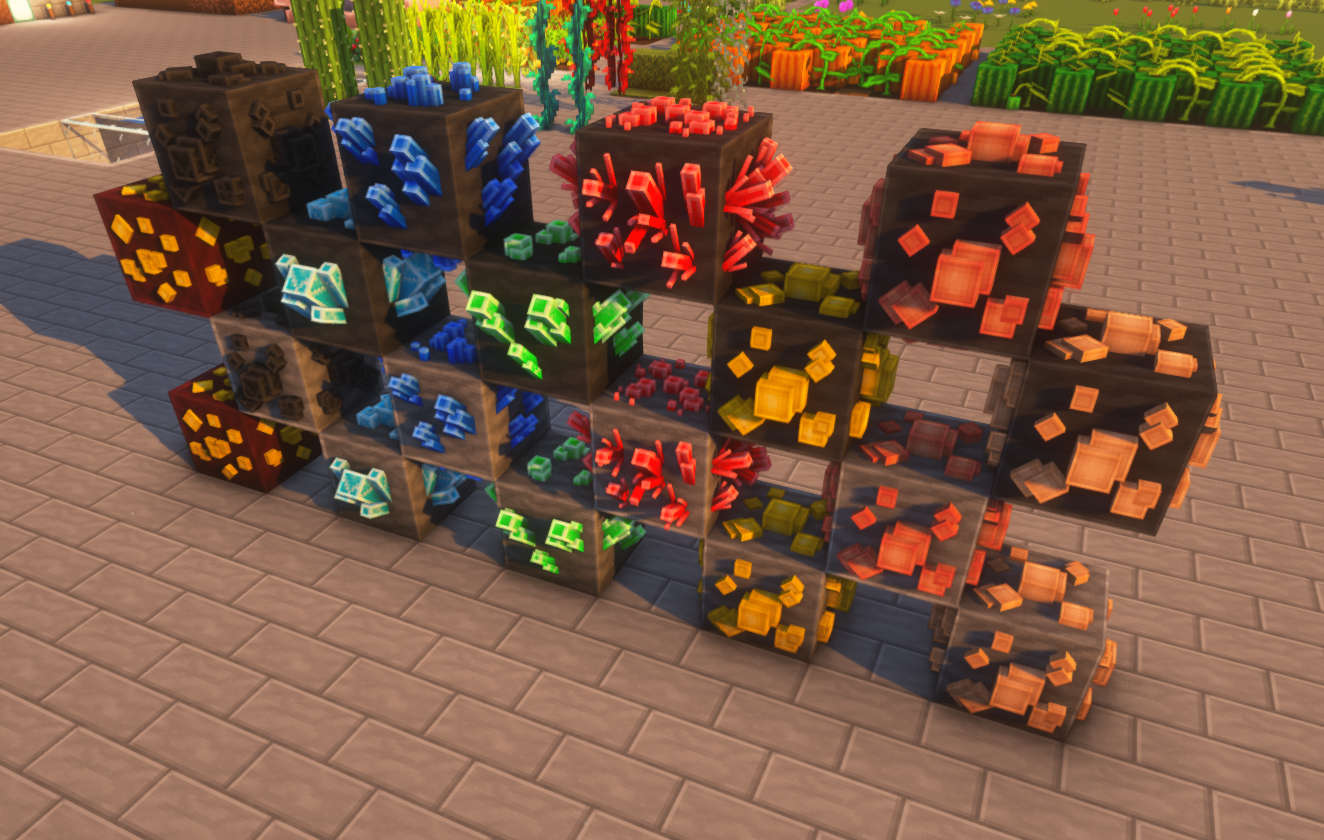
3D-Flowers: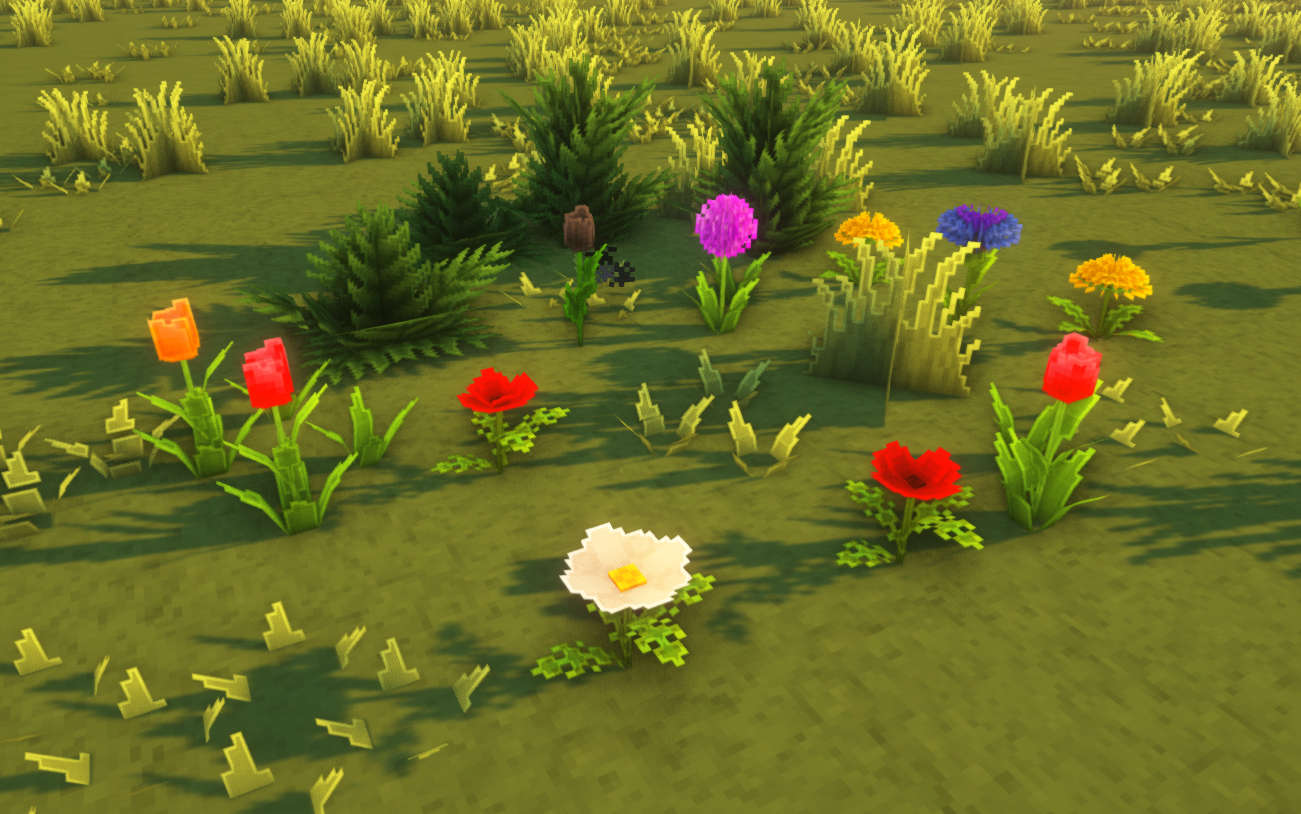
3D-Foliage: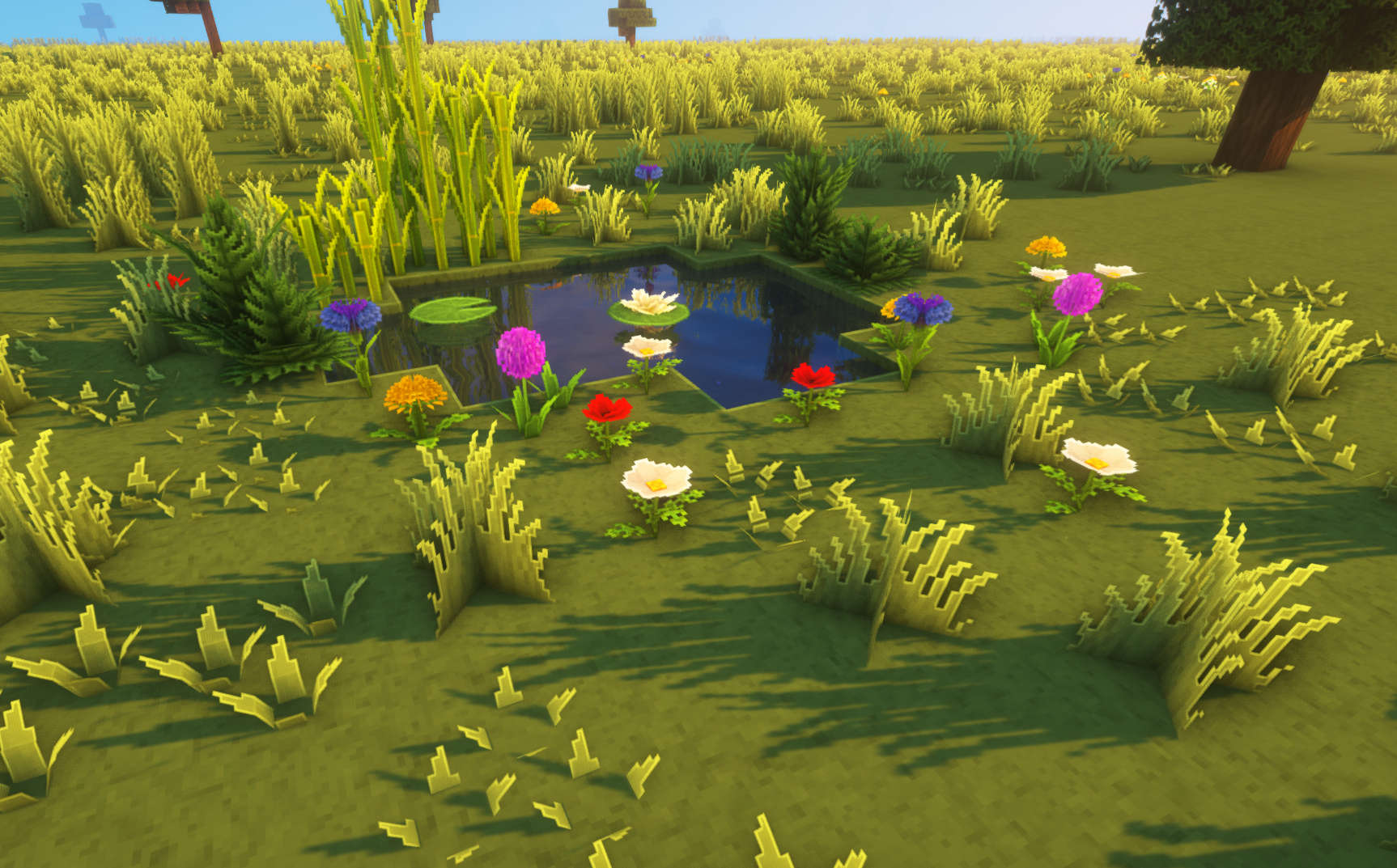
Other: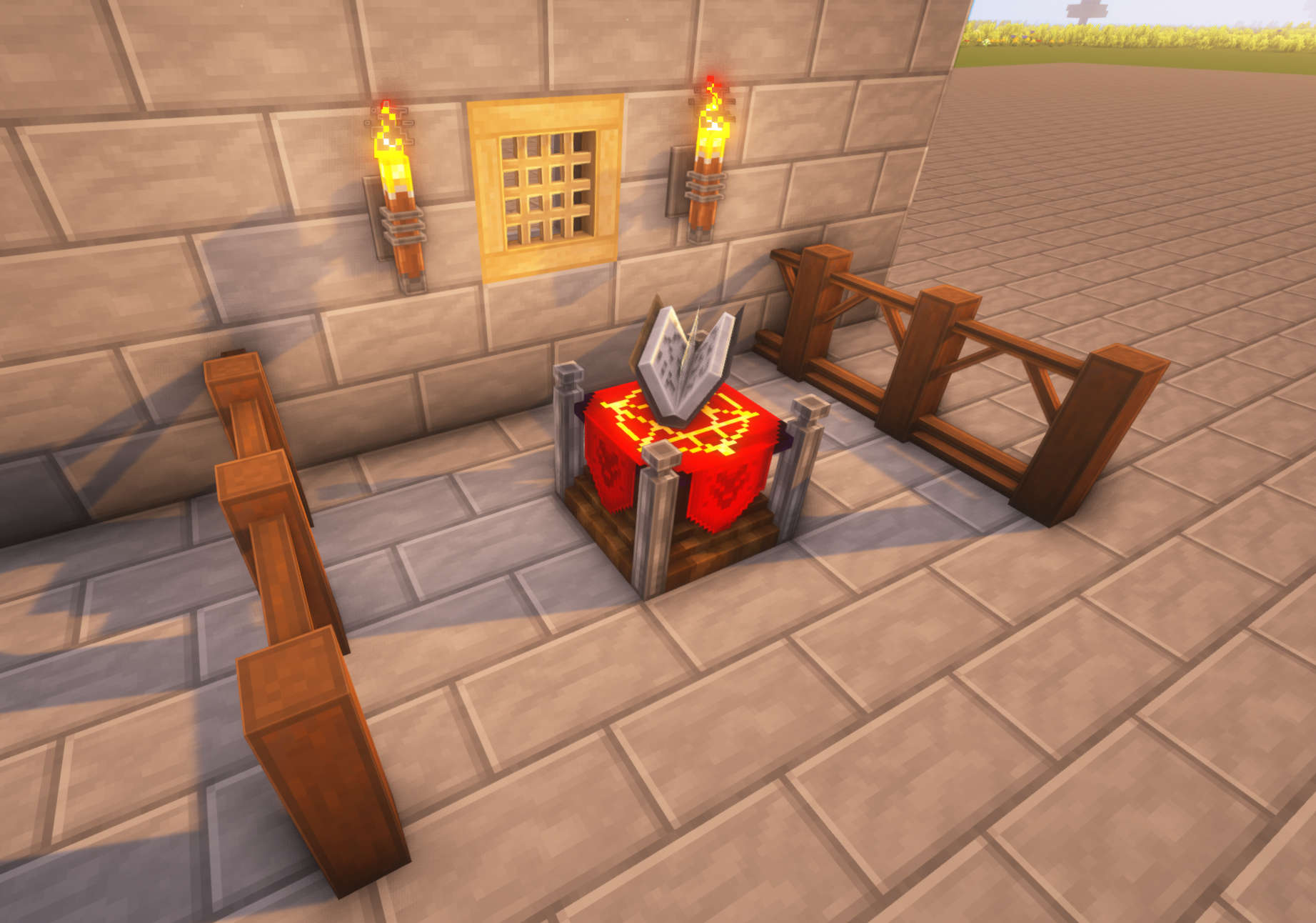
Preview: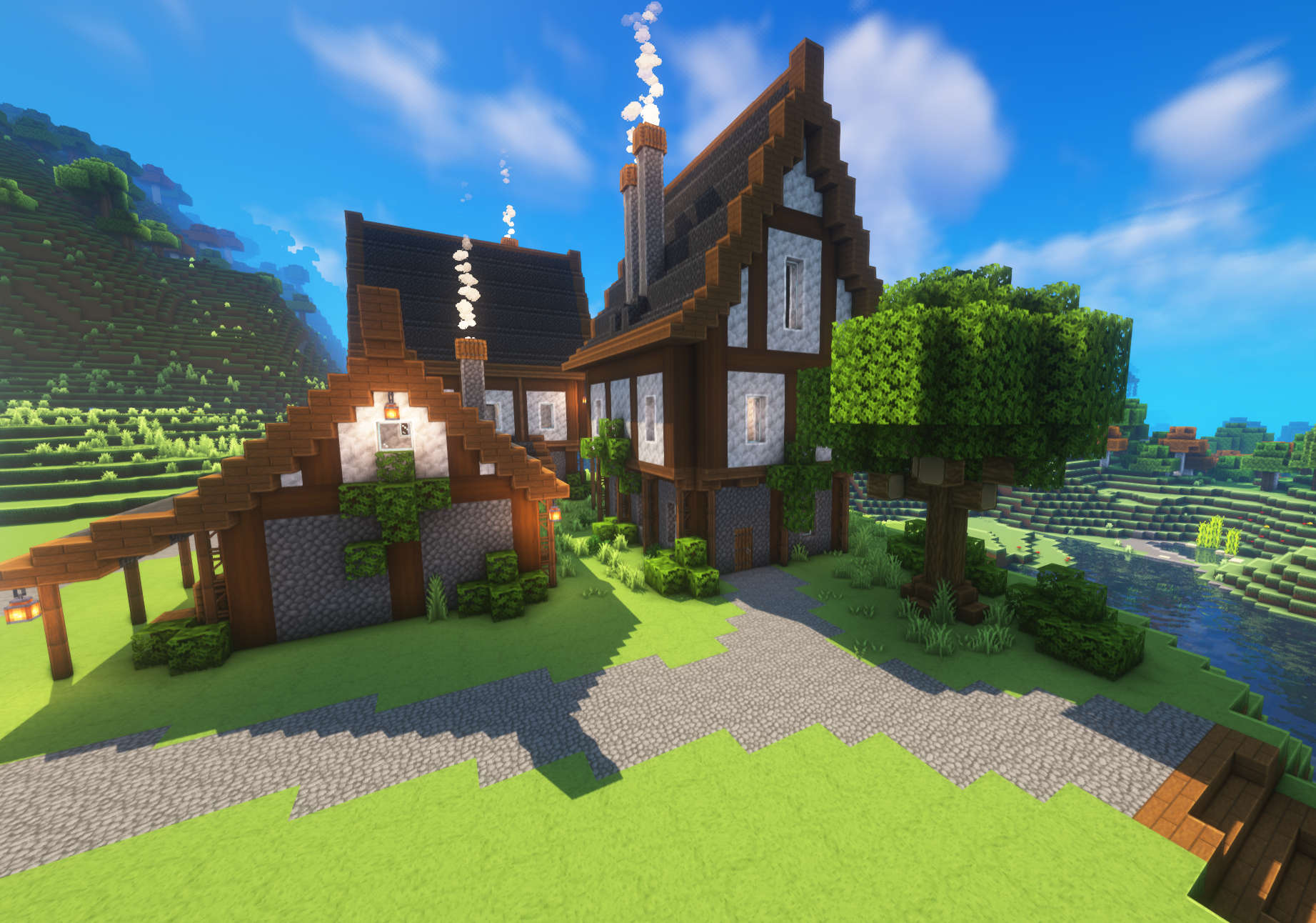
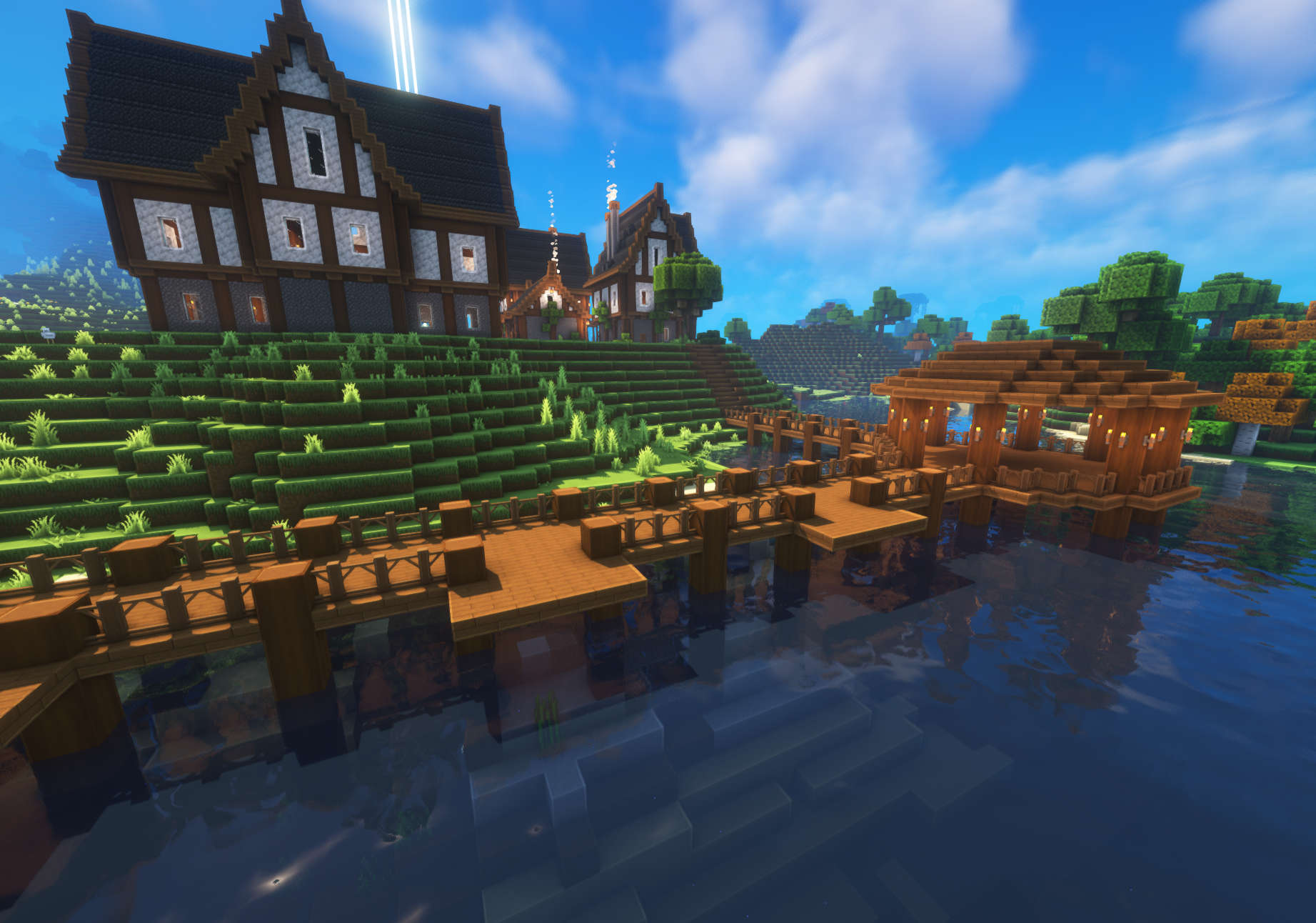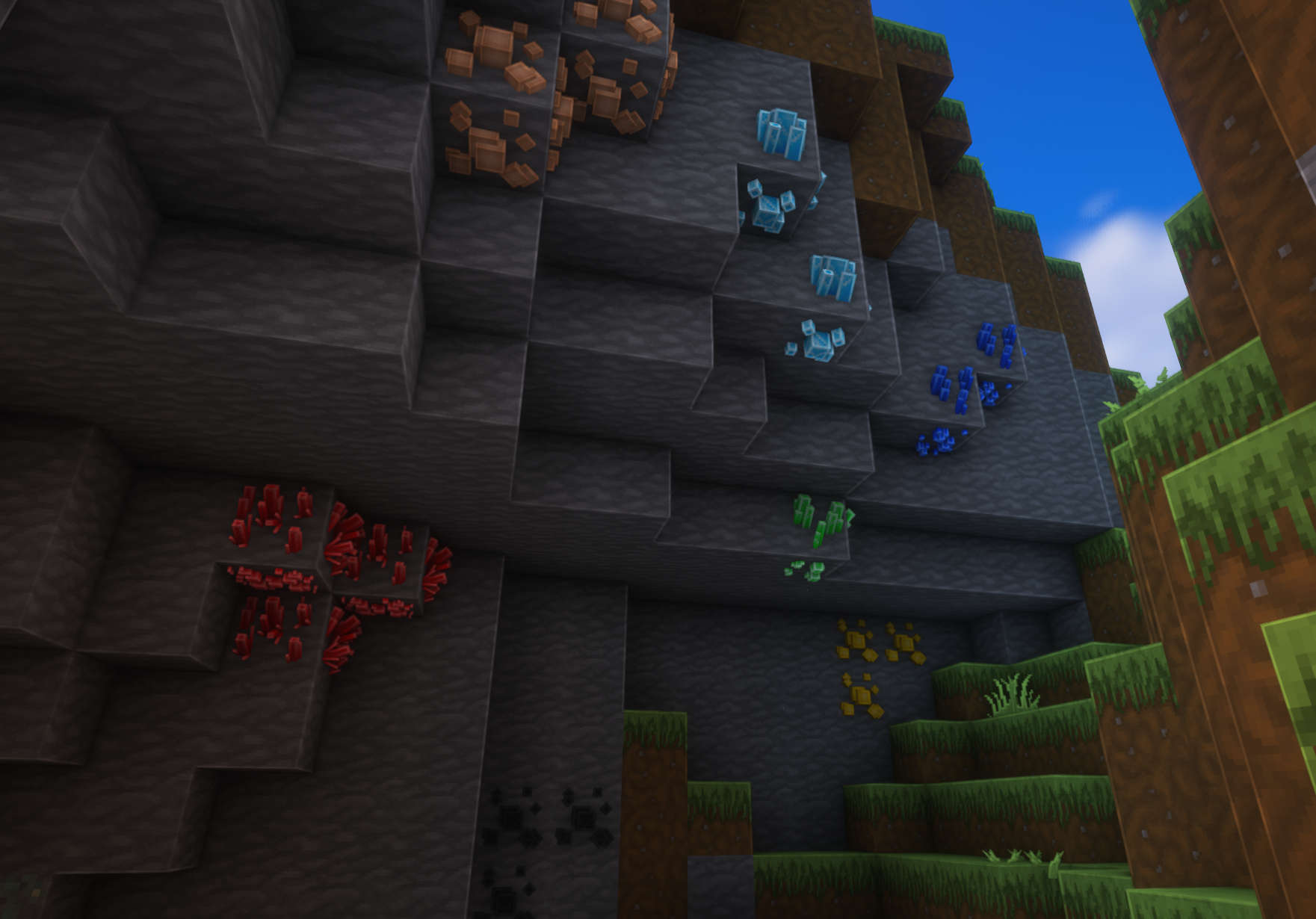
Im using Complementary Shaders in the screenshots!
Zero Two
This is a gui pack of the 24EP anime series called darling in the franxx
i hope you like it!
This Gui Pack also adds menu audio
### ADDS
buttons
panorama overlay
menu music
## ScreenShots
### V2

### V1

Zero Bedwars Pack
This BedWars texture pack is designed specifically for fast-paced competitive gameplay. It focuses on clean visuals, high clarity, and performance optimization to help players react faster during intense PvP fights. Textures are simplified and polished to reduce visual distractions while keeping all important items instantly recognizable.
Blocks are optimized for fast bridging, weapons and tools are easy to read in combat, and UI elements are clean for quick inventory management. The pack keeps a vanilla-inspired style while enhancing contrast and smoothness, making it ideal for BedWars and other competitive PvP modes.
Features
Clean and competitive BedWars-focused textures
Optimized blocks for fast bridging and building
Clear weapons, tools, and items for PvP combat
Reduced visual clutter for better focus
Vanilla-style look with PvP improvements
Performance-friendly and lightweight
Ideal for BedWars, SkyWars, Duels, and PvP servers
Zenitsu Agatsuma
## A resource pack themed after Zen’itsu Agatsuma from Demon Slayer.
### This pack is discontinued, but most of it’s features are available in my [Demon Slayer CIT](https://modrinth.com/resourcepack/demon-slayer-cit) pack!
##
This resource pack was (almost) entirely made by me (read the credits.txt file in the pack for more information).
Some of the features in this pack require [OptiFine](https://optifine.net/home) ([or CIT alternatives](https://optifine.alternatives.lambdaurora.dev/)) to be installed. They are marked with {OF}.
These are all of the things featured in this pack:
**GUI:**
– All of the containers (almost)
– Hotbar, food icons (also for the [AppleSkin](https://modrinth.com/mod/appleskin) mod!), HUD related stuff
– Buttons/Sliders
**Katanas:**
– Zen’itsu’s Katana (Sword)
– {OF} Tanjiro’s Katana (Sword)
**Other Gear:**
– {OF} Nezuko’s Bamboo (Carved Pumpkin)
– {OF} Genya’s Gun (Crossbow)
– {OF} Demon Slayer Corps uniform (Armor)
– {OF} Rengoku’s Cloak (Elytra)
Contact me if you have any ideas on what I should add!
ZenGUI
ZenGUI is a custom red-themed GUI texture pack made to give Minecraft a cleaner and more modern feel. Every menu, button, and interface element is designed with a smooth red style that looks great while still feeling simple and comfortable to use.
This pack is perfect for players who like minimal yet stylish visuals for PvP, survival, or everyday gameplay. The dark and red color combination gives Minecraft a fresh look without changing the original vibe too much.
Made with attention to detail by Zensiyoo.
New icons by Matik
A resource pack that changes the appearance of hearts, experience bars, hunger bar and underwater breathing bar.
For now, the resource pack will change: Hearts and all their effects like wither, poison, freeze, golden hearts and all their alternatives in hardcore mode. Underwater breathing scale. Experience scale. Display network status. Armor display scale
the resource pack has been tested on versions 1.20.1 to 1.19, but the resource pack should work on all versions.
You can buy me a coffee here:
https://ko-fi.com/matikk
ZAWA: Evolved GUI – Dark mode
A GUI pack redesigned in [ZAWA: Evolved](https://modrinth.com/mod/zawa-evolved)’s paintings style.
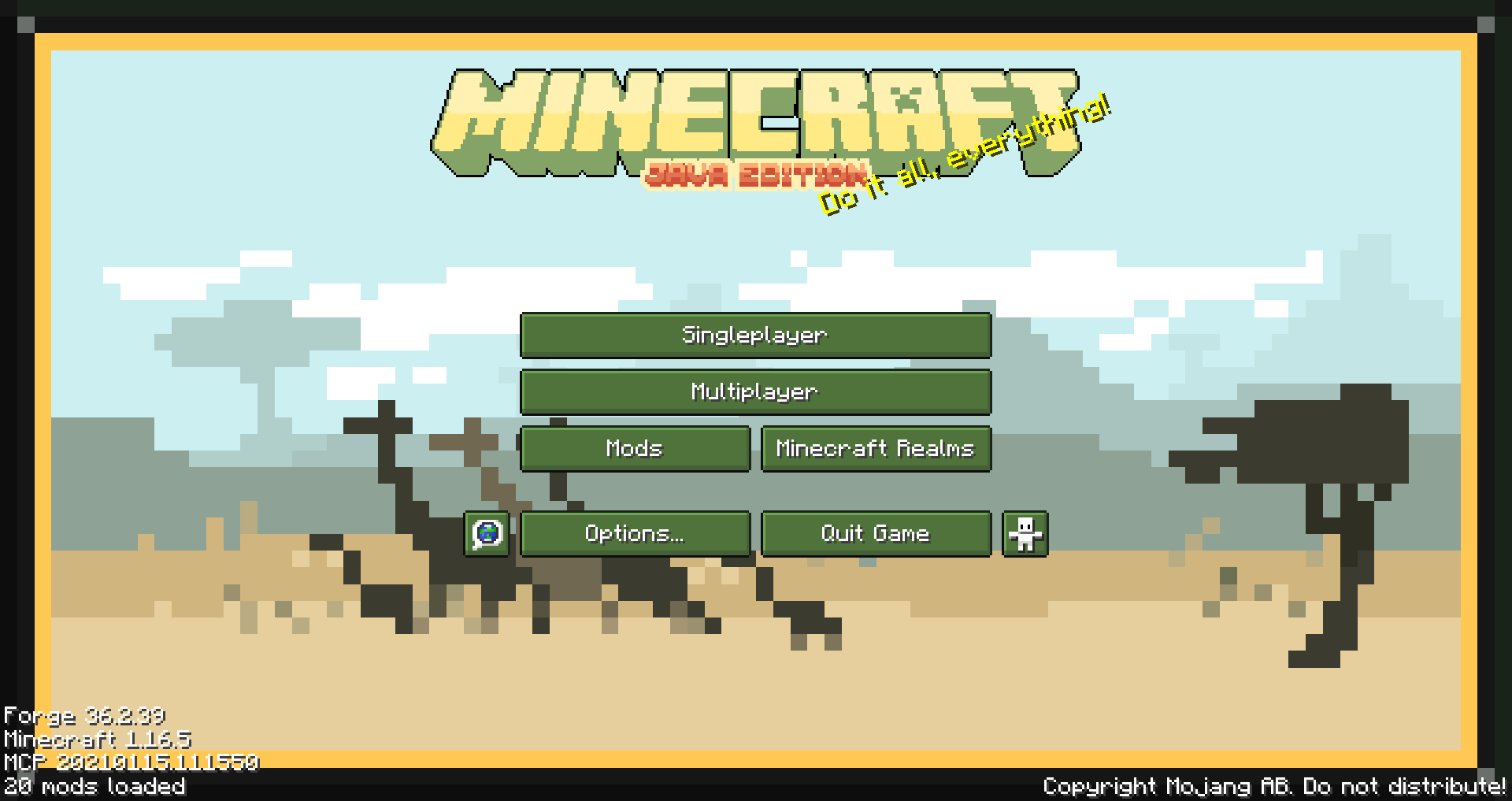
Created with only 1.16.5 in mind, feel free to request other versions as needed.
Supported mods list
– Appleskin
– Cosmetic armor reworked
– Curios
– Environmental
– Glasscutter
– Realistic Horse Genetics
– Iron chest
– JEI (just enough items)
– JER (just enough resources)
– JEP (just enough professions)
– Quark
– Sophisticated Backpacks
– Tinker’s Construct
– Xaero’s minimap
– ZAWA: Evolved
Zarba Respack
**Attention: This resourcepack will stop updating from April 2025 due to the encryption of the RainbowPixel**
# **Zarba Respack**
**A resoucepack based on RainbowPixel**
| Resourcepack | Latest Ver. | Minecraft Ver. | Optifine |
| :-: | :-: | :-: | :-: |
| Zarba Base | 1.2 | 1.21.3 | Required |
| Zarba GUI | 2.0 | 1.21.x | Not required |
| Zarba 3D | 1.0 | 1.21.x | Not required |
| Minecraft Ver. | Zarba Base | Zarba GUI | Zarba 3D |
| :-: | :-: | :-: | :-: |
| 1.21.x | Available | Available | Available |



**Dedicated to players who enjoy using the Rainbowpixel Resourcepack**
#
**How to import Zarba Resourcepack**
1. Open your Minecraft
2. Click `Option`
3. Click `Resource Packs`
4. Drag the Zarba Resourcepack into the window or click `Open Pack Folder` and copy the Zarba Resourcepack to that folder.
**Notes**
1. They are avalible at [Zecoar Modpack](https://modrinth.com/modpack/zecoar-modpack) [(EX)](https://modrinth.com/modpack/zecoar-modpack-ex)
2. Zarba Base require Optifine, if you are using Fabric, please install Optifabric or any mods that can instead of Optifabric.
————————————————————————————————————————————————————

**注意:该材质包从2025年4月起停止更新,原因是彩虹像素被加密**
# **Zarba 材质包**
**一款基于 彩虹像素 的材质包**
| 材质包 | 最新版本 | 我的世界版本 | Optifine |
| :-: | :-: | :-: | :-: |
| Zarba Base | 1.2 | 1.21.3 | 需要 |
| Zarba GUI | 2.0 | 1.21.x | 不需要 |
| Zarba 3D | 1.0 | 1.21.x | 不需要 |
| Minecraft Ver. | Zarba Base | Zarba GUI | Zarba 3D |
| :-: | :-: | :-: | :-: |
| 1.21.x | 可用 | 可用 | 可用 |



#
**怎么导入 Zarba 材质包**
1. 打开您的我的世界
2. 单击`选项`
3. 单击`资源包`
4. 将 Zarba 材质包拖入窗口或者单击`打开包文件夹`并将 Zarba 材质包复制到该文件夹
**备注**
1. 他们已在 [Zecoar Modpack](https://modrinth.com/modpack/zecoar-modpack) [(EX)](https://modrinth.com/modpack/zecoar-modpack-ex) 中可用
2. Zarba Base需要Optifine, 如果您正在使用Fabric请安装Optifabric或者其他可以替代Optifabric的模组