Winter GUI Pack
[](https://www.reddit.com/user/No-Lavishness-4629/)
Screenshots


# The Winter GUI Pack: Java Edition
**Winter GUI** Pack refreshes Minecraft’s interface with a soft and atmospheric winter theme. Gentle snow accents, subtle icy highlights, and warm seasonal details bring a festive touch to menus and inventories without overwhelming the vanilla style.
[](https://www.reddit.com/user/No-Lavishness-4629/)
## This pack updates:
– Main menu
– Buttons and UI elements
– Inventory and container screens
– Hover and selection effects
Everything is designed to feel cozy, clean, and easy on the eyes-perfect for both single-player worlds and servers.
**Feel free to share feedback! Helpers are welcome too :)**
## Support me and receive bonuses :3
[](https://www.patreon.com/c/RainbowLemur?utm_medium=unknown&utm_source=join_link&utm_campaign=creatorshare_creator&utm_content=copyLink)
### Contact me:
[](https://www.reddit.com/user/No-Lavishness-4629/)ㅤ[](https://discord.com/users/691722335081857115/)ㅤ[](https://t.me/statuettepauldurov)
Winter 2017 Panorama
# Winter 2017 Panorama
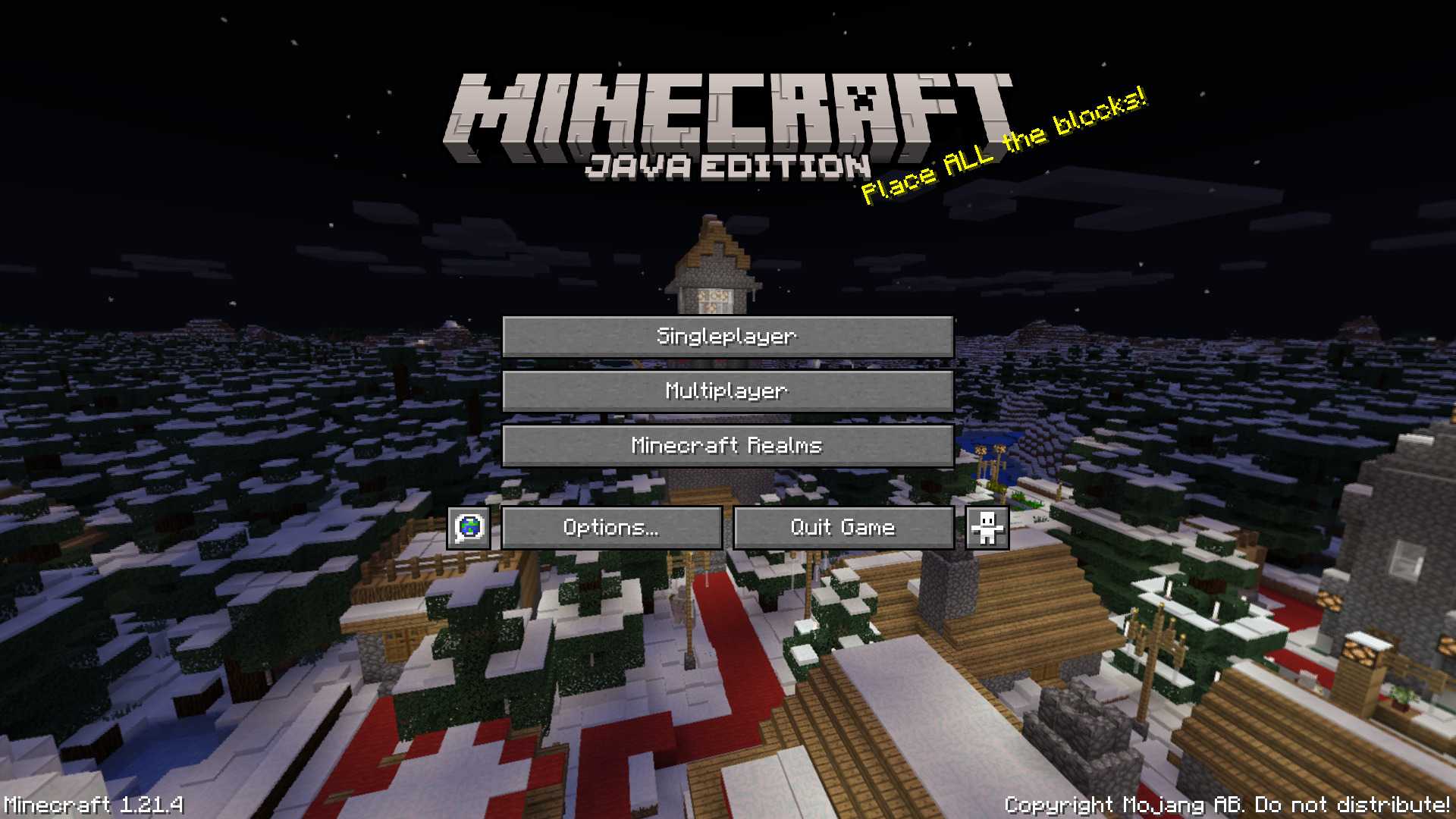
This panorama was used in Bedrock Edition during the 2017 winter holiday season (1.2.7 to 1.2.8)
### Features:
Adds the Panorama from the Bedrock 2017 winter holiday season [(Gallery)](https://modrinth.com/resourcepack/winter-2017-panorama/gallery)
### Credits
The images were taken from the Minecraft Wiki [(Check it out!)](https://minecraft.wiki/w/Historical_panoramas#Holiday_2017)
Windows PIDS
A custom Minecraft resource pack for the Joban client mod, PIDS. It features iconic Windows screens like the BSOD, bringing a tech-inspired aesthetic to Minecraft.
**NOTE:** In order to insert the images to a PIDS, right click it with a brush and then type in the ID of the desired image to apply it on a PIDS
PIDS PRESET CODE:

Windows Pack
# Windows Pack
My Minecraft texture pack is designed around the unique constraint of using a 16-color Windows palette. While the result may not always be the most visually refined, the challenge of working within this limited palette allows for a distinct, retro aesthetic. Each texture in the game from blocks to items has been meticulously created using only these 16 colors:
### Palette 16x Windows :
– #000000 (Black)
– #7e7e7e (Dark Gray)
– #bebebe (Light Gray)
– #ffffff (White)
– #7e0000 (Dark Red)
– #fe0000 (Bright Red)
– #047e00 (Dark Green)
– #06ff04 (Bright Green)
– #7e7e00 (Dark Yellow)
– #ffff04 (Bright Yellow)
– #00007e (Dark Blue)
– #0000ff (Bright Blue)
– #7e007e (Dark Magenta)
– #fe00ff (Bright Magenta)
– #047e7e (Dark Cyan)
– #06ffff (Bright Cyan)
This limitation creates a pixel-art style that feels nostalgic and challenging, appealing to those who appreciate creative boundaries in game design.
Windows 98 Cursors
## Info
This is a resource pack that changes the default Cursor to be more like Windows 3.1 to Windows XP.
## Preview
  
## Requirements
This requires [Minecraft Cursors](https://modrinth.com/mod/minecraft-cursor)
it’s just that simple. 🙂
Windows 8-11 aero busy crosshair
### This resourse pack was ONLY made for
– changing your crosshair
### Features
– Animated
– Customizable (Read file in assets folders)
### Preview of crosshairs (Use dark mode)


Both of those images can be made to be active to be in the pack
if you ever want change your crosshair then un-zip the zip file then go into the last of the assets folders.
Also make sure you didn’t forget to read the file.
(IMPORTANT!)
### IMPORTANT NOTICE :
We will not make versions for this pack before 1.20.2 (Support might be added for 1.20 and 1.20.1)
Windows 11 Edition Title
All Logos and/or branding belongs to Microsoft (Windows), Canonical (Ubuntu), RedHat (Fedora), and Judd Vinet (Arch), please don’t sue me.
## Info
Have you ever heard of Minecraft: Windows 10 Edition… no? ok. This resource pack replaces the standard Java Edition Title to Windows 11 Edition Title for [Legacy4J](https://modrinth.com/mod/legacy4j/versions) and eventually [Legacy Tweaks](https://github.com/ViolaFlower/Legacy-Tweaks), use this resource pack on Windows 11 (NOT Windows 10… maybe), or even use this on Kubuntu, Fedora KDE Desktop, or Arch Linux that looks like Windows 11.

## Requirements
This requires [Legacy4J](https://modrinth.com/mod/legacy4j/versions) or [Legacy Tweaks(Not Finished)](https://github.com/ViolaFlower/Legacy-Tweaks) for this resource pack.
## You can use Modpacks Like
– [Re-Console](https://modrinth.com/modpack/legacy-minecraft) by Nostalgica Reverie
– [Project4J](https://modrinth.com/modpack/project-4j/) by Cixon
– [Legacy Return](https://modrinth.com/modpack/legacy-return) by Atreyu1227
– [William’s Console: Revisited](https://modrinth.com/modpack/williams-console-revisited) by PeacefulWilliam and VoliaFlower
William’s Console Resources
# William’s Console Resources
[ ](https://modrinth.com/modpack/williams-console-revisited) [
 ](https://ko-fi.com/omoso)
**This requires the Legacy4J mod.**
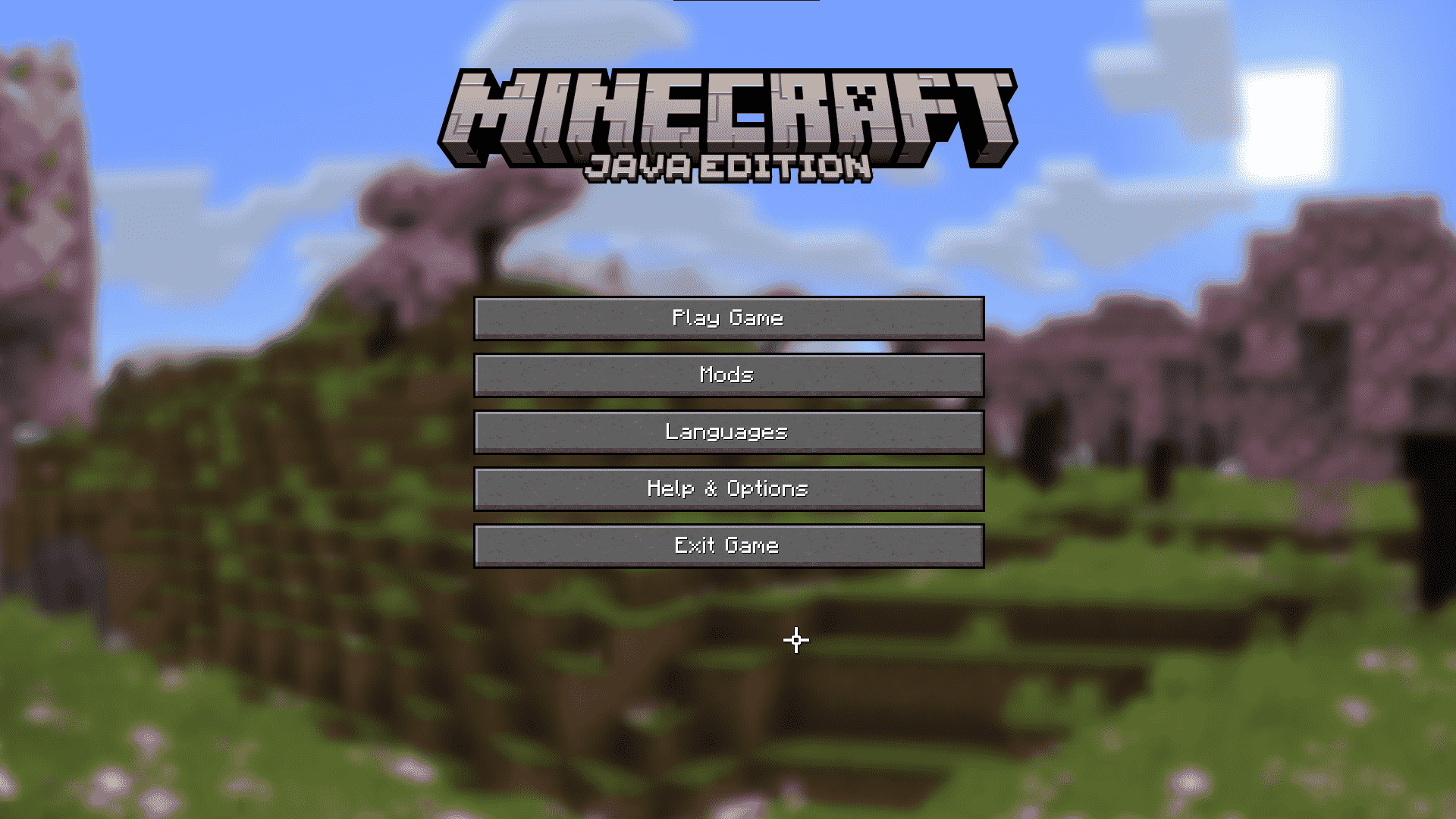
William’s Console Resources is a resource pack that adds on optional content for William’s Console: Revisited, a modpack that adds modded content in a console edition style
# Features
– A new panorama
# Need a server?
[](https://bh.naomieow.xyz/raamviot50)
Wild’s GUI
Used by me, Wild, personally for a dark unique aesthetic with green boarders and buttons. And in some cases red buttons depending on the context. Designed to be more morden and symetrical keeping to the minecraft feel.
See the gallery for some previews
### Mod Support
currently none
### CIT/Optifine additions
currently none
### Planned Mod Support
I may also do requests too
– JEI, REI
– Simple Voice Chat
– Mod menu, cloth config
– Inventory Profiles, Sophisticated, Bundle Inventory
– Curios API, Trinkets
### Planned CIT/Optifine additons
– Shulker Boxes
– Chest Types
# NEWS: Major Update coming
Slight Colour changes happening for the theme and better consistency
Loads of mods to be supported: currently finished textures for Inventory Profiles Next, Curios API, Inventory Manegment, Better Advancements
Optine and etc: still debating whether it should be this upcoming update or another. I may leave it for the next so there’s time for reports on the state of the mod textures. And to give time for extra ideas/requests.
Stay tuned for the release
# Contact and other info
Any problems, suggestions, questions or requests head over to my discord.
[Discord over here](https://discord.gg/NAd2jxWCDz)
You will be a temporary member unless you give the thumbs up.
Wild’s Advancements Recolored
Tabs and container changed from grey to yellow. Matching the existing yellow for obtained advancements.
Unobtained advancements changed from grey to blue. Matching the existing blue for the unobtained title box.
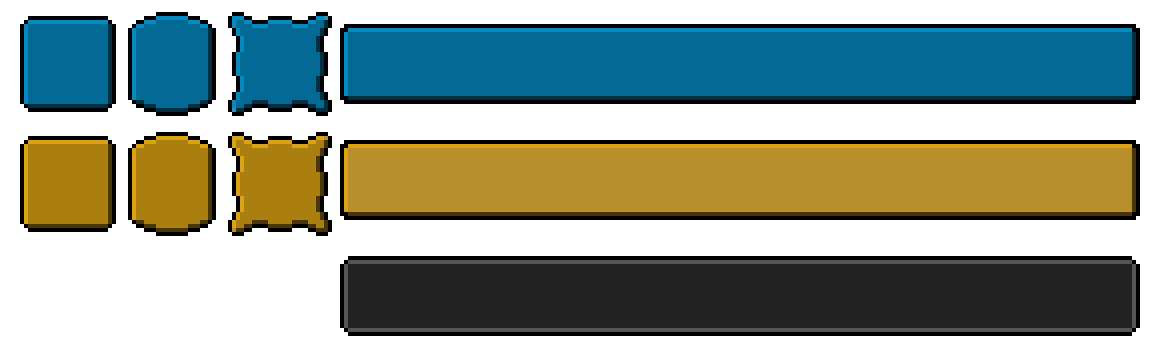
The design choice is also partly used inside Wild’s GUI if you want to check out a whole gui theme that is dark with green accents. [Over here for Wild’s GUI](https://modrinth.com/resourcepack/wilds-gui)
Any problems, suggestions or questions head over to my discord.
You will be a temporary member unless you give the thumbs up.
[Discord over here](https://discord.gg/NAd2jxWCDz)